Microsoft Edge Game Assist is Now Available
- Paul Thurrott
- May 29, 2025
-
0
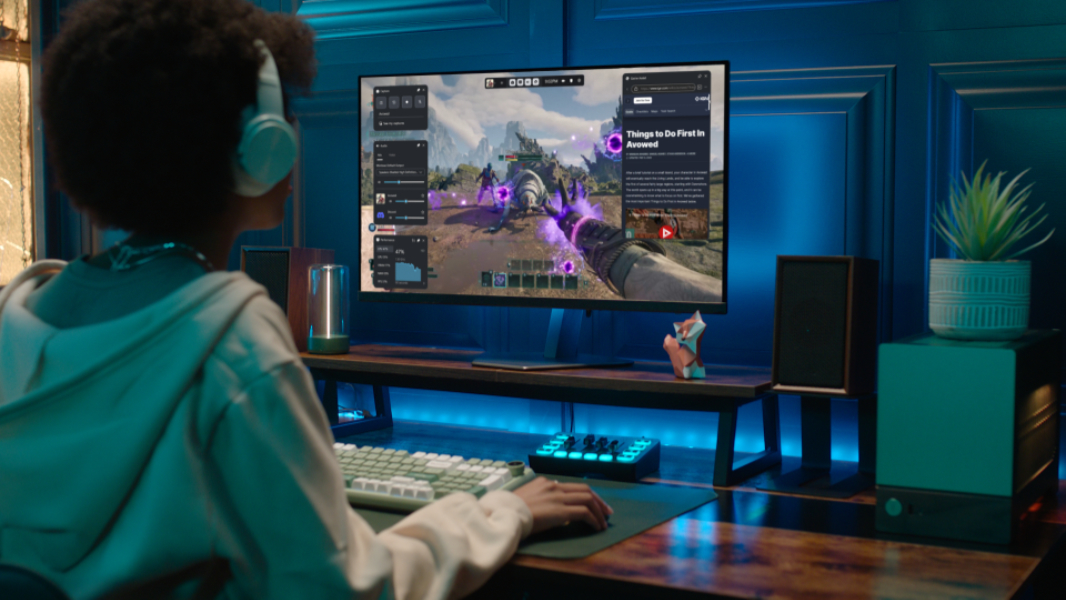
With the release today of Microsoft Edge version 137, the new Game Assist is now generally available to all users.
“We know that staying focused on your game is important, yet you also need to look up game guides, connect with friends, or even listen to music if you want while you play,” Microsoft’s Roger Capriotti writes. “Alt-Tabbing from the game to the desktop is common practice, but it takes you out of your immersive experience. Depending on the game, it can also be quite slow or may even cause issues with the game.”
To address this, Microsoft created Game Assist, a new Game Bar feature built on its Microsoft Edge web browser. It’s billed as an in-game web browser built specifically for the PC, but in practice, it’s a new minimalist web browser widget for Game Bar that can be pinned so that it appears over games even when Game Bar is hidden. This lets you interact with online guides, videos, Discord and other services, and other content while you play without exiting the game. And because it’s based on Microsoft Edge, it has access to your favorites, passwords, history, and other browser data.
The biggest deal here, perhaps, is Game Assist’s game-aware functionality: When it detects a game that is “enhanced”–meaning a game it knows about explicitly–Game Assist will proactively suggest tips and guides as you play (in US English only, for now). Otherwise, you can just search for the game as you would normally: When you launch Game Bar (with Winkey + G or by pressing the Xbox button on your controller), you’ll see a “Paste game title” in the menu when you right-click the Game Assist search box.