Build 2024: Microsoft to Update the Windows 11 Developer Experience
- Paul Thurrott
- May 21, 2024
-
1
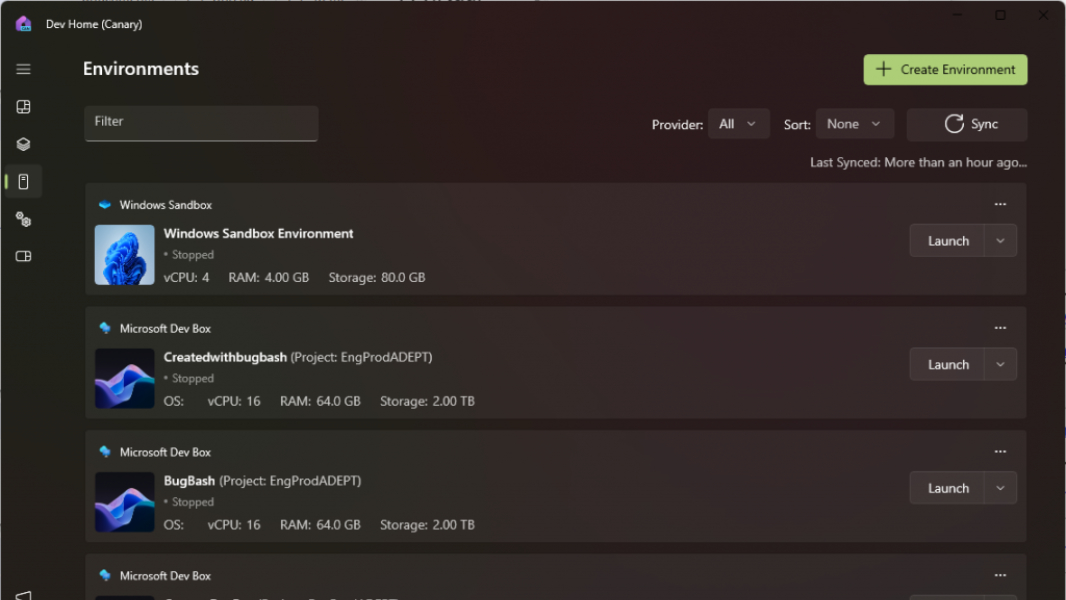
During its Build 2024 keynote, Microsoft revealed several updates to the Windows 11 developer experience spanning Dev Home, Dev Drive, the Windows Subsystem for Linux (WSL), and more. I believe these features will all be delivered in Windows 11 version 24H2, and some are available now in preview.
“We know building great AI experiences starts with developer productivity,” Microsoft corporate vice president Pavan Davuluri explains. “That’s why we are excited to announce new features in Dev Home, performance improvements to Dev Drive, and improvements to your favorite PowerToys tools.”
Microsoft announced Dev Home last year at Build 2023 as a developer dashboard that would be included in Windows 11 version 23H2, even for non-developers. Dev Home is basically a developer dashboard that provides a front-end to the Windows Package Manager (winget) for automating the installation and configuration of developer apps, GitHub, and Dev Drive.
Since then, it’s added a few small features to Dev Home, and it’s brought the app to Windows 10 as well. Today, Microsoft revealed several additional Dev Home updates that are coming soon: Environments, which helps developers create and configure environments consisting of GitHub repositories, apps, and packages; support for Hyper-V virtual machine (VM) and cloud-based Microsoft Dev Boxes; and Windows Customization, with Dev Drive insights, advanced File Explorer settings, VM management, and the ability to quiet background processes.
Dev Home is also gaining the ability to export winget configuration files so you can replicate your developer environment on a different PC. And Microsoft is bringing WSL and three Microsoft PowerToys utilities—Environment Variables, Hosts File Editor, and Registry Preview—to Dev Home, the latter via a new Utilities tab.
Dev Drive is a ReFS-based storage volume that targets developers by providing faster file access and improved security when compared with the more typical NTFS. Beginning with Windows 11 version 24H2, Dev Drive will be improved with the ReFS Filesystem Block Cloning experience, which delivers nearly instantaneous copies and even better overall performance, especially with large files.
Microsoft previously announced that it was bringing a Linux-like sudo command line app to its Terminal-based command-line environments, and it will become available in the Windows 11 Generally Availability (GA) channel (stable) with version 24H2. (Sudo allows you to elevate individual commands to Administrator permissions in a non-elevated Terminal window.)
Finally, Microsoft is also adding Git and other version control protocol integration to File Explorer, presumably in 24H2 (the announcement isn’t clear). This feature will let developers monitor the file status, commit messages, and current branch of their local GitHub repositories directly from File Explorer, using new column headings in Details view. (Microsoft also implies that File Explorer’s ability to compress to 7zip and TAR formats in 24H2 is tied to this functionality.)