Windows App Development CLI Updated with .NET Project Support, More
- Paul Thurrott
- Mar 03, 2026
-
2
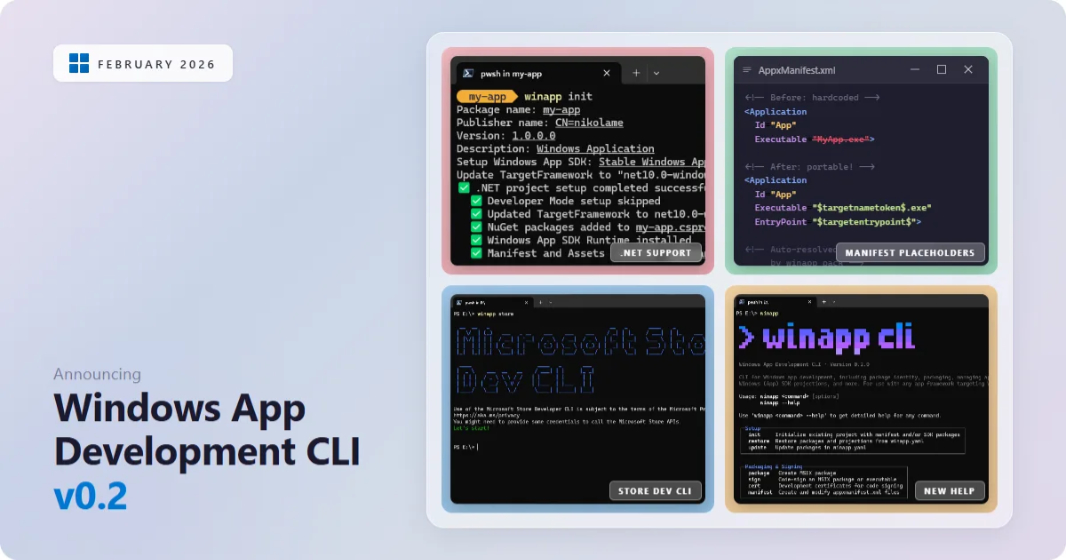
Microsoft updated its Windows App Development CLI (winapp) to version 0.2 and added some eagerly anticipated new features, key among them first-class .NET project support.
“Windows App Development CLI v0.2 is here!” Microsoft principal software engineer Nikola Metulev writes. “This release is driven largely by community feedback and packs in native .NET project support, manifest placeholders that eliminate hardcoded executable names, Microsoft Store Developer CLI integration, a revamped help experience, and more.”
As you may recall, Microsoft released the Windows App Development CLI in public preview back in January. That release was a bit confusing (to me), as I didn’t quite see the point of it. But with this update, it’s starting to come together a bit more (again, for me). Here’s what’s new in version 0.2.
First-class .NET project support. Now, .NET projects for WinUI 3, Windows Presentation Foundation (WPF), Windows Forms, and .NET console apps work natively with winapp. Just cd over to the project’s directory, type winapp init, and the tool will update the project to target the right Windows SDK version, add any necessary NuGet references, and generate xml and Assets folders. You can learn more about this functionality on the winappCLI site on GitHub.
Manifest placeholders. You can now use Visual Studio-style placeholders like $targetnametoken$ and $targetentrypoint$, and the values will be resolved automatically when you package the app.
Microsoft Store CLI integration. Microsoft revealed its Microsoft Store CLI back in February, and while that still seems like an unnecessary redundancy with the Windows Package Manager (winget), it’s being integrated into winapp. Just type winapp store followed by any Store CLI commands and arguments.
Improved help and error messages. Microsoft has remade winapp –help to be, well, more helpful, with command grouping instead of a “wall of flat text.” And the error messages have been cleaned up, with a –verbose argument for more details.
Other improvements. Microsoft also added commands for external catalogs and package identity, improved winapp pack and manifest update-assets, and made other changes and updates. There’s also a full Flutter guide and sample project now that documents how to use Windows App SDK APIs, debug with identity, and package a Flutter Windows app with the Windows App Development CLI.