Google Announces Revitalized Android CLI for Agentic Development
- Paul Thurrott
- Apr 16, 2026
-
0
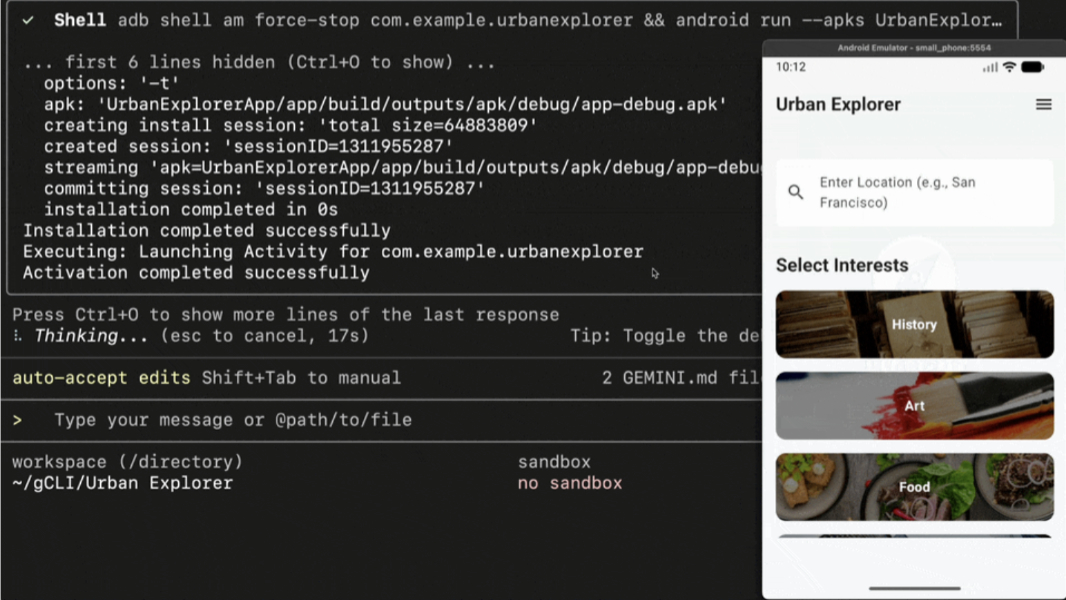
Google today announced a suite of Android tools and resources for agentic software development workflows. Key among them is a major new version of the Android CLI, a terminal-based development environment.
“Today, we are introducing a new suite of Android tools and resources for agentic workflows — Android CLI with Android skills and the Android Knowledge Base,” Google group product manager Adarsh Fernando and senior staff software engineer Esteban de la Canal write in the announcement post. “This collection of tools is designed to eliminate the guesswork of core Android development workflows when you direct an agent’s work outside of Android Studio, making your agents more efficient, effective, and capable of following the latest recommended patterns and best practices.”
The “revitalized” Android CLI is a lightweight, programmatic interface for interacting with the Android SDK and development environment. It’s the primary interface for Android development from the terminal, Google says, and it provides commands for environment setup, project creation, and device management. It also reduces LLM token usage by over 70 percent, and helps AI agents complete tasks three times faster than when triggered by standard toolsets.
The Android CLI lets you download and install the specific Android SDK components you need, create new projects from templates, create and manage virtual Android devices, deploy Android apps to them, and update those environments with the latest capabilities. You can also easily migrate Android CLI-created projects to Android Studio, where you can take advantage of its visual tools for coding, designing UI, debugging, and profiling. To help with this integration, Google has created a new AI-powered New Project flow in Android Studio, too.
Tied to this, Google has also released its new Android skills GitHub repository, which provides modular, Markdown-based (SKILL.md) instruction sets for creating Android skills. They handle the most common workflows that Android developers use and LLMs sometimes struggle with, helping models better understand what it is that’s being asked of them. For example, there are skills for Navigation 3 setup and migration, implementing edge-to-edge support, and more.
You can use these skills in the Android CLI, of course, with the skills command. These skills can also live beside and be used with whichever custom skills you create yourself and with third-party skills created by the community.
Finally, Google has also announced the Android Knowledge Base, which is accessible from the Android CLI using the docs command and through Android Studio. The Android Knowledge Base is a data source that lets agents search and fetch the latest developer guidelines to use as relevant context. “This ensures that even if an LLM’s training cutoff is a year old, it can still provide guidance on the latest frameworks and patterns we recommend today,” Google notes.
The Android CLI is available in preview starting today alongside the new Android skills and knowledge for agents.