Xbox Wireless Headset Review (2024)
- Laurent Giret
- Dec 20, 2024
-
1
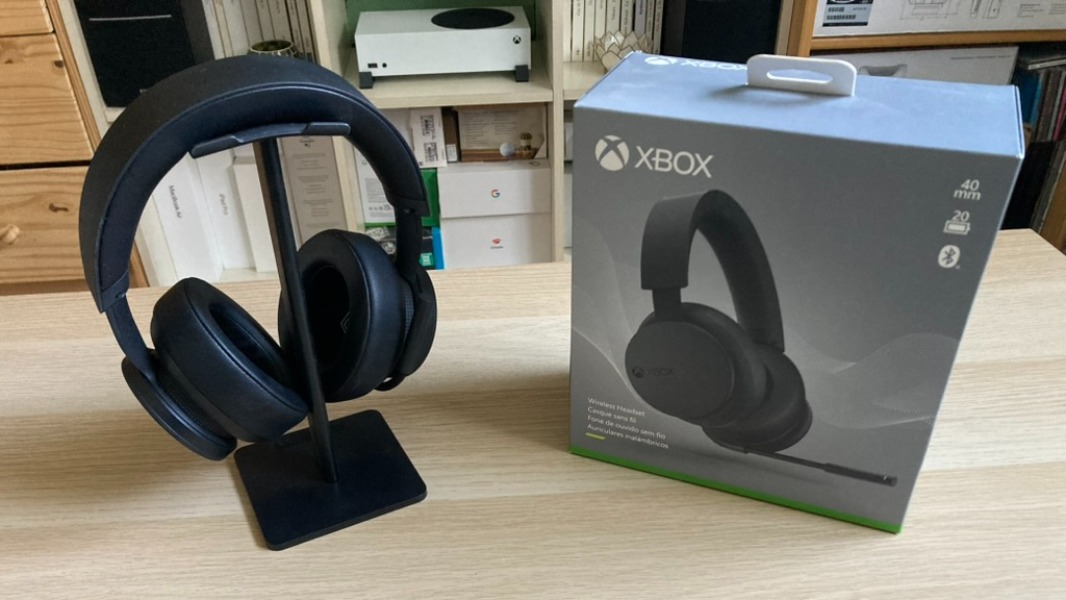
Microsoft launched a refreshed version of its Xbox Wireless Headset in October, and as someone who’s been using the original model for years, I was immediately intrigued. The official announcement put the spotlight on improved battery life, better microphone quality, and Bluetooth 5.3 support, but I wasn’t sure if these changes would be enough to make a noticeable difference.
To be clear, I’m far from an audio expert and I usually prefer to play games without a headset. However, I do like a good headset when playing multiplayer games, and I always liked how the Xbox Wireless Headset made it easy to adjust volume and game/chat balance using the rotating earcups.
Over the years, my main issue with the original Xbox Wireless Headset was build quality: I usually take good care of my electronics, and while my headset still works, the mic boom broke at some point and I had to put some tape to keep it together. I also noticed that the leatherette material on the earcups started to peel off over time, even though my headset was just sitting in a drawer when I wasn’t using it.
Despite these build quality issues, I found the original Xbox Wireless Headset to be very good value at $99. While its successor is priced at $109.99/€109.99/£99.99, we’re still very much in the “affordable” territory. And the headset now comes with a free Dolby Atmos certification, I’ll have more on that later.
Xbox Wireless Headset (2024) specs
The official product page for the new Xbox Wireless Headset includes fewer details than the page for the original model from 2021. That was quite surprising for me, but I combined information from the retail box and Microsoft’s announcement post to find what I needed.
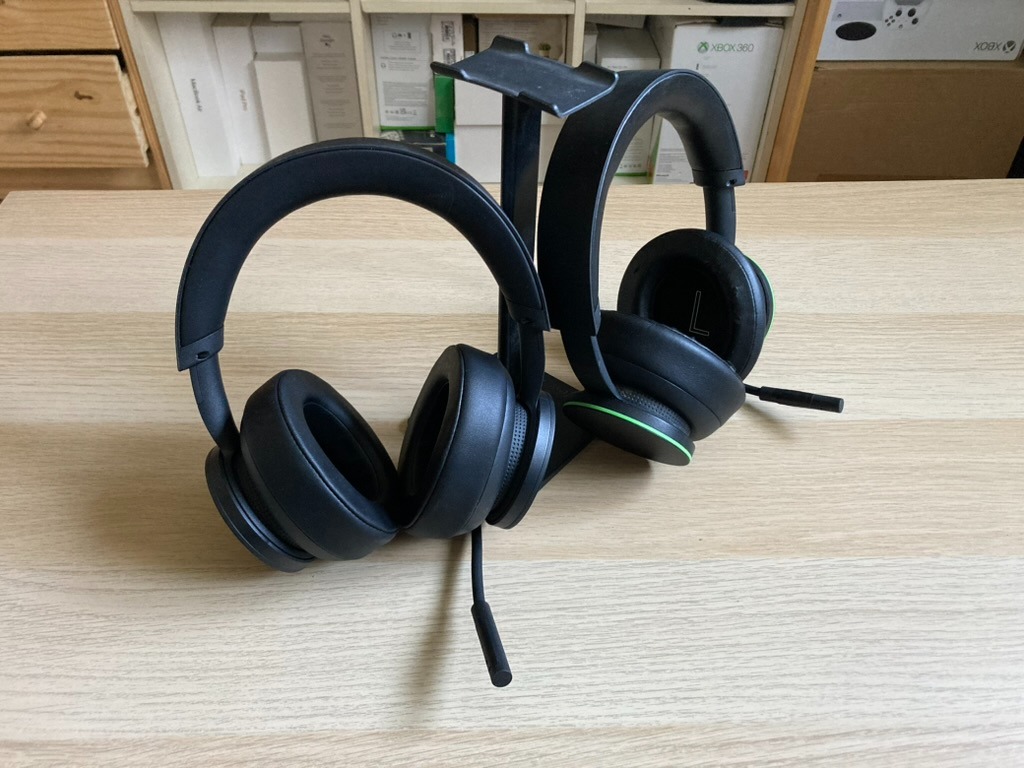
The new Xbox Wireless Headset still uses 40mm speakers, and Microsoft said that it upgraded the microphone with enhanced auto-mute and voice isolation. The mic boom is slightly longer than the original model, and you should be able to notice it in the comparison picture below.
The refreshed headset also still supports simultaneous Xbox Wireless and Bluetooth connections, and Bluetooth has been upgraded from version 4.2 to 5.3. Microsoft also mentioned the addition of a Qualcomm S5 Gen 2 chip on the new headset to deliver “ultra-low latency wireless connectivity.”
The Xbox Wireless Headset can connect directly to Xbox consoles via the same Xbox Wireless protocol that Microsoft uses on its Xbox controllers. PC gamers can enjoy the same pairing experience with the Xbox Wireless USB Adapter for Windows, though Microsoft has discontinued this accessory. Otherwise, the headset can connect to PC and mobile devices via Bluetooth, and it’s also possible to connect it via USB-C.
In terms of battery life, the new headset now offers up to 20 hours of battery per charge compared to up to 15 hours on the original model. However, please note that the box doesn’t include a USB-C charging cable.
Build quality
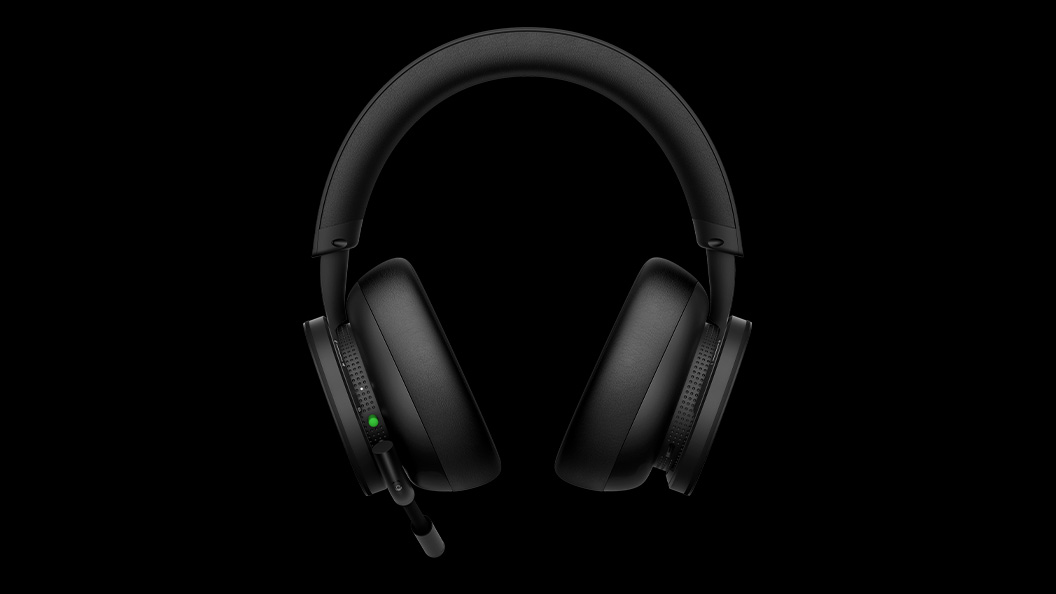
Overall, the new Xbox Wireless Headset looks the same as the previous model, except that Microsoft removed the green circles around the ear dials. You still use the left dial to control in-game and chat volume balance and the right dial to control volume.
It looks like Microsoft kept the same leatherette material on the earcups, which can be removed for cleaning. Again, the earcups on my original headset don’t look so good now after 3 years of use, and I’m hoping the new headset will be a bit more durable on that front. Otherwise, I still find the headset comfortable to use, with the headband using enough padding to not have my head feel squeezed after a couple of hours of use.
The headset only comes with two physical buttons on the left earcup: One for pairing/powering the headset, and another one at the bottom of the mic boom for turning the mic on and off. The USB-C charging port is on the right earcup, and it’s positioned in a way that’s not obtrusive when you want to use the headset while it’s charging.
Using the headset
I’m quite a “basic” user and for my personal usage, the new Xbox Wireless Headset continues to do its job very well. Sound quality is good, even though it’s a bit bass-heavy by default. I had the same issue with the original headset, and I just copied/pasted my custom equalizer settings on the new one to tone the bass level down.
The original Xbox Wireless Headset picked up my voice just fine and the new version is no different. I did set up the new headset exactly as I configured the older model, and my gaming mates couldn’t really tell the difference. I guess that shows that the microphone on the previous model was already solid.
You still need to use the Xbox Accessories app on Xbox or PC to tweak the headset’s settings. It’s also where you can check for new firmware updates. Here are the different options beyond the audio equalizer:
Auto-mute: This feature silences the microphone when you’re not speaking, and it offers 3 different sensitivity settings.
Mic light: You can use this to adjust the brightness of the mic’s mute light with three different levels.
Mic monitoring: This lets you control how much your mic audio can be heard in your headset. There are also 3 sensitivity settings, and at the highest level, your voice and environmental sounds can be heard.
Incoming Bluetooth calls: This controls how much the headset reduces your game and chat audio when you receive a call via Bluetooth.
I mentioned earlier that the new Xbox Wireless Headset comes with a free Dolby Atmos license: This has to be enabled manually in audio settings. This spatial audio technology uses audio object metadata to correctly position the audio anywhere within a full 360-degree space. It can deliver impressive results in games with a native Dolby Atmos mix (you can find a list on this page). In other games, however, Dolby Atmos upmixing will turn non-Dolby Atmos sound into premium Dolby Atmos, but the improvements aren’t as noticeable.
Overall, the only thing I wish this headset had is a more seamless way to switch between devices. I have two Xbox Series consoles at home, and if I want to use the headset on my second console, I have to pair it every time manually. I’m so used to having my AirPods seamlessly switch between my Apple devices that I wish Microsoft created something similar.
Should you buy the new Xbox Wireless Headset?
If you have the original Xbox Wireless Headset and are still happy with it, I don’t think you’ll be gaining much with the new version. The additional battery life is nice, and so are the Bluetooth upgrades if you care about that. However, these aren’t exactly killer features, and this new Xbox Wireless Headset actually has no new features.
However, if you’re an Xbox and PC gamer looking for an affordable and easy-to-use wireless gaming headset, this new version still offers excellent value. If you don’t care about wireless connectivity, Microsoft also continues to sell the $59.99 Xbox Stereo Headset, which uses the same design with on-ear controls for volume and a mic mute switch. However, once you go wireless, it’s actually hard to go back.
Thanks to Microsoft for providing us with a review unit.