Lenovo Tab Plus Review
- Paul Thurrott
- Jan 02, 2025
-
2

The Lenovo Tab Plus is an affordable 11-inch entertainment tablet that will appeal to Android fans who value audio quality–in music, videos, and games–above all else. But it’s less than ideal for reading because of its wide aspect ratio display. And while it offers a few niceties the more expensive iPad lacks, it’s difficult to recommend any Android tablet these days unless you have very specific needs.
Design
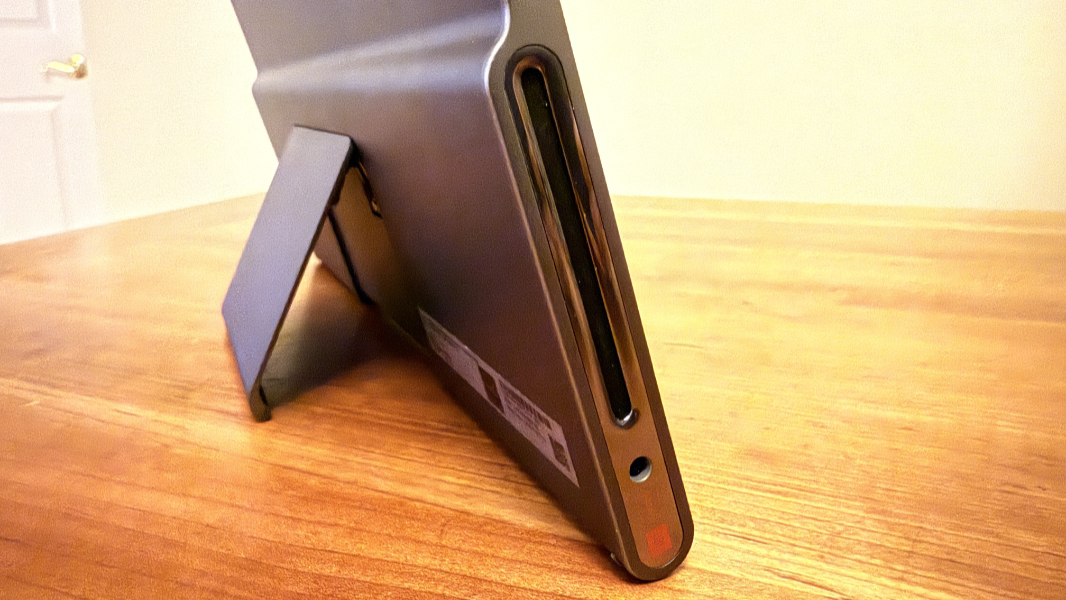
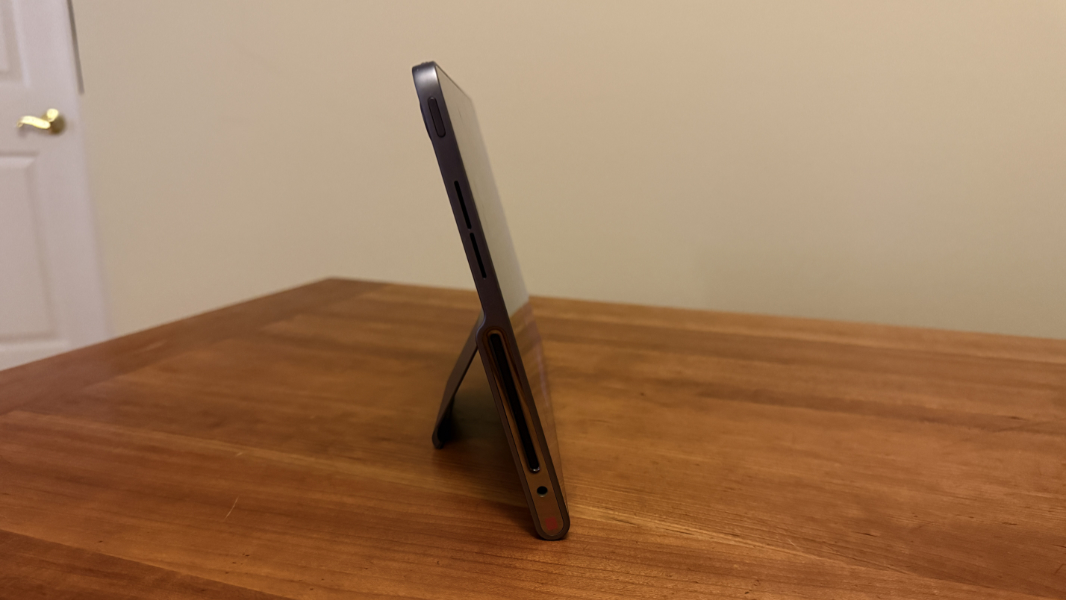
From the front, the Tab Plus looks like a standard widescreen Android tablet with its mostly metal body, landscape webcam, and big plastic display bezels. But as you spin the device around and hold it in your hands, you can see that something very different is going on here. The product is visually and physically dominated by a large speaker box that makes its bottom half about twice as thick as its top. And there’s a more subtle integrated kickstand that I found to be one of its standout differentiators.
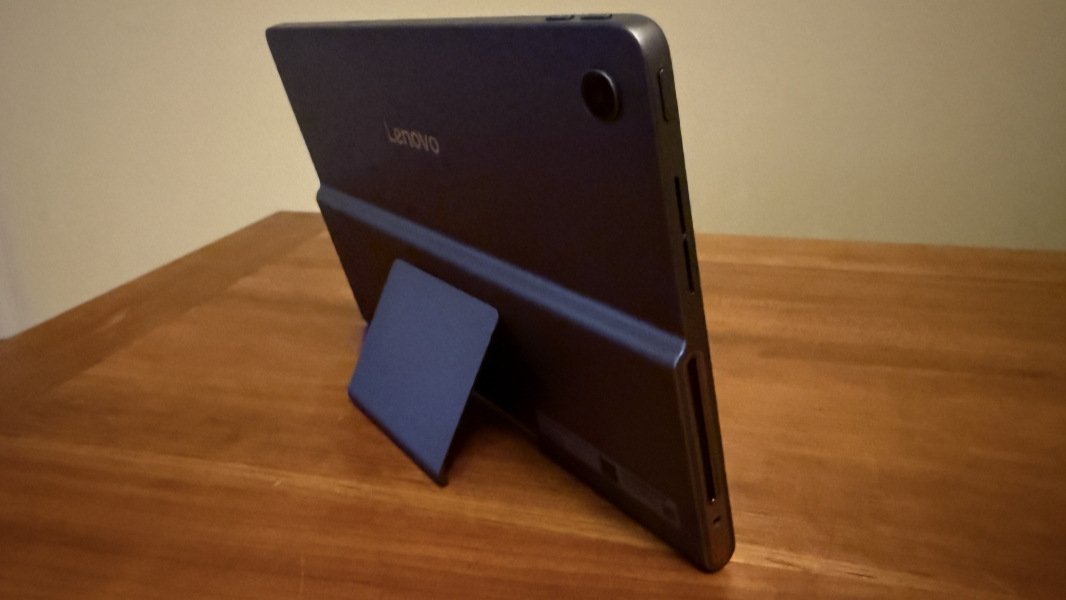
There’s only one color, a dark gray that Lenovo calls Luna Grey, but it’s pleasant enough, and there are small accents like the shiny silver speaker sides that help provide a bit of contrast. Like the iPad and many other modern devices, most of the Tab Plus’ sides are flat surfaces, some with buttons, and the corners and bottom edge are curved.
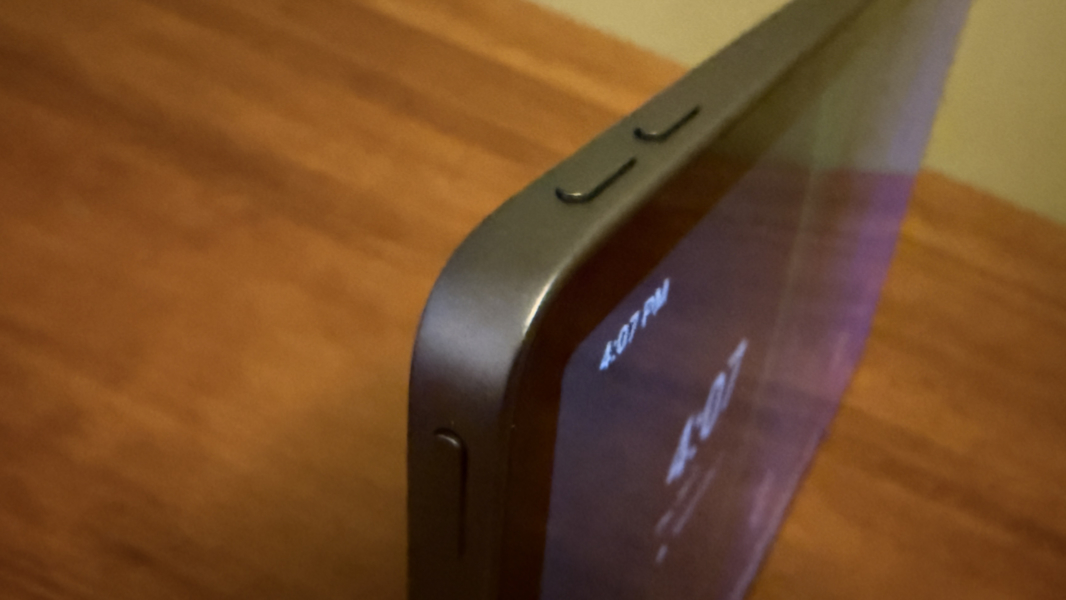
That’s all very standard, but the speakers really stand out. The bottom woofers almost look like jet fighter exhaust ports, drawing the eye and suggesting the power within. The tweeters are higher on each side of the device and are subtler slits that might also help with heat dissipation.
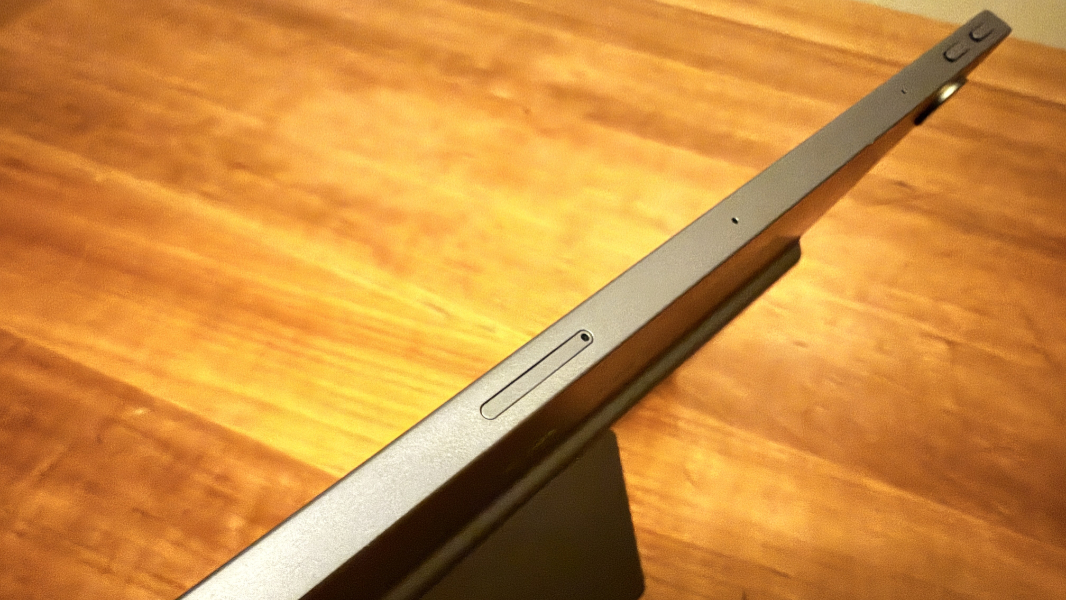
There’s a headphone jack on the bottom-left side and a USB port on the bottom right. Plus a microSDXC card slot (that resembles a nano SIM slot) on the middle top.
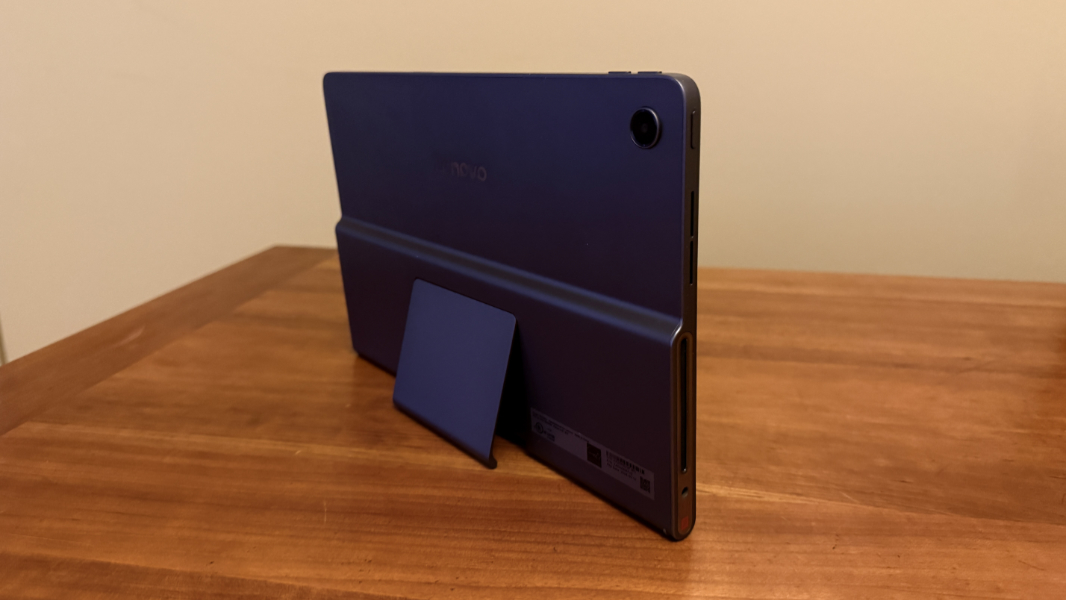
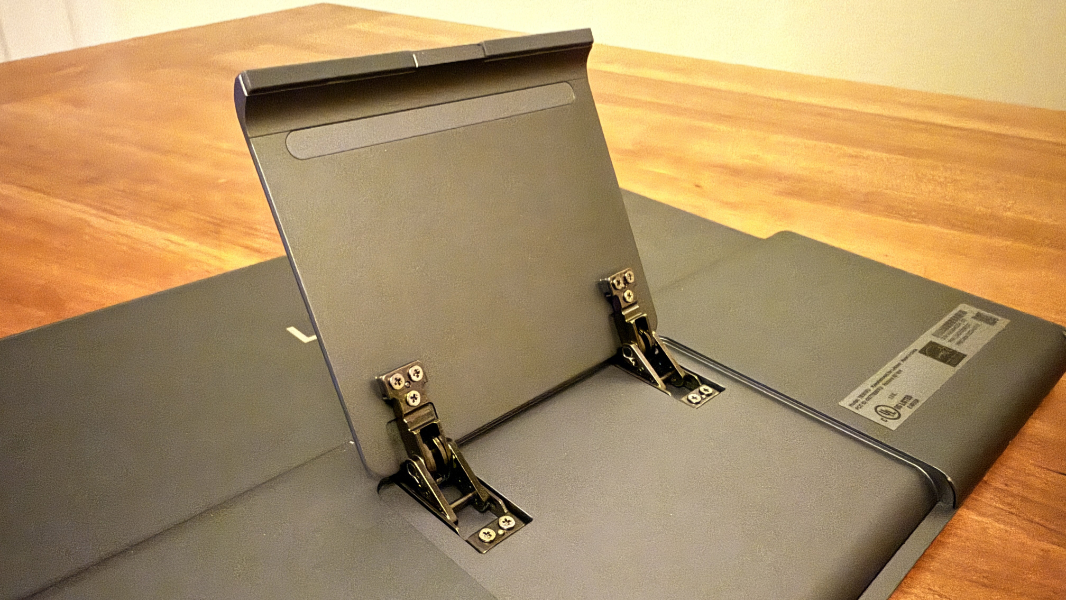
The kickstand is terrific. It provides an incredible 175 degrees of motion, holds rock steady wherever you leave it, and in addition to laying back quite flat, it also provides a perfect upright posture that’s usually missing on other devices, like Surface. This is one of the best kickstands I’ve used.
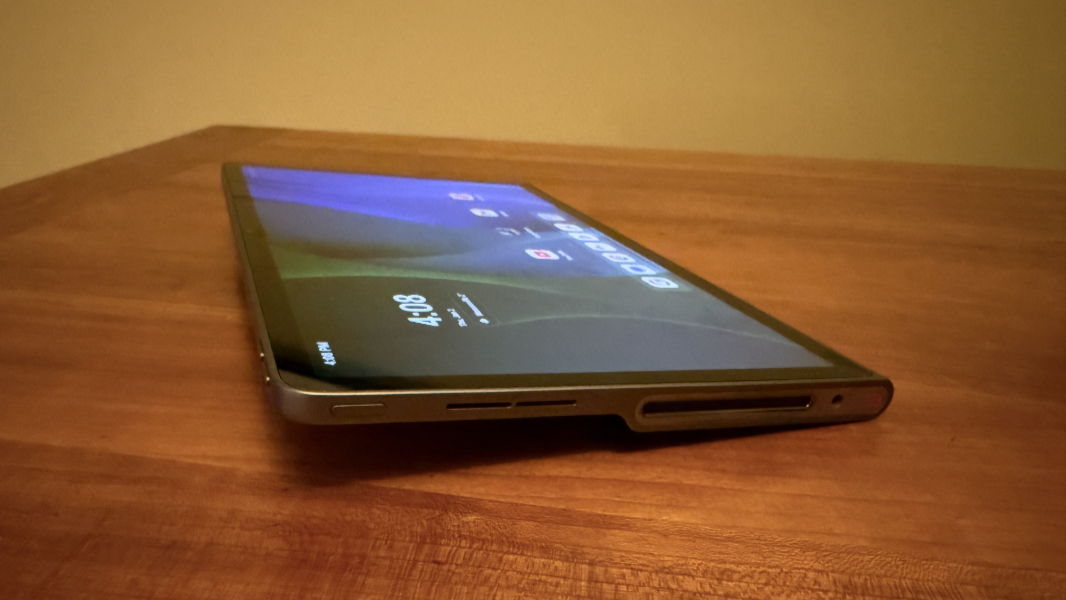
But the design can be awkward in some cases. Unless you’re using the tablet in landscape mode with its integrated kickstand, the asymmetrical speaker box adds weight and bulk, and makes it difficult to hold in portrait mode. I wish there was a portrait mode kickstand of some kind. And, of course, a display with a squarer display, as we see on iPad and Surface, that would make sense in portrait mode.
Display
On that note, Lenovo outfits the Tab Plus with a 11.5-inch 2K (2000 × 1200) TFT LCD display panel. I have all kinds of thoughts about this, but I’ll try to be succinct.
Despite the size–the most recent iPad features a 10.9-inch display, which I was able to compare because I friend visited and had one with him–the display feels small to me. Granted, part of that impression is that I’m used to a larger 13-inch iPad Air. But part of it is the old-fashioned 16:9 aspect ratio. It’s not particularly tall in landscape mode, and it’s too thin and awkward in portrait mode. I don’t understand why tablet makers still ship 16:9 and 16:10 displays with their products. It’s past time to move on.
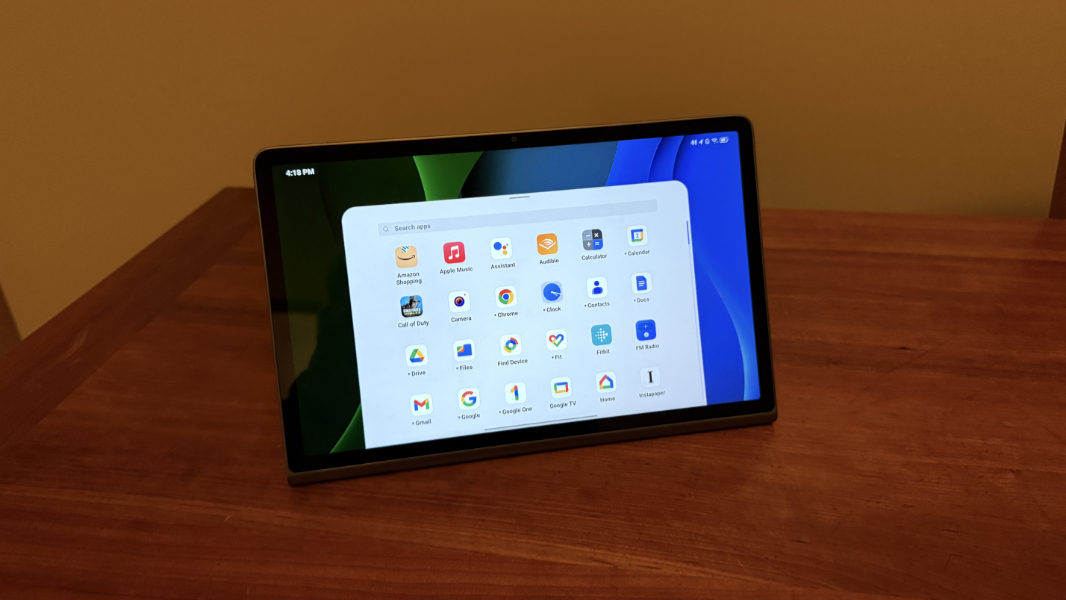
But there are some niceties here, too. These include a 90 Hz refresh rate, TUV-certified eye care capabilities for reducing blue light exposure, and an extra dim display mode. And the panel emits 400 nits of brightness, which works well indoors where everyone uses a tablet.
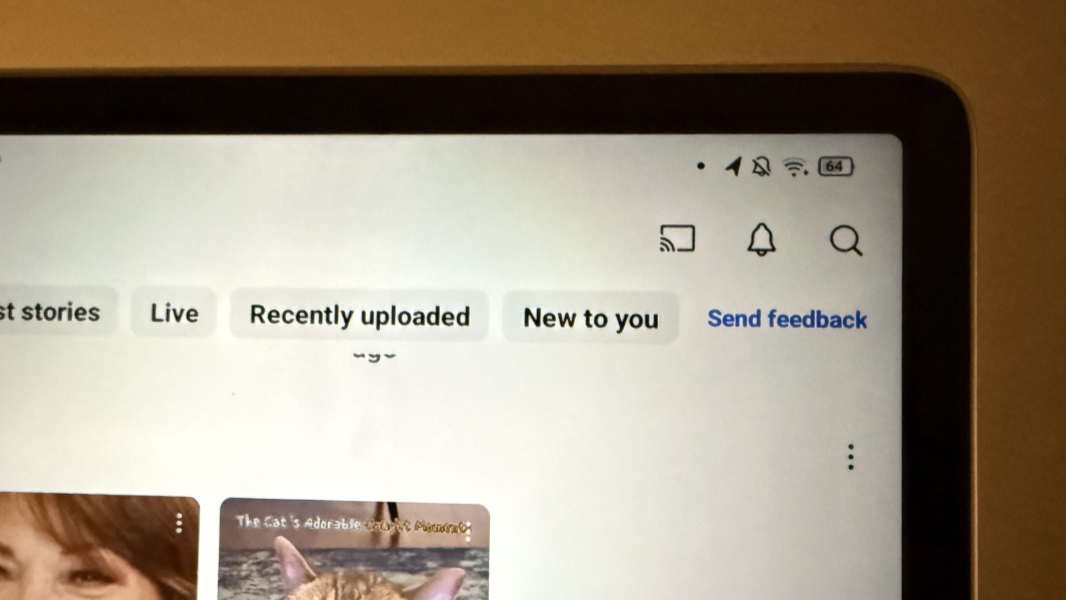
Yes, the display bezels are on the large size. They’re not as obnoxious as on the cheap Amazon Fire HD 8 tablet I recently trialed, but they’re much larger than those on any iPad or Galaxy Tab tablet. This is acceptable and just reflects the price point of the device. And unlike on the Fire HD, they don’t embarrass. If I wasn’t so familiar with the iPad, it’s not something I’d think about at all. Overall, the display is solid.
Hardware and specs
The Tab Plus is powered by an 8-core MediaTek Helio G99 processor. And that required a bit of research, as I’m not familiar with MediaTek processors. What I found was that the Helio G99 is a 6 nm processor aimed at gaming smartphones that first shipped in 2022. So it’s not the best of the best over two years later, and it doesn’t compare favorably with modern Qualcomm Snapdragon processors, let alone the Apple Silicon chips that power iPads.
That’s OK, and it’s not all that surprising given the affordable pricing of the Tab Plus. This device doesn’t really need a more powerful processor for most mainstream for day-to-day use cases. Basic mid-level processors seem to do pretty well with Android these days, even for games. But finding a mid-level Snapdragon mobile processor that’s roughly equivalent proved elusive. So I decided to do what I always do and just use the thing.
There were no surprises. Performance was fine for standard mobile tasks like browsing the web, playing media, and basic multitasking. But it won’t meet any emerging on-device AI needs. The device ships with 8 GB of RAM and 256 GB of UFS 2.2 solid-state storage, plus a microSDXC card slot that supports up to 1 TB of additional storage. That’s all very reasonable for a mid-level Android device, but the graphics and NPU are nothing special.
I was curious how well the Tab Plus would handle modern video games. I started with Call of Duty: Mobile and went through the tedious and time-consuming process of getting that up-to-date with HD textures, multiplayer maps, and other resources. I also tried to download Call of Duty: Warzone Mobile, but that title, inexplicably, is incompatible with this device. (The Play Store noted it works with my Pixel 9 Pro XL and Pixel Tablet, but there was no real explanation of why.)
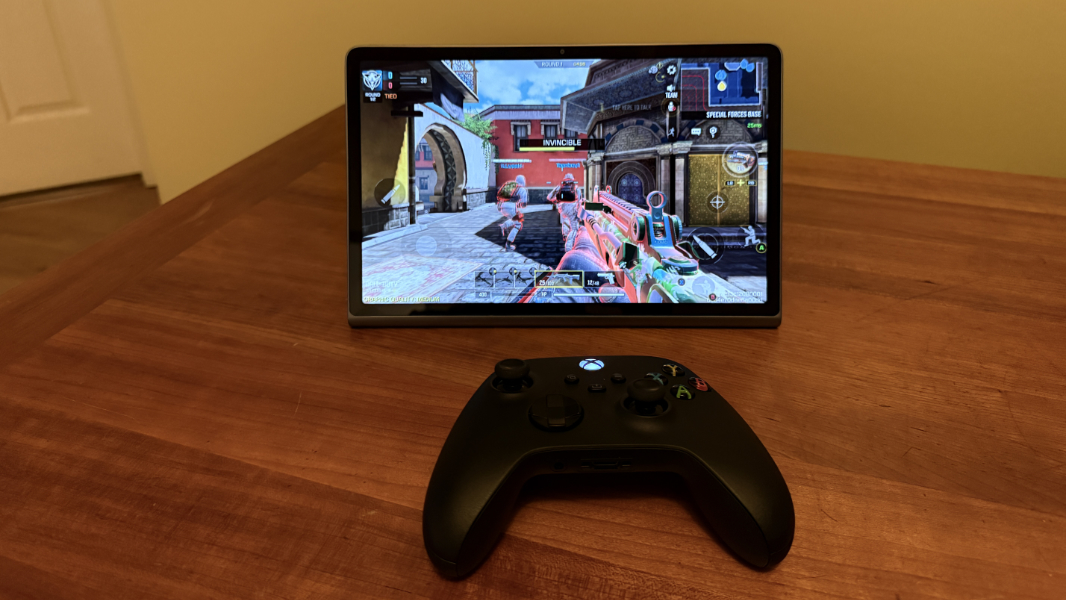
The experience was pretty great and roughly comparable to what I see on the far more powerful iPad Air I usually use. After downloading all the HD resources, it autoconfigured for medium-quality graphics, and there wasn’t even a grayed-out high-quality option in settings to try. The frame-rate was likewise configured to medium (though there was at least a high choice as well), and there weren’t many graphics option upgrades to be had. Depth of field, antialiasing, and rag doll effects were all set to off and couldn’t be changed, for example. Regardless, the game looked and ran great.
Connectivity
Connectivity is dictated by the processor choice on mobile, even more so than it is with PCs. And in this case, we’re stuck with old-school Wi-Fi 5 and Bluetooth 5.2. Both worked reliably, but I could have used faster download speeds when trying to get started with Call of Duty: Mobile and all its required post-install downloads. I had no issues connecting an Xbox Wireless Controller, or connecting to the tablet from my phones to use it as a Bluetooth speaker.
Audio-video
The Lenovo Tab Plus is all about the audio: It features 8 JBL speakers–four tweets and four woofers–with 26 watts of total power and Dolby Atmos immersive audio capabilities. But it’s obvious just looking at the tablet that something special is going on. Its large (22 cubic centimeters, according to Lenovo) speaker box telegraphs the audio focus, and in use, it lives up to the looks.
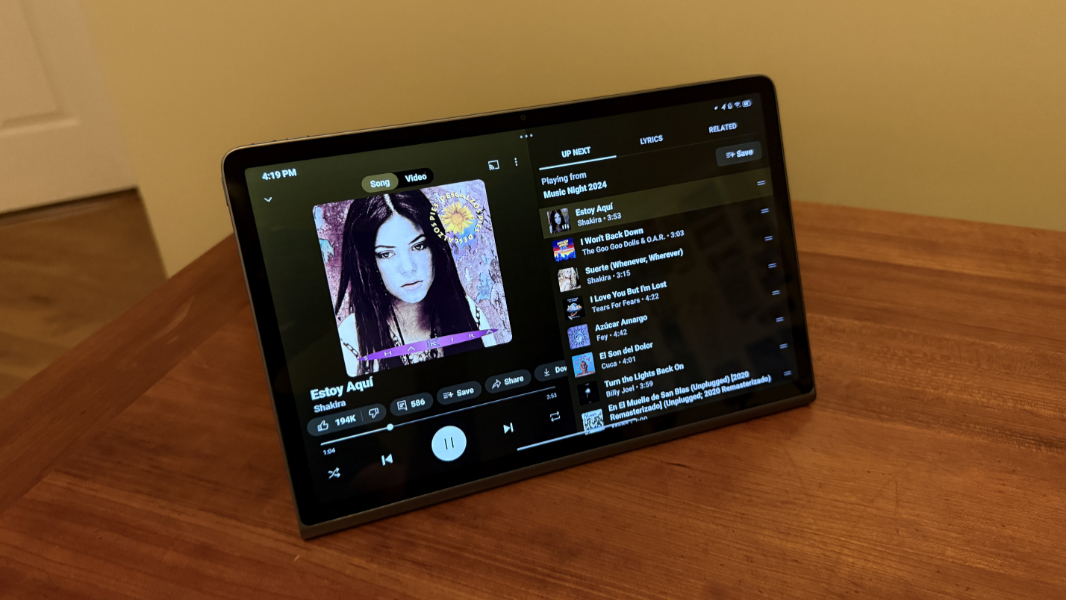
Audio playback is notably impressive. It’s crisp and clear, with deep bass and well-defined stereo separation and, depending on the content, nice positional audio too. And it gets loud, with only a bit of distortion at top volume. It’s easily capable of filling a medium-sized room with surprisingly good sound. Songs like Estoy Aqui, which you can hear on my Music Night 2024 playlist, are notably immersive, as are movies with Dolby Atmos soundtracks, like 6 Underground.
The Tab Plus lets you adjust the volume per-app from the volume pop-up, which I like. (Google added a feature like this to Pixel Android at least, and perhaps to Android more generally.) And while I didn’t test this, the Tab Plus does support lossless streaming with compatible headphones as well. I did test its useful Bluetooth speaker mode, however, and that worked really well. If you connect to the speakers from a phone or other device, that audio takes over, fading out and then muting whatever else was playing. And when you disconnect, the previous audio re-enables by fading in.
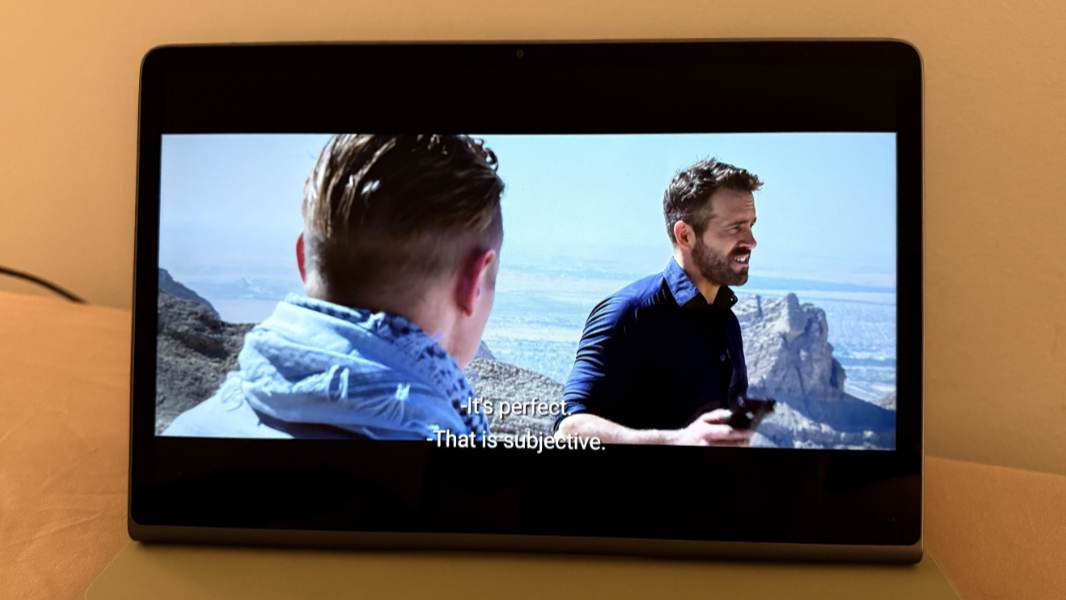
This may be obvious, but one nice thing about using the Tab Plus for audio/video, whether directly on the device or cast from a phone, is that it’s portable. This means you can bring the Tab Plus from room to room, as I did recently while cleaning up, and take the content you’re listening to or watching with you. Google’s Pixel tablet needs its optional charging stand or an add-on case/cover so you can prop it up, but with its built-in kickstand, the Tab Plus display is always visible and the speakers are optimally positioned.
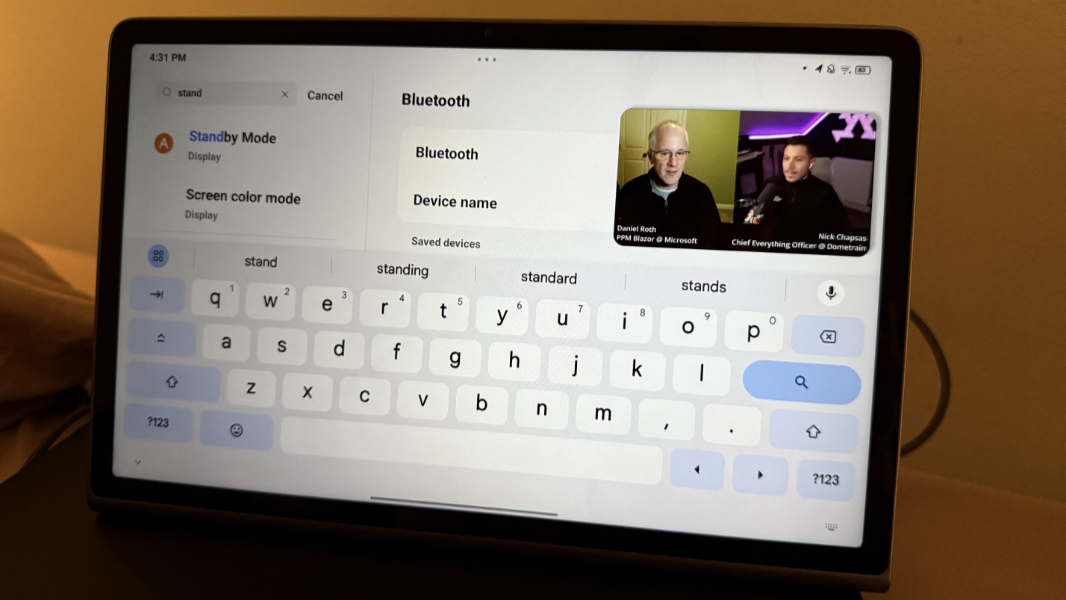
Tied to speaker mode, the Tab Plus also supports a Standby mode that lets you use the tablet as a basic digital photo frame or clock when on power and not in use. It’s not enabled by default, and it probably doesn’t do everything Google Pixel Tablet can do when on its dock, but it’s a nice addition.
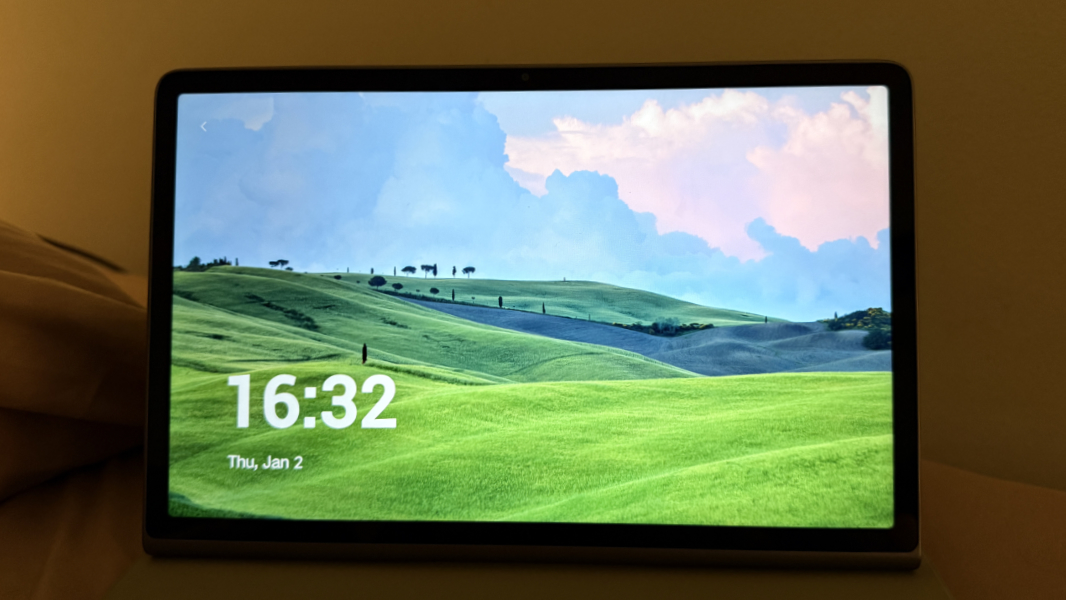
Indeed, these two modes make for a reasonably elegant all-in-one smart speaker/display that would likely work well in a teenager’s bedroom, a college dorm room, or a small apartment. We’ve used a few smart displays and the Google Pixel Tablet in the kitchen, and I could see using this in that situation as well. This kind of thing is useful for casting audiobooks or podcasts from the phone, or even watching/listening to YouTube videos, while doing the dishes.
Cameras
Lenovo gives Tab Plus buyers two webcams, an 8 MP unit on the front with fixed focus, and an 8 MP camera on the rear–it’s on the top right of the back of the device in landscape orientation–with autofocus.
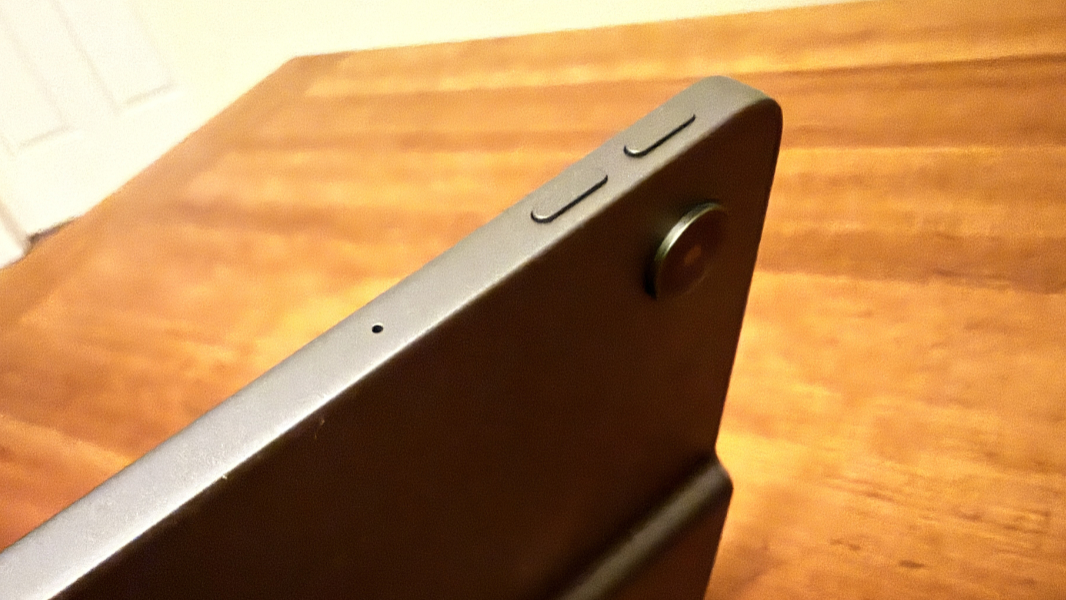
And I can’t say I did much with either of them. I would buy a tablet without a camera of any kind if I could, and I struggle to understand why the average user would ever need a rear camera, especially. The front camera might at least be used for video calls.
Security
Like any Android device, you can choose between PIN, swipe, pattern, and password sign-ins, but the Tab Plus surprised me by offering facial recognition as well. I can’t speak to its efficacy–it’s not clear which sensor type it’s using–but it was always fast and reliable. There’s also an optional Extend Unlock feature–oddly called Smart Lock in one place in settings–that lets you keep the tablet unlocked when it’s at home, with you, or near a trusted smartwatch or other device. I left that disabled.
Portability
Thanks to its bulky speaker box, the Lenovo Tab Plus is thicker and heavier than other similarly sized tablets. So where the Apple iPad weighs just 1.05 pounds–or 1.1 pounds with the optional Smart Folio that provides a kickstand-like experience–the Tab Plus is almost half again as heavy, at 1.43 pounds.
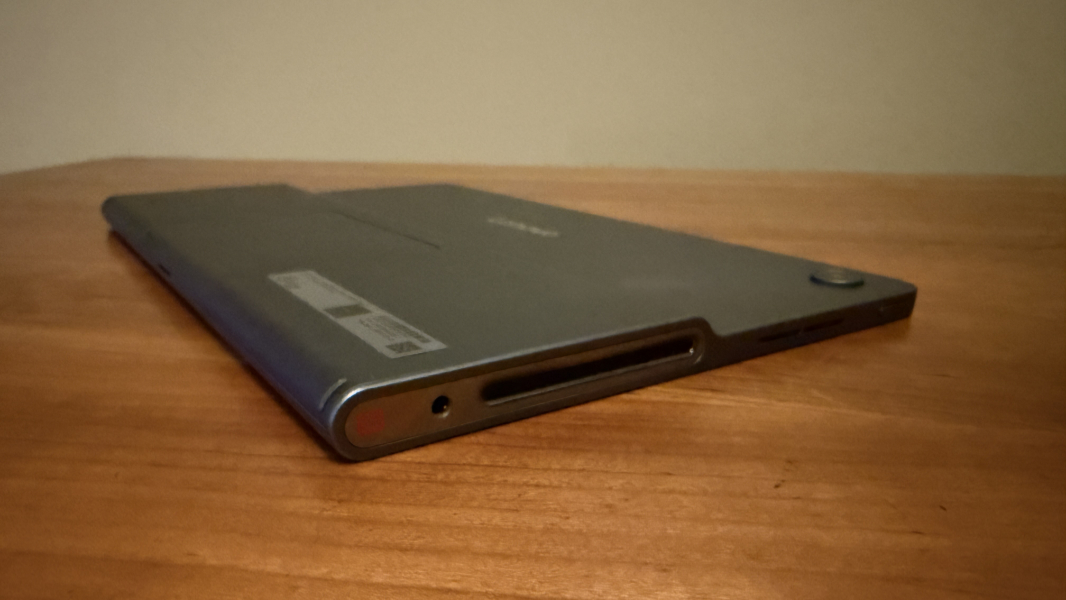
And where the iPad is a svelte 0.28 inches thin, the Tab Plus is 0.30 inches at its thinnest but over a half-inch–0.53 inches–at the speaker box. This makes the Tab Plus more difficult to carry, and more difficult to hold in portrait mode. Its integrated kickstand obviates this problem if you use the device on a surface in landscape mode.
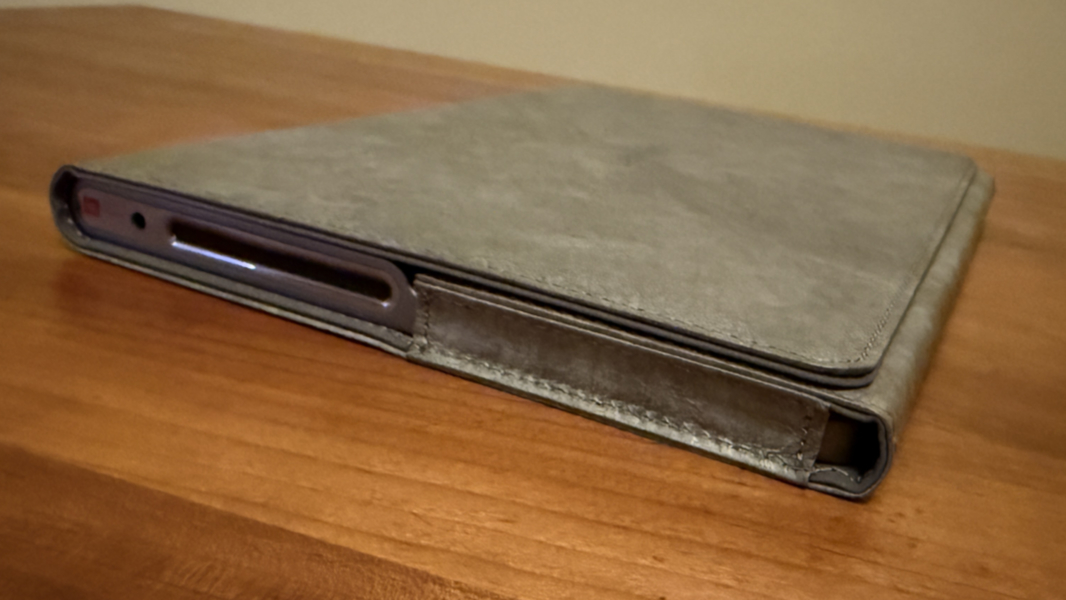
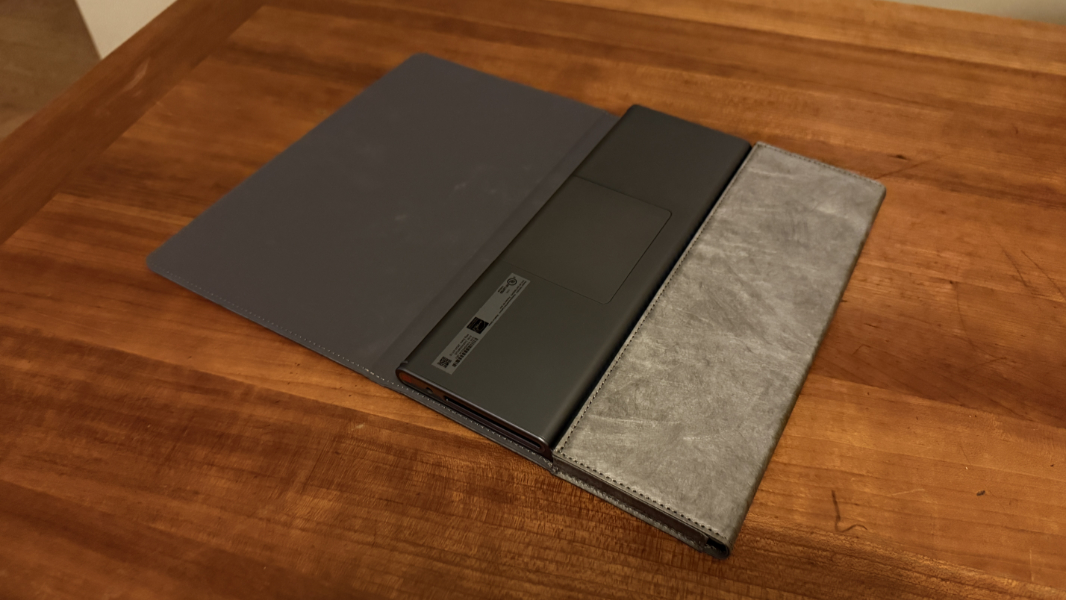
The review unit I was loaned includes a slippery Tab Plus Sleeve, which protects the tablet in transit. But it’s awkward to use, and unlike the iPad’s Smart Folio, you can’t leave it attached to the device in use. You have to take it off and then put it back on repeatedly, and deal with it when it’s off.
The battery life story appears to be solid, at least. From what I can tell, MediaTek processors aren’t as efficient as Qualcomm’s Snapdragon processors. And I had a difficult time getting a reliable battery life figure, in part because my tablet usage is so different from my phone and PC usage. I read every day, always in the morning and at night before going to bed, but that’s about as regular as it gets, and this isn’t a taxing activity. I probably charge my iPad once per week, maybe twice. And the Tab Plus seemed to provide similar uptime. That’s impressive.
The 8600 mAh battery in the Tab Plus can be fast-charged using the bundled 45-watt USB-C power supply. I got a 50 percent charge in about 30 minutes.
Unique hardware features
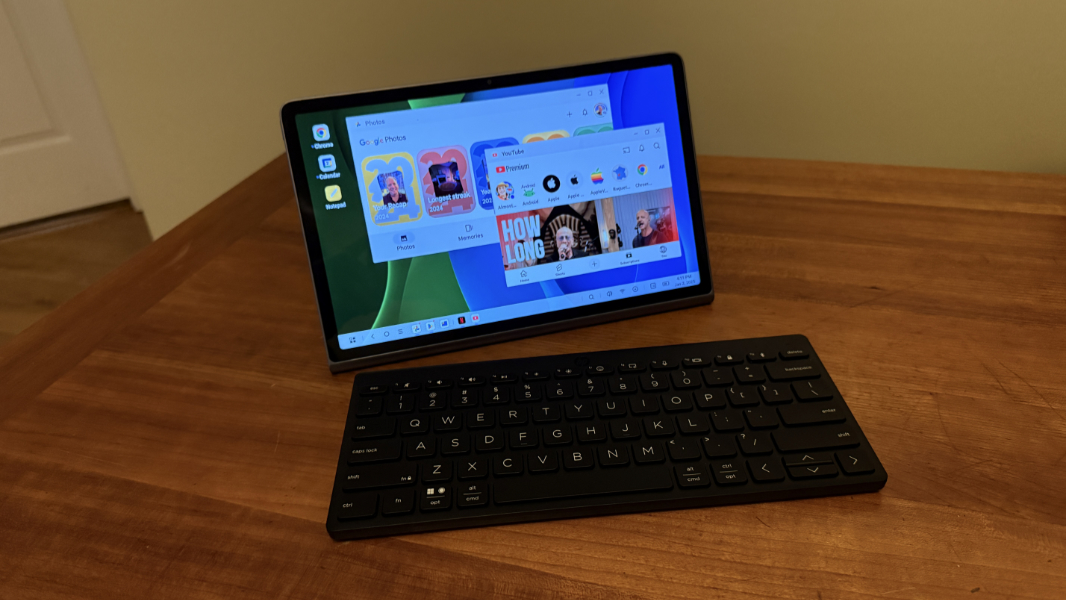
The Tab Plus speaker system is obviously its most impressive hardware feature, and a truly unique differentiator for those comparing this device to other 11-inch Android tablets or the iPad. But the kickstand is likewise unique, and you can configure a Tab Plus Sleeve, Multi-Device Wireless Keyboard, and Tab Pen Plus if desired. Or just add your own Bluetooth peripherals.
Software
The Lenovo Tab Plus ships with Android 14–first released in late 2023–and Lenovo says it is upgradeable to Android 16, which we now know will ship earlier than usual, by mid-2025. It will also get security patches through January 2028. This seems vaguely reasonable to me given the processor choice, and the device can at least find a second life as a Bluetooth speaker. (Lenovo describes the life cycle as two OS upgrades and four years of security patches. That’s fair, but that’s from the time of initial release, not from when you buy the device as a customer.)
I’m not aware of a mainstream Android device maker that doesn’t mess with the default Android user interface in the name of value-add. But the Zen UI 16 that Lenovo supplies here isn’t all that offensive, more of a light skin than a full do-over. It’s arguably even less of a change than Google’s Pixel Android, though most of those additions are, of course, useful and desirable.
To Lenovo’s credit, much of what it added in Zen UI is likewise useful.
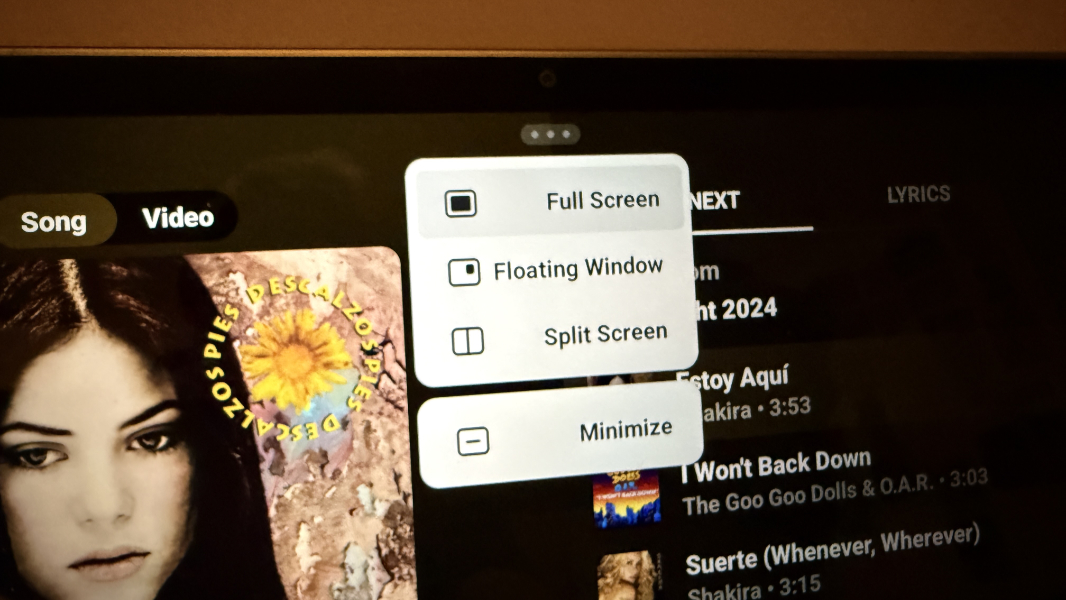
The Tab Plus provides a split screen capability for basic side-by-side app multitasking–just drag an app to the top of the screen to get started, but the dedicated PC mode is more advanced. When enabled, the UI changes into familiar desktop-like layout with a taskbar, a Start menu-like app launcher, and floating and (when supported) resizable app windows. If you were to pair the Tab Plus to a Bluetooth keyboard and mouse, you could get a Chromebook-like experience and use productivity apps like Microsoft Word (or Google Docs, or whatever) as you do on a PC, Mac, or iPad. I only experimented with this briefly–no, I didn’t write this review on the device–as I think most will simply use this tablet for audio and video entertainment. But it’s an interesting peek at what could be the future for desktop productivity in the Google ecosystem.
Lenovo also provides yet another cross-device integration solution, called Smart Connect, that lets you share content and stream (Android) apps from your phone to the tablet. This is apparently easier with a Lenovo ID or Moto account, but you can pair devices manually as well. There are also Focus mode and Bedtime mode features, and Song Search, which I at first assumed was a Shazam-like service. It’s not. Instead, it lets you sing or hum a song to search for it, and I was surprised to see it works pretty well. I basically spoke the beginning of Yellow Submarine–no idea why that came to mind–and it found the correct song just a few seconds in. Oddly, the links it presented went to Google Search instead of a music app, but it’s still a pretty neat little feature.
Pricing and availability
This is where things get tricky.
The Lenovo Tab Plus costs roughly $300, about $50 less than the base iPad. That said, prices vary by retailer, and it’s likely you’ll find occasional sales if you shop directly from Lenovo. And the base iPad provides just 64 GB of storage, further skewing the comparison.
At the time of this writing, you can get a Lenovo Tab Plus model with 128 GB of storage at Best Buy for $290, or a 256 GB version for $330, and Lenovo sells the 256 GB model for $320. An iPad with 256 GB of storage costs $500 (and that’s the only other storage option).
Of course, most people considering the Tab Plus aren’t comparing it to an iPad. And there are a few interesting mainstream Android alternatives, though I only have experience with one of them.
Samsung sells an 11-inch Galaxy Tab A9+ tablet with the same MediaTek Helio G99 processor as the Tab Plus. And while there are a few lower-end choices I would personally ignore, a model with 8 GB of RAM and 128 GB of storage costs $270, though it’s on sale right now for $200. A version with 256 GB of storage costs $320, though that, too, is on sale, for $250. Those prices are even lower than those of the Lenovo, but you’d have to deal with Samsung’s crapware-laden software load. And there’s no kickstand or powerful speaker system.
The 11-inch Google Pixel Tablet is also of interest, and though it’s more expensive, I very much prefer its clean and crapware-free Pixel version of Android. This device starts at $399 for a version with 128 GB of storage, or $479 with 256 GB. Add the charging speaker dock, which you’d need/want for smart display-like usage and better sound, and the cost jumps further. But here’s a twist: The Pixel Tablet is on sale right now, with prices starting at just $299. Hm.
Recommendations and conclusions
I strongly recommend the Apple iPad over any Android tablet, but I also recognize that some prefer Android and can’t afford an iPad with enough storage. Still, Android is tough. You have a lot of choices–maybe too many choices–and those choices extend beyond brands and models to include different internal components that can either undermine the product or put it over the top. There are inexpensive Amazon Fire tablets that don’t provide Google Play Store apps access without workarounds. Low-cost Asian designs of every kind imaginable. And then basically Samsung and Google for more mainstream users.
The Lenovo Tab Plus offers a bit of clarity for mainstream users who value the multimedia experience above all else. Its Zen UI is reasonably stock, and Lenovo’s value-add apps and services are mostly useful. The pricing is on point, comparable to similar Android tablets and less expensive than comparable iPads. And while the MediaTek processor that powers this device is nothing special, it’s fine for day-to-day use.
In the end, this decision will come down to how you use the tablet, and whether this form factor and its audio optimization lines up with those needs. It doesn’t meet my needs: I mostly use tablets for reading, and the 16:9 Tab Plus display is awkward and non-optimal for that. But that’s true of the Google and Samsung tablets noted above, too.
I can recommend the Lenovo Tab Plus to anyone looking for a portable entertainment tablet, and that’s especially true if you want an all-in-one audio/video hub that you might use in a kitchen or bedroom. The Bluetooth speaker mode is terrific for casting music, podcasts, audiobooks, or video content from your phone. And the Standby mode lets the tablet be used as a basic smart speaker along with its built-in kickstand.
Still, the iPad is tough to ignore.
At-a-glance
Pros
- Truly impressive speaker system with Dolby Atmos immersive sound
- Built-in kickstand with nice range of motion, rigid use
- Bluetooth speaker and smart display capabilities
- Great battery life
- Clean OS image with minimal crapware
- Storage expansion
Cons
- Any iPad is a better choice overall for most people
- 16:9 display makes the device awkward for reading or other portrait mode use cases
- Pricier than the comparable Samsung Galaxy Tab A9+
- Heavier and thicker than other tablets