Google Pixel 10 Pro XL Review
- Paul Thurrott
- Sep 21, 2025
-
10
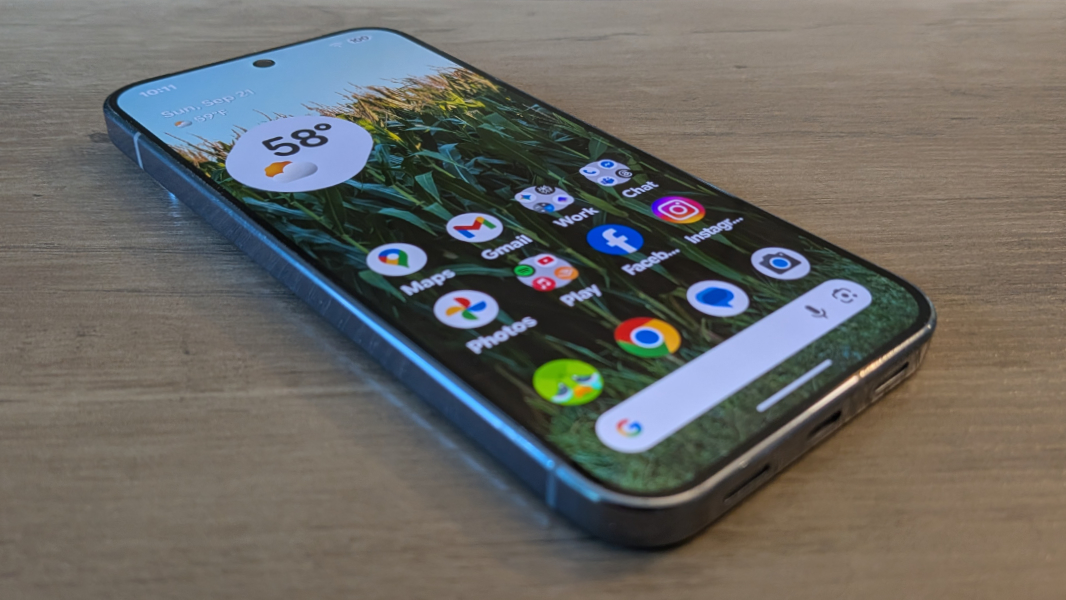
The Google Pixel 10 Pro XL is the largest of the new Pixel smartphones and it is chock full of useful AI features. But the camera system and Pixelsnap/Qi 2.2 are what put this phone over the top.
Design
Google has been on a well-deserved victory tour since it unleashed its modern camera bar-centric hardware design with the Pixel 6 series in 2021. Since then, we saw meaningful evolutions in the Pixel 7 and 8 series, and then a major redesign with the Pixel 9 series centered on its newly floating and curved camera bar.
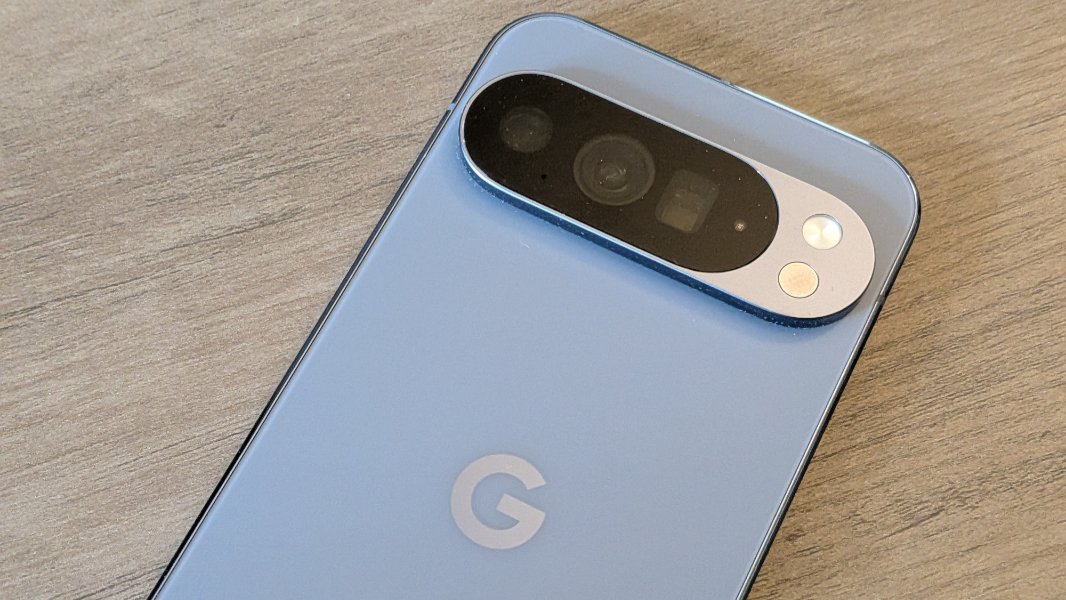
Well, that design was so good that Google is using it again for the Pixel 10 series with just some minor iterative changes. That will bore some, I suppose, but it was the right decision. Google hit a home run with this design a year ago, and it’s as fresh and unique as ever. Heck, even Apple is copying it with the new camera “plateau” on the iPhone 17 series. Apple knows good design when it sees it.
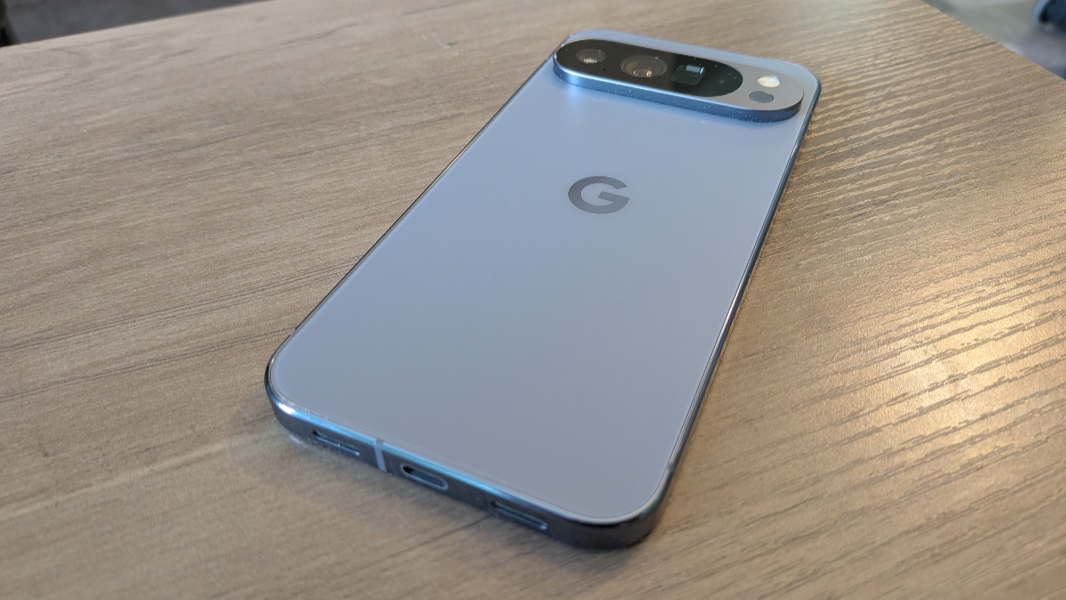
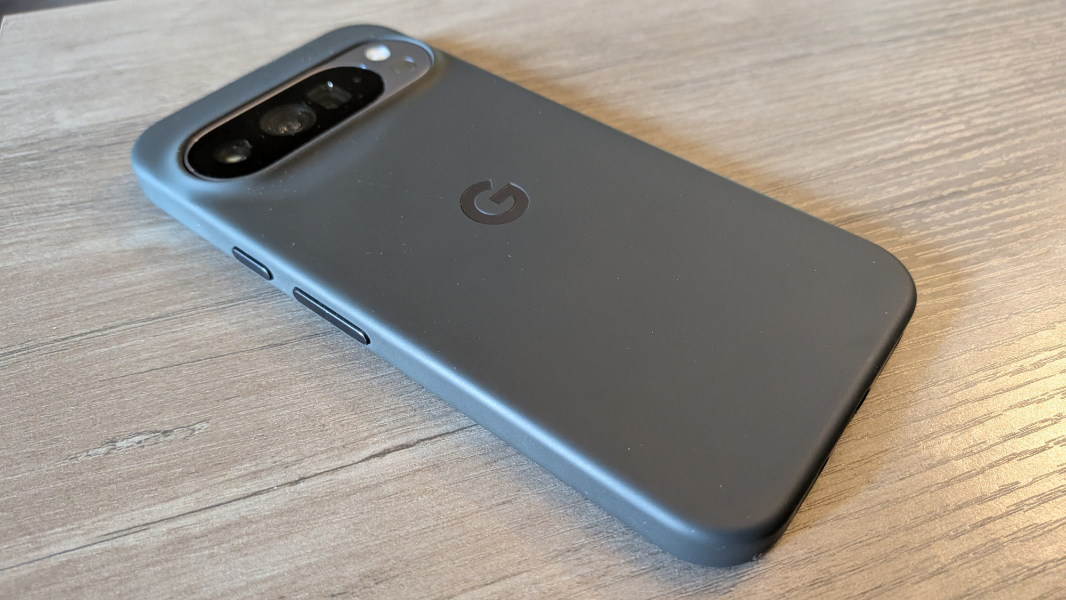
Like the Pixel 9 Pro, the Pixel 10 Pro XL has shiny metal sides that look wonderful but pick up fingerprints a bit too easily. And there’s a nice matte back, which I very much prefer to the glossy Pixel 10 back, with a larger “G” logo in the center of the hidden Pixelsnap magnetic charging ring. That said, it’s still slippery, so you’ll want a case.
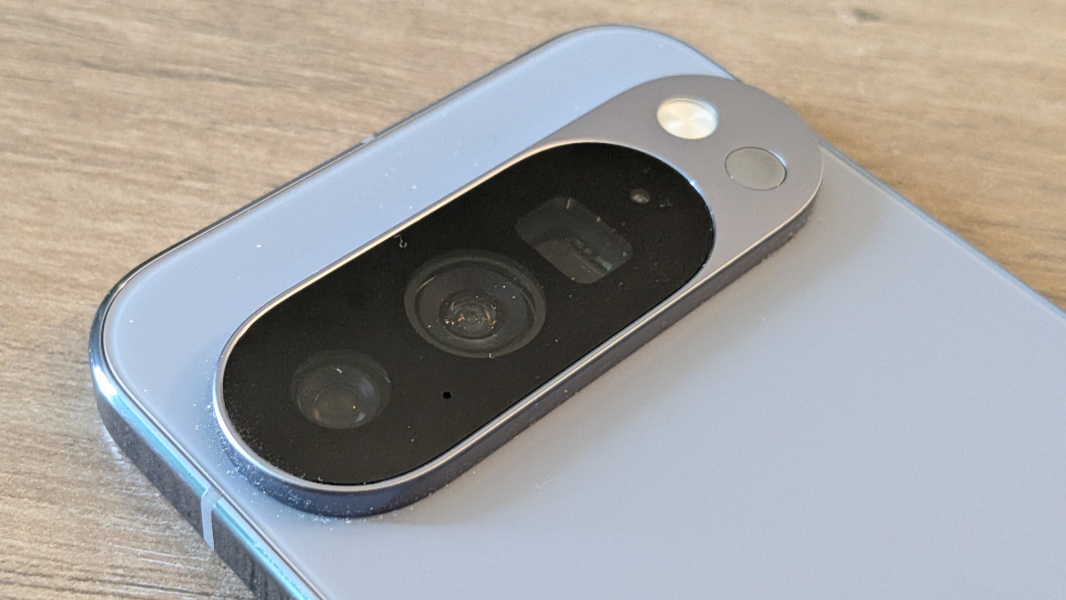
As with the previous several Pixel generations, the camera bar is beautiful and functional: Unlike most rival flagship smartphones, you can lay the Pixel 10 Pro XL down on a table or other surface and use it without fear of wobbling.
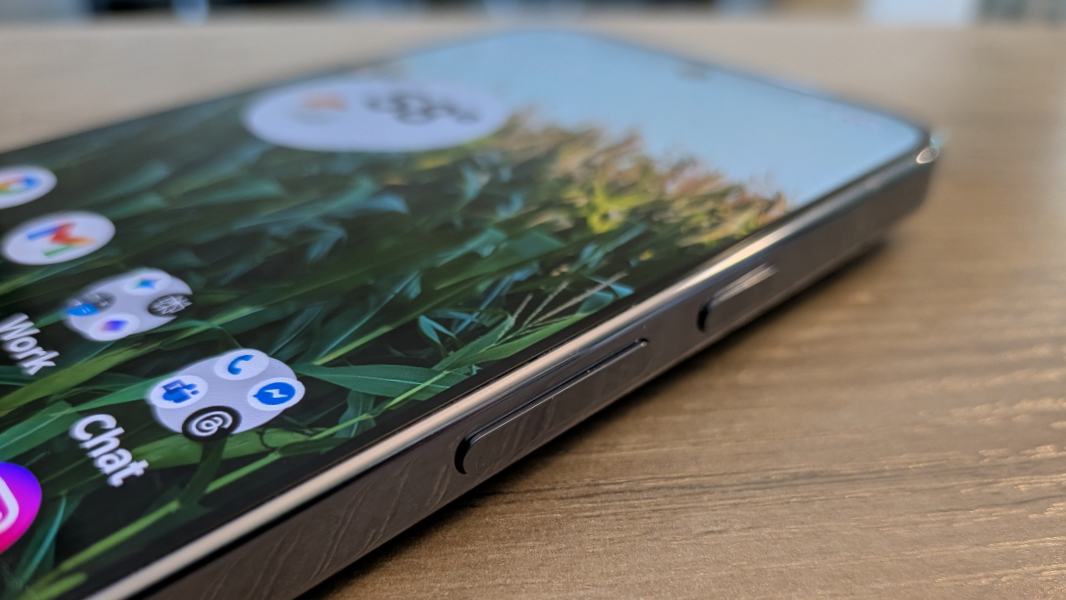
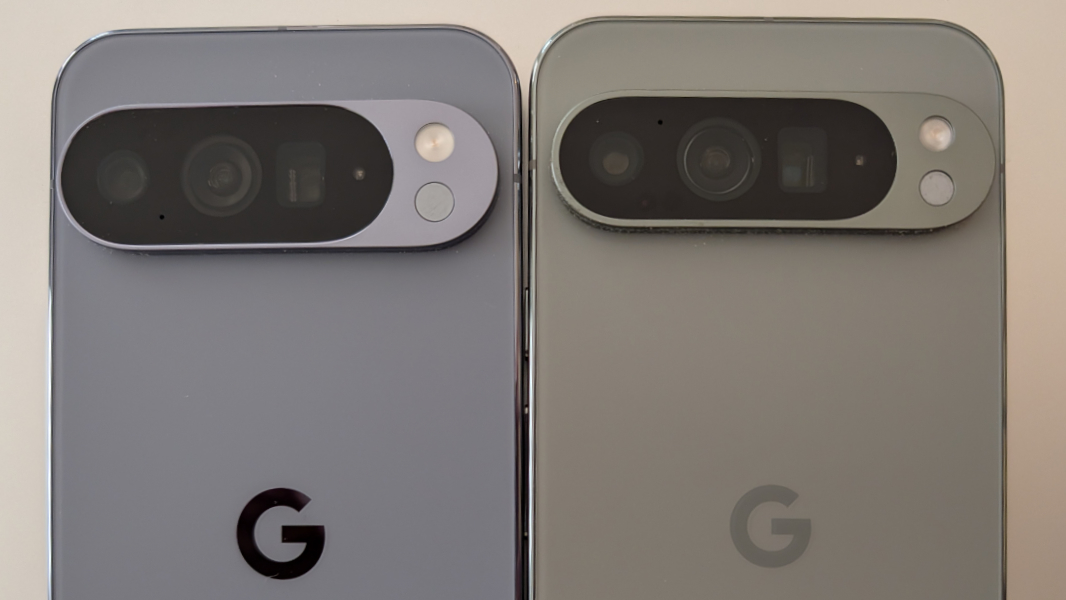
Though the Pixel 10 Pro XL and Pixel 9 Pro XL are the same size—6.4 x 3 x 0.3 inches—and roughly the same weight (the 10 Pro XL is a bit heavier, at 8.2 ounces–there are subtle physical differences. For example, the camera bar is a bit taller and wider this year and that G logo on the back is bigger. (Yes, that means you can’t move cases between the two phones.)
Display
The Pixel 10 Pro XL has a 6.8-inch Super Actua-branded LTPO (Low-Temperature Polycrystalline Oxide) OLED display panel with a native resolution of 1344 x 2992 (486 PPI), a 9:20 aspect ratio, a variable refresh rate of 1 Hz to 120 Hz (that’s what LTPO does), and a 2 million to 1 contrast ratio that emits 2200 nits of brightness for HDR content and a peak brightness of 3300 nits. It supports HDR and 24-bit color, and it’s covered in Corning Gorilla Glass Victus 2 cover glass protection.
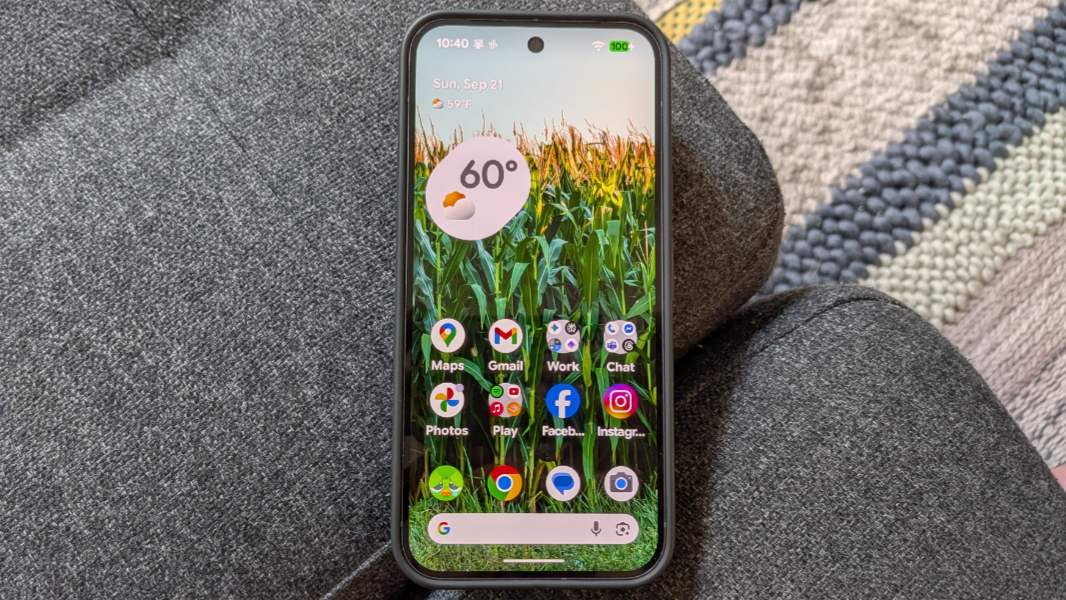
This display is virtually identical to the display on last year’s Pixel 9 Pro XL. The only difference is that the brightness and peak brightness levels are both 10 percent higher on the Pixel 10 Pro XL. That should provide a small improvement in direct sunlight, but I never detected any major differences. Which is fine: This is a fantastic display, with rich colors and excellent details, even though it uses a lower-resolution of 1080 x 2404 by default to help spare the battery. This was not an issue on the Pixel 9 Pro XL so I left it on its default here as well.
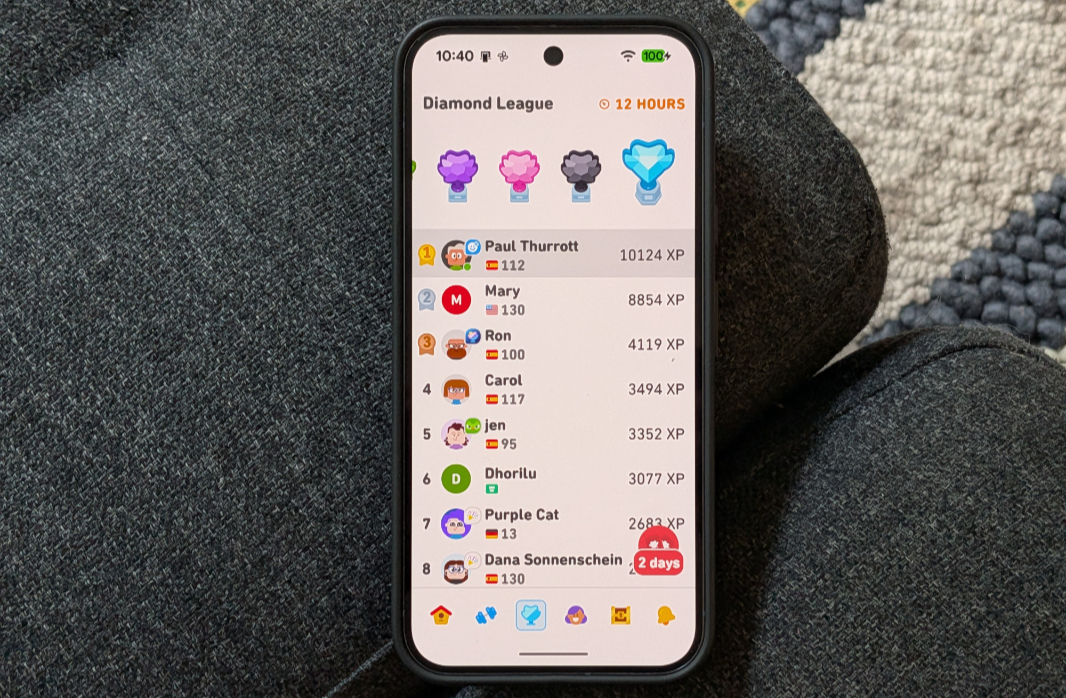
Adaptive brightness used to be problematic on Pixel phones, with several generations routinely dimming the screen below a comfortable level. But this is no longer an issue: As with its predecessor, I never once had to manually adjust the brightness.
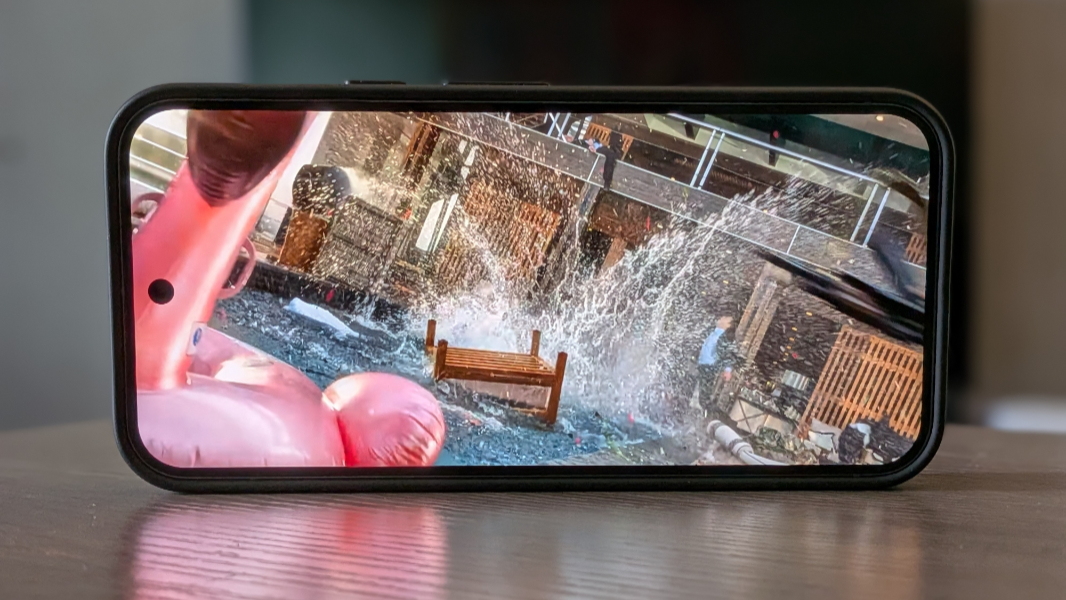
Google uses a punch hole cutout for the self camera, which I prefer over other positions, though it seems a bit large to me. Speaking of which, I think we’re at the point where we can’t really describe the display bezels as small. If anything they’re particularly noticeable with a case on the phone. Not objectionable in any way, of course. But noticeable.
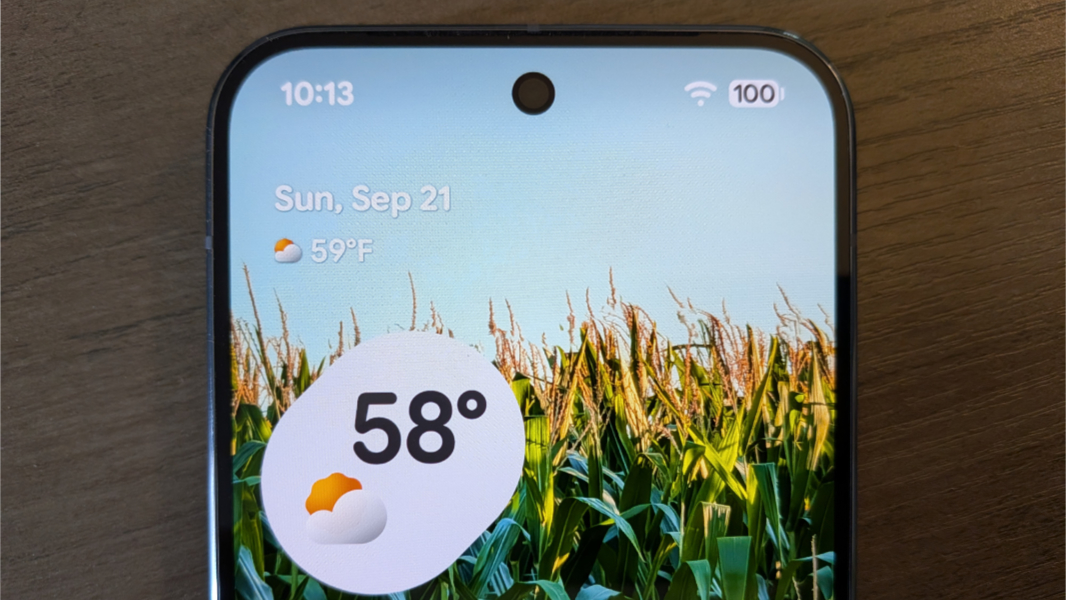
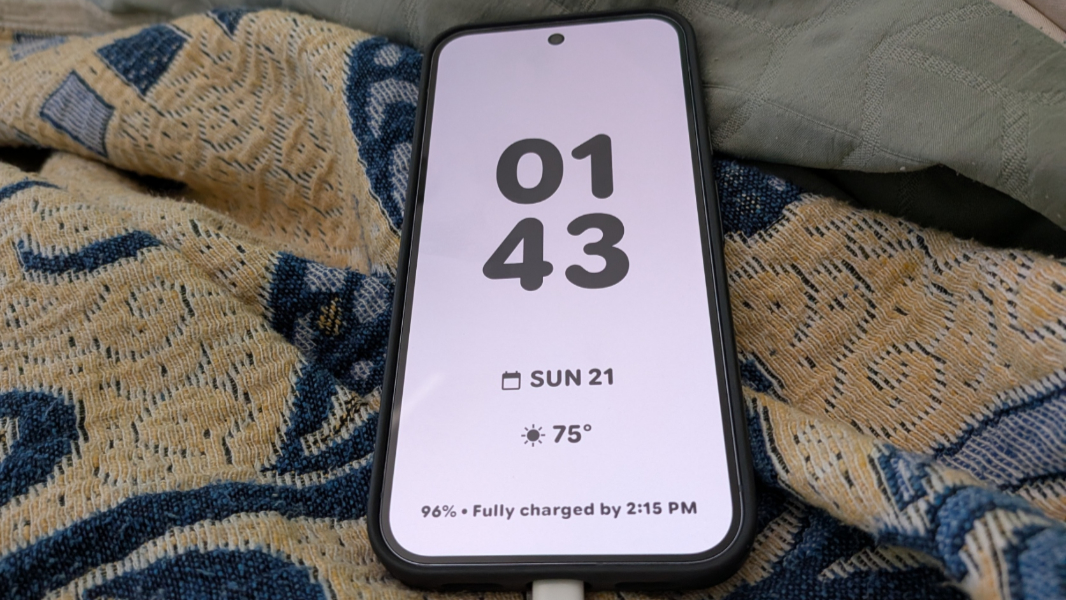
The gentle curves in the corner are nicely done, as before. And the Color contrast and Colors options are unchanged year-over-year. But I love the new screensaver feature that turns the phone into a mini-smart display when it’s not used and connected to power. This pairs nicely with the new Pixelsnap powered accessories and turns the Pixel 10 Pro XL into a neat bedside companion.
Hardware and specs
With the Pixel 10 series, Google is moving to its 5th generation Tensor processor, which is based on a smaller and more efficient 3 nm manufacturing process, compared to 4 nm for the Pixel 9 series. It’s also faster, Google says, with a 34 percent gain in CPU performance and 60 percent in TPU (NPU) performance. That’s impressive, but that’s compared to the Tensor G4, and Google’s processors have never threatened Qualcomm’s flagship Snapdragon chips or Apple Silicon in raw performance. Yes, that is by design: Google optimizes the Tensor for its on-device AI workloads. And with the Tensor G5 in the Pixel 10 series, there are several new AI features that exist because of the improvements Google made to this chip. (More on that below.)
The Pixel 10 Pro XL comes with 16 GB of RAM, the same as last year. But there are two interesting changes with the storage. The 128 GB option is gone, as it should be, with Google now offering 256 GB, 512 GB, and 1 TB storage options. And the storage is faster. Where the Pixel 9 Pro XL utilized UFS 3.1 storage, the Pixel 10 Pro XL moves up to UFS 4.0 on the 256 GB configuration and Zoned UFS 4.0 on the 512 GB and 1 TB configurations. Whether there’s any real-world benefit to either upgrade is unclear, and I don’t have a phone to test that. But Zone UFS apparently adapts the layout of items in storage over time to optimize access speeds.
And that’s the thing. In day-to-day use, the Pixel 10 Pro XL worked well, and I’ve never noticed any slowdowns, pauses, or glitches. This was true of the previous device as well, but the more efficient Tensor G5 runs cooler than its predecessor, and that leads to lower temperatures in use. And that is something I have noticed: On multiple drives with the Pixel 10 Pro XL exposed on the car’s dashboard for hours at a time, I noticed it getting warm but not overly hot. I’ve seen the Pixel 9 Pro XL switch to dark mode and issue warnings because of overheating in this scenario, so this is a worthwhile improvement.
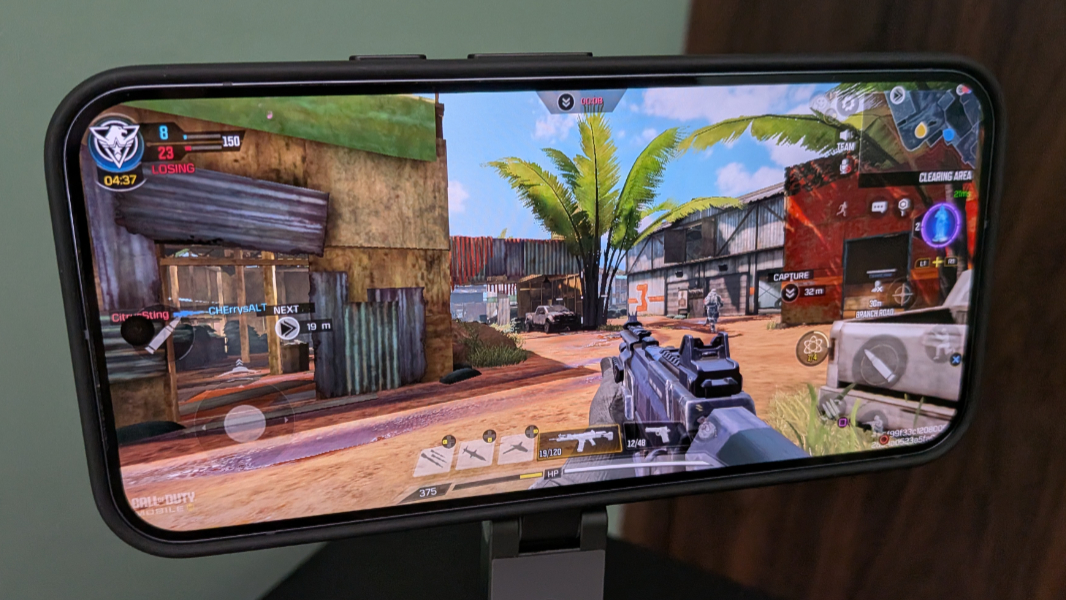
I also tested Call of Duty: Mobile on the Pixel 10 Pro XL, using the higher resolution graphical assets and an Xbox Wireless Controller, and it played perfectly, with no heat build-up or performance issues at all.
Connectivity
The Pixel 10 Pro XL supports Wi-Fi 7 and Bluetooth v6, the latter of which is a first for me. It supports all the Gs (to speak) for broadband cellular, of course, including 5G with mmWave + Sub6GHz, though the little window for that in the top of the Pixel 9 Pro XL is no longer present this year. I use Google Fi for cellular, and I switched over my phone number to the Pixel 10 Pro XL and used it in Pennsylvania and in Berlin, Germany and never had any issues.
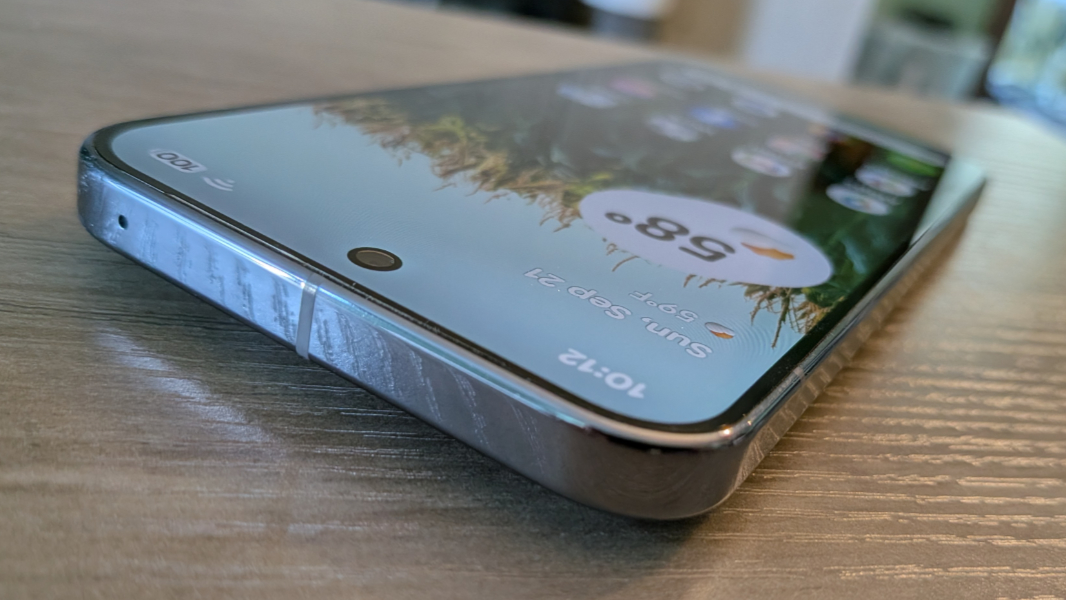
Note that if you live in the U.S., Google is no longer providing a nano-SIM tray. Instead, you can store 8 eSIMs and have two active at a time. I think we’re at the point where going all-eSIM is the way to go, so I have no issues there.
Audio-video
As with its predecessor, the Pixel 10 Pro XL provides a terrific multimedia experience thanks to its support for HDR+ and stereo speakers. Video looks terrific, and the selfie camera punch hole seems to disappear as you pay attention to the content.
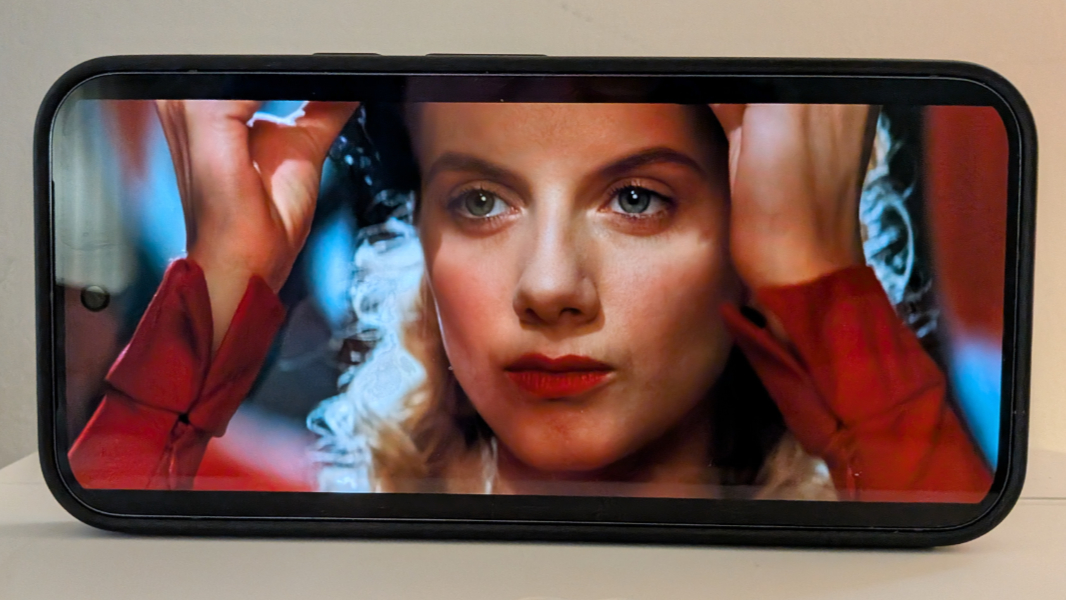
Interestingly, the stereo sound appears to be better balanced this year: The left (top) speaker is part of the earpiece and tends to be less loud on most phones, including the Pixel 9 Pro XL, giving sound a bit of a right bias. But that’s much less pronounced with the Pixel 10 Pro XL. And the speakers get loud, without any distortion, though you get some case vibration and echo at 100 percent volume.
The Pixel 10 Pro XL supports spatial audio but only via compatible earbuds. I purchased a pair of Pixel Buds Pro 2 earbuds that do support this feature, along with head-tracking. I will review those separately, but the Pixel 10 Pro XL and Pixel Buds Pro 2 are a nice combination for gaming, listening, or viewing on the go.
Cameras
The Pixel 10 Pro XL provides a terrific three-lens rear camera system, though it’s nearly identical to what we got last year in the Pixel 9 Pro XL. This time around, the major advances come from AI, a Google strength, with unique capabilities that in some cases are unlocked by the Pixel’s Tensor G5 processor.
This makes sense. The Pixel lineup has focused on computational photography since the original release in 2016, and fans typically cite photography as a key factor in their buying decisions. So no one will be surprised to learn that the Pixel 10 Pro XL gives users an ideal camera system. And that’s true whether you just take point-and-click snapshots as I typically do, or you’re a professional who requires the pro controls that the Pixel 10 Pro XL also provides.

The Pixel 10 Pro XL is now my favorite smartphone for photography. It provides the best overall camera system of the phones I’ve used, and it delivers consistently predictable high quality regardless of the conditions. This is an important point. It’s possible to take incredible photos with a flagship iPhone, but you have to babysit every shot to make sure the result it exactly what you want. With Pixel, this is automatic.

So let’s start with the hardware.
As noted, there are three camera lenses on the rear of the Pixel 10 Pro XL, and they’re housed as before inside the stunning rounded camera bar at the top of the phone.
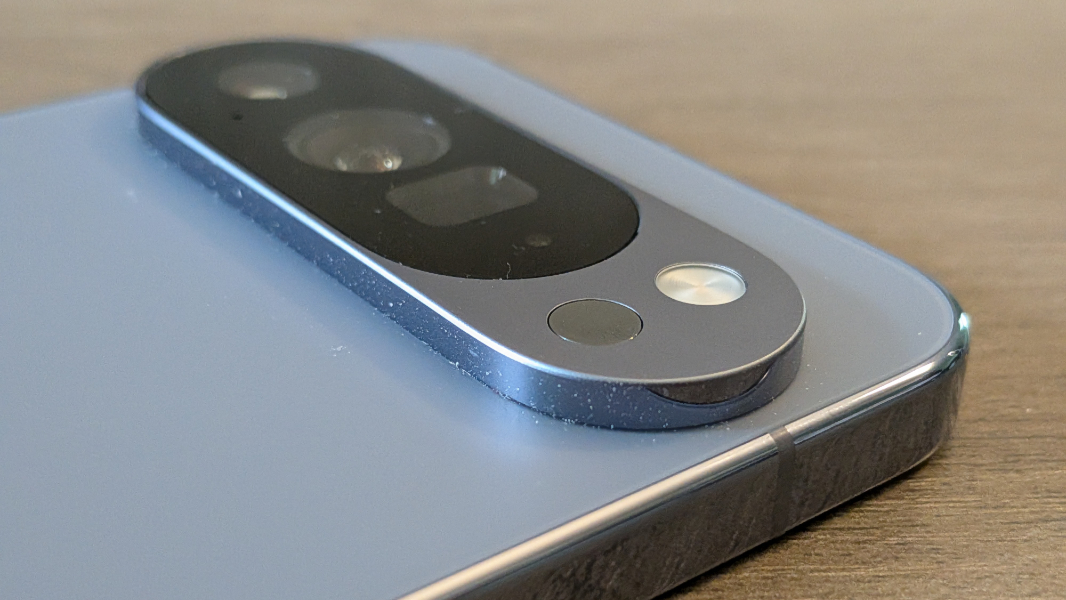
The main (wide) lens is a 25 mm equivalent with 50 MP of resolution, and 82-degree field of view (FOV), an f/1.68 aperture, dual-pixel phase detection (PDAF), optical image stabilization (OIS), and electronic image stabilization (EIS). Google says that the OIS has been enhanced this year, resulting in smoother, less jittery video recordings.

The ultra-wide lens is a 13 mm equivalent with 48 MP of resolution, a 123-degree FOV, an f/2.8 aperture, dual-pixel PDAF, and auto-focus. Edge distortion is minimal, and while this is subtle, these photos are less distorted at the edges than the ultra-wide shots the smaller Pixel 10 shoots.
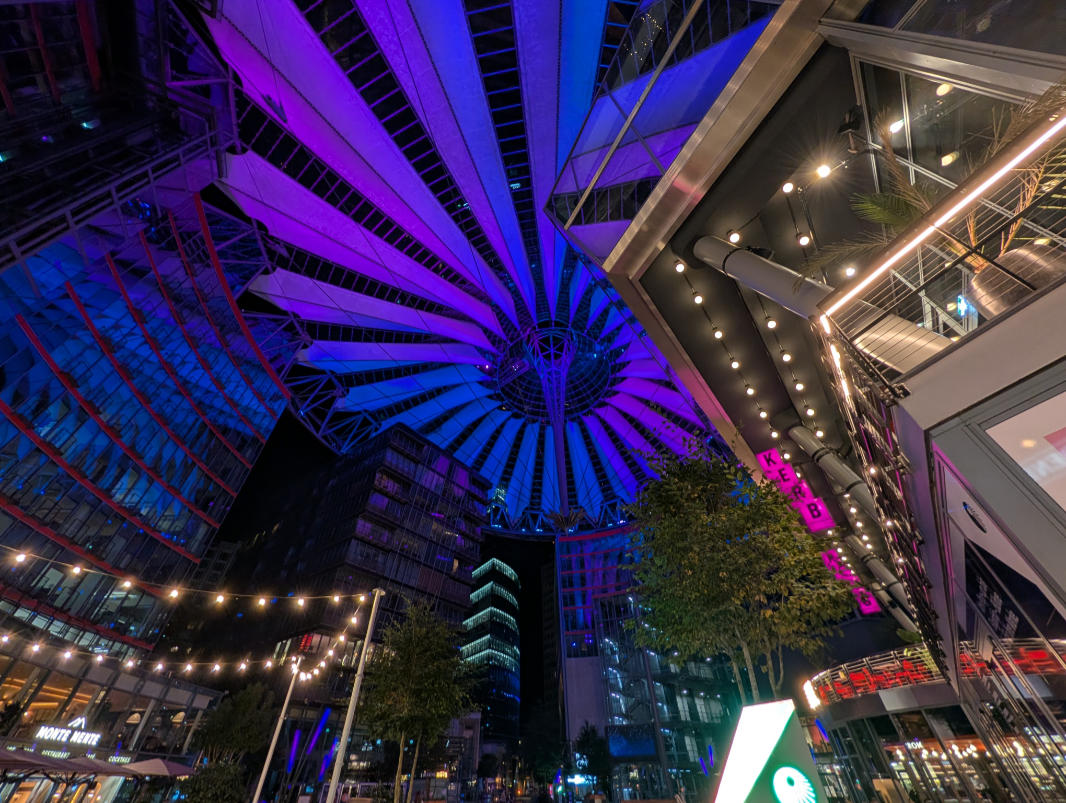
The periscope telephoto lens is a 113 mm equivalent with 48 MP of resolution, a 22-degree FOV, an f/2.8 aperture, dual-pixel PDAF, OIS, EIS, and 5x optical zoom. I was surprised that Google didn’t up the optical zoom to 8x in this release, but the telephoto lens now supports Super Res Zoom (using machine learning) to 29x and Pro Res Zoom (using generative AI) from 30x to 100x. And this change is the single biggest—and best—improvement in the Pixel 10 Pro XL camera system.

I wrote about the Pixel 10 Pro XL’s telephoto capabilities in Paul’s Pixel 10 Diaries: Camera Deep Dive (Premium), but the short version is that Pro Res Zoom works, and most of the time, it works quite well. Where previous Pixel flagships could theoretically capture images at up to 30x using Super Res Zoom, I experienced declining quality north of 20x and usually tried to limit myself to that. But the Pixel 10 Pro XL delivers very good quality to about 70x when taking photos by hand, instead of using a tripod. And even 100x is doable if you choose the right subject—buildings and other well-defined objects are a good choice—and can counter the movement in the viewfinder.

To be clear, there are caveats: The generative AI capabilities of Pro Res Zoom work best with certain subjects and this is one instance in which it’s wise to take multiple shots and babysit the results a bit, as I always do with the iPhone. Less obviously, Pro Res Zoom requires you to stick to the default 12 MP resolution setting for photos; if you choose to shoot at full-resolution (typically 50 MP), the Pixel works as it did before and offers Super Res Zoom up to 30x instead.

That’s not an issue for me, as I do stick with the defaults having experimented with full-resolution shots. And you can always save photos as JPEGs and RAW files, which will give you more editing controls, though at the lower resolution in both cases.

I was curious whether the Pixel 10 Pro XL with Pro Res Zoom could outperform recent Samsung Galaxy S Ultra models, which can deliver incredible long-distance shots. And that’s hit or miss: Thanks to some chicanery, my wife’s Galaxy S24 Ultra delivers crisp, clear moon photos that I could never duplicate with the Pixel 10 Pro XL. But when comparing the phones during the day, the Pixel often did a better job of summoning details—or creating them, I guess—at very high zoom levels, where the Samsung just delivered a muddy mess.
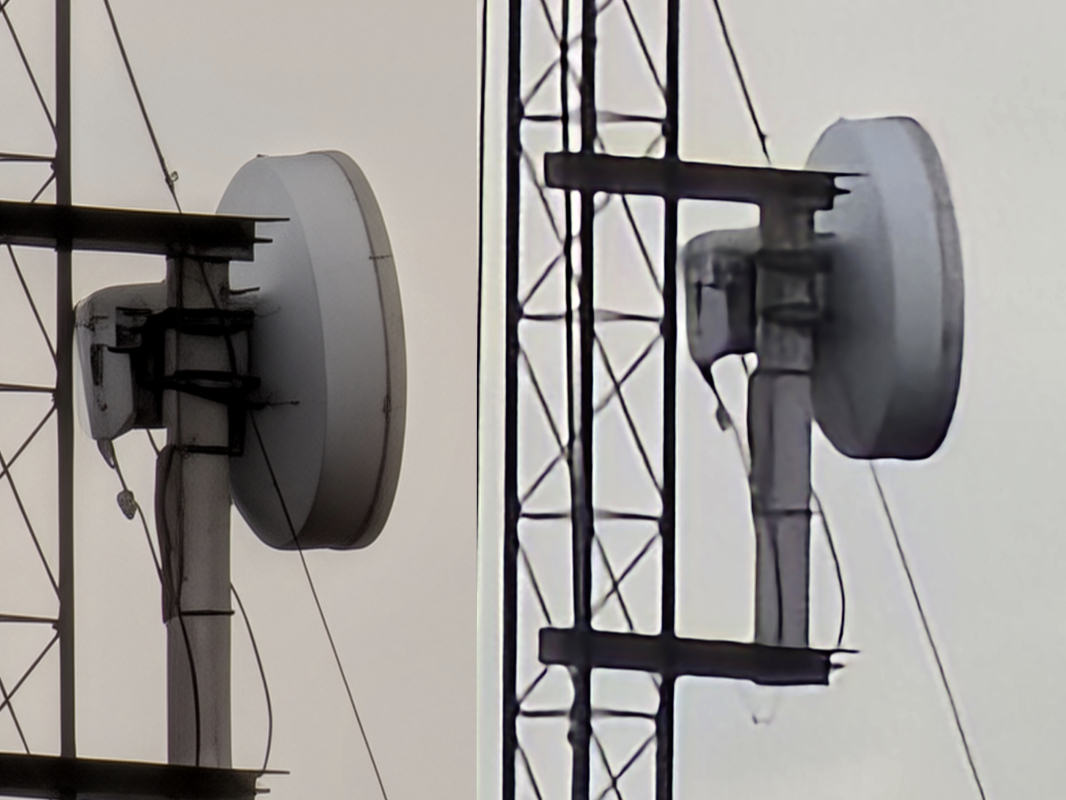
Put simply, these long distance zoom shots were the one area where Pixel fell short of the most expensive Galaxy handsets. But that’s not the case anymore.
The front selfie camera is a single 17 mm equivalent ultra-wide lens with 42 MP of resolution, a 103-degree FOV, an f/2.2 aperture, and PDAF. This appears unchanged year-over-year, and it offers the same 0.7x and 1x zoom controls to take advantage of its wide field-of-view.

I’m not much of a selfie taker, but this lens works as automatically and consistently well as the rear camera system. And there’s a neat palm timer feature that lets you use the camera normally, with no timer, but start a 3-second timer countdown on the fly by placing your palm in front of the camera to give yourself a moment to frame the shot correctly. That’s a terrific idea, and it works with the rear camera as well, though I never found a use for it there.

Not surprisingly, the Pixel 10 Pro XL is packed with helpful camera and photography features. Here, I will focus on the new and improved features.

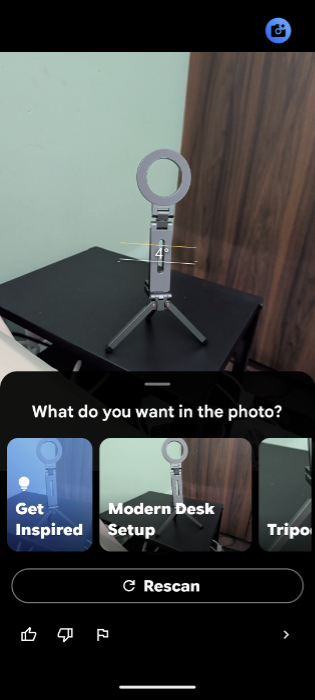
Beginners can use the Camera Coach to get AI-based recommendations for framing a shot on the fly and other suggestions. (You can learn more about this in Paul’s Pixel 10 Diaries: Camera Coach, but it’s surprisingly useful.) And there’s a new “Help me edit” feature that lets you use natural language to tell Google Photos how you want a photo to be edited. (I can’t take a screenshot of this at the moment because this feature is U.S. only and I’m in Mexico as I write this. Doy.)
Panorama shots now work with the Pixel 10 Pro XL’s 5x optical zoom plus the Camera app’s Shadows, Exposure, White Balance, and Focus controls for the first time. If you choose to shoot at native resolution, you can also get up to 100 MP images now in this mode.


You can use Google’s Veo 3 AI model to make short video clips from any photo in Google Photos. The results are always impressive, and sometimes eerily so, with people in photos moving in space, looking at each, and interacting naturally.
You can learn more about my experiences with the Pixel 10 Pro XL camera system in Paul’s Pixel 10 Diaries: Completing Setup, First AI and Photo Experiences and Paul’s Pixel 10 Diaries: Camera Deep Dive (Premium). But my initial worries that the minor hardware upgrades would result in an off year are unfounded. The Pixel 10 Pro XL takes absolutely fantastic photos across the board.

I will be examining its video capabilities soon in that Paul’s Pixel 10 Diaries series as well.
Security
While I still feel that the Face ID system Apple provides with the iPhone is the fastest and most reliable biometric authentication system on mobile, the Pixel 10 Pro XL acquits itself nicely in this category as well. It offers Face Unlock and Fingerprint Unlock, the latter via an ultrasonic fingerprint reader under the display, and both work well, though Face Unlock is useless in anything other than good lighting and it doesn’t like sunglasses.
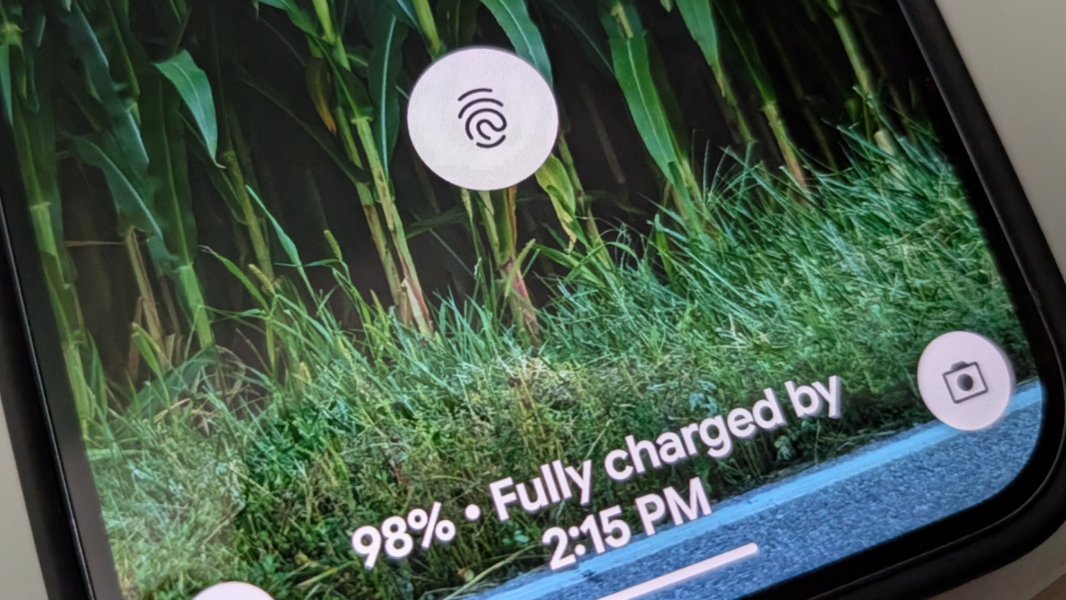
I also configured my Pixel Watch 3 to unlock the phone, which adds another level of convenience. (Yes, an Apple Watch works similarly with the iPhone.) I just want to get into the phone, no matter the lighting, as quickly as possible, and while still maintaining an acceptable level of security.
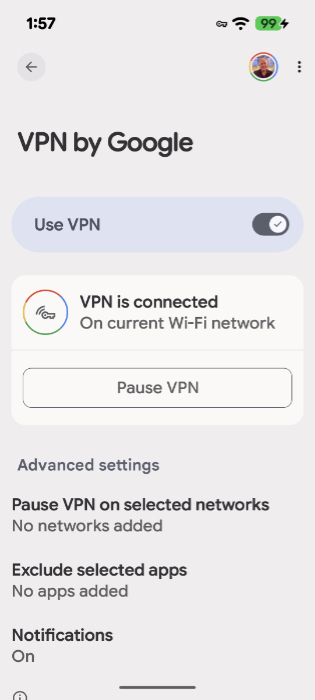
As with the previous few Pixel generations, Google outfits the Pixel 10 Pro XL with its Titan M2 security processor with Trusty (Trusted Execution Environment) and anti-malware and anti-phishing protection. VPN by Google is free to Pixel customers. It’s not particularly configurable, you can just toggle it on or off, and it’s a bit difficult to find because it’s part of the Settings app. But it’s a nice perk that works system-wide and supports per-app exclusions and automatic pausing on selected networks. And there is a handy Quick setting in the Notification shade once you figure out it’s there.
The Pixel 10 Pro XL gets 7 years of OS and security updates. I would never use a phone that long, but that support lifecycle is as good as it gets in mobile.
Battery
Tensor-based Pixels have always offered average battery life compared to the latest iPhones and most Samsung flagships. (The Galaxy S25+ and Edge being key exceptions.) That trend continues with the Pixel 10 series: You should be able to get through an average day without worrying about the battery, as I did. But if you’re taking a lot of photos, while on vacation, perhaps, or just out in the world using Google Maps, Uber, or whatever else more than usual, you’ll want to bring a charger. Or better yet, a Pixelsnap wireless charger.
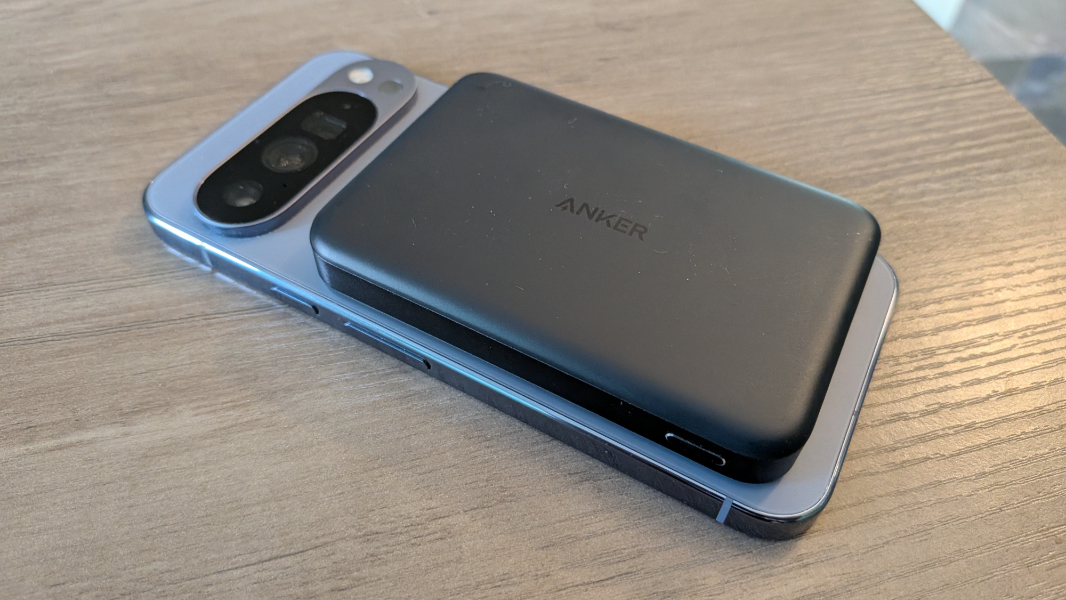
In the good news department, charging speeds are nicely improved: The Pixel 10 Pro XL can charge its 5200m Ah battery at up to 45 watts over USB-C now, with a compatible charger (not included in the box), and it can achieve a nearly 70 charge in just 30 minutes. And using a compatible Pixelsnap/Qi 2.2 wireless charger, you can charge at up to 25 watts. By comparison, the Pixel 9 Pro XL could charge its slightly smaller 5060 mAh battery at up to 37 watts over USB, 23 watts wirelessly using a proprietary (non-Qi) PixelStand, or 15 watts using Qi. But previous-generation Pixels also lack the Pixelsnap/Qi 2.2 magnets and MagSafe compatibility.
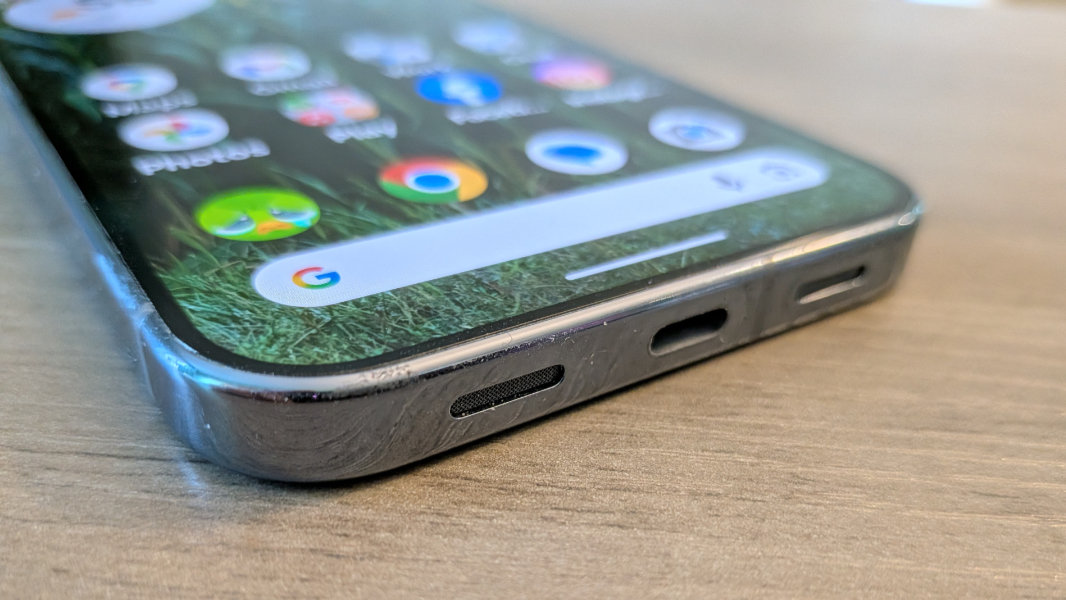
There is one downside to the addition of MagSafe/Qi 2.2: Unlike its predecessor, the Pixel 10 Pro XL, like the other Pixel 10 series phones, does not support reverse wireless charging.
Unique hardware features
The most profound hardware upgrade with the Pixel 10 Pro XL is the addition of Qi 2.2 wireless charging, which opens up these phones to the wonderful ecosystem of MagSafe-compatible peripherals as well as Google’s new Pixelsnap-branded accessories. Qi 2.2 makes wireless charging even better, with up to 25 watts of charging power and magnets in the phone and in compatible peripherals ensuring fast charging speeds and a solid connection.
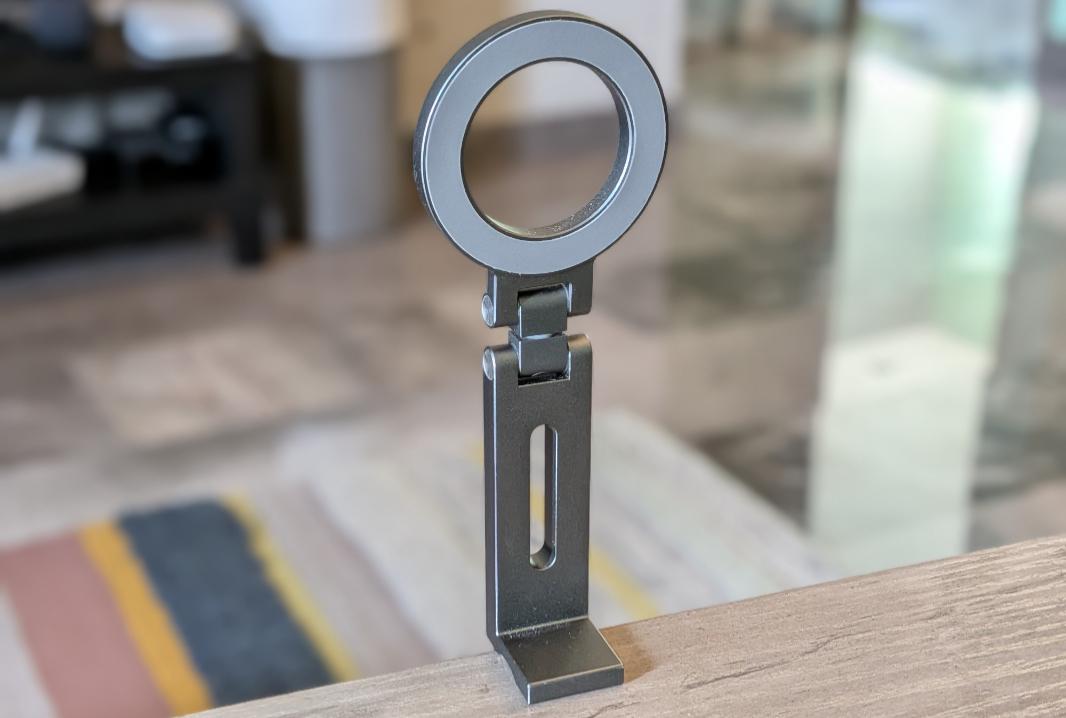
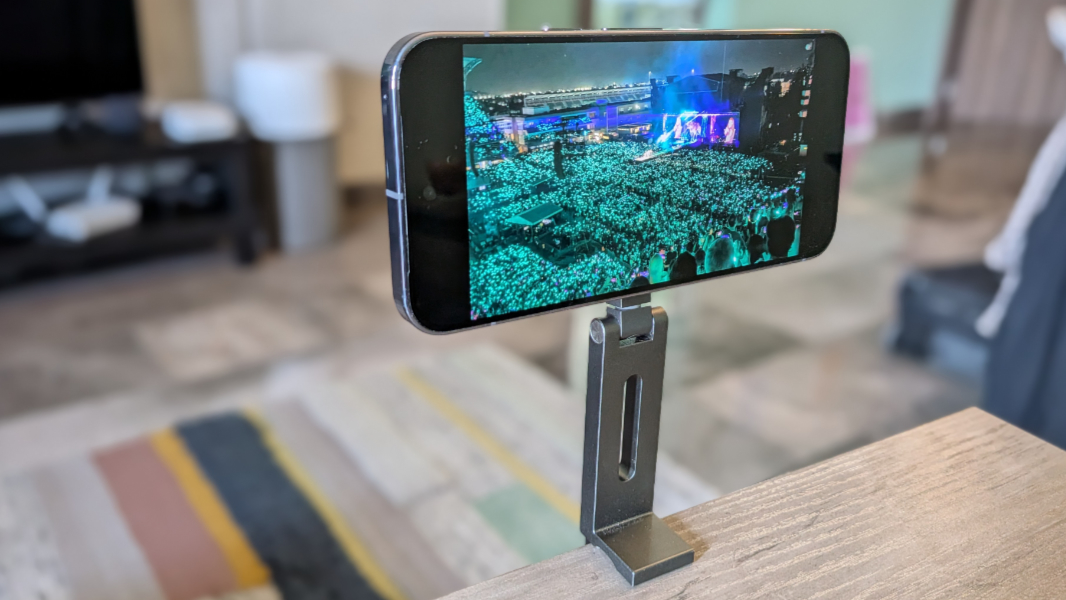
I’ve used the Pixel 10 Pro XL with several Qi 2.x/MagSafe-compatible peripherals, most recently the mini MagSafe tripod that I keep here in Mexico. And this feature is a game changer. It’s not the reason to buy a Pixel 10 series phone, but it is absolutely a reason. As is the incredible software that Google provides on these handsets.
Software
The Pixel 10 Pro XL shipped with a highly optimized Android 16 and the Quarter Platform Release 1 (QPR1) update, which includes the delightful Material Expressive 3 design throughout the system and, increasingly, in Google’s in-box apps. This is a far more successful and far less controversial make-over than Apple’s Liquid Glass. It’s not just attractive, it also enhances usability with new control styles that can expand and grow to better work with your fingers. It’s like Liquid Glass without the Glass.
You can see the impact of Material Expressive 3 throughout the Pixel user experience.
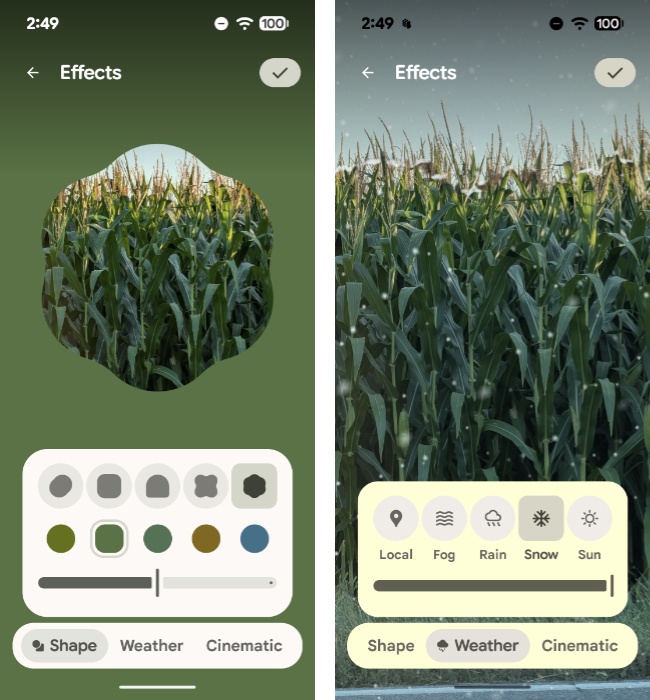
The lock screen can be customized with fun 3D motion effects, similar to what Apple offers, but also unique shape and weather effects.
The always-on display can now optionally display the lock screen wallpaper with a nice dimmed and blurred effect.
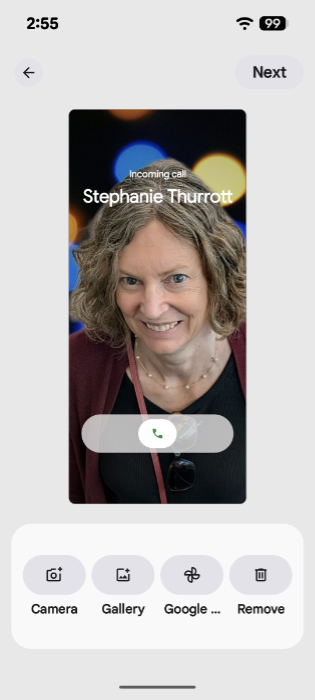
You can add a new calling card to any contact, providing a gorgeous full-screen experience when that person calls you on the phone.
There’s a new Screen saver feature that displays a smart display-like screen when the Pixel is charging. It works in portrait and landscape modes, supports clock, weather, and photo slideshow views, and thanks to its low-light mode, it’s a neat thing to have if you keep the phone by your bedside.
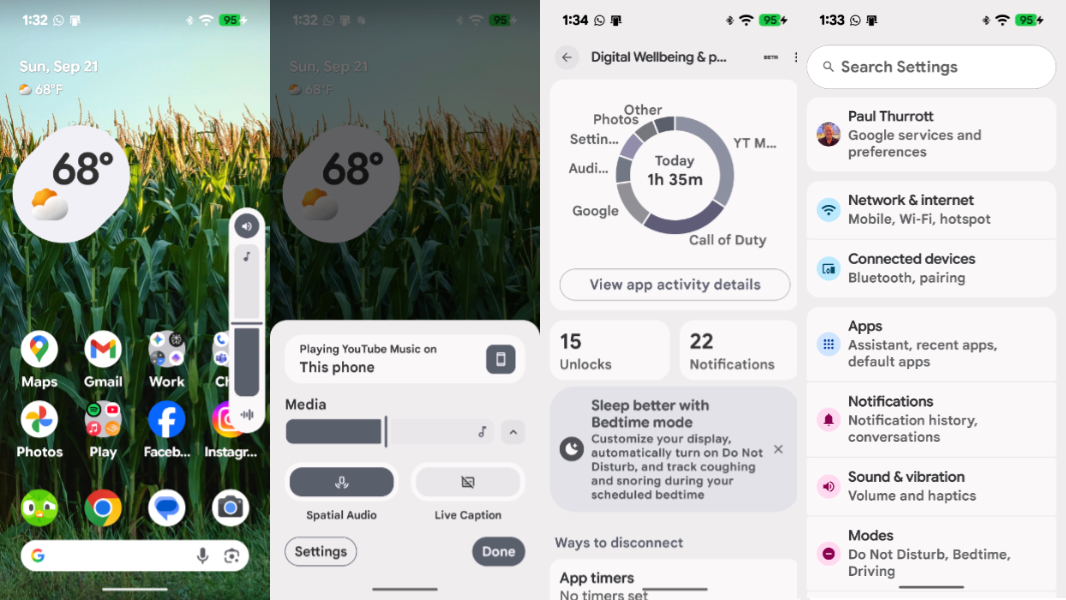
Some Material Expressive 3 tweaks are minor, like the on-screen volume controls and the newly colorful Settings app.
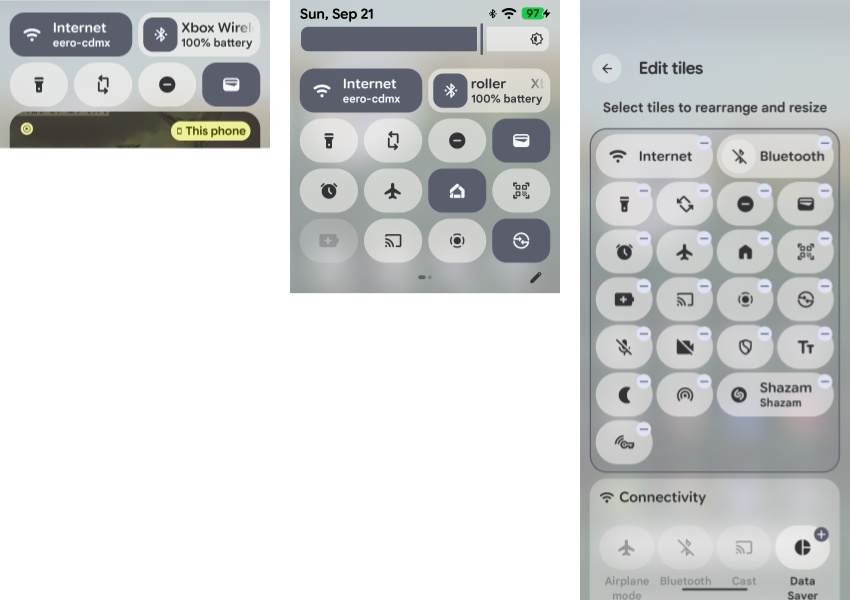
But some are more in your face, like the quick settings tiles in the Notification shade. They’re fully customizable now and can be resized between squircles or rounded rectangles, and repositioned as needed, and there’s an incredible range of tiles you can add to make this interface your own. This is nicely done.
Google markets Pixel as the helpful phone, and that can be seen throughout the software that it provides on these devices. And while AI has always been core to the value proposition, its use has exploded in recent years, and the Pixel 10 Pro XL delivers the most impressive set of end-to-end solutions yet. Just listing all these features would be problematic, and fully documenting them would require a book-length work. But I will try to provide a reasonable overview of the new features here, with the understanding that this all builds on years of work making these phones helpful in meaningful ways.
First up, all Pixel 10 series customers get one year of Google AI Pro for free, providing you with 2 TB of Google Drive storage, access to Google’s most advanced Gemini models, and higher usage limits across the board. This is a nice perk, and it makes the Gemini app on the Pixel 10 Pro XL far more powerful and useful. For example, you can use Deep Research to create reports grounded in hundreds of websites or documents. And you can use the in-box NotebookLM app to organize notes and other information and learn more about particular topics.
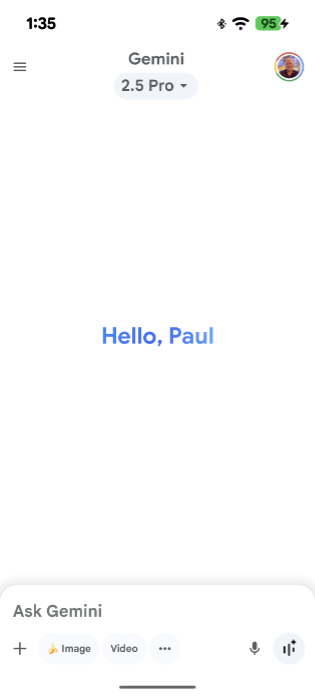
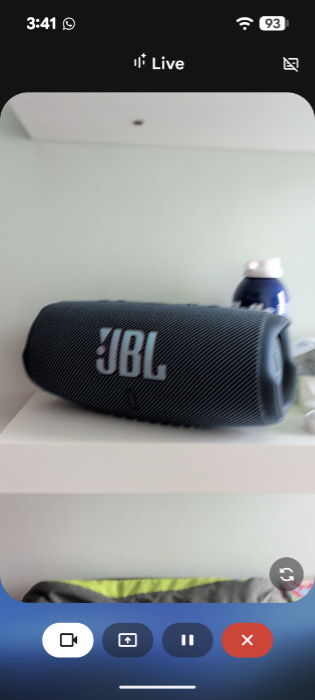
Gemini is now the default personal assistant on the new Pixels, replacing the Google Assistant, and it supports Gemini Live for ongoing conversations with the assistant and learning more about what you see on the screen, including through the Camera app’s viewfinder. I’m still trying to get comfortable with this type of functionality, but there’s no denying its usefulness: You can learn more about anything you’re looking at, whether it’s a business or other site out in the world or any item. It’s been incredibly accurate: When I pointed it at our Bluetooth speaker and asked what it was, Gemini correctly identified it as a JBL Charge 5, not just a JBL or JBL Charge speaker. And you can trigger Gemini Live by pressing and holding on the Pixel’s power button, which is handy.
Magic Cue could emerge as a marquee new feature on the Pixel 10 series, though it’s limited for now and will expand dramatically over time. Put simply, Magic Cue works with a customizable list of compatible apps—Contacts, Google Calendar, Gmail, Keep Notes, Messages, and Pixel Screenshots for now—and surfaces relevant information proactively as you use the phone.
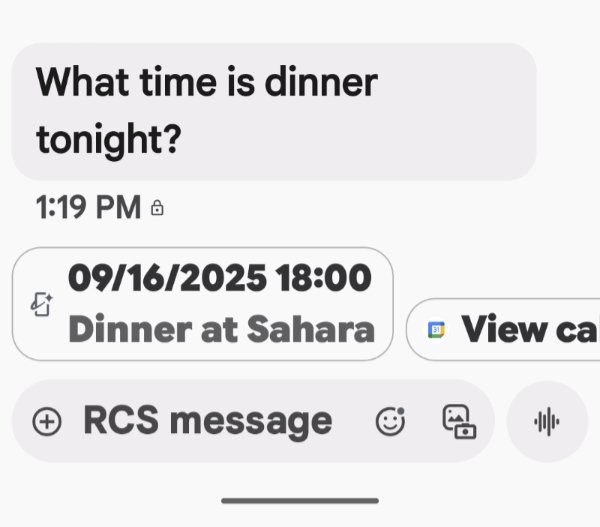
I’ve seen Magic Cue pop-up most frequently in Messages. For example, if my wife asks me about dinner reservations via text, Magic Cue displays a little bubble under the question in Messages that lists the date, time, and place I saved that information in Calendar. This works similarly for questions about flight times, another contact’s phone number, and the like.
Voice Translate works like Conversation mode in the Google Translate app but using the Phone app instead. I’ve not tested this yet, but now that we’re in Mexico I will almost certainly have the opportunity to use it in a real-world scenario. Basically, you make a phone call and enable Voice Translate (via Call Assist), and the Pixel alerts both parties about what it’s doing. Then, both people speak normally and each hears the speech using their native language.
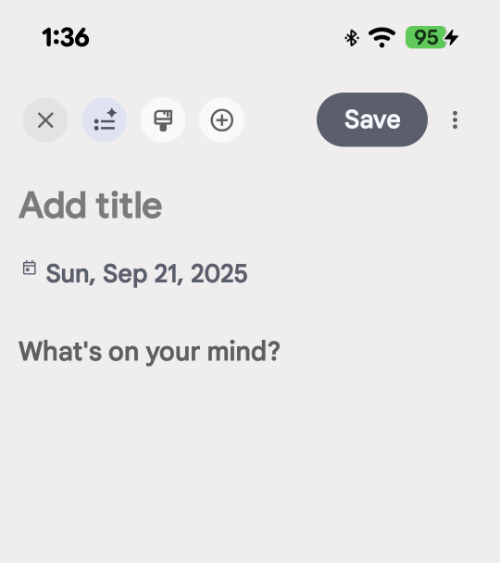
There’s a new Pixel Journal for jotting down thoughts and other things as they occur, but some of the existing Pixel-exclusive apps get exciting new features this year as well.
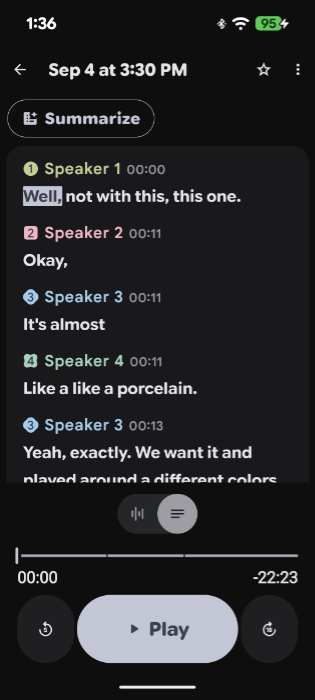
For example, the Recorder app is already incredible, providing transcripts that identify each speaker, a feature I used for this article during a meeting with Lenovo. But now it also creates music for you on the fly using its recordings, which is pretty freaky. To test this, I cropped that meeting recording (it has to be 3 minutes long or less), selected “Create music” from the “More” (“…”) menu, and then chose the “Rainy day” vibe from a long list of choices. It analyzed the recording, worked its magic, and then created a version of the meeting recording with background guitars timed to the speech.
Gboard is Google’s virtual keyboard and it’s been enhanced with Writing Tools to fix writing mistakes like grammar, typing, and punctuation on the fly and the ability to edit voice-dictated messages using natural voice commands. That latter feature is useful for those like me who rely on dictating by voice. For example, when I said the word “Rubi,” which is a bar and restaurant here in Mexico City, Gboard wrote that as “Ruby,” so I then said, “Change Ruby to Rubi with an I,” and it made that change. (That said, it was less successful with “Form + Matter,” which couldn’t get past “plus sign.”)
And Pixel Studio, Google’s text-to-image creation utility, has been updated to use Imagen 4, the latest version of this model, plus new fonts, stickers, and other graphical assets. The results are impressive, and it supports a long list of styles so you can customize each creation accordingly.

Pricing and availability
The Pixel 10 Pro XL starts at $1199, which is $100 more than the starting price of its predecessor. But not really: The base Pixel 10 Pro XL now comes with 256 GB, not 128 GB as before, and so it’s the same price for that amount of storage. You can choose 512 GB and 1 TB configurations for $1319 and $1549, respectively, and choose between four colors: Moonstone (a sort of medium gray-blue), Jade (a light green with gold accents), Porcelain (which is similar to Apple’s Starlight, a champagne-like color), and Obsidian (black).
Unfortunately, not all color choices come in all the available storage configurations. And as bad, the base model is the same price as the base model iPhone 17 Pro Max. Fortunately, Apple’s storage upgrades are more expensive—$1399 and $1599, respectively—though one can also get an iPhone with 2 TB of storage for $1999. Yikes.
The review unit that Google lent me came in Moonstone. I would have personally chosen Porcelain, not that it matters, since I would never spend this much money on a phone, a device this clumsy human carries with him everywhere he goes all day long every day, and not use a protective case. Which will add another $50 to the purchase price if you go with the stock Google Pixelsnap Case, as I did.
Recommendations and conclusions
The Google Pixel 10 Pro XL consistently takes the best photos of any smartphone I’ve used, and it’s packed to the gills with truly useful features that surface almost every time I unlock it. The display is nearly perfect, Google seems to have gotten in front of the heat issues from previous Tensor-based Pixels, and the support lifecycle is the best in the industry. Yes, it’s big and heavy, but so are the flagships from Apple and Samsung.
Less defensible is the pricing, which I feel should undercut the competition. But Google offers solid trade-ins to owners of previous Pixels, and that will help soften the blow. My Pixel 9 Pro XL with 128 GB of storage is worth $413 on trade right now, but it was worth $600 at launch and Google will likely raise trade-in values again at Black Friday and other promotional times.
The Pixel 10 Pro XL is highly recommended.
At-a-glance
Pros
✔️ Excellent camera system with incredible photo quality
✔️ Pixelsnap/Qi 2.2 is a game changer
✔️ Helpful AI features throughout the system
✔️ Premium design
✔️ Huge, gorgeous display
✔️ Material Expressive 3 for the win
Cons
❌ Expensive