Google Pixel Buds Pro 2 Review
- Paul Thurrott
- Sep 29, 2025
-
1
Google announced its entry-level Pixel Buds 2a alongside the Pixel 10 series in late August in two colors, Iris (purple) and Hazel (olive green), and they’ll be available for purchase in early October for a reasonable $129. I’m sure they’re fine for what they are, but I need better ANC, especially for flights.
Speaking of which, I still have my original Pixel Buds Pro earbuds, but it’s been a while since I’ve used them because the ANC isn’t that good and they didn’t stay in my ears well. This is a problem with earbuds because everyone’s ears are all different and earbuds that fit perfectly for one person may not fit well (or at all) for you.
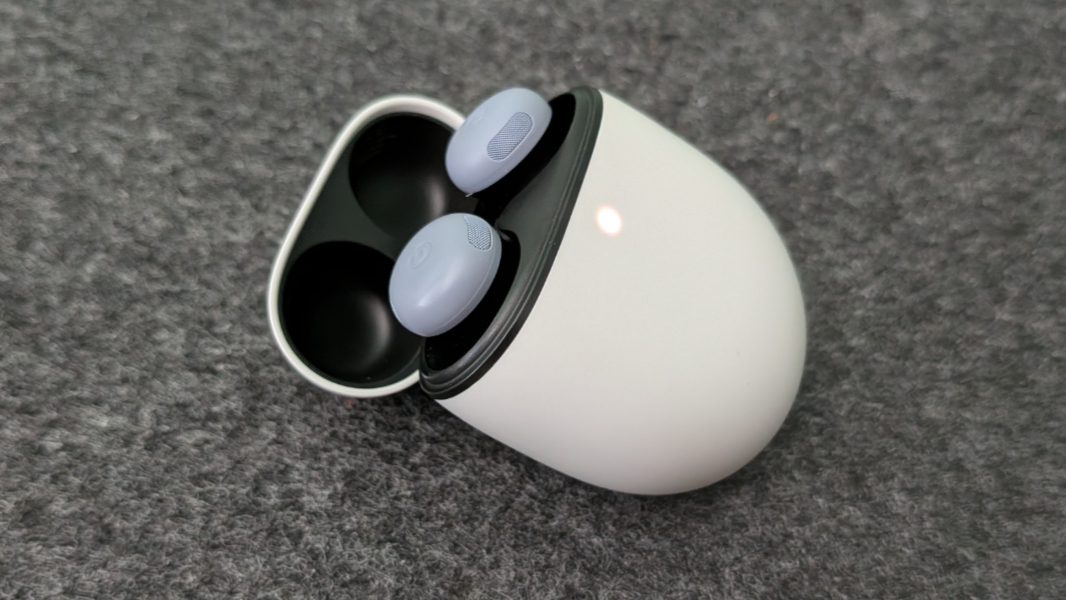
What I have been using for the past year or so, is AirPods Pro 2 earbuds with my Apple devices and Beats Studio Pro over-the-ear ANC headphones otherwise. But when the Pixel 10 series debuted, Google also announced a new version of its year-old Pixel Buds Pro 2 earbuds in a new Moonstone color to match the Moonstone color option on the Pixel 10 Pro and Pixel 10 Pro XL, I ordered a pair, in Moonstone, of course, so I could compare them side-by-side with the AirPods Pro 2.
(Yes, Apple has since replaced those with a new AirPods Pro 3 that I’ll get when possible. This is complicated by me being in Mexico through late November.)
I’ve had the Pixel Buds 2 Pro earbuds for about a month and I’ve used them a lot. I’ve use them on walks, and I’ve even used them to block noise when sleeping, though like other normal earbuds they’re not ideal for that purpose. But I’ve mostly used them on long flights to and from Berlin, Mexico City, and Hawaii.
Here’s what I’ve found.
? Design
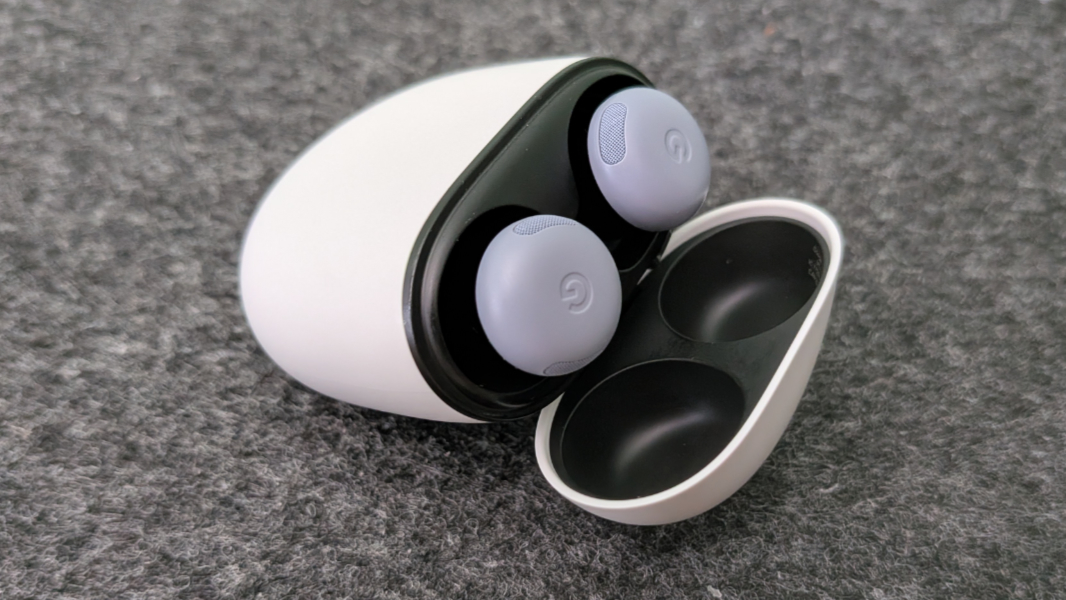
When the Pixel Buds Pro 2 debuted in late 2024, they were made available in Porcelain, Hazel, Wintergreen, and Peony. Most of those colors are still available today—Wintergreen is out—and now there’s a new Moonstone color that I purchased, which of course matches the Pixel 10 series phones.
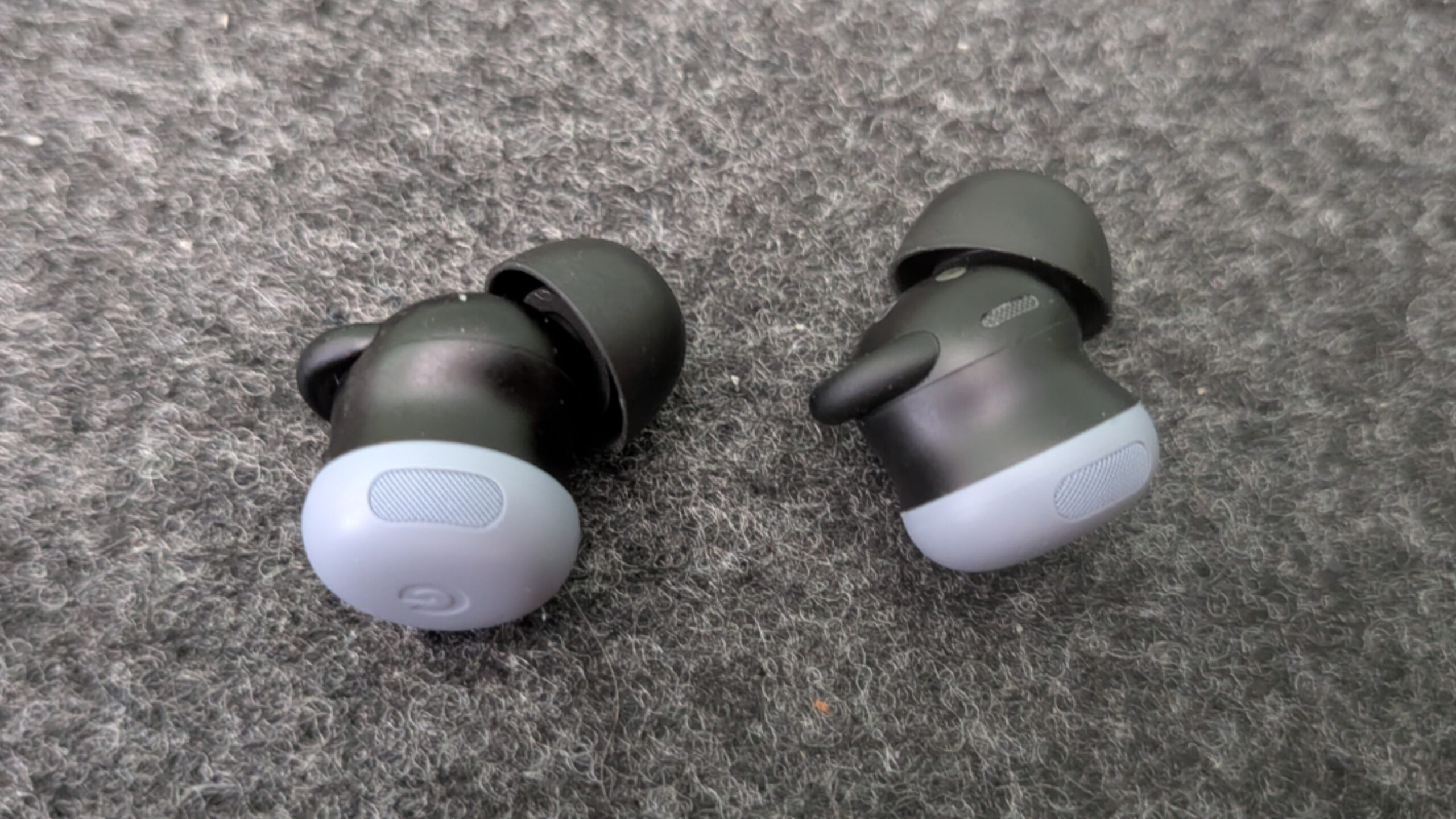
The color applies only to the round part of the Buds that will show when they’re in your ears, and it’s a nice differentiator compared to the more typical white earbuds that almost everyone seems to have. The rest of the Buds are black, of course. I like the look, but I do worry about one falling out of my ear on a plane and bouncing away erratically like a little football into the dark recesses under a seat, where the dark Moonstone (or Hazel) color of the Buds I bought might make it difficult to find.
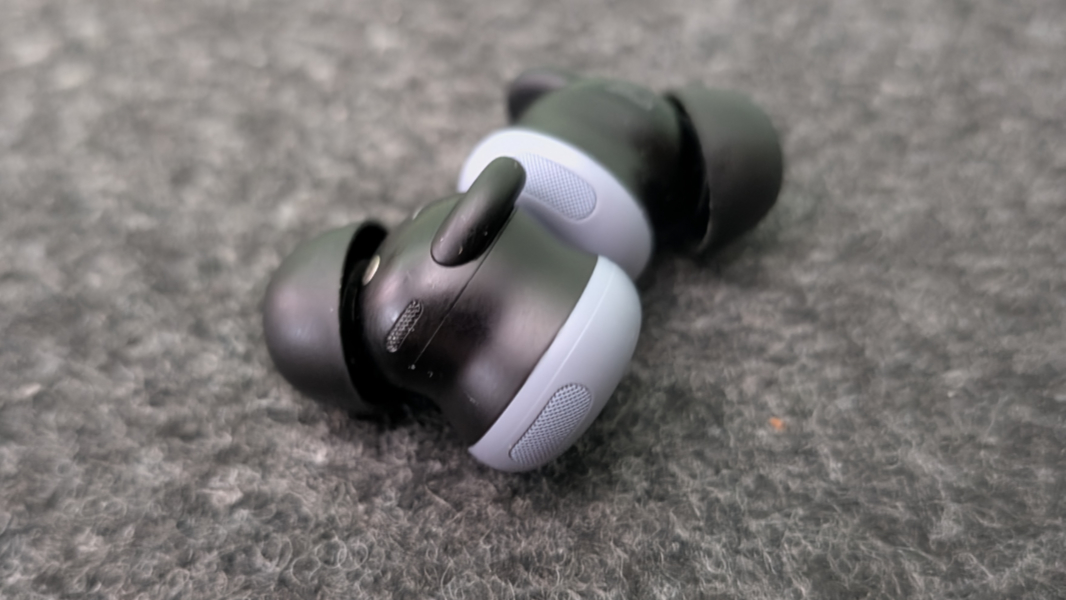
New to this model is a little wing-like stabilizer, which helps to keep the Buds in place in your ear. The OG Pixel Buds Pro didn’t have anything like that, and they were noticeably problematic as a result. I didn’t think the little stabilizers on the Buds Pro 2 would make a big difference, but they do improve matters somewhat.

The Pixel Buds Pro 2 come in a delightful, small wireless charging case that only comes in white regardless of which color Buds you order. It resembles a stone that’s been smoothed down by running water and is the type of thing you might find yourself spinning in your fingers because it feels so nice.
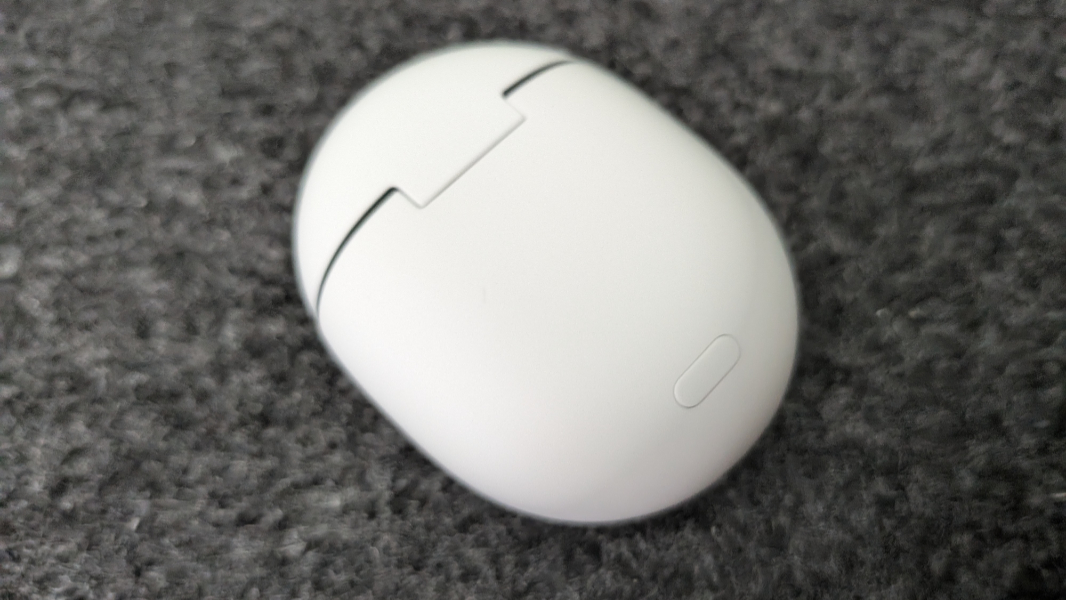
The Pixel Buds 2 Pro can connect to a smartphone or other device via Bluetooth 5.4 with Fast pair, which works as expected. Just press the pairing button on the back of the charging case and a notification to pair will appear on the bottom of the Pixel phone.
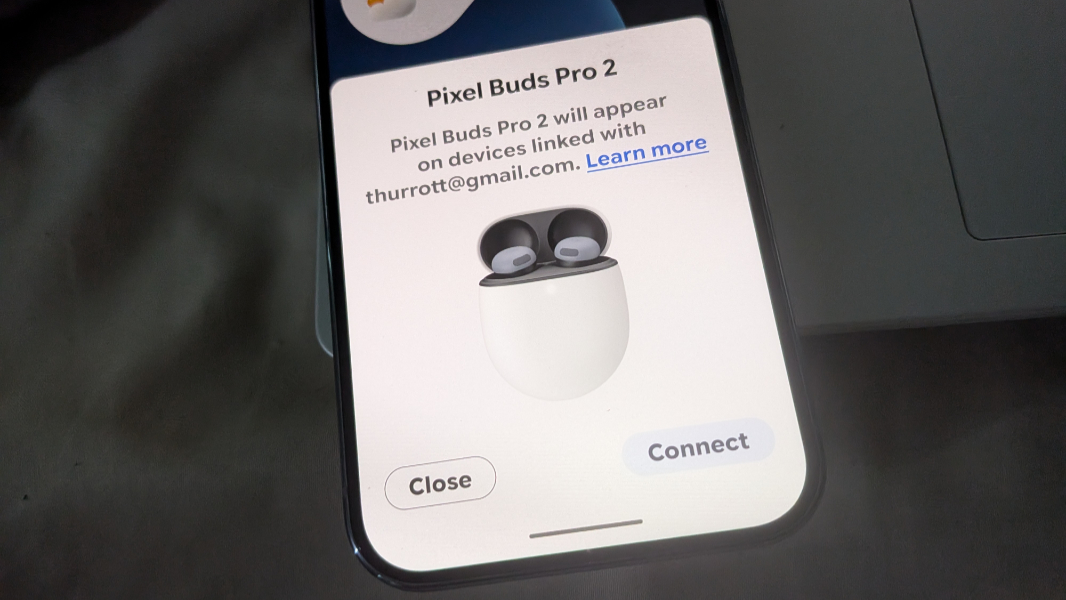
This is nicely done. Once you accept that, you’re asked to add the Buds to Google’s Find Hub so you can find them later if they’re lost or stolen. And then you can jump right into device settings, which is also available in All apps as a standalone Pixel Buds app.
? Fit
The Pixel Buds Pro 2 come with four sizes of eartips: Extra small, Small, Medium (the default, already attached to the Buds), and Large. These things vary by person and often by individual ear as well. I started off using the default Medium tips, and the eartip seal test in settings indicated that I had a solid fit. But I did finally move to the Large tips because I had to adjust them more frequently than I do with the AirPods Pro 2.
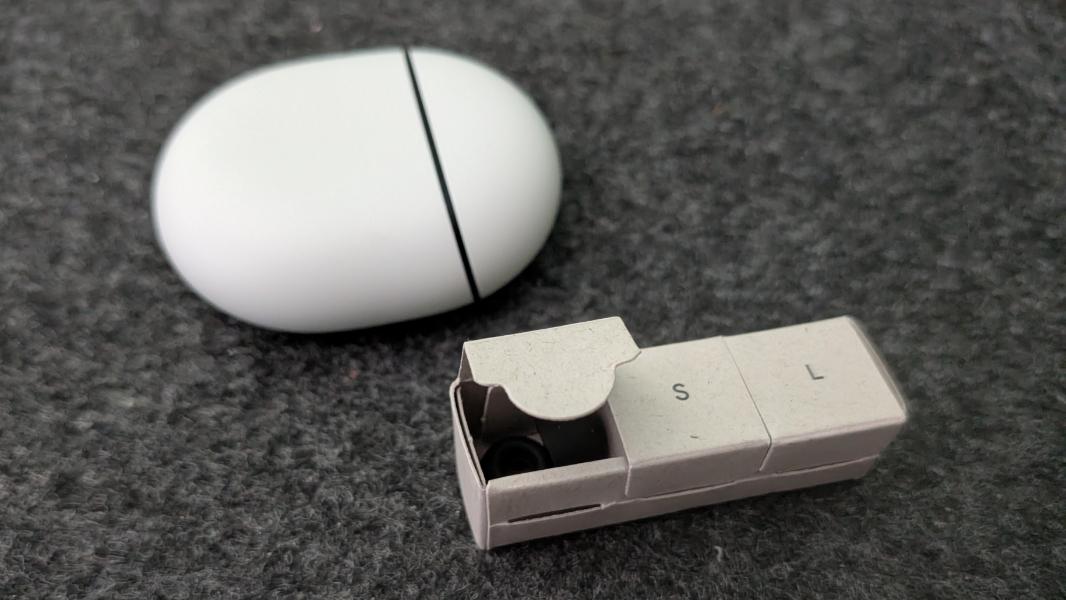
This is important for a few reasons, the most obvious being that any earbud can go tumbling out of your ear at any time. But a good fit also improves noise cancellation, and that is top of mind for me, and as important as audio quality.
Inserting the Buds into your ears involves a pretty standard twisting motion to get a solid fit and seal, and the little stabilizer on the side of each helps with that. You twist them counter-clockwise until they’re snug, though I do still find myself re-fitting them over long periods of use. I assume this would be even more problematic if one used them while running or some other physical activity with a lot of movement. But I’ve never really exceeded a fast walk with them in my ears.
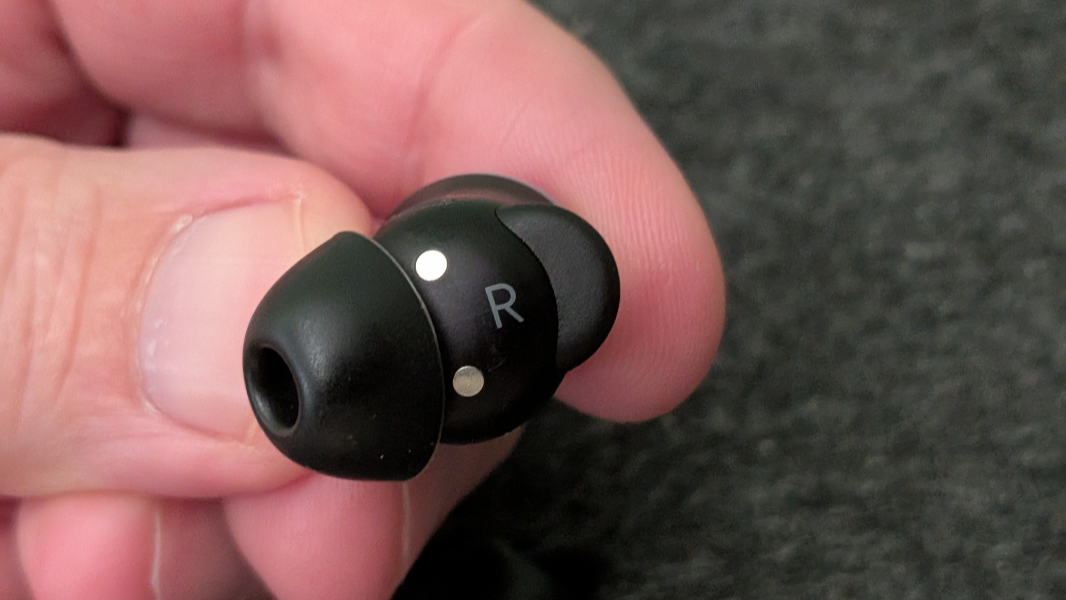
I had purchased a pair of third-party foam tips to try to fix the poor fit of the original Pixel Buds Pro earbuds. But I didn’t think to try that on the new version until I got to Mexico, and I wish I had.
▶️ Features and controls
The Pixel Buds 2 offer an astonishing range of features, and I spent a lot of time navigating around the settings to get things where I wanted them. I’m simple in this regard, and most of my interactions in day-to-day use are just toggling Play/Pause and the Noise cancellation/Transparency modes, as described below. Well, that and readjusting the fit more than I’d like.
But there is a lot there. There’s the Find Hub integration, as noted. All kinds of touch controls and gestures. Deep Gemini integration, including hands-free “Hey, Google” voice interactions. The Pixel Buds Pro support spatial audio, which is nice, but also head tracking so that the individual sounds in spatial audio remain rooted in place even if you move your head, simulating real life. (I leave head tracking disabled, as I find it a bit disconcerting.)
I haven’t tried this with the Buds Pro 2 as I hated this feature when I used the previous model at the gym, but there’s a Conversation detection feature that switches the Buds from Noise cancellation mode to Transparency mode if it detects people talking nearby (the assumption being that they are talking to you and you wouldn’t hear them otherwise).
Apple’s AirPods Pro 2 were recently updated with a hearing test feature, and various Apple products will warn you when you’re in a very loud environment. With the Pixel Buds Pro 2, Google offers a Hearing wellness feature that works similarly, and though I’ve not yet worn them in an overly loud environment (aside from an airplane, I guess), I can see reports about the volume levels over various periods of time, and that it didn’t find anything dangerous so far.
Like other premium earbuds, the Pixel Buds Pro 2 detect when they’re in and out of the case, when the case is open or closed, and when they’re in or out of your ears or, if you’re unlucky, when they’ve fallen out of your ears. So they can auto-play or pause as needed, which is useful.
They also support automatic audio switching so that audio will fade and mute when a call comes in, the call works normally, and then the audio from before fades back in to its previous volume when the call is over. This feature also lets you use the Buds with multiple Android devices, which is helpful while I’m reviewing the Pixel 10 series, but might also be used when moving between, say, a Pixel phone and a Pixel or other Android tablet. This works well.
(There is a also a Multipoint feature that lets you connect the Buds to two devices at the same time. This is disabled by default, and I’ve not used it, but I suppose it could be useful if you’re watching a movie on a tablet or whatever and a call comes in on your phone.)
The controls are straightforward, and the Buds use capacitive touch surfaces to support taps and swipe gestures. For example, a single tap on either bud will play or pause media, answer a call, or exit Conversation Detection mode (which I don’t use anyway). You can double-tap to move to the next track, end or reject a call, or exit Gemini. Those work well, and I use them a lot But swiping forward to raise the volume and swiping backward to lower it is finicky. And I had to look up that you can use a triple tap to go to the previous track.
Even the case has a few unique features. There’s a little speaker, new to this generation, so you can more easily find it when lost via Google’s Find Hub. It has a sensor so the Buds know when the case is open or closed. And it support both wired (USB-C) and wireless (Qi) charging.
The Pixel Buds Pro 2 are IP54 dust and water resistant, meaning that they are dust protected (not dust tight, though whatever dust can get through won’t interfere with the Buds) and water splash protected. So you can’t submerge the Buds Pro 2 in water and expect them to make it, but they should withstand sweat if you’re at the gym or running, and are OK for use in light rain. I haven’t tried them in those situations. Also, the case is IPX4 dust and water resistant, so it hasn’t been tested against dust and offers the same water protection as the Buds.
➕ Unique Pixel features
While you can pair the Pixel Buds Pro 2 with any smartphone, including an iPhone, they offer a few features that are exclusive to Pixel. So you won’t get these if you use a Samsung or other Android smartphone (or an iPhone, of course). That’s a little disappointment, but most Galaxy or iPhone users are looking elsewhere anyway.
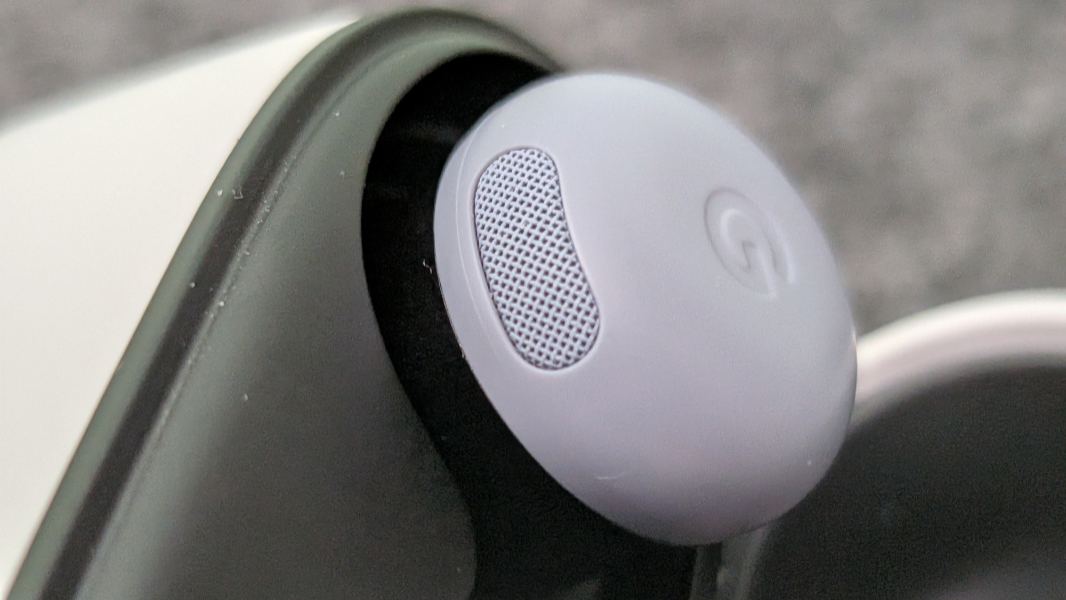
The most notable is called Clear Calling. In those rare instances in which you actually use your phone like a phone, Clear Calling uses a combination of hardware (the mesh covers on the outside of the Buds can help block wind sounds, and there are mulitple beam-forming microphones), software (Bluetooth Superwideband support), and AI to isolate your voice and reduce background noise. I don’t make a lot of phone calls, but this feature is incredibly effective.
? Sound quality
The sound quality is decent overall, but a bit flat in music and other audio content by default, so I used the Equalizer feature to create a custom profile that sounds richer to me. But if you don’t like to futz around with multiple sliders, there are also presets like Heavy bass, Balanced, and more you can use instead. There’s also a Volume EQ setting that I left enabled that enhances bass and treble frequencies at lower volume levels. And a Mono audio option I did not try.
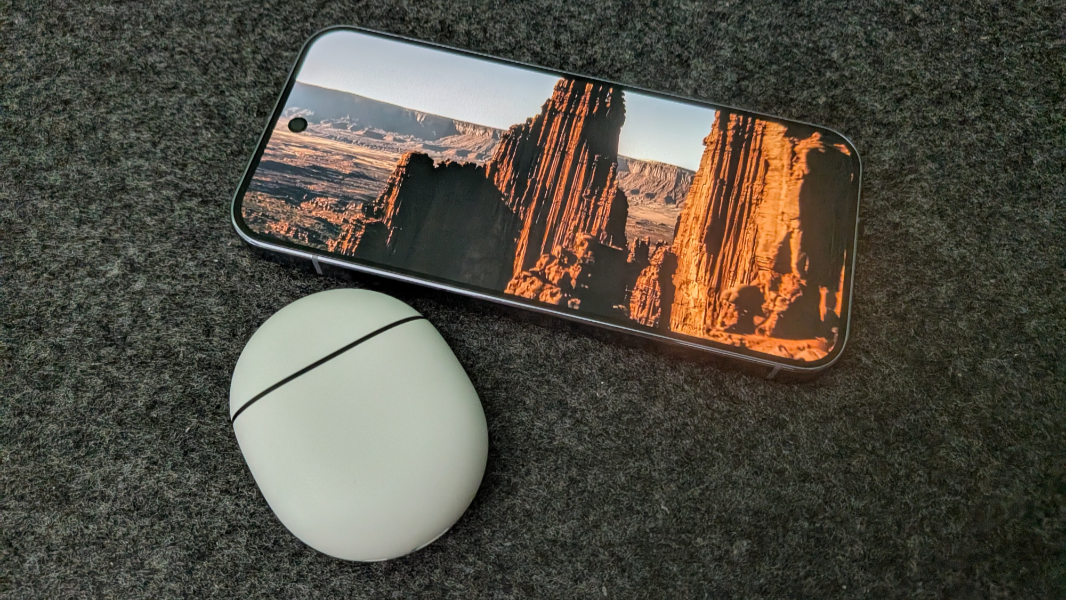
I’m not sure what to say about spatial audio. I will rarely experience this as I use YouTube Music for music, and that doesn’t support spatial audio. I also would normally watch Netflix on a bigger screen. But I brought up some Dolby Atmos-enabled movies on the service on the Pixel 10 phones to at least test this functionality. And while the sound is excellent, with solid stereo separation, I can’t say that it was particularly spatial/positional in any of the content I tried.
The issue may be related to head tracking: According to Google, Netflix requires you to enable this feature to hear spatial audio. But I can’t say that improved matters.
? ANC
The Pixel Buds Pro 2 are the first Google earbuds to utilize its Tensor A1 audio processing chip, which provides ultralow-latency audio processing and dramatic improvements in active noise cancellation (ANC, described below). Indeed, Google says that the Pixel Buds Pro 2 deliver twice the active noise cancellation (ANC) of its predecessors.
I don’t have a way to measure that, but it is definitely a big improvements. I’ve used the Pixel Buds Pro 2 on several flights and the the ANC is solid.
Curious, I spent a bit of time on two of them comparing their ANC with that of my Apple AirPods Pro 2 earbuds and Beats Studio Pro headphones. Not surprisingly, the Beats offer the best ANC of the three, and that was immediately obvious, though both earbuds do well enough. But it’s clear that the Pixel Buds Pro 2 bring up the rear, too: Apple’s (now previous generation) earbuds are a bit better in this department, though the difference is subtler when listening to music.
On one level, this isn’t a big problem, as no one is shopping these two earbuds against the other: The AirPods Pro 2 only work well with Apple’s devices, after all. And while I don’t have any recent models to test against them, I recommend looking at recent Sony and Bose ANC earbuds for the best-possible experience. I trust the Wirecutter, and their guides for noise-cancelling headphones (which includes earbuds) and wireless earbuds might be of interest.
But I also get that Pixel fans might want matching Google earbuds, and the ANC on the Pixel Buds Pro 2 won’t disappoint. And while they’re absolutely not designed for this, they’re not terrible as a fallback if you’re trying to sleep when its loud. I’ve done this a few times in Mexico City when the club next door is being raucous on a weekend night for whatever reason, and the shape makes them a better choice than the AirPods Pro 2. They fell out sometime during the night, of course, as I move around a lot when I sleep. But they did the job by silencing the noise so I could fall asleep.
As with other ANC-capable earbuds, the Buds Pro 2 support Noise Cancellation and Transparency modes, the latter of which electronically passes sound into the Buds to prevent passive noise cancellation. You can toggle between Noise Cancellation and Transparency using a long-press gesture as needed, and that works well. You can also just turn this off.
? Battery life
Google says that the Pixel Buds Pro 2 provide up to 12 hours of listening time, or up to 8 hours with ANC enabled. The case provides an additional 36 hours of listening time, or an additional 22 hours with ANC enabled, and they charge pretty quickly in the case: You can get up almost 90 minutes of additional battery life in the Buds (without ANC) with just five minutes of in-case charging.
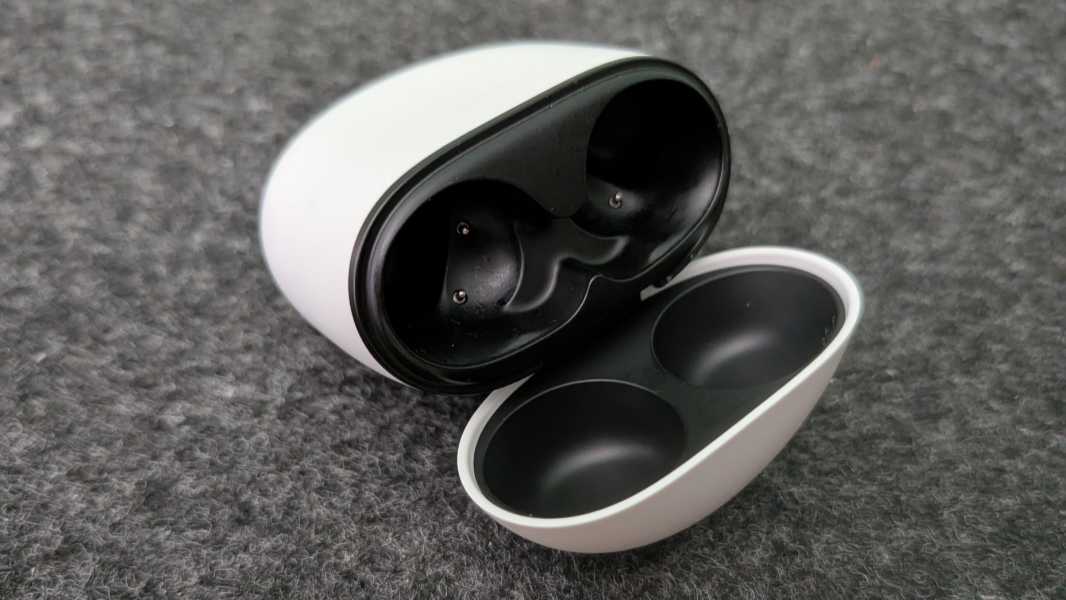
I didn’t really note the battery life, but I never really had to: The Pixel Buds Pro 2 can easily last for the duration of a cross-continental flight, and that’s all I would ever need. The charging case is great for topping off the Buds as needed, and it seems like this all worked about as well as is the case with the AirPods Pro 2.
One little negative is that the Pixel 10 series phones I’m now using don’t support reverse wireless charging, so I can’t charge the Buds Pro 2 (in the case) that way. But the charging case does support Qi wireless charging if you have a compatible charger. I pretty much stuck to USB-C.
? Late breaking updates
When Google announced the Pixel 10 series phones, it said that it would soon update its Pixel Buds Pro 2 with new features, in keeping with its general strategy of making existing Pixel products better over time. Those new features are rolling out now, and I keep checking for the update, but I haven’t received them yet. So all I can do is tell you what they are.
Gemini improvements. Tied no doubt to the Loud Noise Protection feature noted below, Gemini Live now works better in loud environments by prioritizing your voice and eliminating background noise.
Adaptive Audio. Earlier Pixel Buds offered this feature, but it was missing from the Pixel Buds Pro 2 until the update. This version uses the new Tensor A1 chip to provide a more effective happy middle ground in which loud sounds are reduced but you still hear ambient sounds around you.
Loud Noise Protection. The Buds will automatically turn down loud ambient noises (like a passing ambulance) so they’re not transmitted to your ears at full volume.
Hands-free call and text answering. In addition to the hands-free Gemini Live interactions, you can now nod your head to accept an incoming call or shake your head to decline it. Nice.
Pricing and availability
The Pixel Buds Pro 2 are available in Porcelain, Peony (a hot pink), Hazel (a deep gray-green), and a new Moonstone (a blue-gray) that matches a color available across the new Pixel 10 series phones. I bought them in Moonstone, but the Porcelain and Peony colors might be a better choice if you’re worried about losing a bud on an airplane or other dark place.
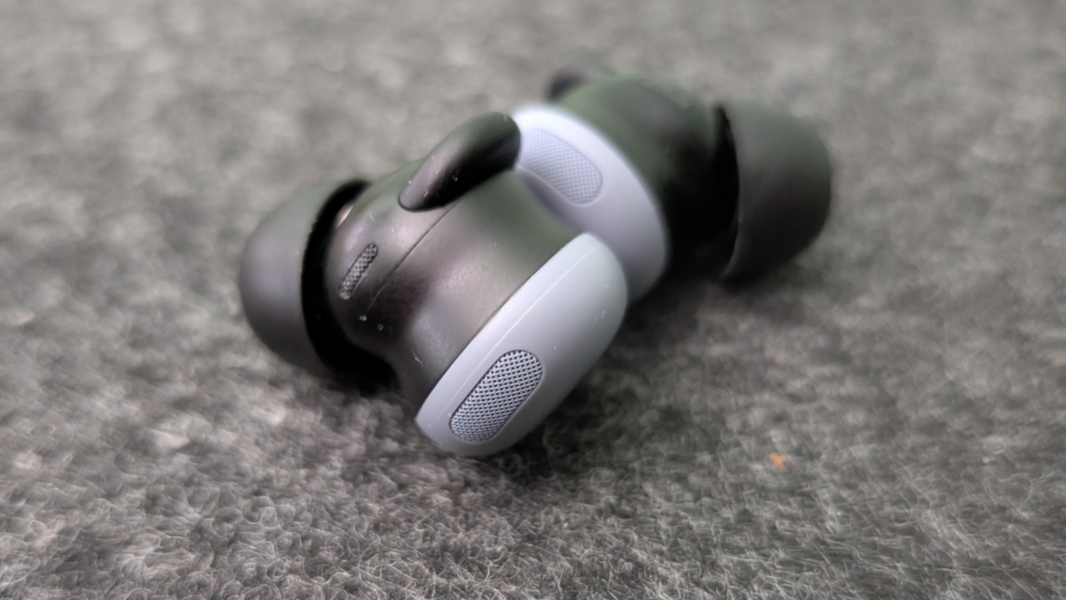
They cost $229, which undercuts the price of the Apple AirPods Pro 3 a bit (by about $20) and most other premium earbuds by more. But they were on sale for $179, or $50 off, at the Google Store for the first month of availability, and based on history, will be again. At that price, they’re much easier to recommend, assuming you have a recent Pixel smartphone.
Recommendations and conclusions
What this comes down to is your preferences and needs, and the cost: The Pixel Buds Pro 2 cost less than most premium earbuds, especially when on sale, but some offer better sound quality and ANC. And the Buds Pro 2 do offer some useful Pixel-specific features, plus the Pixel look and feel that fans of this ecosystem want.
Regardless of sound and ANC, earbuds are tough to recommend because of everyone’s unique ear shapes and the resulting fit issues. But these are a big improvement over their predecessor. I will keep the Pixel Buds Pro 2 in my laptop bag along with my AirPods Pro 2 because they take up almost no space and work well with the phone I use to listen to music, audiobooks, and podcasts. And they’re roughly analogous to the Apple earbuds, but for the Pixel.
I’m surprised that Google didn’t update these earbuds to a new model along with the Pixel 10 series, and Apple just raised the bar again with the AirPods Pro 3. But the Pixel Buds Pro 2 is a solid set of ANC earbuds.
At-a-glance
Pros
✔️ Decent sound quality
✔️ Much improved ANC
✔️ Excellent call audio quality
✔️ Pixel look and feel
✔️ Reasonably inexpensive
Cons
❌ You can find better sound quality and ANC elsewhere
❌ Some fidgeting and readjustments to get perfect fit
❌ Some features require newer Pixel phones