HP OmniBook Ultra Review
- Paul Thurrott
- Nov 05, 2024
-
13
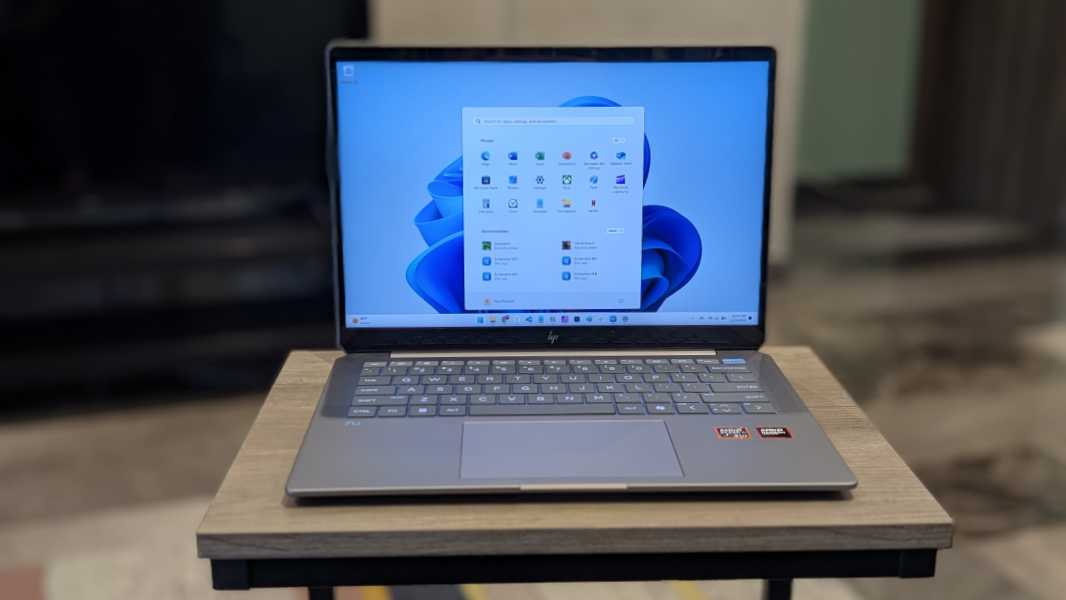
The HP OmniBook Ultra is an unassuming gray laptop with a beast of a processor hiding inside. It is one of the best laptops I’ve reviewed this year.
But first, there are a few unfamiliar terms to decipher here. Starting with the name of the product itself: Using HP’s new branding cipher, you will learn that the Omni prefix identifies this PC as a consumer offering, as opposed to the commercial PCs that now start with the Elite prefix. And the Book bit at the end likewise identifies this PC as a laptop: There’s an equivalent consumer PC, the OmniBook Flip, that offers convertible PC–what HP used to call “360”–capabilities. And then there’s that Ultra bit: This marks the PC as being the most premium offering HP makes in this category.
In other words, what we’re looking at here is HP’s most premium consumer laptop.
Design
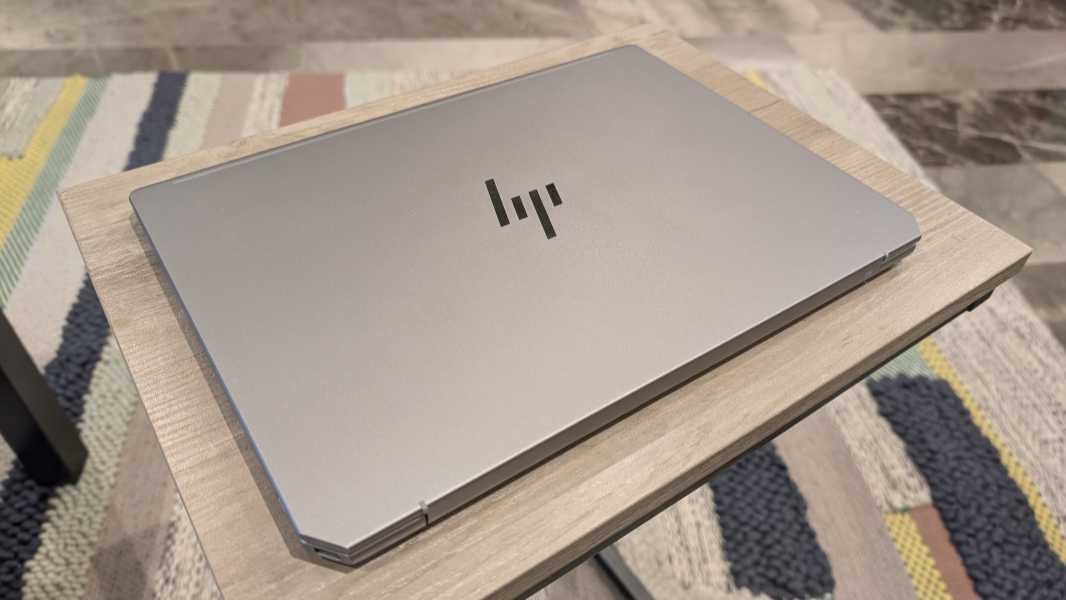
My only notable issue with the OmniBook Ultra is its bland design: This is a nondescript battleship gray laptop with only a few subtle design cues that differentiate it from a market chock-full of nondescript gray laptops. This look and feel would be more at home in a corporate environment than at, well, home.
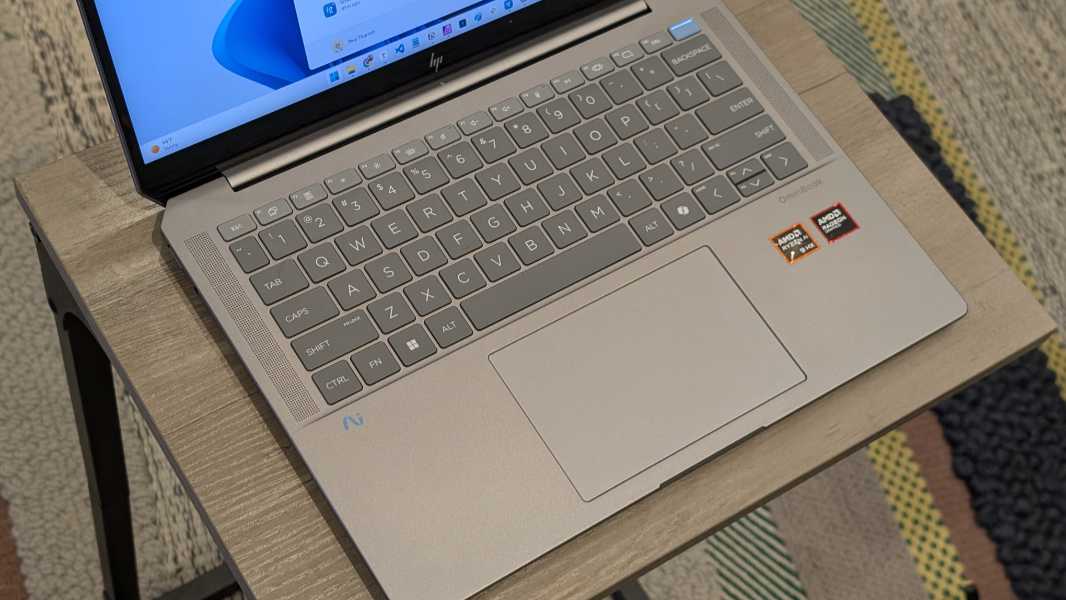
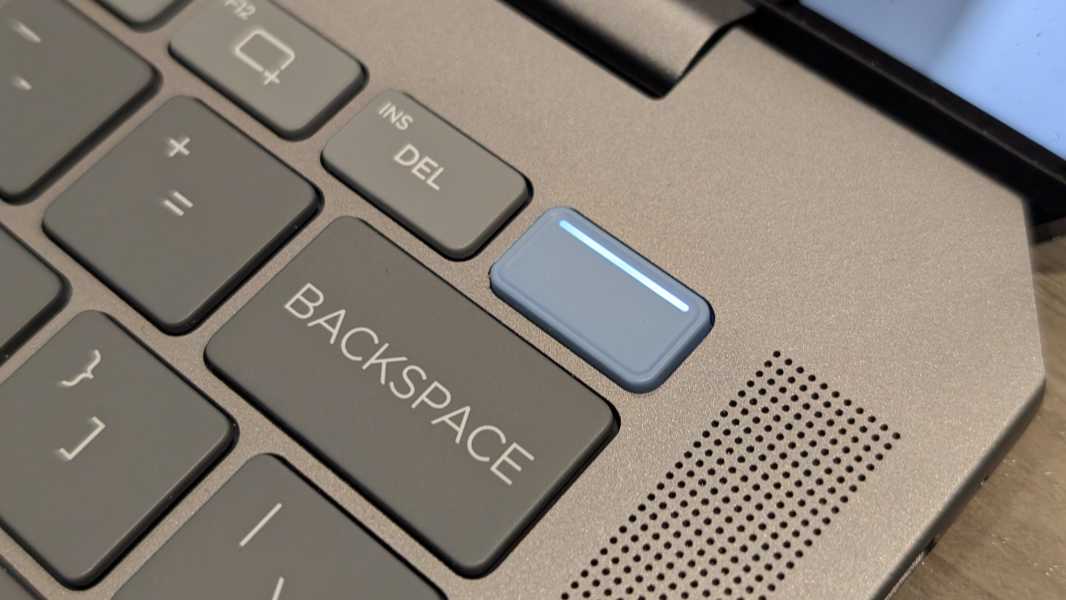
A few fun colors would lighten the mood, but HP instead provides darker colored keyboard keys and a blue-gray power button (with integrated fingerprint reader) for a bit of contrast. The laptop is thin and of obvious high build quality, but also heavy for a 14-inch laptop, at almost 3.5 pounds.
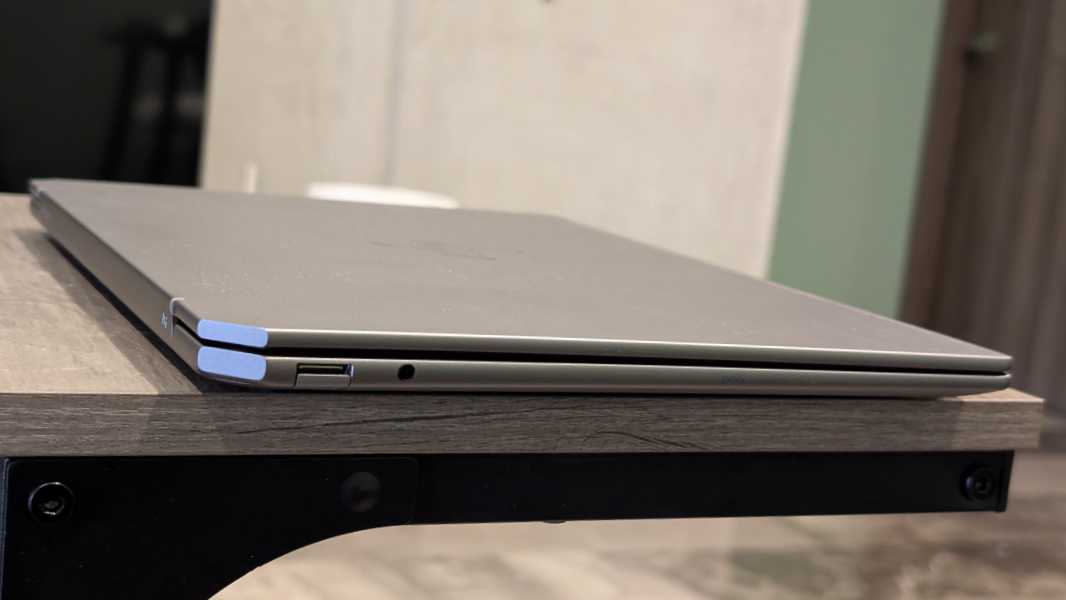
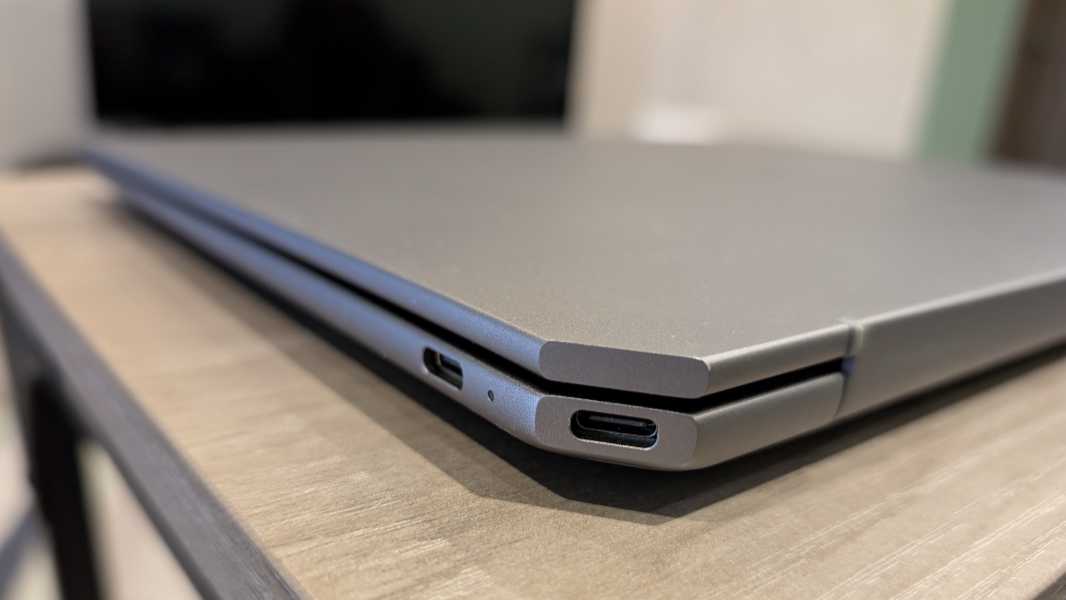
The rear corners of the keyboard deck are cut at 45-degree angles. It’s an odd look, but it’s also a subtle nod to HP’s Spectre past. The back right corner is useful, thanks to its angled USB-C port, but the back left corner is inexplicably empty and unused. That would have been a terrific place for another USB-C port.
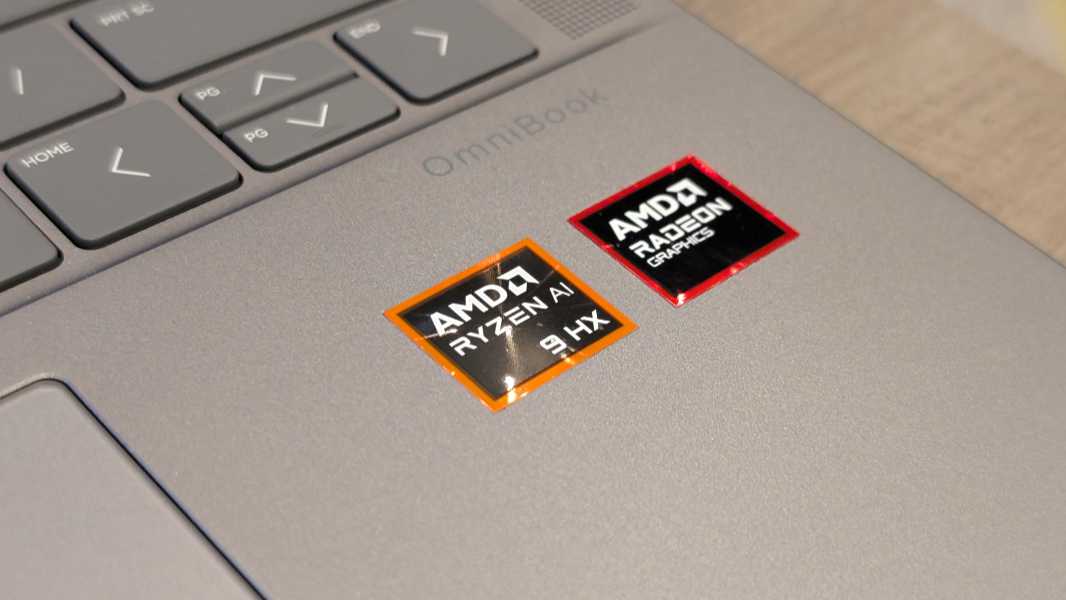
The on-device branding is also subtle, with a small and slightly dark gray “OmniBook” logo on the top right of the wrist rest and HP’s new blue “AI helix” logo on the top left. But the two shiny, red AMD stickers are an eyesore. So much for getting rid of the Intel stickers.
Display
HP outfits the OmniBook Ultra with a 14-inch 2.2K (2240 x 1400) low-power multitouch IPS panel with a 16:10 aspect ratio and low blue light capabilities, that emits 400 nits of brightness and supports 100 percent of the sRGB color gamut. It’s a good display, assuming you stay indoors. But it’s perhaps not to the level one might expect of an Ultra-class HP laptop, as it only supports a standard 60 Hz refresh rate.
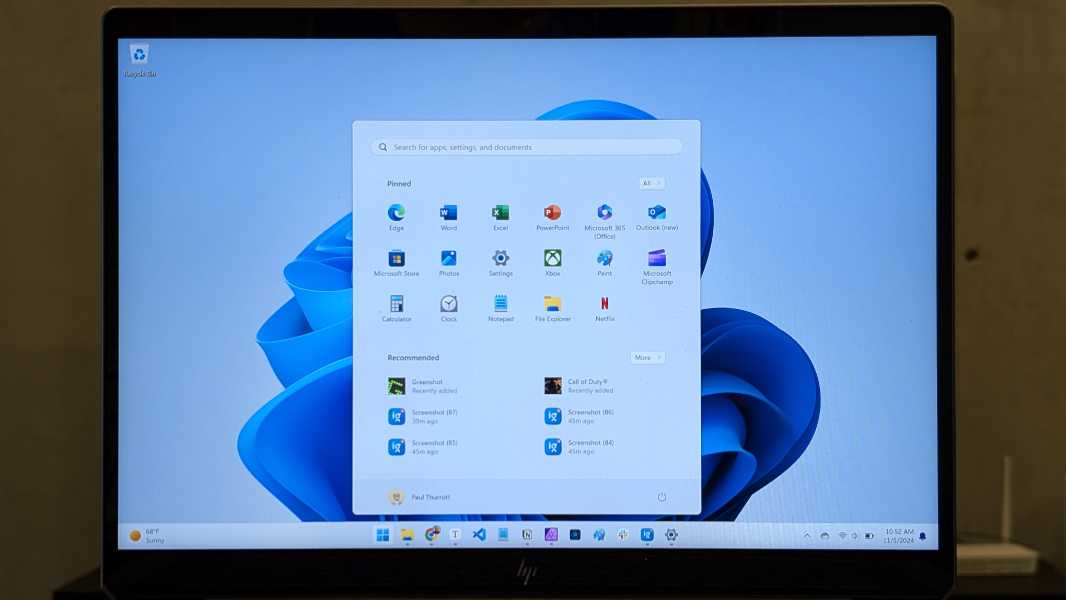
Also, the bezels are confusingly big for this day and age, especially on the top and bottom, with a pedestrian 86 percent screen-to-body ratio. And the display doesn’t lean back very far, let along lay flat.

That said, the display is adequate if not ideal for the productivity work I typically engage in, thanks to its lack of gloss and glare. And I suspect HP went with a display that would pair well with the laptop’s powerful innards without hindering battery life. I feel this compromise was the right one: As you’ll see, the performance and battery life are both terrific.
Internal components
Still iffy about the display? No worries, the internals justify the OmniBook Ultra’s premium status. Hiding under its bland gray exterior is a beast of a processor–your choice of an AMD Ryzen AI 9 365 or Ryzen AI 9 375 HX–plus 16 or 32 GB of LPDDR5x-7500 RAM and 512 GB, 1 TB, or 2 TB of PCIe Gen4 NVMe M.2 SSD storage.
The Ryzen AI 9 HX 375 in the review unit marks my first-ever experience with the company’s Copilot+ PC-capable Zen 5-series chips. This is a 4 nm design with 12 processor cores (and support for 24 threads) and a base clock speed of 2 GHz, with boost speeds up to 5.1 GHz. It’s a 28-watt part, but thanks to AMD’s hybrid design, the TDP can vary from as low as 15 watts all the way up to 54 watts as needs dictate. It has an integrated 16-core AMD Radeon 890M GPU and an integrated AMD Ryzen AI NPU that’s rated at an industry-best 55 TOPS.
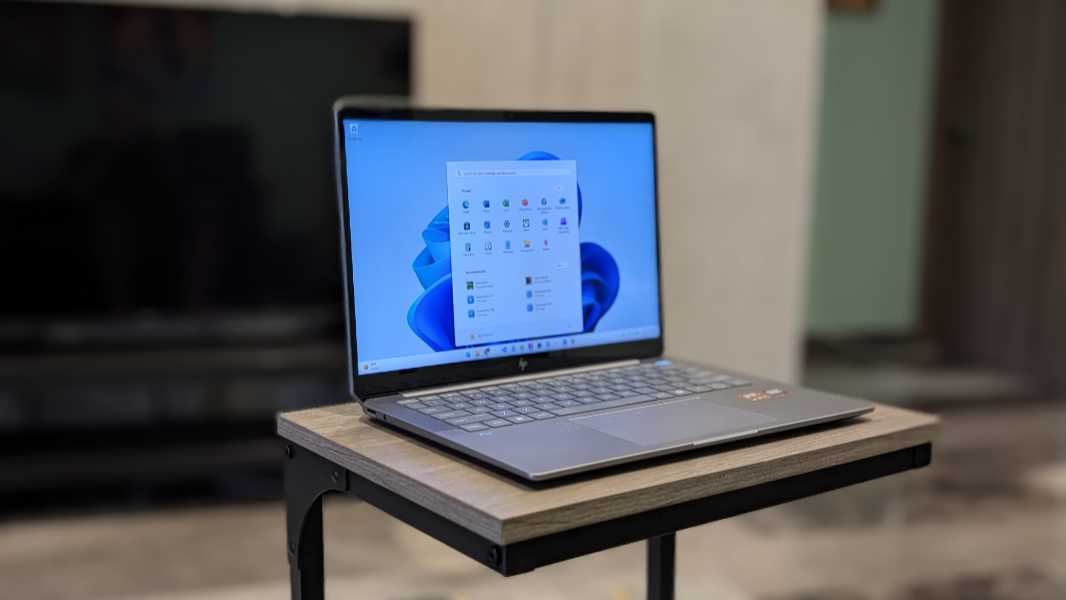
The promise here is some perfect combination of performance, battery life, and efficiency, and unlike the Intel “Lunar Lake”-based laptop I’ll soon review, it delivers.
Everyday performance is precisely what you’d expect, and with its 32 GB of RAM and 1 TB of SSD storage, the OmniBook tore through my standard productivity workloads with ease. It should meet the needs of any creator, software developer, or power user. That it does so while providing terrific battery life and notably reliable instant-on, as described later in the review, feels almost miraculous.
But there’s more. This past summer, I had a good mid-level portable PC gaming experience with an inexpensive Lenovo IdeaPad 5 2-in-1 laptop that was powered by a previous-generation AMD Ryzen 5 or 7 processor with integrated AMD Radeon 760M or 780M graphics. And I was curious whether Zen 5 raised the bar yet again on this interesting use case.
It does.
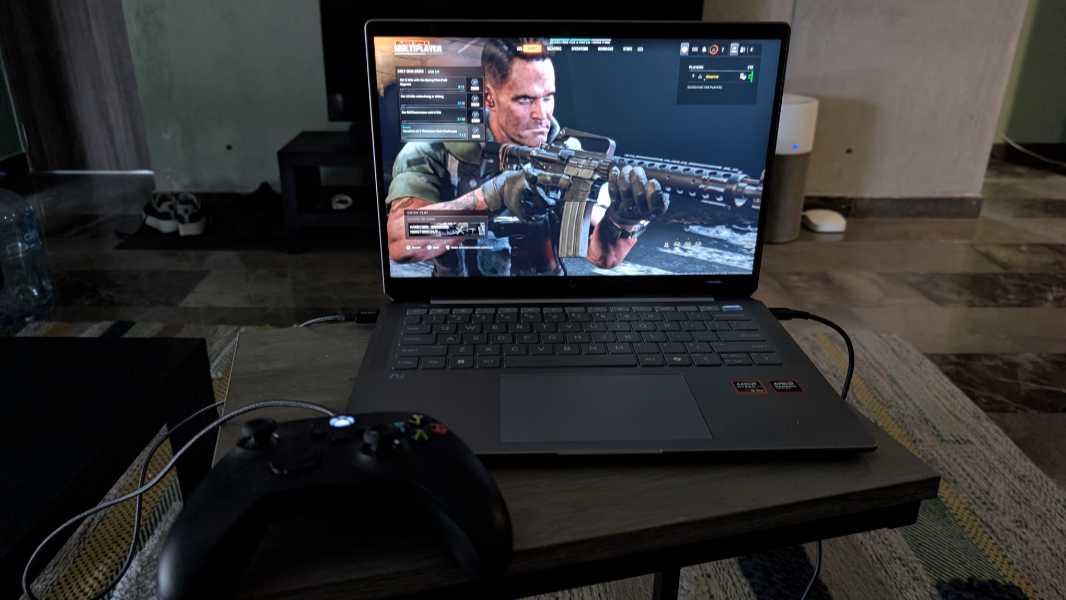
After installing all 200 GB of the latest Call of Duty title, Black Ops 6, plus Warzone and Modern Warfare III, I fired it up, wondering how it would fare compared to my experiences with that IdeaPad. It was better than expected: In both single- and multiplayer modes, Black Ops 6 runs at 90 to 130 FPS at native resolution depending on the in-game situation, a stunning capability for a seemingly pedestrian, non-gaming laptop like this. My prediction about mainstream PC gaming on the go has come to pass much quicker than expected. This laptop is incredible.
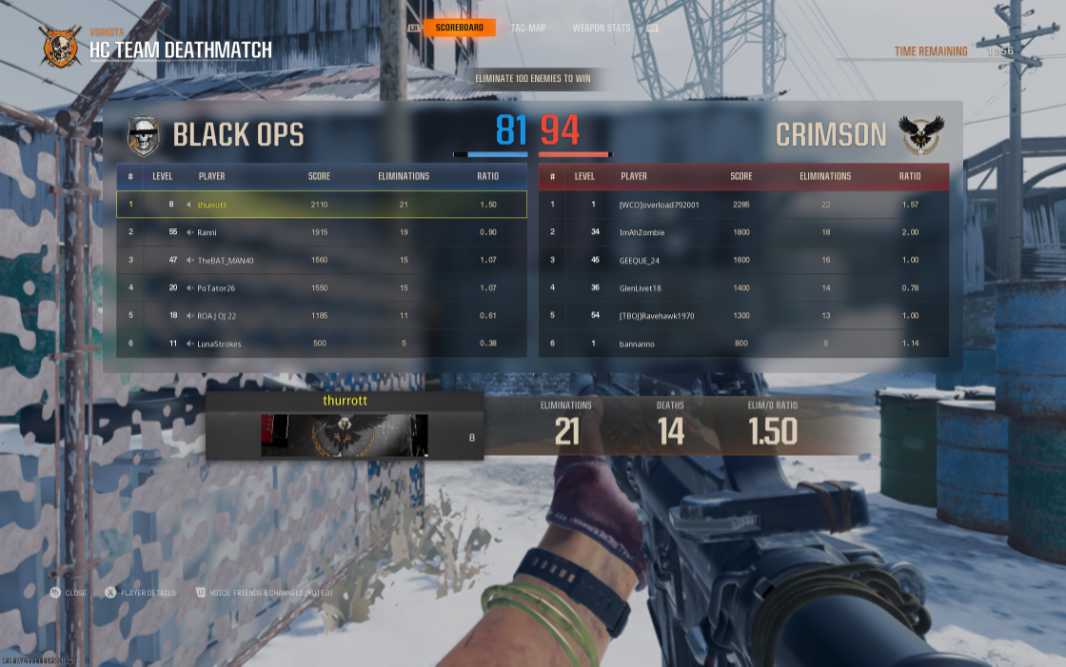
Noise and heat are not an issue. Yes, the fans fire up a bit as expected when playing games, but they never get jet engine loud, and the laptop doesn’t emit a lot of heat. In normal use, this is a non-issue.
Connectivity
The OmniBook Ultra provides modern and future-proof connectivity capabilities with support for Wi-Fi 7 and Bluetooth 5.4. There’s no cellular data option, as expected with a consumer product. And while I could only test it against Wi-Fi 6 and 6E networks, I never had any connectivity issues.
Ports and expansion
In keeping with other modern, premium laptops, the OmniBook is a bit light on expansion capabilities.
There are two Thunderbolt 4/USB4 Type-C ports on the right, one of which is in the angled rear right corner, which at least helps get the power cord out of the way. These are both full-featured, with 40 Gbps of data transfer speed, USB Power Delivery, DisplayPort 2.1, and HP Sleep and Charge capabilities. And yes, this is on an AMD-based laptop. So we’ve crossed that divide, finally.
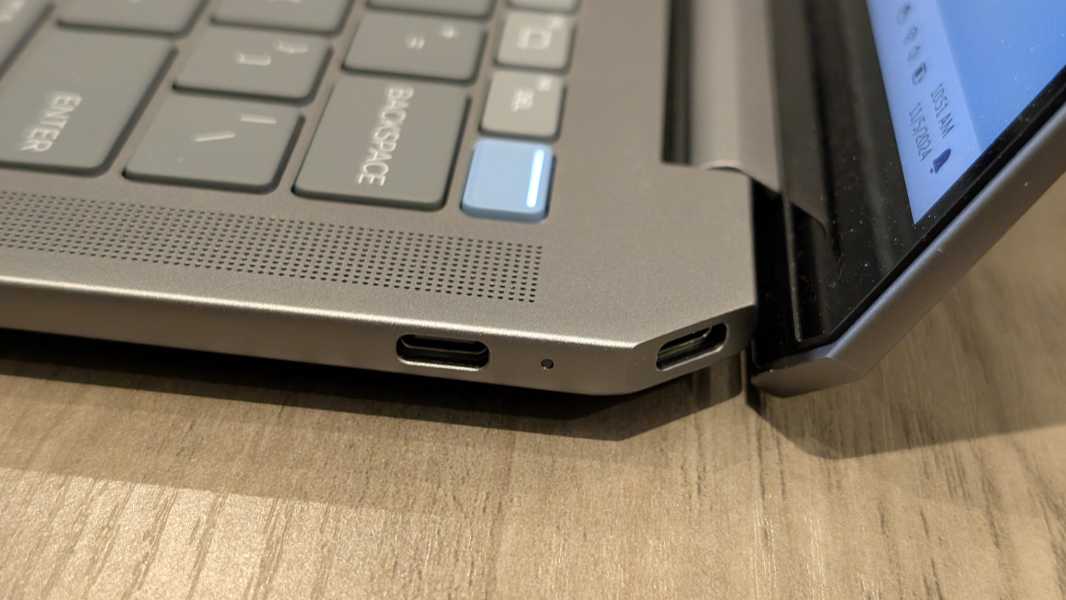
And then there is a single 10 Gbps USB Type-A port with a drop-jaw cover and a combination microphone/headphone jack on the left.
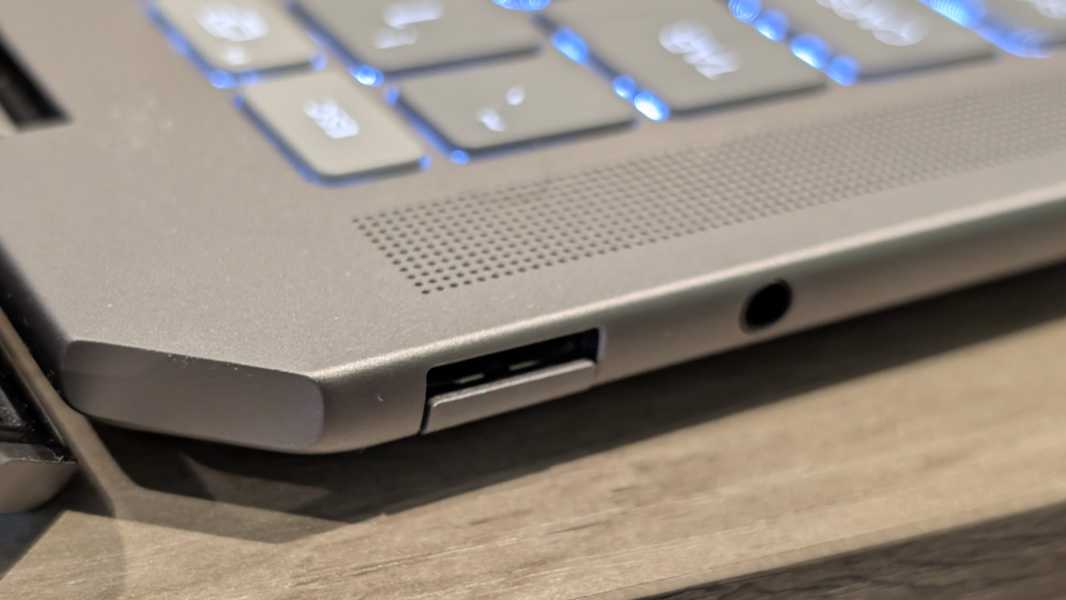
I prefer to see at least one USB-C port on both sides, but the angled port does help answer my complaint.
Audio and video
The OmniBook provides a terrific audio experience with quad speakers–two upward firing tweeters and two downward firing woofers–and DTS:X Ultra and HP Audio Boost audio capabilities.
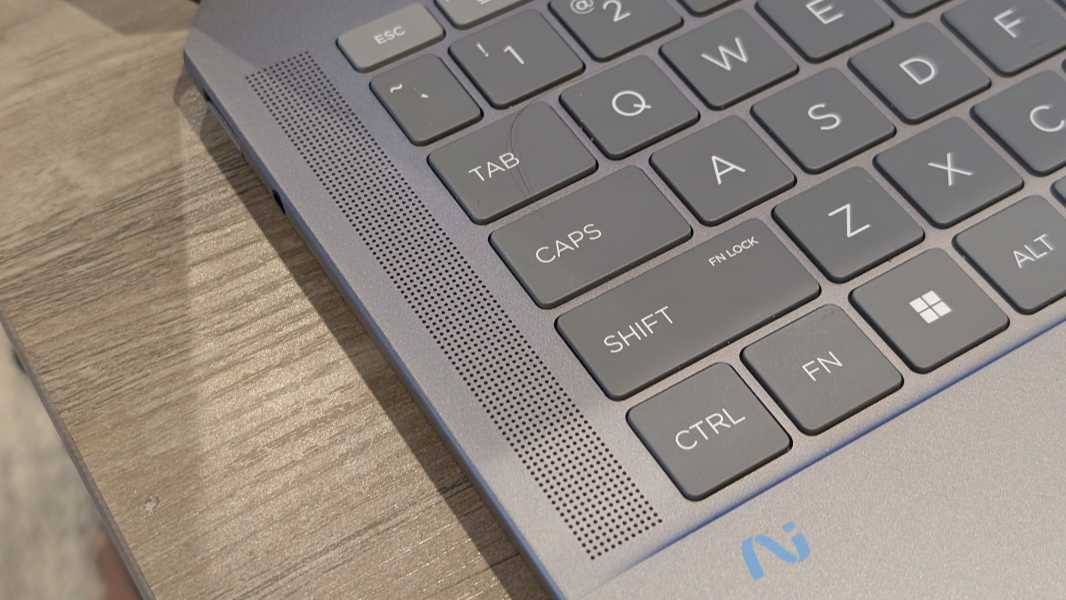
The speakers work best on a solid surface, of course, but they are crisp, clear, and surprisingly loud, and they don’t distort at maximum volume. The sound stage in audio apps like Apple Music is decent, with good stereo separation.
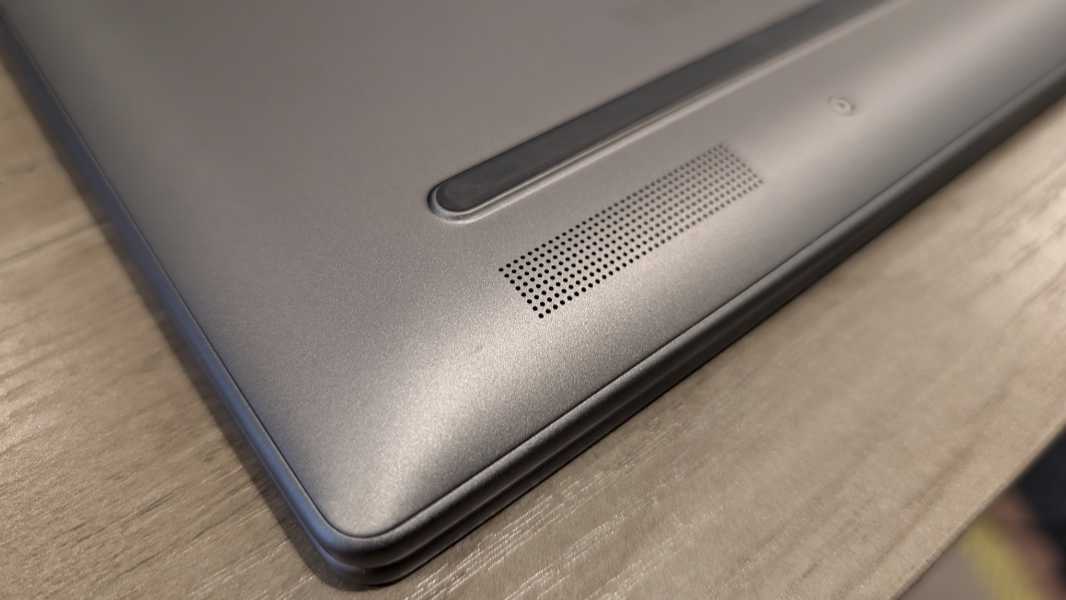
And if you can find DTS-encoded content, it’s even better, though it never sounded truly spatial to me. Still, modern movies like 6 Underground and The Adam Project look and sound particularly good despite being middling entertainment.
Hybrid work
With its 9 MP AI-powered webcam and dual-array microphone, the OmniBook Ultra provides a reasonable hybrid work experience. The video is notably good, and it supports Windows Studio Effects, of course, with automatic framing, eye contact, and background effects capabilities. Poly Camera Pro is on hand for an incredible range of camera customizations–it’s a bit much for most people, I think–and you can avail yourself of the HP Enhanced Lighting utility if you need a bit more light. But the camera itself is terrific and doesn’t really need any augmentation, even in low light.
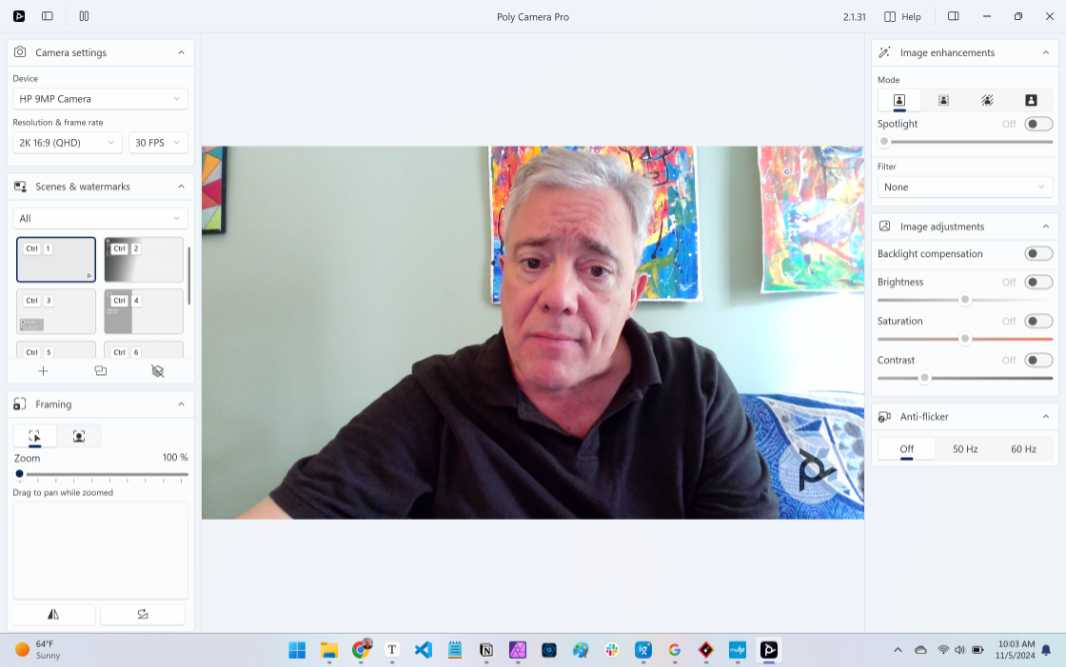
The dual-array microphone is just average, sadly, but also similar to what we see throughout the market. It supports basic configuration capabilities only, with AI noise reduction and configurable microphone modes in the myHP app.
Keyboard and touchpad
At first glance, the OmniBook Ultra’s full-sized and backlit keyboard doesn’t seem notable in any way. But the keys are softer than usual and quiet in use, and given HP’s history making terrific portable keyboards, I quickly realized this was one of the better units I’ve used this year. I really like the all-caps key labels, how the dark color contrasts with the light gray body of the laptop, and that there are no serious key placement or shortcut miscues.
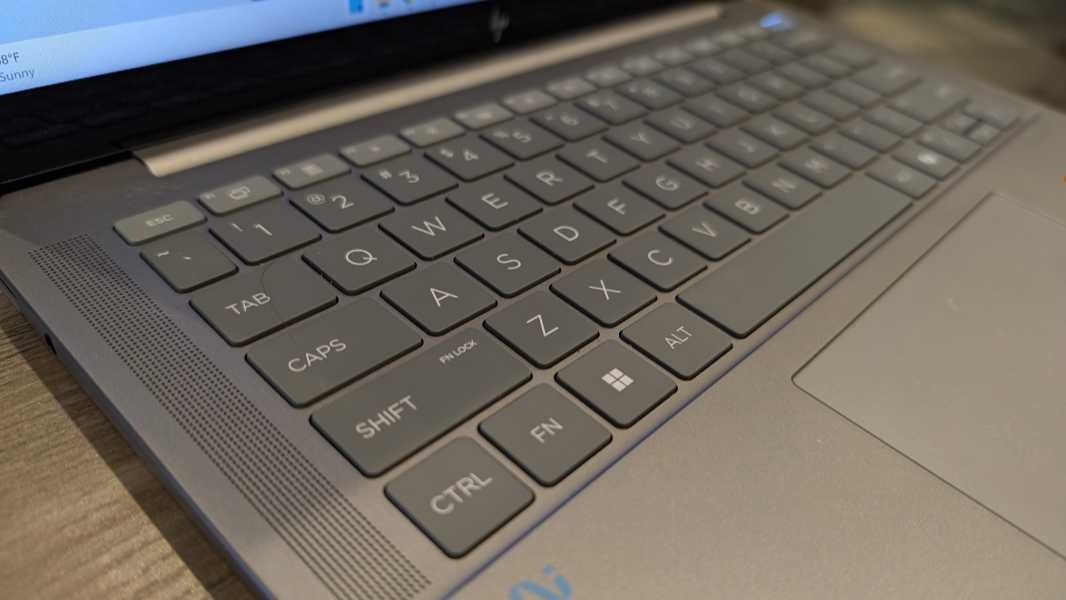
As good, there are no major key placement or usage weirdnesses. I had concerns that HP was undercutting its historic strengths in this area, but the OmniBook Ultra is a nice return to form. I suppose the light blue power button/fingerprint reader is the one exception–I’d rather see it one key to the left, with DEL in the upper right–but that’s a minor thing and easy to get used to.
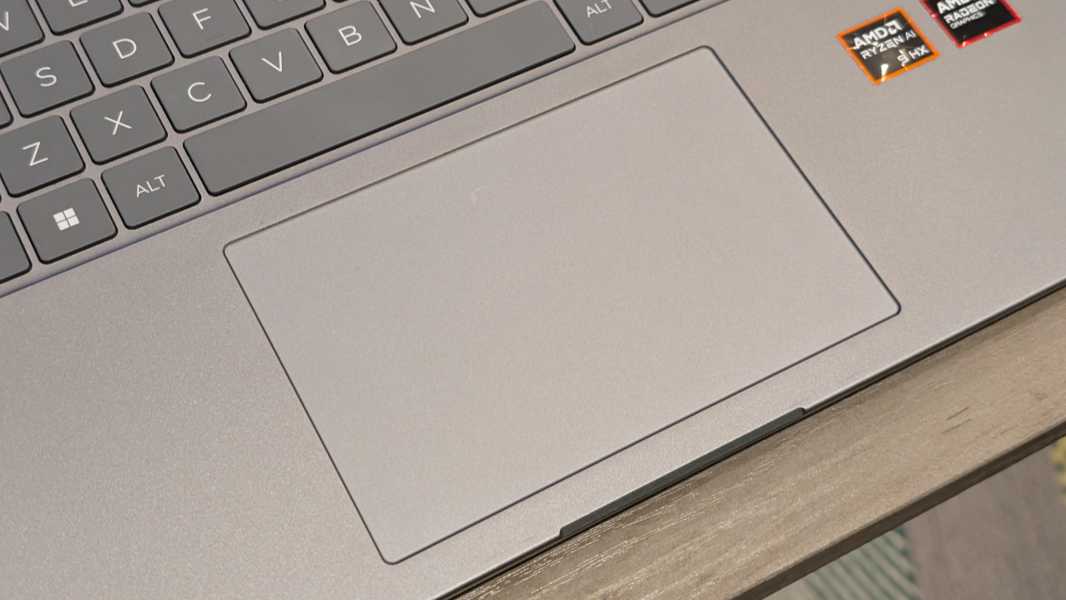
The glass precision touchpad is quite large, which always worries me, but it was mostly accurate, reliable and error-free in use. There are no haptics, but the touchpad was good enough I didn’t miss that. I experienced only some infrequent mis-clicks.
Security
HP gives OmniBook Ultra customers the full meal deal when it comes to security and authentication, with support for Windows Hello Enhanced Sign-In Security (ESS) via both the webcam and fingerprint reader, the latter of which is integrated into the power button. Windows Hello ESS is dramatically more secure than the normal variant, but the user experience is the same, so there’s nothing special to know or do, it just works.
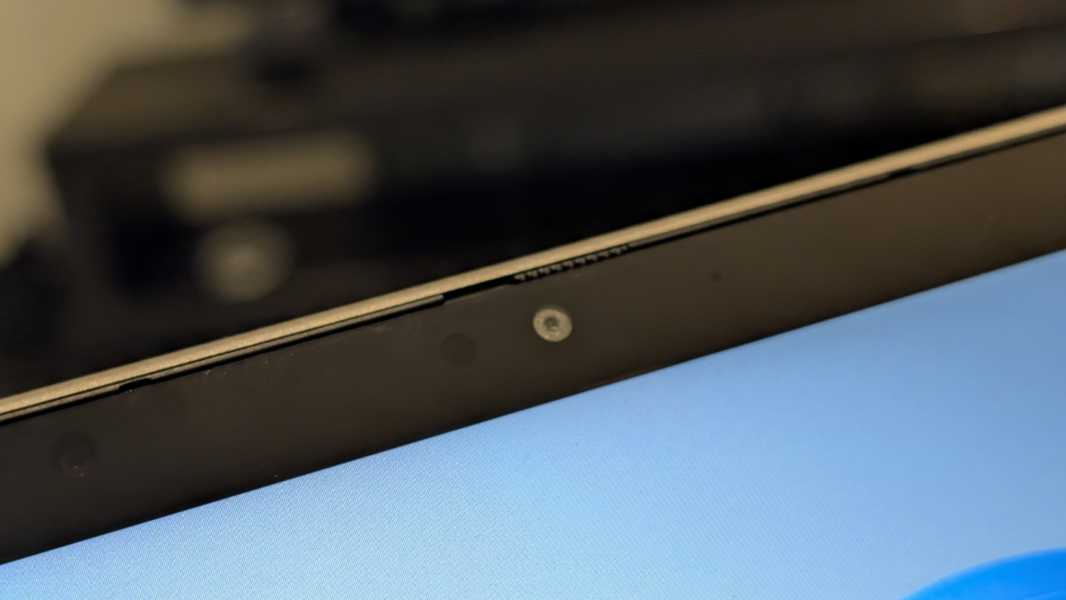
Both authentication methods were quick and accurate. The webcam has a manual privacy shift, which I’m warming to. And as with all modern laptops, there’s a microphone toggle key in the function row.
It also supports presence sensing, which can dim the display and lock the PC when you move away from it and then wake it back up when you return, speeding Windows Hello authentication. This, too, was accurate and reliable.
The OmniBook Ultra is also notable because it’s the first HP consumer product to ship with the company’s business-class Wolf Security suite. I’m honestly not sure why it bothered, as Windows 11’s built-in protections are good enough for most individuals. And one might see Wolf as a bit of additional complexity. But you can uninstall it if you feel it’s superfluous. (I did.)
Sustainability
HP has been pushing sustainability since before it was trendy, and the OmniBook Ultra lands in a good place, with 85 percent post-industrial recycled (PIR) metal and 5 percent post-consumer recycled (PCR) metal in the top cover and keyboard deck, 50 percent PIR metal and 5 percent PCR metal in the bottom cover, 50 percent PIR plastic in the keyboard keycaps and scissor mechanisms, and 45 percent PCR plastic and 5 percent ocean-bound plastic in the bezels and speaker enclosures. And the packaging is made of 100 percent sustainability sourced materials.
Efficiency and portability
While the OmniBook Ultra is a bit heavy at 3.46 pounds, it makes up for that in other ways. The laptop is thin and elegant at 12.4 x 8.96 x 0.65 inches, and the battery life is incredible for an x64-based laptop. I saw an average of 8.5 hours of real-world battery life over the month-plus testing period. That’s not bad: I see about 11 hours on average with Snapdragon X-based laptops.
As good, the instant-on capabilities and power management were reliable and efficient: Without exception, the OmniBook woke up immediately each time I opened the display lid, similar to what we see with Snapdragon X-based laptops. And I never had any of the squirrelly issues with Windows Hello or power management that I see with other (cough, Intel-based) x64 laptops. If there’s a happy middle ground between Arm and Intel, this is it.
The OmniBook Ultra ships with a standard 65-watt HP USB-C charger. It can charge the laptop to 50 percent in 45 minutes, which is decent. But I don’t like that HP warns you when you use an off-brand charger, as I often do. I suspect the Lenovo unit is of the same high quality as what HP supplies.
Software
Here, we get into a weird area. The OmniBook Ultra technically is, or will soon be, a Copilot+ PC, and it did arrive with Windows 11 version 24H2 ahead of its public release to previous x64 PCs in October. But it still doesn’t offer the unique Copilot+ PC features that remain temporarily exclusive to the Snapdragon X platform. That will allegedly change sometime this month, though it’s worth pointing out that very few of those features–save Recall, which isn’t yet available to anyone–are worth fretting over.
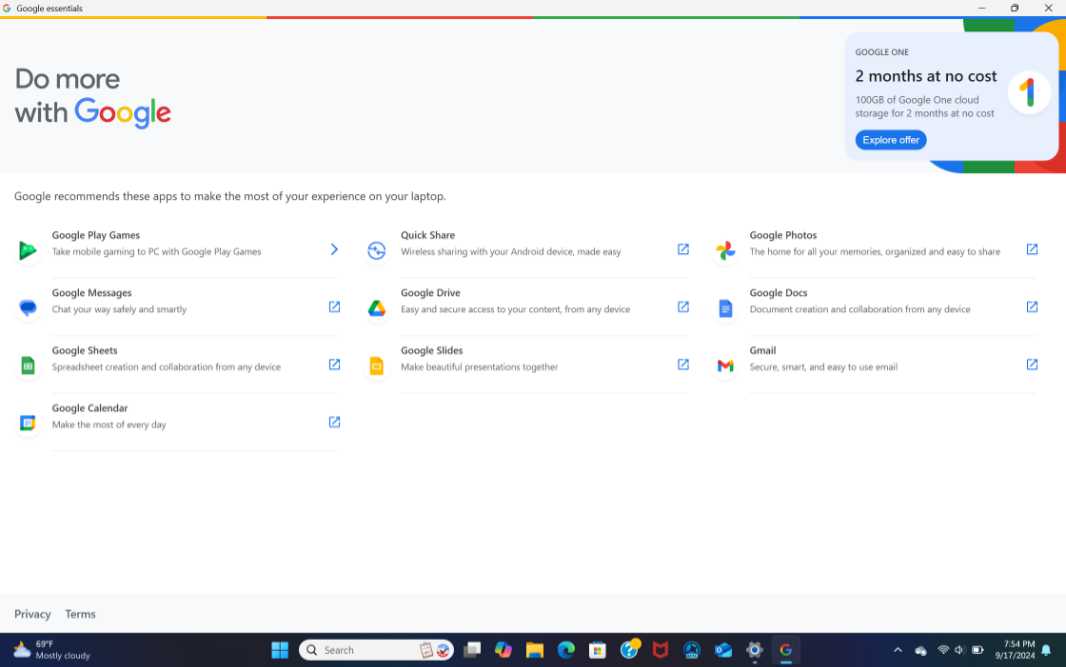
Despite its Ultra name, the HP does ship with a lot of non-ultra software, including crap like Adobe offers, Dropbox promotion, and McAfee. It’s also the first PC I’ve seen to come with Google Essentials, and it’s every bit as pointless as I’d imagined, with one locally installed app (Google Play Games for PC beta), links to several web-based Google consumer services, and two months of Google One for free.
There are also 12 HP utilities (!), including such things as myHP, Poly Camera Pro, and the Omen Gaming Hub, the latter of which makes sense when you realize how well this laptop plays games: If you can get past the ads, this app can optimize games, including those downloaded via Game Pass.
HP also includes its new AI Companion app in beta. In some ways, this is just another chatbot experience that lets you summarize documents and the like. But the real value here may be related to support. After signing it with HP–yes, that’s required–you can use its Perform Assistant to analyze and optimize the PC, adjust certain system settings (like volume and brightness), and the like. Is it useful? Chatbots can be tedious, so not yet. But I could see this evolving into a mainstream support tool. Baby steps.
Pricing and configurations
The HP OmniBook Ultra normally starts at about $1350, but it’s on sale right now–at HP.com and Best Buy–for $300 to $400 off, so the prices I quote here reflect that. A base model with an AMD Ryzen AI 9 365 processor, 16 GB of RAM, and 512 GB of PCIe NVMe M.2 SSD storage costs about $1050. You can upgrade to 32 GB of RAM for $100, or to the faster Ryzen AI 9 375 HX (and 32 GB of RAM) in the review unit for $150. And there are 1 TB and 2 TB storage upgrades available for just $80 and $180, respectively. The review unit configuration–Ryzen AI 9 375 HX, 32 GB, and 1 TB–is about $1280, which is quite reasonable for this quality and performance. But if there’s a Best Buy near you, a maxed out version with 2 TB of storage is available now for $1290.
Recommendations and conclusions
While the OmniBook Ultra can’t quite reach the efficiency and battery life we see with Snapdragon X-based laptops, it’s impressive in its own right in those categories. And the performance is off the charts, even with modern AAA videogames. These factors, combined with the HP’s low cost, mainstream form factor, and terrific fundamentals make it a no-brainer. I highly recommend this incredible laptop, and I would purchase one myself with my own money.
At-a-glance
Pros
- Incredible performance, good enough for AAA games
- Solid battery life and reliable efficiency
- Solid build quality
- Low pricing for this quality and performance, inexpensive upgrades
- Top-notch 9 MP webcam
- Windows Hello ESS security
Cons
- Bland design
- A little bit heavy
- Somewhat limited expansion
- Software bundle bloat, Copilot+ PC weirdness