Lenovo Yoga 9i 2-in-1 Aura Edition Review
- Paul Thurrott
- Jul 05, 2025
-
9

The Lenovo Yoga 9i 2-in-1 Aura Edition is a convertible Copilot+PC laptop with premium build quality and terrific specifications. This is a minor refresh of last year’s Lenovo Yoga 9i 2-in-1 14 Gen 9 that’s only let down by middling battery life a curious keyboard-related design choice.
Design
The Lenovo Yoga 9i 2-in-1 Aura Edition is physically indistinguishable from its predecessor, with the same dimensions, weight, and Cosmic Blue anodized aluminum body. It is a gorgeous, premium design with matte surfaces, shiny, curved and color-matched “comfort edge” keyboard deck sides, and subtle branding touches. It’s somehow both distinctive and familiar, with little evidence of its more versatile form factor configurations when used as a normal laptop. In some lighting conditions, it seems more black than deep blue.
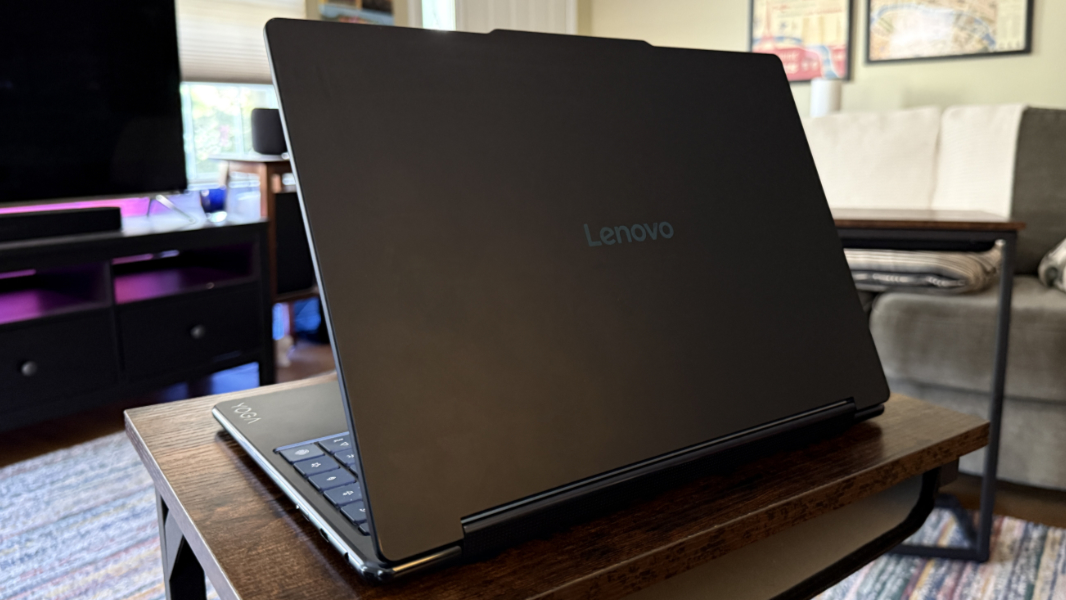
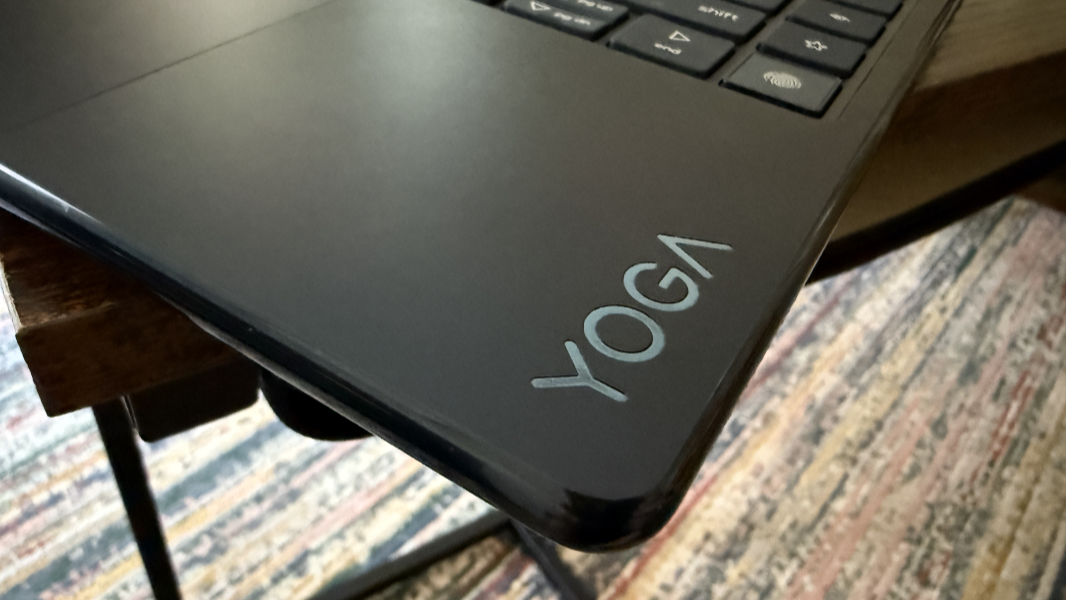
Subtle is the key word here. The keyboard keys and touchpad are color-coded to match the Cosmic Blue of the body and display panel. The rotating speaker bar built into the hinge isn’t obviously a functional element until you start playing sound or rotate the display back into a tent or tablet form factor. And the two minor design changes compared to its predecessor only serves to emphasize the subtle: The glossy and vertical “YOGA” logo on the back of the display lid is gone–I guess it was too demonstrative–and the squared-off “Lenovo” logo on the right side of the wrist rest is now a small, glossy “YOGA” logo.
I used the Yoga mostly in the standard laptop-like clamshell mode, but this is a convertible/2-in-1 design with a multitouch and smart pen-compatible display with a 360-degree hinge that can be used in tent, stand, and tablet modes as well.
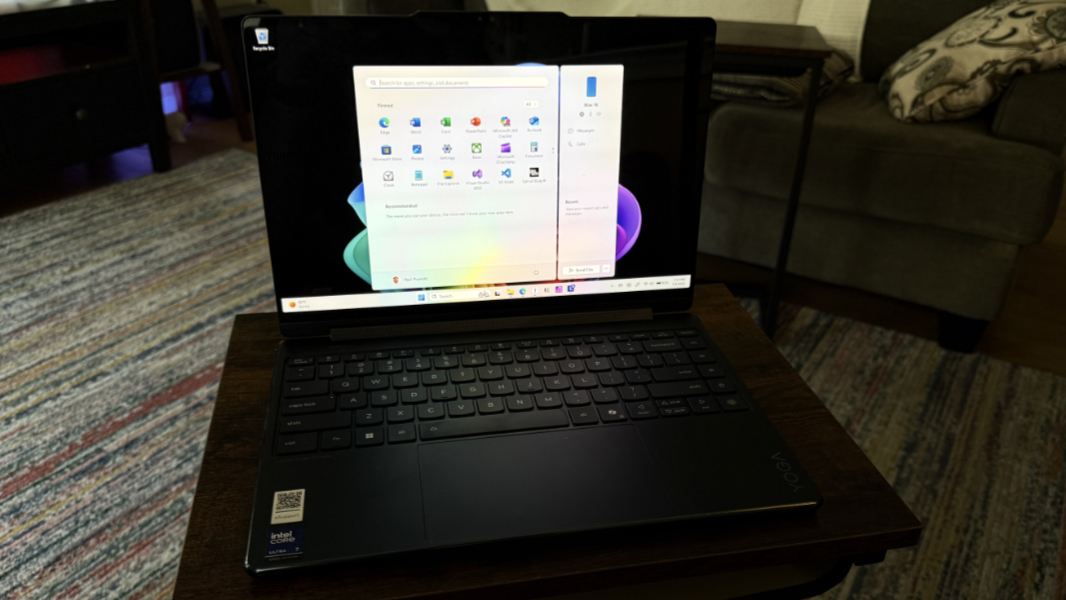
It’s as durable as ever, with the same MIL-STD-810H certifications as the ThinkPad line. It’s also flex-free, and as with last year’s rendition, I can push down on the middle of the keyboard with a lot of pressure, and it barely registers. This is a solid, well-made laptop.
Display
Lenovo offers two 14-inch 16:10 OLED PureSight display panel choices to Yoga 9i customers: A 2.8K (2880 x 1800) version with a 120 Hz adaptive refresh rate, 99 percent Adobe RGB color gamut coverage, and VESA Certified Display HDR True Black 1000 capabilities that emits 500 nits of light (1100 nits with HDR content), and a 4K (3840 x 2400) version with a fixed 60 Hz refresh rate and VESA Certified Display HDR True Black 500 capabilities that emits 400 nits of brightness (600 nits with HDR content). Both offer Dolby Vision HDR, 100 percent sRGB and P3 color gamut coverage, TÜV Low Blue Light Certification, and Eyesafe Certification capabilities.
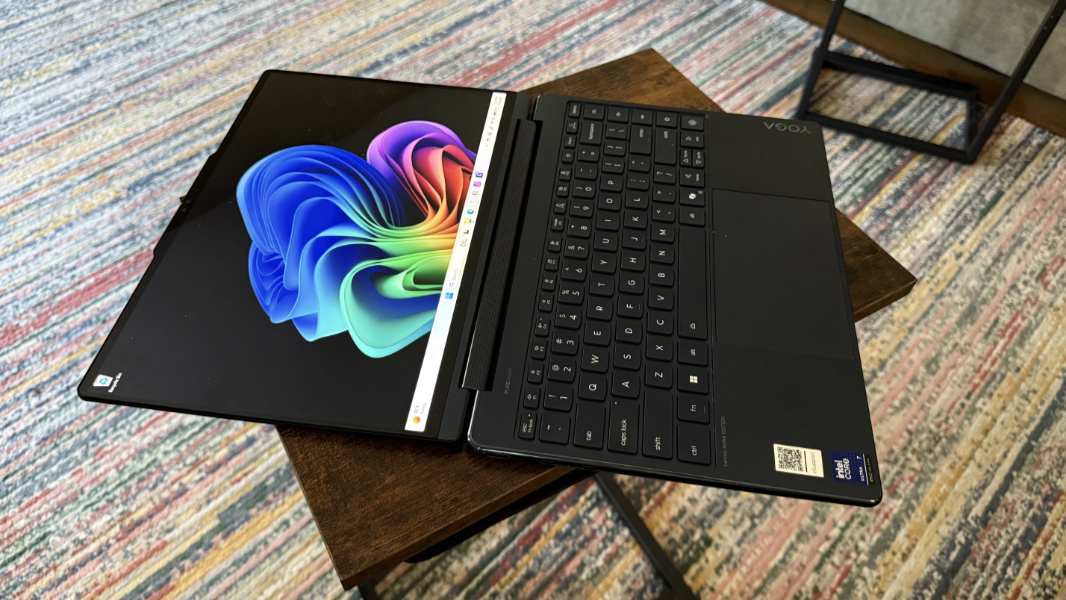
The review unit arrived with the 2.8K display, and looking over the specifications, this is the panel I’d choose if I were buying this for myself. This is a terrific display, with the darkest blacks and vibrant colors one expects from OLED … and the reflections and glare, too. It’s also a nice upgrade over the similar display choice from last year, as that version didn’t offer an adaptive refresh rate. This version can switch between 30 Hz and 120 Hz on the fly, which improves the picture and the battery drain.
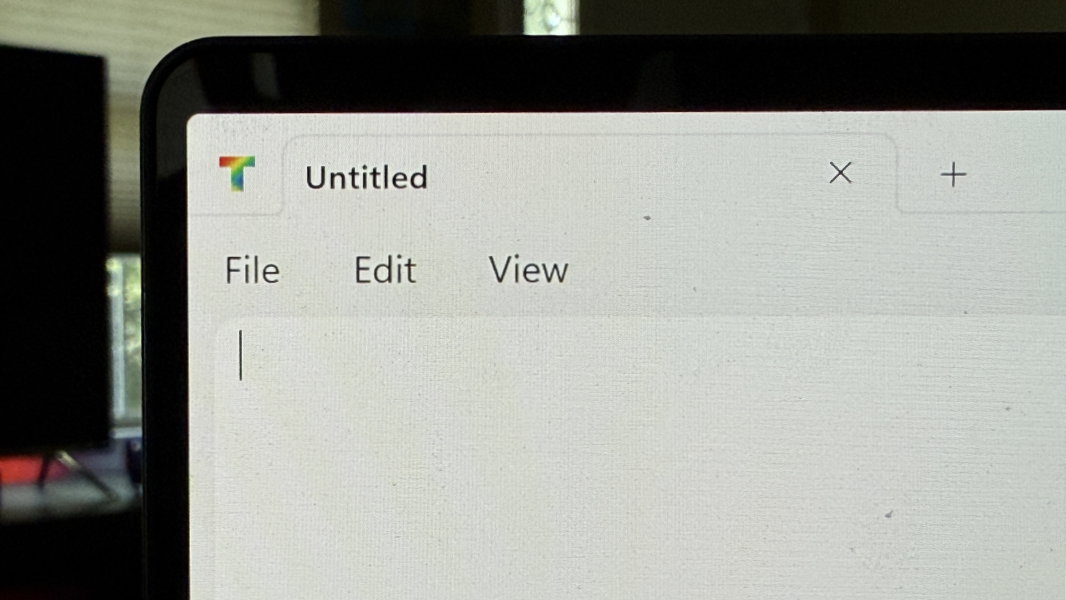
In keeping with the subtle theme I noted above, the display corners are subtly curved now, where they were noticeably squared off last year. This makes more sense as it helps visually match the curvy corners of the PC itself, and the bezels are as tiny as ever. Notably so.
Internal components
Though you can configure the Yoga’s processor, RAM, SSD storage, and display, there’s really only a single model, which I like, and a manageable set of upgrades. It’s all based on an Intel “Lunar Lake” processor tied to a specific amount of RAM but otherwise identical: An Intel Core Ultra 7 256V processor with 16 GB of LPDDR5X 8533 MHz dual channel RAM, or an identical Core Ultra 258V with 32 GB of RAM. Each provides the same Intel Arc 140V graphics and 47 TOPS-capable Intel AI Boost NPU. But you can also choose between 512 GB and 1 TB of PCIe SSD Gen 4 M.2 storage. The review unit arrived with the upgraded processor/RAM combo and 1 TB of SSD storage.
If you’re familiar with the troubles that Intel experienced last year and its tortured path to getting “Lunar Lake” to market, you may also know that our high hopes were quickly dashed with performance and reliability issues. Since then, Intel has steadily improved matters via firmware and microcode updates, and that work seems to have paid off. The Yoga still exhibited some wonky reliability issues, and the battery life isn’t terrific. But general performance was excellent on battery or attached to power in the standard productivity, creator, and developer tasks I generally engage in.
That said, Core Ultra Series 2 still lags AMD Zen 5 in performance, especially graphics performance, and well behind Qualcomm for reliability, efficiency, and battery life. But it’s where it should be, and this PC was about as reliable in day-to-day use as an x64 PC can be these days. Gaming was about as good as expected–Call of Duty: Black Ops 6 multiplayer consistently hits 55 to 60 FPS on full screen resolution and low graphics quality, but is surprisingly playable–and the quality of the rotating speaker bar elevates that experience nicely.

On battery, the Yoga is mostly silent. But when plugged in and on Best Performance, fan hiss is a regular companion. It never seemed to get overly hot either way.
Connectivity
Thanks to its Lunar Lake innards, the Yoga delivers Wi-Fi 7 and Bluetooth 5.4, both as modern and future-proof as can be. There’s no cellular data option, of course, but this is an unusual upgrade, especially in the consumer/prosumer market.
Ports and expansion
Given the thin and light nature of the Yoga 9i, it’s not surprising that Lenovo leans heavily into USB Type-C ports. And while I’m not a fan of having different types of USB ports, there is at least one Type-C port on either side of the laptop, which is ideal.
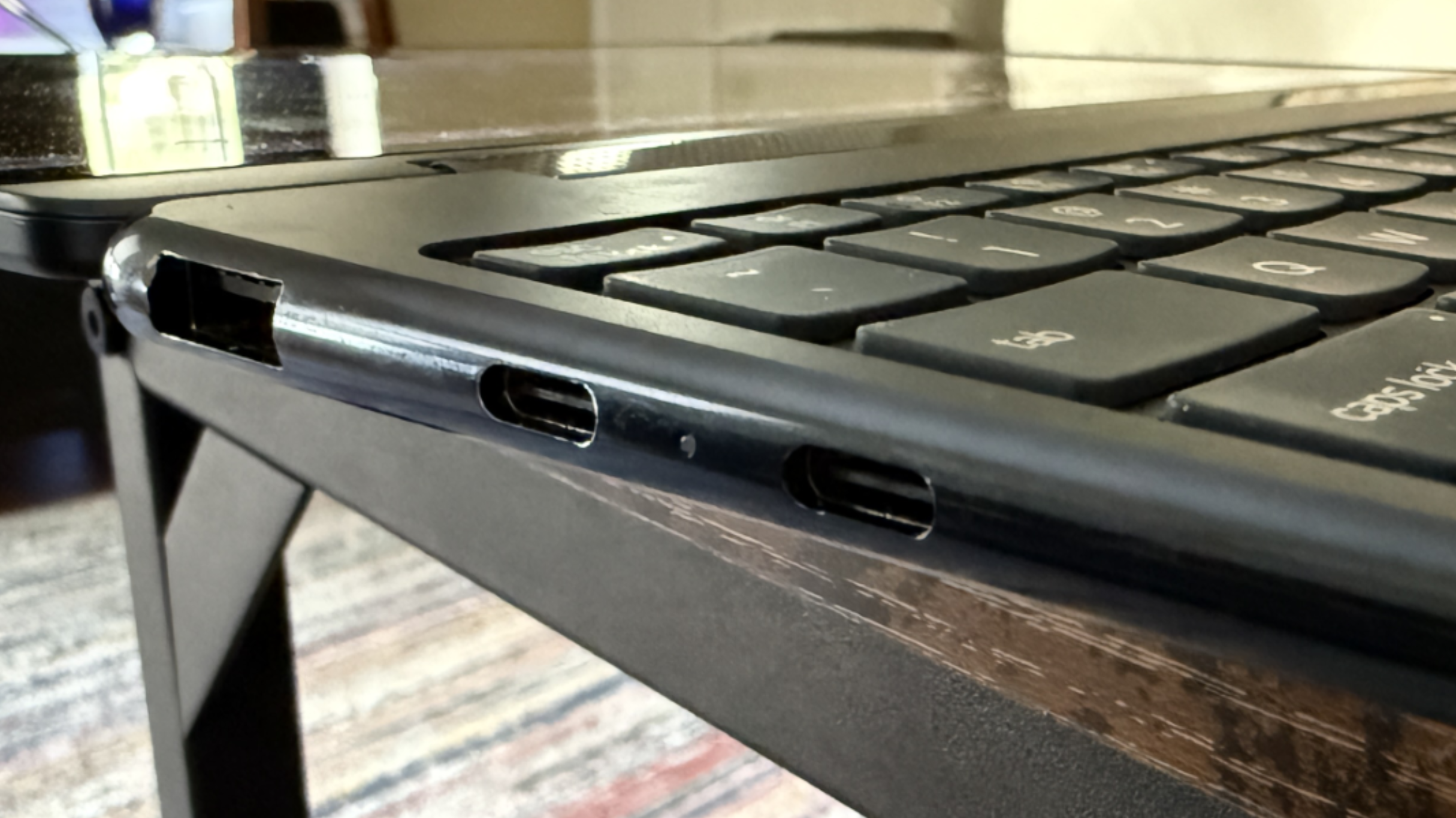
On the left, you will find a 10 Gbps USB Type-A port and two Thunderbolt 4/USB4 Type-C ports, each with 40 Gbps of data transfer performance, DisplayPort, and Power Delivery.
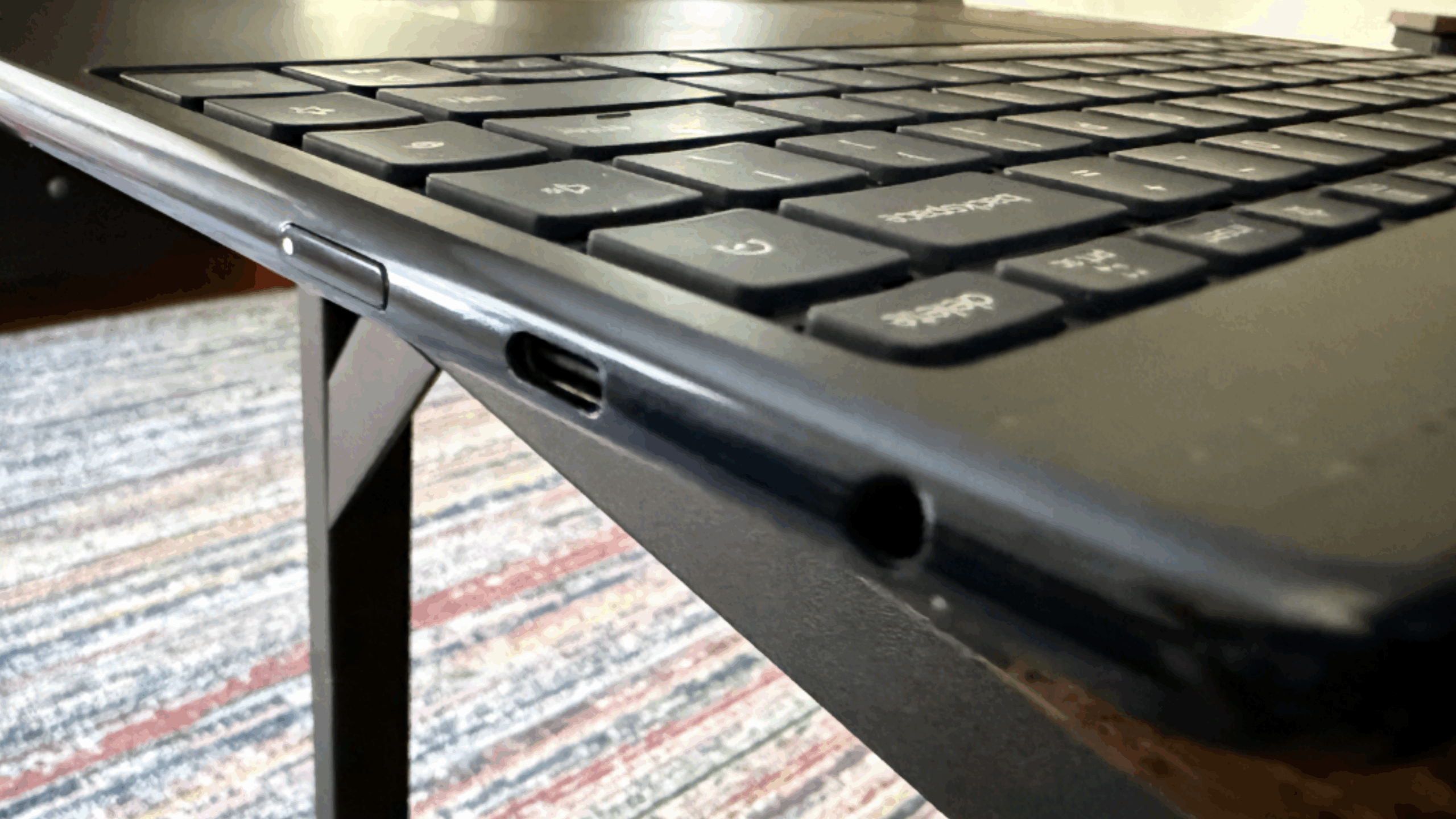
On the right is a single Type-C port, this time of the 20 Gbps variety and with DisplayPort and Power Delivery capabilities, of course, plus a combo headphone/microphone jack and the power button. Note that the power button has a tiny, piercing white light that is on when the laptop is powered up and blinks when it’s asleep.
Audio and video
With its stunning OLED display choices, one would expect the Yoga 9i to deliver a terrific overall multimedia experience. And it does, augmenting that display with a rotating speaker bar in the hinge that contains two 2-watt tweeters, plus two 2-watt downward-firing woofers under the laptop on the front. This means that the sound quality is best when the PC is used in a traditional clamshell form factor, which is what most will do most of the time anyway.
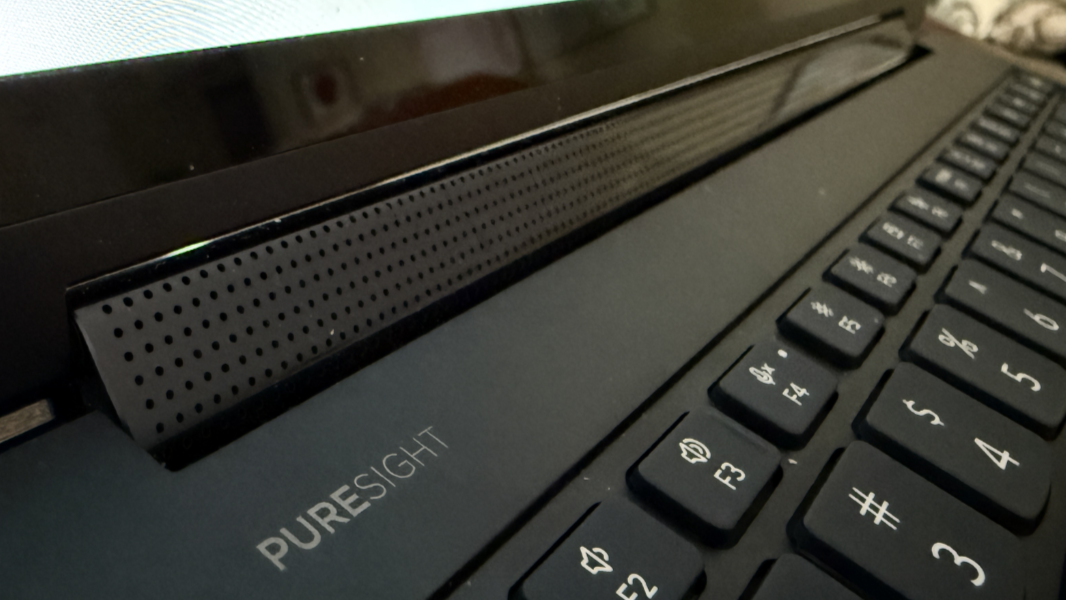
Sound quality is indeed noticeably good, and that’s true whether playing a game, listening to music, or watching a video. Movies that support both Dolby Atmos and Dolby Vision are particularly immersive: Netflix’s 6 Underground is well-made crap, for example, but the sound field is truly positional and the already oversaturated colors pop off this display.
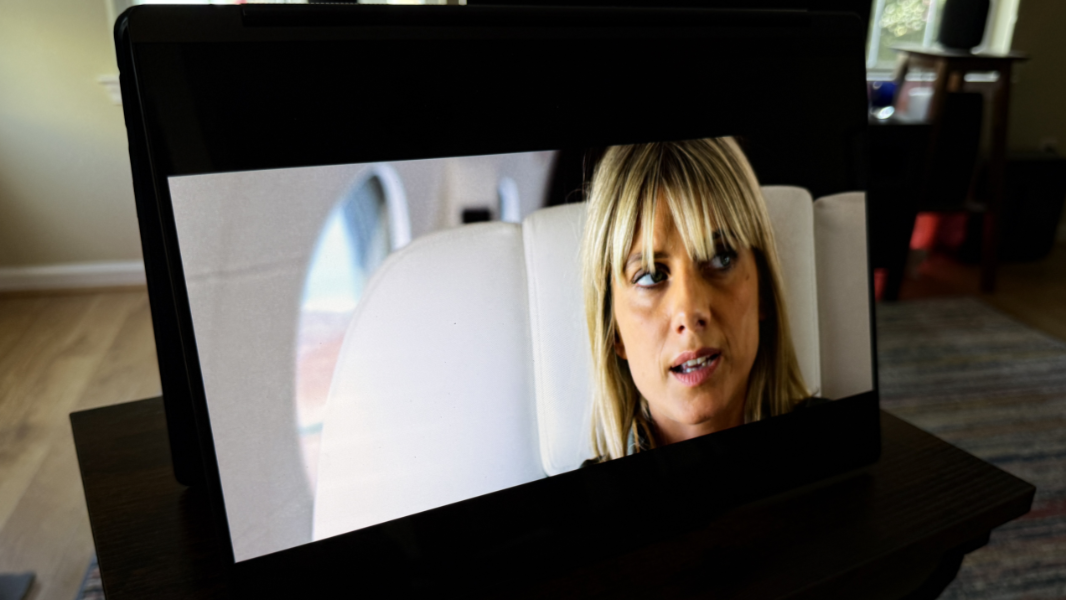
You can configure Dolby Atmos sound and Dolby Vision video functionality with the bundled Dolby Access app. I always set Atmos to dynamic so that it adapts to whatever content type on the fly. And since this is an OLED display, I went with the Vivid setting.
Hybrid work
The Yoga 9i is nicely configured for those who work from home or on the road, with a 5 MP (2.5K) webcam and four noise-cancelling microphones.
The webcam is reasonable crisp and clear and it supports an optional low-light enhancer that works surprisingly well to amp up the light, obviously, while also reducing what would otherwise be a blotchy, pixelated image. You can also configure the camera to auto-enable Lenovo’s Collaboration mode, which provides additional controls like virtual presenter and background blur. And because this is a Copilot+ PC, you get the Windows Studio Effects in Windows 11 as well.
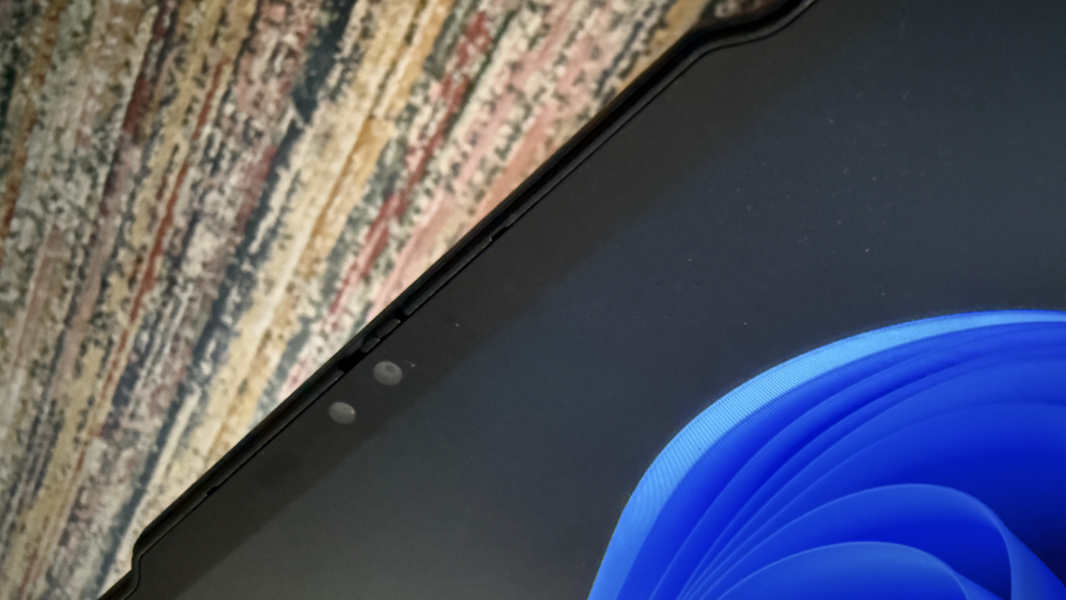
Laptop microphones are usually pretty terrible, so I was curious whether the four mics in this year’s model were an improvement over the more standard dual array microphone setup from last year. To test this, I experimented with the microphone noise-cancelling options in Vantage, including an “Only my voice” filter that suppresses sounds that aren’t your voice after you supply a short sample recording. It was definitely an improvement over no noise-cancelling, especially when I tested in front of a fan to generate some white noise. It’s not what I would call studio quality, but it is better than most laptop microphone setups I’ve experienced.
You can also enable a speaker noise-cancelling feature in the Lenovo Vantage app to help with a particularly noisy online meeting, though it’s not something you would leave enabled permanently. I didn’t test this.
Keyboard and touchpad
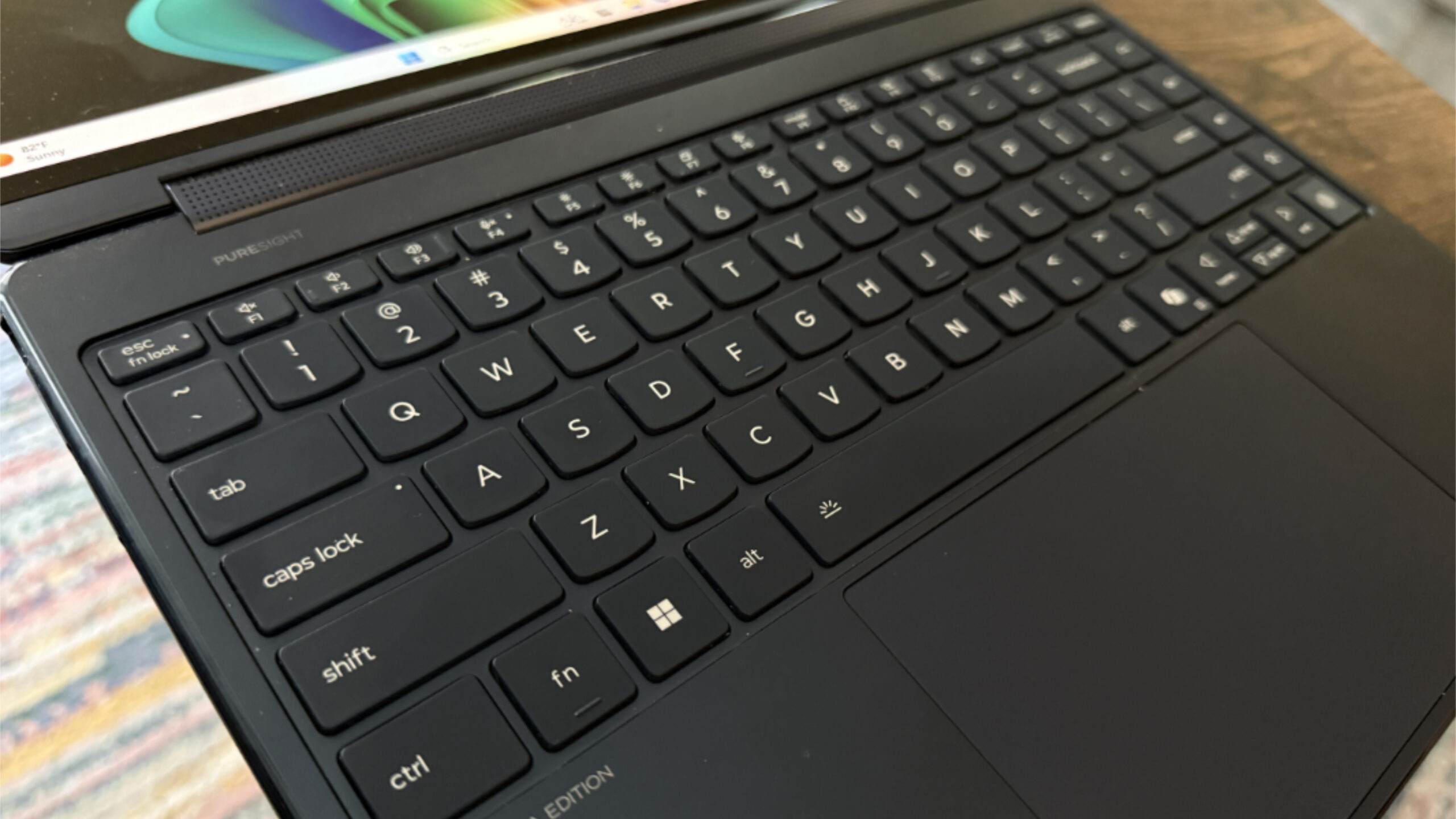
As with many other modern laptops, the keyboard on the Yoga 9i is nearly perfect but undermined by a single maddening flaw that’s particularly problematic for messy typists like myself: There are four pointless Quick keys in a column on the far right of the keyboard–for changing the power management scheme (between Performance, Balanced, and Quiet), Dolby Atmos audio profile, and Eye care mode on the fly, plus a favorite app key–and I hit them mistakenly (and repeatedly) every single day I used this laptop. So I’d be typing away and it would suddenly plunge into a different power mode and I’d have to figure out what each on-screen icon meant and how to get it back. I never want to change any of those functions manually and I’d prefer to disable all of them.
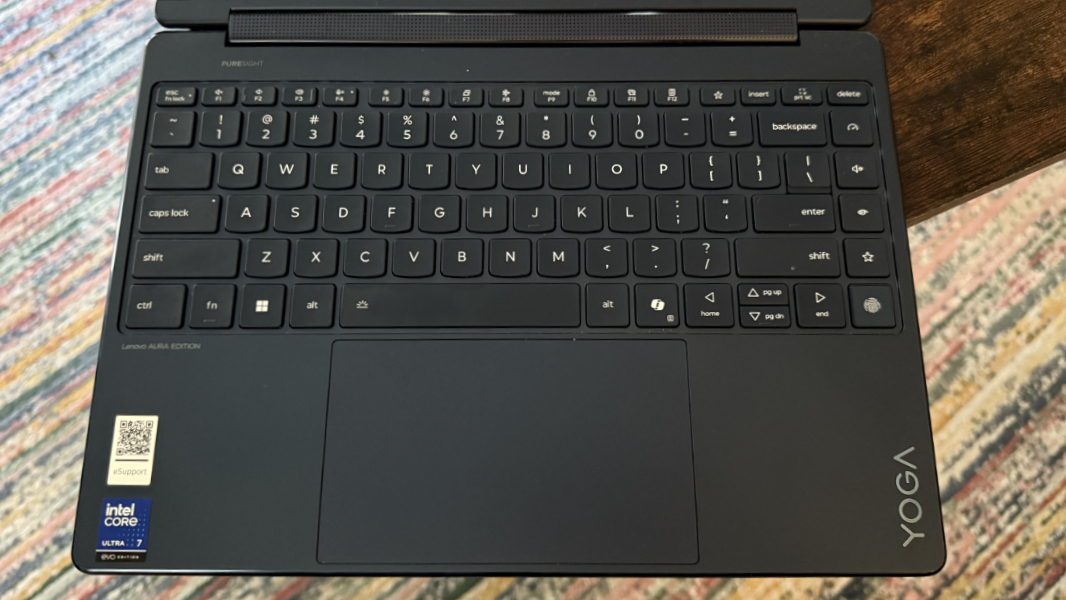
With that complaint out of the way, the rest of the typing experience is excellent: The keyboard is full-sized, backlit with an automatic setting, and nearly edge-to-edge, and the scalloped keys are comfortable to type on with a snappy 1.5-mm key travel. It’s so close to perfect.
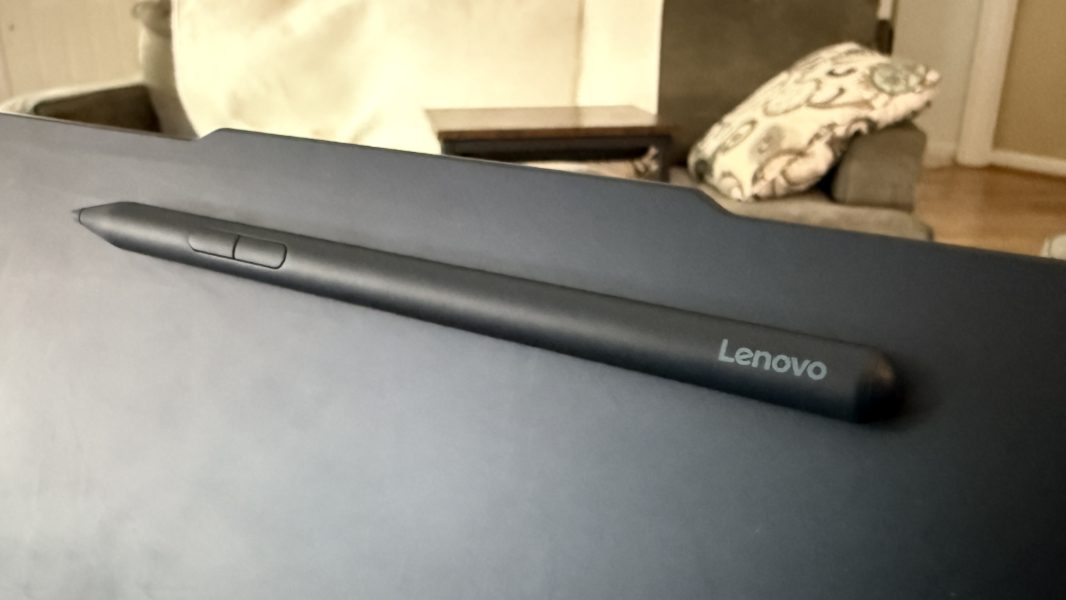
The touchpad and large but mostly precise and error-free, at least after I disabled three finger gestures. And Lenovo bundles a barrel-shaped Yoga Pen with the Yoga 9i that’s color-coded to the PC and charged over USB-C and can magnetically attach to the top center back of the display lid for moving from room-to-room. (Last year’s Yoga 9i came with a flat smart pen.)
Security
The Yoga 9i is a Copilot+ PC with Windows Hello ESS-based facial and fingerprint recognition capabilities, so it’s pretty much as secure as any Windows-based PC can be. Both were fast and reliable for the most part, though I did experience occasional reliability and slowness issues with the camera recognizing me when opening the display lid.
The fingerprint reader is located on a dead “key” in the lower-right of the keyboard, at the bottom of that column of terrible Quick keys.
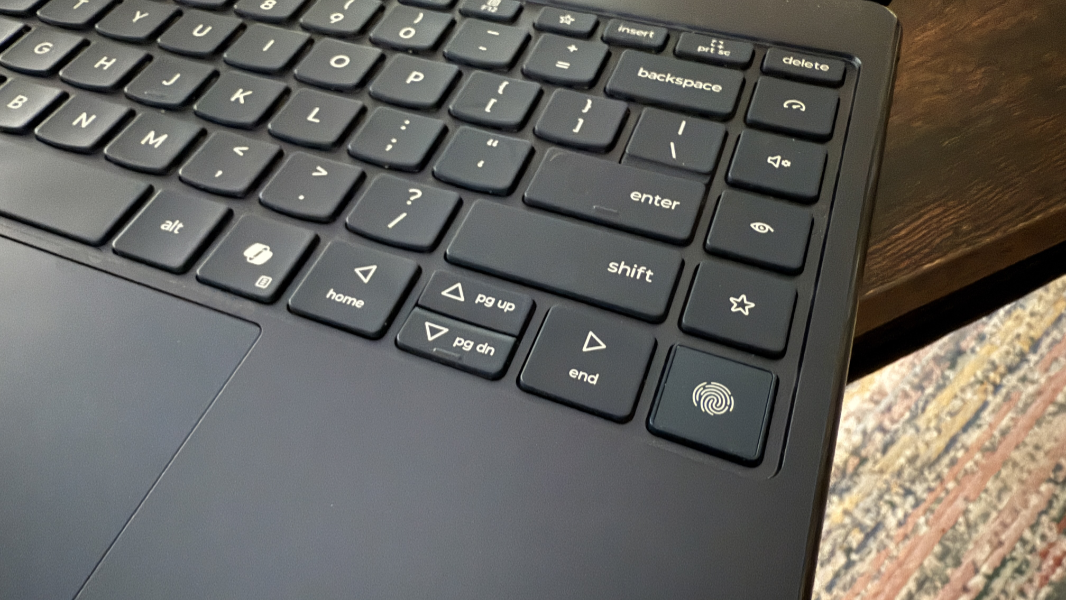
And as with last year, you can toggle the microphone with a dedicated function row key, while the webcam uses a manual privacy switch.
The Yoga also supports Windows 11 presence sensing functionality, so it can auto-dim the display if you look away, turn off the display and lock when you walk away, and wake up the display when you return.
Sustainability
The Yoga arrives in Forest Stewardship Council (FSC)-certified and plastic-free packaging, and it’s built using 50 percent recycled aluminum in the bottom cover, 30 percent recycled plastic in the battery pack, 90 percent post-consumer recycled content (PCC) plastic in the power adapter, 30 percent PCC recycled plastic in the speaker (woofer) enclosures, and 50 percent PCC recycled plastic in the keycaps.
Information about repairability is light, but the SSD and battery can be user replaced, assuming you can get the bottom cover open. There are four exposed Torx screws, but also two hidden Philips screws under the rubber rear foot riser to deal with.
Efficiency and portability
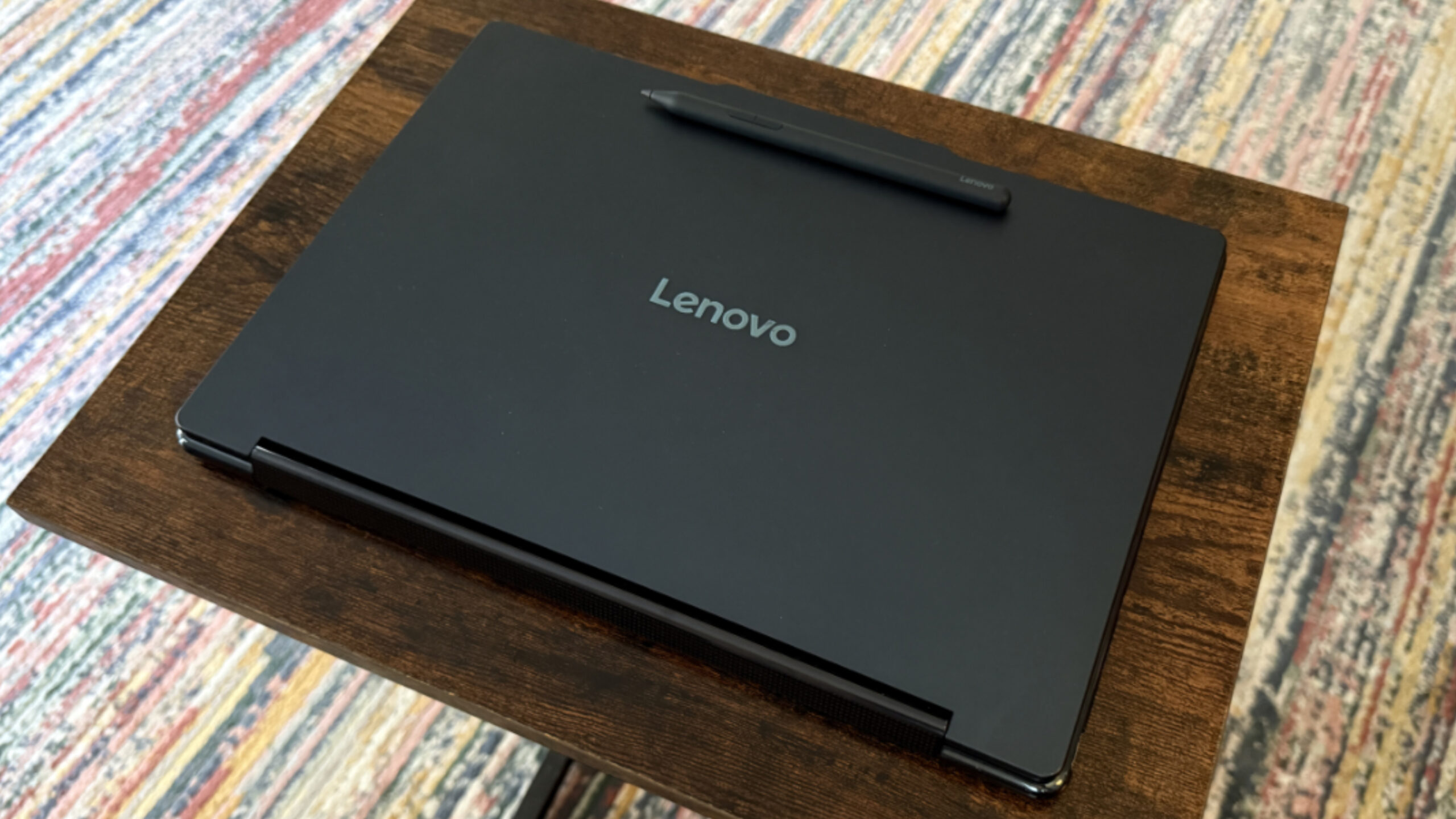
The Lenovo Yoga 9i is thin and light at 0.63 x 12.4 x 8.66 inches at its thinnest and 2.91 pounds, respectively.
That’s good. But the battery life is inconsistent and lackluster: I configure the Yoga to use the Balanced power management plan on battery (and Best Performance on power), and I saw an average of just over 6 hours of real world battery life over a month and a half of active use, but the uptime veered wildly from run-to-run: I saw as little as 4.5 hours of uptime and as much as just under 7.5 hours.
In the good news department, you can Rapid Charge the Yoga’s large 75-watt-hour battery with the bundled 65-watt USB-C power adapter. A 15-minute charge gets you up to 3 hours of additional battery life.
Reliability was about what I expect from x64 PCs these days, meaning it was mostly good but unpredictable. This morning, for example, I opened the display lid and was treated to a 30-second-ish delay while the machine woke from hibernation despite me having used it extensively the day before.
Software
As a Copilot+ PC, the Yoga 9i provides Recall, Click-to-Do, Semantic Search, and all the other Copilot+ PC-specific on-device AI functionality. But it also provides the Aura Edition utilities in partnership with Intel, and those are just about as lackluster. Smart Share will soon disappear thanks to Intel killing its Unison software, and that leaves complicated nonsense like Aura Edition Smart Modes and Smart Care in its wake. The less said about either, the better.
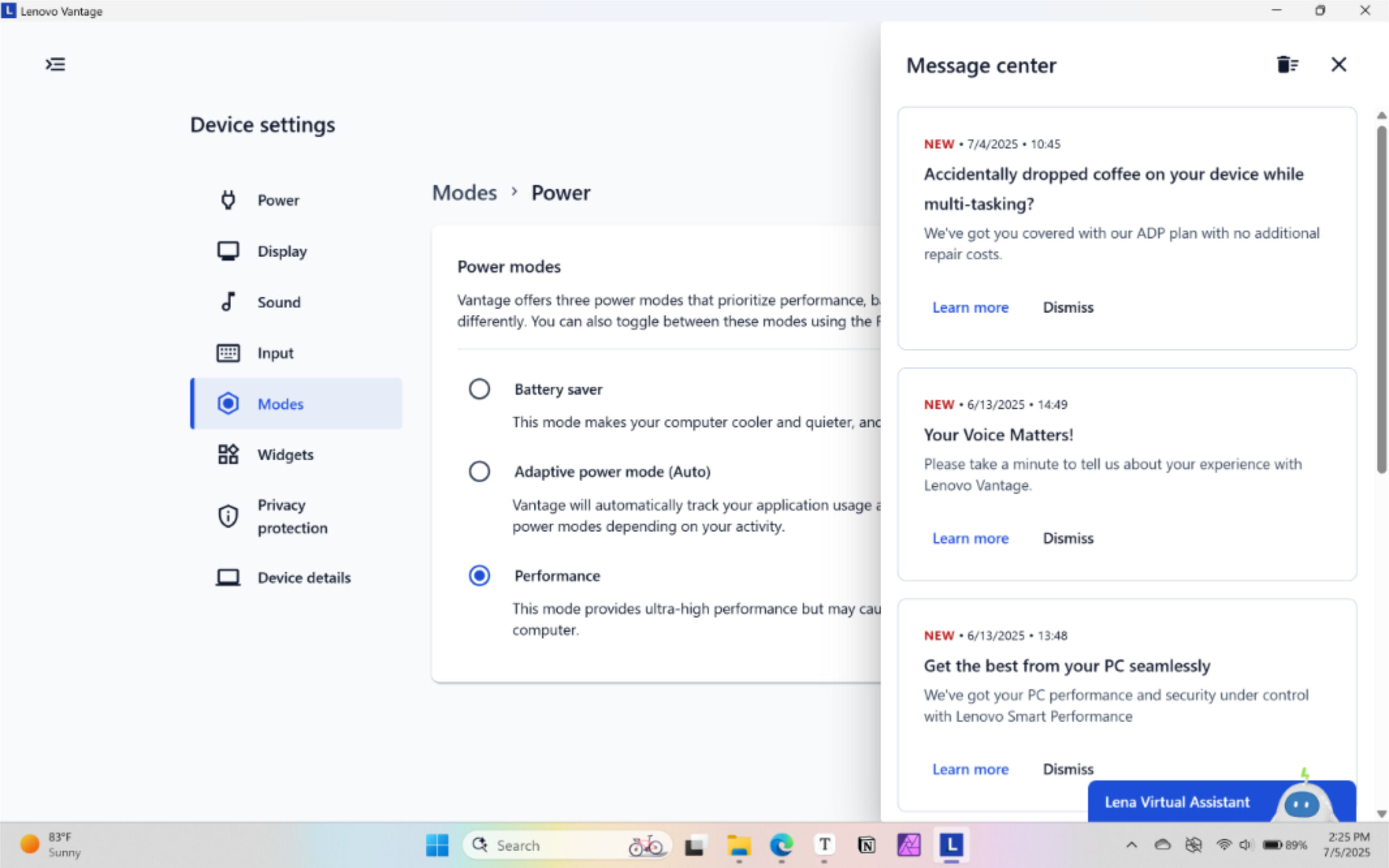
Beyond that, there are plenty of utilities and other software for the Yoga customer to sift through, some of which are truly crappy. Sparing you the horrors of McAfee, there are four Intel utilities, five Lenovo utilities plus a link to the user’s guide, and Dolby Access. That doesn’t sound too bad, I know, but there should only be a single Lenovo configuration utility, and three of the Lenovo utilities–Lenovo Now, Lenovo Subscription Marketplace, and Lenovo Vantage–exist solely or partially to upsell customers to new products and services. No thanks.
Pricing and configurations
The Yoga 9i is a premium consumer/prosumer PC, and the pricing falls in line with that reality. The list price starts at about $1600, but thanks to Lenovo’s rolling sales, it’s available for $1440 as I write this. For that sum, you get the Intel Core Ultra 7 256V processor and its integrated 16 GB of RAM and a 512 GB SSD.
The only major upgrades, to a Core Ultra 7 258V processor with 32 GB of RAM, 1 TB of storage, and the higher resolution 4K (3840 x 2400) OLED display, are so inexpensive, an additional $80, $50, $100, respectively, they’re almost no-brainers: That configuration will set you back about $1650 today ($1830 list).
The review configuration, with the upgraded processor and RAM, 1 TB of storage, and “base” display panel, is about $1550 right now. That is expensive, but it’s reasonable for the overall quality and functionality.
Beyond that, you can upgrade to Windows 11 Pro for $70, though you can get that upgrade for as little as $10 elsewhere, or add some Office or Microsoft 365.
Recommendations and conclusions
The Lenovo Yoga 9i 2-in-1 Aura Edition is a solid Copilot+ PC upgrade to last year’s model, with solid performance improvements and subtle design updates across the board. It’s a handsome thin and light laptop with versatile convertible capabilities, a stunning OLED display, Dolby Vision HDR and Dolby Atmos experiences, modern expansion and connectivity, and a terrific keyboard that is only somewhat undermined by pointless Quick keys that I find to0 easy to tap mistakenly. But its pricing puts the Yoga in an uncomfortable position next to some business-class laptops, and battery life was less than ideal in my testing.
If you can get past the battery life and aren’t bothered by paying for quality, you won’t be disappointed. Despite a few negatives, the Yoga 9i 2-in-1 Aura Edition is highly recommended.
At-a-glance
Pros
- Thin, light, premium, and versatile design
- Gorgeous 16:10 OLED display panel with Dolby Vision
- Stellar multimedia experience with Dolby Atmos, good for games
- Terrific typing experience except for the Quick keys
- Solid hybrid work functionality, excellent security features
Cons
- Lackluster battery life
- Unnecessary Quick keys that are too easy to hit
- Expensive
- Too many bizarre utilities and special functions