HP EliteBook X G1a 14 Review
- Paul Thurrott
- Jul 06, 2025
-
9
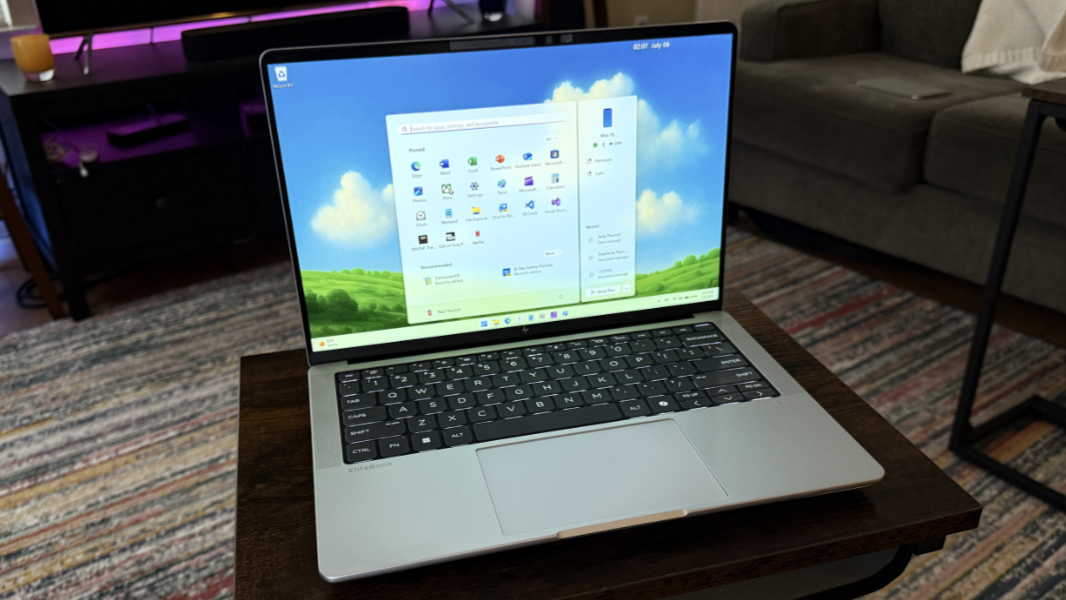
The HP EliteBook X G1a 14 is a powerful productivity workhorse with excellent battery life and a near-perfect keyboard. The only major issue is its high price tag, even when on sale.
Design
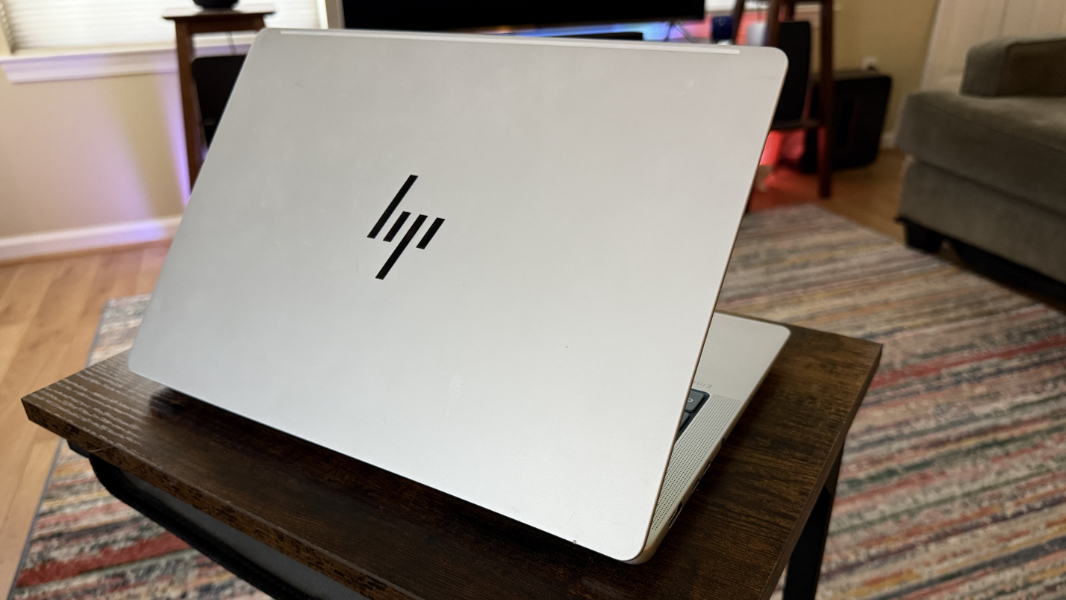
The EliteBook X G1a carries forward with the gorgeous design that debuted last year with the HP EliteBook 1040 G11. The body is a nearly white Glacial Silver and, in addition to the traditional black display bezels, it’s visually offset with a dark gray keyboard that floats between two sets of speaker grills.
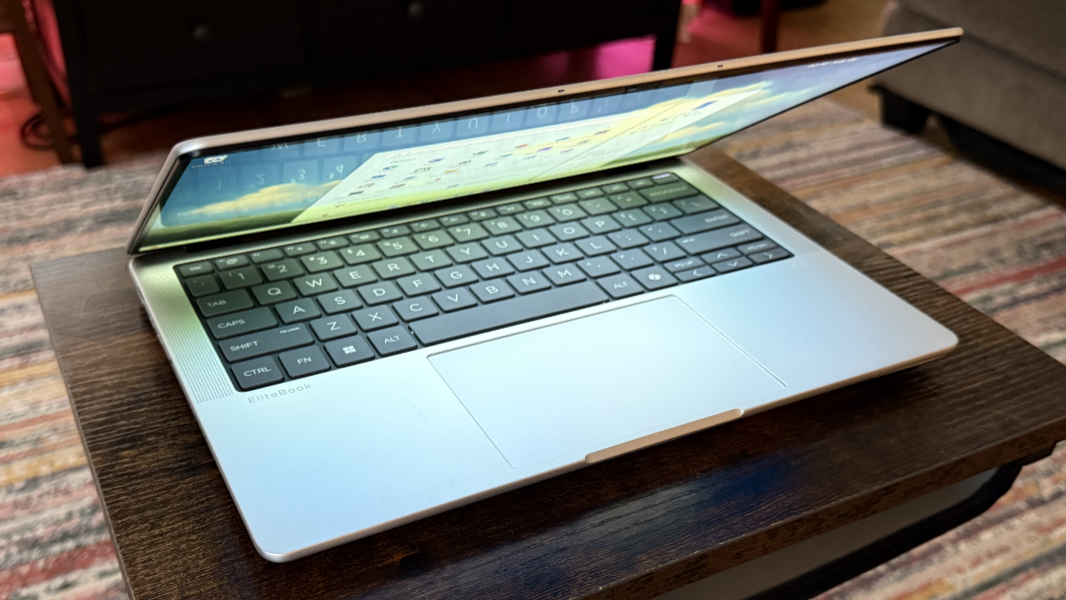
There are little curves almost everywhere, from the corners of the laptop and display lid to the keyboard, touchpad, and opening indent. Only the screen edges are squared off.
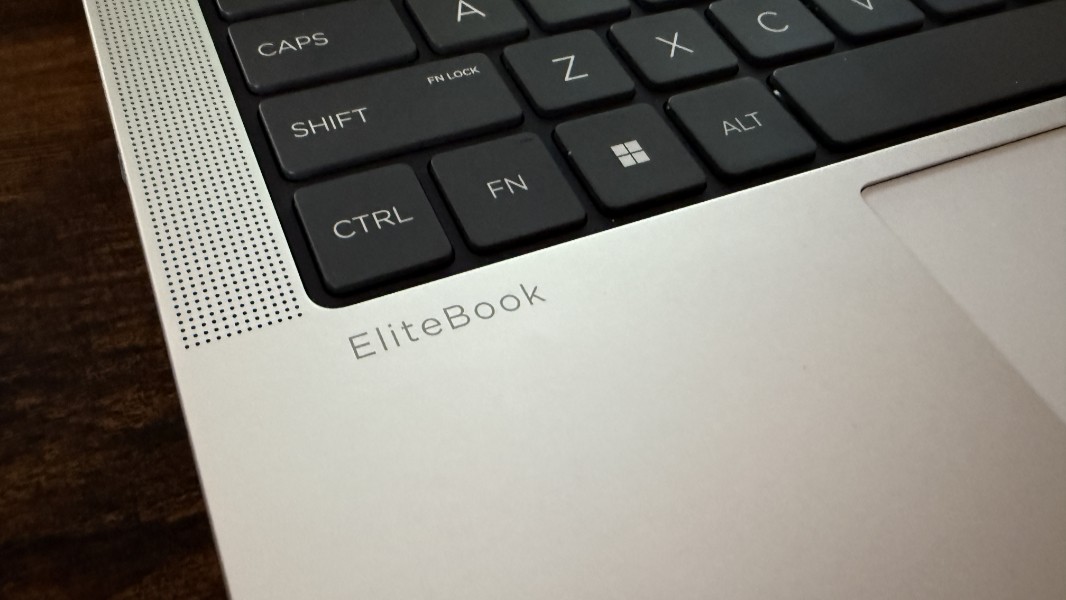
I love the minimalist nature of this laptop. There are only a few small logos throughout, but they’re small and unobtrusive. And the laptop wasn’t marred by a single sticker on its wrist rests, something I’d like to see more often. It’s a classy looking machine.
Display
The G1a can be configured with one of two 16:10 display panels, a Full HD+ (1920 x 1200) non-touch IPS panel with an anti-glare coating that provides 100 percent coverage of the sRGB color gamut and emits 400 nits of light, and a 2.8K (2880 x 1800) multitouch OLED BrightView panel with low power and HP Eye Ease capabilities that provides 100 percent sRGB color gamut coverage and emits 400 nits of light.
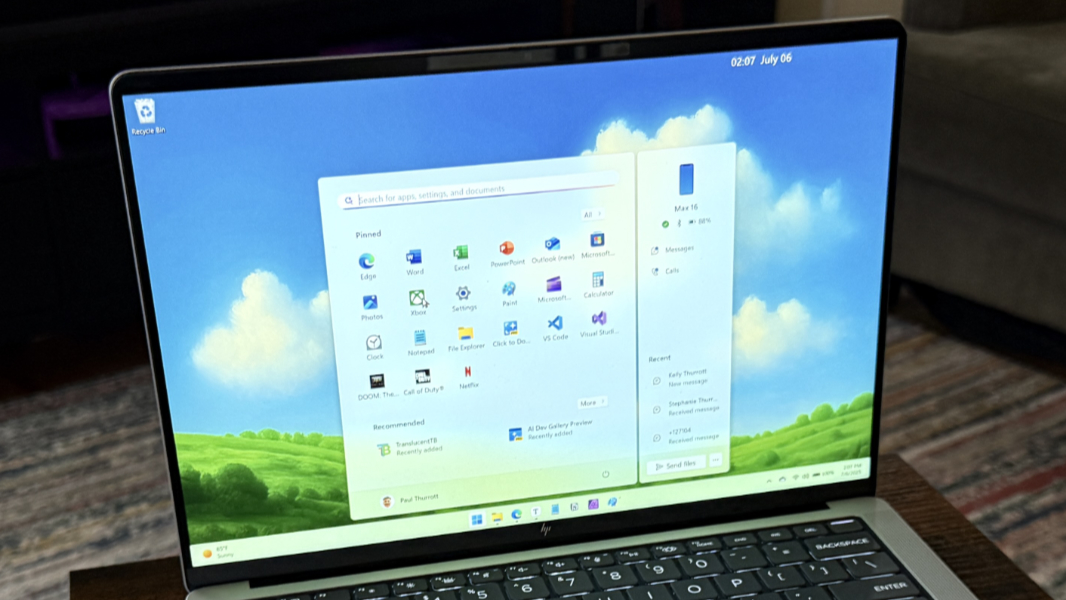
The review unit came with the lower-end panel and it’s fine for productivity work, with a matte, no glare look. But it’s limited to a 60 Hz refresh rate, lacks Dolby Vision HDR, and is at the low-end, resolution-wise, of what I like to see at this screen size.
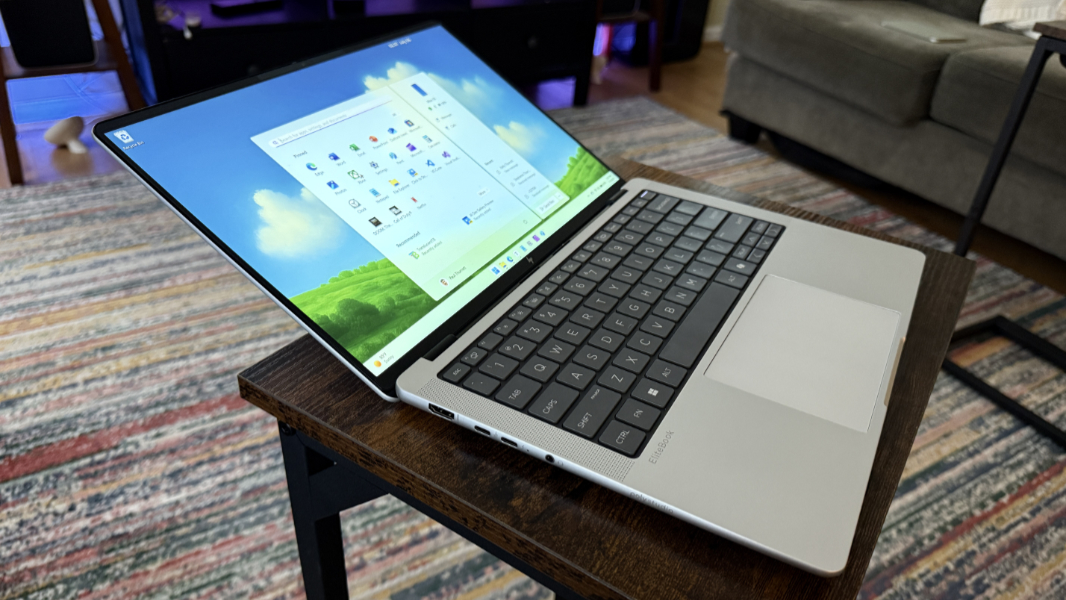
The bezels are delightfully tiny, especially on the left and right sides of the display. But the display doesn’t lay completely flat.
Internal components
The EliteBook X G1a looks like a pedestrian business-class laptop, but there is a beast hiding within. It’s powered by one of two AMD Ryzen AI PRO processors (which are to AMD what vPro is to Intel): An 8-core AMD Ryzen AI 7 PRO 360 with integrated AMD Radeon 880M graphics or a 12-core AMD Ryzen AI 9 HX PRO 375 processor with integrated AMD Radeon 890M graphics; both included an integrated 50 TOPS AMD Ryzen AI NPU. RAM and storage varies by model: You can pair the first processor with 16 or 32 GB of LPDDR5x-8533 RAM, while the higher-end version can be had with 32 or 64 GB, and there are versions with 512 GB or 1 TB of PCIe Gen4 NVMe TLC M.2 SSD storage. The review unit came with the Ryzen AI HX PRO 375 processor, 32 GB of RAM, and 1 TB of storage.
This laptop is a monster that offers workstation-class performance that outstrips any Intel “Lunar Lake” offering by a wide margin, especially in gaming, video editing and other creator workloads, and anything else that relies on multithreading. You pay for that power with a bit of weight and thickness, as the processor requires hefty active cooling under load, and HP’s solution includes dual high-density fans that are silent or quiet under moderate load and HP SmartSense software that can automatically adjust performance and fan noise as required. But the audience for this laptop–developers, data scientists, heavy multitaskers of any kind–will be happy to make that compromise.
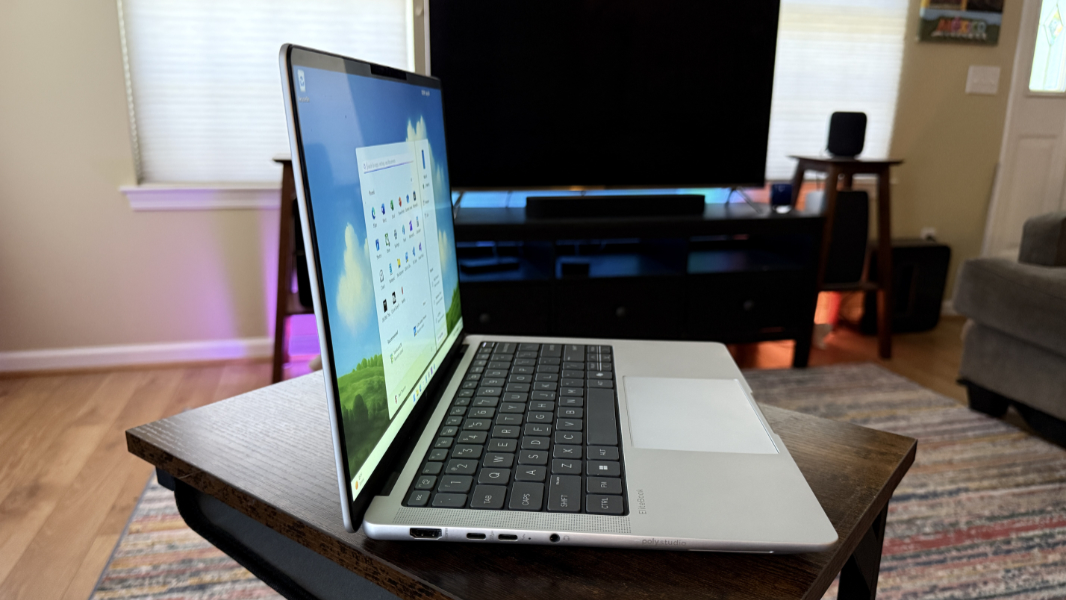
I’m not a data scientist or engineer, and my typical productivity, developer, and creator workloads rarely stressed this system. Whether it was plugged in or on battery, it was almost always silent or nearly so. The obvious exception being gaming. And as you might expect, the EliteBook X G1a’s powerful innards made short work of Call of Duty: Black Ops 6, delivering a consistent 85 to 90 FPS in multiplayer with a mix of graphics settings. Granted, it only has to render at 1920 x 1200.
Connectivity
Connectivity is modern, with MediaTek Wi-Fi 7 and Bluetooth 5.4 radios. There’s no cellular data option that I’m aware of.
Ports and expansion
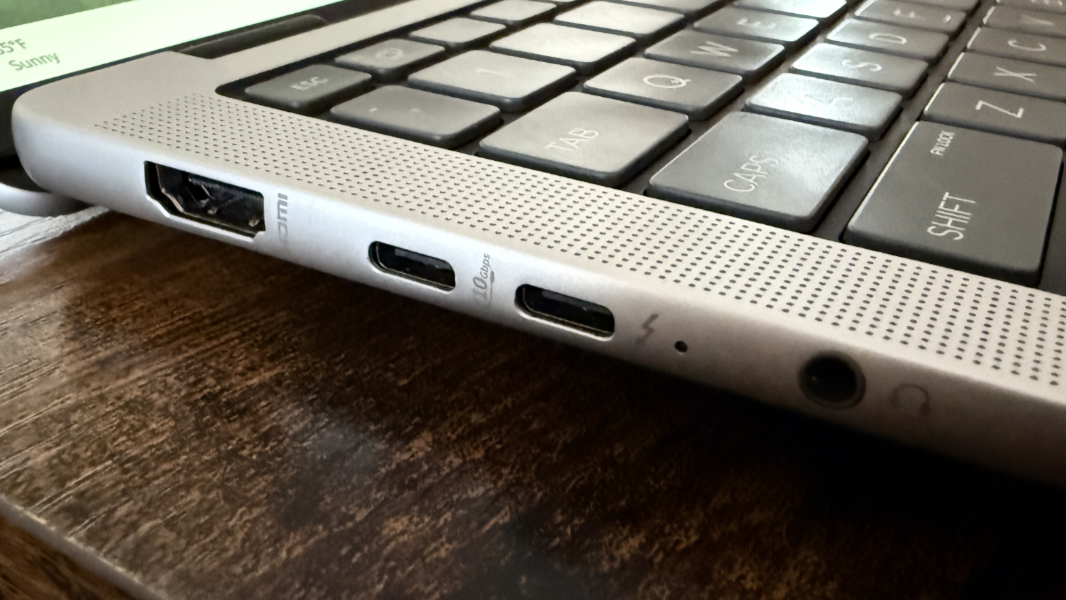
Given the target audience and the laptop’s thickness, it’s not surprising that HP outfitted the EliteBook X G1a with various modern and legacy ports. I like that there are Type-C ports on each side. But you’ll want to keep the two found on the left in mind, since each is different.
On that note, you’ll see a full-sized HDMI 2.1 video-out port, a 10 Gbps USB Type-C (with USB Power Delivery and DisplayPort 2.1) port, a 40 Gbps Thunderbolt 4/USB4 port (USB PD, DP 2.1), and a combo headphone/microphone jack on the left.
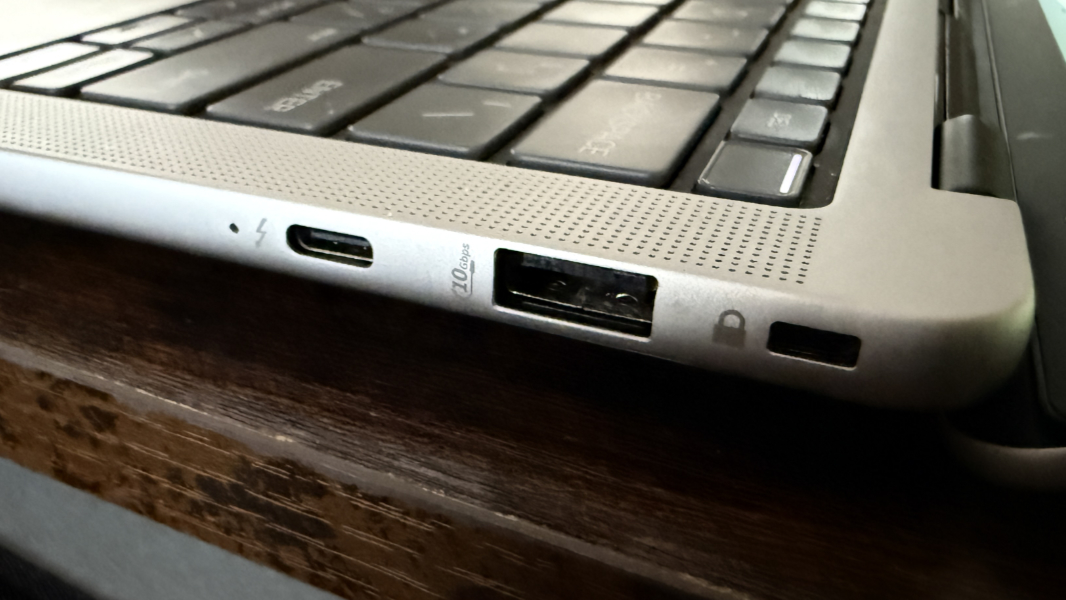
On the right, there is a Kensington Nano security slot, a powered 10 Gbps USB Type-A port, and a second 40 Gbps Thunderbolt 4/USB4 port.
Audio and video
While the review unit’s display is no way impressive, HP gives every EliteBook X G1a a quad-speaker setup with discrete amplifiers, two top-firing tweeters straddling the keyboard, and two downward-firing woofers on the bottom front sides of the laptop. There’s no Dolby Atmos or other spatial audio tech, but the speakers are optimized by Poly Studio, whatever that means, and they get loud without distortion, assuming the laptop is resting on a solid surface.
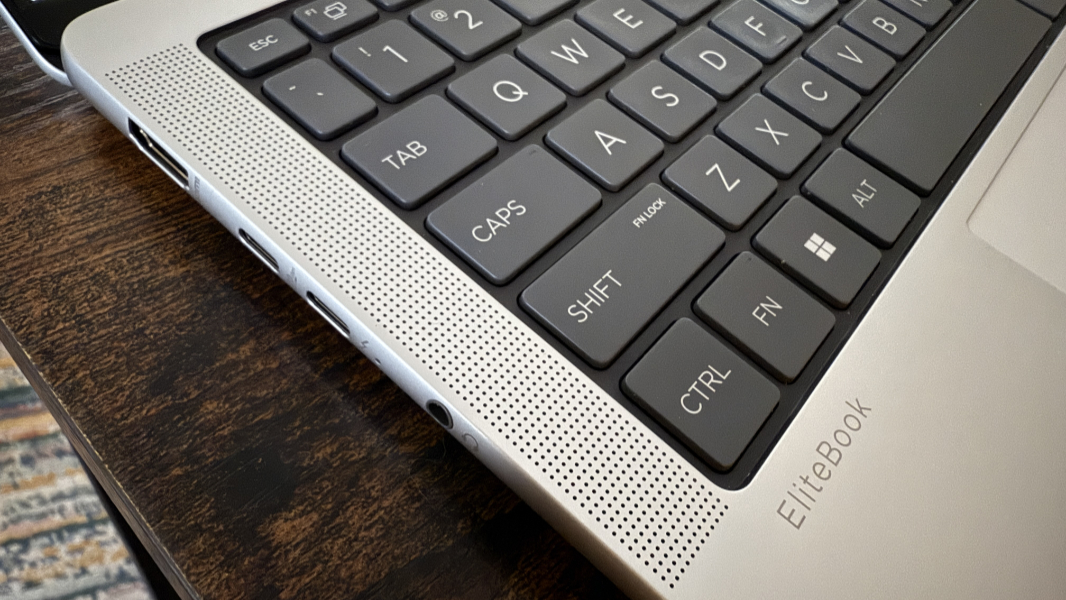
Movies like 6 Underground and Furiosa: A Mad Max Saga look and sound terrific on this laptop, though the soundstage isn’t as positional as with a Dolby Atmos system.
Hybrid work
HP provides a 5 MP webcam and dual-array microphones for its work-from-home and traveling business customers, and both are pretty standard these days in business-class laptops. But the big draw here is Poly Camera, a powerful front-end for the laptop’s AI-enhanced camera and microphones. This works on top of, or along with, the Windows Studio Effects provided by Windows. And it includes AI-powered background configurations, auto-framing, watermarks, and a lot more.
The video capabilities in Poly Studio are impressive, but there’s not much there for the built-in microphones. Surprisingly, they work well given their limitations, and after playing with the volume level for a bit, I was able to generate crisp and clear sample recordings.
Keyboard and touchpad
The EliteBook X brings forward the nearly perfect keyboard from last year’s EliteBook 1040 G11 unchanged. And that’s both good and bad, as it fixes one issue with its predecessor while ignoring the other.
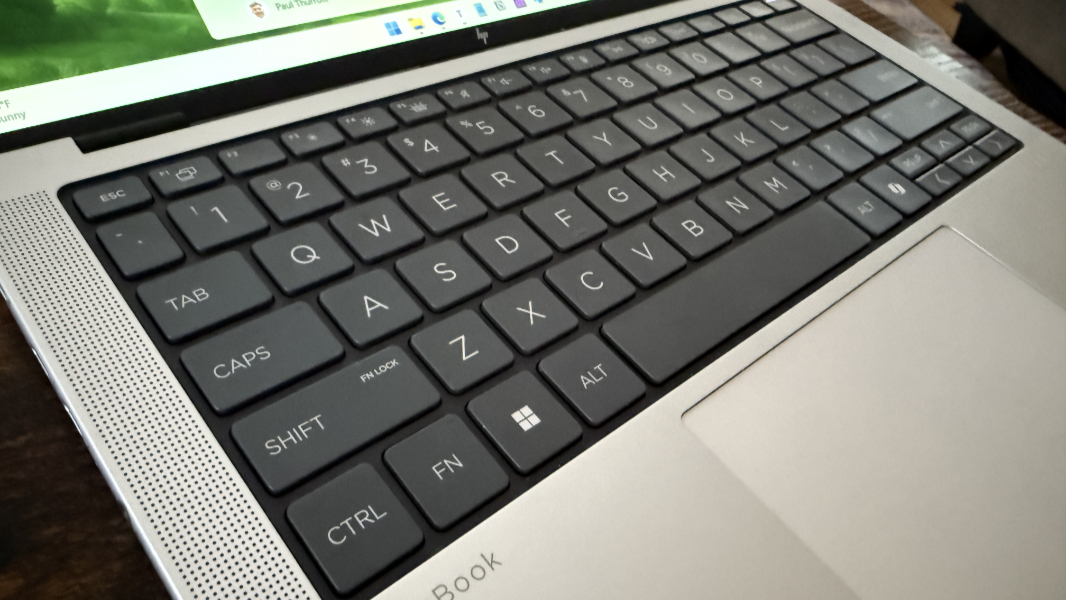
In the good news department, the keyboard is full-sized and backlit (with two light levels but no auto mode) and it features large, island-style soft-touch keys with perfect key feel and travel, and a soft, quiet sound. It remains one of my favorite laptop keyboards, and there’s been one subtle but important upgrade: You can use the Fn key and the arrow keys together as Home, End, Page Up, and Page Down keyboard shortcuts, as God intended. That’s wonderful.
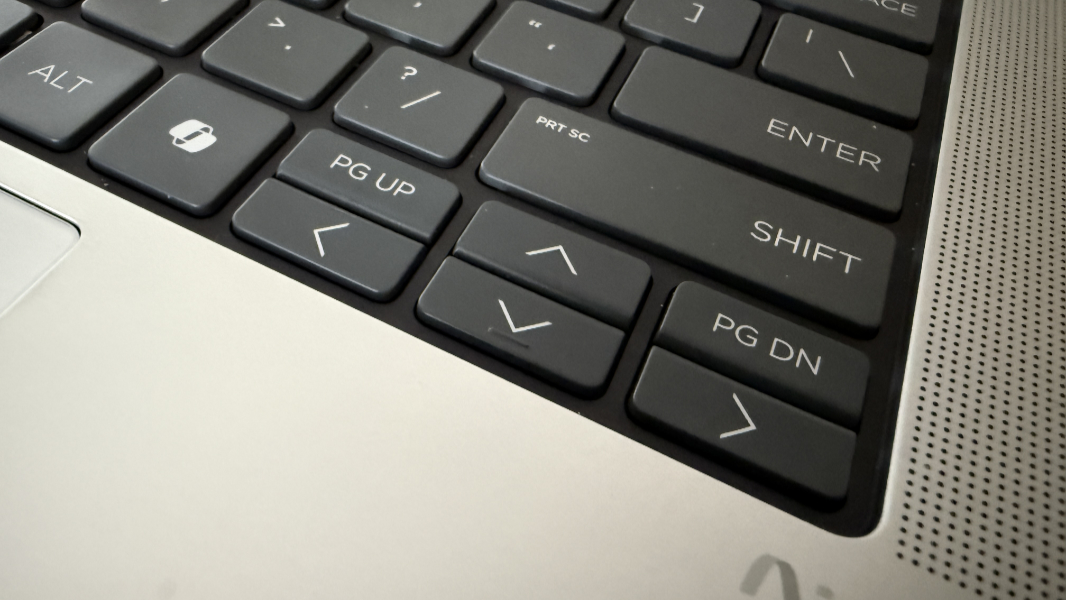
Less positively, the tiny Page Up and Page Down keys that straddle the arrow keys are, as before, a crime against humanity, or at the very least, the bane of messy typists like myself. I inadvertently hit Page Up and Page Down repeatedly every day, despite my best attempts to remember that the Left and Right arrow keys I mean to tap are tiny, so I need to be more accurate. It’s bad enough that I finally used PowerToys Keyboard Remapper to remap Page Up and Page Down to the Left and Right arrow keys.
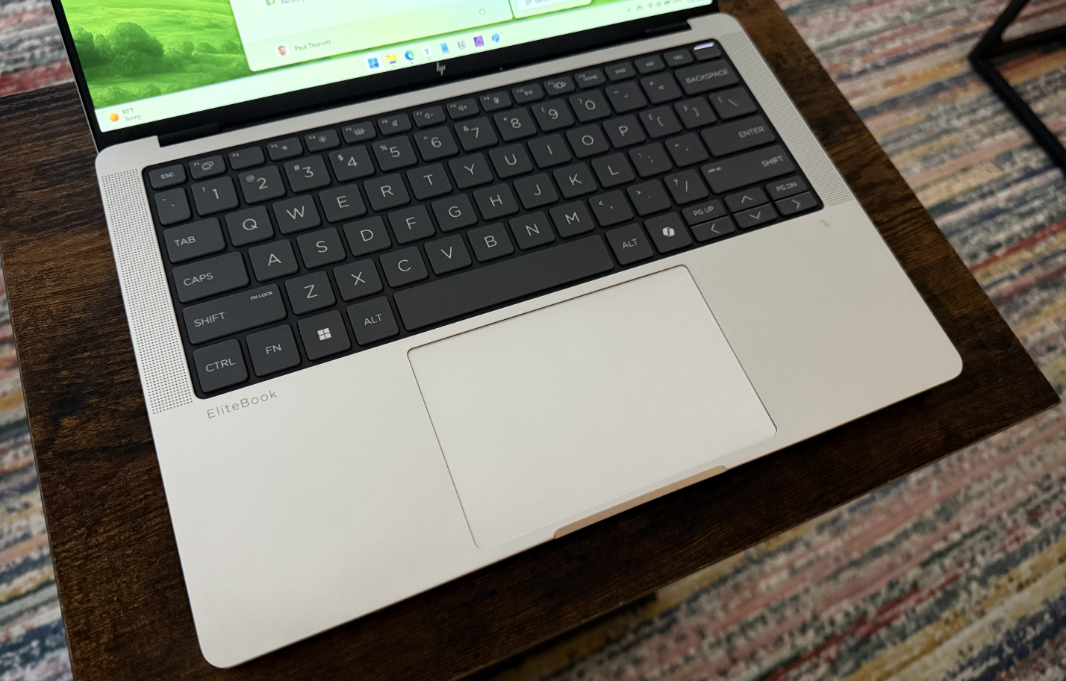
The touchpad is large, glass, and mechanical, but it’s incredibly accurate for a PC touchpad, so much so that I didn’t need to disable three-finger gestures. Unlike last year’s EliteBook 1040, this one isn’t tinny or cheap sounding, instead, it offers a pleasant deep sound when pressed that exudes quality.
Security
As a Copilot+ PC, the EliteBook X G1a offers the best security components in personal computing. And it’s delivered the most versatile configuration, with Windows Hello Enhanced Sign-in Security (ESS) facial and fingerprint recognition, the latter of which is integrated into the power button in the upper-right of the keyboard. Both are usually fast and reliable, though the x64 innards impart the occasional randomness where the PC doesn’t come back to life immediately or the camera doesn’t toggle on quickly enough or recognize you. The webcam is protected with a manual privacy shield, and you can mute the microphone via a dedicated function key, as is typical.
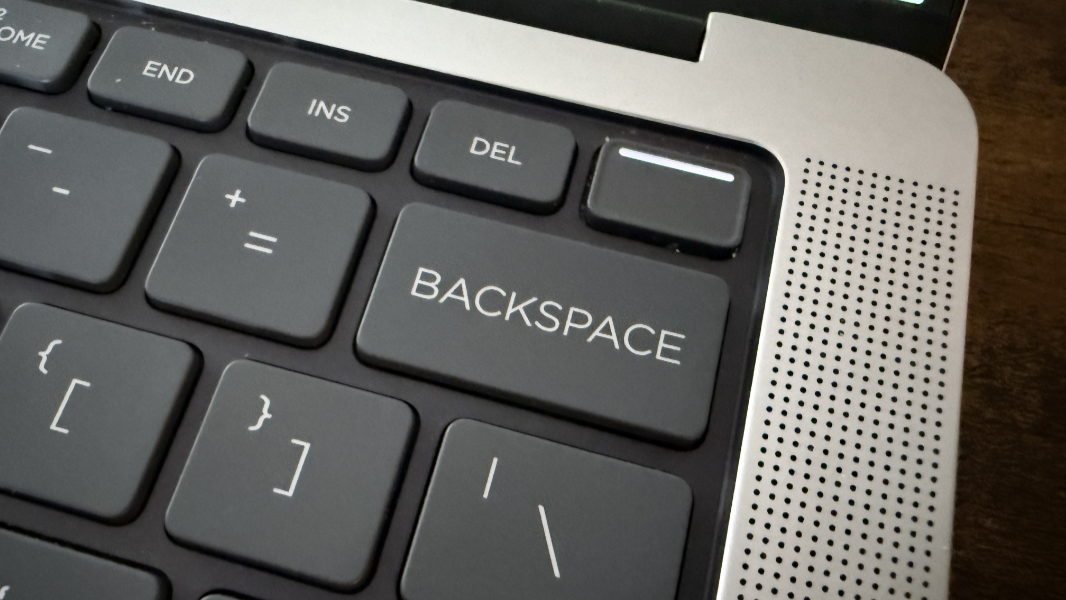
HP also bundles its HP Wolf security suite with the EliteBook, as expected. This is no doubt ideal for managed businesses, but as an individual, I always uninstall it and rely on the built-in protections in Windows 11 instead. And the laptop supports the full range of presence detection capabilities, which helps improve security when you’re not paying attention.
Sustainability
The EliteBook X G1a arrives in a box made of 100 percent sustainably sourced and recyclable cardboard and wrapped in sustainably sourced and recyclable paper pulp and corrugated cushions. Each G1a is made from at least 30 percent recycled metal (80 percent in the covers), 50 percent recycled copper in the heat plate, 20 percent post-consumer content (PCC) recycled plastic, and 30 percent ocean-bounded plastic in the speaker enclosures. And the bezels are made with at least 20 percent recycled cooking oil.
Repairability is good, too. The bottom panel is held on with four captive T5 Torx screws, but you’ll also need a plastic pry tool to separate it from the rest of the chassis. Once you get past that, the battery, speakers, M.2 SSD, and other components are all readily accessible.
Efficiency and portability
At 3.3 pounds and 12.29 x 8.45 x 0.52 inches at its thickest (0.36 inches at its thinnest), the HP EliteBook X G1a is heavier and thicker than the typical 14-inch laptop. But with roughly 9.25 hours of real-world battery life and all the performance gains you get from the powerful AMD processor, that’s a small price to pay.
Instant-on performance is mostly very good, with the exception of those occasional x64-based reliability issues. I kept it on Balanced performance mode for both power and battery: AMD Zen 5 processors don’t need the artificial propping up like Intel’s latest processors.
Put simply, the AMD-based EliteBook X surpasses the performance, battery life, and reliability of any Intel Core Ultra “Lunar Lake”-based laptop, while falling short of the Snapdragon X Elite in most of those (non-gaming) categories. It’s roughly in the middle, platform-wise, between the Core Ultra and Snapdragon X. The efficiency and portability are, in other words, good enough.
Power for the EliteBook’s 74.5 watt-hour battery comes via a 100-watt USB-C power supply that’s bigger and a bit heavier than the more standard 65-watt units.
Software
HP keeps its business-class PCs pretty clean, though there is a lot of additional software on top of Windows. There are 10 HP utilities preinstalled, including the two from Poly, plus AMD Software Adrenaline Edition for optimizing games. None of the utilities are really crapware, but several seem inessential, like HP’s redundant AI Companion.
Beyond that, the G1a is a Copilot+ PC, so you get Recall, Click to Do, and all the other Copilot+ PC features.
Pricing and configurations
The EliteBook X G1a 14 is designed for managed businesses, which I’m sure get nice volume discounts. But it’s expensive to purchase one as an individual. And from what I can tell, HP doesn’t currently offer a way to configure a G1a. Instead, you have to choose between the available preconfigured models.
They’re all quite expensive. A “base” model G1a with a Ryzen AI 7 PRO 360, 16 GB of RAM, 512 GB of storage, and the Full HD display costs $2099. A model configured like the review unit, with the Ryzen AI 9 HX 375 processor, 32 GB of RAM, 1 TB of storage, and the base display is $2629. And a maxed out model with the better processor, 64 GB of RAM, 1 TB of storage, and the 2.8K OLED display is $2749.
For those that need the horsepower, this is perhaps reasonable. But HP also makes Intel Core Ultra Series 2 (Lunar Lake)-based EliteBook X models that are thinner, lighter, and less expensive. They’re not as powerful, but they are probably a better fit for typical productivity workers. I will be reviewing one soon.
Recommendations and conclusions
Thanks to its powerful AMD Ryzen Zen 5 processor choices, the EliteBook X G1a is a powerful performer that outclasses the Intel competition across the board. This is a portable workstation disguised as a business laptop, with up to 64 GB of RAM and 1 TB of SSD storage. It may be more PC than most need, and it’s certainly expensive enough to give one pause. But if you’re in the market for the best in laptop performance without any of the downsides of discrete graphics, you can’t do better than the EliteBook X G1a.
At-a-glance
Pros
- Handsome design
- Portable workstation-class performance
- Almost perfect keyboard, accurate touchpad
- Ample connectivity
- Windows Hello ESS facial and fingerprint recognition
Cons
- Very expensive
- Tiny Arrow and Page Up/Page Down keys lead to typing mistakes
- Thick and heavy