HP OmniBook X Flip 14 Review
- Paul Thurrott
- Aug 04, 2025
-
6
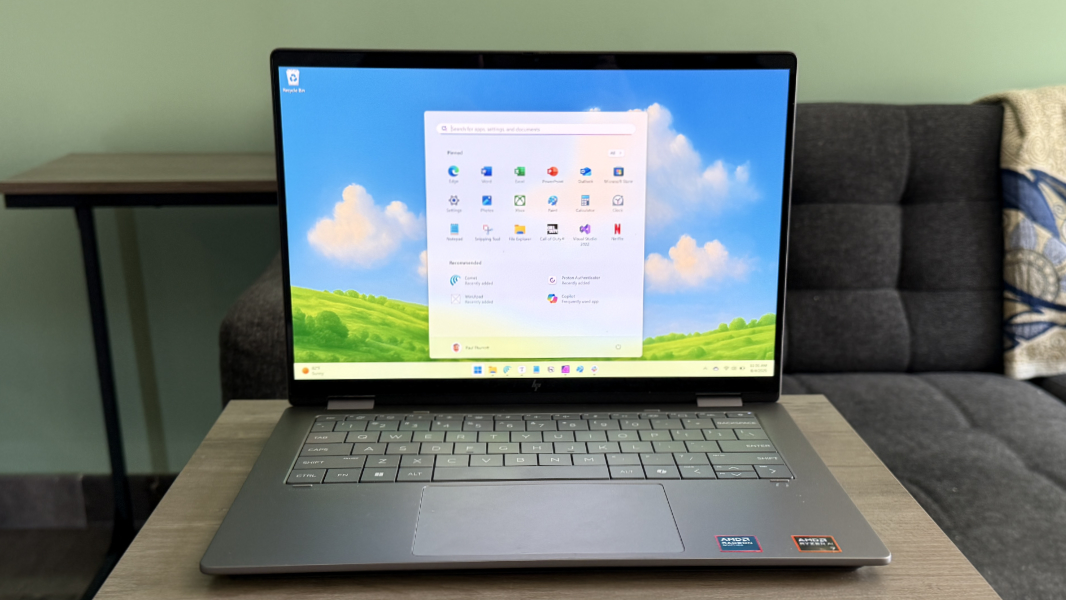
HP is among those PC makers that are increasingly offering AMD variants of laptops that also ship with Intel chips. This isn’t just healthy for the industry, it’s wonderful for consumers. And that’s especially true these days because AMD’s latest chips consistently outperform Intel’s across the board.
Granted, I’ve had a few opportunities over the years to test the same or similar laptops with both AMD and Intel chips. And this comes close: I just reviewed a 16-inch version of the HP OmniBook X Flip that’s powered by an Intel Core Ultra (“Lunar Lake”) processor. And here, I’m looking at the 14-inch version of the same laptop, but with a new-generation AMD AI-300 series “Zen 5” processor. In both screen sizes, you can choose between AMD and Intel chips, and despite some internal differences tied to the chips, the laptops are otherwise identical.
And yet the overall experience is, as we say, night and day: This AMD variant is superior in almost every way. All I missed from the Intel-based version is the larger display.
Design
It’s possible that HP is still finding its footing after last year’s sprawling PC lineup rebranding. Or maybe it’s just me. But I have a difficult time understanding–and, thus, communicating–the differences between its OmniBook X and OmniBook Ultra lines, whether we’re discussing the standard laptops or the Flip-branded convertibles.
Here’s what I know.
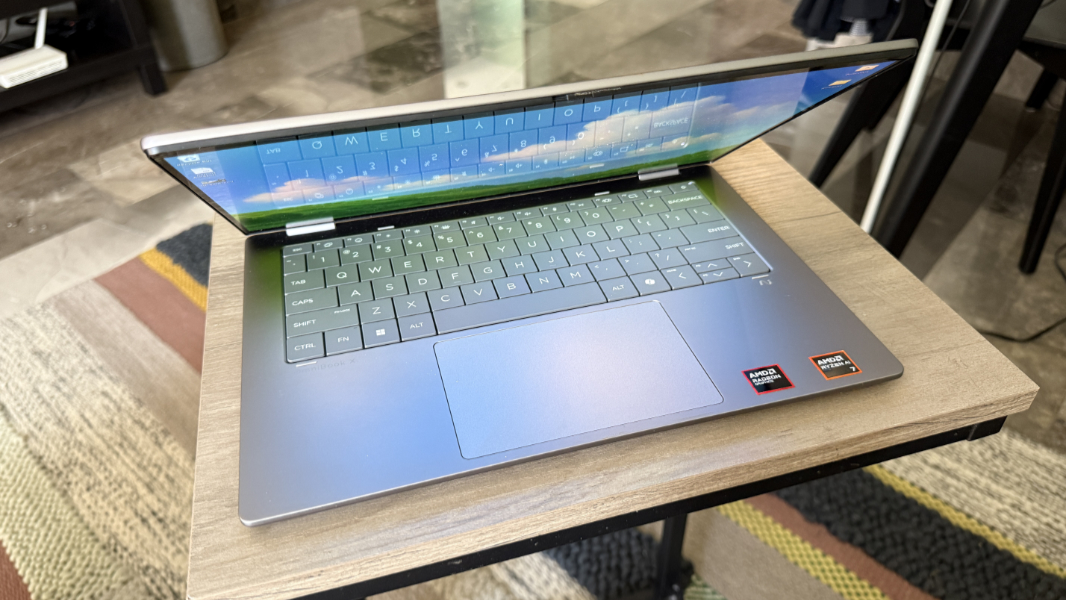
OmniBook is a consumer brand, just as EliteBook is a business brand. HP uses the Ultra moniker to indicate the top of the line, while X–as seen here–is the next step down. And as noted, the Flip branding in this product indicates that it is a convertible form factor that allows the user to reorient the PC away from the traditional clamshell orientation and use it in tablet, tent, and presentation orientations.
Some people love this versatility. Most–myself included–don’t need it. But it also adds a bit of weight. And some potential complexity and unreliability, which I did notice here: Sometimes when I reoriented the display, it didn’t recognize it was attached to a keyboard and touchpad, and so Windows 11 presented a childish-looking tablet interface instead of the standard Taskbar. Jiggling the display solved this occasional issue.
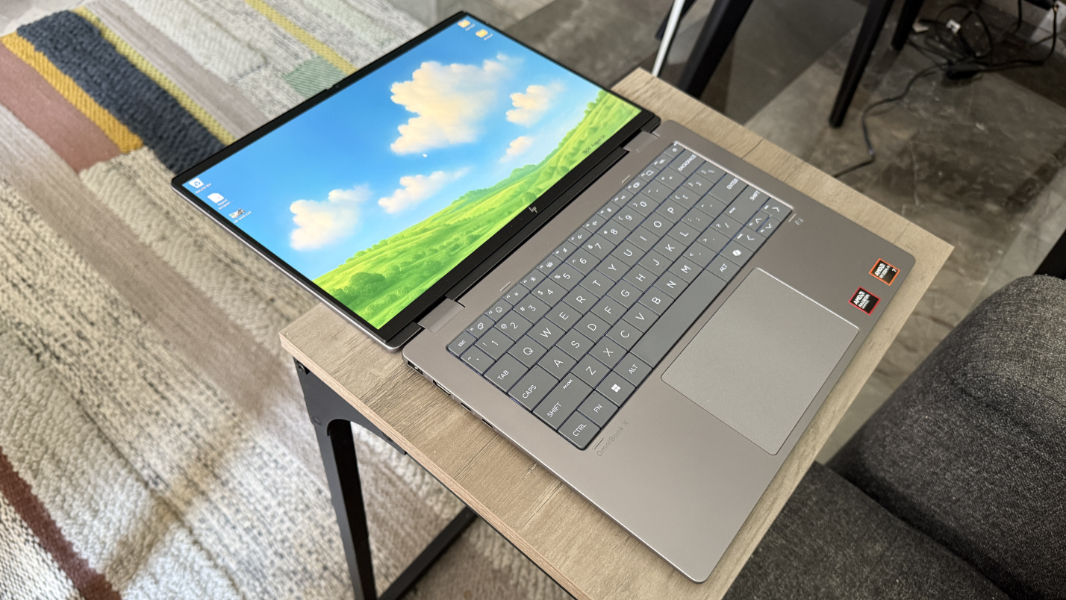
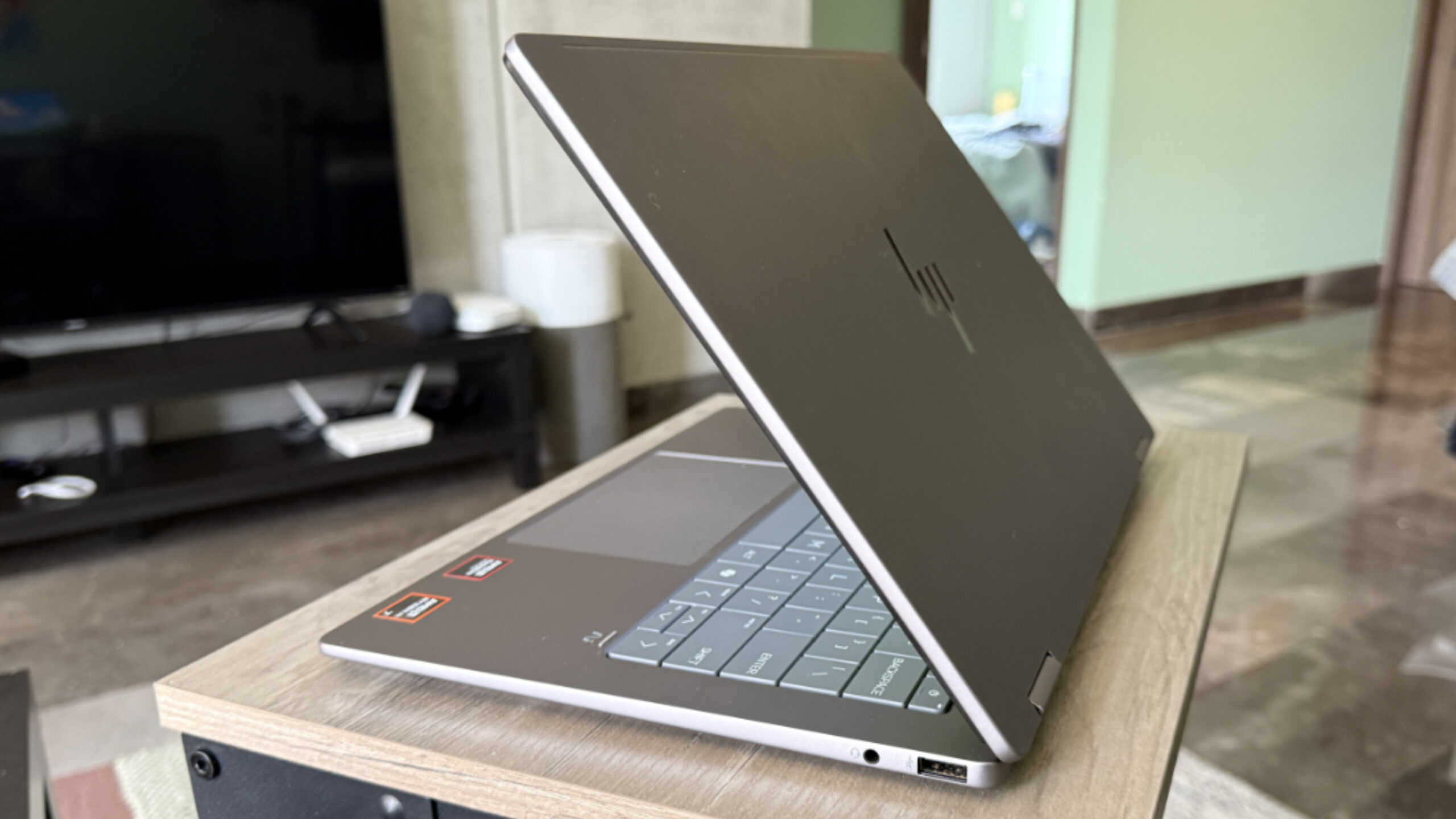
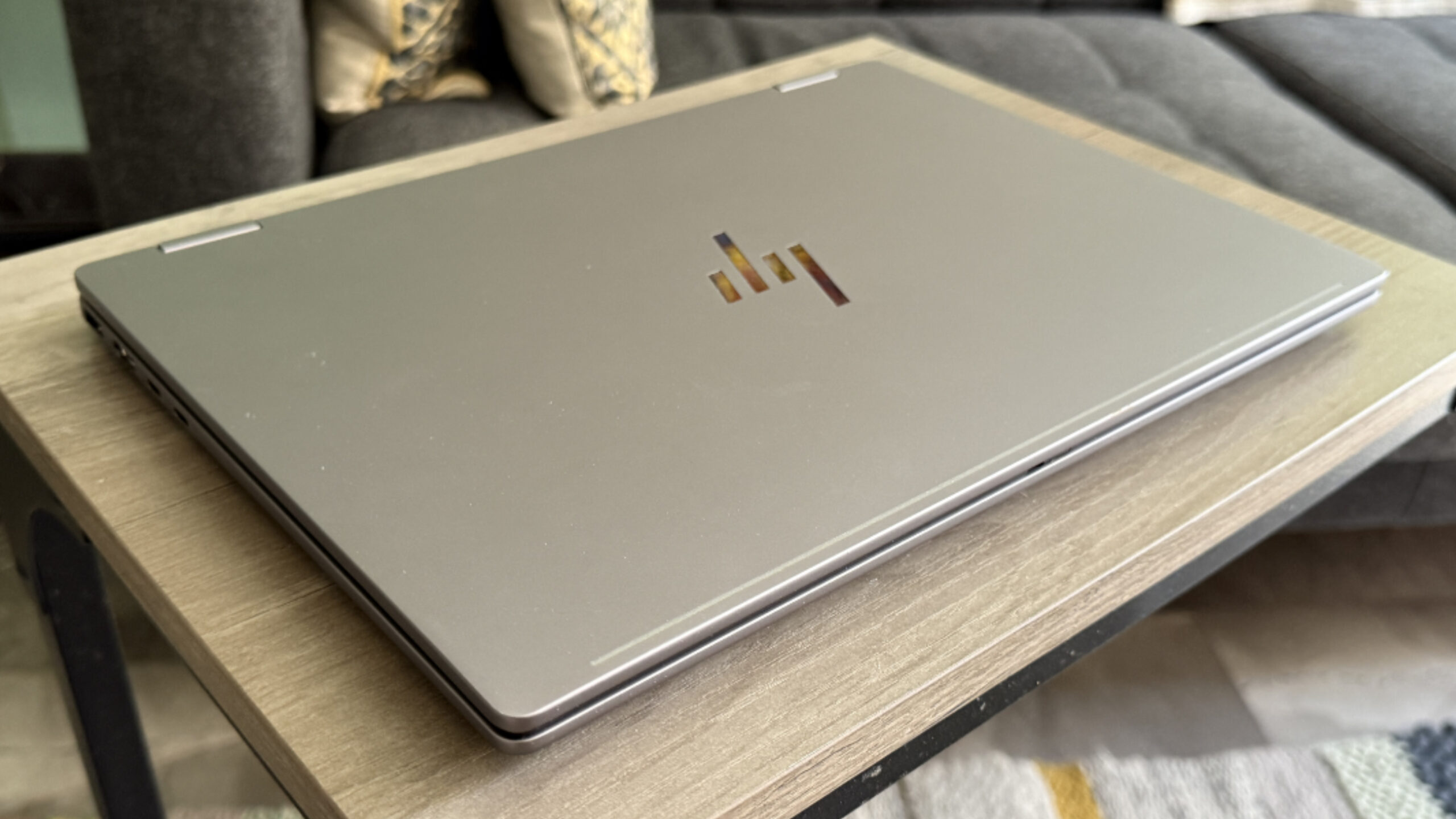
The OmniBook X Flip 14 is immediately and obviously premium despite its reasonable pricing, with a solid metal build and a modern look and feel. Despite its consumer focus, this OmniBook has a decidedly pro or even business vibe, the key visual differentiator being the modern new keyboard design that eschews the key separation common in more typical island-style keyboards for larger, flat keys with no gaps between them.
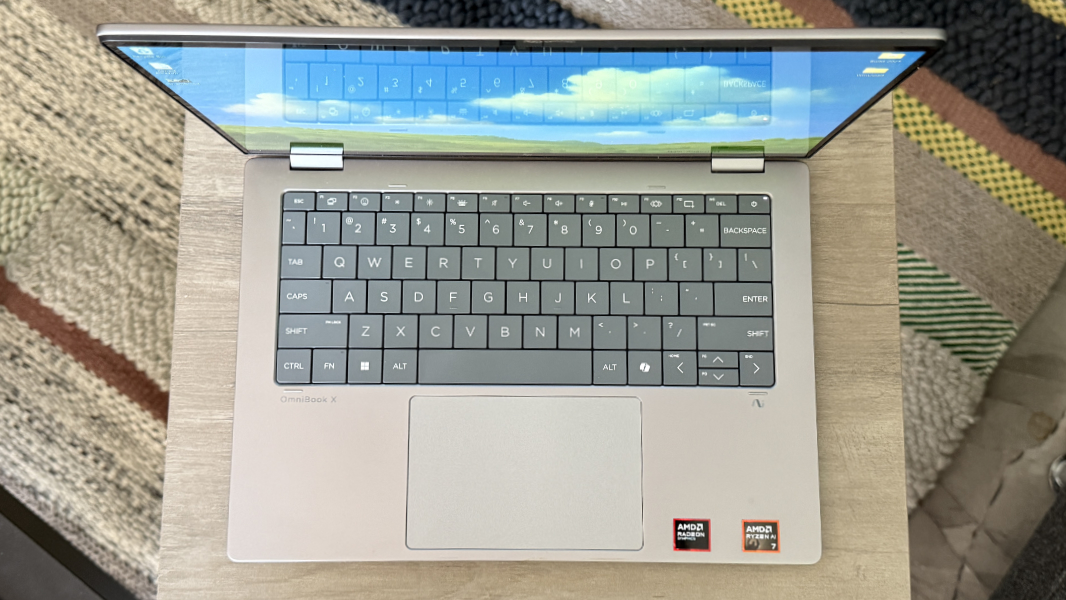
I look at the keyboard later in the review, but it creates a unique look that I like quite a bit. On the 14-inch OmniBook X Flip, the keyboard is a dark gray color that provides good visual contrast with the pedestrian light gray of the metal body.
This is a handsome machine. It won’t turn many heads, but its biggest visual differentiator is the display, and its biggest strengths are hidden within.
Display
HP offers the AMD-powered OmniBook X Flip 14 with a choice of two display panels, both of which are 14-inch, 16:10 panels with multitouch and smart pen compatibility.
The first is a Full HD+ (1920 x 1200) IPS panel with 62.5 percent sRGB color gamut coverage that emits 400 nits of light and would likely be ideal for this screen size while helping with battery life.
But the review unit came with an 2.8K (2880 x 1800) OLED panel with a 120 Hz (non-variable) refresh rate, low blue light and ultrawide viewing capabilities that emits 400 nits of brightness with SD content and 500 nits with HDR.
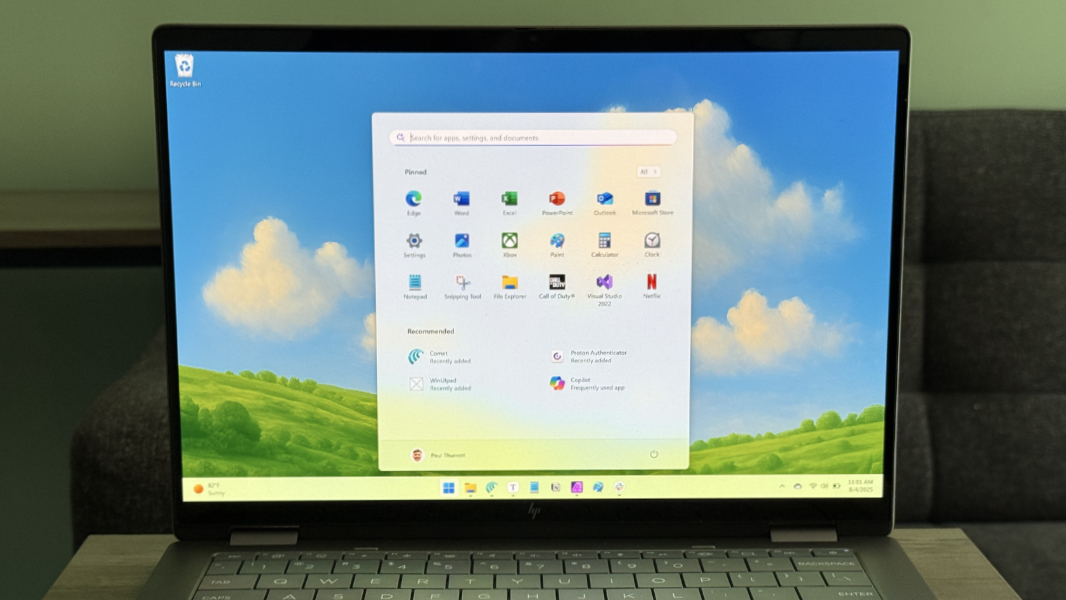
If you read my review of the HP OmniBook X Flip 16, these choices will seem familiar, as they are identical save for the screen size. And while I may prefer the lower-resolution IPS option at this screen size, the OLED panel provided by the review unit is, of course, gorgeous. But it’s not just incredibly colorful and bright–and reflective–it worked well for my use cases, which mostly involved writing and reading. Granted, I kept inside.
The 2.8K display also provides Gorilla Glass 3 protection and an anti-smudge coating. But something to help with the reflection would be nice.
Thanks to its convertible form factor, you can use the OmniBook X Flip 14 like a chunky, heavy tablet, though I only experimented with that briefly. You can also write directly on this display if you get the optional HP smart pen. But I would be more likely to need this form factor when stuck in a cramped airplane seat, for viewing videos and the like. The display can, of course, lay flat if needed too.
The display bezels are notably small on the left and right and acceptable elsewhere, and they provide an 89.58 percent screen-to-body ratio overall. The top is a bit chunkier to accommodate the webcam, microphones, and other sensors, but it’s not visually distracting or noticeable in use.
Internal components
The OmniBook X Flip 14 is available with a variety of AMD “Zen 5” processors, including the AMD Ryzen AI 5 350, AI 5 HS 350, AI 7 350, and AI 7 HS 350. But as noted at the end of this review, I can only find a single configuration at HP.com at the time of this writing. And the review unit I received is different.
This model came with an AMD Ryzen AI 7 350 with integrated Radeon 860M graphics and an AMD Ryzen AI NPU that provides 50 TOPS of AI-accelerated performance if you could ever just find a use for it. It also supports FreeSync when paired with the 2.8K display.
Likewise, you can allegedly buy this laptop with 16, 24, or 32 GB of LPDDR5x-7500 RAM, and 512 GB or 1 TB of PCIe NVMe M.2 2880-based SSD storage. The review unit came with 32 GB and 1 TB, both of which are upgrades over the one model I see on HP’s website.
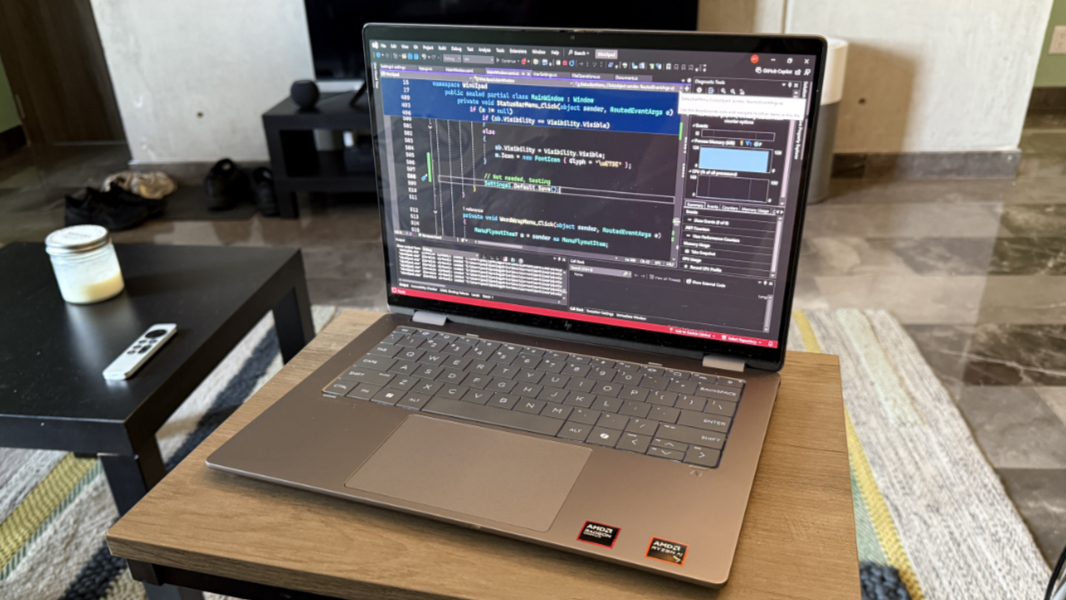
The performance was routinely top-notch, and that was true on power or battery: I only very occasionally noticed a performance dip on battery, and under extreme circumstances, with multiple Visual Studio instances and dozens of browser tabs open alongside my usual apps. But even then, it was champ, especially when compared to the Intel-powered 16-inch OmniBook.

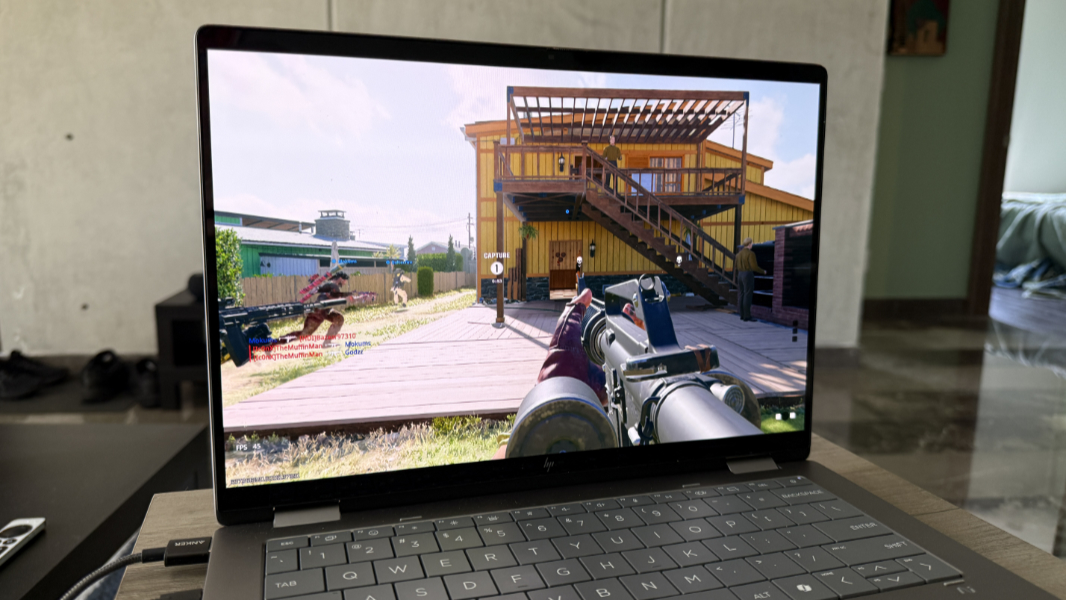
This was also an able game player, and it was my go-to for Call of Duty: Black Ops 6 during our month-long trip to Mexico for that reason. This game runs at an average of 55 FPS with the game at native resolution, 120 Hz, and a custom quality setting at which most settings were set to medium. But it looks better than it reads, and the game never stuttered or lagged.
Noise and heat were not an issue for the most part.
Obviously, the fans kicked in during gameplay, but in typical day-to-day use–when used on a hard surface–it was quiet. And there is a pretty serious-looking set of air vents on the rear of the keyboard deck for channeling heat, and that area could get a bit warm, or even hot after gameplay. But that makes sense. (Air vents in from the bottom, which is why you want a hard, flat surface.)
Connectivity
As expected, the OmniBook X Flip has modern, future-proof connectivity via MediaTek Wi-Fi 7 and Bluetooth 5.4. I had no connectivity issues here in Mexico on Wi-Fi 6 or back in the U.S. on Wi-Fi 6E.
Ports and expansion
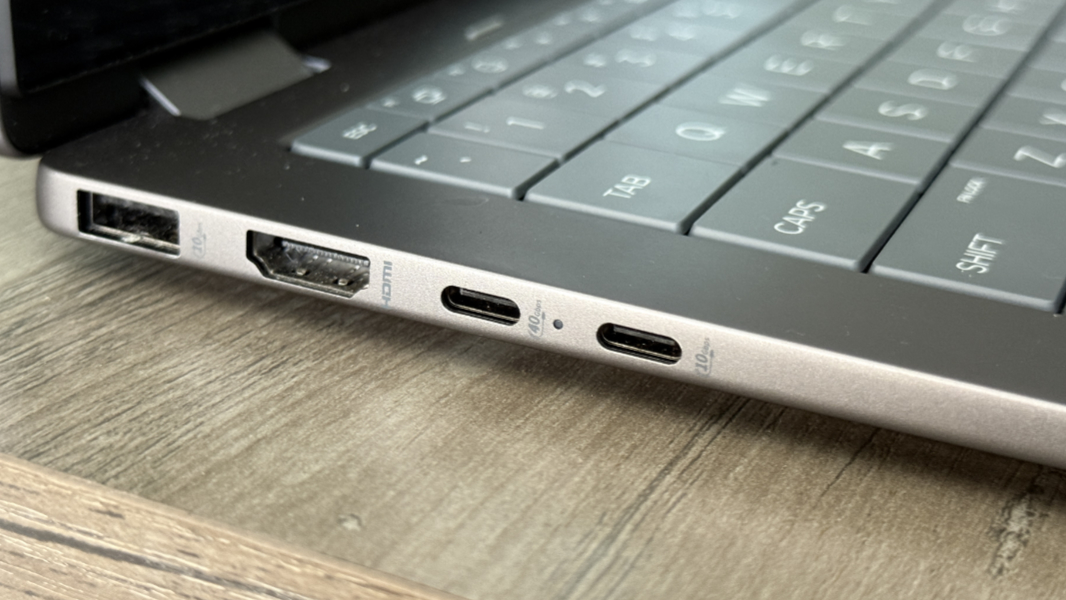
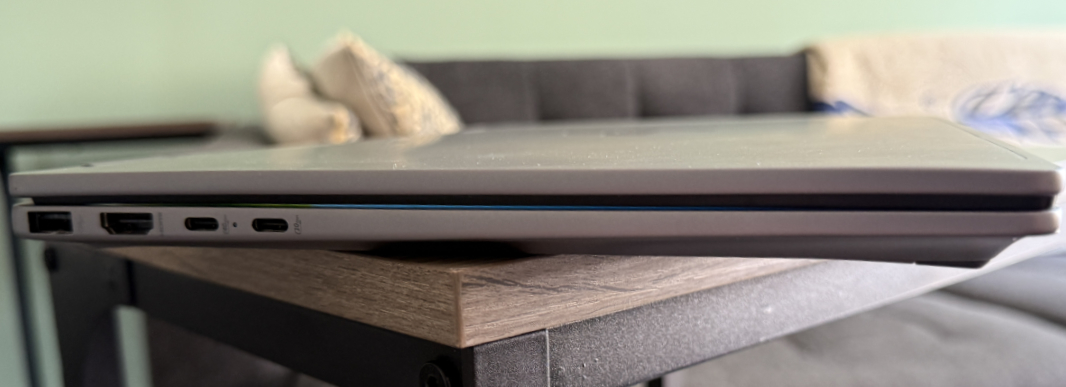
The OmniBook X Flip provides a mix of modern and legacy ports, similar to a business-class laptop. But HP takes on unfortunate step back here: The USB-C ports are all on the left. I was hoping to never again encounter this configuration, especially in a premium laptop.
Most of the goodness is on the left. There, you will find a full-sized USB Type-A port (10 Gbps), a full-sized HDMI 2.0 port for video-out, and two Thunderbolt 4/USB4 Type-C ports (40 Gbps).
The right side feels ignored, with just a single USB Type-A port (10 Gbps) and a headphone/microphone combo jack.
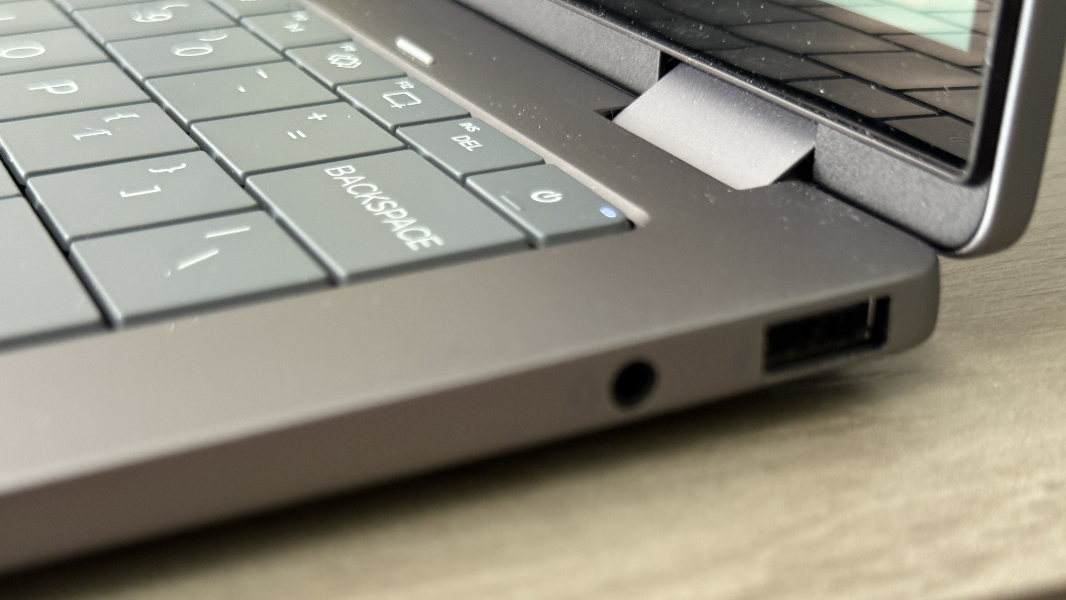
Having criticized the layout, I do have one positive to note: The USB-A ports both offer 10 Gbps of data transfer, at least. So we’re finally stepping away from old-school 5 Gbps ports in this case. That’s good.
Audio and video
As with its 16-inch siblings, the OmniBook X Flip 14 provides bottom-firing stereo speakers that are in the front of the laptop under the wrist rest when used in the standard clamshell orientation. Unlike the larger OmniBooks, however, there are no speaker grills on either side of the keyboard, as there’s no room.
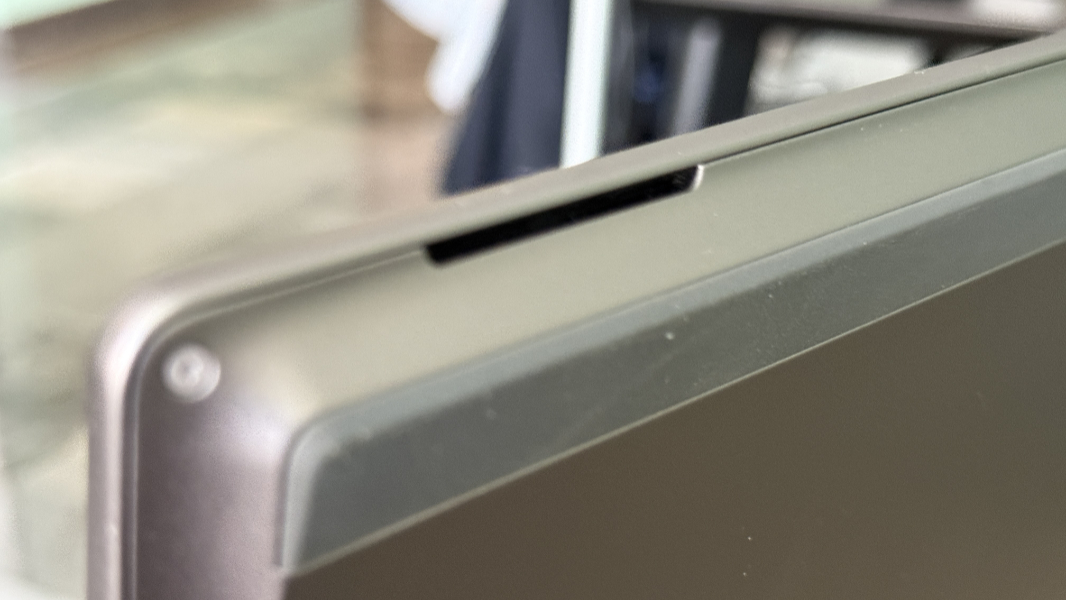
Instead of the more common Dolby enhancements, the OmniBook provides DTS X audio capabilities via the built-in, bottom-firing stereo speakers and, if you have them, headphones.
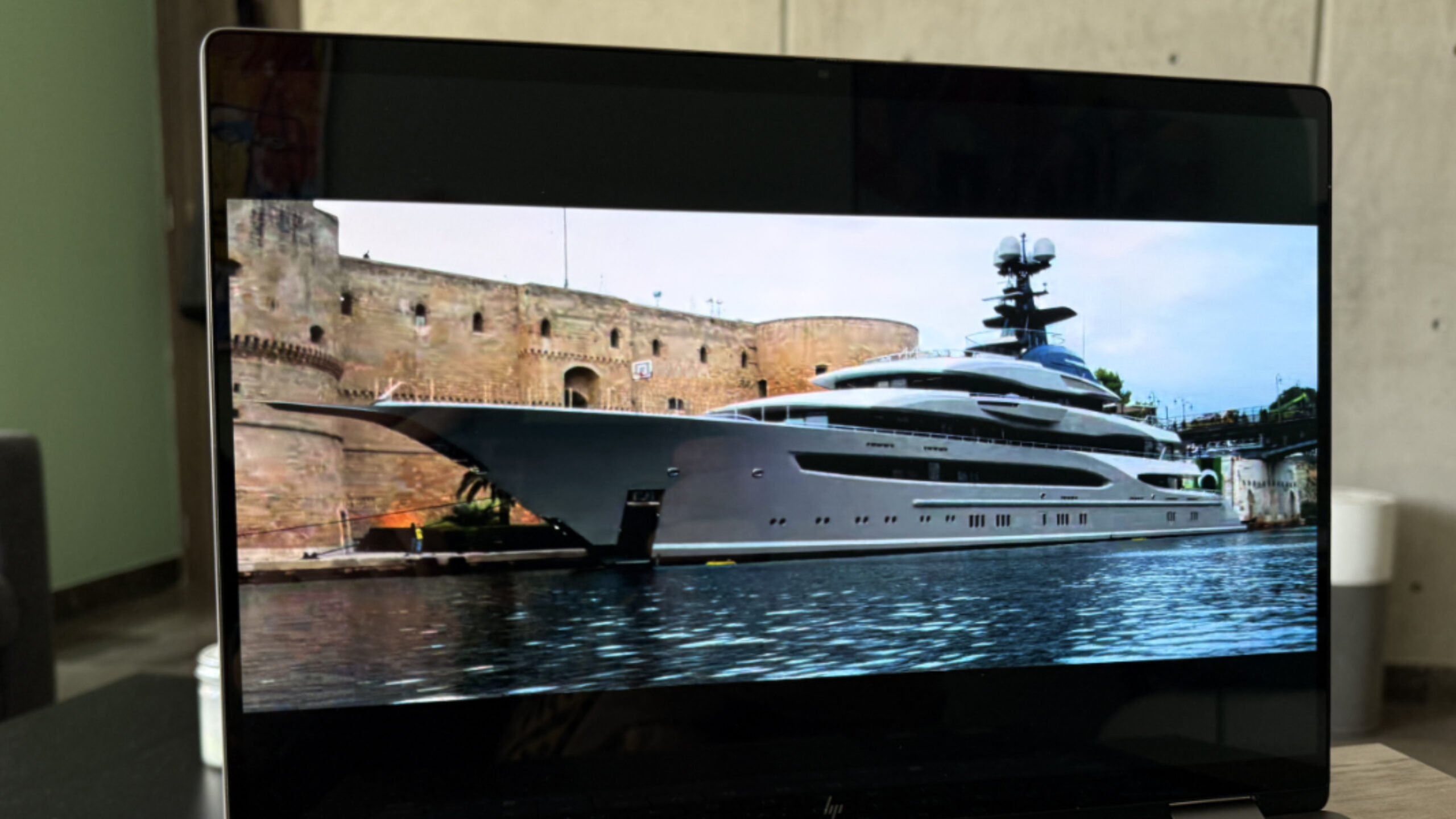
The speakers sound terrific across the games, movies, and music I tried, and notably so when the laptop is used on a desk or other hard surface. They never distort, even at 100 percent volume, and deliver a superior stereo soundstage with some noticeable positional audio.
Hybrid work
With its 5 MP webcam and dual-array microphones, the HP appears to deliver a fairly standard hybrid work setup on paper. But both components perform better than that.
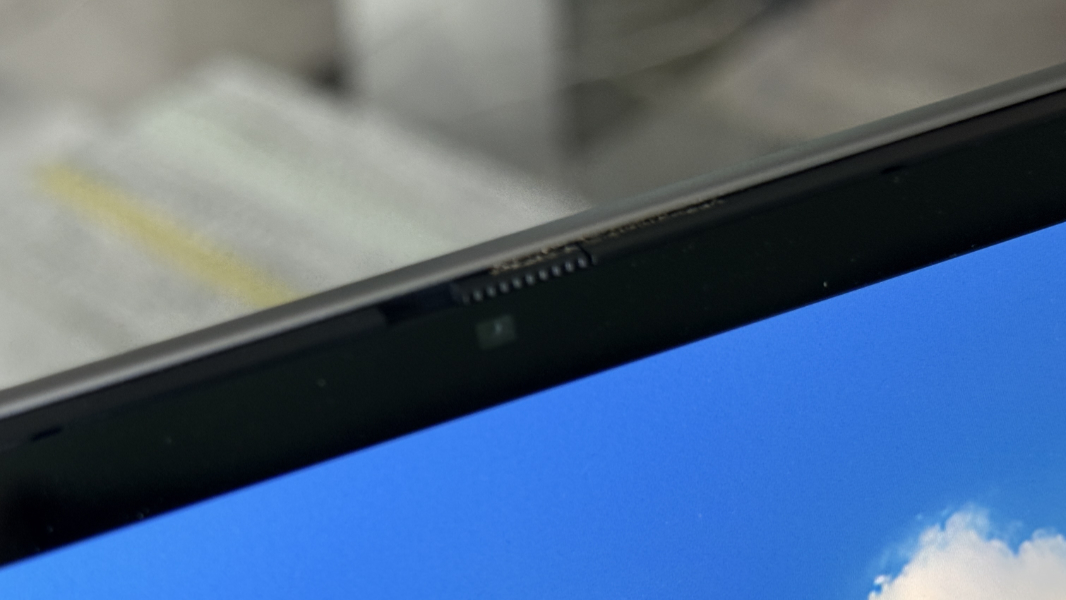
The webcam is particularly impressive, with its Full HD video and Windows Hello IR and presence sensing sensors. But the real star of the show is HP’s incredible Poly Studio software, which augments Windows Studio Effects with fine-grained control of the laptop’s video capabilities. (There are audio controls too, but these are dramatic.)
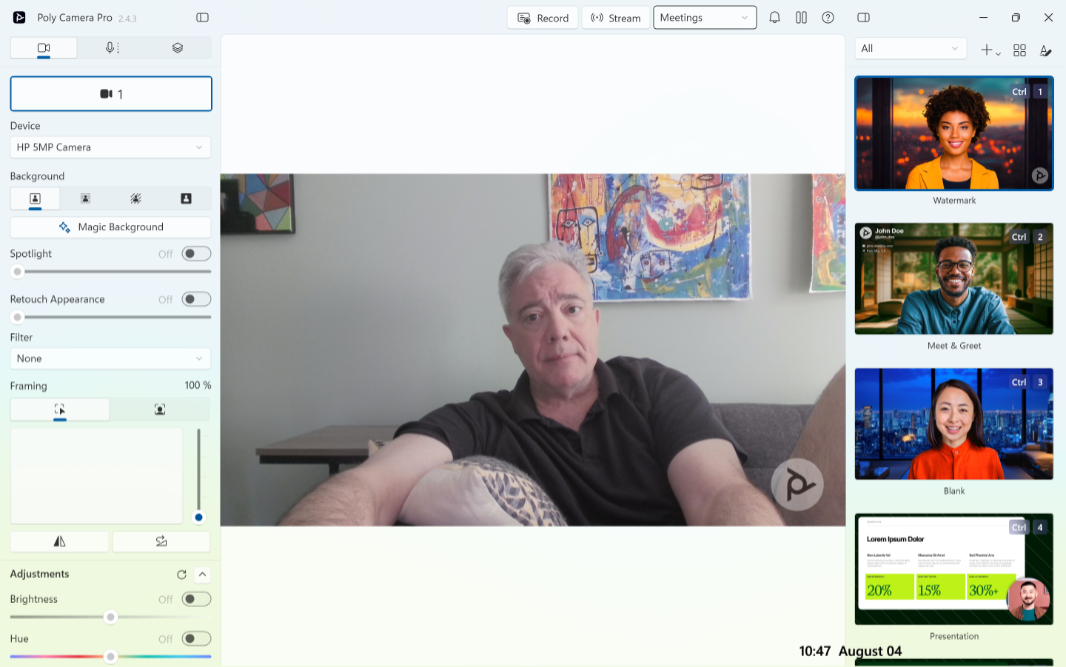
When I see dual-array microphones, I don’t expect much based on years of experience. But these microphones somehow manage to rise well above average, with noise suppression, echo cancellation, and even beam-forming functionality. And though I still recommend any USB-based or wireless microphone over what’s built into a laptop, these will do in a pinch, as long as you’re not in an overly big, echoey room.
Keyboard and touchpad
The modern new keyboard that HP ships with its OmniBook X Flip laptops will be controversial in some circles because of its unique lattice-free design. I don’t believe HP has ever shipped such a keyboard before, but it’s perhaps best known because of the most recent (and now final) Dell XPS 13 redesign.
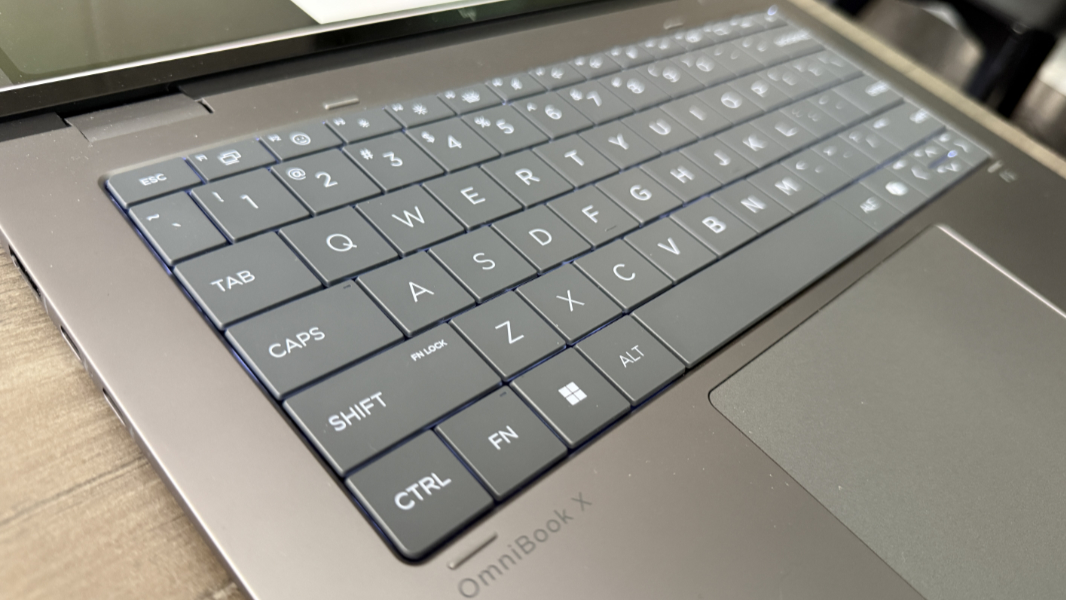
Long story short, a lattice-free design removes the gaps between each key and bumps them up against each other. This allows each key to be a bit bigger, but some feel that it introduces typing issues. My guess is that HP is using this design with the OmniBook specifically because of the laptop’s convertible design. When it’s flipped around in tablet mode or some other usage modes, the keys are less likely to snag on something and potentially snap off.
I’m a fast but messy typist, but I haven’t had any issues tied to this design. Going back and forth between laptops with lattice-free and island-style keyboards may indeed be problematic, but most people will simply use one laptop. I was able to emulate that experience by bringing two OmniBook X laptops with me to Mexico, and these were the only laptops I used regularly during our month-long stay. And I got used to the keyboard–they’re identical on both machines–quickly.
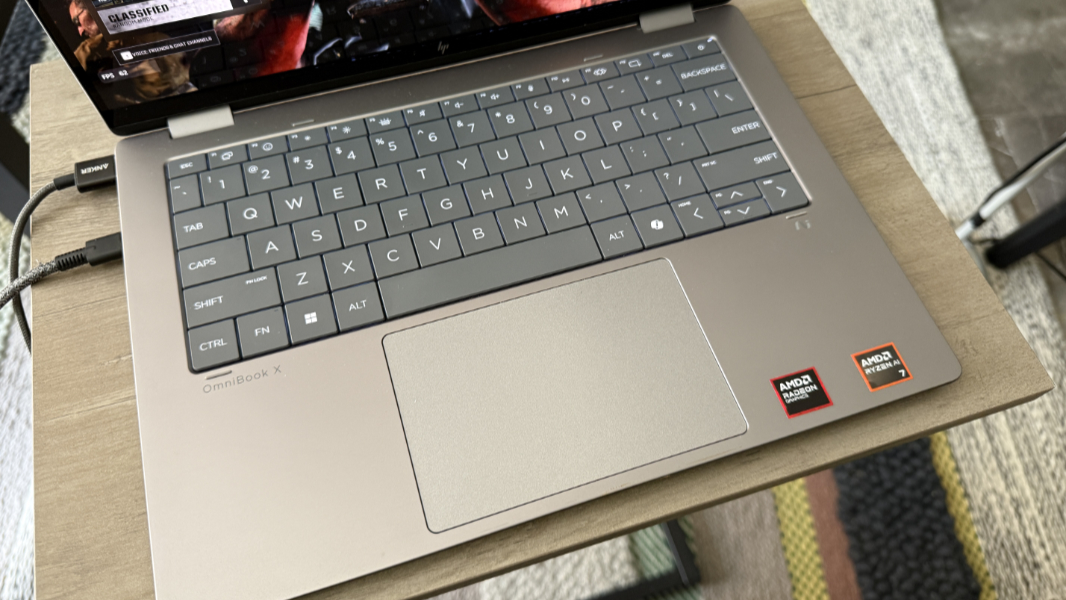
I like it quite a bit. The keys have a nice, soft touch on the fingertips, and the key actions are snappy and shallow, with just the right amount of feedback. Granted, I can touch-type: As soon as my index fingers settle on the ridged F and J keys, I’m oriented and ready to go.
The keyboard supports backlighting with two light levels, but the OmniBook introduces a welcome new twist: You can also configure the duration of the backlighting between 30 seconds, 3 minutes, and always. And this all works from the on-screen notification overlay that appears when you tap the dedicated keyboard backlight (F5) key. So you can configure it however you want, for example with a low light level that’s always on.
From a layout perspective, the Up and Down arrow keys are tiny, but there are no error-prone PgUp and PgDn keys, at least. There’s a power button/key in the top right of the keyboard where the Delete key should be, but I got used to that. And there is, of course, a Copilot key because we can’t have nice things. I quickly remapped it, as always to Left arrow because I would tap it by mistake each day and launch this insipid app repeatedly.
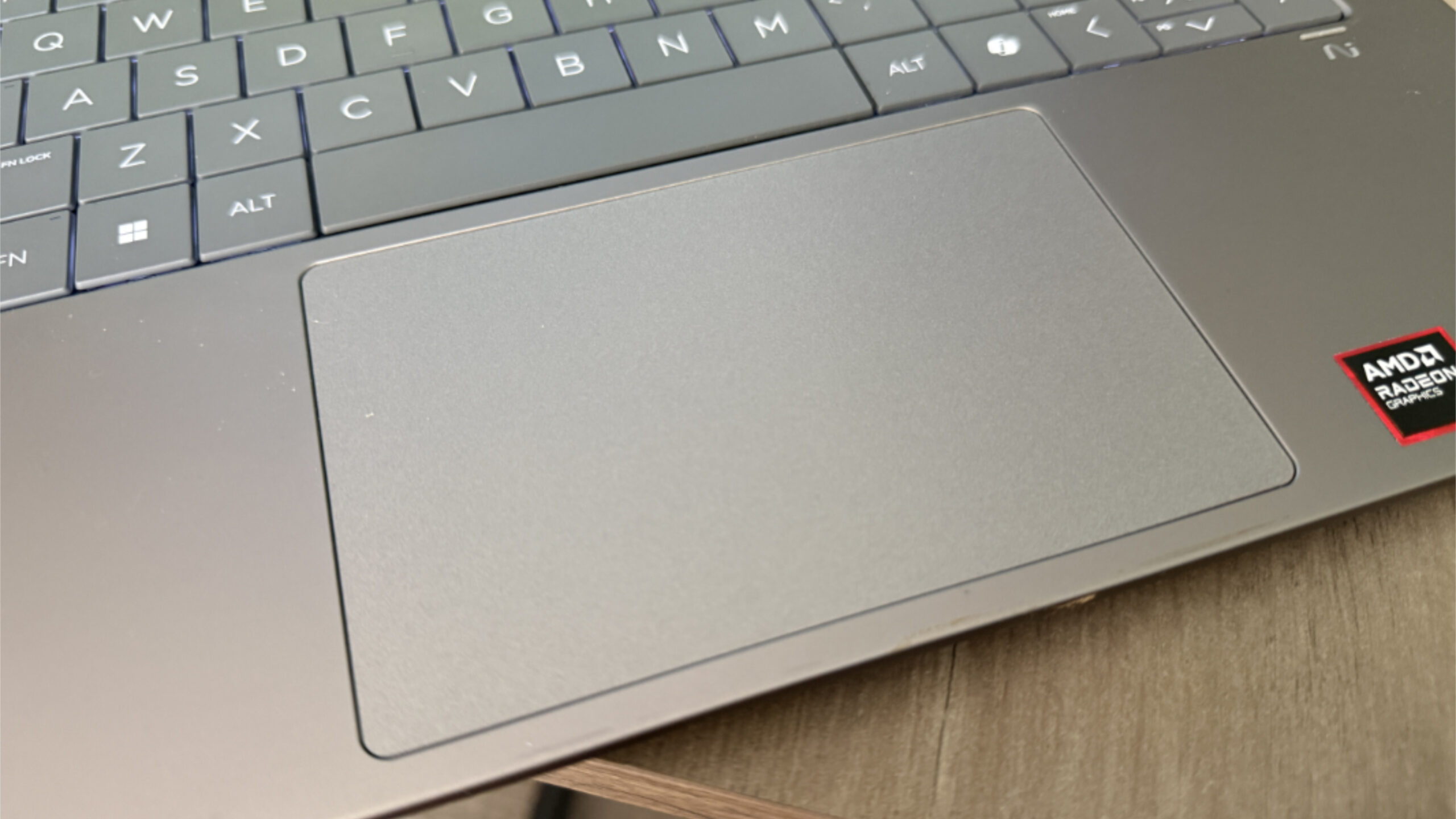
The OmniBook provides a medium-sized mechanical touchpad that is quite accurate, perhaps one of the best I’ve ever used on a Windows PC. I didn’t have to disable three-finger gestures, which means I could actually use those gestures, as I do on a MacBook. The only minor issue, which is common to Windows touchpads, is that I had to stretch to the left of the touchpad sometimes because a single tap on its right side didn’t register.
I should note, too, that an HP smart pen is apparently an optional add-on, though I never did find a configurable configuration of this laptop. If you do get one, it can attach magnetically to the right side of the laptop towards the front.
Security
Because of its Copilot+ PC internals, the OmniBook X Flip is the most secure PC you can buy today, with its Secure Core PC innards, Windows Hello Enhanced Sign-in Security (ESS), and rigid manufacturing oversight. HP provides fast and mostly reliable facial recognition capabilities with the webcam, but the PC lacks a fingerprint reader.
As is so often the case, there’s a dedicated key for toggling the microphone, but you have to use a manual shutter to hide the webcam.
Sustainability
I assume the 14-inch OmniBook X Flip is made with the same sustainable parts as the 16-inch version. But what I could find out is that the PC is EPEAT Gold with Climate+ registered, and it’s made with 20 percent post-consumer recycled plastics, plus recycled metals and ocean-bound plastics, though the percentages vary by PC and by part.
You can remove the bottom cover of the OmniBook using four exposed Torx screws in the corners. Thankfully, you don’t have to peel back the wide rubber feet at the front and rear bottom of the PC, but you will need a plastic pry tool to release the cover. Once you do, the battery is user serviceable, as are key components like the SSD and Wi-Fi modules, though HP recommends letting a service technician handle other parts.
Efficiency and portability
At 12.32 x 8.60 x 0.58 inches, the 14-inch OmniBook X Flip is small enough to fit in any bag. And though it’s a tad heavy at 3.08 pounds because of the convertible laptop form factor, that’s not an issue. It’s highly portable.
Efficiency and instant-on reliability were mixed, but noticeably better than with the Intel-based 16-inch OmniBook. And battery life was good: I saw an average of 7.5 hours of uptime in real-world usage over the several weeks I used this laptop. It probably could have been better, save for the power-sapping OLED display and smallish 59-watt-hour battery.
HP bundles a standard 65-watt power supply with the OmniBook X Flip 14, and it can charge to about 50 percent in 30 minutes if the battery is nearly depleted. I used it mostly around our respective homes in PA and Mexico, and though I traveled to the latter with it, I didn’t use it during the flight.
Software
As a consumer offering, the OmniBook X Flip came with a few unwanted preinstalled apps like McAfee Online Protection and Adobe free trial offer, both of which are time-limited. There was also a 3-month PC Game Pass subscription, which I find less objectionable for whatever reason.
Beyond that, there are 12 HP utilities preinstalled (including Omen and Poly), which feels like about 6 too many. And then hardware-related apps from AMD and DTS. The review laptop shipped with Windows 11 Home, not Pro.
Pricing and configurations
I wasn’t able to find a configurable OmniBook X Flip 14 with an AMD processor on HP’s website. What is available as I write this is an entry-level model with an AMD Ryzen AI 7 350 processor, 16 GB of integrated RAM, 512 GB of SSD storage, and the Full HD+ IPS display panel that’s normally $1200, but is currently on sale for a much more reasonable $800. This may literally be the best value PC at that price point.
What this means is that I can’t accurately price the review configuration, with its 3K OLED display, 32 GB of RAM, and 1 TB of SSD storage. But if the component upgrade costs are the same here as they are with the 16-inch model, those upgrades cost $210, $80, and $80, respectively, which brings the total to about $1170. As with the model I could find, that’s almost a no-brainer given what you get in return.
You know, if you could find it.
Recommendations and conclusions
The AMD-powered OmniBook X Flip 14 is superior in every way to its Intel-based siblings, and I highly recommend it for its powerful components, gorgeous OLED display, high-quality premium look and feel, and reasonable pricing. Those who need the versatility of the convertible laptop form factor and its multitouch and smart pen support will love it even more. But it’s nearly ideal even if you just need traditional laptop use cases. There are minor issues, of course, as there always are. But none that undermine the experience in meaningful ways. This is a terrific laptop.
At-a-glance
Pros
- Superior AMD processor and integrated graphics
- Gorgeous 2.8K OLED display
- Ample expansion
- Copilot+ PC security protections
- Versatile form factor for those who need it
- Great value for the price
Cons
- The two USB-C ports are both different and on the same side
- No fingerprint reader
- No configuration choices at the time of review