HP OmniBook Ultra Review: Nearly Perfect Panther Lake Powerhouse
- Paul Thurrott
- Apr 26, 2026
-
5
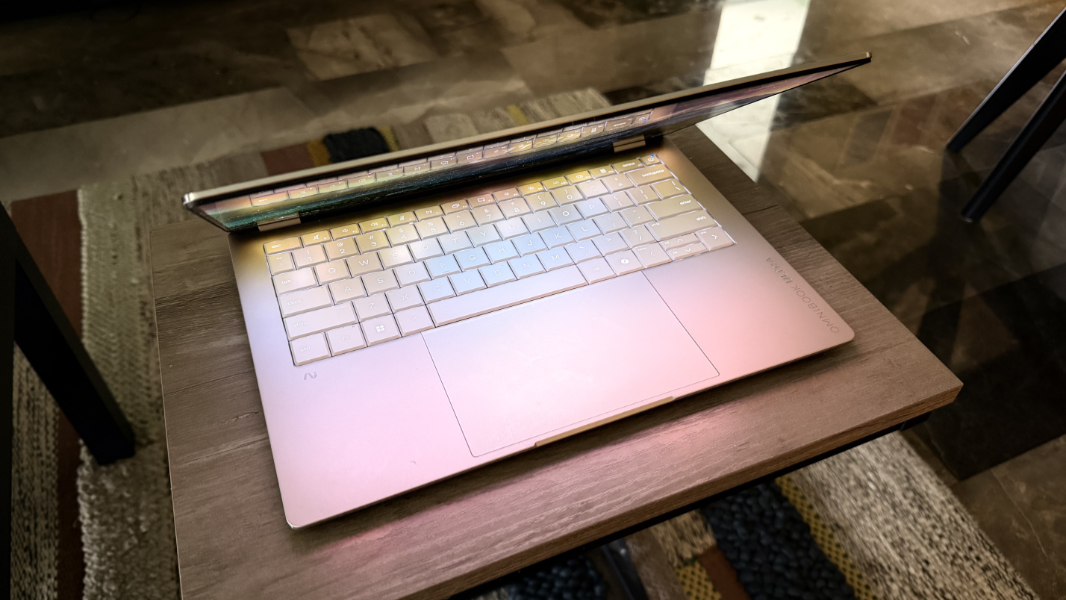
The HP OmniBook Ultra is a Panther Lake beast, a thin and light Copilot+ PC that surpasses the MacBook Air in some key ways.
Design
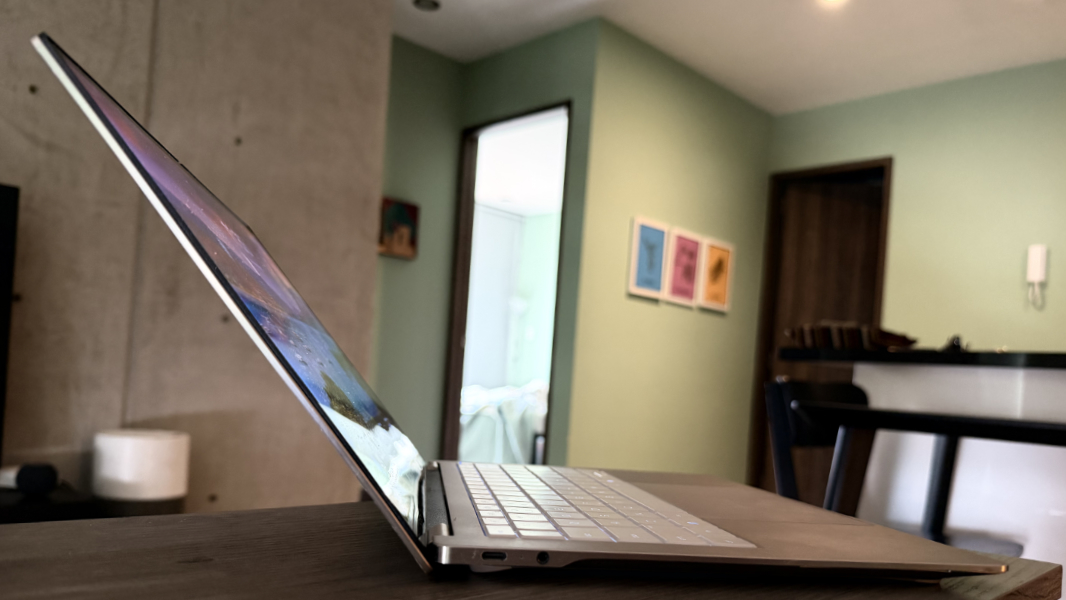
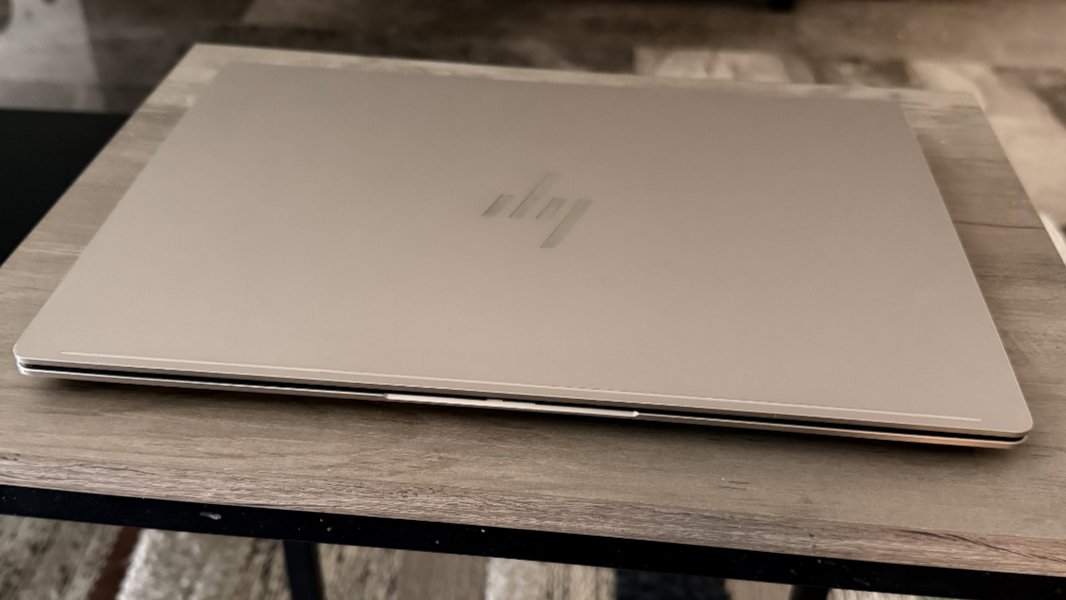
HP went in a different direction with the OmniBook Ultra and to good effect: The form factor is a familiar clamshell design, of course, but it has a unique and handsome design with sharp, polished edges. It’s also incredibly thin, with a wedge shape that gets even thinner toward the front. But even the rear of the OmniBook is a bit thinner than a MacBook Air.
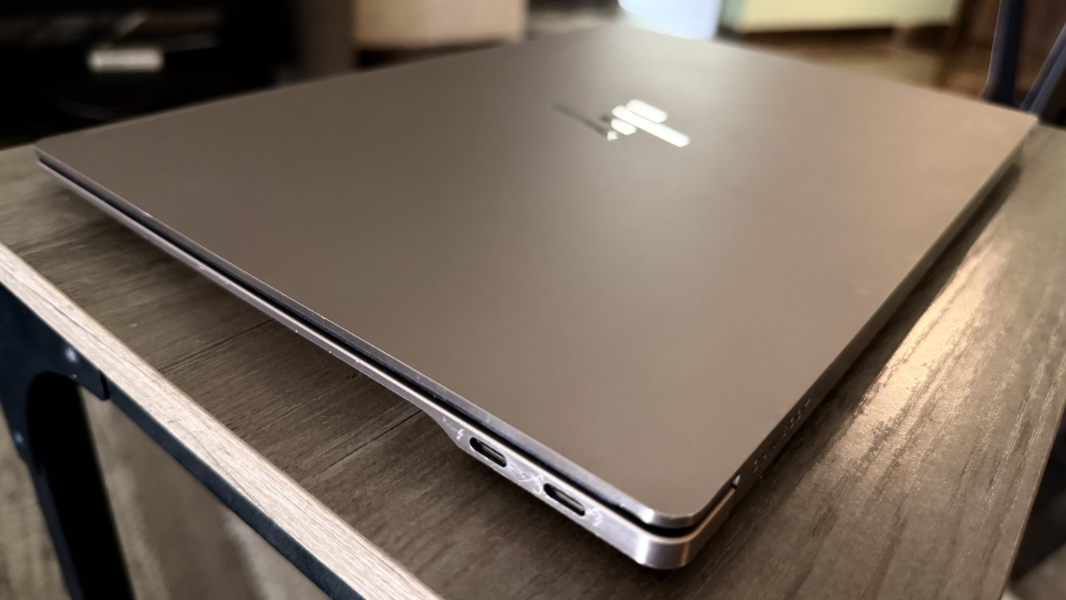
There are two color choices for the aluminum OmniBook, the Silk Sand of the review unit and Eclipse Gray. And in each case the plastic keyboard keys are a lighter color than the body, giving it a nice contrasty look.
Where the sides of the laptop are a shiny, brushed aluminum that scratches up over time, the surfaces are matte with an anti-fingerprint finish that only partially eliminates skin oils. It’s not as bad as the typical ThinkPad in that regard, but it’s still noticeable.
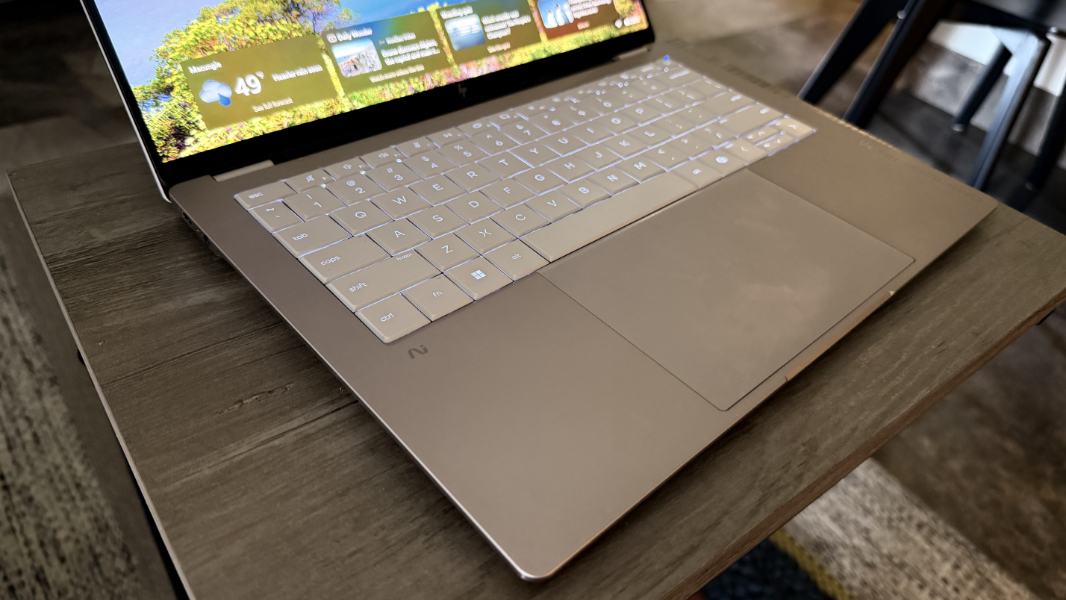
Most of the other design touches are subtle, like the premium HP logo on the outside of the display lid and the classy and shiny OmniBook Ultra logo on the right wrist rest. But the blue pinhole light on the power button/key in the upper right of the keyboard is a curious decision. It’s overly bright, but at least you can’t see it when the laptop is closed.
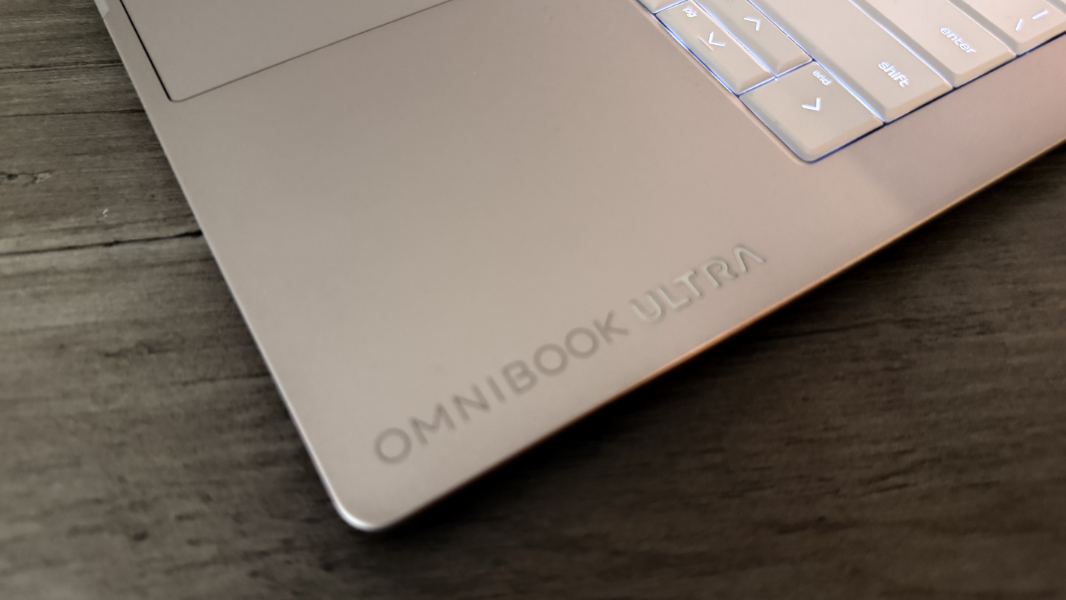
HP describes the OmniBook Ultra as the world’s most durably slim notebook, and its forge-stamped aluminum chassis survived 11 MIL-STD durability tests while also making it much easier to open the thing up for repairs and upgrades.
Display
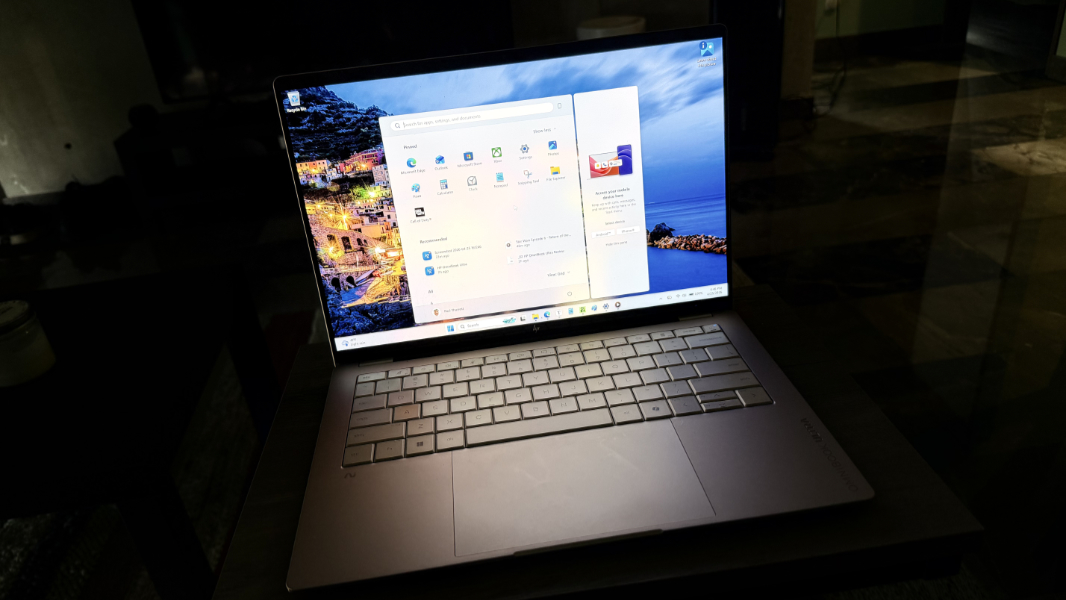
The 14-inch 3K (2880 x 1800) multitouch OLED display panel that HP provides with the OmniBook Ultra is truly impressive. It nails all the OLED basics with glossy bright and vibrant colors and the deepest blacks, but it also delivers ultra-wide viewing angles, a 120 Hz variable refresh rate, low blue light capabilities, 100 percent DCI-P3 color gamut coverage, and Gorilla Glass 3 protection while outputting 500 nits of brightness for SDR content and 1100 nits for HDR.
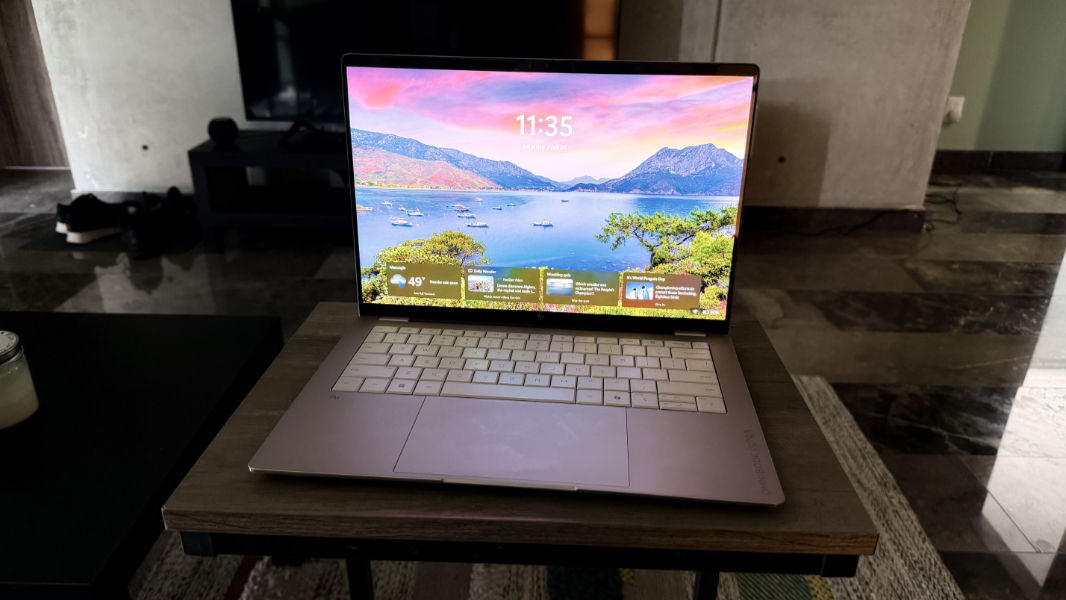
The display still delights after four months of use. You can crank up the brightness to thwart reflections if necessary, but that’s rarely been necessary. It performs equally well across all the productivity, creator, software development, and gaming activities I engage in.
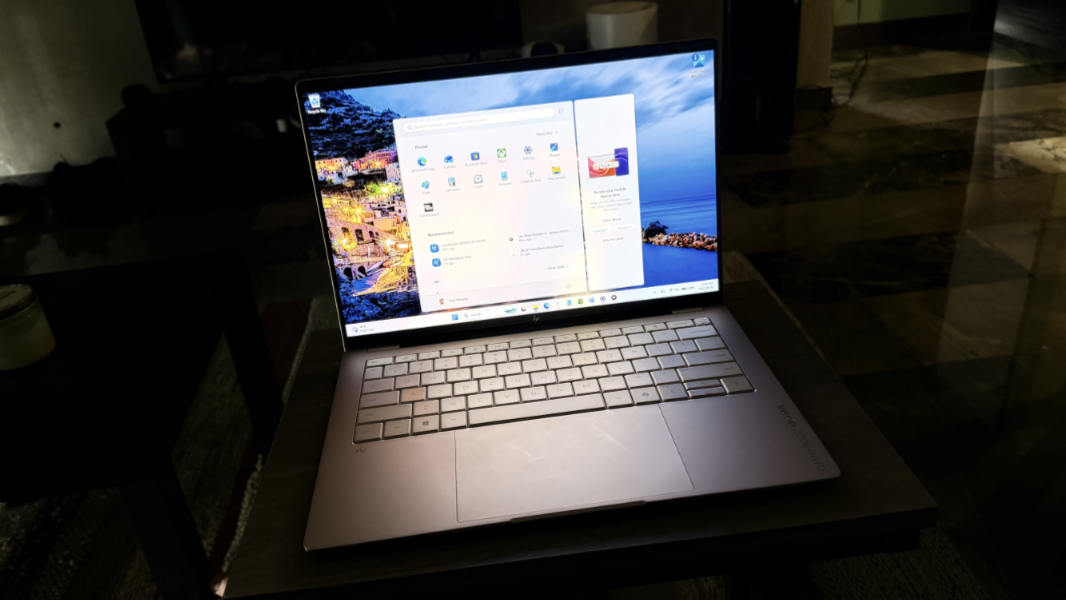
The display’s bezels are notably small on the left and right sides, helping HP achieve a better-than-average 91 percent screen-to-body ratio. But the display doesn’t tilt back very far, and it’s not clear why. Most laptops I review have displays that can lay flat or nearly so, but this one doesn’t even come close.
Internal components
The OmniBook Ultra can be configured with an Intel Core Ultra 7 356H, Core Ultra 9 386H, or Core Ultra X9 388H “Panther Lake” processor, the latter of which is Intel’s most impressive mobile offering to date. Each features a 16-core microprocessor with 4 performance cores, 8 efficient cores, and 4 low power efficient cores, and a 50 TOPS NPU. And each operates at a range of 15 to 80 watts depending on the load, with a 25-watt base power dissipation.
But it’s with the integrated graphics where things get really interesting: The 356H and 386H both include 4-core Intel integrated graphics that are inline with the graphics in previous-generation Core Ultra Series 2 processors, while the X9 388H delivers the stunningly good 12-core Intel Arc B390 integrated GPU. It rivals the performance of dedicated graphics, and this is the processor that HP provided in the review unit.
Depending on the processor choice, you can get an OmniBook Ultra with 16 or 32 GB of 9600 MT/s LPDDR5X RAM, and there are 512 GB, 1 TB, and 2 TB PCIe Gen5 NVME M.2-based SSD storage options. The review unit provides 32 GB of RAM and 1 TB of storage.
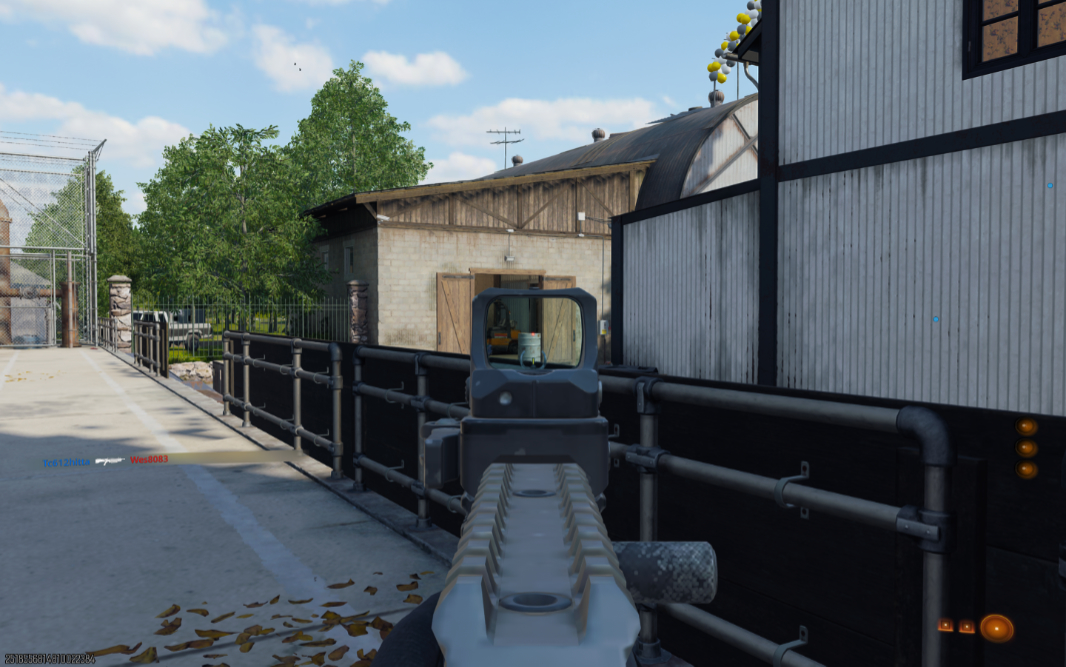
Day-to-day performance is terrific, obviously. But the performance can be breathtaking, too. Call of Duty: Black Ops 7 runs at about 75 FPS at native resolution and the display quality is excellent. The dedicated Nvidia graphics in the Lenovo ThinkPad P1 I recently reviewed are a step up, but the OmniBook Ultra delivers one of the best gaming experiences I’ve ever had with integrated graphics. I don’t have a laptop based on the latest generation AMD Zen 5 chip here in Mexico, but this looks and feels comparable. The detail I see is incredible.
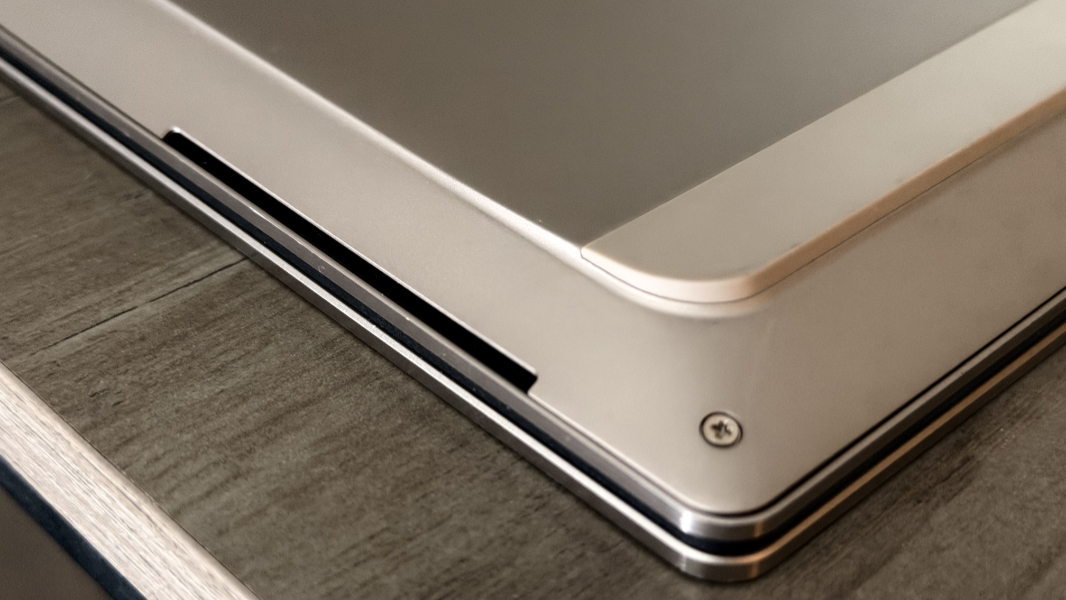
To keep this beast quiet and cool, HP uses active cooling via its first-ever compact vapor chamber design. From the outside, it’s all very familiar. The air intake fans are on the bottom, aided by rubber feet that stretch across much of the PC’s width while elevating it and providing a firm grip. And then the exhaust is along the rear of the lower deck, below the display hinge.
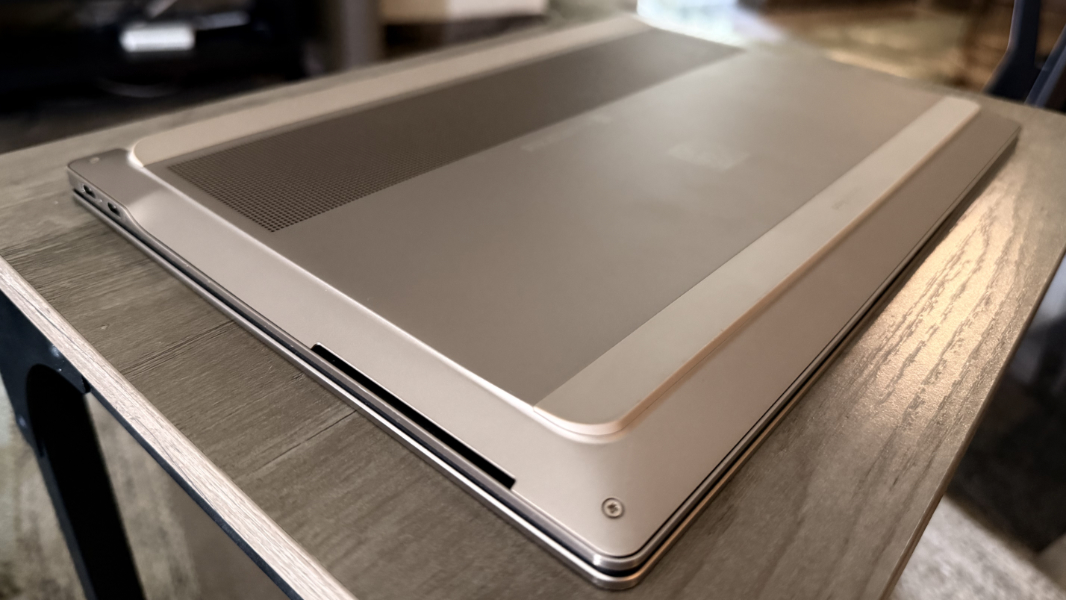
Overall, it works very well. In typical usage, the hum of the fans is so low I can’t hear it, and it’s only during and right after gameplay sessions that the fan noise really kicks in, as expected. I love the rubber feet on the bottom, not just for the necessary air circulation, but because they not four individual pucks, so they work well on just about any surface.
Connectivity
Connectivity couldn’t be more modern, with Wi-Fi 7 and Bluetooth 6. No issues there.
Ports and expansion
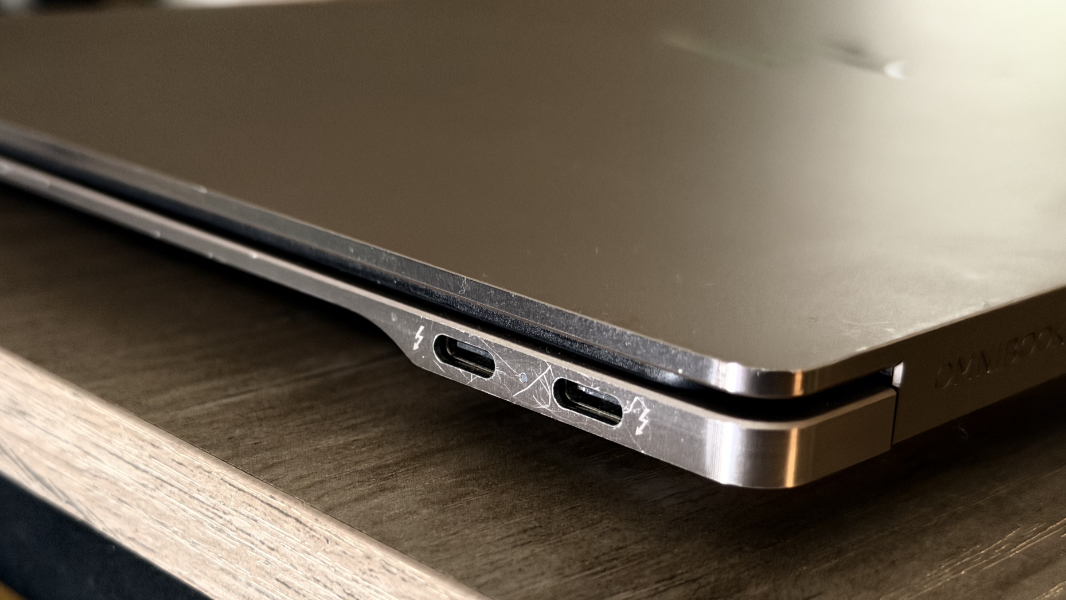
Expansion is minimal but appropriate for the form factor and I love that HP put at least one USB-C port on each side of this laptop. There are three 40 Gbps Thunderbolt 4/USB4 Type-C ports, two on the right and one on the left. And then a 3.5 mm combo headphone/microphone jack on the left.
Audio and video
The OmniBook Ultra provides quad discrete speakers, but it’s really just a stereo speaker setup, with two speakers on the front left side and two on the front right side, both bottom firing. The sound is excellent, crisp, and loud, though it starts to distort above 90 percent volume or so. That’s fine: It can easily fill a room with sound well below that threshold.
Combine the solid audio capabilities with the OLED display, and you get a nicely immersive experience for movies and other videos.

Hybrid work
HP provides OmniBook Ultra buyers with reasonable hybrid work capabilities via a 5 MP Windows Hello ESS-compatible webcam and dual-array microphones. There’s a manual privacy slider for the webcam, unfortunately placed over the camera, and the standard microphone mute toggle via a function key on the keyboard.
The webcam is better than the microphones, but you can fiddle with a lot of configurations in the bundled Poly Studio app, a rare example of a PC maker actually providing additional value through software. If you have an HP computer or a compatible peripheral, it’s worth spending time in Poly Studio.
Keyboard and touchpad
The full-sized and backlit keyboard on the OmniBook Ultra doesn’t just look good, it also offers an excellent typing experience with excellent feedback and longer-than-usual key throws I did get used to. The individual keys are bigger and a bit more spaced out from each other compared to previous generation OmniBook Ultras, but I don’t recall what that was like. This is great keyboard, regardless.
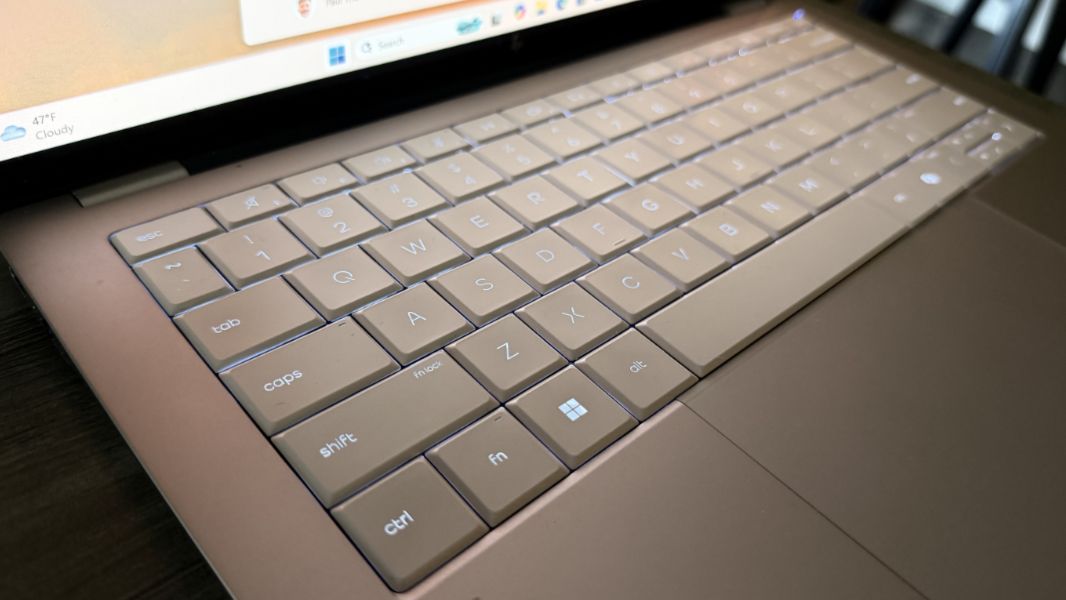
Well, except for one miscue. Unfortunately, the backlighting is a problem, in part because of the light color used on the keys. The OmniBook Ultra supports two levels of backlighting, but no automatic mode, and I found myself fidgeting with it a lot because the backlight color is so close to that of the keys that it often washed out the letters. But switching it off rarely helped matters because the brightness of the screen would likewise wash out the non-backlit keys too. I can touch-type, of course, but I found it curious how regularly I struggled to see the letters on the keys.
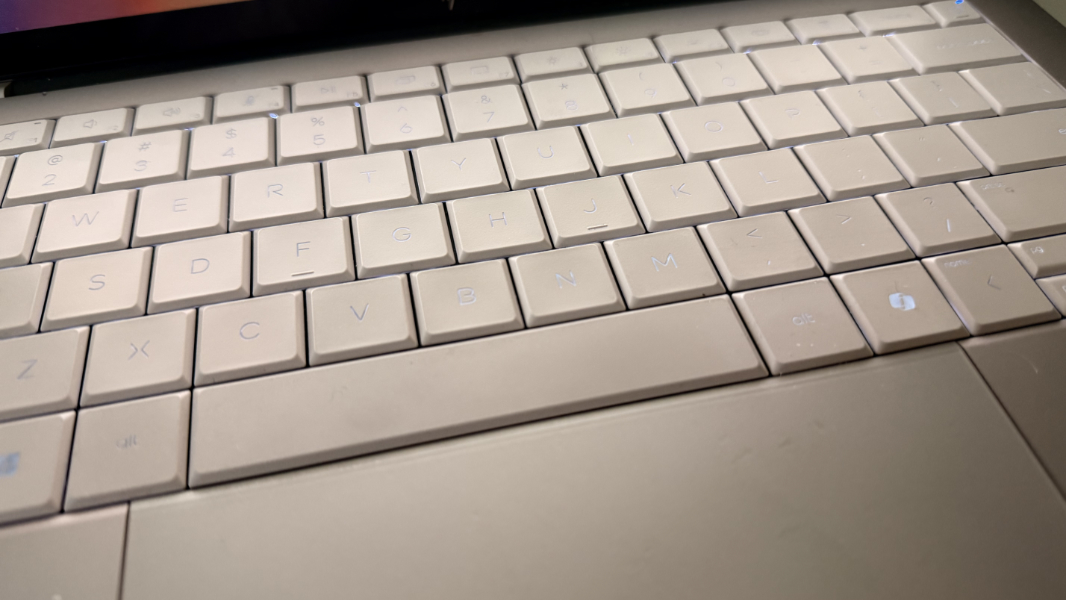
The keyboard does have flex when some typing, especially in its center. Granted, I’m a heavy-handed typist, and to be fair, this flex didn’t seem to impact usage at all.
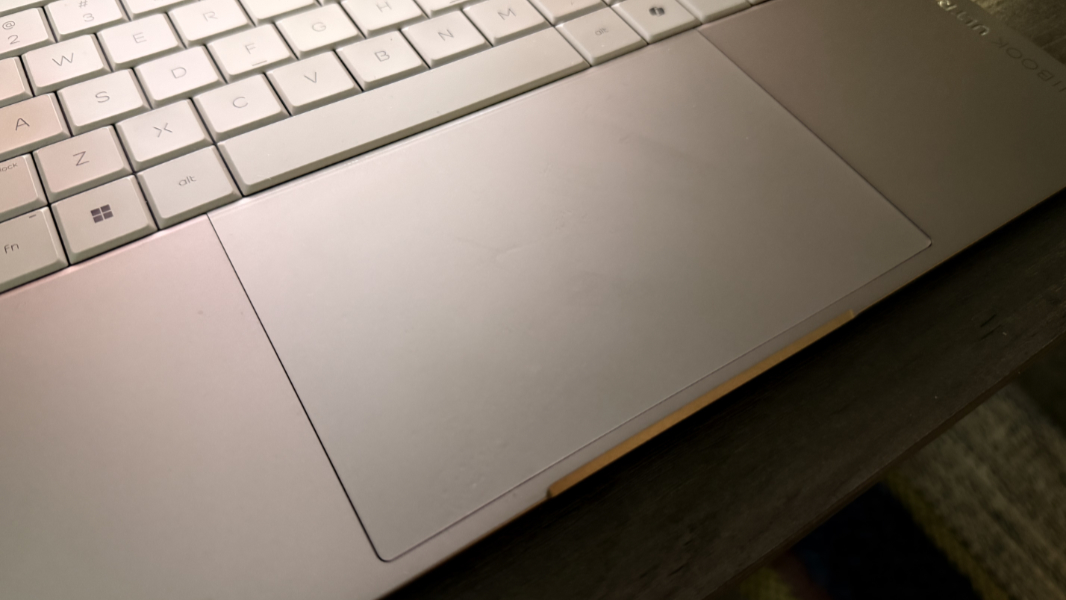
The haptic multitouch touchpad is also excellent, though I did need to disable three-finger gestures because I’m clumsy enough to trigger that when I mean to scroll. Once I got past that minor hurdle, all was well.
Security
As a Copilot+ PC, the OmniBook Ultra offers the best-possible security experience thanks to its Windows Hello Enhanced Sign-in Security (ESS) facial recognition capabilities and the other underlying protections you get with this platform. But there’s no fingerprint reader, which I feel should be included with any premium laptop these days.
HP also gives you presence sensing capabilities that automatically dim the screen when you look away, which is annoying. But its other functions—turning off the screen and signing you out when you leave, waking the PC when you approach (which then makes Windows Hello-based facial recognition instant and automatic), and detecting when someone else is looking at the screen over your shoulder—are excellent.
And while this isn’t security-related, the OmniBook Ultra also offers posture sensing via the webcam, which is fairly unique.
Sustainability
Like other recent HP PCs, the OmniBook Ultra is sustainably made, in this case with up to 80 percent recycled aluminum, over 40 percent recycled plastic overall, ocean-bound plastic in the speaker enclosures and bezels, recycled metal in the display lid and both panels in the keyboard deck, and post-consumer recycled materials in the keyboard keycaps and scissors, and keyboard plate.
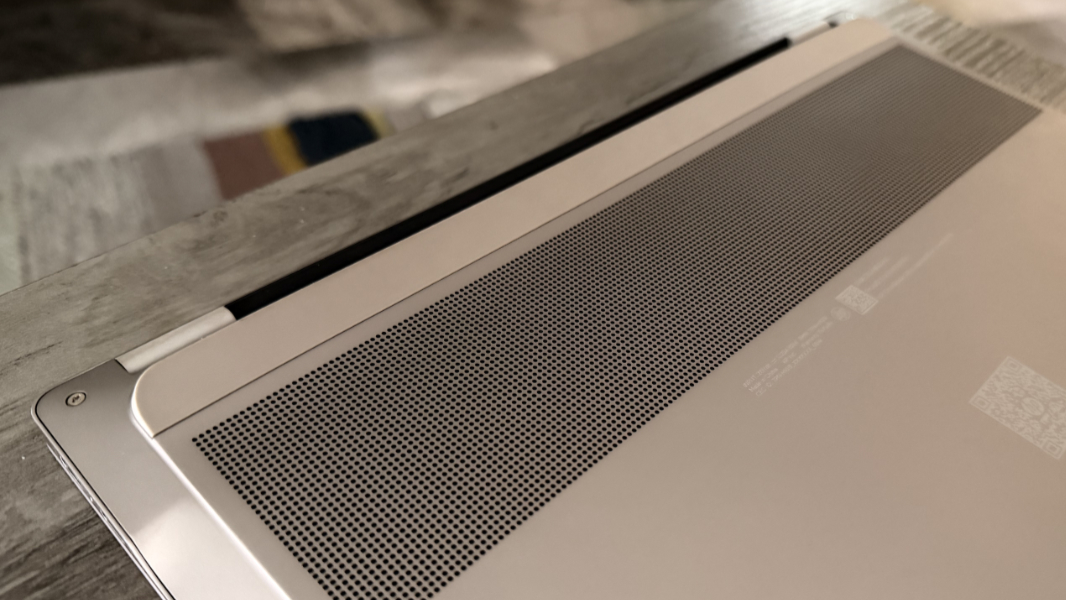
You can remove the bottom panel of the OmniBook Ultra easily using the four exposed Philips head screws and a plastic pry tool or, in a pinch, a butter knife. From there, you can easily access the battery, the M.2 SSD, the keyboard, and other system components. Only the RAM isn’t replaceable (by itself) or upgradeable because of the integrated design of the processor.
Efficiency and portability
The OmniBook Ultra weighs just 2.81 pounds, which is terrific for a 14-inch laptop, and its 12.25 x 8.49 x 0.29/0.42 inch form factor is notably thin and svelte. This laptop is a joy to travel with and I used it on the way to Mexico in January, on the flights to and from Acapulco, and, more recently, on bus rides to and from Cuernavaca.
Helping matters, the battery life is excellent for an x64-based laptop: I averaged between 8.5 and 9 hours of uptime per charge over the past four months.
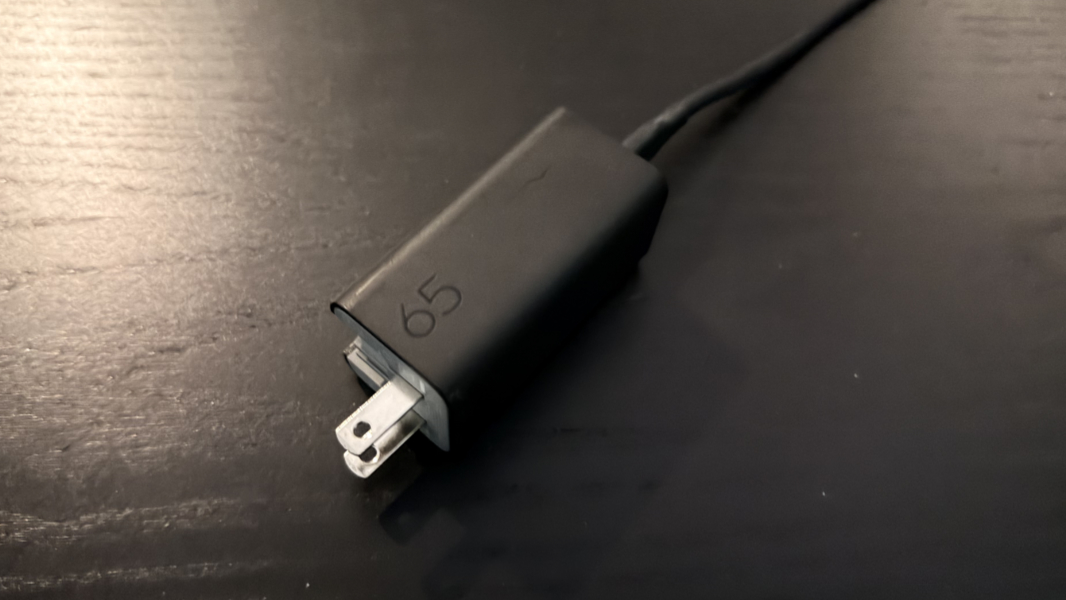
The 70 watt-hour battery supports fast charging with a 50 percent charge in about 45 minutes. More notable, perhaps, is HP’s new slimline 65-watt GaN mini USB charger with its detachable cable and folding charging prongs. This rectangular charger is smaller and less awkward than previous HP chargers, and it somehow manages to be attractive in its own right too. That said, its rectangular design means it may have difficulty staying plugged into a loose wall socket, as in many hotels.
Sadly, instant-on performance and reliability were predictably poor. This is typical for Intel-based systems, suggesting that the processor maker still hasn’t gotten past this endemic issue. As is the case with other recent Intel-based laptops, I never knew what to expect when I opened the laptop lid regardless of how long it had been since I last used it. But the most common outcome was a slow full-boot process rather than the instant-on experience one expects. Facial recognition can likewise be slow or non-working at times, forcing me to use a PIN since the laptop doesn’t provide a fingerprint reader.
This may not be the ideal time to mention this, but I made a point of coming to Mexico with none of my Snapdragon-based favorite laptops, and I only had one Snapdragon X Plus-based laptop waiting for me here. My goal was to reacquaint myself with the Intel portable PC experience and see whether there have been any reliability improvements in recent months. There haven’t been, not that I can tell, but it is interesting how one just gets used to this behavior. It is just the way most laptops work, so it becomes normal.
With that in mind, I wasn’t overly distressed by the experience each time I opened the laptop lid. Sometimes, it just took longer to boot up, basically. But this is an area in which both AMD and Intel, especially, need to improve. The experience on Snapdragon X is much more predictable and reliable.
Software
The OmniBook Ultra is a premium laptop, but it’s also a consumer laptop, and so HP has taken a few liberties with its software loadout. The only truly offensive preinstall is McAfee, which requires two app uninstalls, one in Settings and one in Control Panel. You get all the usual HP utilities, and at least two, HP Support Assistant and Poly Studio, are quite useful. Windows 11 Home is standard, as are all the additional Copilot+ PC features.
Pricing and configurations
These days, laptop pricing can fluctuate quite a bit because of ongoing component shortages and premium PCs, like this Copilot+ PC are impacted even more because of their higher-end processors, RAM, storage, and display panels. In the good news department, HP and its retailing partners often hold sales, and it’s wise to wait on one before buying this or any other PC or consumer electronics product.
As I write this, the pickings are slim on the HP website: This was different just two days ago, but I now only see a single, non-configurable OmniBook Ultra model with an Intel Core Ultra 7 356H processor, 16 GB of RAM, a 1 TB of storage costs about $1700. That’s roughly $400 more than I’d expect barring conditions, but it also doesn’t include the top-end CPU with the best GPU, and that would be my one condition for buying an Intel-based OmniBook Ultra. (HP sells Snapdragon X2-based models, too.)
I don’t usually do this, but I also checked Amazon.com and Best Buy and didn’t come up with a single Intel-based OmniBook Ultra model for price comparisons. There’s a related OmniBook Ultra Flip, but it’s using the previous-generation Intel chips, and then the Snapdragon X2 versions. All too expensive. Good luck out there, this isn’t HP’s fault, but this is a terrible time to buy a laptop.
Recommendations and conclusions
Ignoring the pricing and availability issues as we must, the HP OmniBook Ultra is a terrific laptop for just about anyone. But it’s ideally suited for those who prize performance, style, and uptime, and should meet the needs of any productivity worker, creator, gamer, or developer. Intel’s Panther Lake platform, especially with the high-end GPU found in the review unit, is truly impressive, even with the usual reliability issues. And this laptop is a nearly perfect solution for those frequently on-the-go. This is one of my favorite laptops of 2026 so far, and I recommend it highly. Assuming, of course, you can find one and on sale.
At-a-glance
Pros
✔️ Handsome thin and light design
✔️ Bright, vibrant display
✔️ Incredible performance, especially for graphics
✔️ Excellent battery life for an x64 laptop
✔️ At least one USB-C port on each side
Cons
❌ Typical Intel reliability issues
❌ Keyboard letters often hard to see