ASUS Zenbook A16 Review: Portable Perfection
- Paul Thurrott
- Jun 30, 2026
-
17
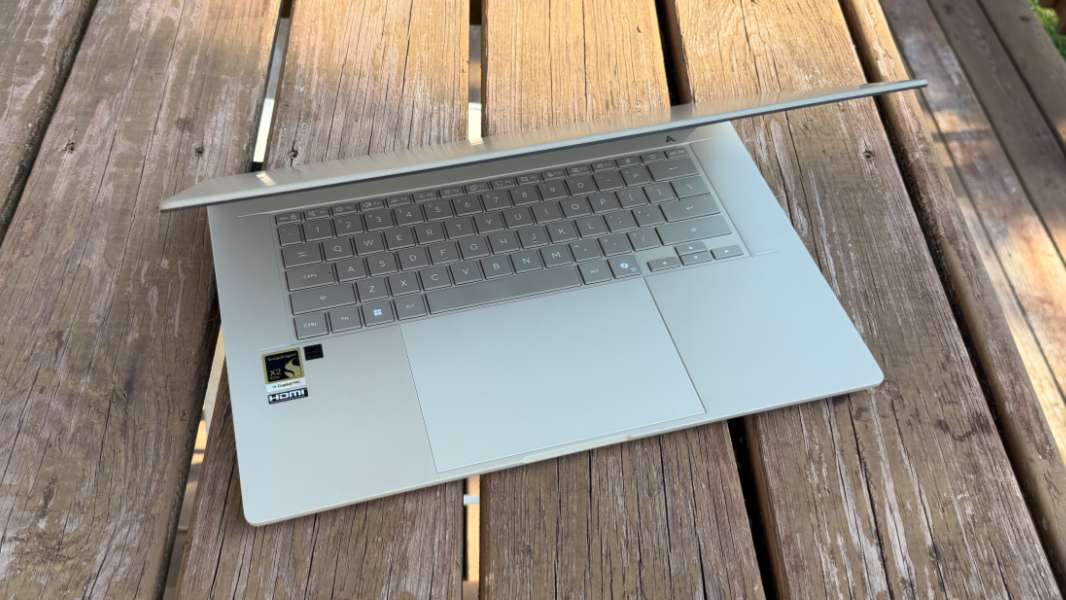
The ASUS Zenbook A16 is a nearly perfect combination of performance, battery life, light weight, and good looks. In this era of ever-increasing hardware costs and lowered expectations, it’s a real standout that will last for many years and delight you every time you use it.
Design
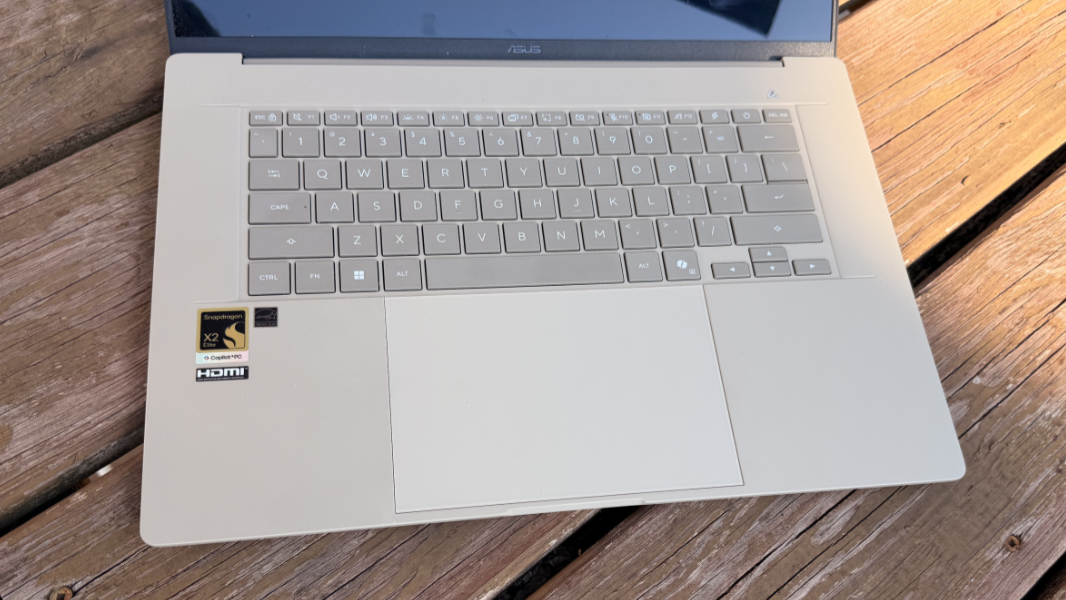
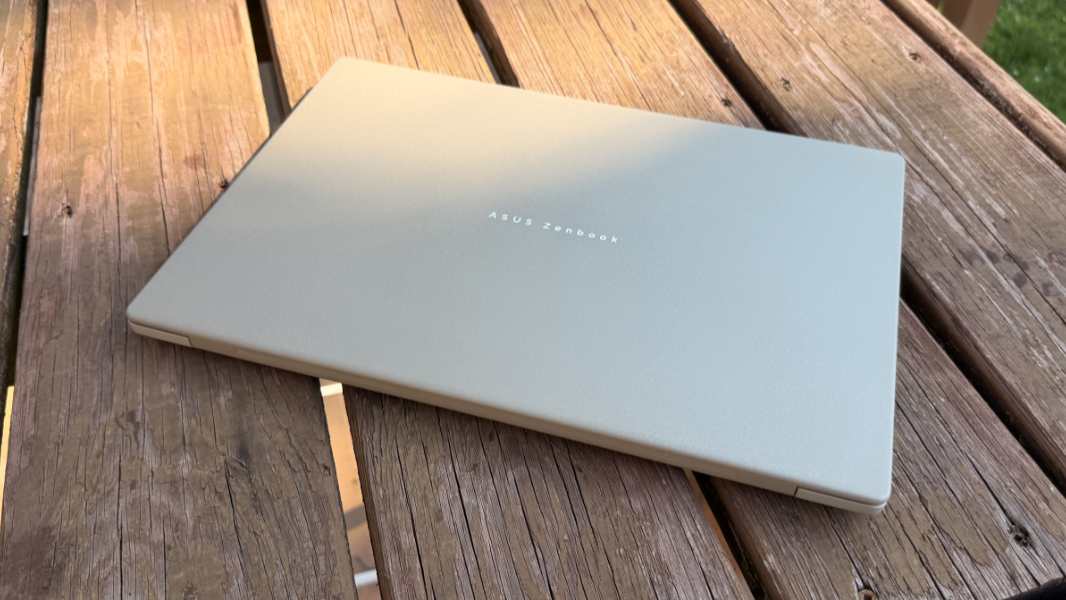
The Zenbook A16 is a premium, lightweight, 16-inch Copilot+ PC laptop, and you can get it in any color as long as that color is Zabriskie Beige. That’s a curious name, but I absolutely love the color. I know that some aren’t fans, but it’s distinctive and unlike anything else being sold elsewhere, and I would choose it over silver or black if those were options.
Yes, I might have voted for a less polarizing name, like Sandstone or Beach Sand. My guess is that this color came out of the manufacturing process for the aluminum magnesium alloy mix ASUS invented for its light weight and durability and calls Ceraluminum, another questionable name. Yes, branding is hard. But that doesn’t matter.
What does matter is how impossibly light this laptop feels in the hand: Over a month after I first opened its box, I still marvel at this every time I pick it up. This is a 16-inch laptop that weighs just 2.6 pounds in the review configuration, compared to 3.3 pounds for the featherweight 15-inch MacBook Air and well under the normal weight for a 14-inch laptop these days. It pulls up off the table with such ease that it gets me every time.
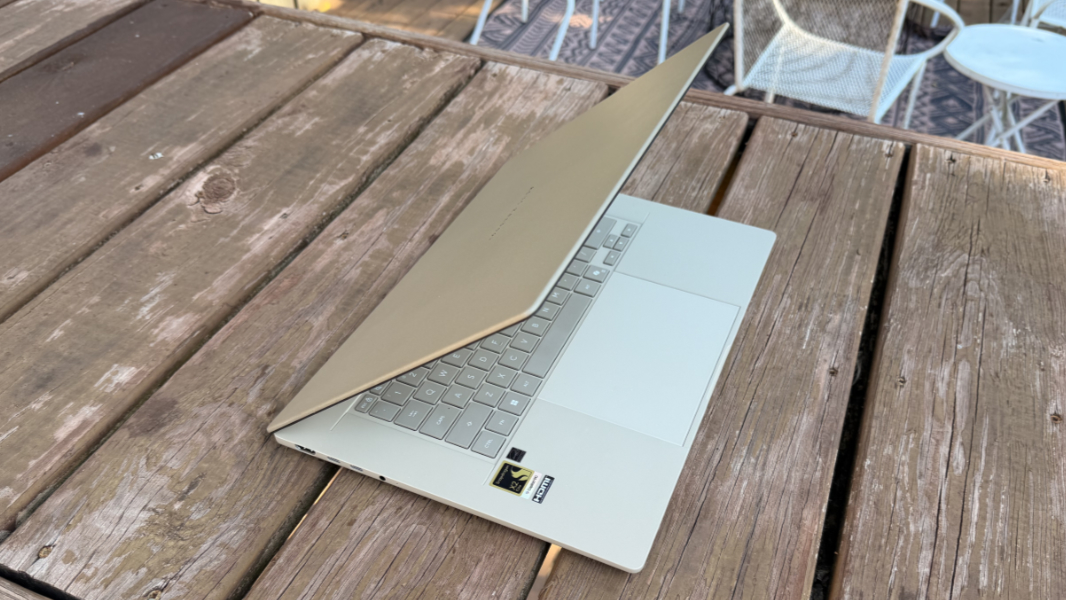
Carrying the A16 around, the build material will feel a bit cheap to some, if not a bit like plastic. That’s unfair in some ways–plastic is a wonderful material that hardware makers should embrace, even in premium products–and it doesn’t bother me, but I suspect some will be unimpressed. In use, it feels quite nice under the palms, with a pleasant, cool, and smooth surface.
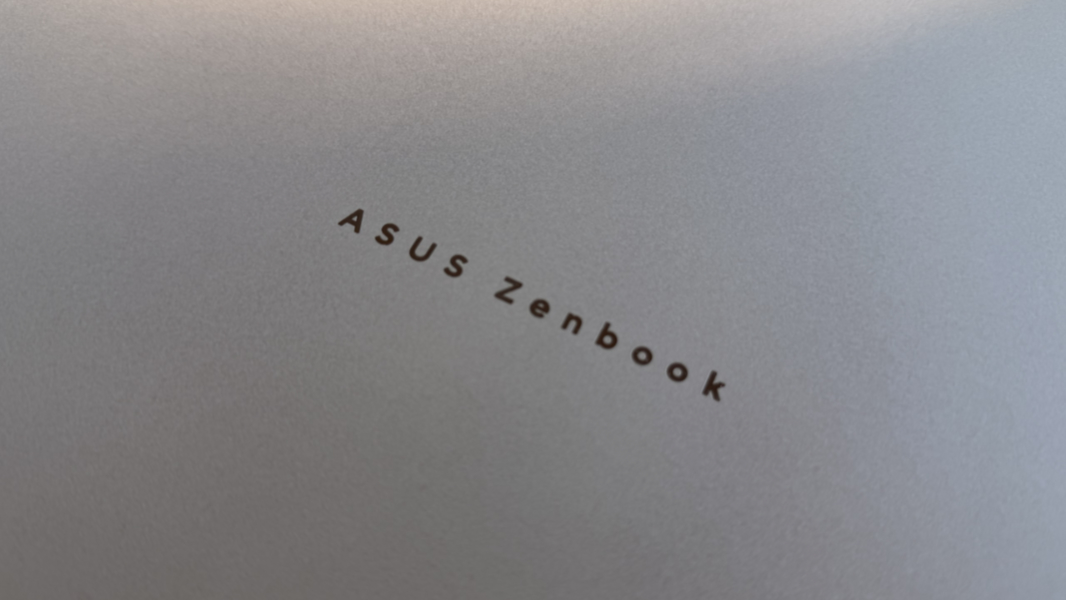
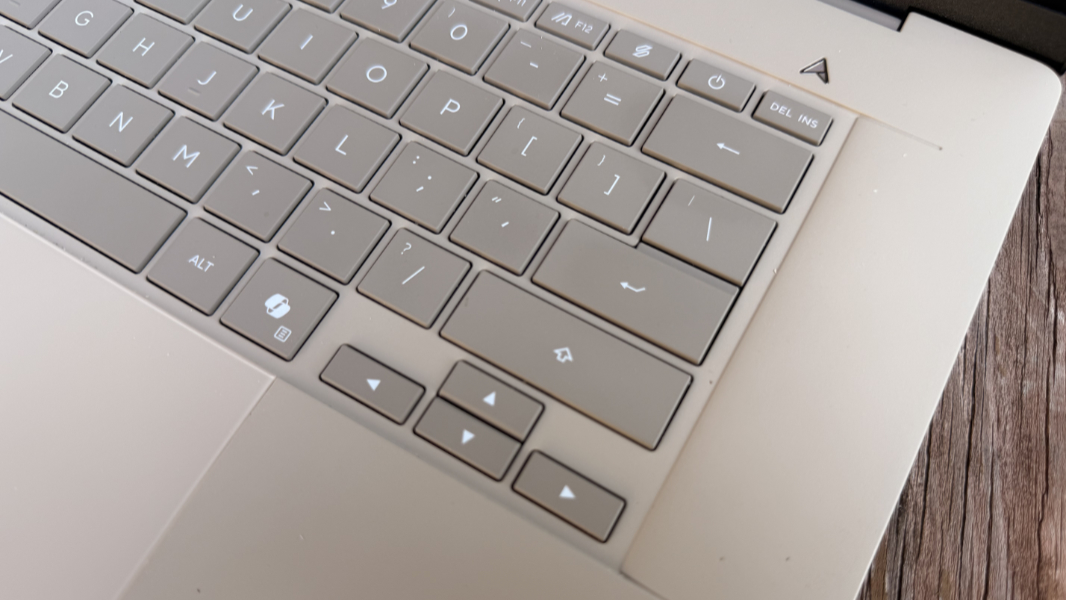
The design is minimalist, which I love. The keyboard keys are a darker brown-gray color that provides good contrast with the PC itself, and the branding is almost non-existent, with a stylized “A” logo above the right side of the keyboard and an elegant ASUS Zenbook logo in the middle of the display lid. But a few unfortunate stickers (one, bizarrely, for HDMI).
Despite the thinness, the keyboard deck is as rigid as can be, with only a forceful downward push showing any flex at all. The display lid is particularly thin and it does flex a bit if you pull or push on its upper corners. This was concerning when I first noticed it, but it’s never been an issue in real-world use.
I don’t normally mention internals when discussing product’s design, but it is worth pointing out that the Qualcomm Snapdragon X2 Elite Extreme chipset powering the A16 plays a key role here, too. A design this thin with this level of performance and battery life is simply not possible with AMD- or Intel-based x86 chips. There are many reasons to love Windows 11 on Arm and the Snapdragon X-series hardware, and the lessened need for active and passive cooling in these Arm-based systems is key among them. It’s what makes thin and light possible to this degree.
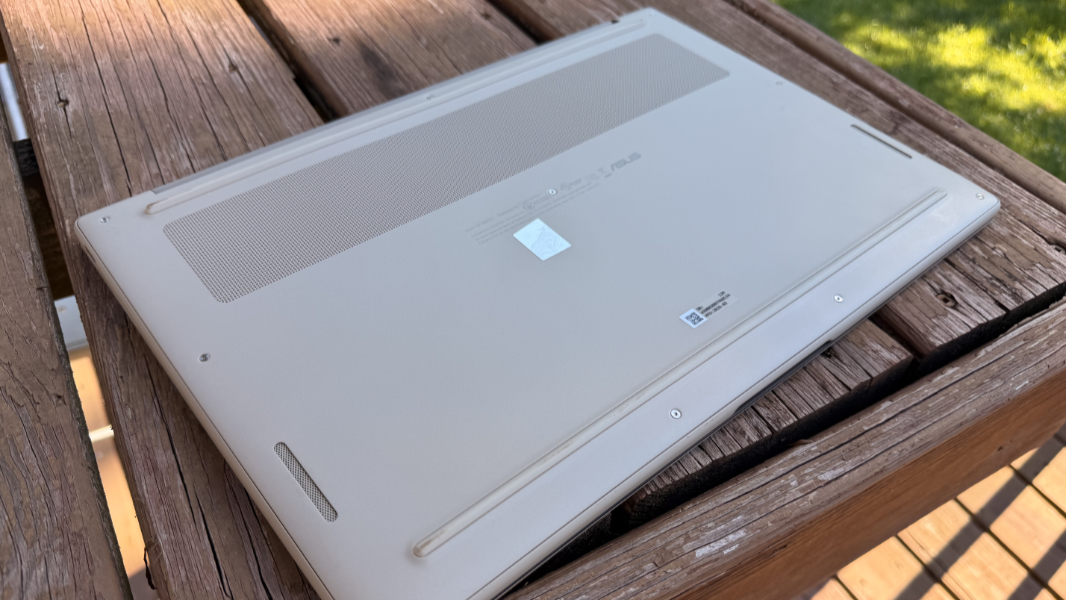
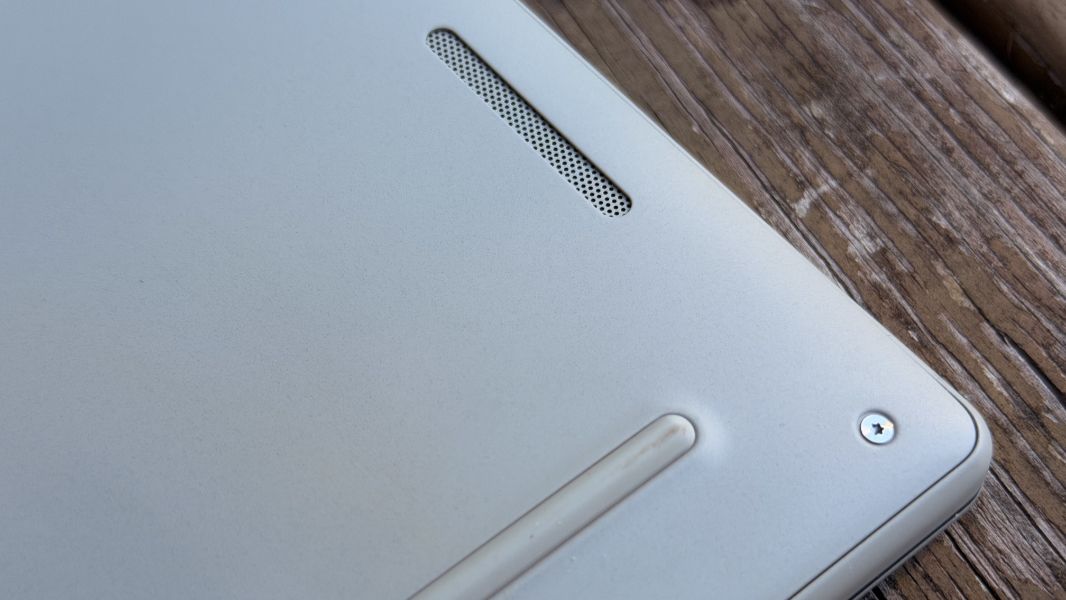
And this may seem like a minor point, but I love it: Instead of using individual rubber feet, ASUS placed two long rubber feet, each almost as wide as the laptop on its bottom, one toward the front and one at the rear. This provides excellent stability and airflow, but it also solves a problem with using the device on uneven or small surfaces, like an airline tray table or the small tray tables we use at home. You never have to worry about where you place the A16.
Display
ASUS delivers a 16-inch OLED display panel in the Zenbook A16 with a 16:10 aspect ratio, a 3K (2880 x 1800) resolution, a 120 Hz variable refresh rate (VRR), and HDR True Black 1000 and SGS Eye CareSGS Eye Care capabilities that provides 100 percent DCI-P3 color gamut coverage.
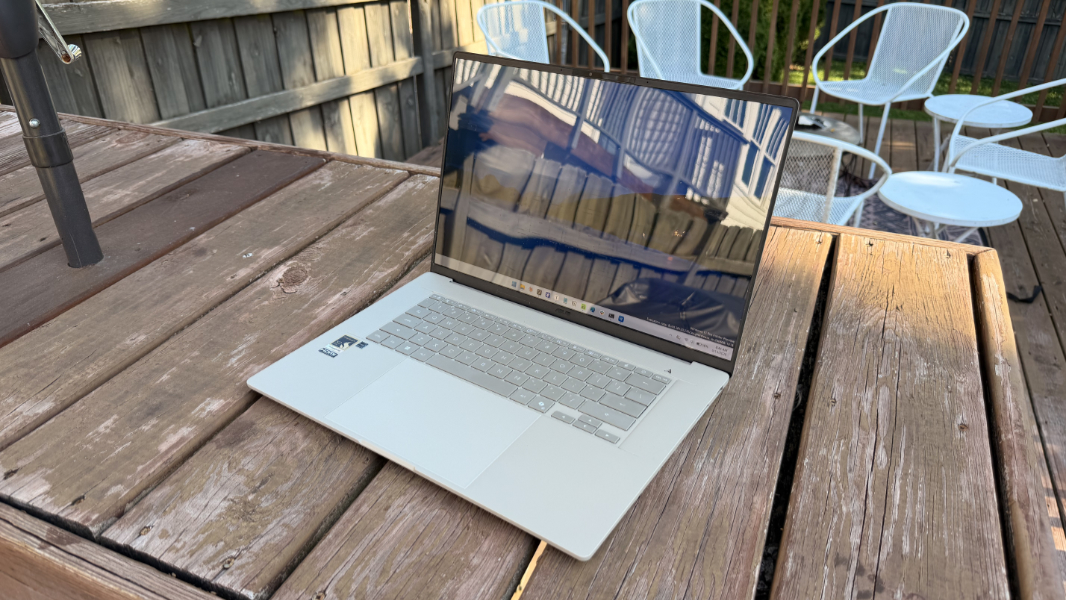
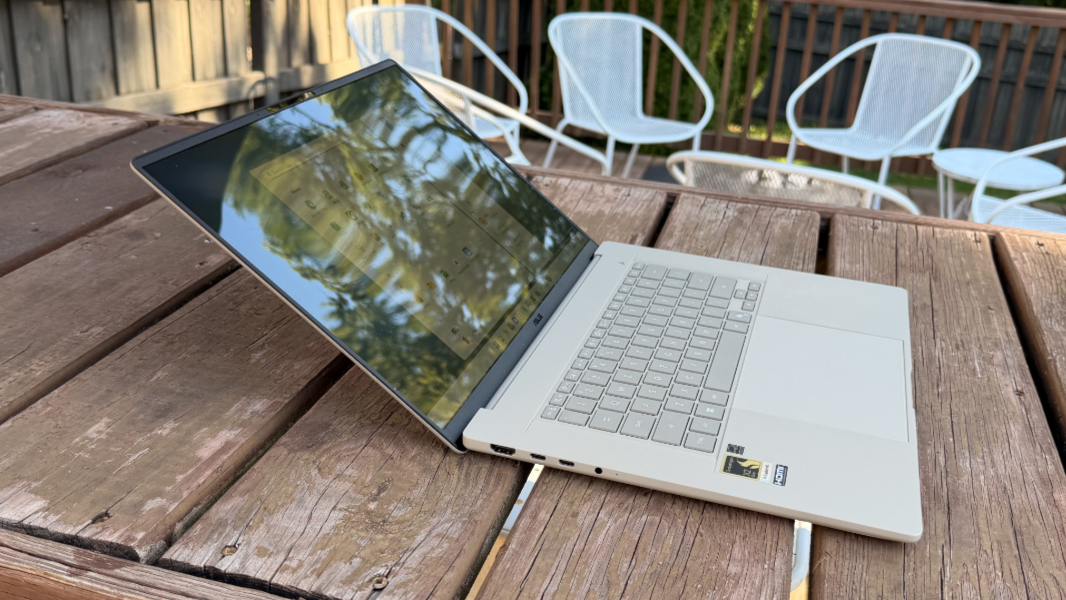
It’s brighter than hell too, with 500 nits of brightness for SDR content and an eye-bleeding 1100 nits for HDR, and glossy, which isn’t an issue unless you try to use the laptop outside. My bigger issue was just having to tune down the brightness in dark rooms; it uses ambient light sensors to do that automatically, but it’s not aggressive enough for my old eyes.
Another nicety: You can buy an A16 with this display in a choice of multitouch and non-touch variants, something I’d love to see the rest of the industry offer more broadly. The review unit came with the non-touch display panel, which is what I prefer and would choose. It also happens to be lighter.
The display bezels are notably small on the left and right and just slightly larger on the to accommodate the webcam and related sensors.
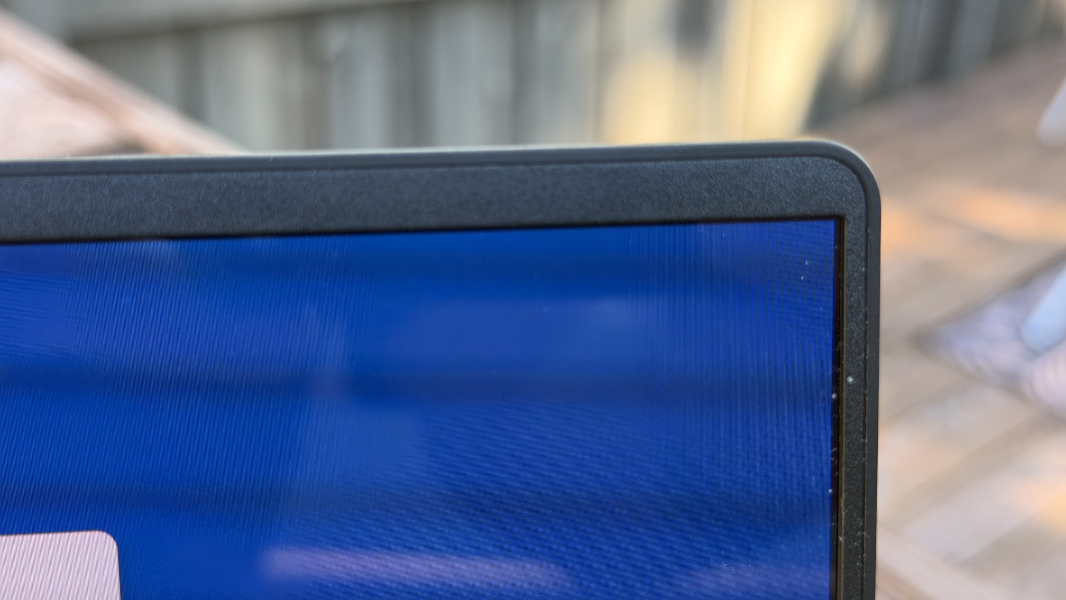
There is one oddity to the display: The lid doesn’t just not lie flat, it doesn’t even get close. It’s not clear why that’s so, but I wonder if it’s related to the flexy nature of the lid.
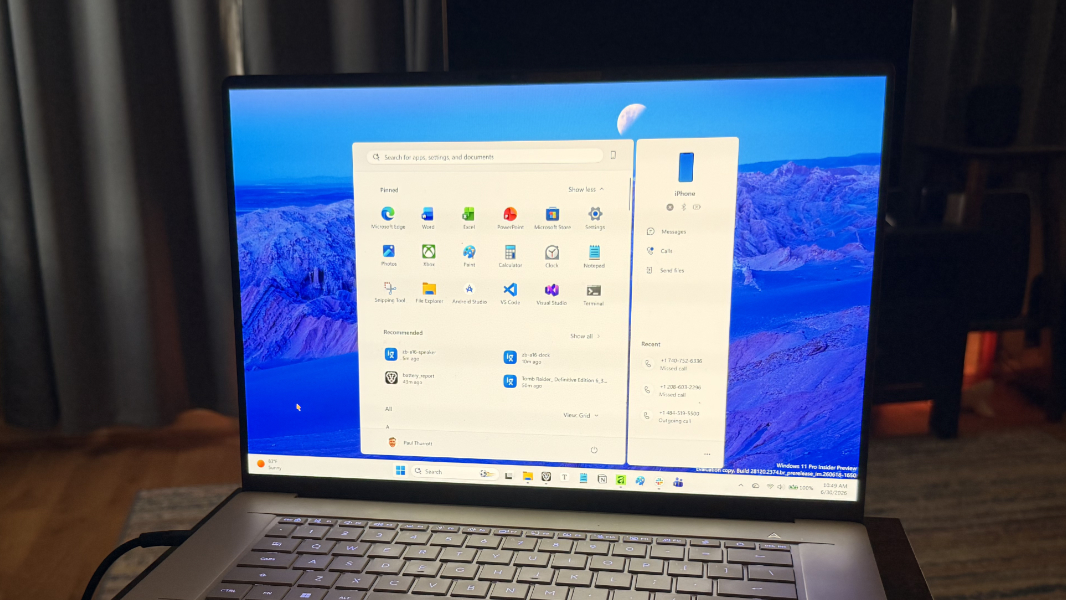
Finally, while most PC maker utilities hold little interest, the MyASUS app bundled with this PC was unfamiliar to me and is worth exploring, especially for the display-related settings. There are numerous options in there for the display, including several related to preventing burn-in. But there’s a nice Display Settings area with present gamma and color correction themes (Normal, Vivid, Manual, Eye Care, and E-Reading, the latter of which is just a combination of grayscale and color temperature and not really much like e-ink) and color gamut choices too. This is a surprisingly rich set of configurations with smart defaults.
Internal components
The Zenbook A16 is a unicorn of sorts as it’s the only laptop that offers the highest-end Snapdragon X2 Elite Extreme X2E96100 chipset, at least to my knowledge. It’s certainly the first and only time I’ve experienced this new apex of Arm-based performance in a PC. This is an 18-core CPU with a clock speed of up to 5 GHz and 53 MB of cache tied to a 1.85 GHz Adreno X2-90 graphics chip, an 80 TOPS Hexagon NPU, and 24 or 48 GB of LPDDR5X RAM.
That last bit is a big differentiator: The X2 Elite Extreme pulls a page from the Apple Silicon playbook and uses unified RAM, not the integrated RAM used by other Snapdragon X2 and original generation Snapdragon X chips. This makes the X2 Elite Extreme capable of 228 GB/s of memory bandwidth, compared to 152 GB/s for X2 Elite and X2 Plus, and 135 MB/s for the OG Snapdragon X series.
This gives ASUS some bragging rights, but does it matter in real-world usage day-to-day? In my experience, no, not if you stick to the standard productivity and developers tasks that I and most others undergo everyday. Like other Snapdragon-based laptops, the Zenbook A16 just works, and works phenomenally, every day and all the time, on battery and off. It does so without notice and without requiring any configuration at all, and it does so silently, almost literally all the time.
This is the central promise of Snapdragon X/X2, realized yet again. But it also raises a relevant question in this era of component crisis-triggered price hikes. If the Snapdragon X2 Elite Extreme doesn’t deliver noticeably superior performance than, say, the Snapdragon X2 Plus-based Lenovo IdeaPad Slim 5x I reviewed in May, then why on earth would anyone pay up to twice the price of that lower-end laptop?
Of course, some people really do need the most powerful PCs for any number of reasons. But I suspect that most high-end PC purchases are of the “just in case” variety, with buyers seeking to future-proof the purchase or just overestimating their needs. It’s not clear yet whether Qualcomm’s magical chipsets upend this dynamic, but it’s worth pointing out that the HP OmniBook 5 I bought last year uses the lowest-end Snapdragon X chip ever created and it’s still running wonderfully.
To me, the available RAM configurations, as unusual as they are, play as big a role in differentiating the A16 from other laptops, Arm- or x86-based, as does the processor chipset. We live in an era when 16 GB is the norm for premium PCs, but PC makers are starting to shill 8 GB configurations again, thanks to the component crisis. This isn’t ideal for all kinds of reasons, but RAM is the one component that can’t be upgraded after purchase time in most modern laptops, and this is not the right place to economize if you want a PC to last several years. 16 GB is still the correct minimum for mainstream daily users of PCs, and 24, 32, or 48 GB are even better. That’s why this laptop is more future-proof than other Snapdragon-based PCs.
(I know. This seems like a rationalization. But going from 16 GB of RAM to 32 GB on the latest 15-inch Surface Laptop is a $650 upgrade and the total cost of that PC is likewise $650 more than the most expensive A16 configuration despite it having a lesser processor.)
Gaming remains the only area where Windows 11 on Arm falls short from compatibility and general performance perspectives. But the work Microsoft and Qualcomm did here is impressive, and you may be surprised by how many games you have in your XBOX PC, Steam, or Epic Games libraries that work well on Snapdragon X/X2 these days. Back in April, I wrote about that a bit tied to my first experiences with Snapdragon X2 Plus and X2 Elite, and those successes are true of the Zenbook A16 too, of course. But given the high-end processor in this laptop, I naturally tried installing all kinds of high-end AAA games just to see what was possible.
There are still limits. Some day, I will play the latest Call of Duty on a Windows 11 on Arm-based PC, but that day is not today. Indeed, I couldn’t even get somewhat older COD titles like Vanguard (2021) to run at all. Ditto for DOOM: The Dark Ages, which just crashes when you try to run it too. But I did see some success with other semi-recent games, with the usual caveat that I had to spend a lot of time messing with various settings across Windows 11 (in Settings > System > Display > Graphics, where you can configure Auto SR and more), the Snapdragon Control panel, and in each game.
Tomb Raider: Definitive Edition is a typical example. On first run, I just let it auto-configure, and the title delivered an unplayable 15 FPS. So I checked Settings and the Snapdragon Control panel to make sure it was optimized correctly. Then, I lowered the resolution in-game to a more reasonable 1920 x 1200, upped the refresh rate to 120 Hz, and set the quality to Low. This worked wonders, with the game hitting 270+ FPS routinely, surprising me.

So I upped the quality to Normal and then High, where I still saw a solid 110-120 FPS. It looks and plays great.

It also required significant effort to just play one game. Not to mention all the wasted time downloading the several recent games that wouldn’t even run, let alone run poorly. Gaming on Snapdragon, even with this high-end processor, has improved a lot in the past year or two, but it’s still hit or miss.
In the good news department, you have to try to make this laptop emit any fan noise. Even playing a game like Tomb Raider doesn’t do much to spin up the fans, though you can use the MyASUS app to prioritize performance and that will do the trick. But in day-to-day use, it’s like the fans aren’t there. It’s completely silent and it never gets even slightly warm.
Connectivity
Connectivity is modern and future-proof, as it must be thanks to the Qualcomm chipset, with triple-band Wi-Fi 7 and Bluetooth 5.4. I had no issues connecting to Wi-Fi or Bluetooth devices here in Pennsylvania, as expected.
Ports and expansion
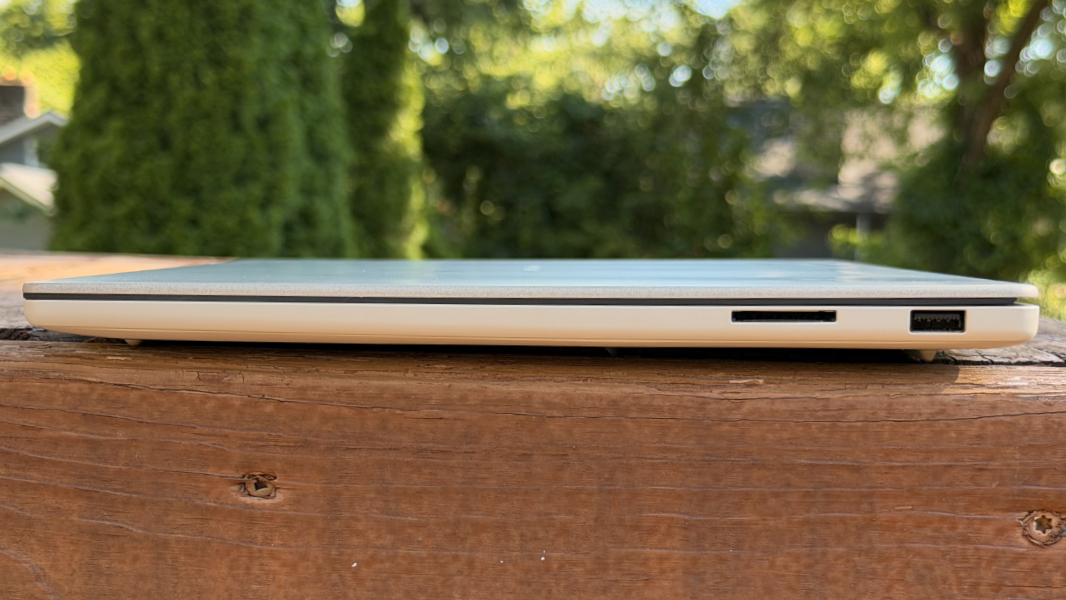
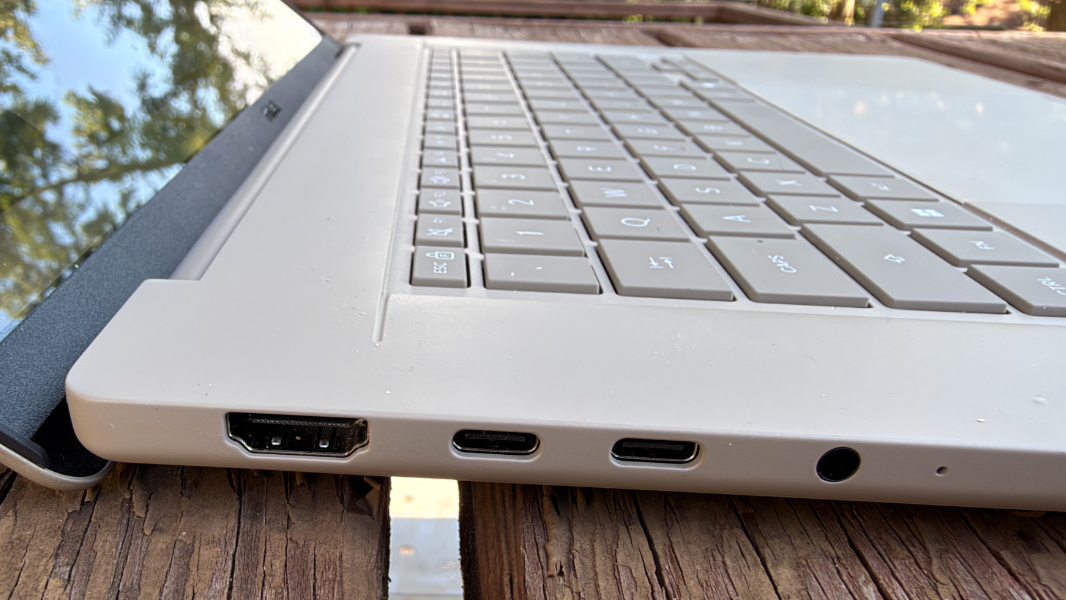
Given its very thin form factor, it would be reasonable to expect nothing but a handful of USB Type-C ports. But ASUS went in a different direction. And my only complaint is that both USB Type-C ports are on the same side of the laptop.
On the left, ASUS provides a full-sized HDMI 2.1 port and two 40 Mbps USB4/Thunderbolt 4 ports with power delivery and DisplayPort capabilities along with a combo microphone/headphone jack.
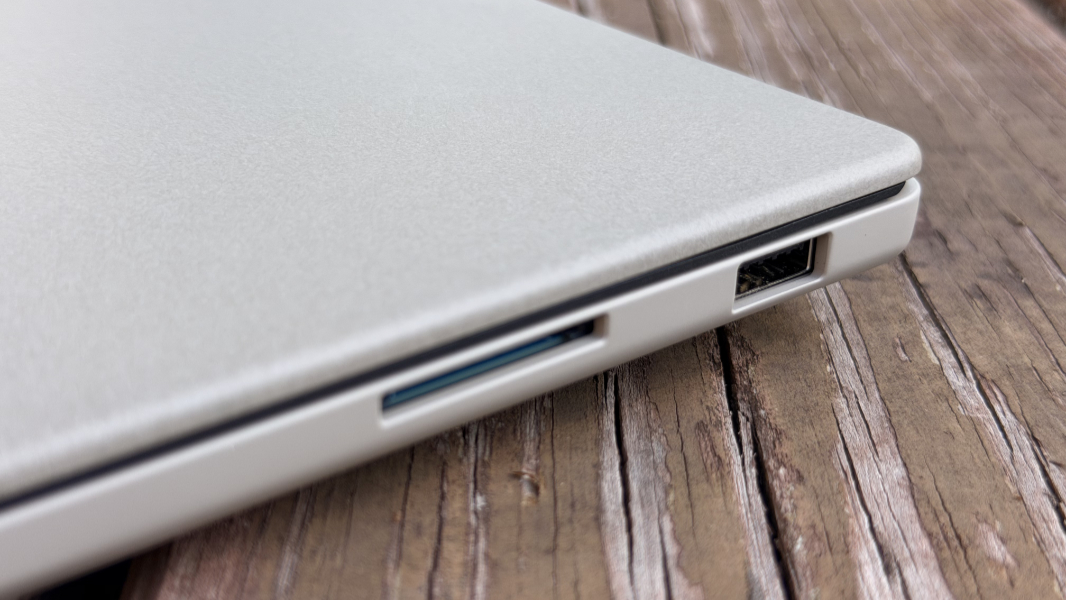
On the right, there’s a single 10 Mbps USB 3.2 Gen 2 Type-A port and a full-sized SD 4.0 card reader. Nice.
Audio and video
ASUS says there are six speakers in the Zenbook A16, though I can’t imagine where they all are. There are only two obvious speaker grills, both bottom-firing and on the bottom of the laptop. And a look at the internals viewed from the bottom shows what appears to be two speakers.
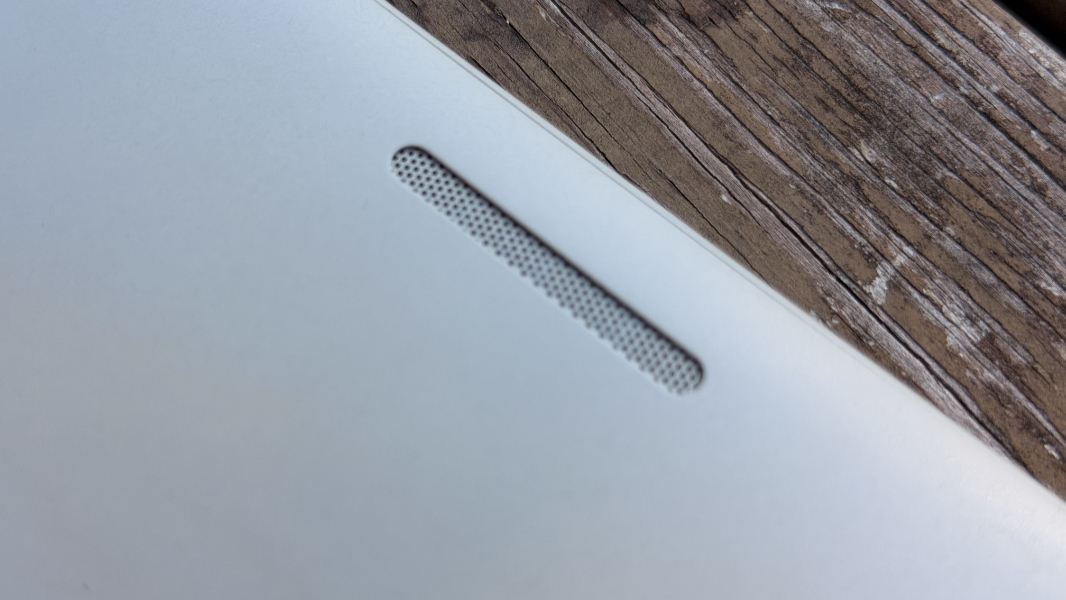
But there’s something going on here. And it’s something good.
When you play music, watch a video, or play a videogame, the sound is immersive and can have an impressive spatial soundstage with the right content. Some audio is clearly coming through the keyboards, so it’s not just coming from the bottom. And the A16 does include Dolby Atmos support, which I leave configured to Dynamic so that it adapts correctly to whatever it is I’m doing. And it’s working about as well as it can given the form factor and size limitations. Placing the laptop on a solid surface really helps, too.

It also cranks the volume up to loud, room-filling levels. If the laptop is on a firm surface like a table, it’s impressively loud and without distortion. And that was before I discovered the Volume Booster feature in MyASUS, which pushes it to 11, so to speak. The audio performance here is impressive.
Hybrid work
The Zenbook A16 exceeds my expectations for remote work. On paper, the Full HD webcam and non-descript array microphone don’t seem impressive. But the video quality is better than average, much better, with nice contrast and definition, and it supports the full range of Windows Studio Effects, thanks to the laptop’s NPU.
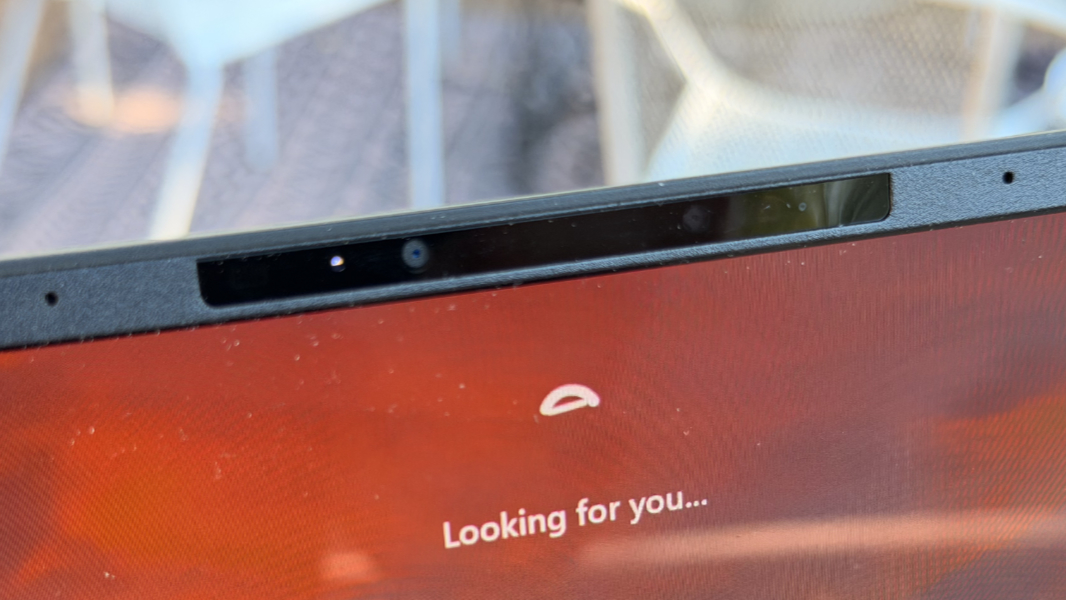
And while my first microphone tests with Sound Recorder were about average, with a bit of the burble typical in laptop-based mics, I enabled Windows Studio Effects Voice Clarity and it cleaned up nicely. I wouldn’t record a podcast off these mics, but they work well for Zoom, Slack, and Teams.
Keyboard and touchpad
The A16 offers a full-sized and backlit keyboard with perfect 1.33 mm key travel and snappy feedback. I’ve typed more on this keyboard than any other in the past month, and it’s terrific overall.
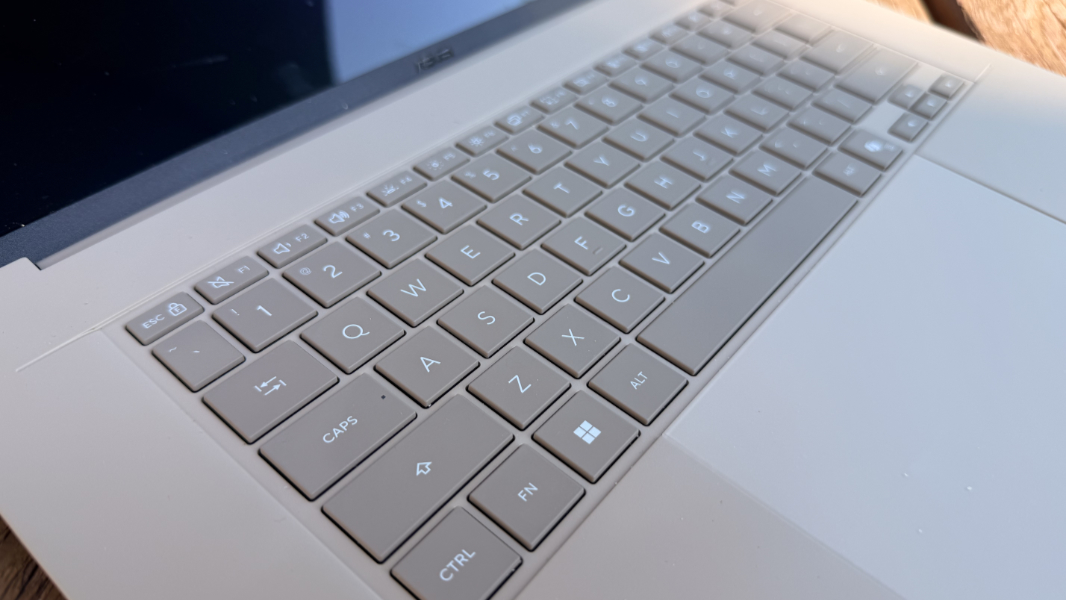
The backlighting is nicely done, with multiple level presets and automatic lighting and dimming through the ambient light sensor and configured in the MyASUS app.
There’s nothing wrong with the layout. The Ctrl and Fn keys are in the right place, there’s a power button key towards the upper-right, and though the arrow keys are small, they’ve never been problematic.
The only keyboard issue I’ve had is tied to the overly-large mechanical touchpad, which looks like it’s 6 inches wide and four inches tall. It’s OK overall, and if you tap it for a mouse click towards its button, it responds with a satisfying sound. But it moves more towards the bottom than the top, and if you tap towards its top, there’s no sound and no click. I had to disable three-finger gestures, which is typical for me, and the touchpad has been mostly reliable since then.
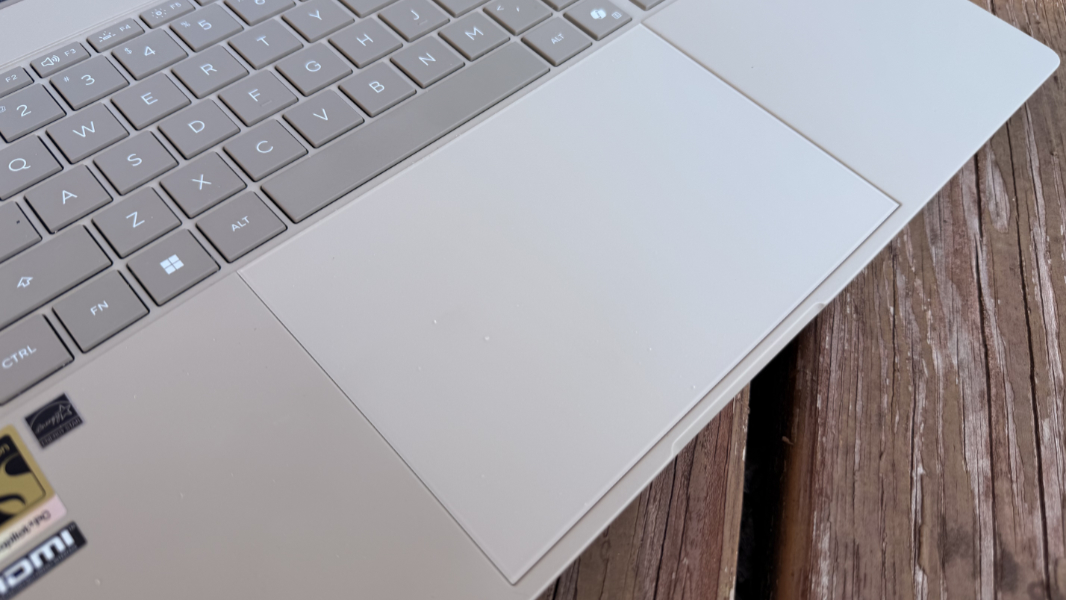
But through some combination of my large hands, my heavy typing, and the sensitivity of the touchpad, I experienced random issues while typing where the cursor would suddenly jump around on-screen or even begin selecting text so that when I typed, I deleted something I previously wrote. This was once a common issue with PC touchpads, but it’s been a while, and I initially thought the issue was the keyboard. But lowering the touchpad sensitivity in Settings helped.
Security
As a Copilot+ PC, the Zenbook A16 offers the most secure Windows 11 configuration there is, with Windows Hello Enhanced Sign-in Security (ESS) backed by a TPM 2.0 security chip. It’s configured with facial recognition, which was always fast and reliable, but there’s no fingerprint recognition.
All laptops feature a microphone toggle key in the function row these days, but most provide a manual privacy shutter that’s usually position above the camera itself. I don’t like that because you can easily smudge the camera lens with your finger, and so I was happy to see ASUS provides a key-based electronic webcam privacy toggle in the function row too.
Sustainability
I didn’t discover anything about the use of recycled materials in the Zenbook A16. From a serviceability perspective, the laptop’s bottom panel can be removed easily enough using five exposed Torx screws. But once you get inside, only the M.2-based SSD and battery are easily replaceable.
Efficiency and portability
The thinness and lightness of this laptop are unparalleled, so it’s obviously an incredible choice if you travel or move around a lot. I flew with it to and from Nashville, Tennessee earlier this month and it was delightful.
But I was curious whether the powerful Snapdragon X2 Elite Extreme processor in the Zenbook A16 would lead to reduced battery life: My experiences with two (now three) other Snapdragon X2 Elite and X2 Plus laptops suggest there’s not going to be a generation-over-generation improvement. But here, I was pleasantly surprised. Yes, the roughly 10 hours of real-world battery life are a bit below the best results I saw with first-generation Snapdragon X laptops. But that’s still excellent.
This processor does come with some unique requirements, though. It dissipates between 60 and 100 watts of power under load, but it can exceed 100 watts when “unconstrained,” which I believe is something the PC maker can configure. If so, ASUS is letting this thing run all-out, as it shipped the A16 with a relatively beefy and square 130-watt USB-C power supply. It works fine and typically delivers about a 30 percent charge each 40 minutes or so. And you can of course charge the laptop with a standard 65-watt charger, albeit more slowly, and the MyASUS app will override the built-in Windows 11 warnings about this to warn you itself.
This is tied to a Fan Profile feature in MyASUS that dynamically selects the best fan speed, but you can configure it for better performance or a whisper-quiet mode if you prefer. I don’t generally mess with this kind of thing, beyond some testing, unless something isn’t working right. And in this case, there was no reason to do anything with Fan Profile, though I did turn off a ridiculous “Hibernation Helper” feature while I was there.
For the most part, instant-on performance and reliability were excellent, though I did experience something with the Zenbook A16 I’d never seen before–literally, not once–with other Snapdragon X/X2-based laptops. Once or twice a week during early usage, I would wake up in the morning, open the laptop lid, and the PC didn’t come to life immediately. In each case, I would close the lid and instantly re-open it, and it behaved as expected, with the screen coming to life immediately and Windows Hello facial recognition signing me in just as quickly.
My guess is that this is tied to the “Hibernation Helper” feature noted above, but what I can tell you is that I haven’t experienced the issue since disabling it. Of course, the worry here is that the A16 will now dissipate more battery at night. But I see the same 1-3 percent battery loss overnight as is the case with other Snapdragon laptops. So my initial worries about this unexpected unreliability, as I think of it, have passed.
Software
The Zenbook A16 came with Windows 11 Pro version 26H1 and all the Copilot+ PC extras that make this platform so worthwhile. As a consumer device, there are, of course, a few crapware apps–Adobe Promotion and Dropbox Promotion–but nothing overtly obnoxious. ASUS also includes Dolby Settings for managing the audio playback quality and just three of its own utilities.
The ASUS utilities are a mixed bag. MyASUS, as noted, is terrific and surprisingly useful, and there are no upsells built into it like we see with Vantage on Lenovo’s consumer PCs. But the other two are curious.
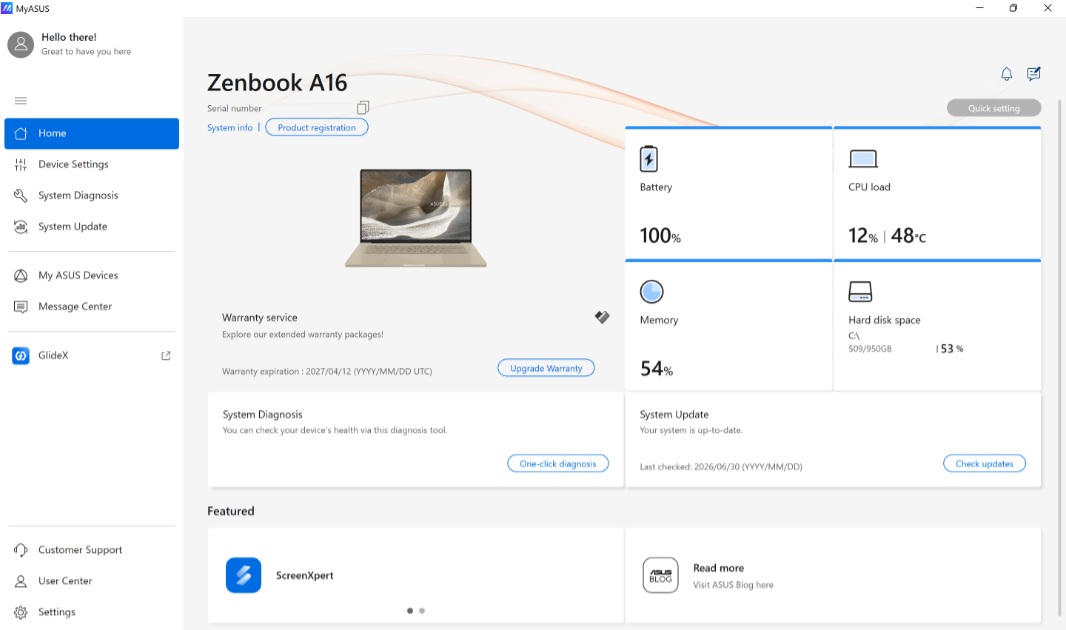
There’s an ASUS GlideX app for interacting with your phone and other mobile devices that obviously duplicates the Phone Link functionality in Windows 11 while offering useful additional features like extending the PC display to a tablet. And then a ScreenXpert tool that has an annoying on-screen overlay (that you can hide) and provides quick access to some key MyASUS features plus a Task Group extension to Snap that I found even more annoying. I tried to live with it for the better part of a week and then gave up.
At least ASUS doesn’t bundle an in-house AI chatbot like other PC makers do for some reason. And I never saw any ASUS promotional pop-ups.
Pricing and configurations
With its high-end specifications and premium design, the Zenbook A16 was always going to be expensive. But the ongoing component crisis complicates matters. The review unit I’m evaluating originally retailed for $1699, but looking at the ASUS website today, I can see that it now costs $2199. That’s a big jump and a lot of money overall, but it’s commensurate with what’s happening elsewhere these days. And oddly, Best Buy is selling this configuration right now for, wait for it, $1699. ASUS has also responded to the crisis by offering a 24 GB model at that original price directly.
Recommendations and conclusions
The ASUS Zenbook A16 is perhaps the single best laptop that I’ve ever used. It’s one of those devices that’s so good that it makes it difficult to use other products, and I find myself reaching for it by default. The light weight still impresses, the look and feel are perfect, the performance is astonishing and silent, the battery life is excellent, and the efficiency is top-notch. And reliability has been nearly flawless since I disabled that hibernation feature in MyASUS. My only ongoing issue, which is minor and perhaps mostly my fault, is tied to touchpad sensitivity. We’re working through it together.
The ASUS Zenbook A16 is highly recommended. Even at the elevated pricing, this is a future-proof purchase that will never let you down.
At-a-glance
Pros
✔️ Impossibly lightweight
✔️ Incredible, silent performance
✔️ Terrific battery life
✔️ Nice mix and modern and legacy ports
✔️ Celebrate the return of beige
Cons
❌ Touchpad reliability issues
❌ Case may feel cheap to some