Lenovo IdeaPad Slim 5x Gen 11 Review: It’s Another Snapdragon Miracle
- Paul Thurrott
- May 31, 2026
-
10
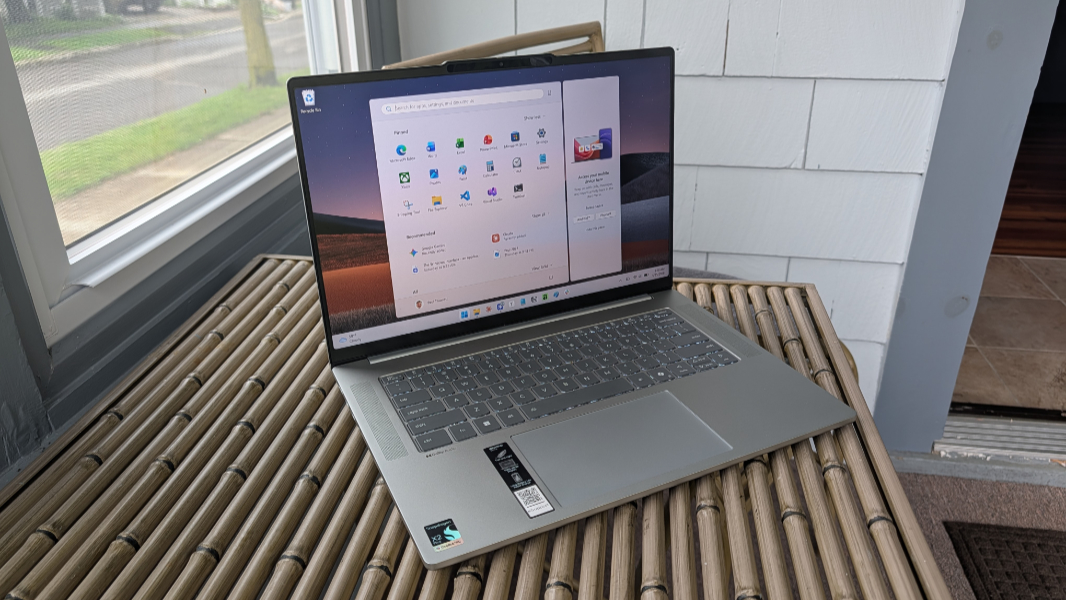
The Lenovo IdeaPad Slim 5x is an affordable Snapdragon X2-based Copilot+ PC productivity powerhouse with solid battery life, performance, and reliability. It is exactly what I’d hope it would be, a 2026 take on last year’s shockingly good HP OmniBook 5 that’s based on previous generation Snapdragon chips. The IdeaPad Slim 5x is just as good, and in all the same ways. And it even exceeds that PC in some key areas.
Design
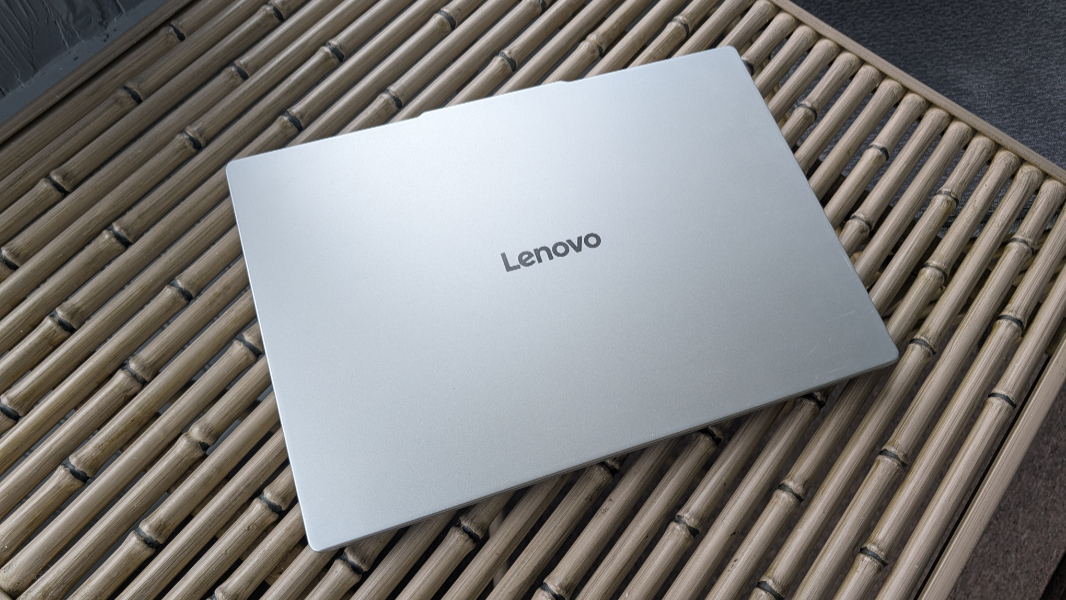
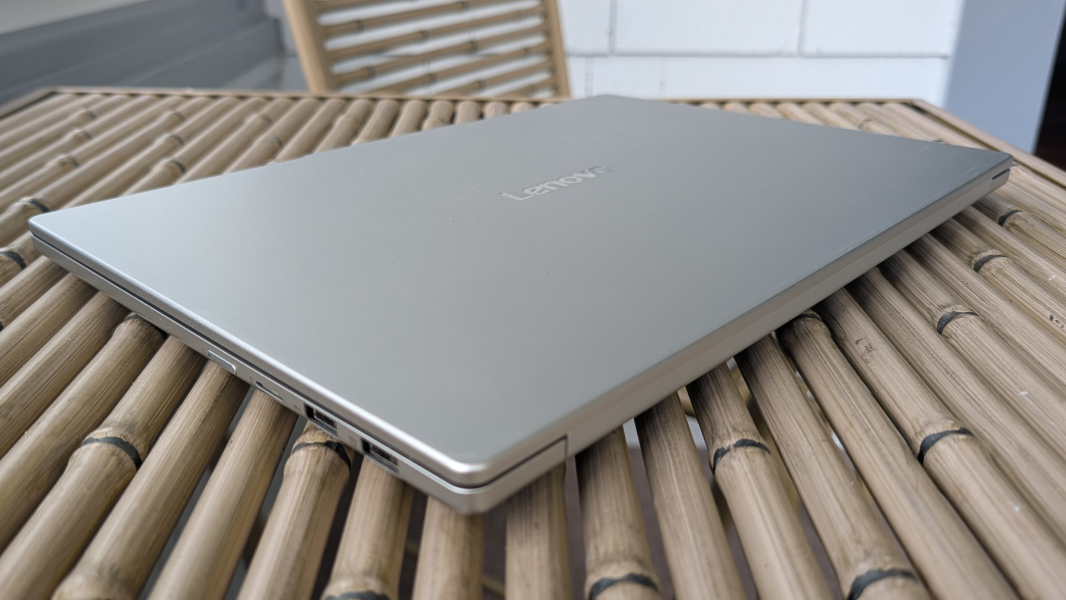
The IdeaPad Slim 5x won’t turn any heads with its pedestrian all-aluminum construction in what Lenovo calls Cloud Grey. But this is a workhorse budget laptop whose utility will reward you far more than good looks.
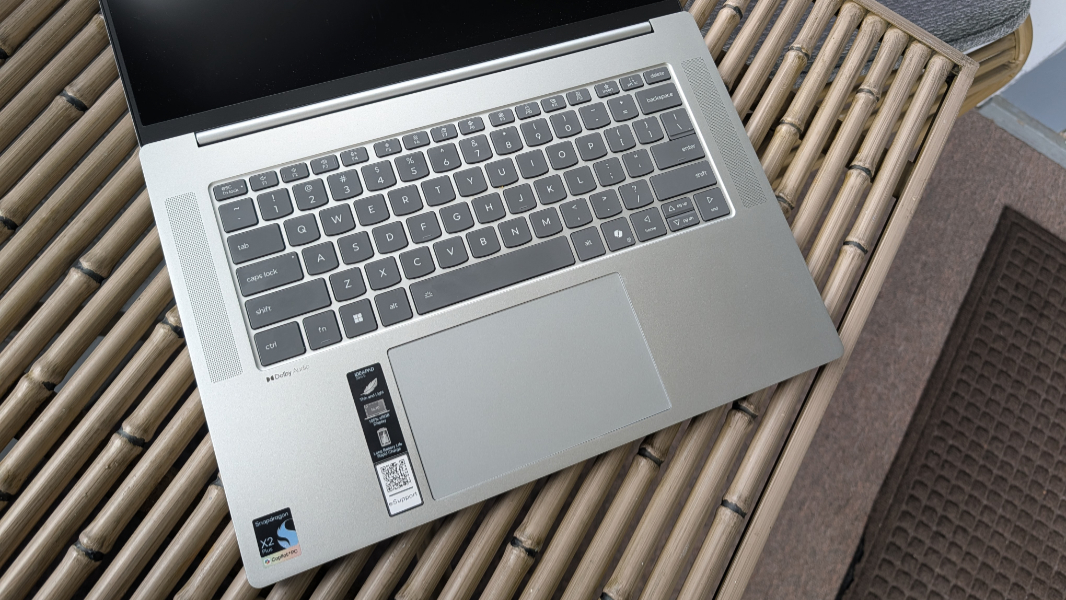
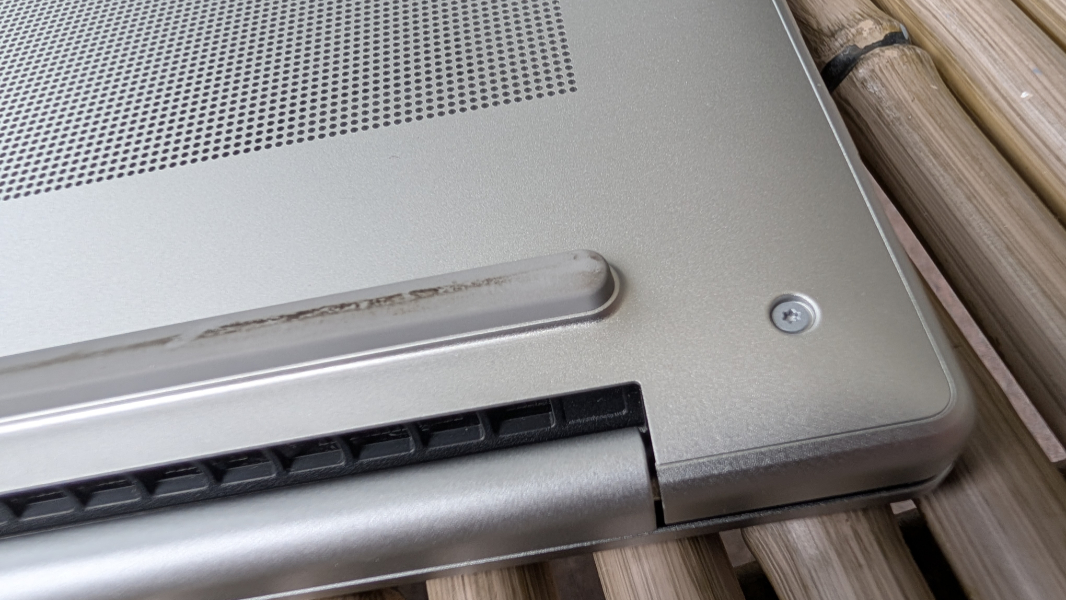
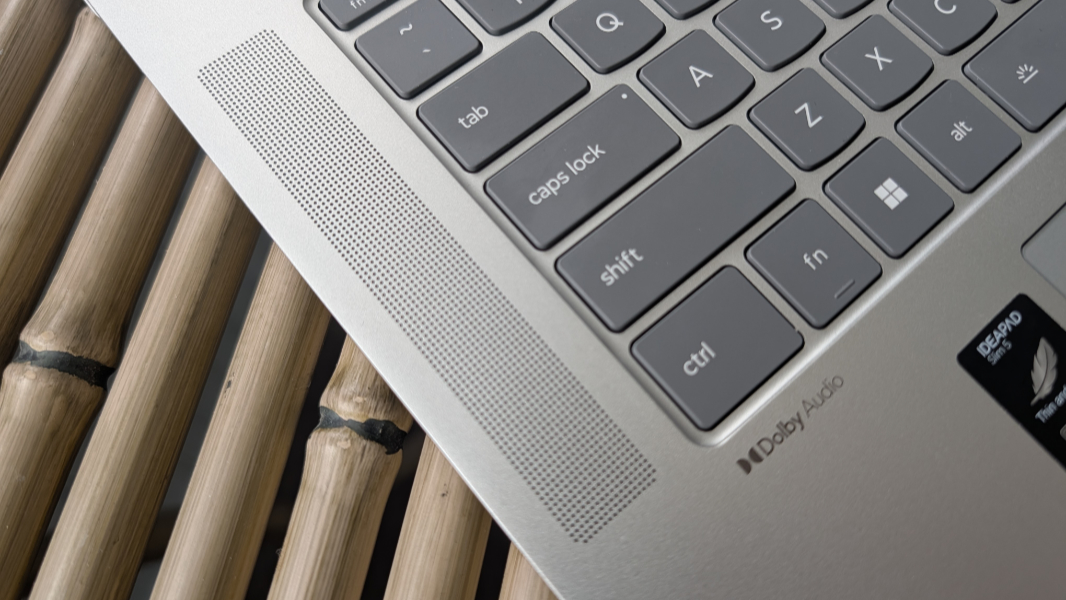
That said, there are some nice touches here, too, like the contrast of the dark gray keyboard keys and the speaker grills framing that keyboard. And I really like that the rear rubber foot on the bottom stretches across the width of the laptop, giving it stability and room for air to flow.
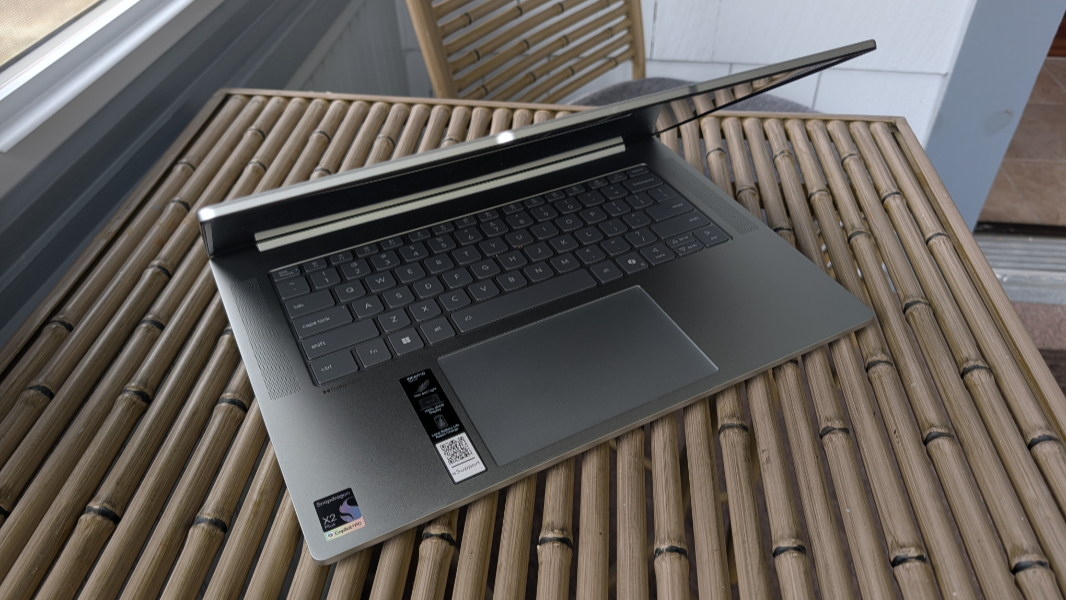
But yeah, it’s not notable looking in any way, and I guess there’s only so much you can do with what is essentially yet another gray laptop. However, it’s reasonably thin and light given its large display, and it doesn’t look or feel cheap in any way. The IdeaPad should also be durable over the long haul based on its MIL-STD-810H certifications. Contrary to Apple’s MacBook Neo marketing, even budget PC laptops are made of metal, not plastic.
Display
The IdeaPad Slim 5x can be configured with a choice of two displays, both of which are 15.3-inch panels with a 16:10 aspect ratio and TUV low blue light capabilities.
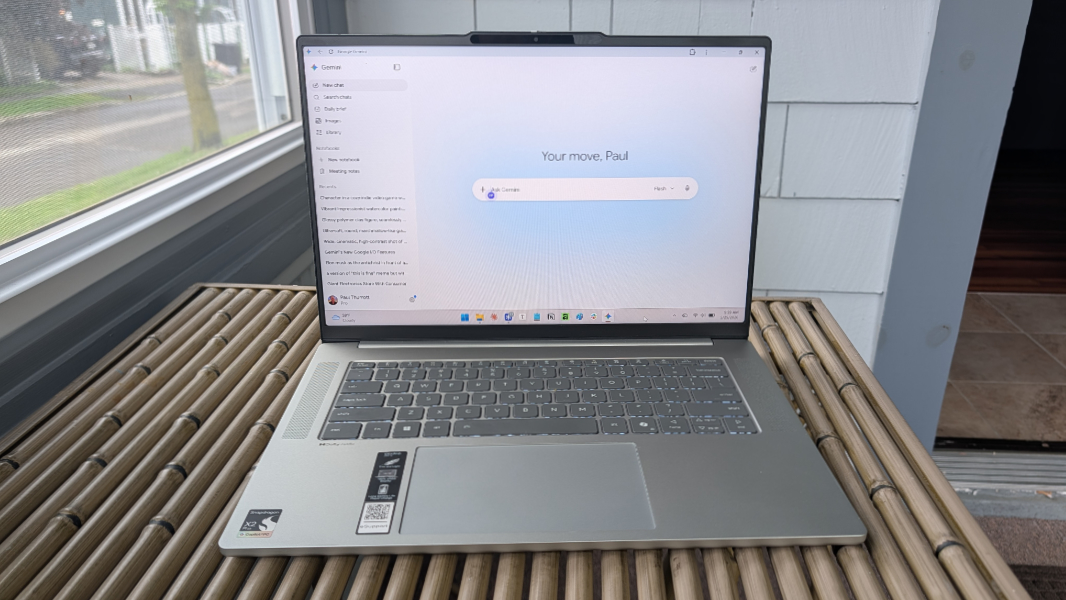
The review unit provides the right display for most users, and the one I would pick myself. This is a multitouch LCD panel with a Full HD+ (1920 x 1200) resolution, an anti-glare coating, and 100 percent sRGB color gamut coverage that emits 400 nits of brightness, and it works well for the productivity scenarios expected by the target market.
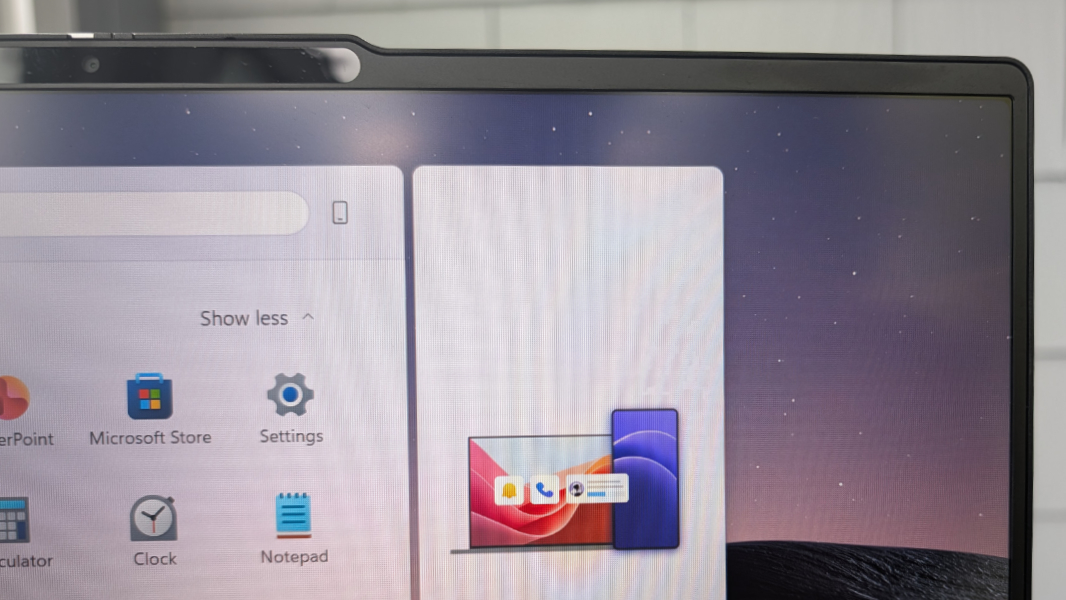
But it also surprises with a variable refresh rate (VRR) that lets it automatically adapt from 30 Hz to 120 Hz depending on what’s happening on screen and what you’re doing. The OmniBook 5 I keep referencing has a similar display, but it’s stuck at 60 Hz.
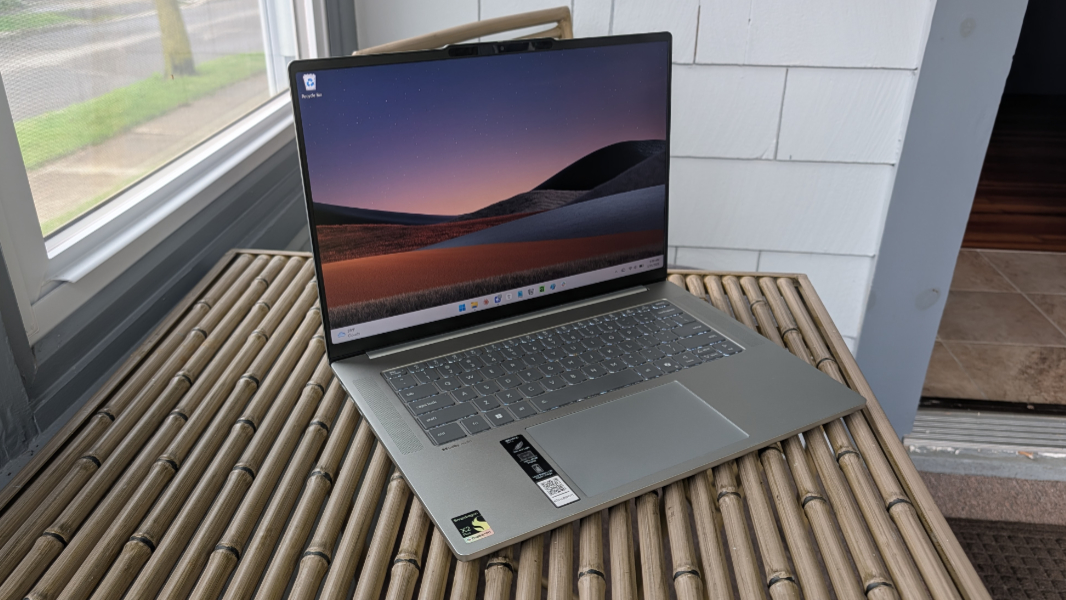
The upgraded display option is a multitouch OLED panel with a 4K/UHD+ (3840 x 1600) resolution, VESA Certified DisplayHDR TrueBlack 1000 capabilities, 100 percent DCI-P3 color gamut coverage, and a 165 Hz refresh rate that emits 500 nits of brightness. I did not test this, of course.
As noted, even the base display is excellent, assuming you use it indoors and as intended; this is no gaming PC, of course. The display lies flat, which I love to see.
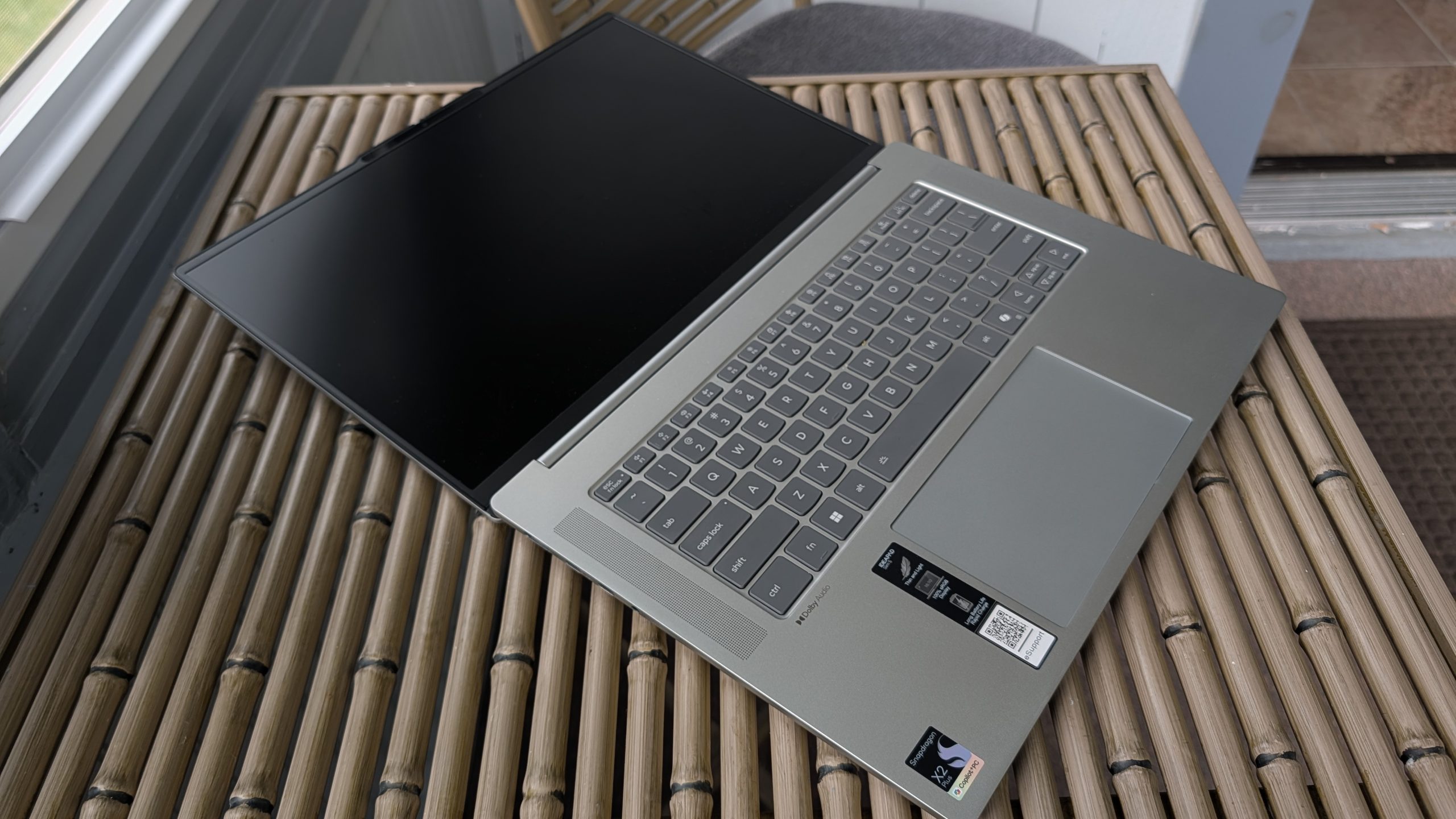
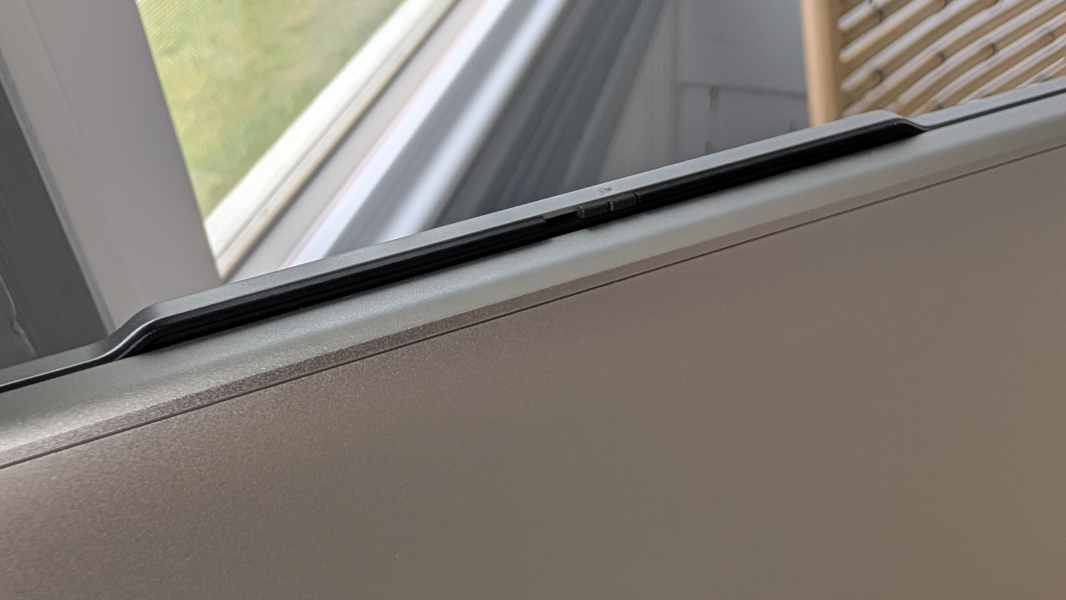
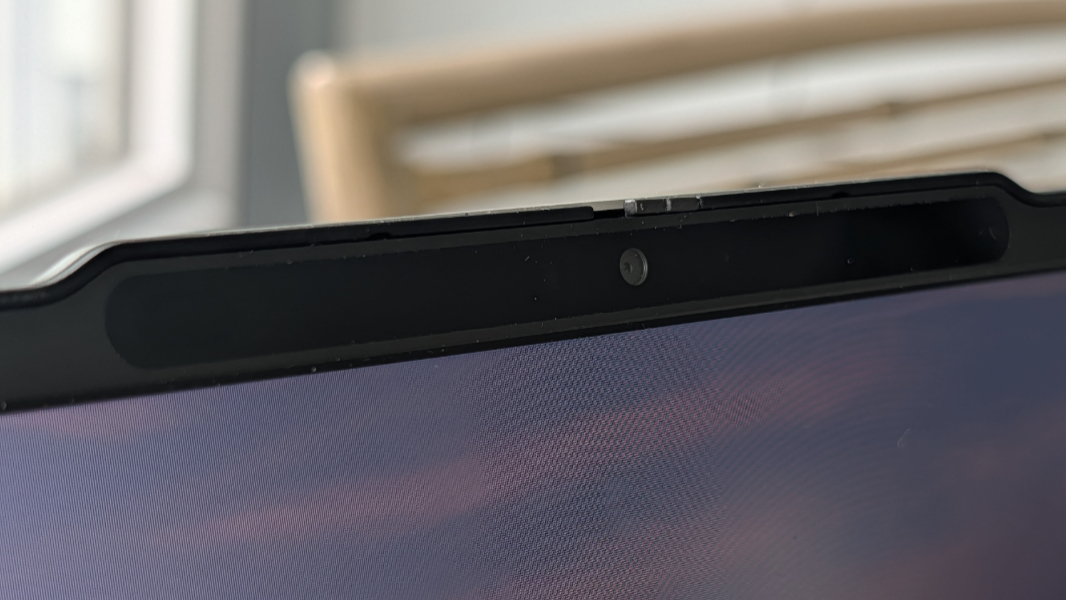
And the bezels are reasonably small, though the communications bar (a sort of reverse notch) that houses the webcam and sensors sticks up a bit past the rest of the body when the lid is closed. This has never been a problem while moving around with the laptop, but it’s a curiosity.
Internal components
The IdeaPad Slim 5x is powered by Qualcomm’s Snapdragon X2 Plus X2P-42-100 processor, which is made with a modern 3 nm manufacturing process. It provides six 3rd-generation Oryon Prime processor cores, Adreno X2-45 graphics, and an 80 TOPS Hexagon NPU in a package that runs at an efficient 10 to 22 watts that’s suitable for laptops.
This is Qualcomm’s entry-level Snapdragon X2 chip, literally the lowest-end of the new generation of chips. But if experience is any guide, and it is, then that doesn’t matter in the slightest, as all these chips perform wonderfully in day-to-day use. That was certainly my experience with the IdeaPad Slim.
The differences are interesting. Compared to its OG Snapdragon X Plus X1P-42-100 predecessor, the X2 Plus delivers on the generational performance improvements one wants to see, despite having fewer processor cores (6 vs. 8) and less cache (22 MB vs. 30 MB). It provides a 35 percent bump in single core performance, a 10 percent jump in multicore performance, a 39 percent gain in graphics performance, and 78 percent better performance of hardware-accelerated AI tasks. So there are clearly some architectural improvements at play here, though I assume a higher clock speed (4 GHz per core vs. 3.4 GHz) helps, too.
Lenovo augments the Snapdragon X2 Plus with 16 GB or 32 GB of soldered and non-upgradeable LPDDR5X-9523MT/s RAM and 512 GB or 1 TB of M.2 2242-based PCIe Gen4 QLC SSD storage, depending on how the customer configures the laptop. The review unit was entry-level across the board, with 16 GB of RAM, 512 GB of storage, and the Full HD+ display.
And you know what? It’s terrific. The IdeaPad handled everything I threw at it with no complaining and no fan noise except in some extreme conditions while on power and with the Best Performance power management setting enabled. This included all the standard productivity workflows–web browsers, Typora, Notion, Slack, and so on—but also developer projects in Visual Studio 2026 and Android Studio, and even some light gaming (DOOM Eternal, Half-Life 2, that sort of thing). We’re past the point where complaining about Windows 11 on Arm and compatibility makes any sense. Everything works great.
You can find additional power management and processor optimization capabilities in the Lenovo Vantage app, in the Modes area under Device settings. I had experimented with this in the past on previous review laptops, but I didn’t bother here, leaving it in the Common mode (as opposed to Gaming, Media, and so on, plus an AI-based Automatic mode). Aside from testing whether Best Performance made any difference, I left things in the default configuration.
Connectivity
Thanks to the underlying chipset, connectivity is modern and future-proof with Wi-Fi 7 and Bluetooth 5.4. I had no connectivity issues in Mexico City, here in Pennsylvania, on the flight between the two places, or during a long weekend upstate New York getaway last week.
Ports and expansion
The IdeaPad’s expansion capabilities are reasonable given its size and price point, though I would still like to see at least one USB-C port on each side. Also, there’s no Kensington security slot of any kind, which is unusual.
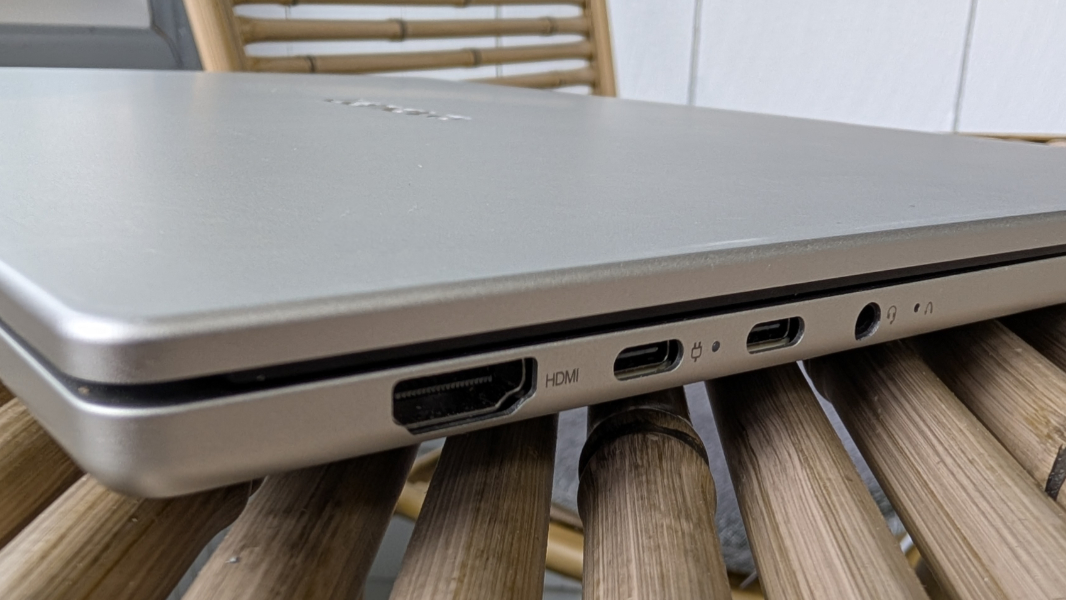
On the left, Lenovo provides a full-sized HDMI 2.1 video-out port, two 10 Gbps USB Type-C ports with Power Delivery 3.0 (45 to 65-watt) and DisplayPort 1.4 capabilities, a combo headphone/microphone jack, and a tiny Novo button in a pinhole. (You can find out more about that in the Security section below.)
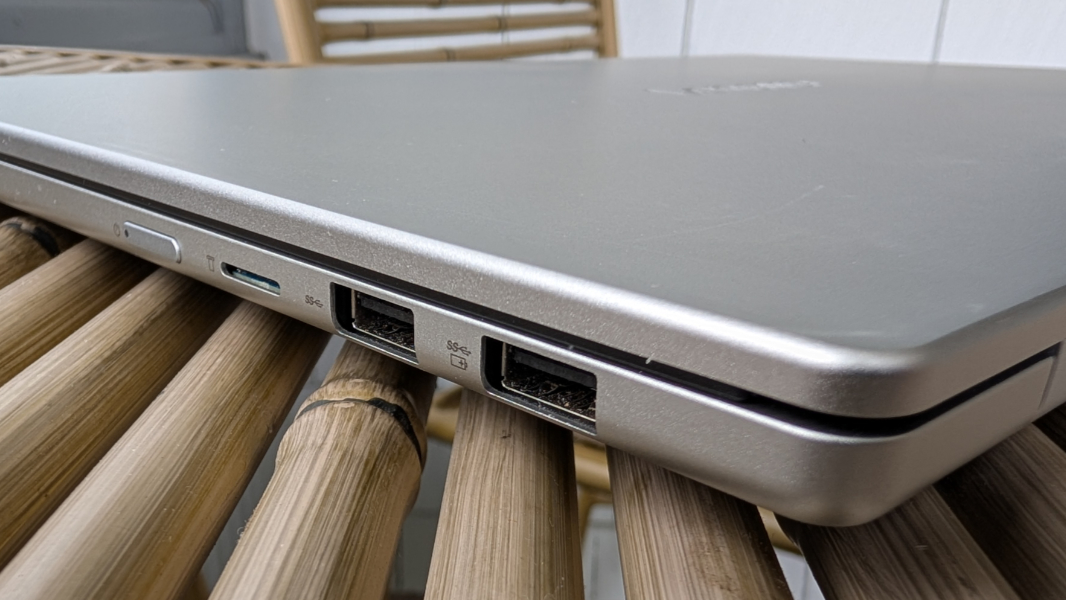
And on the right, you will find two full-sized 5 Gbps USB 3.2 Gen 1 Type-A ports, the furthest back of which supports always-on for device charging, a micro SD card reader, and the power button.
Audio and video
Audio performance is fine but nothing special, with two 2-watt upward-firing speakers arranged on either side of the keyboard. It can be a bit tinny, and it can reverberate through the chassis at top volume, but it gets loud enough and offers good stereo separation. Oddly, it sounds better when my hands aren’t leaning on the wrist rests.
Video quality is excellent despite the lack of OLED technology or Dolby Vision/HDR, and while this laptop is really aimed at productivity, watching movies and other videos is a good experience.

I feel like this could be a bit better, though. The speakers are enhanced with Dolby Audio, but there are no automatic content switching capabilities, so you need to open the Dolby Settings app to choose between presets for movies, music, and voice.
Hybrid work
IdeaPad is a consumer product line, and given this laptop’s budget aspirations, it’s no surprise that it delivers just the basics for remote work, with a middling Full HD webcam and lackluster dual microphone array. You can use Windows Studio Effects to improve the camera image a bit, but there’s no built-in camera control software in Vantage or any other Lenovo utility.
Keyboard and touchpad
The full-sized backlit keyboard works hand-in-hand with the general performance and reliability of the system and its large display to help deliver one of my favorite overall laptop experiences. It’s so important that the keyboard work well, and this island-style design is fantastic overall.
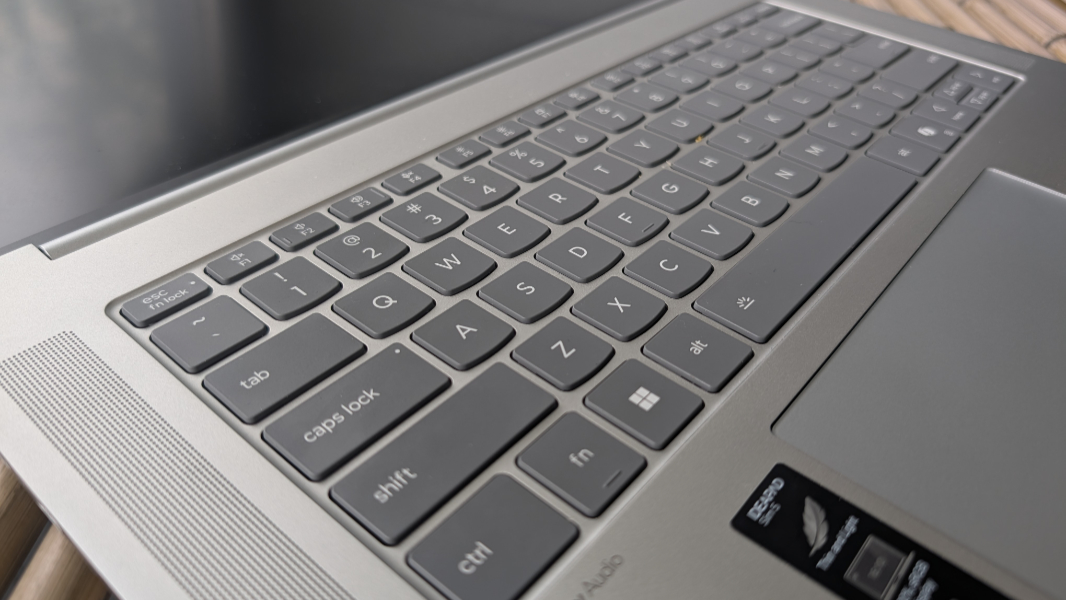
The keyboard has a 1.3 mm key travel, which I like, and two levels of backlighting with an automatic mode I like even more. And the dark color of the square keys isn’t just for looks, as it really helps with readability, too: Where the backlighting gets washed out on many keyboards with lighter keycaps, that’s not an issue here.
The medium-large multitouch and buttonless touchpad is Mylar, not glass, and it was delightfully accurate and reliable once I disabled three-finger gestures.
Security
As a Copilot+ PC, the IdeaPad Slim 5x delivers the most secure Windows 11 configuration possible out of the box, with Windows Hello Enhanced Sign-in Security (ESS) powering its reliable and fast facial recognition capabilities. There’s no fingerprint reader, and the privacy shutter on the webcam is a manual slider right on top of the camera, both of which make sense given the price.
Lenovo is starting to include a Novo button in its PCs, and it’s just in front of the combo headphone/microphone jack on the left side of the laptop. You can use this button to boot into the Lenovo OneKey Recovery environment to factory reset the PC or access its firmware (BIOS) configuration utility or boot menu. To do so, shut down the PC and press the Nova button with an unfolded paperclip.
Sustainability
One of the nicest surprises about last year’s HP OmniBook 5 was that it was easily serviceable, and I replaced its stock 256 GB SSD with a larger 1 TB unit shortly after completing my review with no issues. I won’t attempt a similar operation with the IdeaPad Slim 5x, as this is a review loaner and not my property. But you can easily remove the bottom of the keyboard using eight exposed Philips head screws and a thin plastic pry tool. And when you do, you will find the M.2-based SSD, battery, and other internal components available for replacement if needed.
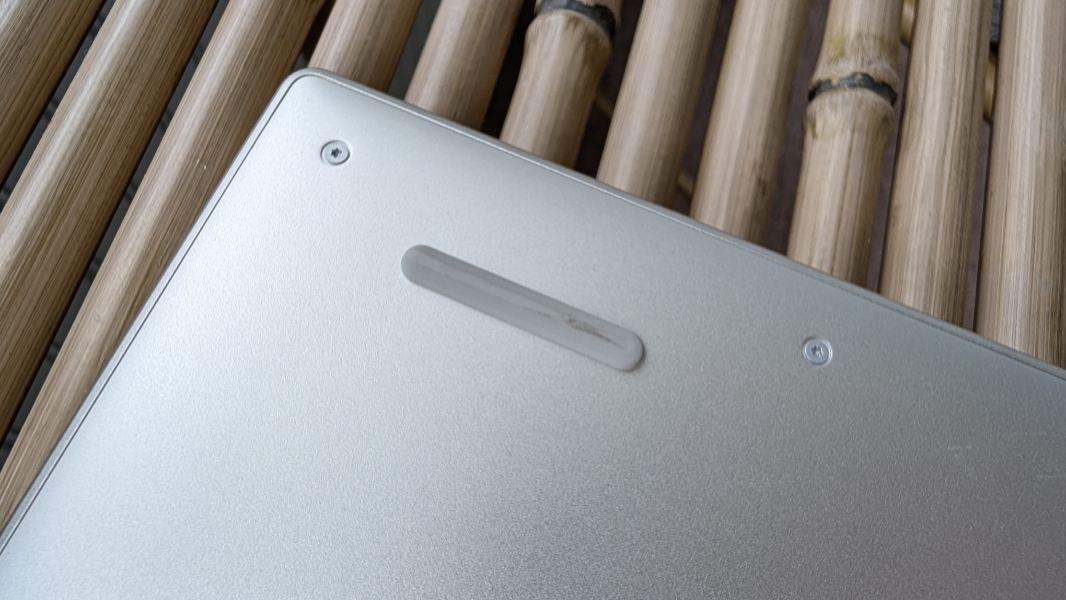
From a recycling perspective, all I could find was that the bottom half of the keyboard base is made with 100 percent recycled aluminum.
Efficiency and portability
The IdeaPad Slim 5x isn’t a paper-thin and ultra-light wonder per se, but its 0.61 x 13.35 x 9.29-inch form factor and 3.10 pound curb weight are reasonable considering the screen size and the price point. It wasn’t so long ago that 3 pounds was about average for a premium 14-inch laptop.
The IdeaPad never let me down from an instant-on and power management perspective: In normal use, I could get up in the morning, open the display lid, and be at the desktop in a fraction of a second with no recorded issues. Battery drain overnight was always nearly non-existent.
Battery life was very good, but a bit less than I’d expected, with an average of over 8.5 hours of real-world uptime during the review period. But as it turns out, this IdeaPad can be configured with a 54.7 or 70 watt-hour battery, and the review unit shipped with the smaller unit, partially explaining the results. (Assuming basic math tells the tale, this suggests somewhere around 10.5 hours of uptime with the larger battery, which is more in line with my expectations.) Either battery can be charged to 3 hours of uptime in just 15 minutes using the bundled slimline 65-watt USB-C power adapter.
Software
The IdeaPad Slim 5x ships with Windows 11 Home, as one would expect of a consumer-class laptop. Thanks to this focus, it also delivers a bit of additional crapware, most notably McAfee (which, don’t forget, includes a separate and harder-to-find and remove McAfee Web Advisor utility too), a Dropbox promotion, and, disturbingly, a new Lenovo Subscription Marketplace app that I uninstalled immediately. Beyond that, you get Lenovo Vantage (in its consumer form, with utility and upsells), Dolby Settings, Smart Connect, and a link to an online user guide. I’ve seen worse, but it is what it is.
In the good news department, the IdeaPad Slim gives customers access to the full suite of Copilot+ PC on-device AI capabilities in addition to the security improvements inherent to this platform. The most useful, in my opinion, are Click to Do, Live Captions with live translations, and the image capabilities in Paint and Photos. But it also includes all the camera-related capabilities in Windows Studio Effects–automatic framing, portrait light, eye contact, background effects, and creative filters–which isn’t always the case.
Pricing and configurations
Lenovo usually lets you configure the IdeaPad Slim 5x to some degree on its website, but there’s only a single $849 model available at the time of this writing. For that sum, you get the computer I reviewed, with 16 GB of RAM, 512 GB of storage, the Full HD+ LCD, and the smaller 54.7 watt-hour battery. This is an astonishing deal given the component crisis we’re now enduring and how well this laptop works.
Recommendations and conclusions
Last year, I called the HP OmniBook 5 a Snapdragon miracle, and the same can and should be said of the Lenovo IdeaPad 5x Gen 11. This is a stunning example of what’s still possible in the $500 to $1000 range, even given the component crisis. It’s a nearly perfect Windows 11 laptop with excellent performance, reliability, and efficiency; very good battery life; and a solid mix of high-end capabilities at an affordable price. It makes a maxed-out MacBook Neo look ridiculous with a superior and bigger display, more (or much more) RAM, more storage, better real-world battery life, and common-sense baseline capabilities like keyboard backlighting and better expansion. Sometimes you really do get what you pay for, but with the IdeaPad Slim 5x, you get more.
The Lenovo IdeaPad Slim 5x is highly recommended. It’s an incredible value and a magical combination of attributes that turn what could have been a pedestrian product into something truly special.
At-a-glance
Pros
✔️ Terrific performance, reliability, and efficiency
✔️ Solid battery life
✔️ Reasonable price
✔️ Good mix of expansion ports and connectivity capabilities
Cons
❌ A bit of crapware
❌ Non-upgradeable RAM