Microsoft Store Insider Update Adds Updated Library Experience and More
- Laurent Giret
- Aug 07, 2024
-
0

The Microsoft Store August 2024 update has started rolling out to Windows 11 Insiders on the Canary and Dev Channels. This new version of the digital storefront comes with a redesigned library page, a new page for updates and downloads, and limited-time events for select games.
The updated library experience should make it easier to find apps and games users already own. The default filters now display all owned apps and games by default instead of all installed apps (this can still be changed in filter settings). Microsoft also added a new search bar next to the filter button to find specific apps and games in the library.
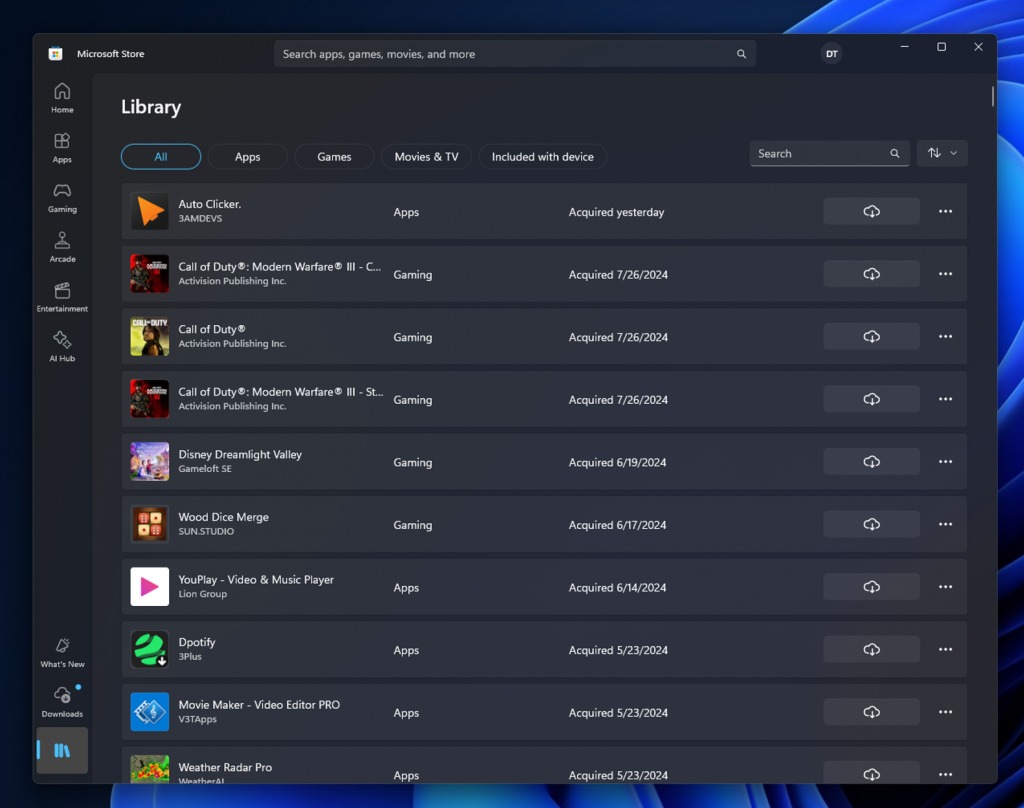
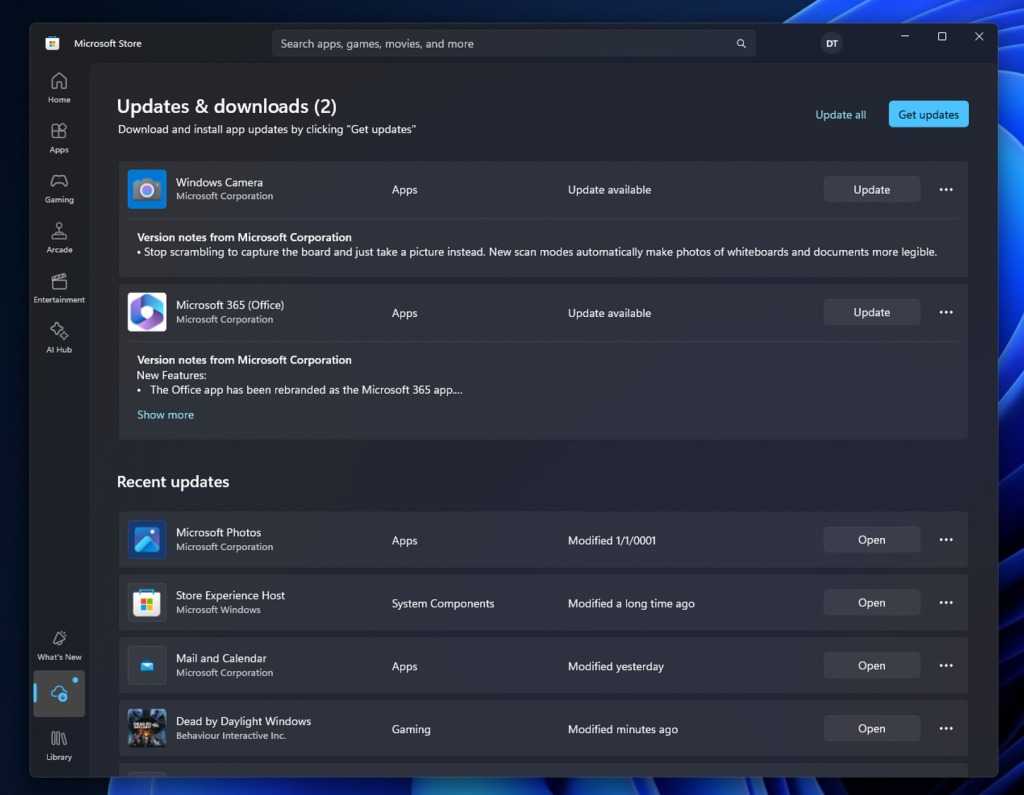
With this Microsoft Store Update, Microsoft has also moved the list of updates and downloads from the top section of the library to a new dedicated page that will display more details, including version notes for pending updates or active downloads. However that will require app developers to provide this information, and few of them do today.
Insiders in some regions may also notice new in-app events on the Store’s Games page. Here, Microsoft will be promoting limited-time challenges and events in featured apps from select game publishers.

Microsoft says that the Microsoft Store August 2024 update will be rolling out gradually to Insiders on the Canary and Dev Channels. However, you’ll need to be running version 22407.xxxx.x of the Store or higher.
Lastly, Microsoft has updated its Microsoft Store badges used for promoting apps on the web. The Windows Insider team said that the new badges come with “a more refined call-to-action to give users more confidence to acquire your app.” Developers can create new badges for their apps on the badge creator page, and the new design will be automatically applied to existing badges on the web.