New Windows 11 Insider Builds Are Available for Canary and Beta Testers
- Laurent Giret
- Aug 30, 2024
-
0

Microsoft has released today two new Windows 11 Insider builds for testers on the Canary and Beta Channels. The Canary Channel is getting improvements for Windows Local Administrator Password Solution (LAPS), as well as other new features that were previously introduced on other Insider channels.
Here are the main changes in the Windows 11 Canary build 27695:
- Windows LAPS improvements: The password management solution is getting the ability to retrieve encrypted passwords during Active Directory recovery situations
- Notification suggestions: This build is adding the option to turn off the suggestions to disable notifications from certain apps.
- Android devices in Windows Share: It’s now possible to share content to a linked Android device via the Windows Share window. This feature is also included in the August optional updates for non-Insiders released earlier this week.
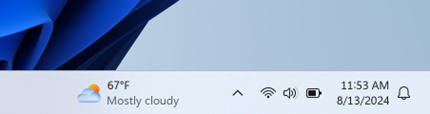
- Widgets Board changes: Microsoft is moving the Widgets entry-point to the left side of the system tray on left-aligned taskbars. The company is also updating the underlying infrastructure for the Widgets Board to prepare for the availability of third-party widget feeds in the EU. As a result, some existing widgets will be removed and others will be modified.
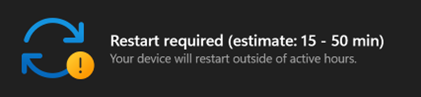
- Windows Update time estimates: Some Insiders will now see an estimated time for how long their PC will be offline to install new builds.
Moving on to the Beta Channel, today’s build 22635.4145 isn’t bringing as many changes. Here are the highlights:
- Mouse Settings: Microsoft added new toggles for enhanced mouse pointer precision and mouse scrolling direction in Settings > Bluetooth & Devices > Mouse.
- Touch screen edge gestures: There’s a new option to disable the left or right screen edge touch gesture in Settings > Bluetooth & Devices > Touch.
- Windows Spotlight experiments: Microsoft is testing new hotspots when users right-click on the Windows Spotlight icon. Hovering the mouse cursor over these hotspots will reveal additional information about wallpapers, and clicking on them will launch the Bing landing page.
Image
- New Windows Share targets: It’s now possible to share content to Notepad and Clipchamp from the Windows Share window.
This is the second build for the Beta Channel this week: On Monday, the Beta build 22635.4082 introduced a new design for media controls on the lock screen. The Dev Channel, however, didn’t get any new flight this week.