Microsoft Photos App Update For Insiders Adds Copilot Integration and More
- Laurent Giret
- Mar 25, 2025
-
1

A new update for the Microsoft Photos app is now available for all Insiders on Windows 11 and Windows 10. The latest version of the app improves the Optical Character Recognition (OCR) feature, adds new Copilot integration, and more.
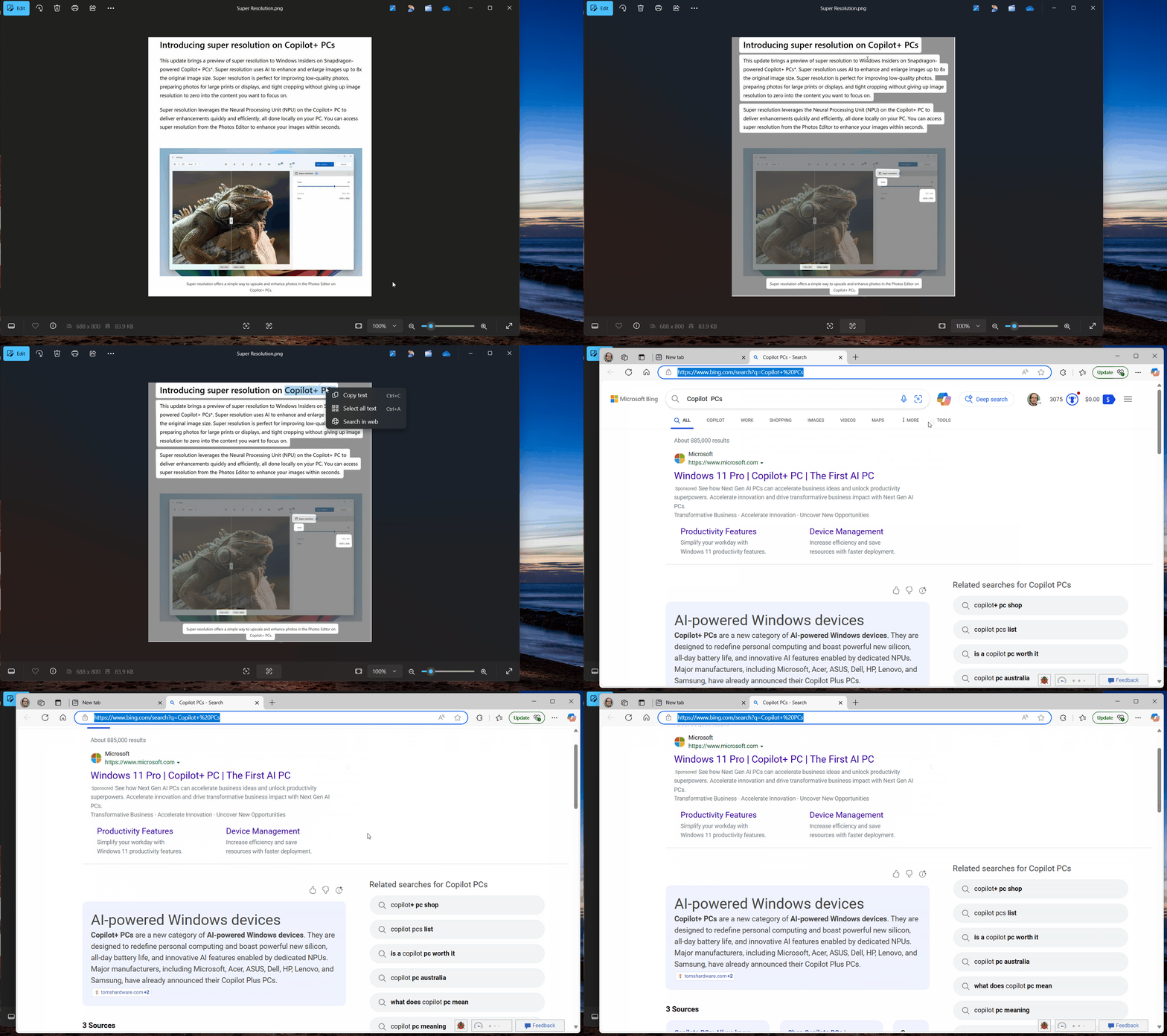
Back in February, Microsoft made the app’s Optical Character Recognition (OCR) feature available for testing again after it was temporarily disabled in October. This new update now makes it easy to launch a web search with extracted text with the default web browser.
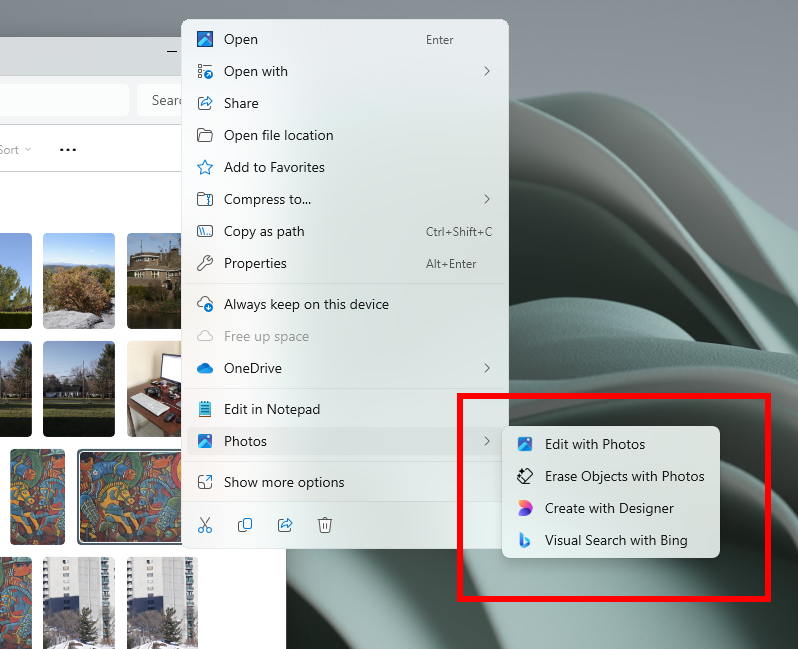
Microsoft also added new File Explorer shortcuts when right-clicking on an image. There are now shortcuts for erasing objects with the Photos app, editing it with Microsoft Designer, or launching a Visual Search with Bing.
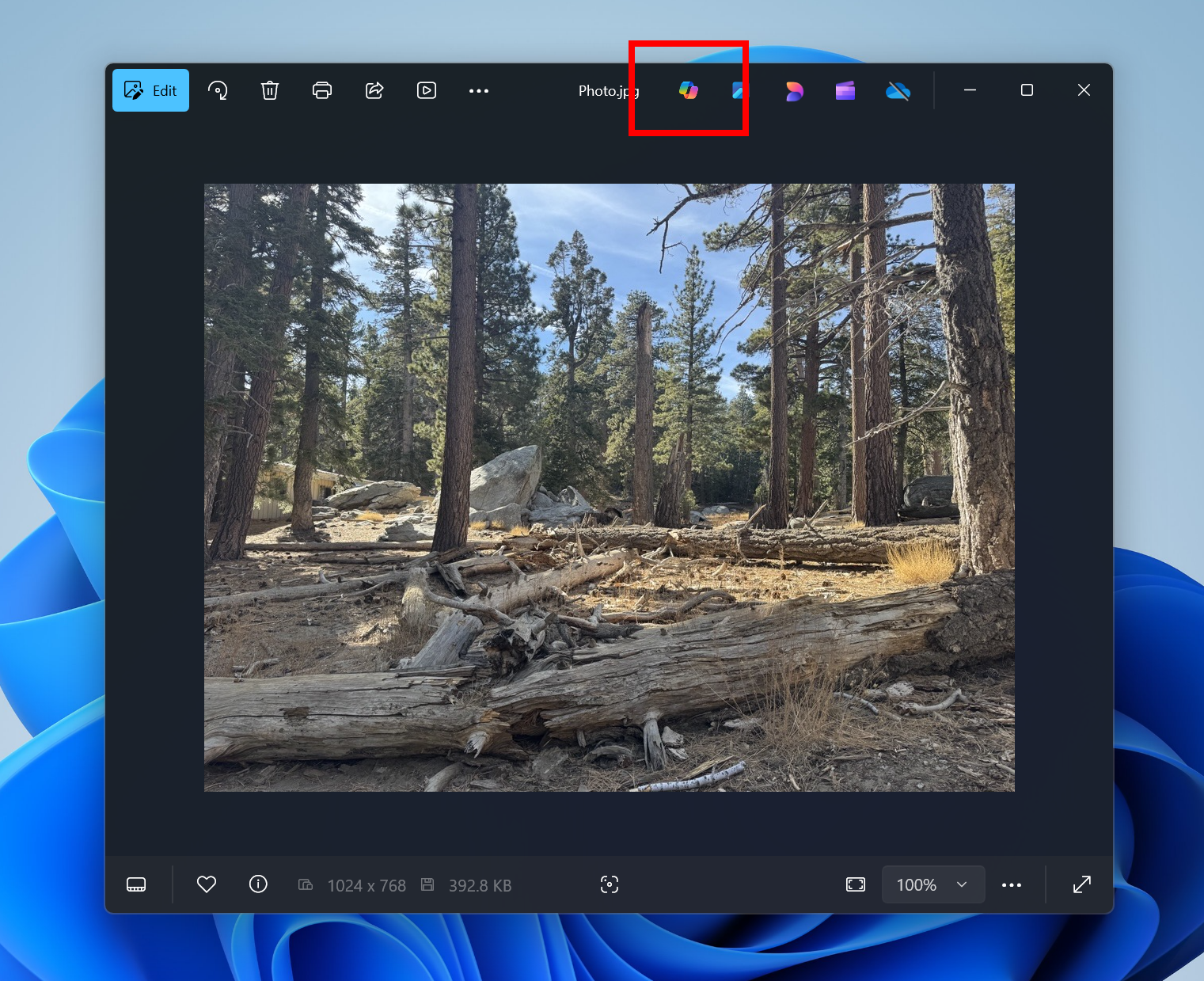
The app’s filters menu is also getting a new “Show subfolder” option that will display all the images and videos from subfolders in the Gallery. A new Copilot button has also been added at the top of the Photos Viewer, but this Copilot integration is limited to photo editing tips, framing suggestions, and insights about the picture in view.
The Windows Insider team also mentioned the added support for JXL files and some performance improvements for the Image Creator and Restyle Image features on Copilot+ PCs. This Insider update for the Photos app is rolling out gradually, so you may not see it immediately in the Microsoft Store. The new Copilot integration will also start rolling out to Insiders soon.