New Windows 11 and Windows 10 Insider Builds Are Available on the Release Preview Channel
- Laurent Giret
- May 15, 2025
-
0

Microsoft has just released the Windows 11 23H2 build 22631.5409 for Insiders on the Release Preview Channel who have yet to install the latest version of the OS. This new build enables the new Win + C keyboard shortcut for accessing Copilot and the drag tray feature that has been in testing with Insiders on other channels.
The 23H2 build 22631.5409 also brings minor improvements for Windows Share, the Settings app, and lock screen widgets for EU users. You can find a summary of the main changes below:
Copilot keyboard shortcut: You can now open Copilot by pressing Win + C and press to talk by holding the keyboard shortcut (or the Copilot keyboard key if your PC has one) for two seconds. Alternatively, you can use Alt + Spacebar to start talking with Copilot.
Windows Share: You can now crop, rotate, and add filters to images right from the Windows Share window.
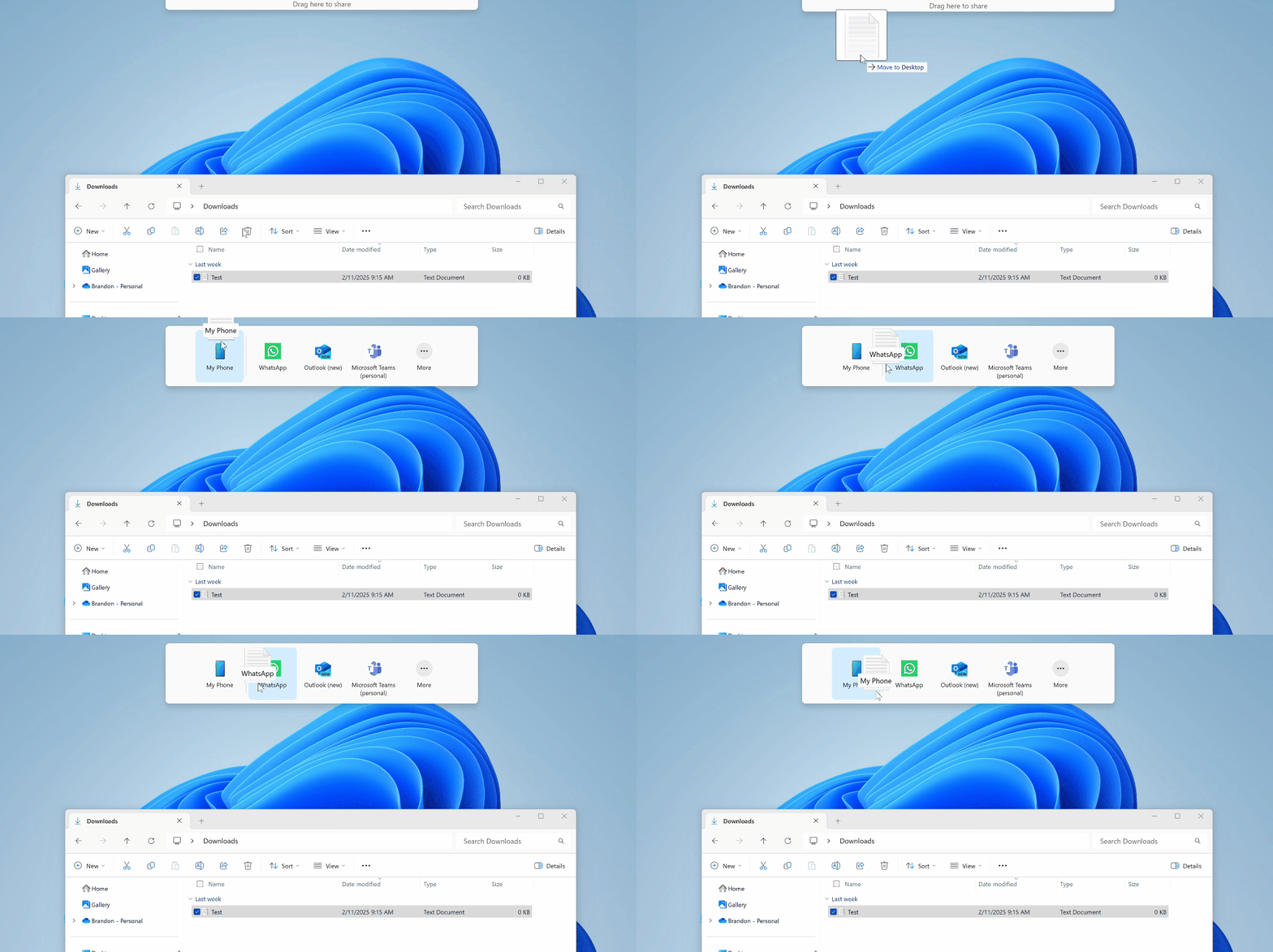
Drag tray: Dragging local files from File Explorer or your desktop will now display a new drag tray area at the top of the screen where you can share files to a list of suggested apps.
Settings improvements: A new FAQs section on Settings > System > About provides key information about your PC.
Widgets improvements: The Lock screen weather widget now offers customization options to EU users.
Microsoft also released today the Windows 10 22H2 build 19045.5912 for Insiders on the Release Preview Channel. The main change is that the clock view that displays seconds on the calendar flyout in the taskbar is back after Microsoft previously removed it.