Microsoft Starts Testing New Settings AI Agent and Recall Export Experience
- Laurent Giret
- Jun 13, 2025
-
3
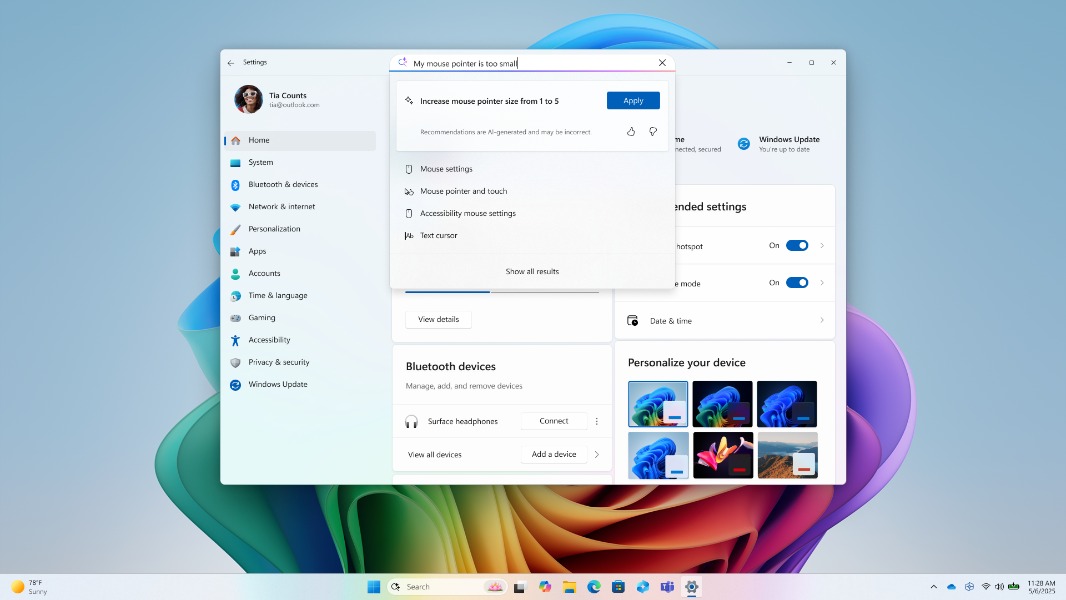
Microsoft has started testing a new AI agent in Settings and various improvements to Recall and Click to Do with Windows Insiders on Copilot+ PCs. The new Settings AI agent is available with the Windows 11 Dev build 26200.5651 alongside a new Recall export experience for Insiders in the EEA. The latter is also available in the Beta channel build 26120.4441.
These two new builds also introduce the ability to adding the ability to reset Recall and all its data. There are also new Click to Do actions for invoking Microsoft 365 Copilot and sending a message or scheduling a meeting with Microsoft Teams.
Here are the main new features that will start rolling out to Insiders today:
New Settings AI agent on Copilot+ PCs (Dev Channel only): This new AI agent will be able to change PC settings on users’ behalf after they describe what they want to do using a natural language prompt. This feature is rolling out first to Qualcomm-powered Copilot+ PCs where English is set as the primary display language.
New Recall export experience for Insiders in the EEA: Insiders in the EEA can now use a unique Recall export code to export their encrypted Recall snapshots in case they want to share them with third-party apps and websites. This export code will also be required to decrypt the exported Recall data.
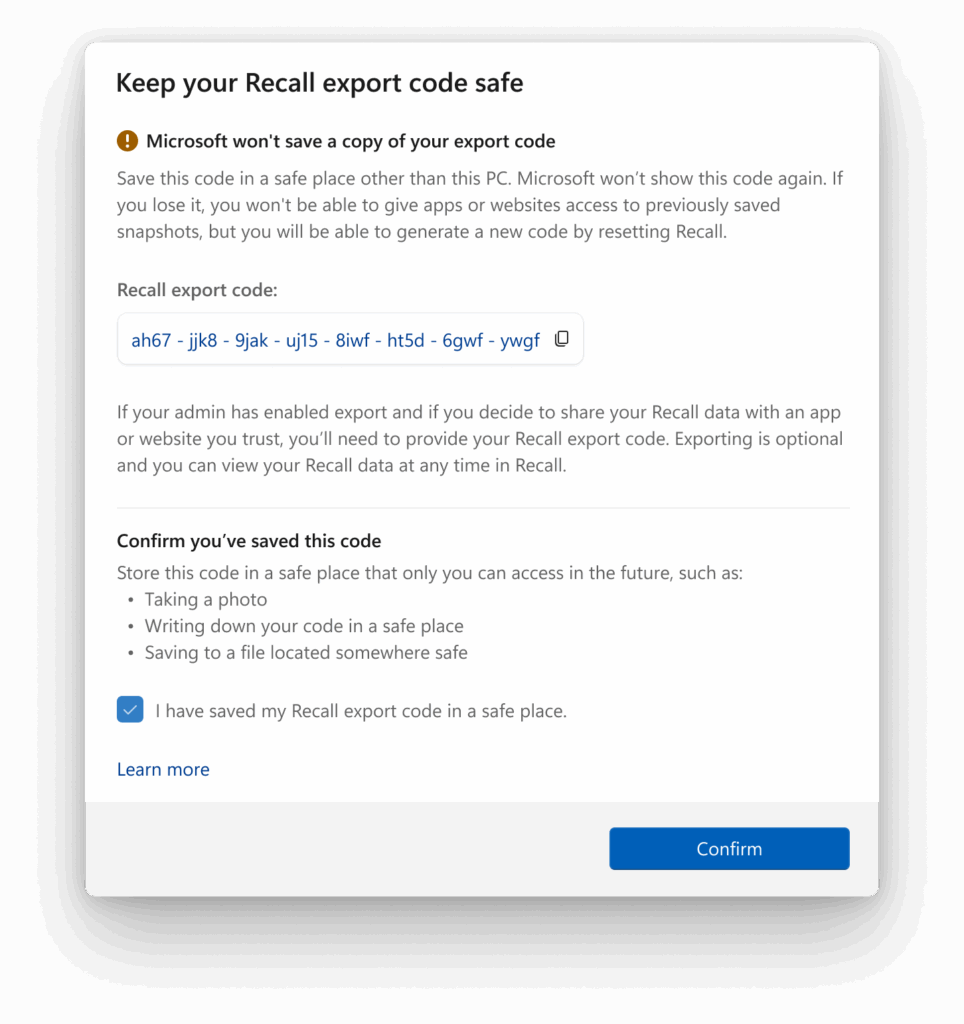
Reset Recall: A new option to Reset Recall and delete all its data is available under Settings > Privacy & Security > Recall & Snapshots. The default value for maximum storage duration for Recall snapshots has also been changed from unlimited to 90 days.
New Click to Do Actions: The new Ask Microsoft 365 Copilot action lets Insiders with an appropriate license use Click to Do to send text or images to the AI assistant. Using Click to Do on email addresses will also suggest sending a message or scheduling a meeting with Teams.
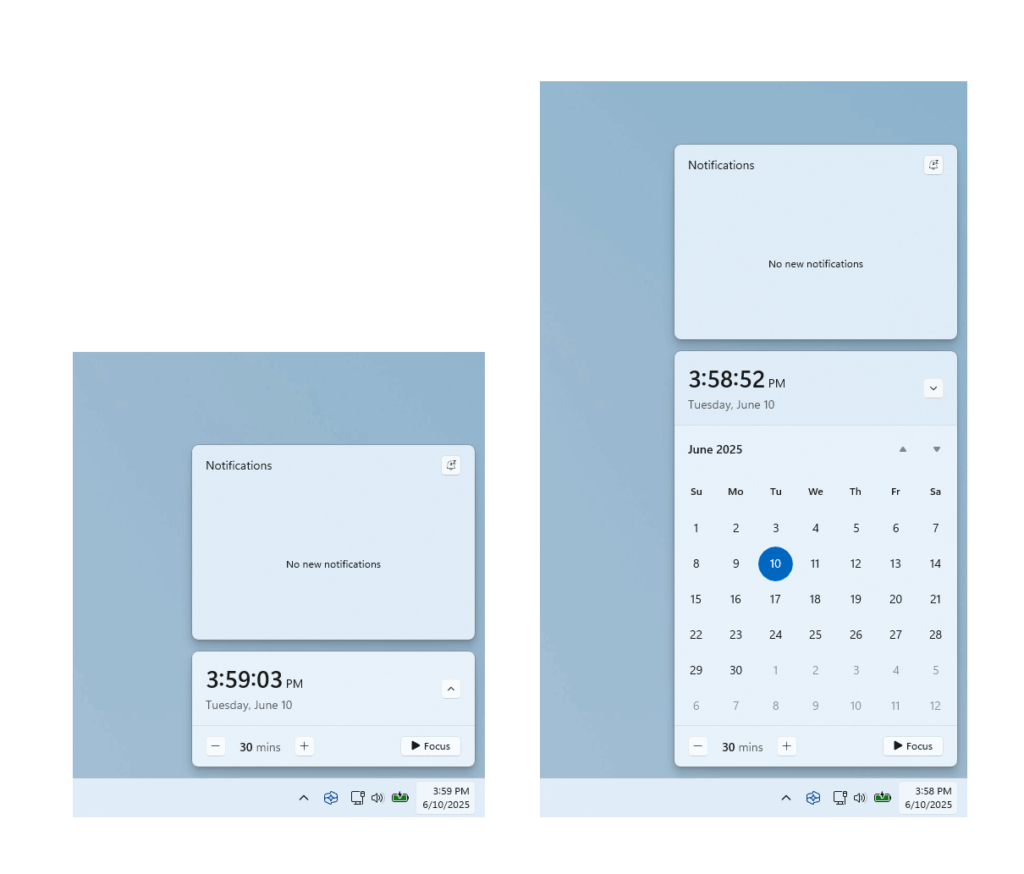
Bigger clock with seconds in the taskbar: Microsoft is bringing back the option to show a bigger clock with seconds above the date and calendar in the notification center, which was a top-requested feature from Windows 10. It’s available under Settings > Time & language > Date & time.
Windows Share improvements for OneDrive files: Insiders who are signed in with their Microsoft account can now share OneDrive cloud file links via other apps via the Windows share window. This new experience is currently not available in the EEA.
Voice Access improvements: Insiders can now use Voice Access to navigate, dictate, and interact with Windows using voice commands in Simplified Chinese, Traditional Chinese, and Japanese.
At the moment, Insiders on the Dev and Beta are continuing to receive updates based on Windows 11 version 24H2. The version 25H2 of the OS is supposedly coming later this year, though Microsoft isn’t talking about it yet. New Windows 11 Canary builds are still not tied to a specific Windows release, and the Canary Channel is generally lagging behind other Insider Channels when it comes to new features.