New Windows 11 Insider Builds Are Available for Canary, Dev, and Beta Testers
- Laurent Giret
- Aug 08, 2025
-
0

Microsoft has just dropped three new Windows 11 preview builds for Insiders on the Canary, Dev, and Beta Channels. The main changes include a redesigned mobile device companion experience for the Start menu, plus more settings from the legacy Control panel being moved to the Windows 11 Settings app.
The Windows 11 Canary build 27919 introduces a single settings page for Windows Search, which is available via Privacy & security > Search. It combines settings previously available via the “Search permissions” page and the “Searching Windows” page. “The page is refreshed with a new modern visual for you to clearly browse the settings and control your experiences inside Windows Search, with the items listed in a better order,” the Windows Insider team explained.
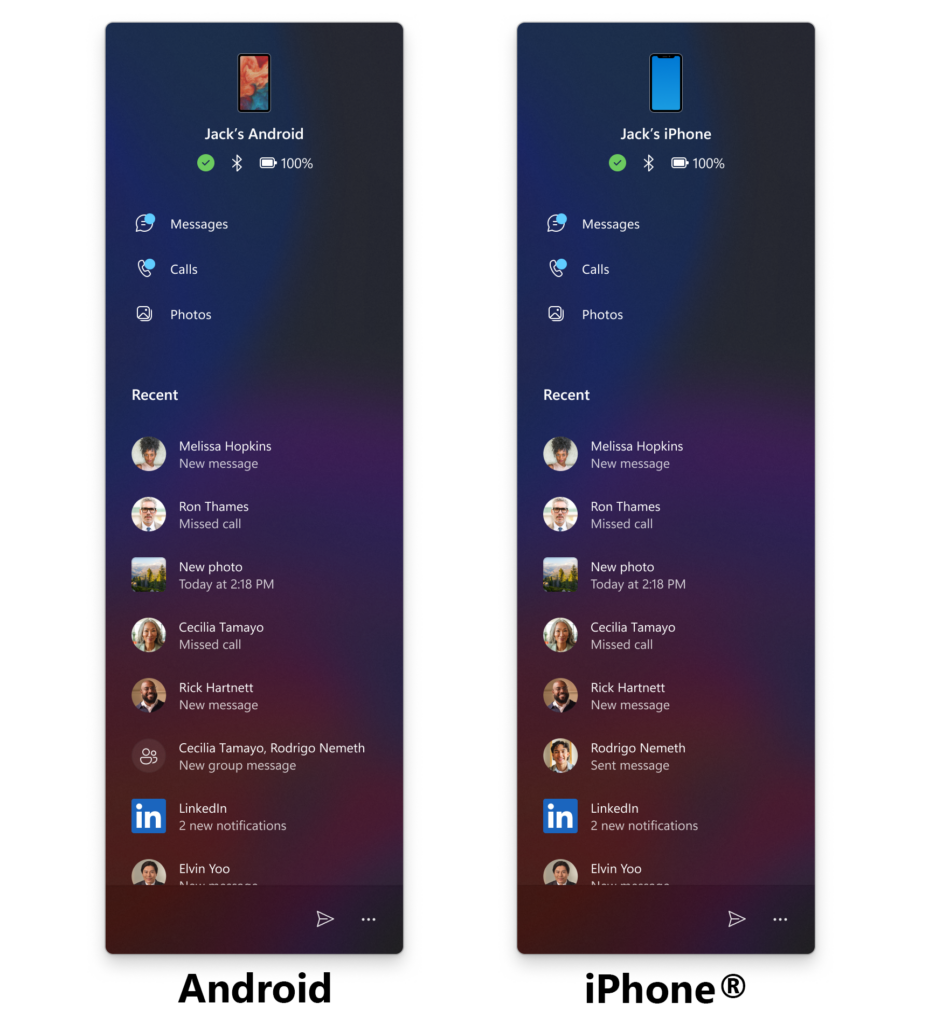
For Dev Channel testers, the 25H2 build 26200.5742 brings a redesigned layout for the mobile device companion sidebar for the Start Menu. Users can now scroll down to access more recent activity items, including new messages, phone calls, photos, and mobile app updates. This new layout will roll out first to Insiders who have enabled the Windows Update toggle to receive new features early.
With this new Dev build and the Beta build 26120.5742, Microsoft is also moving more time, language, and keyboard settings from the legacy Control Panel to the Windows 11 Settings app. It’s now possible to change your time server from Settings > Time & language > Date & time, under “Additional settings”. The setting for character repeat delay/rate has moved to Settings > Accessibility > Keyboard.
It’s pretty rare for Microsoft to release new builds on three different Insider Channels at the same time, but here we are. If you missed it earlier this week, Microsoft also made its new Gaming Copilot available via the PC Game Bar for Xbox Insiders enrolled in the PC Gaming Preview.