Windows Insiders Can Test a Decluttered Windows Search Experience
- Laurent Giret
- Jul 13, 2026
-
3
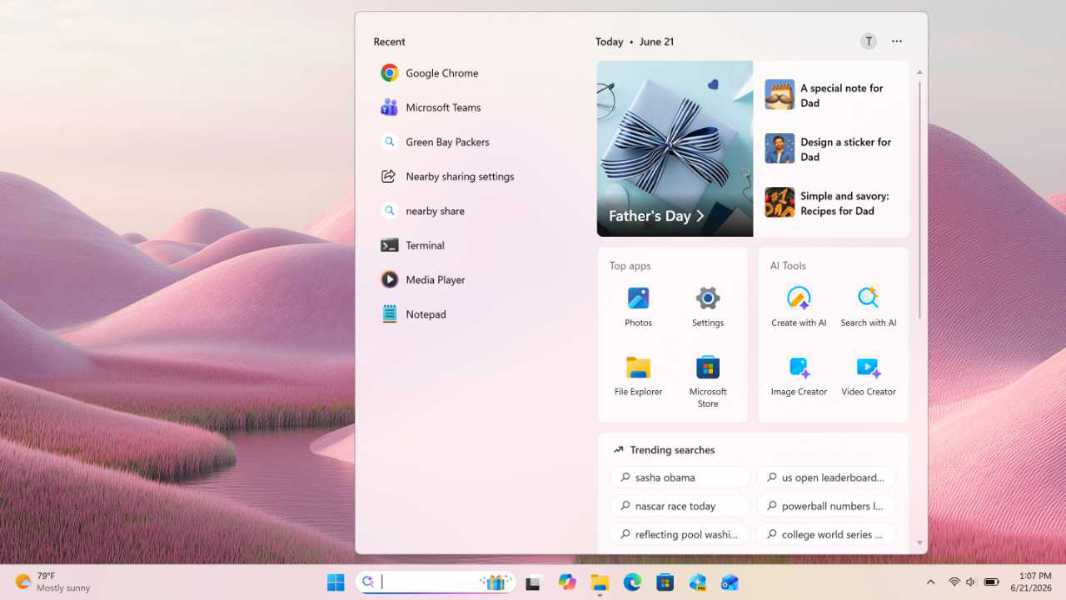
Windows Insiders on the Experimental Channel can start testing several changes to the Windows Search experience inspired by user feedback. Microsoft is now making it possible to hide recommended content and trending searches, and it’s also improving search quality by prioritizing local results.
“You’ve have been asking for search that is faster, more relevant, and easier to use—whether you’re opening an app, finding a file, or changing a setting. Because the Windows Search Box is where many people start, we focused first on making results more dependable, easier to scan, and clearer before you click,” the Windows Insider team said today.
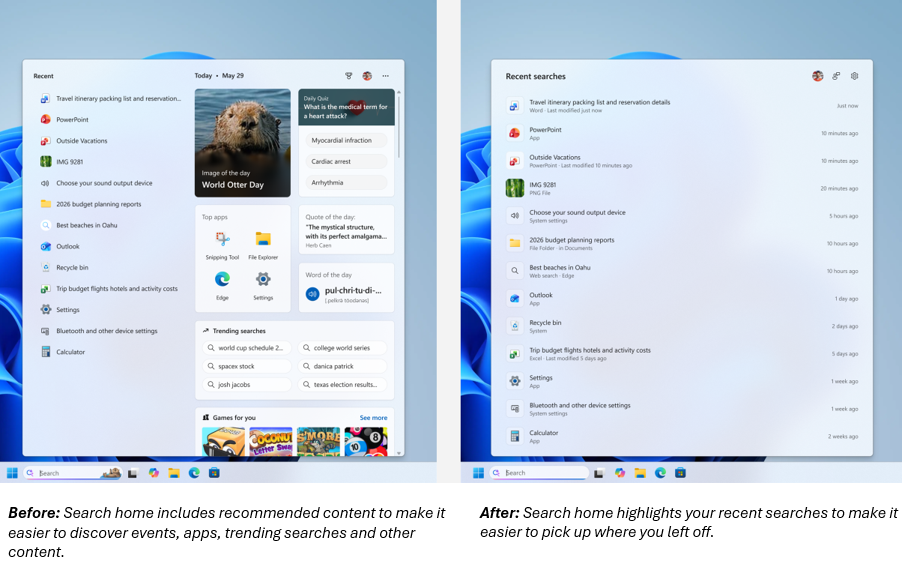
First of all, Windows Insiders can now declutter the Windows Search home to show only recent searches when opening. The preview pane has also been redesigned to show clearer headers and more useful metadata.
In Settings > Privacy & Security > Search, Windows Insiders will see new options to hide web and Microsoft Store suggestions in suggested content in search results. When web results are enabled, the preview pane will no longer show promotional content.
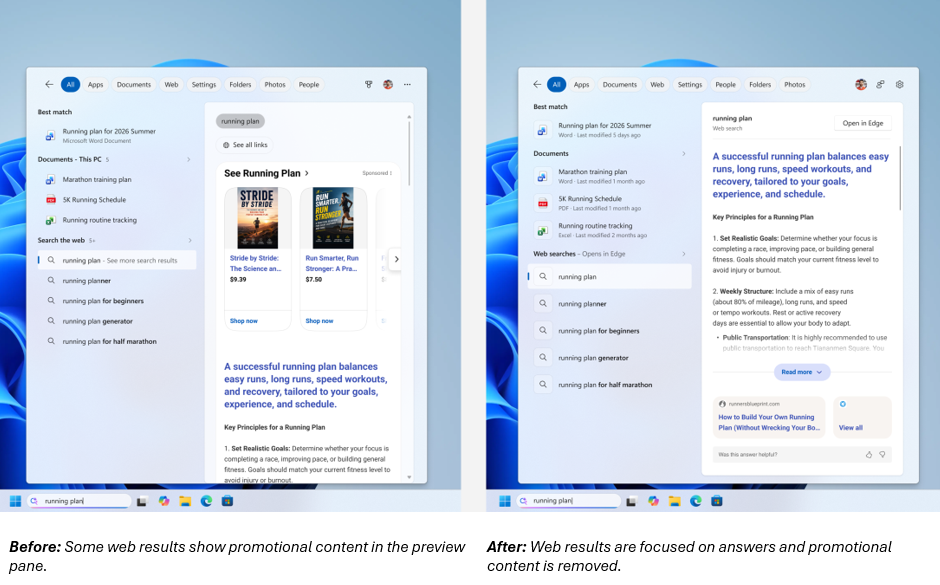
“We’ve made a first round of ranking improvements to help more relevant settings appear higher in results, with more tuning planned in the coming months,” the Windows Insider team also explained. Local results are now prioritized over web and Store suggestions when they’re the better match. Moreover, Windows Search can now find content even when queries include typos, and two-character file searches are now supported.
These Windows Search improvements will be gradually rolling out to Insiders on the Experimental Channel. However, they can also be manually enabled using the new feature flags menu in Windows Settings.