Windows Insiders Can Test Phone Companion Improvements and New Mouse Pointer Effects
- Laurent Giret
- Sep 25, 2026
-
0
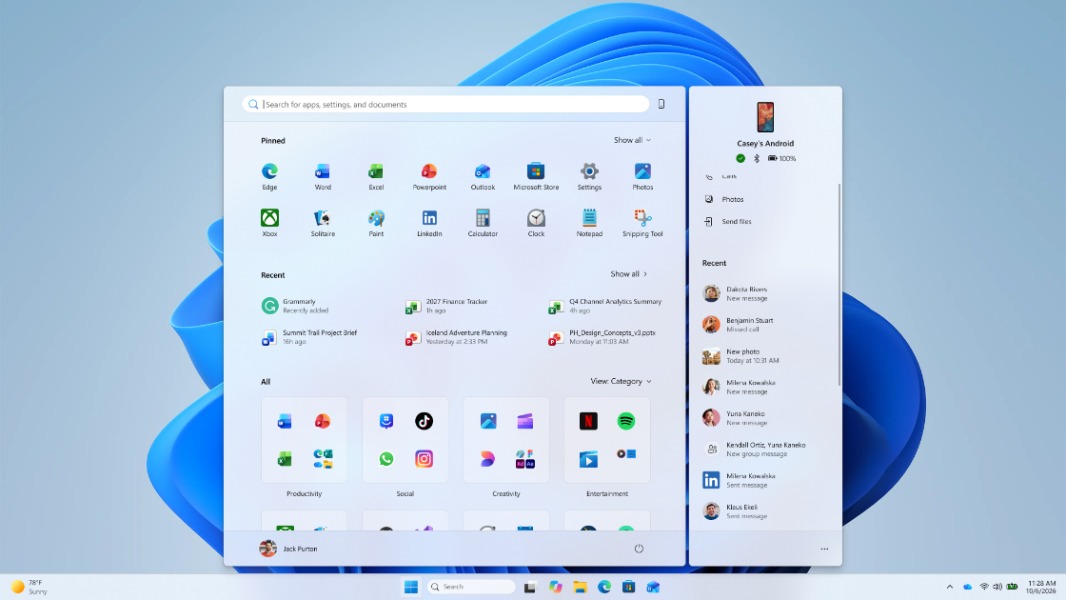
Microsoft released today a new series of Windows 11 preview builds for Insiders on the Experimental and Beta Channels. Highlights include a new scrollable side pane in the Phone companion area of the Start Menu, as well as new Pointer Indicator accessibility settings for users with low vision.
The scrollable pane for viewing more recent mobile activity in the Phone companion area of the Start Menu is available in the Experimental build 26340.9577. The new bits also make Energy recommendations available directly in the system tray’s Quick Settings area.
For Windows Insiders on the Beta Channel, the new build 26220.9568 also brings the ability to see the content of a recent message in Phone Companion by just hovering the mouse cursor over it. In Settings > Accessibility > Mouse pointer and touch, there’s also the new Pointer indicator setting that adds crosshair effects to the mouse pointer to make it easier to locate. When enabled, the feature can be toggled on or off with the Win + Ctrl + X keyboard shortcut.
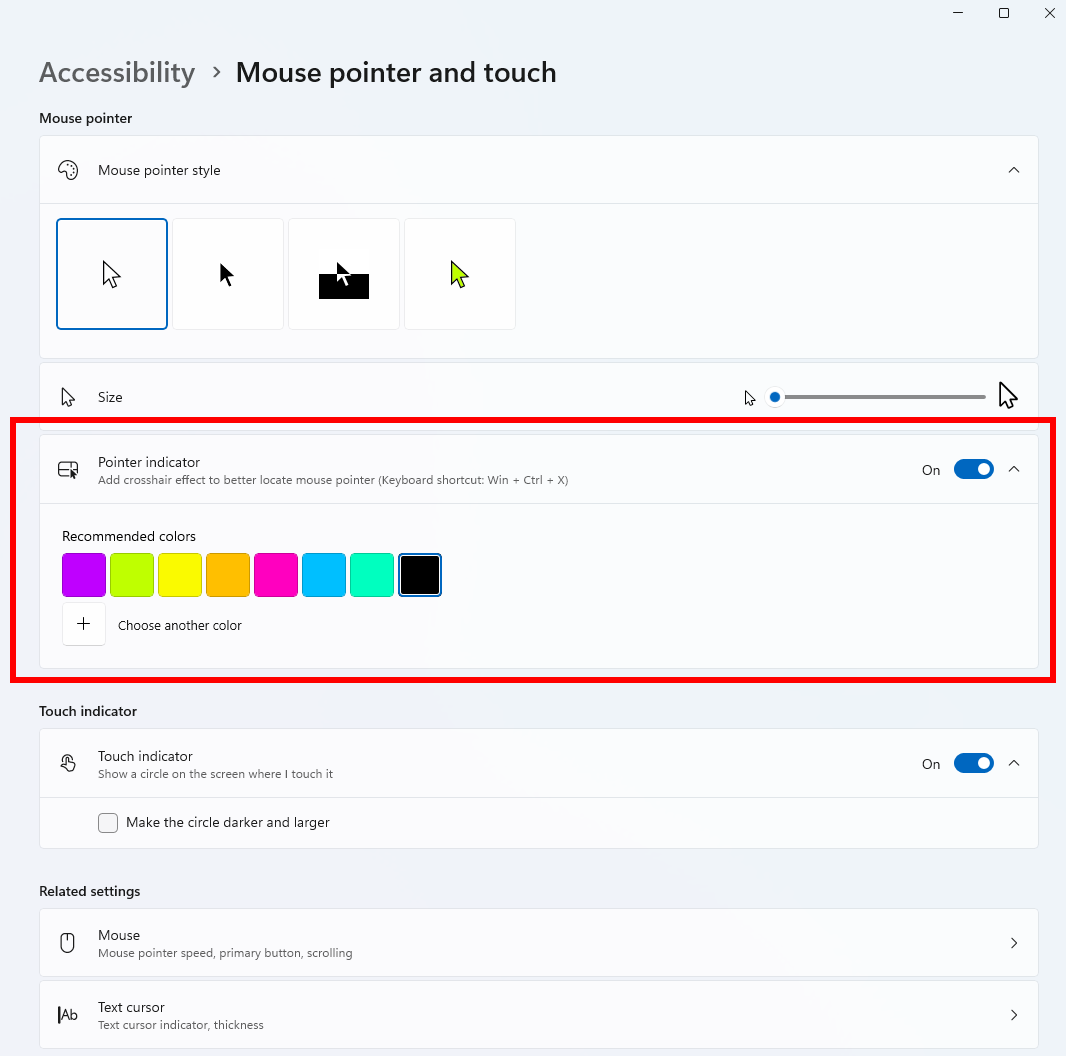
This new Beta build also introduces a new contrast theme toggle in Magnifier for people who find bright screens uncomfortable. This is different from the existing Color inversion feature, as the contrast theme will just recolor the interface without changing the original colors of photos, videos, and charts.
Microsoft also released new 26H1 preview builds for Insiders on the Experimental and Beta Channels today, but they don’t include any new features. There was no new Experimental (Future Platforms) release today, however.