Latest Windows Insider Canary Build Adds Copilot Key Configuration
- Paul Thurrott
- Oct 17, 2024
-
3
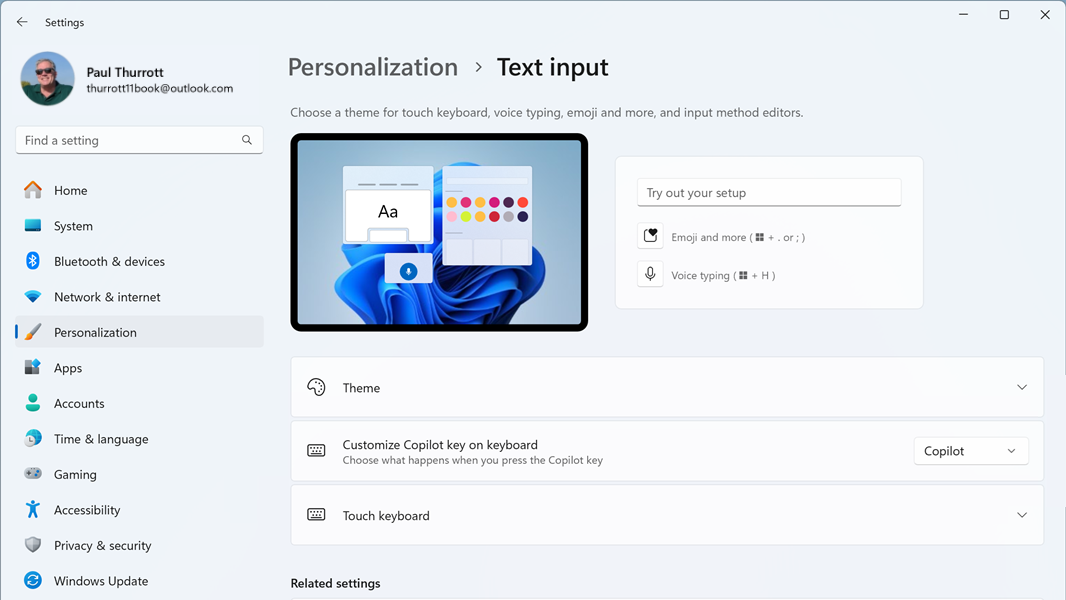
Microsoft has released Windows 11 Insider Preview build 27729 to the Canary Channel, adding a Copilot key configuration capability.
“We are adding the ability to configure the Copilot key,” the Microsoft announcement explains. “You can choose to have the Copilot key launch an app that is MSIX packaged and signed, thus indicating the app meets security and privacy requirements to keep customers safe. The key will continue to launch Copilot on devices that have the Copilot app installed until a customer selects a different experience … f the keyboard connected to your PC does not have a Copilot key, adjusting this setting will not do anything. We are planning further refinements to this experience in a future flight.”
This new setting is found in the Settings app: Just navigate to Personalization > Text input. Today, this Settings page features settings related to the Touch keyboard, plus a link to Typing settings (Time & language > Typing).
This new setting is also the only new feature in build 27729. Beyond that are several bug fixes and yet another Snipping Tool update. This one adds a new “Copy as table” feature for copying structured data in a screenshot into an email, document, or spreadsheet.