Microsoft Issues New Builds for Windows Insider Program Dev and Beta Channels
- Paul Thurrott
- Feb 28, 2025
-
0
There are two new builds for those testing pre-release Windows 11 functionality in the Windows Insider Program’s Dev and Beta channels.
Those testing potential future features for Windows 11 version 24H2 in the Dev or Beta channel are being offered KB5052090, a cumulative update that will bring the OS to build number 26120.3360. (Remember, there is a temporary window open now during which those in the Beta channel can optionally move up to 24H2, while those in Dev can optionally switch to the Beta channel.) New features and other changes in this build include:
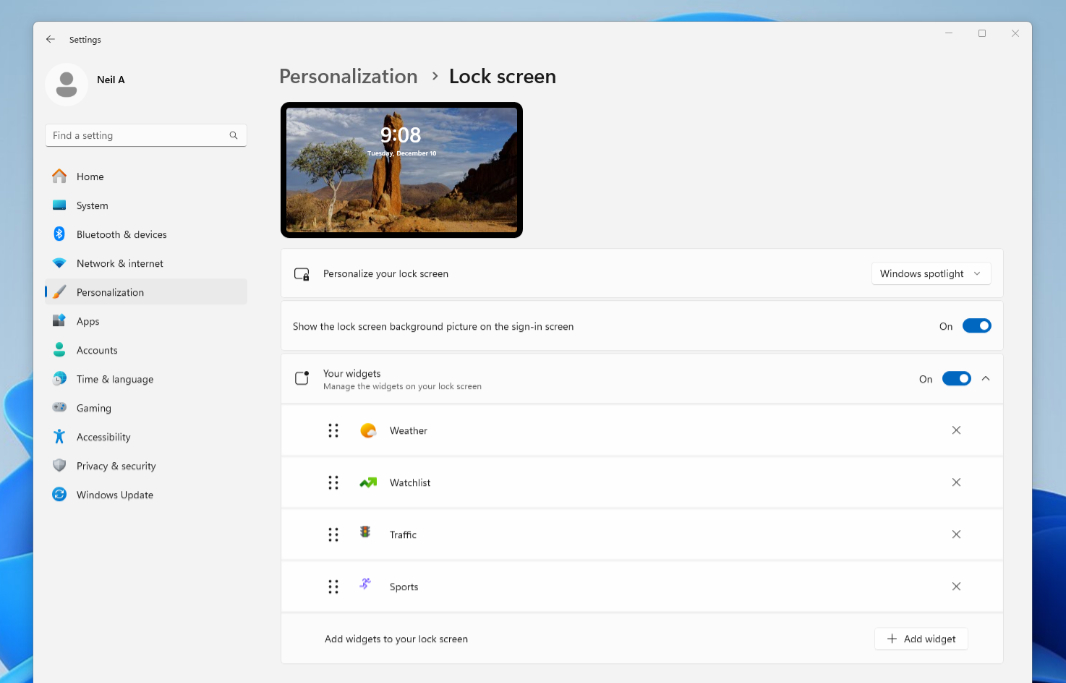
- Lock screen widget customization. You can finally configure which widgets appear on the Lock screen instead of globally enabling or disabling them all as a group. This feature is rolling out gradually, and first to users in the European Economic Area (EEA). It will expand to other Insiders in the future, Microsoft says, and then, presumably, to stable, where it should have been a feature since the beginning. (IT admins are getting a corresponding “Disable widgets on the Lock Screen” policy by which they can configure this across an organization.)
- Windows Share. Now, when you right-click a file in File Explorer or on the Desktop and choose “Share,” you will see a sub-menu listing compatible apps so you can share directly without first opening the Share pane.
- Task Manager. Microsoft is changing how it calculates CPU utilization in the Processes, Performance, and User pages of Task Manager. It will now use the standard metrics to display CPU workloads consistently across these pages and align with industry standards and third-party tools. (A new optional column called CPU Utility is available but hidden by default on the Details tab so you can view the previous CPU value calculation.)
Those testing potential future features for Windows 11 version 23H2 in the Beta channel are being offered KB5052089, a cumulative update that brings the OS to build number 22635.5015. New features and other changes include:
Emoji and more. This panel (which you activate by typing Windows Key + . [period]) is getting a new system tray icon for easier access. (How about adding a special characters page to this thing, Microsoft?) You can toggle it on or off in Settings, in Personalization > Taskbar.
File Explorer. For better accessibility, Microsoft is adding more text scaling improvements to warning and error message dialogs that respects the configuration in Settings > Accessibility > Text size.
Additionally, Microsoft is expanding the roll out the trim video feature in Snipping Tool to the Beta and Release Preview channels. It was previously made available in Canary and Dev.