Bitwarden Brings Passkey Sign-Ins to Windows 11
- Paul Thurrott
- Mar 04, 2026
-
8
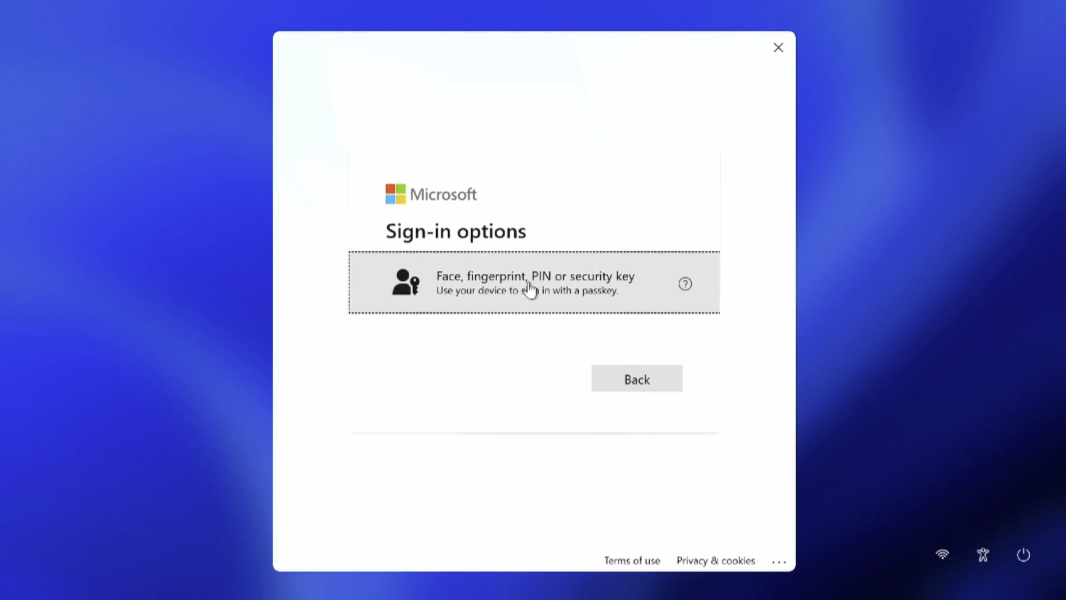
Bitwarden now supports passkey sign-ins to Windows 11, which I believe is a first for a third-party password manager. This works with all Bitwarden plans, including the free plan.
“Microsoft is committed to making passwordless authentication practical and secure across Windows to help reduce the risk of phishing and password theft,” Microsoft partner group product manager Katharine Holdsworth says. “With the Bitwarden vault integrated into Windows Hello, using passkeys stored in the Bitwarden vault is a fast, smooth, and secure experience across both websites and apps on Windows.”
Thanks to Windows 11’s extensible passkeys supports, users with Bitwarden can now sign-in to their PCs using a passkey stored in the Bitwarden vault instead of a password or PIN. And as with the built-in device-bound passkey that Microsoft creates in Windows 11 when you sign-in with a Microsoft account (or EntraID), you can authenticate against your Bitwarden vault using Windows Hello fingerprint or facial recognition. You can also scan a QR code with your smartphone.
Once in Windows 11, Bitwarden works as before for signing into apps or websites using the standalone app (which I assume you’ll need for the Windows 11 passkey sign-in) or a web browser extension.
You can learn more about this new capability on the Bitwarden website.