Microsoft Issues Three New Windows Builds to Windows Insider Program
- Paul Thurrott
- Aug 21, 2026
-
1
If you have a PC enrolled in the Windows Insider Program’s Beta, Experimental, or Experimental (26H1) channel, it’s time to update.
“We’ve fixed the issue causing the Feature Flags list to show empty for Insiders in the Experimental channel,” Microsoft’s Stephen Lines explains. “You should now see Feature Flags reappear after installation of the latest Experimental build.”
New builds include:
- Beta: Build 26220.9223
- Experimental: Build 26340.9233
- Experimental (26H1): Build 28120.2760
Notable new features include:
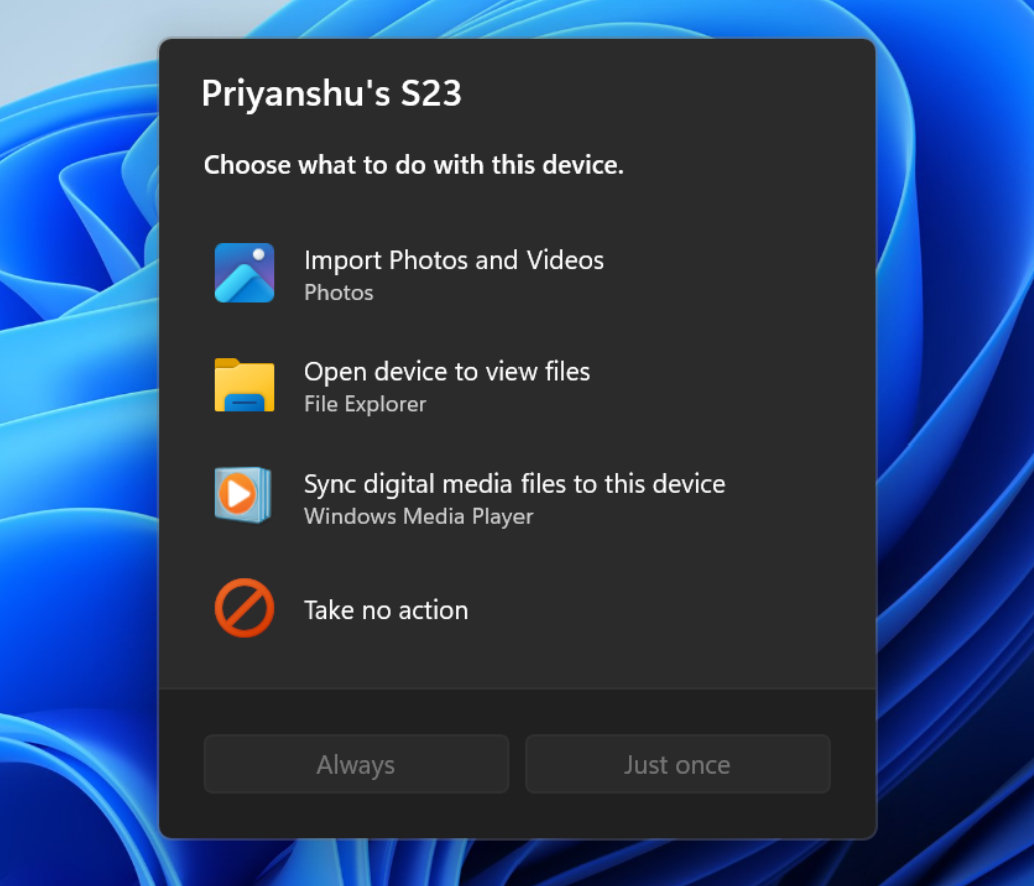
- Modernize Autoplay experience. Autoplay is finally moving past its Windows 8 origins with a new dialog that was rebuilt with WinUI to be more visually consistent with Windows 11. It supports Light and Dark mode, and handles text scaling and display settings, and its notifications now work properly with the Notifications center.
- Open apps maximized. This new accessibility setting ensures that every app you open will open in a maximized state. It’s in the Settings app > Accessibility > Visual effects.