Stardock Rethinks the Windows 11 Clipboard with Snipboard
- Paul Thurrott
- Sep 23, 2026
-
0
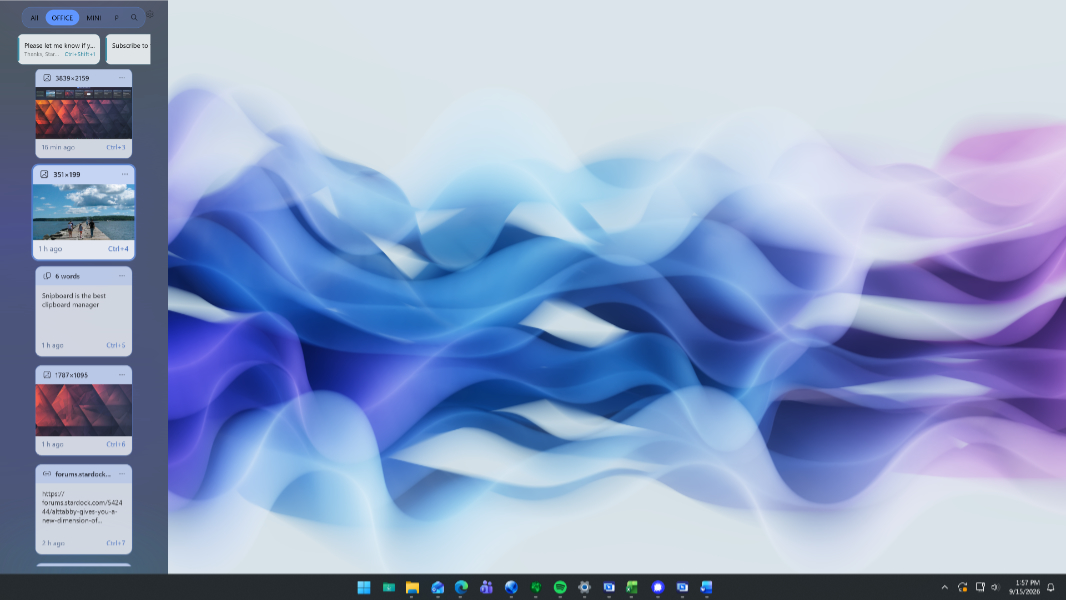
Stardock today announced Snipboard, a native WinUI-based Clipboard manager utility for Windows 11. It’s available today in beta.
“Copy and paste is something everyone uses every day, but the experience hasn’t evolved much beyond the basics,” Stardock’s Brad Sams says. “With Snipboard, we wanted to build a Clipboard manager that feels like it belongs in Windows while giving users a faster and more visual way to work with everything they copy.”
As suggested by that quote, Snipboard doesn’t just provide a way to access multiple Clipboard items, functionality that Windows 11 already provides via an optional Clipboard History feature. It also rethinks the user interface entirely and offers a dock-based interface that visually displays each text, link, image, file, and folder in the Clipboard in visual cards and can be positioned on any screen side.
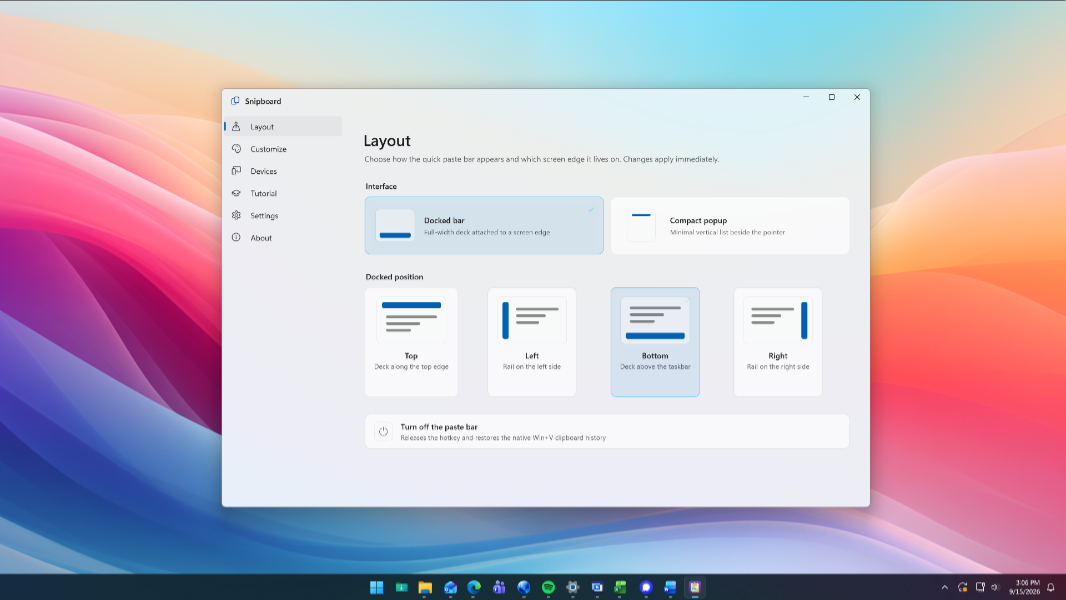
Snipboard also displays items in the Clipboard on other PCs on your home network. It supports numerous personalization capabilities, including customizable colors, card sizes, transparency, animations, and keyboard shortcuts.
Snipboard is available as part of Object Desktop but it’s available to anyone for free now during the beta as well.
You can learn more about Snipboard on the Stardock website.