DuckDuckGo Browser Now Blocks Most Video Ads
- Paul Thurrott
- Jul 08, 2026
-
1

DuckDuckGo doesn’t update its web browser very often, but it just launched a major attack on YouTube: The desktop and mobile versions of the DuckDuckGo web browser now block most ads in YouTube and other videos.
“Tired of ads interrupting your videos? Us, too,” DuckDuckGo writes in the announcement post. “The DuckDuckGo browser now blocks most video ads, including on YouTube. This new feature blocks ads that run before and during your videos, letting you watch YouTube without the interruptions.”
I can’t imagine that YouTube won’t respond to this threat to its business model, but video ad blocking is now available in DuckDuckGo for Windows, Mac, iPhone, iPad, and Android, and it’s enabled by default on all platforms except for Android; that will happen soon, DuckDuckGo says.
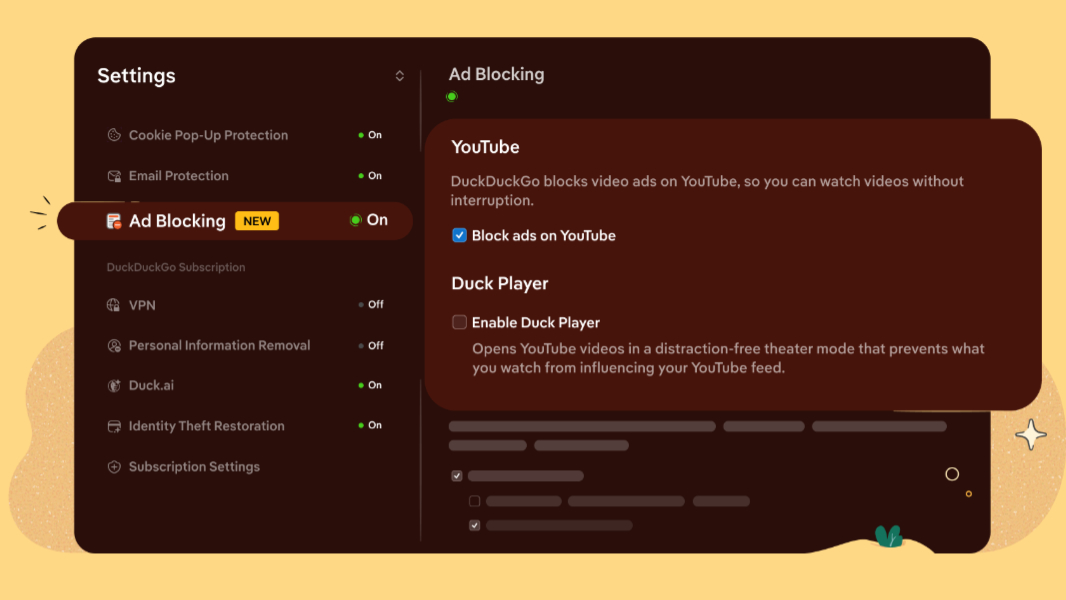
As DuckDuckGo points out, its web browser already blocks invasive ads, pop-ups, and trackers by default, and it even handles those annoying EU cookies automatically. So blocking ads in videos–read: YouTube–is perhaps the next logical step. There’s nothing to configure, as this feature is enabled by default, but when you’re viewing a video, you can access a small control in the address bar to disable this feature or do so temporarily. That’s about it.
This video ad-blocking feature is in addition to–and doesn’t replace–the browser’s Duck Player feature. That lets you watch YouTube videos in a distraction-free theater mode that blocks cookies and trackers and doesn’t impact YouTube recommendations. You can still enable Duck Player–and configure it to always open for video playback–in DuckDuckGo settings. But the new ad-blocking feature is there if you want the normal YouTube experience, including history and recommendations, but without the ads.
You can download DuckDuckGo for Windows and Mac from the DuckDuckGo website. The iPhone and iPad version is available in the Apple App Store, while the Android version is in the Google Play Store.