ChatGPT Record Mode Start Rolling Out to Pro, Enterprise, and Edu Users
- Laurent Giret
- Jun 19, 2025
-
6
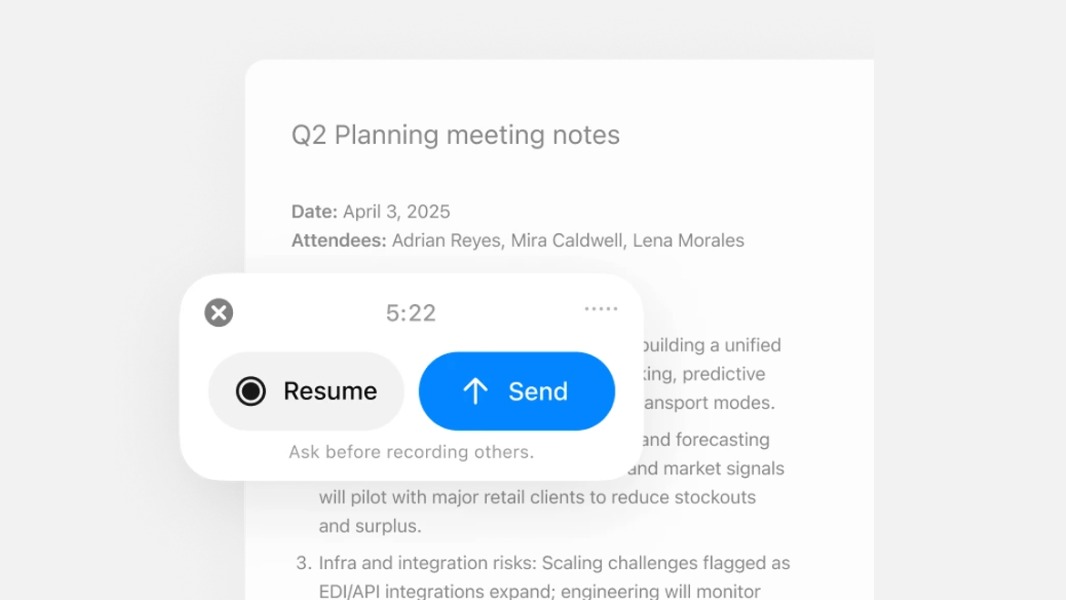
OpenAI is starting to roll out the new record mode in ChatGPT to Pro, Enterprise, and Edu users. Record mode was made available earlier this month for ChatGPT Team users, and the feature remains exclusively available to the macOS desktop app.
With this new record mode, ChatGPT paid users can easily capture voice notes, brainstorming sessions, and meetings, and have them automatically transcribed and summarized. ChatGPT can also turn transcripts into follow-up actions, code, and more. Transcripts created with ChatGPT record mode are also saved in users’ chat history.
Record mode is rolling out today in ChatGPT to Pro, Enterprise, and Edu users.
Available on macOS desktop app. https://t.co/xmReUOx473
— OpenAI (@OpenAI) June 18, 2025
If this new ChatGPT record mode supports multiple speakers, it currently works best in English. “Accuracy for other languages is improving but can vary,” the company said on a support page.
Mac users with a paid ChatGPT subscription can start recording by clicking the Record button at the bottom of any chat. The chatbot will generate a live transcript as people talk, and recording sessions can last up to 120 minutes. At the end of the recording, ChatGPT can generate a structured summary in a private canvas that can be edited manually or with the help of the chatbot.
OpenAI says that it doesn’t use audio recordings to train its models, and it automatically deletes them after transcripts are generated. However, ChatGPT Pro and Plus will need to disable the “Improve the model for everyone” option in Settings so that their transcripts aren’t used for AI training.
Lastly, OpenAI advises ChatGPT users to always make sure to get consent from people they’re recording. “You’re responsible for making sure that your use of record mode follows applicable laws, which may vary depending on where you and the people you’re recording are located,” the company emphasized.