Brave Makes New AI Browsing Mode Available for Early Testing
- Laurent Giret
- Dec 10, 2025
-
0
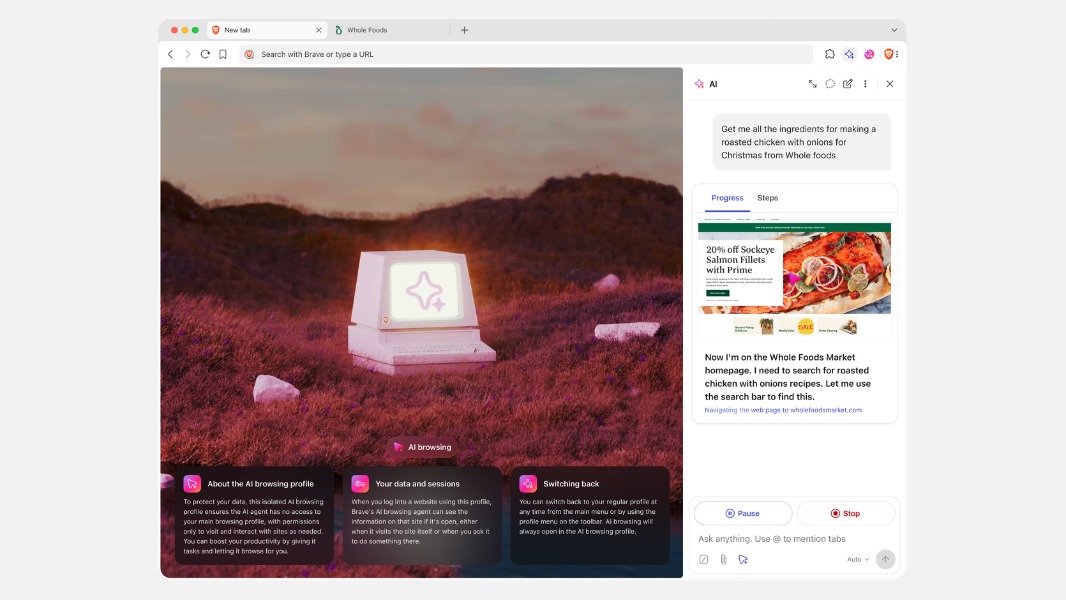
The privacy-focused Brave web browser is launching a new AI browsing mode today as an early preview. Similar to other AI web browsers like ChatGPT Atlas and Perplexity Comet, Brave’s new AI browsing feature lets Leo, its built-in assistant, perform web-based tasks on behalf of the user. However, the Brave emphasized that it implemented several protections to make this agentic AI experience more secure.
As you may have seen, research firm Gartner recently argued that AI browsers are a major security risk, and the company recommended that business customers block them. Prompt injection attacks are one of the main identified threats, allowing attackers to steal user credentials and other kinds of sensitive data by embedding malicious instructions in web pages.
The Brave team seems to be well aware of the risks associated with agentic browsing. “Giving an AI control of your browsing experience could expose personal data, or allow agentic AI to take unintended actions,” the team said today. “For this reason, we’ve chosen a careful approach to releasing AI browsing in the Brave browser and soliciting input from security researchers.”
At the moment, AI browsing in Brave is only available on the browser’s Nightly channel, and it has to be enabled manually via a feature flag. When enabled, AI browsing must be manually invoked, and the feature works within an isolated browsing profile with its own cookies, logged-in state, caches, and other site data.
The Brave team designed additional protections for Brave’s AI browsing mode, including the use of a second model that checks that the main AI agent is only doing what it was asked to do. Brave’s AI agent also can’t access non-HTTPS pages, websites flagged by the browser’s Safe Browsing mode, as well as extension pages and internal pages such as brave:// settings. “While these mitigations help significantly, users (even early testers) should know that such safeguards do not eliminate risks such as prompt injection,” the Brave team emphasized.
After installing Brave’s nightly build, AI browsing can be enabled from the brave://flags page. Starting an AI browsing session can be done by clicking the AI icon in the sidebar, which will open a new browser window with the isolated AI browsing profile. AI browsing can be used for doing online research, price comparisons, and other multi-step tasks.
The Brave team warned that complex tasks may be interrupted by rate limits, however. In that case, users just need to click on “continue” or “keep going” to make the AI agent resume the task. You can learn more about how to use Brave’s AI mode on this support page.