Outlook Mobile is Adding Delivery and Read Receipts Support
- Laurent Giret
- Mar 05, 2025
-
0
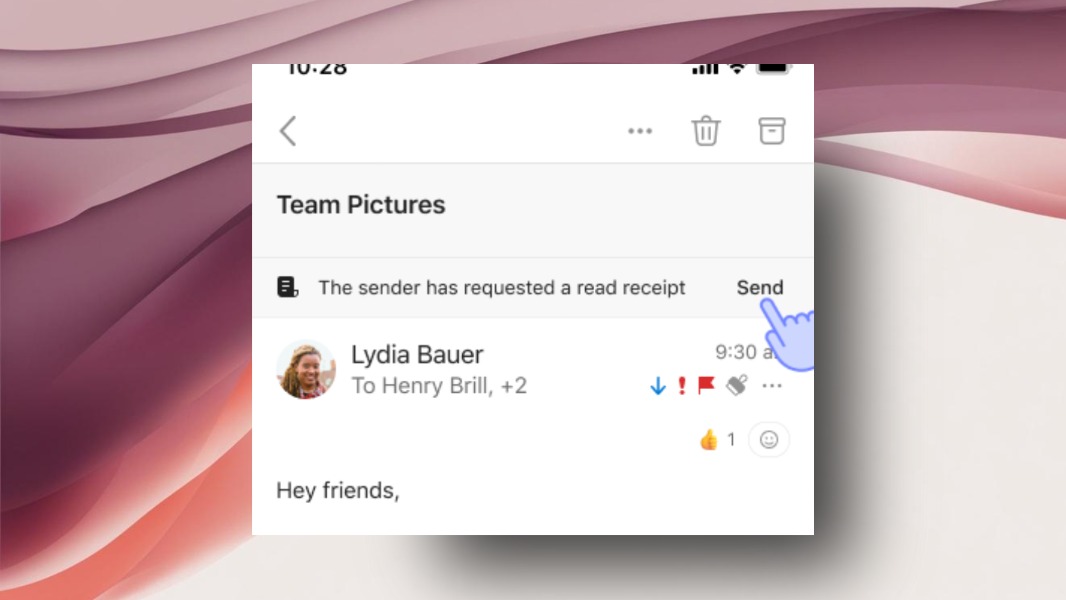
Microsoft’s Outlook app for iOS and Android is getting support for delivery and and read receipts, a feature that’s already available on other versions of Outlook. As it did with other recent additions such as the ability to recall emails and choose a different font, the company is testing the feature first with Outlook Insiders.
For those unfamiliar, delivery receipts are used to confirm that an email arrived in the recipient’s inbox, and read receipts are used to confirm that the recipient opened the email. Outlook beta testers on mobile can now test requesting delivery or read receipts (or both) and respond to these requests.
“This feature gives both the sender and the recipient control, meaning that you can opt in or out of sending read receipts depending on the situation. Additionally, you can set a default response for when others request a read receipt from you rather than respond every time, making the entire process more efficient,” explained Beth Jester, a Product Manager on the Outlook team.
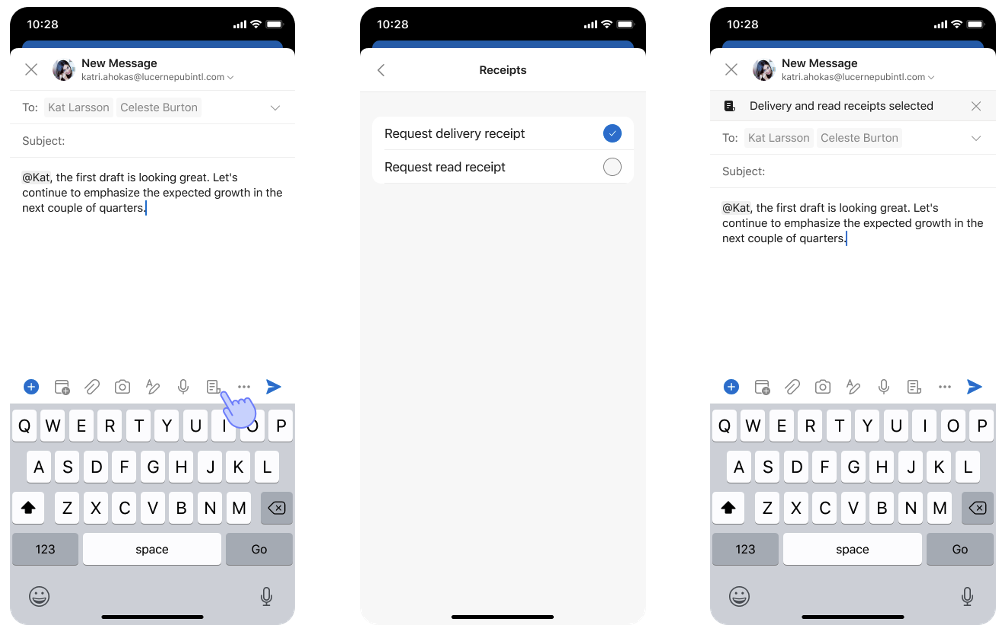
When writing an email, requesting delivery and read receipts can be done by selecting the + button on the toolbar and then tapping the new Receipts icon. After selecting the preferred type of receipt, a confirmation banner will appear at the top of the email draft.
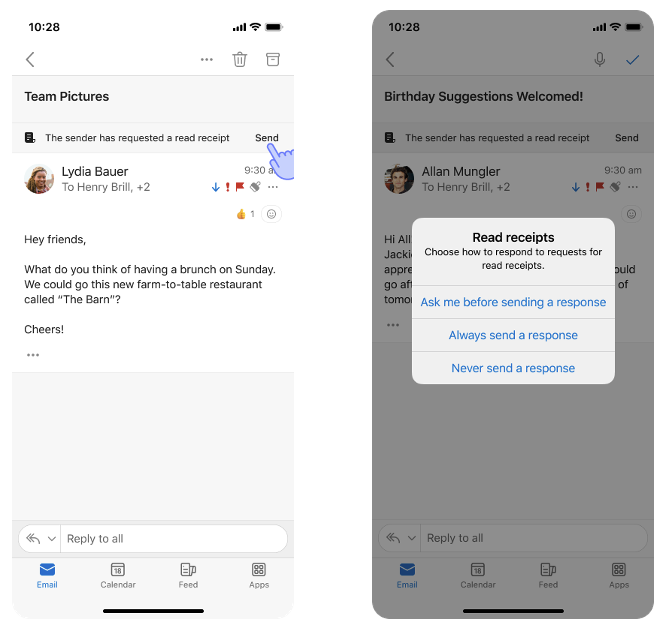
People receiving emails with a read receipt will see a banner at the top of the message prompting them to respond. When that happens for the first time, Outlook users on mobile will also see a pop-up asking them how to handle to these requests in the future. These preferences can be changed later in the app’s settings.
Delivery and read receipts support is rolling out gradually to Outlook for Android version 4.2439.0 or later and Outlook for iOS version 4.2437.0 or later. Microsoft plans to make it available soon for all Outlook users on mobile.