Dia Browser is Available in Beta on Mac
- Paul Thurrott
- Jun 11, 2025
-
2
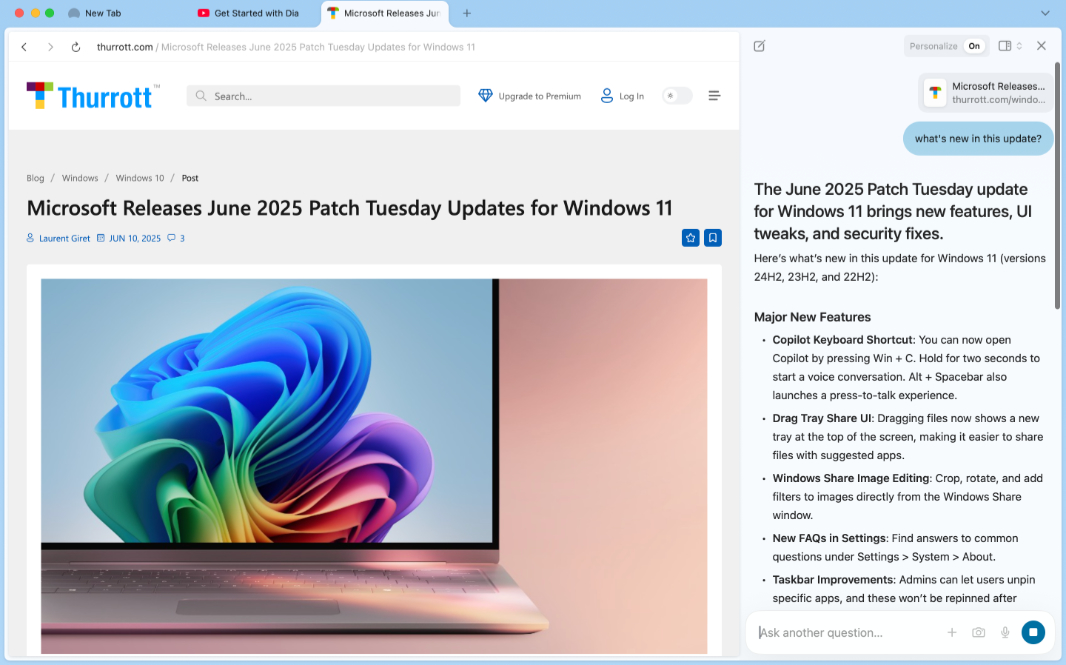
The Browser Company released the first beta version of its next-generation Dia Browser today, but only on the Mac. Hopefully, Windows users won’t have to wait as long as we did with its previous browser Arc: The first Windows version didn’t arrive until 6 months after the Mac version, and it was never as good. The Mac version of Arc was–and still is–incredible.
The Browser Company hasn’t issued a blog post explaining the new browser. Instead, it has tweeted the details, which amount to anyone being able to download Dia in beta on a Mac and the need to create an account with the company. There’s also a short promotional video that hints at what the company is trying to accomplish with this new product.
For now, Dia is a minimalist looking app from a user experience perspective and it lacks of Arc’s best features, like the sidebar. It’s based on Chromium, so it should perform well, and it’s compatible with all the extensions everyone wants. But where Arc used a command bar that worked as a replacement for the familiar New tab (Ctrl/Cmd + T) experience in other browsers, Dia works more normally in that regard. It instead uses the address bar as an interface for its built-in AI chatbot in addition to its normal duties.
Address bar-based search works with Google normally or you can use the Dia AI instead. There is also a Dia chatbot sidebar on the right, similar to the Copilot sidebar in Edge, that helps you interact with webpages you view.
I’m still trying to figure out how to get started here, but the default New tab page hints at some of Dia’s features. You can ask it which product to buy and reference open tabs that have different products. You can use its writing tools to write press releases and other text. And you can use its built-in code assistant to get help with software projects.
It looks interesting, but I need more time with it. And more information about what to expect.