Lenovo ThinkPad T16 Gen 3 Review
- Paul Thurrott
- Jan 12, 2025
-
4
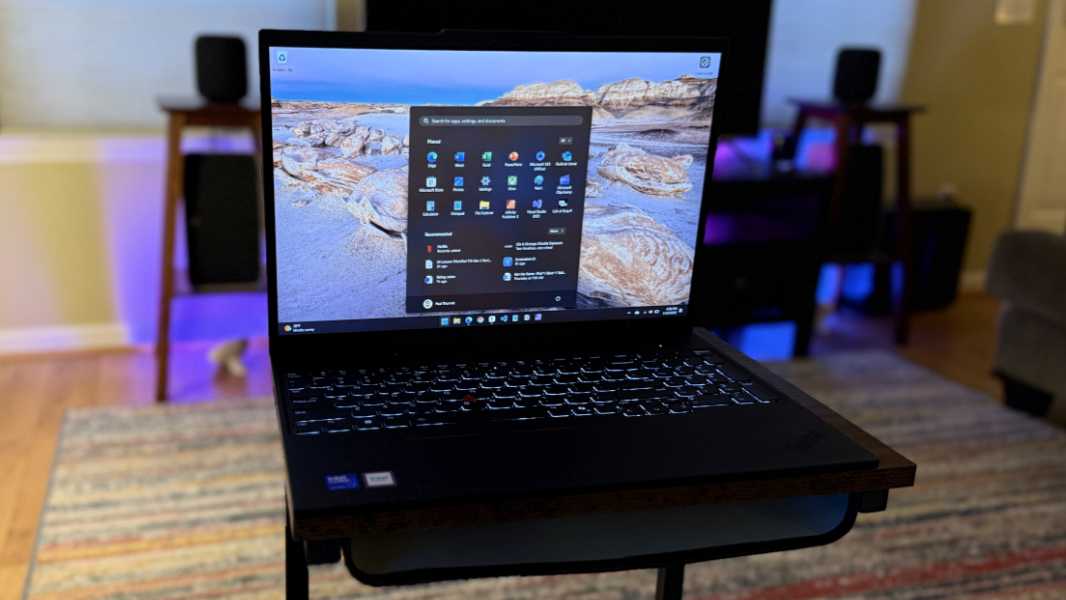
The Lenovo ThinkPad T16 Gen 3 is an unexceptional big-screen Windows 11 laptop with a previous-generation “Meteor Lake” chip. It may be of interest to certain businesses, but most individuals will want to steer clear given the improvements we’ve seen in more modern “Lunar Lake” designs, not to mention the superior laptops built on Qualcomm Snapdragon X and AMD Zen 5 chips.
Design
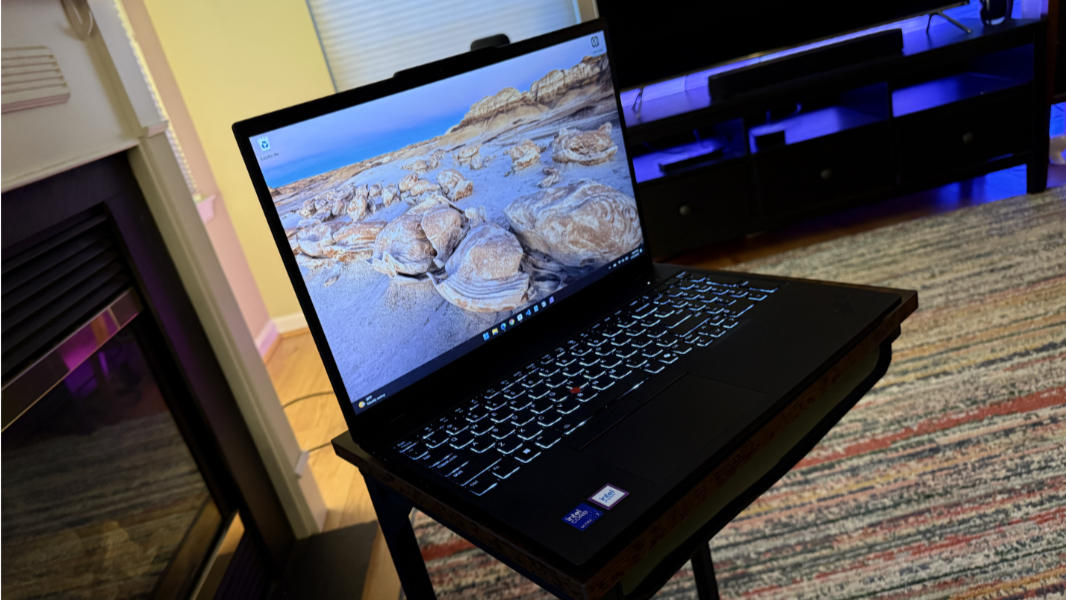
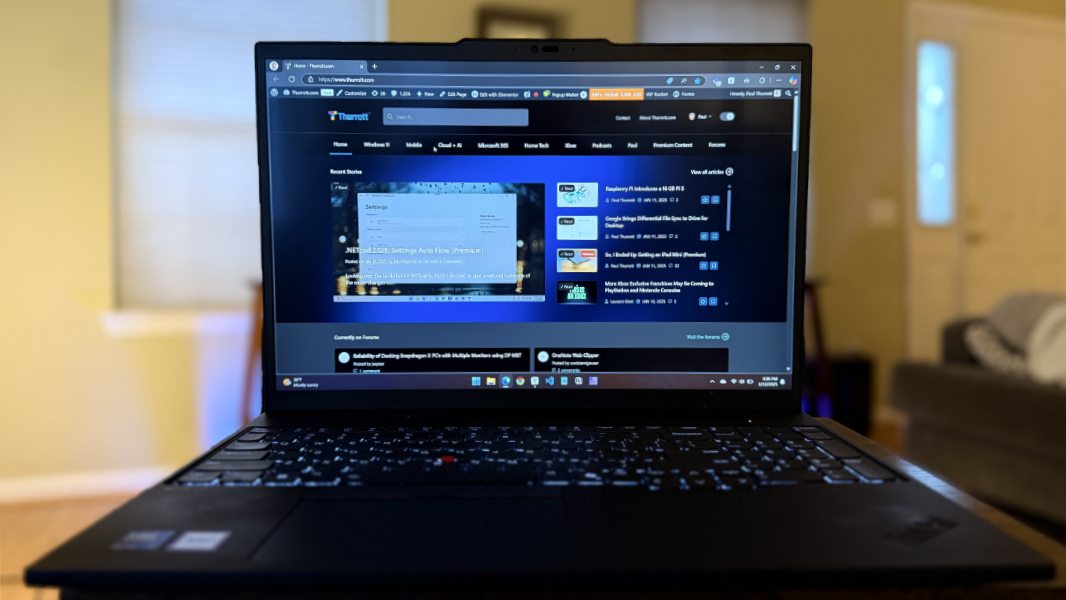
The ThinkPad T16 Gen 3 is the 16-inch stablemate of the 14-inch ThinkPad T14s I recently reviewed, and the familial similarities are obvious, even though the chips powering each couldn’t be more different. It features the familiar Eclipse Black body, the same UltraNav pointing system, an embossed ThinkPad logo on the wrist rest, and a light-up dot in the “i” of the ThinkPad logo on the outside of the display lid. You know the drill.
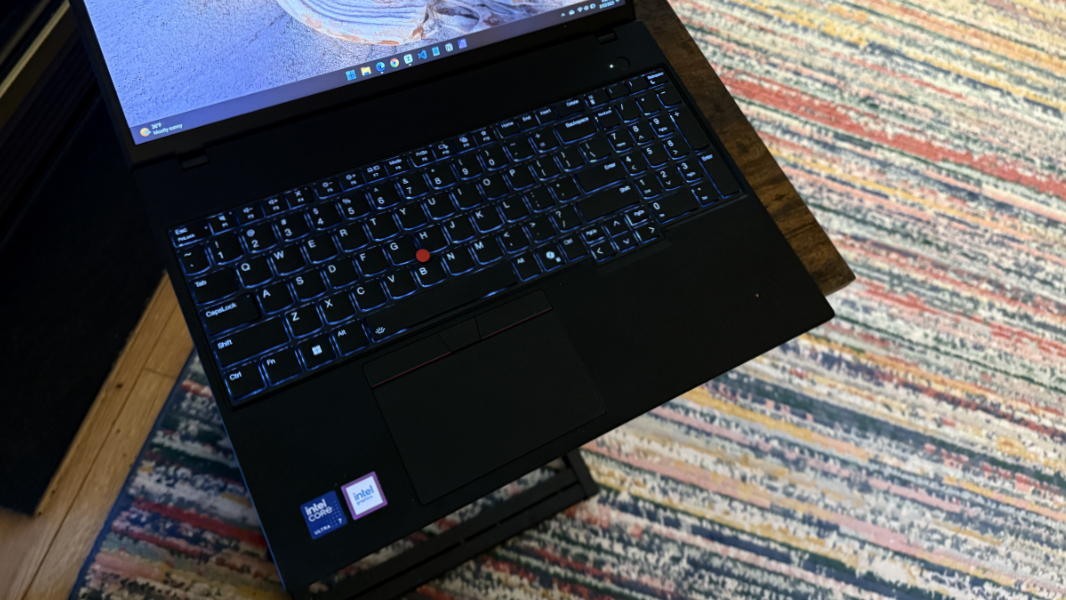
As a 16-inch laptop, the T16 is, of course, bigger, thicker, and heavier. And Lenovo unfortunately added a numeric keypad to the keyboard, offsetting the rest of the keys and the touchpad. As with other ThinkPads, the display lid and wrist rest get smudgy from skin oils.
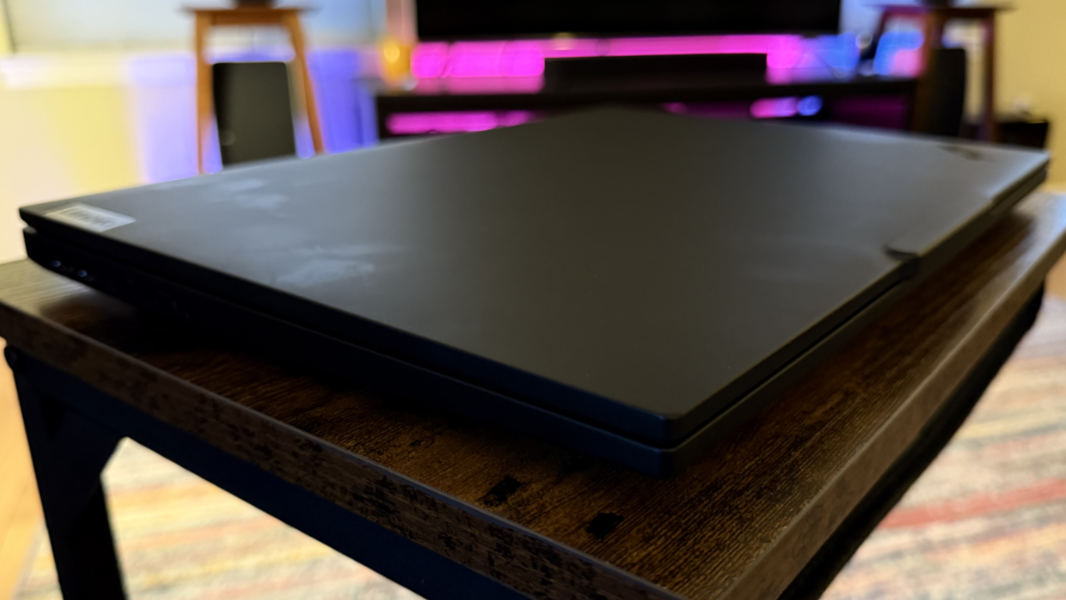
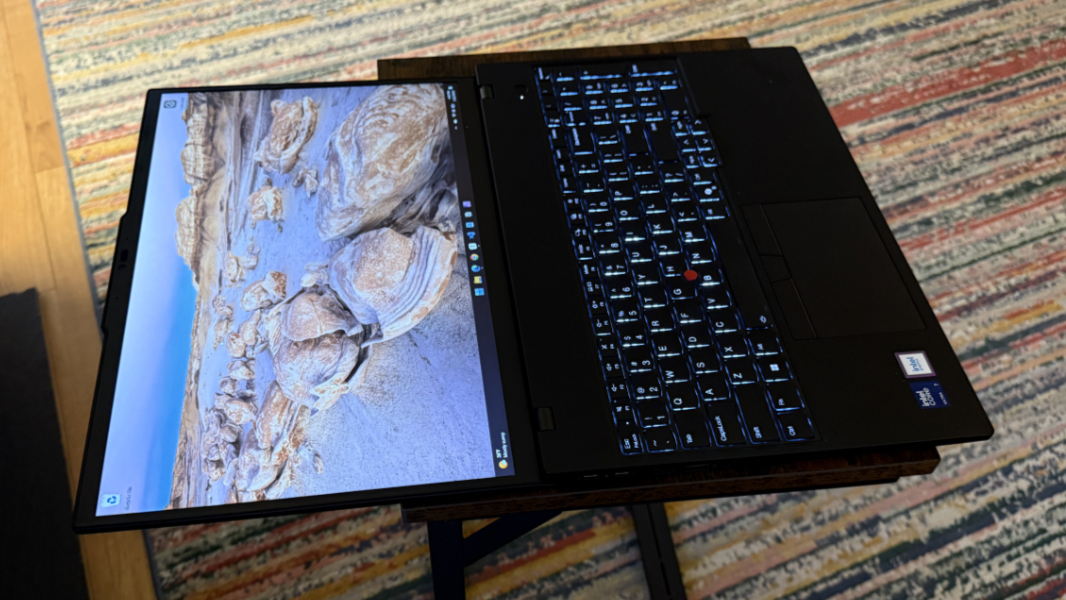
The display lid lays flat, which is useful, and Lenovo says the T16, with its carbon fiber, magnesium, and aluminum frame, passes MIL-STD 810H tests for durability.
Overall, it’s a fairly standard design.
Display
Lenovo gives T16 buyers five display choices. Four of them are Full HD+ (1920 x 1200) IPS panels, while there’s a single 4K UHD+ (3840 x 2400) OLED option as well.
The more pedestrian Full HD+ IPS panels each provide anti-glare capabilities, with the base unit offering just 300 nits of brightness and no multitouch functionality. The next step-up adds Eyesafe low blue light certification and touch. Then there’s a low-power version with 400 nits of brightness. And a more impressive Full HD+ offering with PrivacyGuard capabilities, Dolby Vision HDR, 100 percent sRGB color space coverage, touch, and 500 nits of brightness.
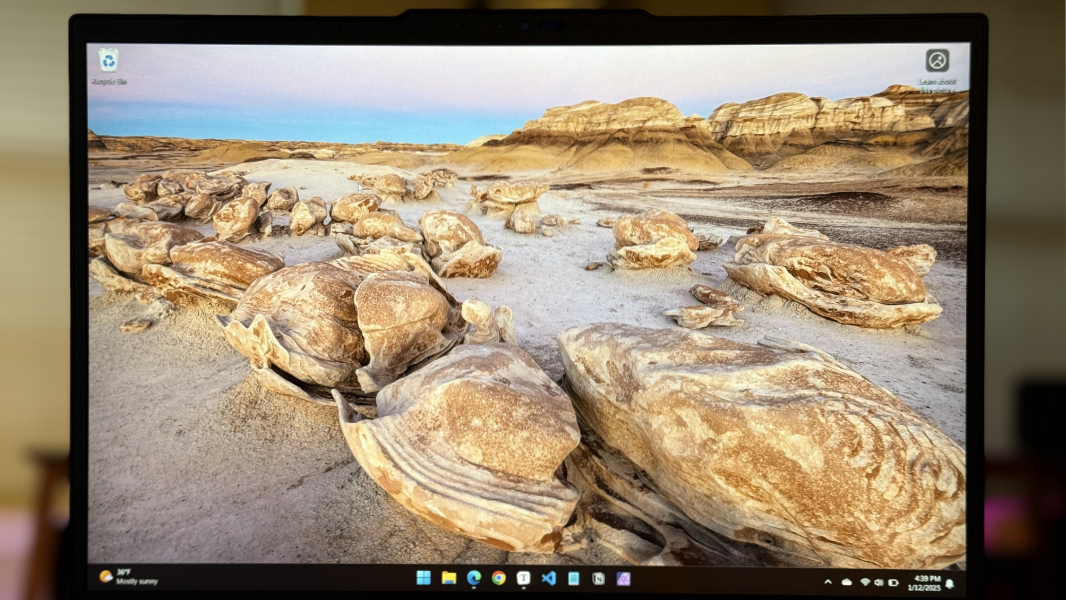
The review unit includes that latter display and it’s perfectly fine in day-to-day use. I prefer larger displays, and while an argument might be made for higher resolutions and refresh rates–surely, there’s a 1440p-like panel out there somewhere–I didn’t have any issues. Text and images were always crisp and clean, with no jaggies.
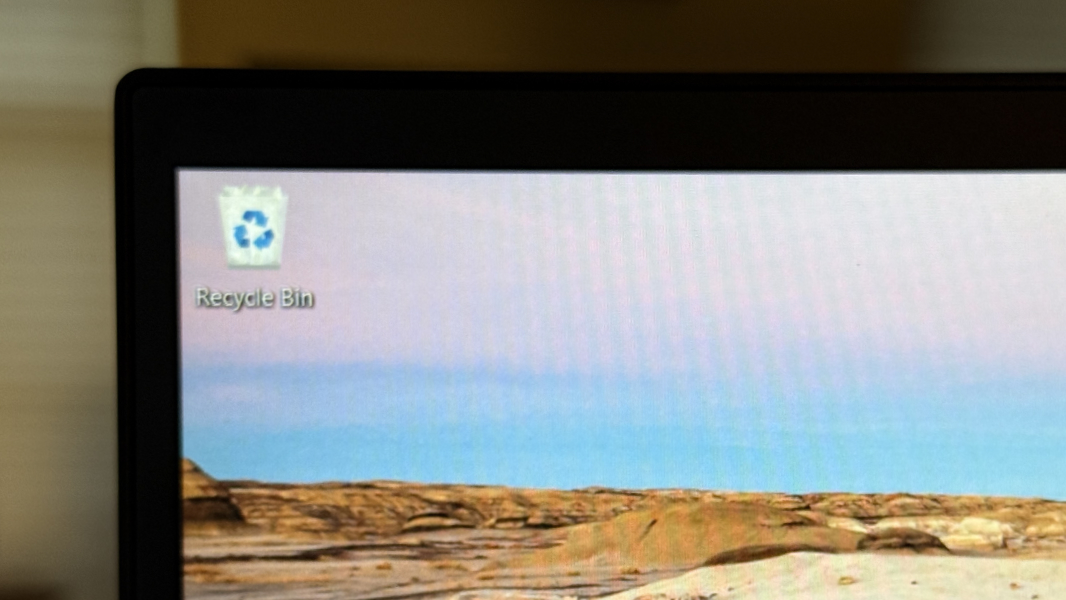
That said, I’d have enjoyed seeing the OLED panel, though the battery life middling enough as-is. That display provides anti-reflection and anti-smudge capabilities, Dolby Vision and HDR 500 True Black, 100 percent DCI-P3 color space coverage, and 400 nits of brightness, but no multitouch.
Oddly, all the display choices are limited to 60 Hz refresh rates.
Internal components
The T16 Gen 3 can be configured with a first-generation Intel Core Ultra z”Meteor Lake: 5 125U/135U or 7 155U/165U processor, with or without vPro management capabilities, plus 16 to 64 GB of 5600 MHz DDR5 RAM and 256 GB to 2 TB of PCIe Gen 4 SSD storage. And … yeah. Given the timing, it’s reasonable to wonder why this PC didn’t debut with second-gen “Lunar Lake” processors. But I suspect it came down to cost and the target market: Business customers are less concerned about getting the very latest processors and more concerned with products that meet their needs at the right prices. And though “Meteor Lake” got off to a rough start over a year ago, it’s been reasonably reliable in this laptop.
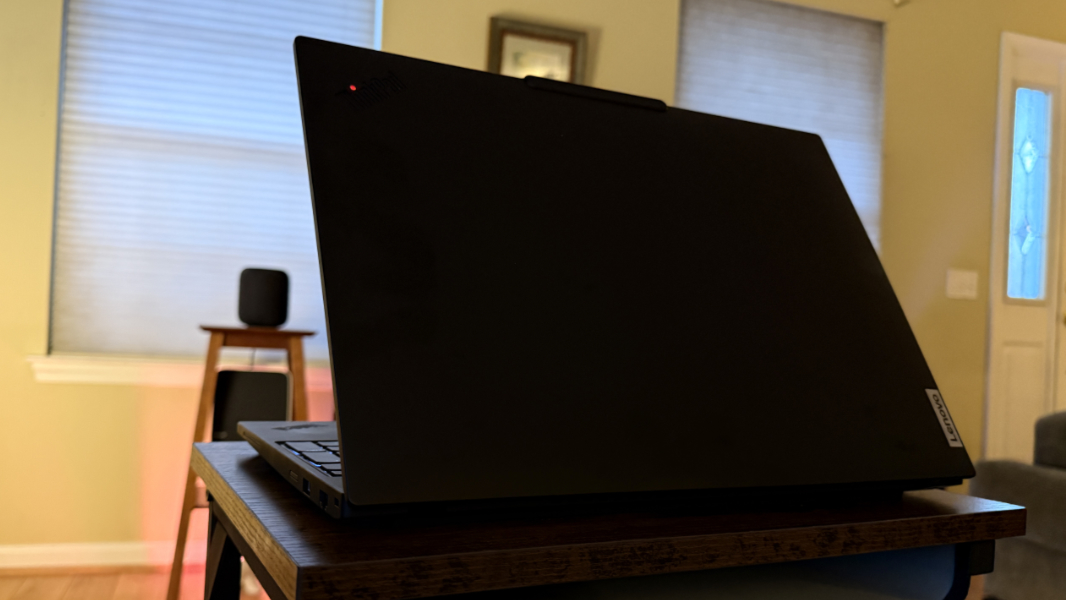
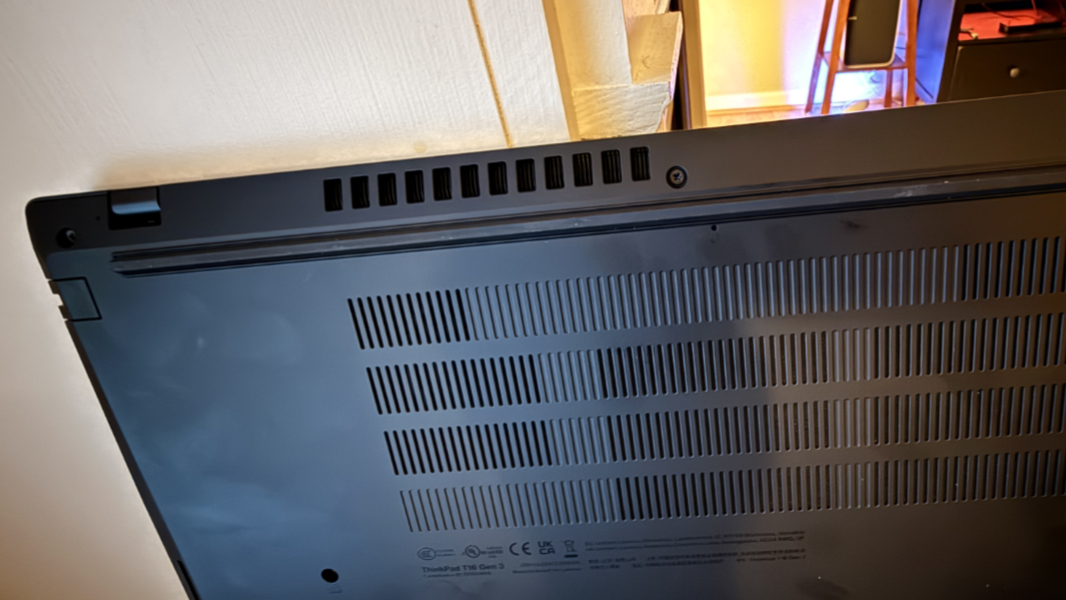
Still, there’s nothing particularly interesting or compelling here. The review unit came with a Core Ultra 7 155U processor, 16 GB of RAM, and 1 TB of storage, a fairly standard configuration. And it delivered the performance I expected using standard productivity apps like Microsoft Edge, Office, Google Chrome, Notion, Affinity Photo 2, and the like. There was notable fan noise at times, mostly while powered. I was sure to use this PC on a hard surface, since heat vents out the rear at a downward angle while it pulls in cooler air through the bottom.
No one will mistake the T16 for a gaming laptop. But with its Full HD+ display and Meteor Lake processor, it delivered what I’d call a baseline of Call of Duty: Black Ops 6 performance, roughly 40 frames per second, with very low/low graphics quality settings. That’s a far cry from the more impressive results one can get with Lunar Lake or, better still, modern AMD Ryzen AI Pro-based laptops. But it’s serviceable. Obviously, the fan cranks up quite a bit during this activity.

Connectivity
The T16 Gen 3 can be configured with Wi-Fi 7 or 6E, Bluetooth 5.3, and, optionally, 4G LTE or 5G broadband cellular connectivity. The review unit includes Wi-Fi 6E, but no cellular broadband. I never had any issues with Wi-Fi or Bluetooth connectivity.
Ports and expansion
There are few surprises on the expansion front, and the T16 delivers a solid mix of modern and legacy ports.
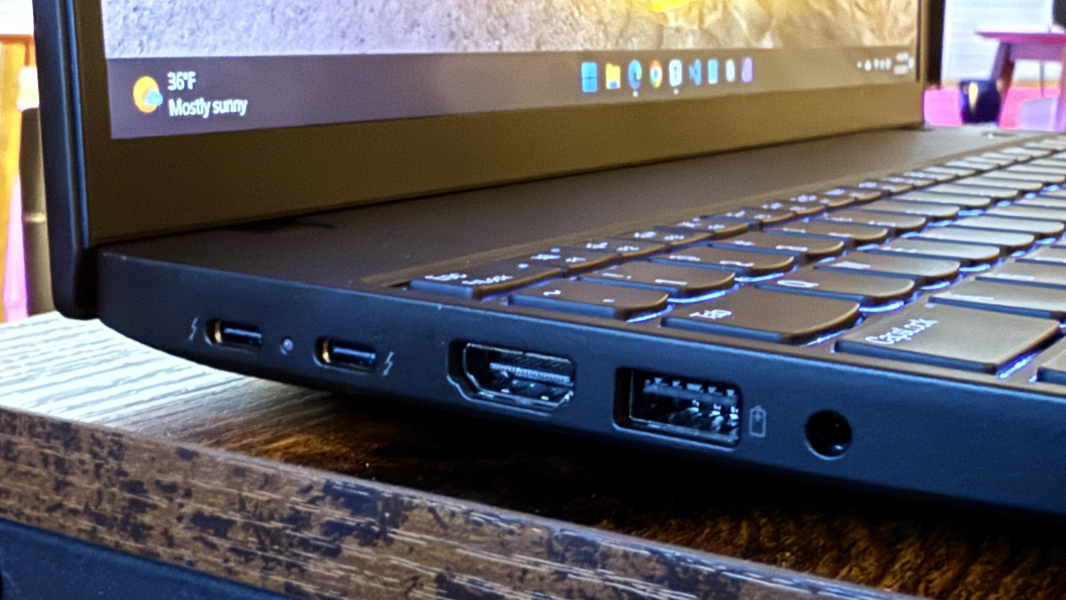
On the left, there are two Thunderbolt 4/USB4 Type-C ports, a full-sized HDMI 2.1 port, a full-sized USB-A (5 Gbps) port, and a headphone/microphone combo jack.
On the left is an Ethernet port–you don’t see that very often on laptops these days–a second full-sized USB-A (5 Gbps) port, and, if configured, a smart card slot, alongside a Kensington nano lock slot.
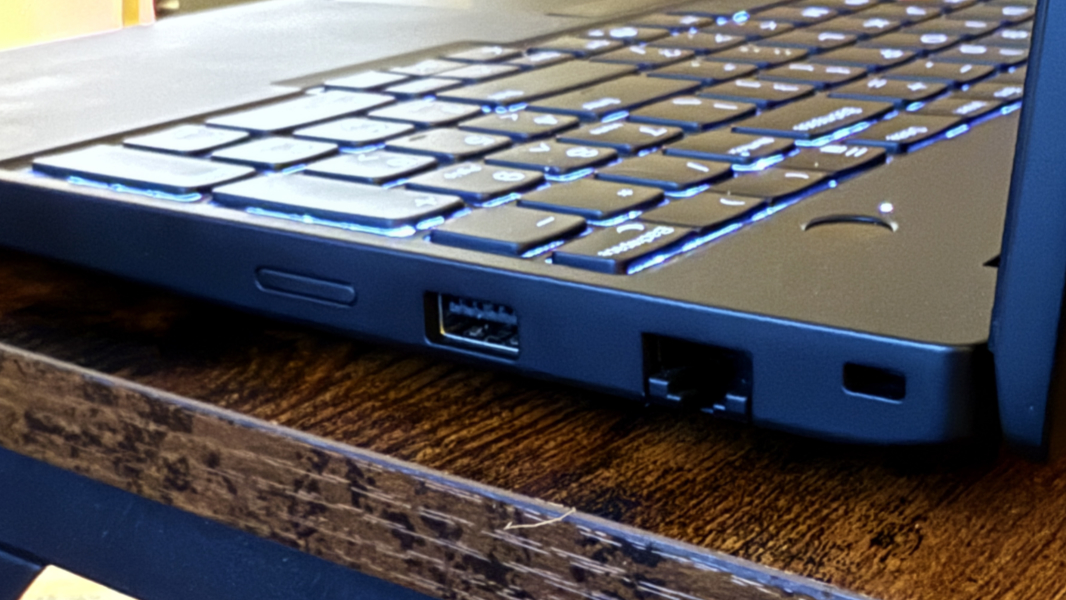
All I can do here is repeat the same minor complaint: It’d be nice to see at least one Type C port on each side of the PC.
Audio and video
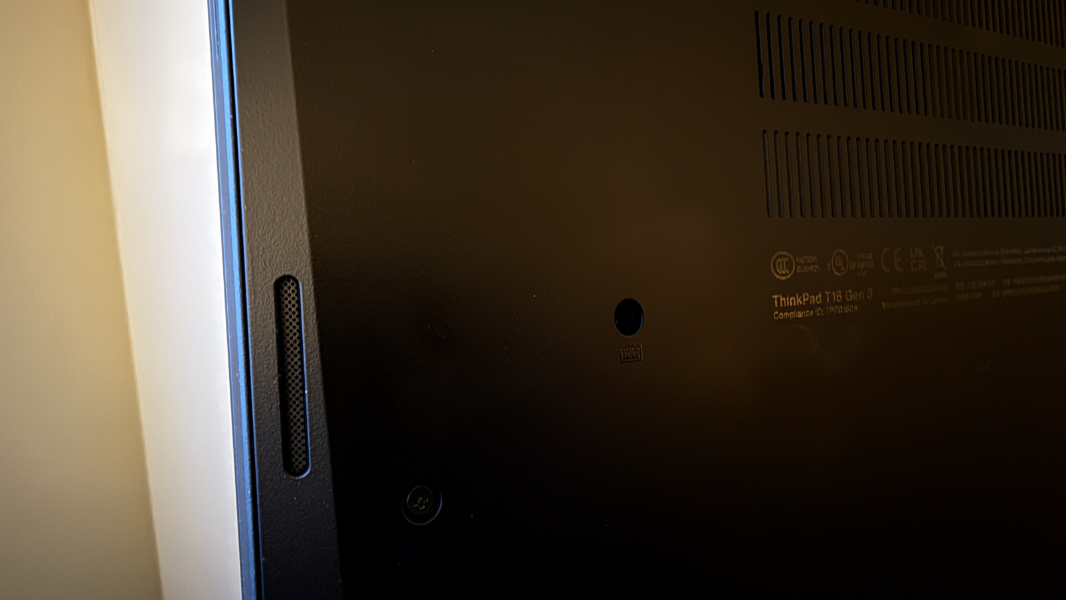
It’s a business-class PC, but the T16 delivers Dolby Atmos spatial audio capabilities through two bottom-firing speakers, and it’s not half bad as long as the laptop is on a hard surface. Movies with strong spatial audio soundtracks, like Furiosa: A Mad Max Saga, are particularly impressive, with a wide and clearly delineated sound stage. The same is true for music: Shakira’s Estoy Aqui delivered the same high-quality instrument and voice placement I’ve heard recently on more expensive laptops. It gets reasonably loud, and there’s only a hint of distortion at 100 percent volume.
Hybrid work
The ThinkPad T16 Gen 3 provides basic hybrid work functionality, with a 5 MP webcam and a dual microphone array on the top of the display lid. As has been the case with most laptops recently, the webcam is the more impressive of the two. It supports basic Windows Studio Effects, thanks to the PC’s NPU, but not the portrait light or creative filters.
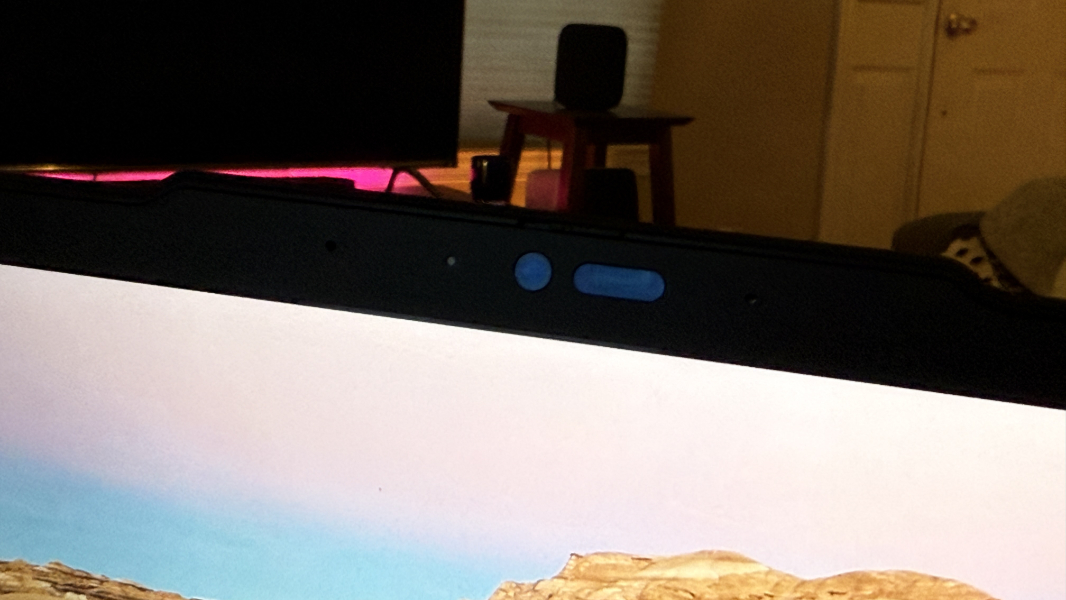
Those concerned with video can use Lenovo View to further configure the webcam with a Video Enhancer, background removal, or audio framing capabilities. And there’s a virtual presenter mode that lets you display the webcam view in a PIP style while you’re sharing the screen.
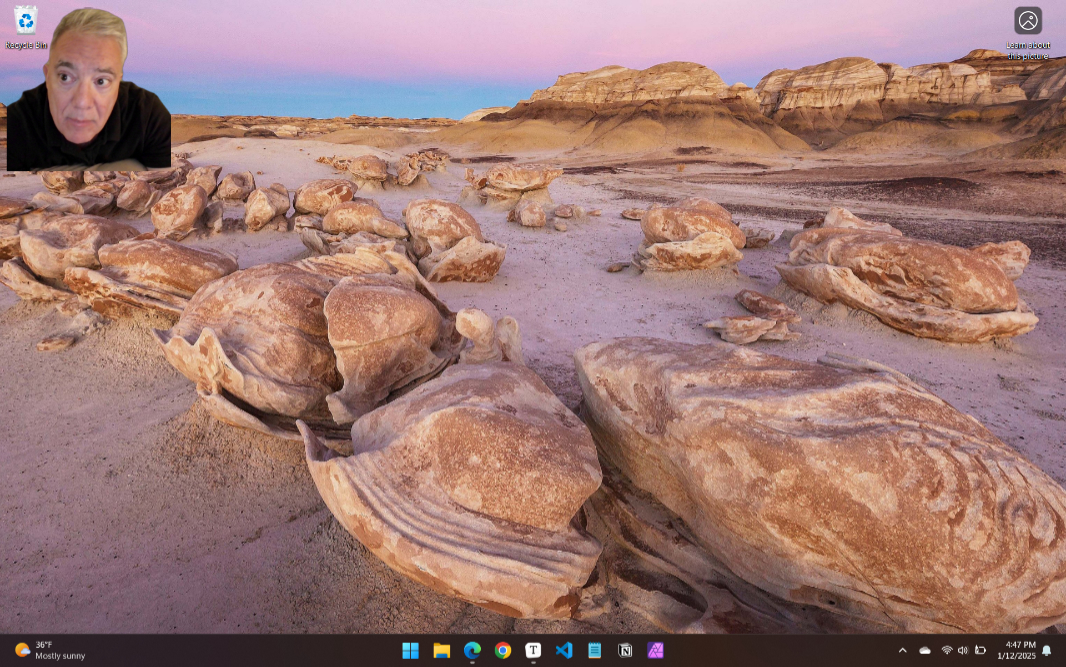
The microphones are unexceptional. But you can use Dolby Voice to remove your background noise and, separately, the background noise of others you meet with. You can also switch the microphone between spatial (stereo) and centered (mono) modes. As with the ThinkPad T14s I recently reviewed, I didn’t experience a perceptible quality difference, no matter how I configured the microphones in my sound recording tests.
Keyboard and touchpad
The latest generation ThinkPad keyboard is a delight, though it’s let down a bit on the T16 by the inclusion of a numeric keypad and the resulting typing mistakes it introduces. Everything is shifted over to the left, and I found my clumsy fingers straying into the numpad area too easily. Granted, part of the issue is that I was also using other laptops that had no numpads during this time, and moving back and forth between each added another layer of difficulty.
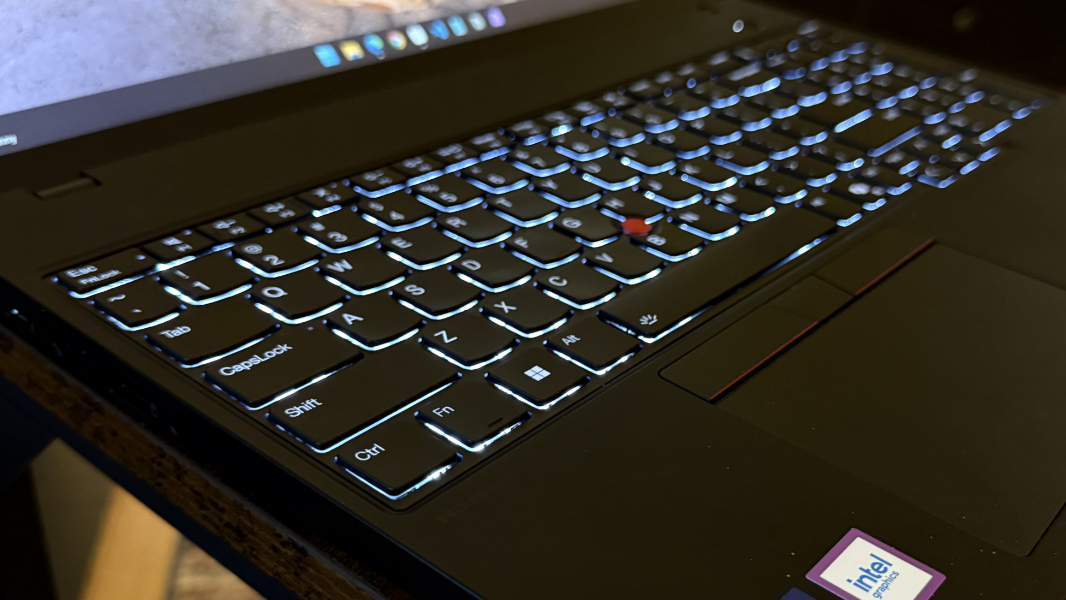
Beyond the numeric keypad, the T16 keyboard is full-sized with scalloped keys and it offers two levels of backlighting but no automatic mode. There are helpful guide ridges on the Fn, Down arrow, and Enter keys in addition to the usual F and J keys, which I like. And key throws were snappy and medium loud. Very good overall, and with no real surprises. In the good news department, the Ctrl and Fn keys are correctly placed, but in the bad news end, the tiny PgUp and PgDn, nestled in with the arrow keys, added yet another form of mistaken key presses.
I wrote this entire review on the ThinkPad T16 and was mostly successful, aside from the mistakes triggered by my clumsiness, the numpad, and PgUp/PgDn keys.
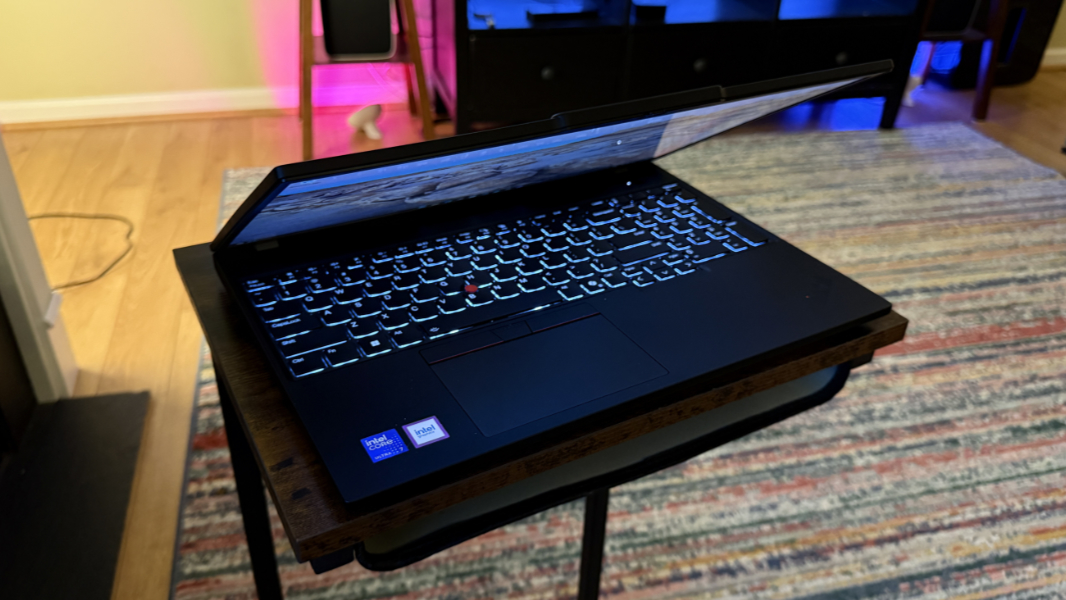
The T16 delivers the expected ThinkPad UltraNav pointing system with a TrackPoint nubbin and its dedicated buttons and a medium-sized Mylar touchpad. This must be the same system in the T14. It was incredibly accurate and a joy to use.
Security
Despite its Meteor Lake underpinnings, the T16 delivers Windows Hello ESS security capabilities via the webcam and/or fingerprint reader when available, though both are optional components. The webcam has a manual privacy shutter, as is common these days. And the fingerprint reader is integrated into the round power button found above the top right of the keyboard. The latter was very reliable, which I know mostly because the camera was sometimes unavailable when I woke up the PC, in a bit of x86-related unreliability.
Beyond that, Lenovo provides a few optional security features via the bundled software. This includes a Wi-Fi security monitoring service in Vantage and two privacy-related features in Lenovo View. Privacy Alert displays a notification if the camera detects someone walking up behind you, while the related Privacy Guard will automatically blur the screen in that instance. None of these features are enabled by default.
Sustainability
As per all modern Lenovo laptops, the ThinkPad T16 is made with various recycled materials and the chassis is easily opened so you can access, replace, or repair internal components.
Lenovo reports that it’s made of 90 percent post-consumer content (PCC) recycled plastic in the battery enclosure, 90 percent PCC recycled plastic in the AC adapter, 90 percent PCC recycled plastic in the speaker enclosures, 90 percent recycled magnesium in the keyboard frame, 85 percent PCC recycled plastic in the backlit keycaps, 70 percent PCC recycled plastic in the keycaps, 30 percent PCC recycled plastic in the top cover, and 30 percent PCC recycled plastic in the bottom cover (D side). The packaging is 100 percent plastic-free and recyclable.
You can disable the battery in the firmware and then remove the bottom cover using seven exposed and captive screws. In addition to the battery, M.2 SSD, Wi-Fi/Bluetooth, and cellular broadband modules, even the RAM is user-serviceable, something that is increasingly rare these days. None of the RAM is soldered to the motherboard.
Efficiency and portability
At 3.59 pounds and a bulky 0.77 x 14.2 x 9.87 inches, the T16 isn’t particularly portable. But that’s by design: Customers who choose this PC do so for the large 16-inch display. Oddly, Lenovo offers customers the choice between a 52- and 86-watt-hour battery at purchase time, so I assume the uptime results can vary wildly. The review unit shipped with the latter option, which I strongly recommend, even if you want to use it off-power that much. (It’s not at all expensive, as noted below). I used it on AC power most of the time, as most will, and I experienced real-world battery life of about 5.5 hours in admittedly less frequent than usual testing. It has basic rapid charge capabilities that let you charge the PC to 80 percent capacity in one hour using the bundled 65-watt power adapter.
Instant-on reliability was mixed, as I’ve come to expect from x86 laptops, a roulette wheel of possible happenings. More often than not, it would work normally, with the screen coming on instantly and the webcam firing on and successfully identifying me. But sometimes it would go through a boot process, and several times the webcam never initiated correctly, forcing me to use my fingerprint or PIN.
Keeping to this theme, it would lose 7 or even 8 percent battery life overnight, which is high these days, even for an x86 laptop. Maybe Meteor Lake hasn’t improved as much as I thought.
Software
As per other ThinkPads, the T16 is graced with a minimal software loadout. Aside from Windows 11 Home or Pro–or Ubuntu Linux, go figure–it ships with four Lenovo utilities–Lenovo Commercial Vantage (driver updates, support), Lenovo View (webcam enhancements and privacy features), Pre-boot Manager, and TrackPoint Quick Menu, plus a shortcut to the web-based user guide, Dolby Access and Realtek Audio Console for audio, Glance by Mirametrix (which is tied to Lenovo View), and a single Intel utility (for graphics). There’s a lot to explore in Vantage and View, in particular, but there’s no real crapware, and that’s always appreciated.
Pricing and configurations
The Lenovo ThinkPad T16 Gen 3 ostensibly starts a bit north of $2400, but no one should ever pay that much, given the company’s rolling, ongoing sales (for individuals and small businesses; larger companies discounts on volume sales as well). At the time of this writing, a base T16 with a Core Ultra 5 125U processor, 16 GB of RAM, 256 GB of SSD storage, and a Full HD+ non-touch display costs about $1330. But that model has the smaller battery and it lacks biometric security. The 86 Wh battery upgrade is $20, a Windows Hello-compatible webcam adds just $15 to the price, and the fingerprint reader is $30, so let’s call it a reasonable $1375.
You could spend a lot of money on a T16 if you wanted to, but I don’t recommend it. A fully-decked-out system with a Core Ultra 7 165U processor, 64 GB of RAM, 2 TB of storage, the 4K UHD OLED display, Windows Hello webcam and fingerprint reader, Wi-Fi 7, a smart card reader, the bigger battery, and Windows 11 Pro is almost exactly $2500. Adding 4G LTE cellular broadband adds another $134, while the 5G radio is $298.
Recommendations and conclusions
It’s not horrible, far from it. But thanks mostly to its previous-generation “Meteor Lake” processor choices, the ThinkPad T16 Gen 3 is just a basic 16-inch business-class laptop. The performance is fine for day-to-day productivity work, though that’s somewhat undercut by the error-inducing numeric keypad and tiny PgUp and PgDn keys. And the battery life, efficiency, and reliability aren’t exactly high points. But the T16 does deliver on the quality that ThinkPad customers demand, and the pricing is reasonable if you buy it via one of Lenovo’s rolling sales.
Recommending this laptop–or not–is sort of beside the point. If you want or need such a thing, you don’t need my help. But most would be better served by a more modern, efficient, and performant Windows laptop.
At-a-glance
Pros
- Big screen ThinkPad at reasonable price points
- Many inexpensive component upgrades
- Solid audio performance for games, movies, and music
- Windows Hello ESS with both webcam and fingerprint reader support
- Reliable touchpad
- Clean software image
Cons
- A basic ThinkPad at best, with previous-generation Intel chips
- Numeric keypad, tiny PgUp and PgDn keys hindered otherwise excellent typing experience
- Middling efficiency and reliability, poor battery life
- Meh microphone quality