Lenovo ThinkPad X1 Carbon Gen 13 Aura Edition Review
- Paul Thurrott
- Jan 18, 2025
-
8
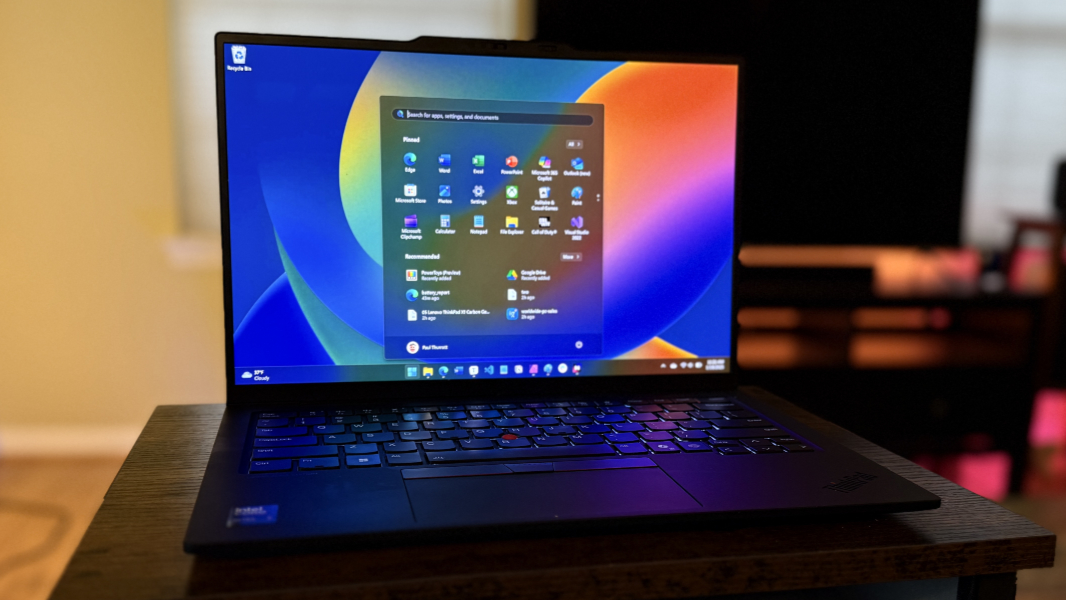
The Lenovo ThinkPad X1 Carbon retains its sheen despite initial concerns about its Intel innards and the weird Aura Edition branding. I was pleasantly surprised by its real-world performance and battery life, and instant-on and overall efficiency were generally reliable.
Design
It’s been less than a year since I reviewed the “Meteor Lake”-based 12th generation ThinkPad X1 Carbon, and most of the changes in this rendition are internal. So the basic design remains nearly identical, year-over-year, with this 13th generation unit delivering the same Eclipse Black form factor in carbon fiber, magnesium, and aluminum.
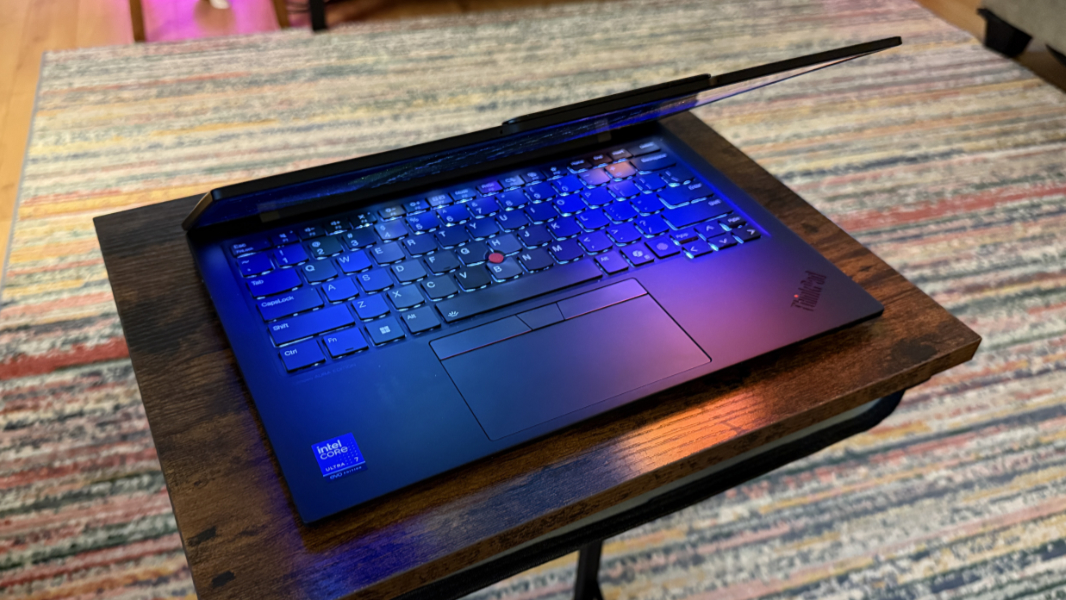
That said, Lenovo somehow shaved a significant amount of weight off the X1 Carbon, and while I don’t still have the previous unit for comparison, the new version is notably airy and light.
All the standard ThinkPad design touches carry forward, from the light-up dot on the “i” in the ThinkPad logo on the display lid to the iconic UltraNav dual-pointing system and its red accents. I’ve always liked the “reverse notch” communications bar, which is as much a design statement as it is useful. And the small thoughtful touches, like the lay-flat display panel.
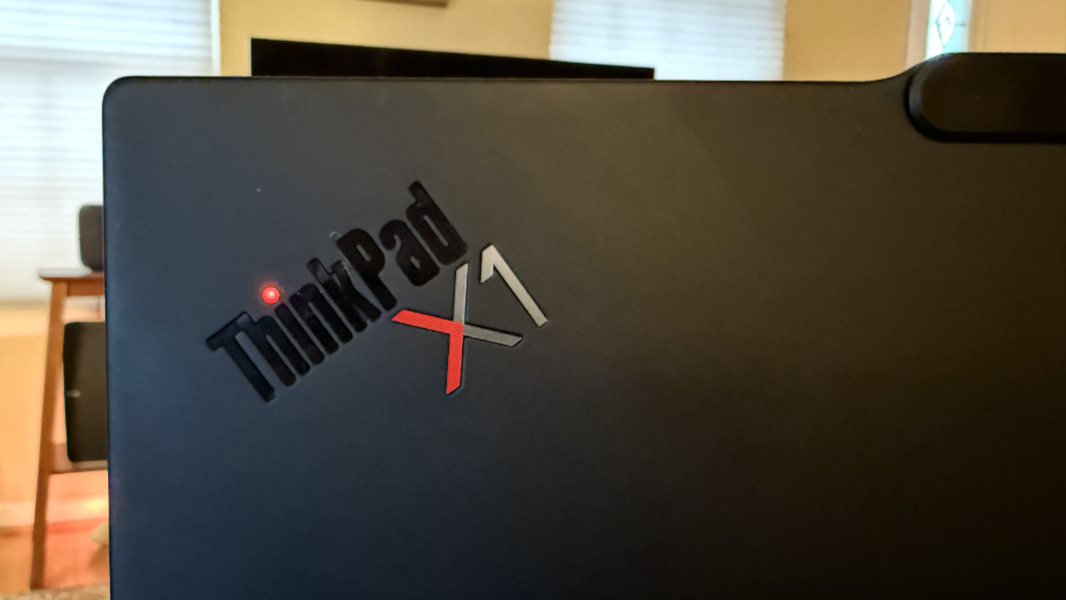
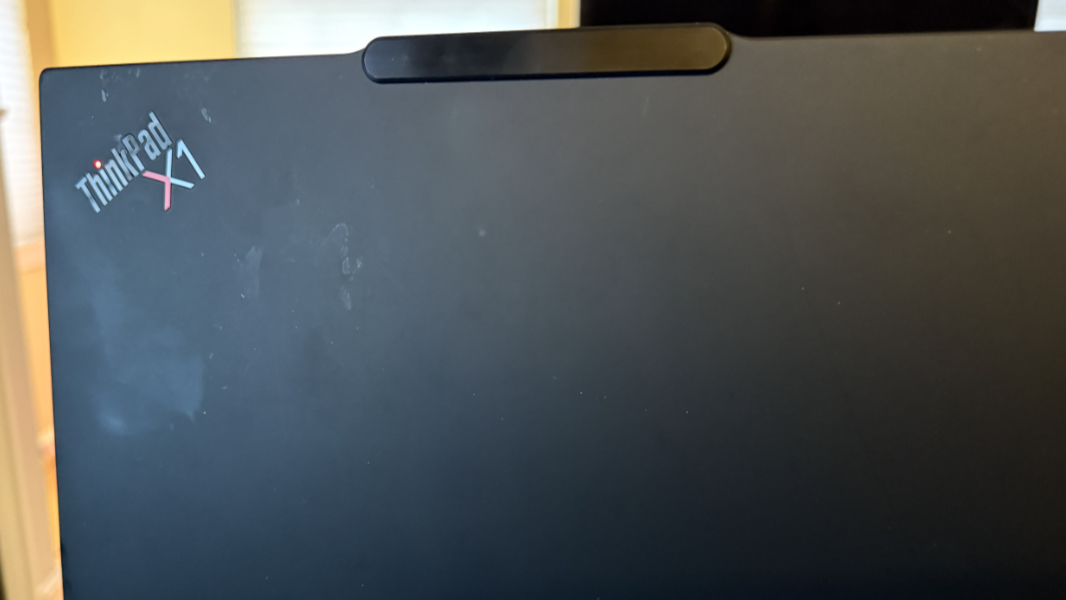
As the most sophisticated take on ThinkPad as a product line, the X1 Carbon remains a timeless classic. But the surface areas are as prone to skin oil smudges as any ThinkPad, too. We’re past the point where this needs to be addressed.
Display
Previous ThinkPad X1 Carbons offered display panel choices. But for this go-round, you can have any display you want as long as it’s a 14-inch 2.8K (2880 x 1800) OLED panel with a 16:10 aspect ratio, an anti-glare, anti-reflection, and anti-smudge coating, and a 120 Hz refresh rate. This display is ideal, nearly perfect, with Dolby Vision and DisplayHDR True Black 500 HDR capabilities, an Eyesafe 2.0 certification, and 100 percent DCI-P3 color gamut coverage, and it emits 400 nits of brightness while offering very wide viewing angles. The only thing it lacks, arguably, is the only thing it does not need: Multi-touch capabilities.
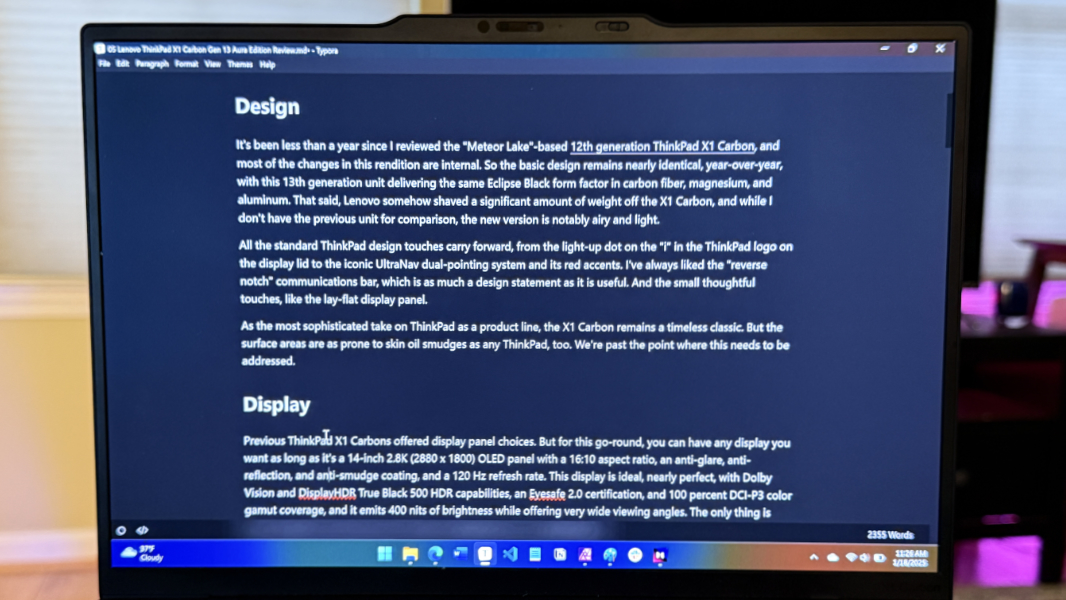
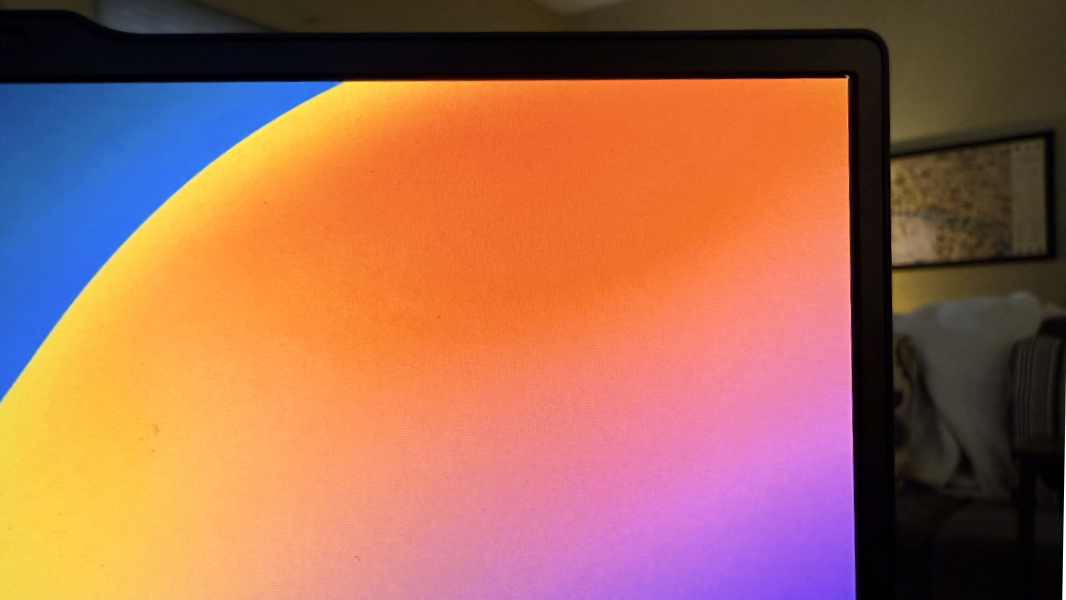
I love OLED for all the obvious reasons–inky blacks, eye-popping colors, and so on–but these panels tend to be overly reflective, and so I generally prefer more matte displays for productivity work. But all the coating Lenovo applied to this panel is working some magic. The X1 Carbon display retains everything that’s special about OLED while nearly eliminating reflections. It’s basically perfect.
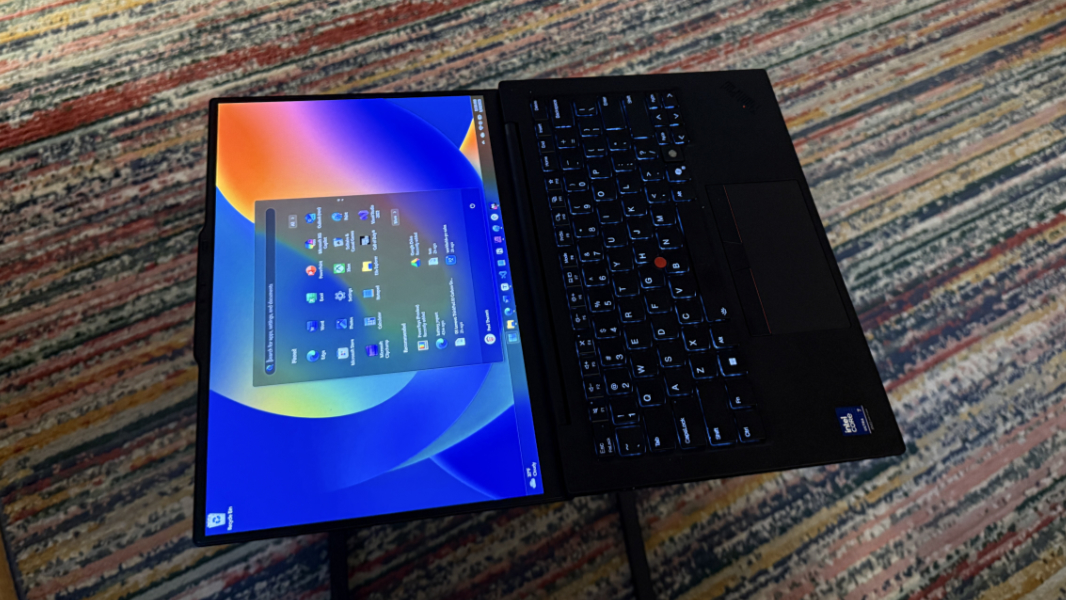
The bezels are small all around, but especially on the sides, and Lenovo claims a solid 89.2 percent screen to body ratio.
Internal components
The beating heart of this year’s X1 Carbon is an Intel Core Ultra 7 258V Series 2 “Lunar Lake” processor. It’s tied to 32 GB of (unique to Lunar Lake) non-expandable LPDDR5x-8533 Memory on Package (MoP) RAM plus 512 GB, 1 TB, or 2 TB of PCIe 5.0 x4 NVMe M.2 2280-based SSD storage. That said, I don’t see any real customization options on Lenovo’s website, which is unusual. Instead there are two configurations as I write this, one with 1 TB of storage and one with 2 TB.
Lunar Lake raises some questions. After all, the X1 Carbon has always represented the best of the best in thin and light business-class Ultrabooks, but Intel’s involvement has never been the question mark like it is today. The chipmaker’s struggles notwithstanding, the “Lunar Lake” chips that power this X1 Carbon are a step forward, but they also fall well short of AMD’s latest. Is it even possible to be the best of the best with Intel inside?
Maybe. But the Aura branding doesn’t help either. We get it, Lenovo, you’re partnering with Intel. But this feels heavy-handed, mostly because Intel isn’t known for good software, and none of the so-called Aura experiences technically require an Intel chipset.
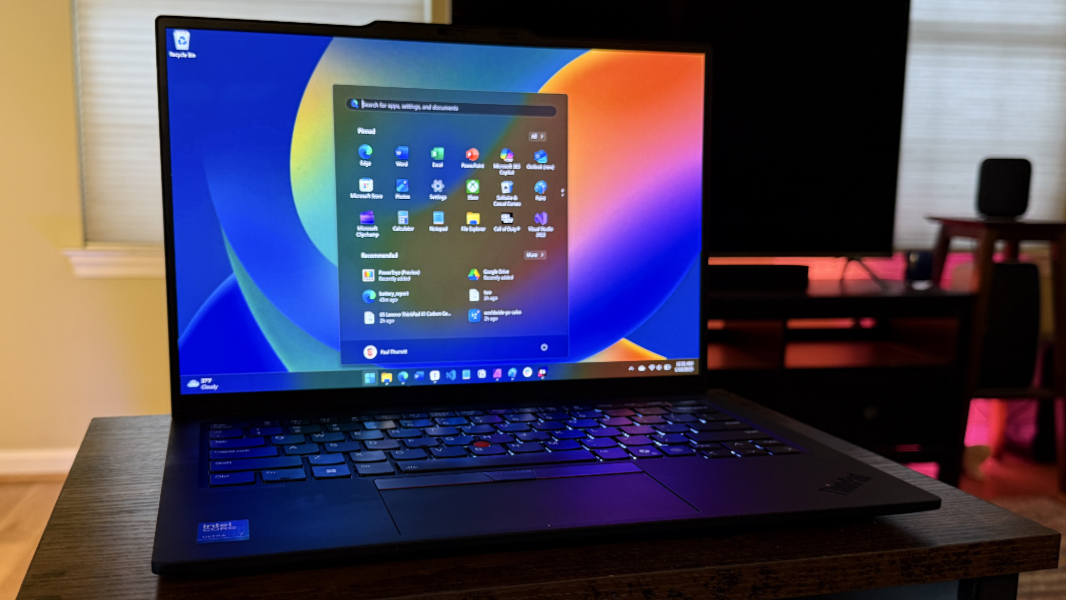
Of course, the ThinkPad X1 Carbon isn’t defined solely by its processor, it’s the sum of many components and other parts, and how these things coalesce–or don’t–into something special and unique. And it’s fair to say that the X1 Carbon retains its inherent special qualities despite whatever stumbles Intel is experiencing at the moment. Day-to-day performance was excellent on power or battery, especially in the standard productivity tasks I undertake with Word, Notion, Typora, Affinity Photo, Microsoft Edge, and the like.
Because Call of Duty: Black Ops 6 has moved into my standard test suite thanks to ongoing improvements in integrated graphics, I can also report that the X1 Carbon, inexplicably, is a decent game player, as well. It’s not as much of an improvement over the “Meteor Lake”-based ThinkPad T16 Gen 3 as I expected, given Lunar Lake’s improved graphics. But it delivers about 40 frames per second (FPS) with a mix of medium quality graphics, and the game looked and played well.
Fan noise is a nearly ever-present low whisper when the PC is powered (and in the Best Performance power mode). I didn’t find it to be problematic, and it was silent on battery.
Connectivity
As with other Lunar Lake-based laptops, connectivity is modern, with Wi-Fi 7 and Bluetooth 5.3 wireless capabilities. But there’s no cellular broadband or NFC offered, even optionally, perhaps because of the size constraints of the form factor.
Ports and expansion
Despite its thin frame, the X1 Carbon Gen 13 offers a reasonable mix of modern and legacy ports.
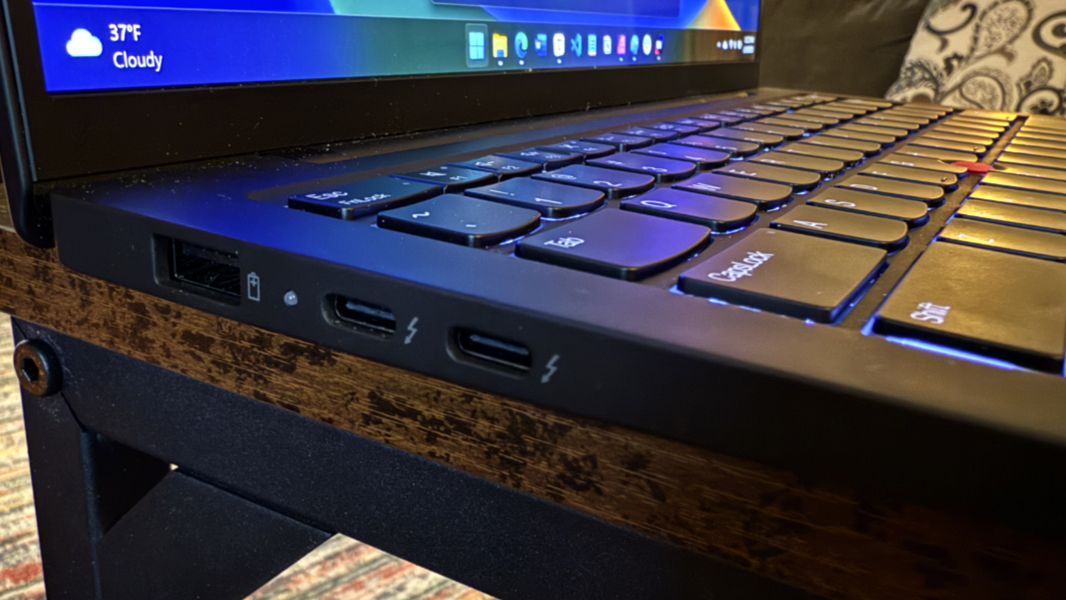
You will find a full-sized USB 3.2 Gen 1 Type-A (5 Gbps) port and two Thunderbolt 4/USB4 Type-C ports on the left side of the PC.
And then the right side houses, from rear to front, a Kensington nano security slot, a full-sized HDMI 2.1 video port, a second USB 3.2 Gen 1 Type-A (5 Gbps) port, a headphone/microphone combo jack, and the power button.
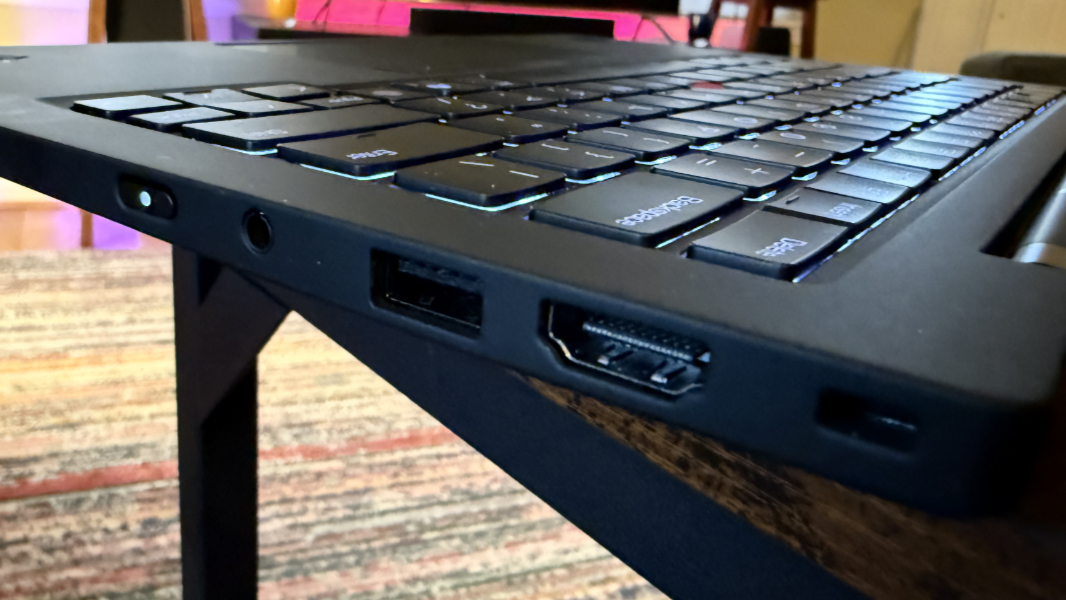
My only real complaint is familiar enough: I like to see at least one USB Type-C port on each side of a laptop.
Audio and video
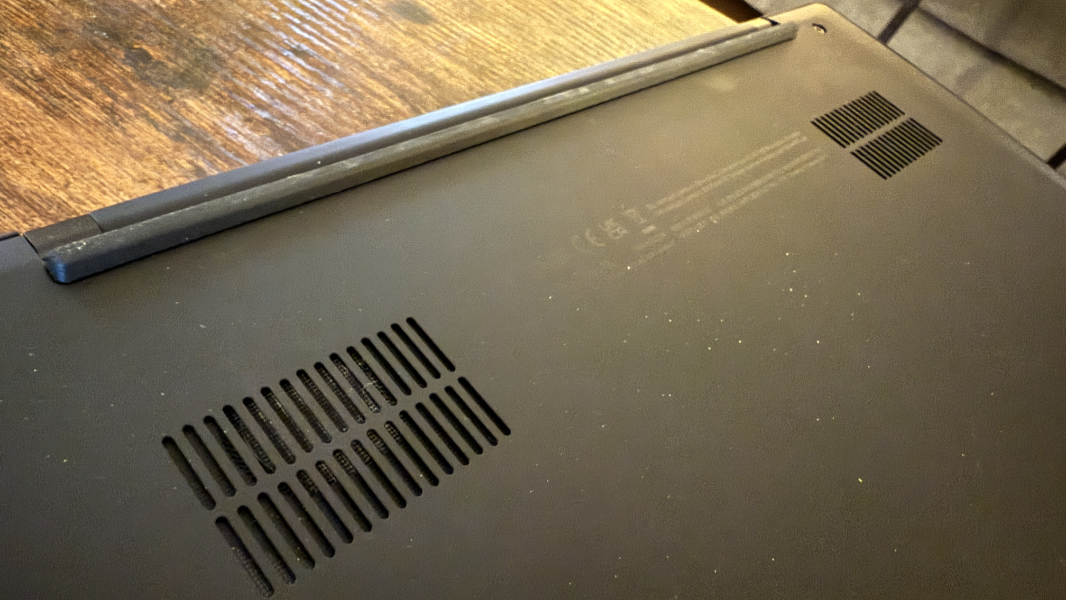
The X1 Carbon offers the full suite of Dolby capabilities. Video is particularly impressive, with rich Dolby Vision HDR that excels no matter how you’re using the PC. And sound is delivered via a pair of 2-watt stereo speakers and augmented by Dolby Atmos spatial sound capabilities. Those speakers are bottom-firing and positioned near the rear of the PC, and they produce excellent sound–assuming a hard surface underneath–with no distortion even at 100 percent volume.
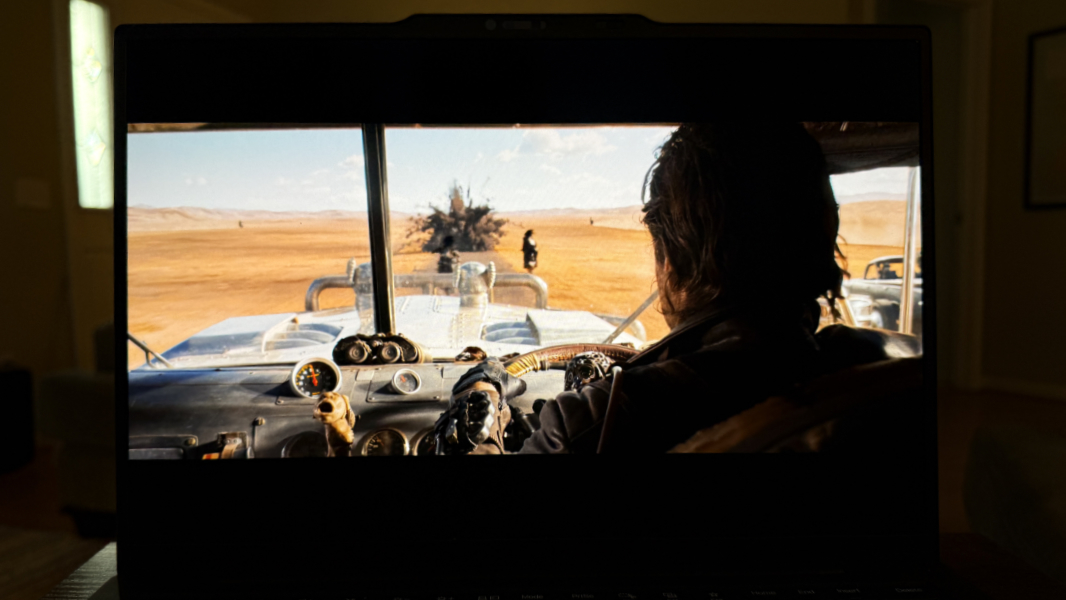
Stereo separation is good, but movies like Furiosa: A Mad Max Saga don’t sound especially spatial. I had similar results with music. My current go-to, Shakira’s No Estoy Aqui, is always sonically impressive, and the X1 Carbon didn’t disappoint, though it didn’t offer the clear instrument separation I often experience. Given the size constraints, none of this is concerning. The overall sound quality is quite good.
You can customize the audio and video with the bundled Dolby Settings app. I left Dolby Atmos set to Dynamic, which adapts to the content and seems to provide consistent results. And while I experimented with Dolby Vision, which supports Bright, Dark, and Vivid modes, I didn’t see much of a difference either.
Hybrid work
The ThinkPad X1 Carbon delivers a predictable but mildly disappointing hybrid work experience, with a Full HD (1080p) webcam and a dual-microphone array. Neither are particularly good from a quality perspective, though the capabilities of both are likely limited by the thinness of the display lid.
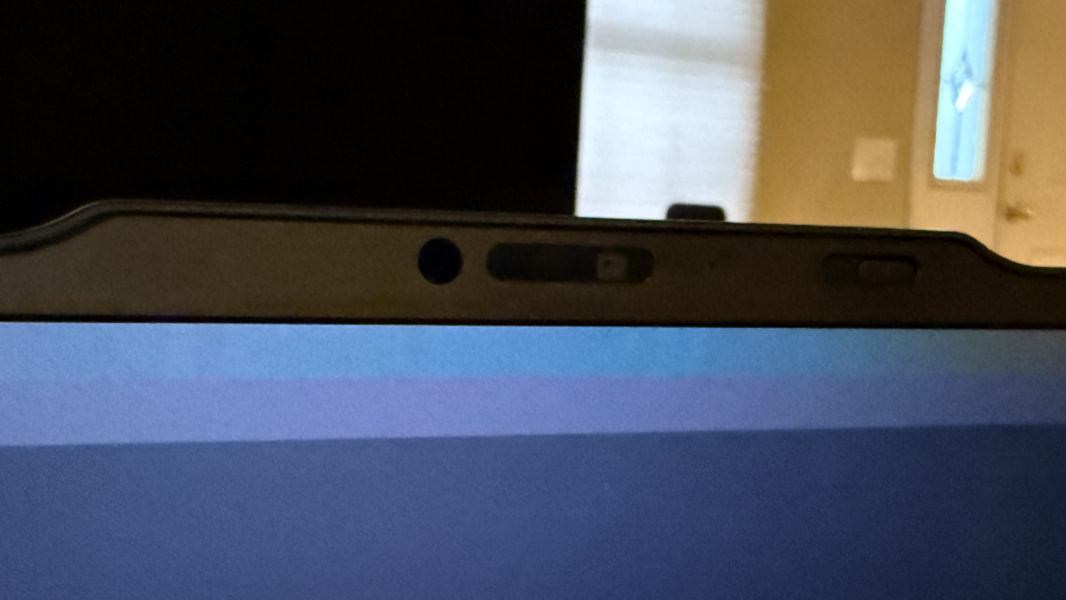
The webcam is fixed-focus and supports a subset of Windows Studio Effects–Automatic framing, Eye contact, and Background Effects–and Windows Hello, and it has a nicer-than-usual manual privacy switch located next to the sensor. Video can be grainy, especially in low-light conditions. And Lenovo doesn’t provide any software to improve the camera quality, AI or otherwise.
The microphones are average, which is to say unexceptional. They are backed by Dolby Voice background noise removal–as are the speakers–but I never found a setting that made them anything other than average.
Keyboard and touchpad
The ThinkPad X1 Carbon always gets the best keyboard Lenovo offers, and it pushes forward largely unchanged in the 13th generation unit. The only notable exception is the Copilot key that replaces a Ctrl key to the right of the space bar.
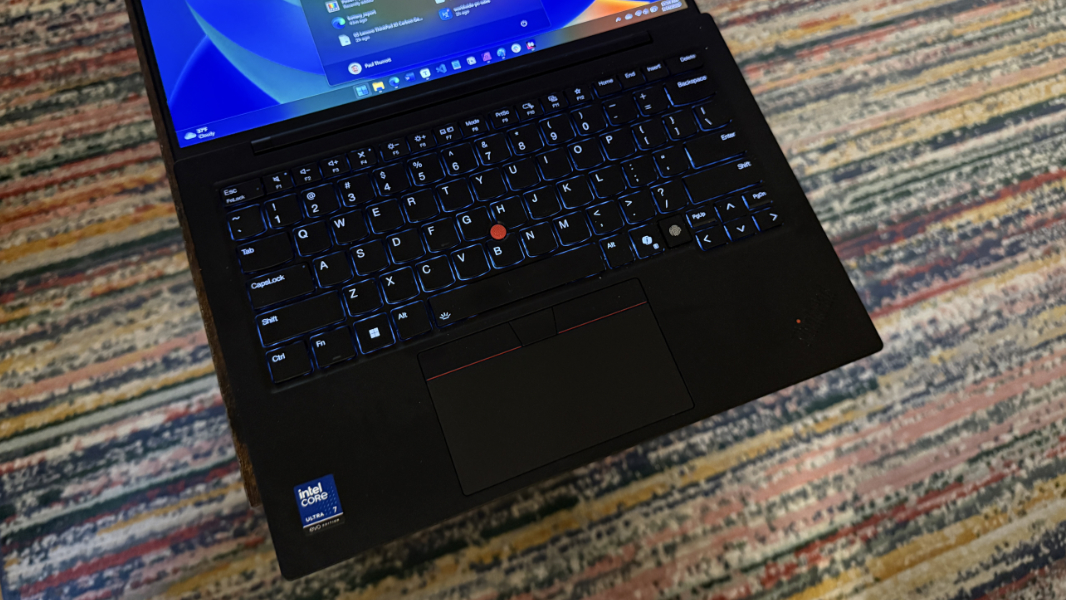
Predictably, it’s a mostly terrific typing experience. There are two levels of backlighting, but no automatic backlighting. Scalloped, island-style keys with a curiously smooth surface. Snappy 1.5-mm key travel. And all the keys are in the right places, though ThinkPad purists can of course switch the Ctrl and Fn key functions in software if desired.
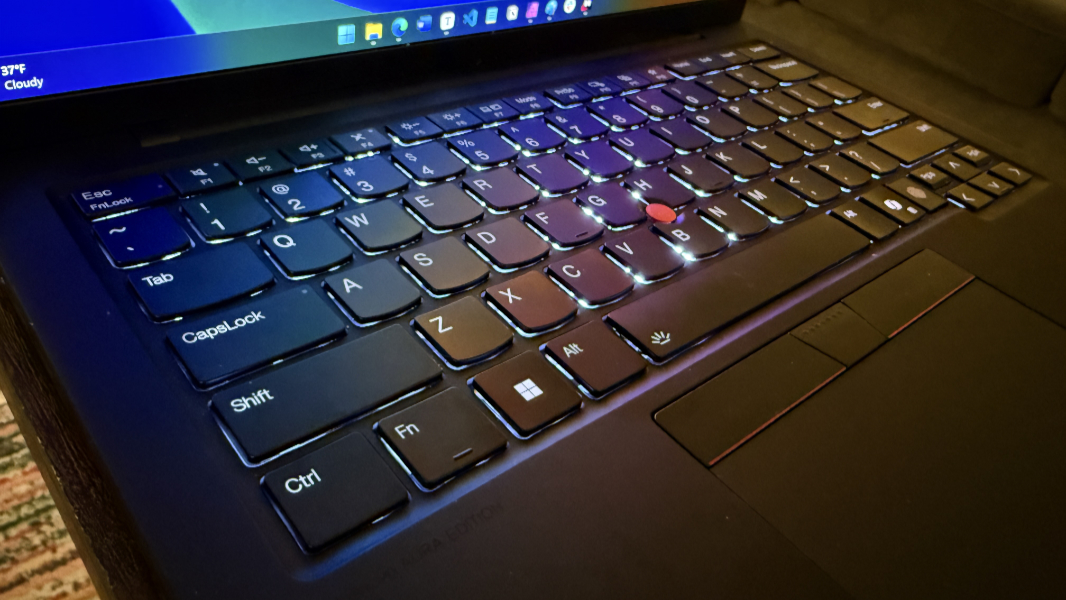
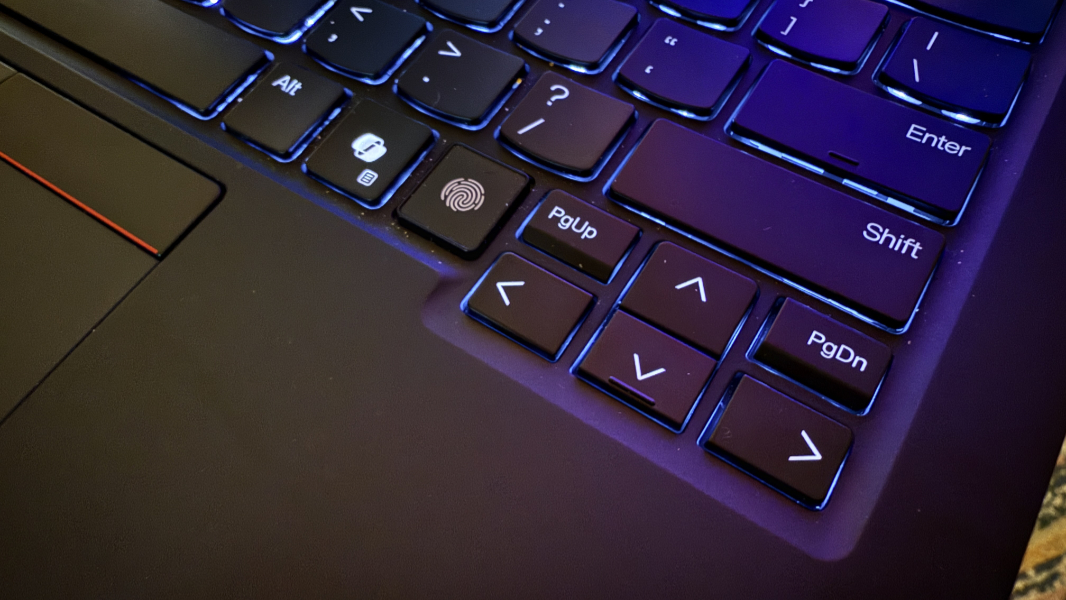
My only issue with the keyboard is a sadly familiar one: Lenovo wedges superfluous and tiny PgUp and PgDn buttons in the inverted T of the arrow keys, and they were the source of a lot of frustrating mis-types until I remapped them with the PowerToys Keyboard Manager utility.
In addition to the excellent keyboard, ThinkPad fans will love the UltraNav pointing system with its iconic red TrackPoint nubbin and dedicated buttons. I don’t use TrackPoint all that much these days, but it also doesn’t get in the way.
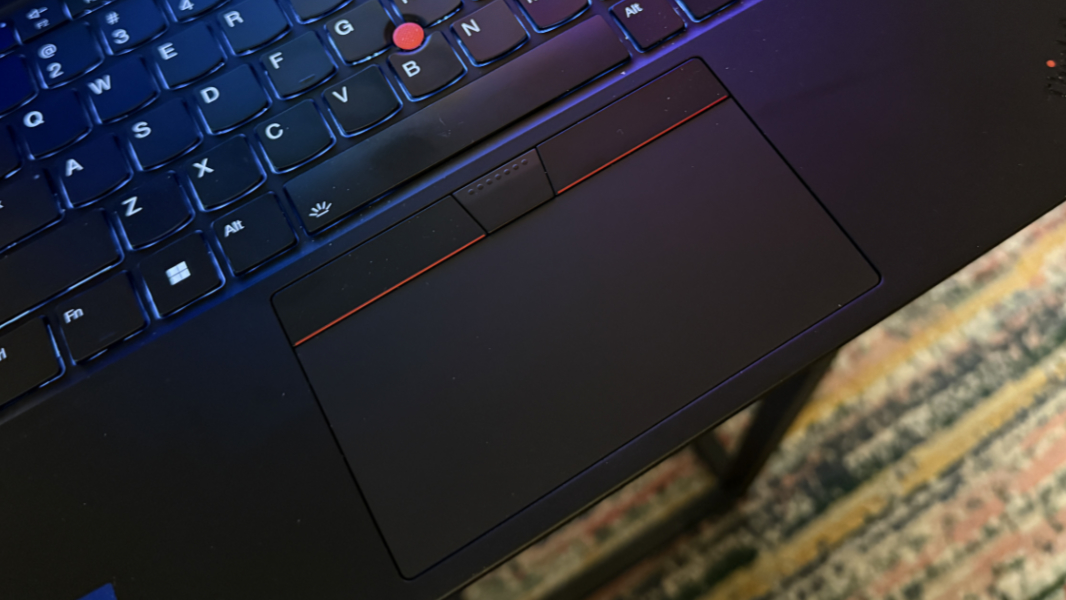
Beyond that, the glass touchpad is medium-sized, but curiously wider than is usual because of the device’s form factor. It was always accurate and fast, and I never needed to disable the three- and four-finger gestures.
Security
As a Copilot+ PC, the 13th generation X1 Carbon offers full Windows Hello ESS capabilities via its webcam and fingerprint reader, the latter of which is a key-like unit between the Copilot and arrow keys on the keyboard. Both were fast and mostly reliably, though I did experience multiple failures with the camera after waking up the laptop, forcing me to use another form of authentication. It was hit or miss.
Sustainability
As is typical these days, the ThinkPad X1 Carbon is made using a wide range of recycled materials, and the device is both user serviceable and repairable.
Lenovo reports that the X1 Carbon is built with 3 percent post-industrial recycled carbon fiber in the top cover’s plastic frame, 90 percent recycled magnesium on the keyboard frame and bottom cover, 90 percent post-consumer content (PCC) recycled plastic used the speaker enclosures, 90 percent PCC recycled plastic in the battery enclosure, 90 percent PCC recycled plastic in the power adaptor, 85 percent PCC recycled plastic in the keycaps, 35 percent PCC recycled plastic in the antenna cable and holders, 25 percent PCC recycled plastic in the hall sensor magnet. It was also built using low-temperature solder on its memory modules, SSD board, and fingerprint module. And the packaging is plastic-free and made with 90 percent recycled, bio-based, and/or sustainably forested content. Phew.
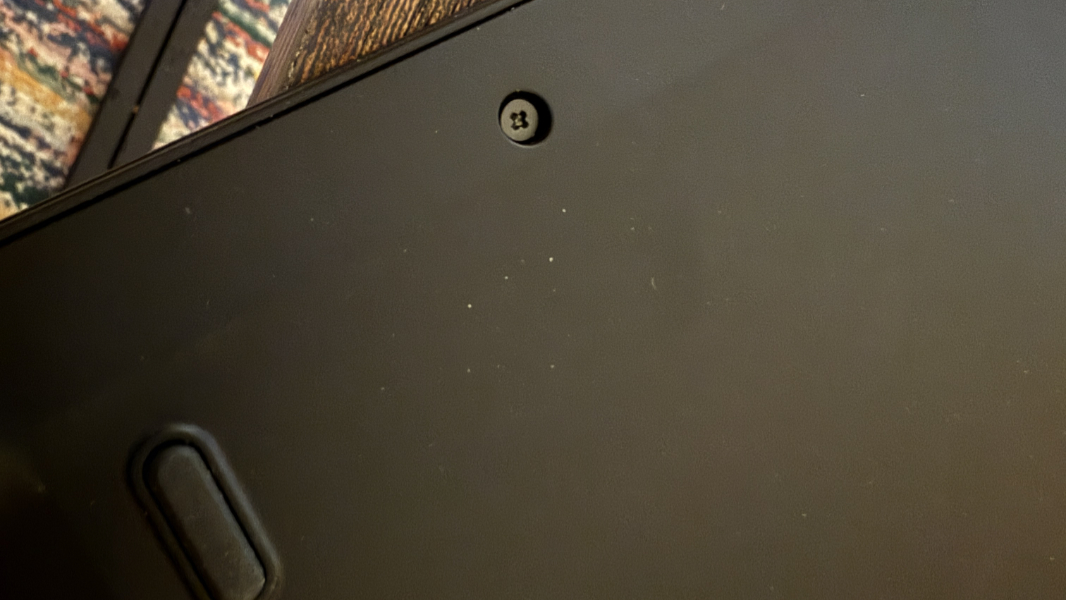
You can open the bottom of the laptop using four exposed and captured screws. All the expected components are readily accessible, save the RAM, which is packaged with the CPU.
Efficiency and portability
How Lenovo was able to shrink the already-svelte ThinkPad X1 Carbon down to just 2.17 pounds is a mystery for the ages, but its predecessor was already a featherweight at about 2.4 pounds. This isn’t just impressive for a 14-inch laptop, it’s magical. And the small 0.56 × 12.31 × 8.45 inch X1 Carbon will easily slip into any laptop bag.
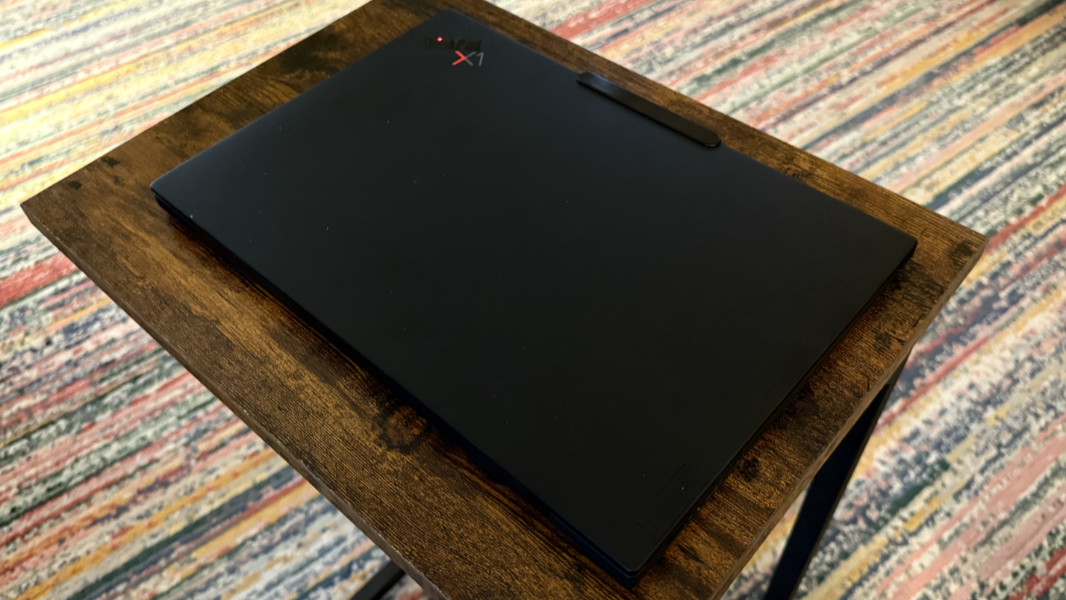
I wasn’t sure what to expect from battery life and efficiency, but both are reasonably impressive despite its Lunar Lake innards. I never traveled with the laptop, but I saw an average of almost 9 hours of real-world battery life, a major improvement over its predecessor and similar if not better than what I see with new-generation AMD Zen 5-based PCs. It can rapid charge to 80 percent in 60 minutes using the bundled USB-C charger.

Instant on reliability wasn’t quite as impressive, but it was good overall. The display powered on immediately for the most part, but every fourth or fifth time I opened it, the webcam wouldn’t power up quickly enough, forcing me to use the fingerprint reader or a PIN.
Software
Lenovo usually maintains a minimalist software preload with its ThinkPad products, but the Aura Edition branding muddles that somewhat by adding additional apps and features.
Most of the software here is familiar. In addition to Windows 11 Pro, Lenovo provides its Lenovo Commercial Vantage, TrackPoint Quick Menu, and a shortcut to the user guide, Dolby Settings and Realtek Audio Controls for sound, a Synaptics Fingerprint Reader Preboot Manager, and three Intel utilities, Intel Connectivity Performance Suite, Intel Graphics Command Center, and Intel Unison (for phone interconnectivity).
The Aura Edition bit refers to a handful of unique features that Lenovo codeveloped with Intel. But as with the Lenovo Yoga Slim 7i 15 Aura Edition I reviewed last year, it’s a mixed bag. I wasn’t too impressed with Smart Modes, and never had a use for Smart Care. But Smart Share, which improves the Intel Unison experience by making PC and phone sharing more seamless, is quite useful. There’s also a dedicated function key for Smart Share (and one for Smart Modes as well).
Pricing and configurations
The ThinkPad X1 Carbon is an expensive premium business-class PC and that’s reflected in the price. As I write this, there are only two models available, and there are no configurable versions. An X1 Carbon with 1 TB SSD currently sells for about $2265 ($2500 list), while a 2 TB model is $2450 ($2720).
Recommendations and conclusions
Lenovo pulled off a near miracle with the ThinkPad X1 Carbon Aura Edition. Despite is questionable Lunar Lake innards, the performance and battery life were both terrific, and the company somehow cut the weight to just 2.17 pounds. The 14-inch display is top-notch, as is the keyboard, touchpad, and build quality. This is the business class laptop experience elevated. And the 13th generation X1 Carbon once again is almost peerless. I recommend it highly, assuming you can handle the cost.
At-a-glance
Pros
- Iconic X1 Carbon form factor but magically lighter than before
- Superior non-reflective OLED display
- Terrific keyboard and touchpad
- Excellent performance for standard productivity apps
- Incredible battery life, especially for an x86-based PC
- Modern Copilot+ PC security features
Cons
- Skin oils smudges on exterior surfaces
- Tiny PgUp and PgDn keys cause typing errors
- Webcam and microphones are sub-par for the target market
- Expensive