Paul’s Pixel 10 Diaries: A Quick Look at QPR2
- Paul Thurrott
- Sep 23, 2025
-
3
The Pixel 10 series phones shipped with Android 16 and Quarterly Platform Release 1 (QPR1) and its new Material Expressive 3 design back in late August. But QPR2 has been available in beta since the same day Google announced those products, and a Beta 2 release arrived last week.
I usually enroll my current Pixel in the latest Android beta program, but this year is quite a bit different, of course, because Google loaned me three Pixels, the Pixel 10, 10 Pro, and 10 Pro XL, to review. I had been planning to buy a Pixel 10 Pro XL, but I cancelled that, of course. But I did still ship my Pixel 9 Pro XL to the Google Store on trade, so I now have over $600 in store credit that I can apply to a future purchase. (This I was smart, as that phone is only worth a bit over $400 on trade now, about a month later.)
Further confusing matters, the past week has been crazy busy. We flew to Mexico City on Friday and then flew to Hawaii on Monday in an exhausting but thankfully drama-free day that involved 10 hours of flying on two flights. We’re still trying to find our footing here. But I did bring the Pixel 10, which I’m currently using daily while I work on my review, and the Pixel 10 Pro XL, which I reviewed this past weekend, here to Hawaii. And when I found myself with a few seconds of spare time, I decided to enroll the Pixel 10 Pro XL in the Android Beta so I could take a look at QPR2.
This works as it has for a long time. First, you visit the Android Beta for Pixel page on the Android Beta website and click “Opt in” next to the device you wish to use in the list of eligible devices. Then, you sign into that phone, open Settings, navigate to System > Software updates > System update and check for updates. In my case, I was prompted before I even got there. So I downloaded and installed the 3+ GB update while we were off having breakfast.
QPR1 is most notable for bringing Material Expressive 3 to the system, and Google has since been updating the in-box apps on Pixel and its other apps with this design language. But here’s what I’ve seen in QPR2 on the Pixel 10 Pro XL so far.
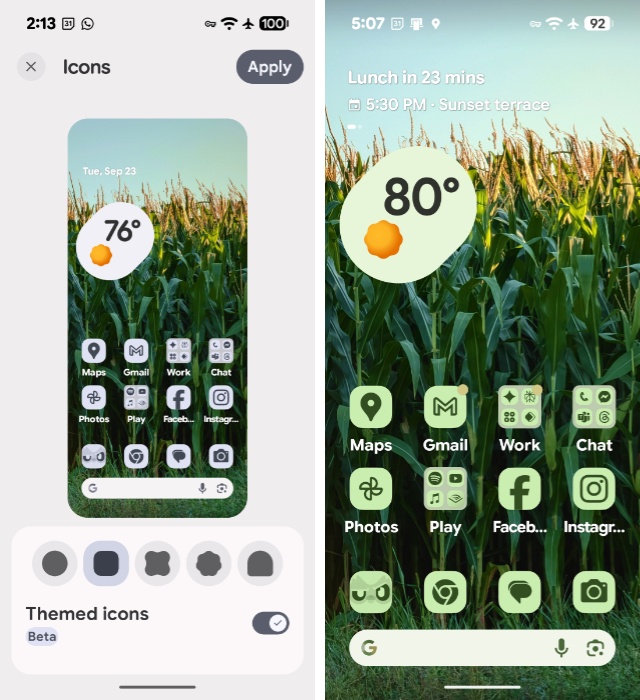
Icon shapes. You can customize the home screen and lock screen on a Pixel 10 series phone by pressing and holding on the home screen and choosing “Wallpaper & style.” Among other things, you will find options for Colors, Color contrast, Icons, and Layout. And Icons has a fun new option with QPR2: In addition to toggling Themed Icons on/off, you can choose between five icon shapes, including a rounded rectangle shape I prefer to the default (and previously only) round choice.
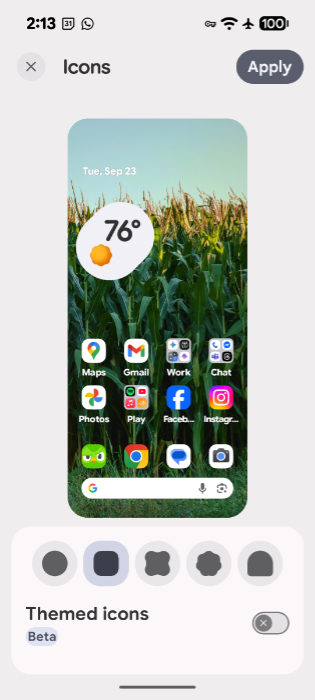
Auto-themed app icons. I really like the themed icon feature on Pixel, but some of the apps I use don’t supply themed icons, so they use the standard colors when I use this mode. But with QPR2, those non-conforming app icons are auto-themed, bringing a blessed and long-wanted consistency to the Pixel home screen. Finally!
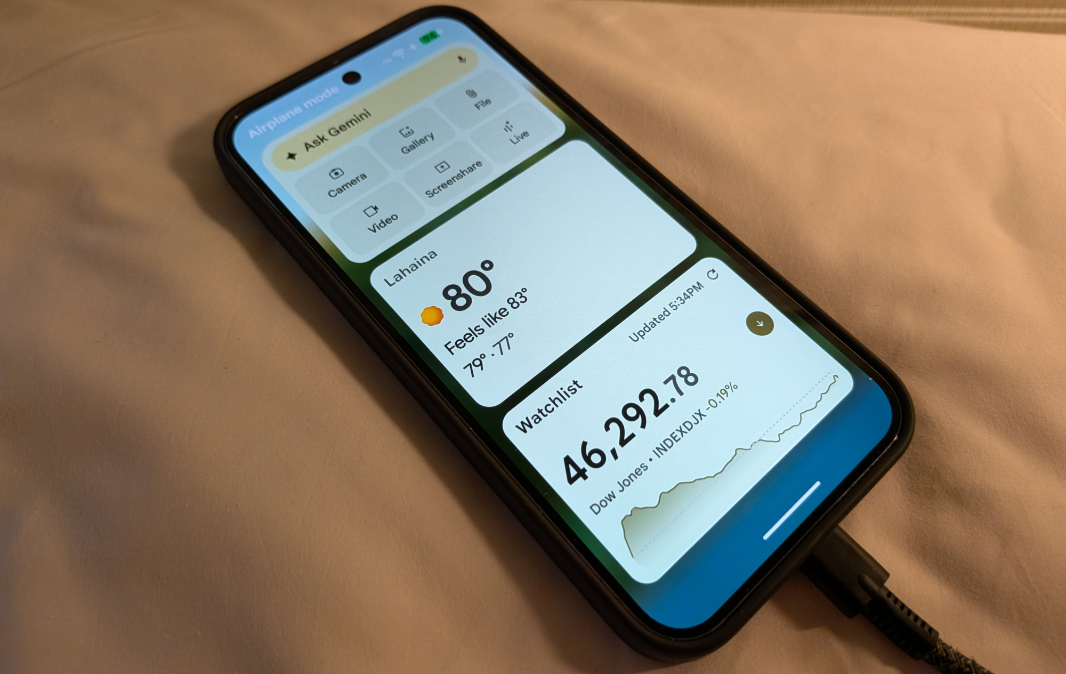
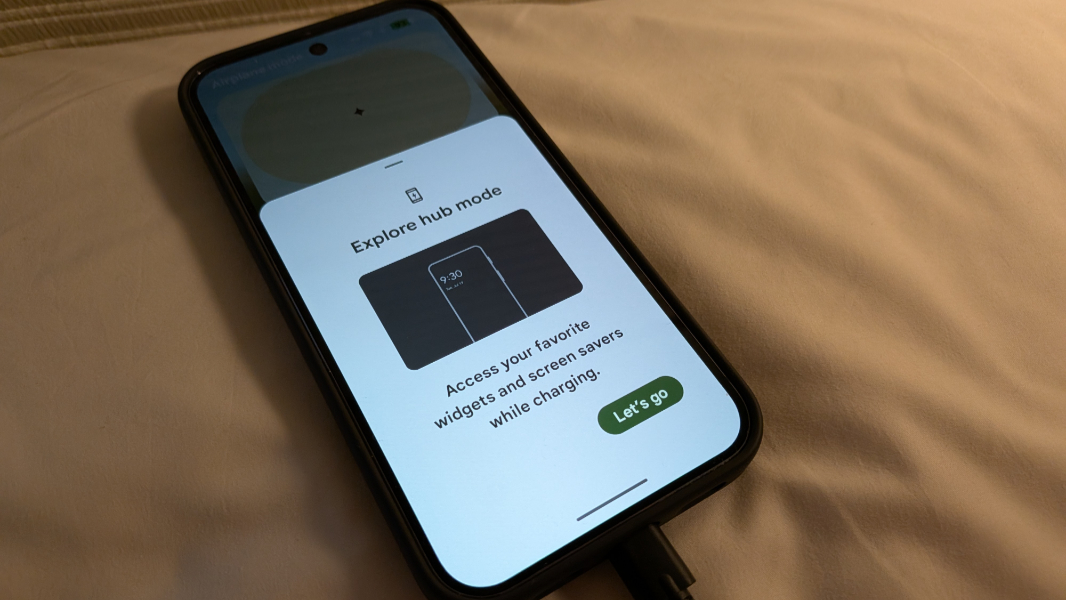
Widgets on the lock screen. This new feature is in beta and has to be enabled first. You can do so in Settings > Lock screen, but that won’t do anything. Instead, you can also enable this feature in Settings > Display & touch > Widgets on the lock screen (beta), where you will also find a “When to automatically show” toggle to enable. If you set that option to “While charging,” widgets will appear in the Pixel-specific screensaver view that looks and works like a mini-smart display. Or, they will after you add them by swiping over from that display to enable a new Hub mode feature and then select the widgets you want. It’s a lot to figure out, but the end result is nice.
Expanded dark theme. Android has long supported a dark theme option with an optional schedule for toggling it on and off. But to date, the dark theme has been applied to the system and supported apps. With QPR2, you can choose between “Standard” and “Expanded” dark theme options in which the latter also automatically applies the dark theme to more apps for improved accessibility. I enabled this option, and now apps like Google Translate, which ignore this setting, work in dark mode. Nice!
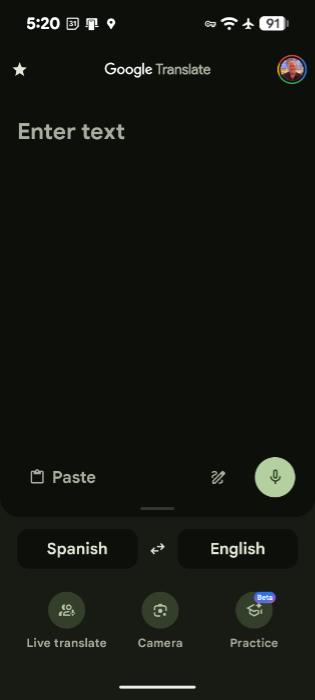
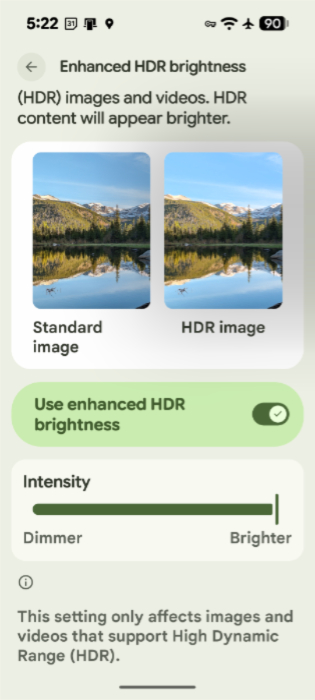
Enhanced HDR brightness. This new option appears in Settings > Display & touch and it adds a toggle switch and an intensity slider so you can enable an enhanced display when viewing HDR images and videos. It’s definitely noticeable and … different. But I’m not 100 percent sure I prefer it over the normal HDR display. Also, because I’m comparing these things across the Pixel 10 and Pixel 10 Pro XL, I’m not sure if there is some other difference impacting the respective views.
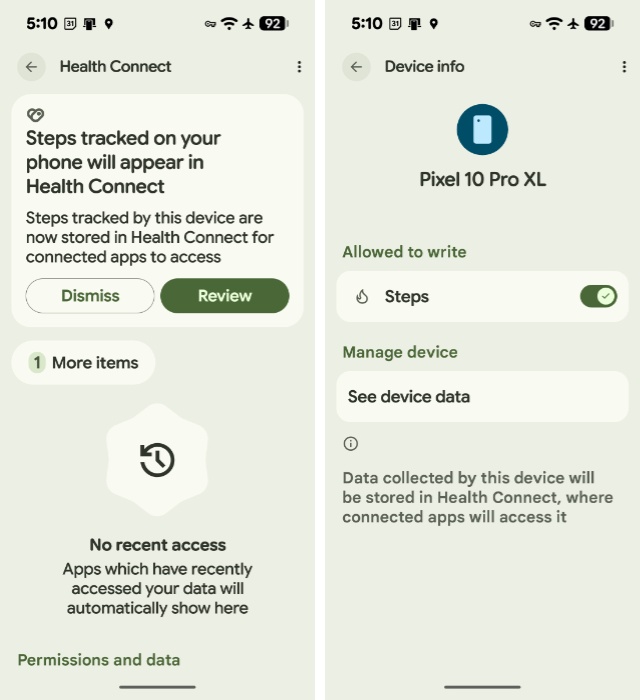
Steps tracking. Health Connect can now be configured to track your steps using the phone so you can get access to this data without needing a smart watch or tracker. This is a feature the iPhone has had for years, so this is good news. And because Health Connect integrates with other health, fitness, and wellness apps on your phone (Fitbit, in my case), you can aggregate all the relevant data using this service.
I’m sure there’s more, but I’ve only just started looking at the system and comparing it side-by-side with the Pixel 10 that’s still on stable Android 16 with QPR1. And while none of these are major features, they’re all really nice additions.
More soon.