Lenovo ThinkCentre neo 50q QC Review
- Paul Thurrott
- Jan 05, 2026
-
0
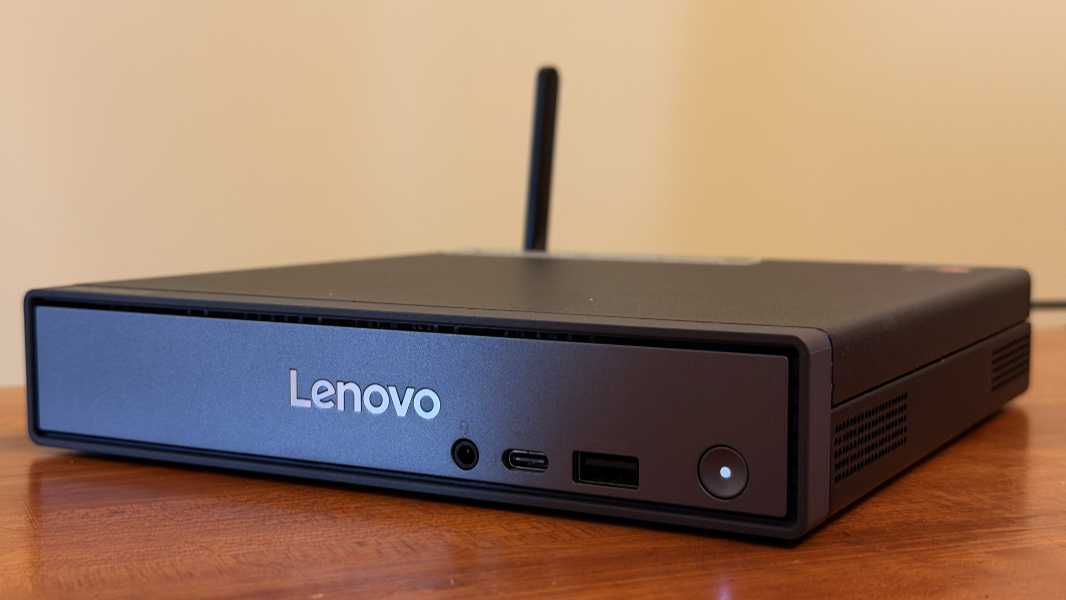
Heading into 2025 a year ago, I was hoping to see the first mainstream Snapdragon X-based mini-PCs appear. Instead, we were promised just a single model from Geekom that never shipped. And Qualcomm announced the entry-level Snapdragon X chipset for even more cost-effective Windows 11 on Arm-based PCs. All of which were, of course, laptops.
Until the Lenovo ThinkCentre neo 50q QC showed up in late 2025, that is. This is a small form factor (SFF) PC, sort of like a NUC, but with an entry level Snapdragon X chip inside. Given how good the similarly configured HP OmniBook 5 16-inch laptop was—it went on to be my favorite PC of 2025—I was excited to review the ThinkCentre neo. But Lenovo made one crucial design mistake that will undermine the experience for some.
Design
The ThinkCentre neo 50q is a cute little business-class 1L SFF PC. For those unfamiliar, and, yes, I had to look it up myself, 1L means one liter, and I assume that’s about as small as these things get. But like many SFF PCs, it utilizes a pizza box-type form factor that’s pleasant enough to look at, that measures 1.44 inches thick, 7.05 inches wide, and 7.2 inches deep. That said, many will stick it behind a screen or under a desk surface.
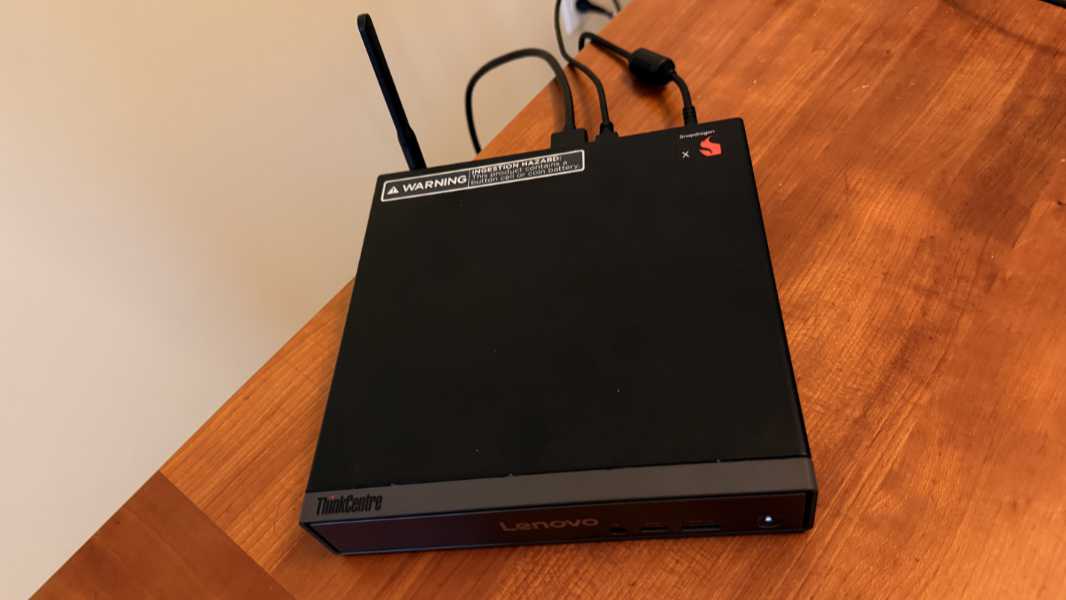
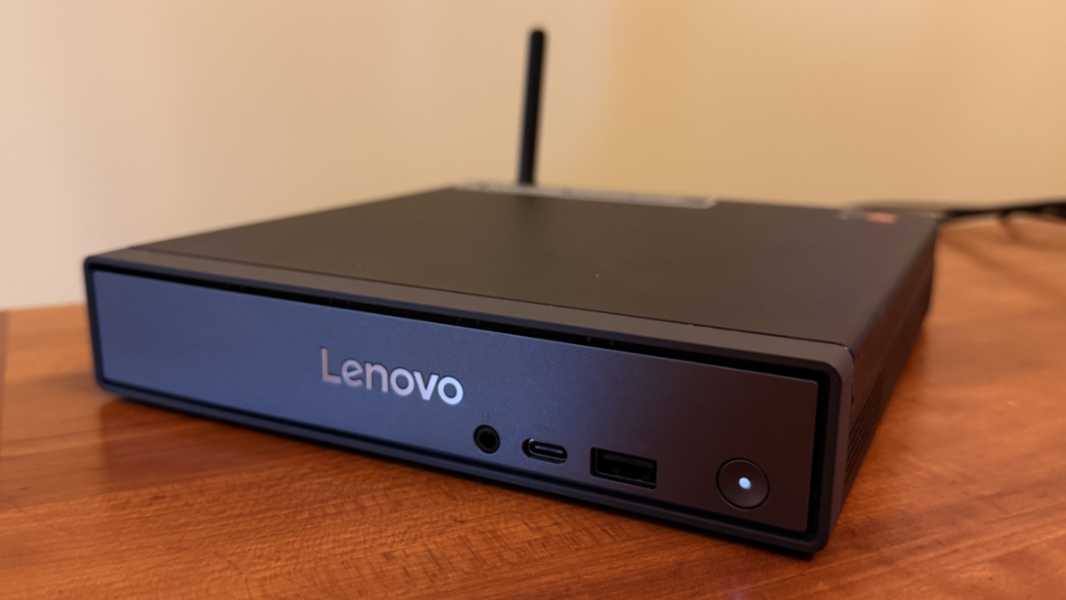
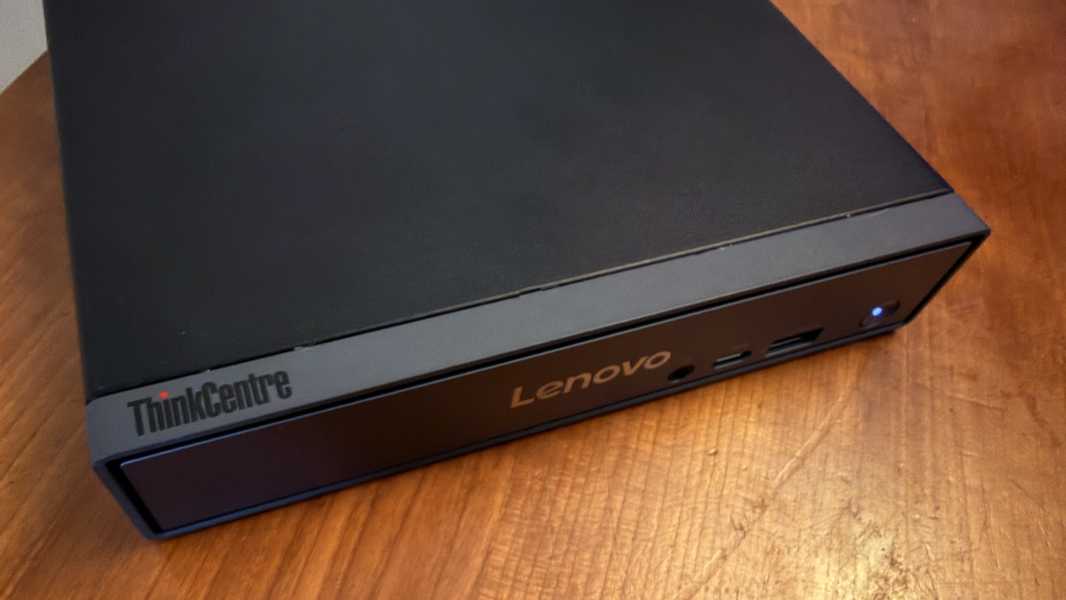
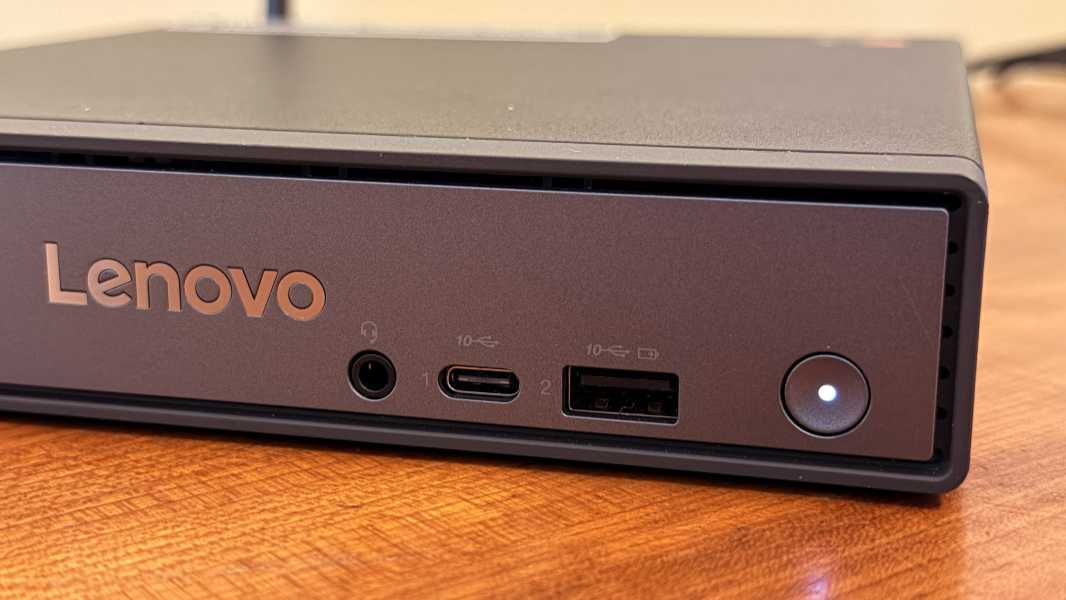
Design-wise, there’s a black metal shell on the top, bottom, and rear, and a medium gray front panel with a reflective silver Lenovo logo in its middle. That front panel has a handful of ports (described) below and a power button.
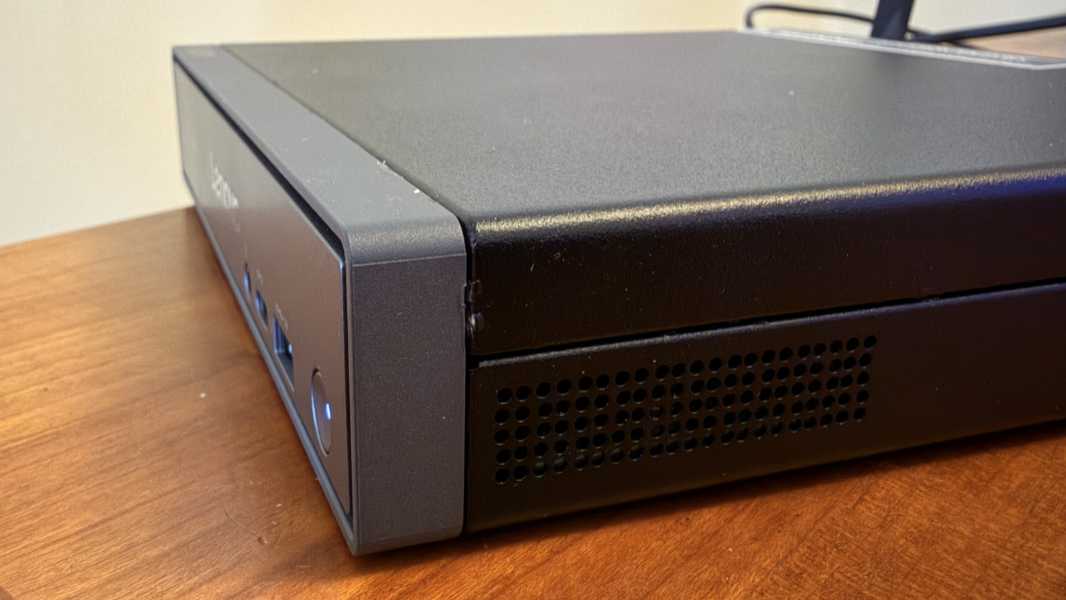
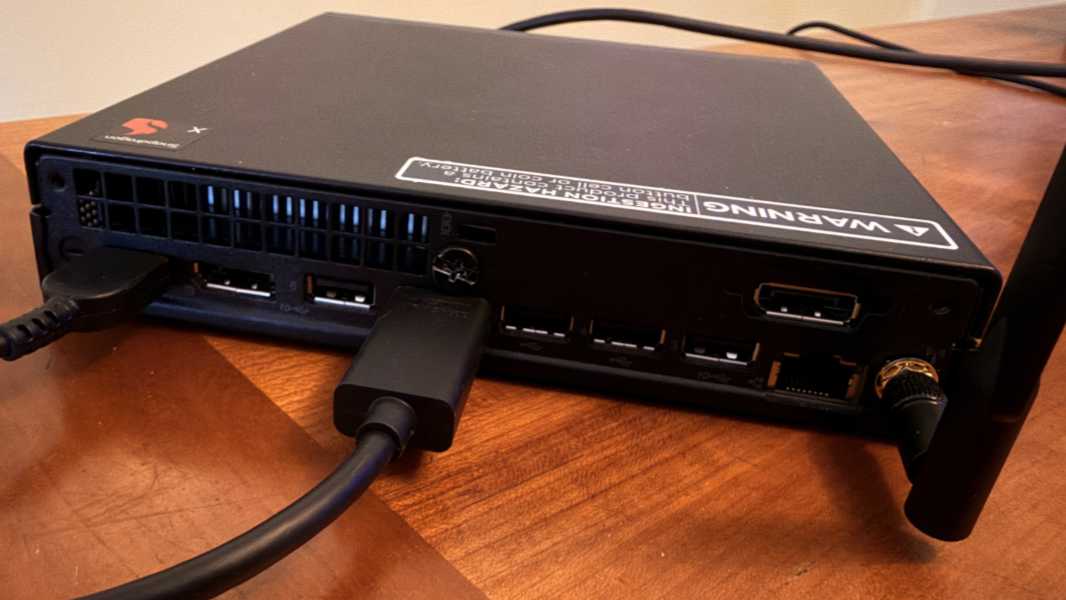
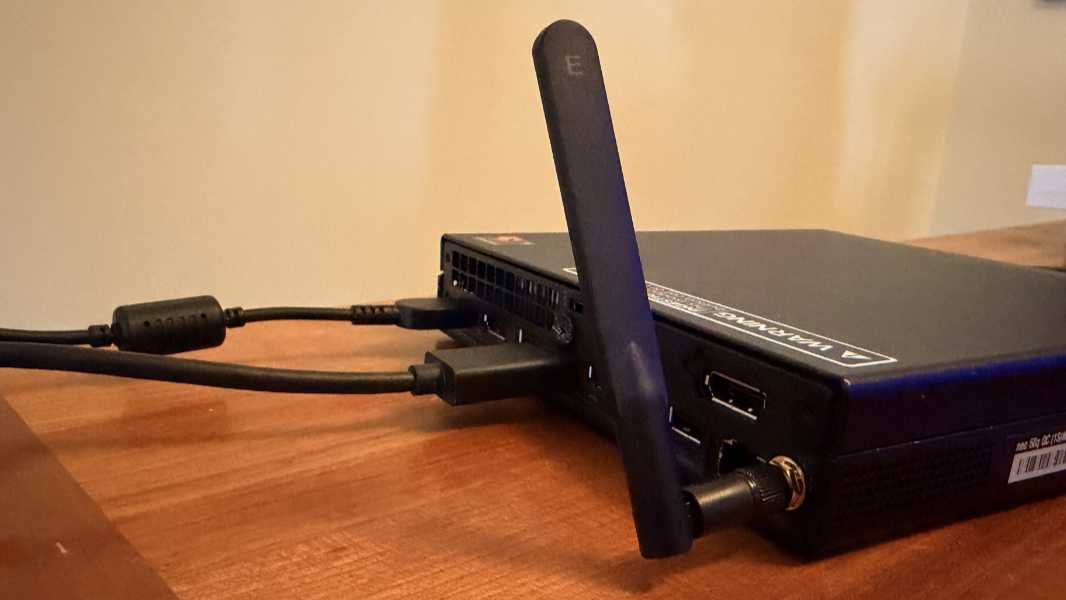
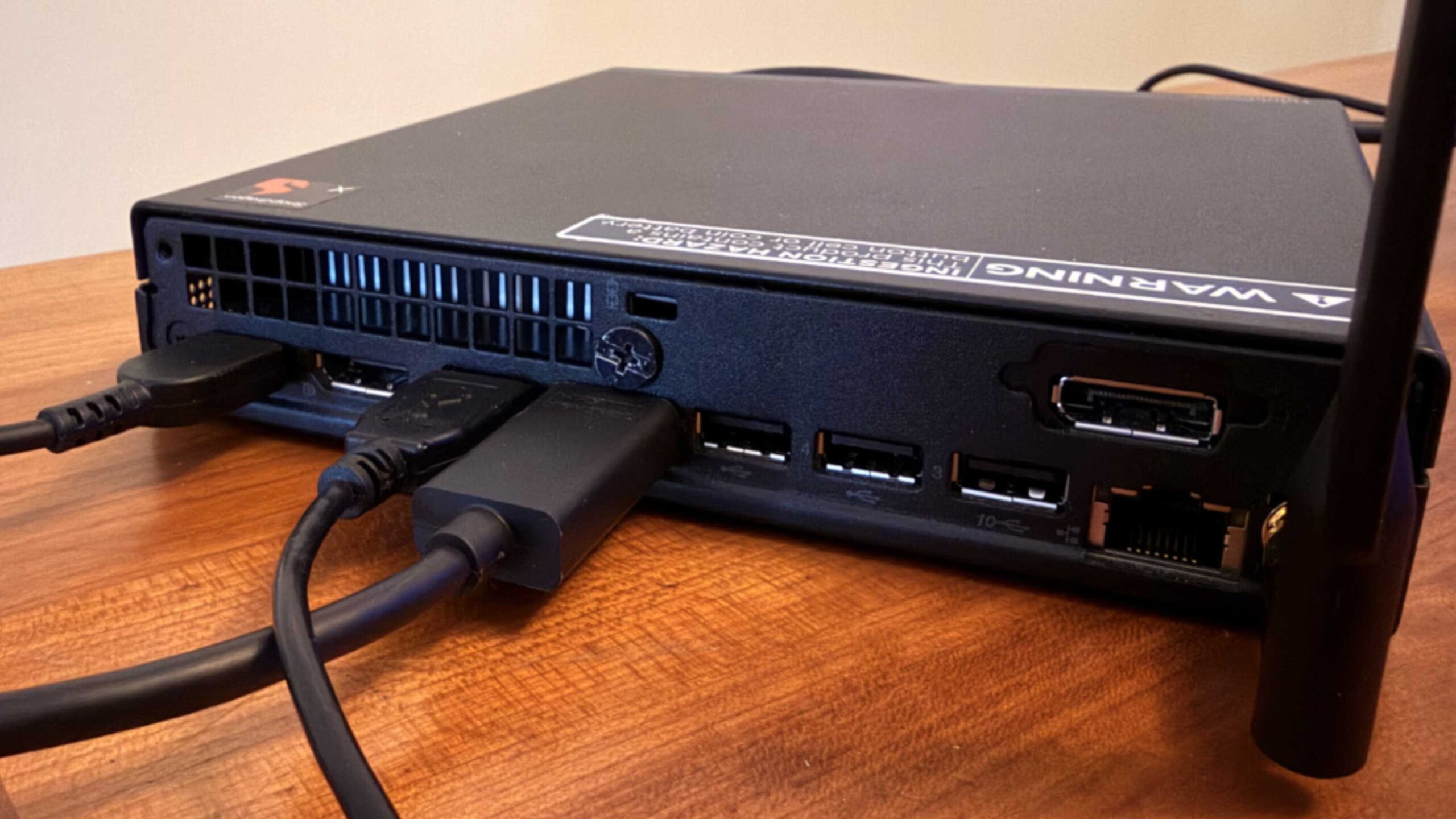
The sides just have heat ventilation holes, but the rear is where all the real action is, with a large heat intake for the active cooling within, several legacy ports (also described below), a big screw that unlocks the top/side panel structure so you can get inside, a Kensington lock slot, the proprietary power port, and a screw-on header for the Wi-Fi antenna.
The 65-watt power supply looks like a standard laptop part, but it uses a proprietary connector on the PC itself for some reason.
In short, nothing dramatic or unusual. You’ll barely notice the thing day-to-day.
Internal components
The ThinkCentre neo is powered by the entry-level Snapdragon X X1-26-100 processor, which includes an integrated Adreno GPU and 40 TOPS Hexagon NPU. There are no other processor choices, which is a bit odd, but it’s a terrific choice for day-to-day productivity performance. You can configure the SFF with 16 GB or 32 GB of 8448MHz LPDDR5X RAM and 256 GB, 512 GB, 1 TB, or 2 TB of PCIe NVMe Gen4 SSD storage (via two M.2 2880 cards in the latter case).
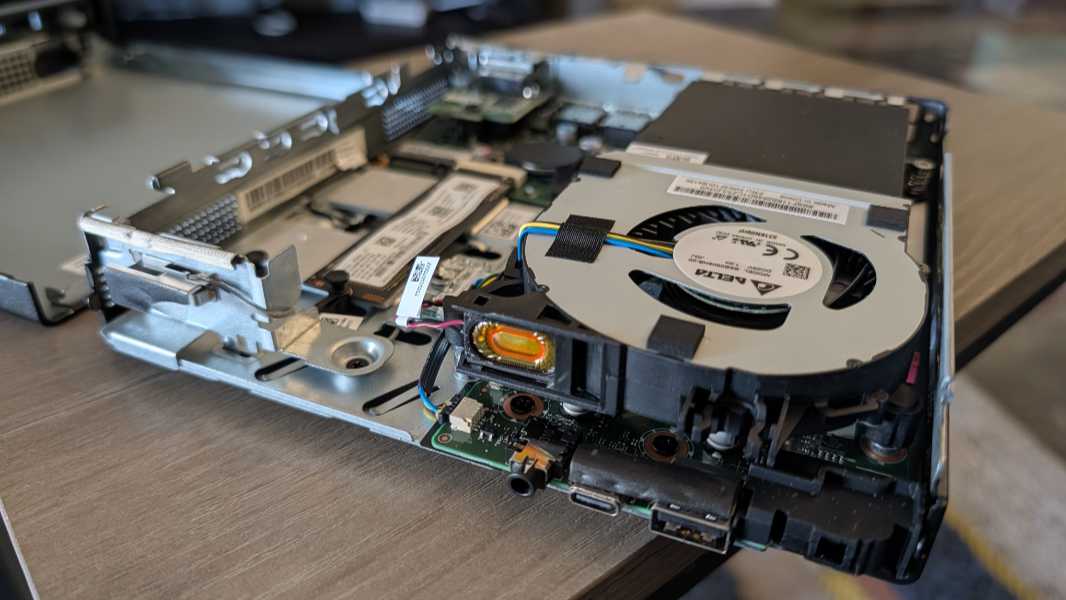
By this point, everything that needs to be said about Snapdragon X has been said. There are no lingering compatibility issues, hardware or software, and the performance is excellent. Its impressive efficiency is perhaps less important in a desktop PC, but for businesses that will be rolling out fleets of these things in an office, it still matters. And the reliability is top notch.
I never heard the fan in normal usage. Curious about this, I would occasionally put my ear against one of the vents, but all I ever heard was the softest of whispers.
Also, there’s an internal speaker, which is amusing. But I assume most will get sound via a display or external speakers.
Connectivity
The ThinkCentre neo 50q QC includes a 1 Gbps Ethernet port and you can add Wi-Fi 6E and Bluetooth 5.3 via an inexpensive M.2 upgrade that includes an external screw-on antenna that the review unit did include. I used both and had no issues, here or in Mexico.
Ports and expansion
Expansion is mostly good, but there’s only a single USB-C port, on the front, that doesn’t support DisplayPort capabilities, so it can’t be used for video-out. That makes no sense to me.
On the front, Lenovo provides a headphone/microphone combo jack, a 10 Gbps USB 3.2 Gen 2 Type-C port, and a 10 Gbps always-on USB 3.2 Gen 2 Type-A port arranged horizontally to the left of the power button.
On the rear, you’ll find a DisplayPort 1.4a port (with support for 4096 x 2160 at 60 Hz), two 480 Mbps USB 2 Type-A ports, two 10 Gbps USB 3.2 Gen 2 Type-A ports, one HDMI 2.1 port (which supports 4K at 60 Hz), and a 1 Gb Ethernet port. There’s also a punch-out port on the top rear that lets you add a second video-out port, which can be DisplayPort or VGA, though only at 1920 x 1200 at 60 Hz. The review unit included a DisplayPort punch-out port.
Keyboard and mouse
The ThinkCentre comes with a cheap little mouse and you can add a keyboard at purchase time. Neither is in any way notable. But I ignored both and just used components I already had.
Security
As a Copilot+ PC, the ThinkCentre neo delivers a terrific security baseline, though the lack of integrated Windows Hello ESS-compatible fingerprint and facial recognition hardware means you’ll need to roll your own (and lose the ESS niceties unless you can find a compatible fingerprint reader sometime in early 2026).
Sustainability
The neo arrives in a Forest Stewardship Council (FSC) certified carton that features 30 percent ocean-bound plastic (OBP) in the device bag and 30 percent OBP in the package cushion. And it’s built with 60 percent recycled post-industry content (PIC) plastic in the thermal shell.
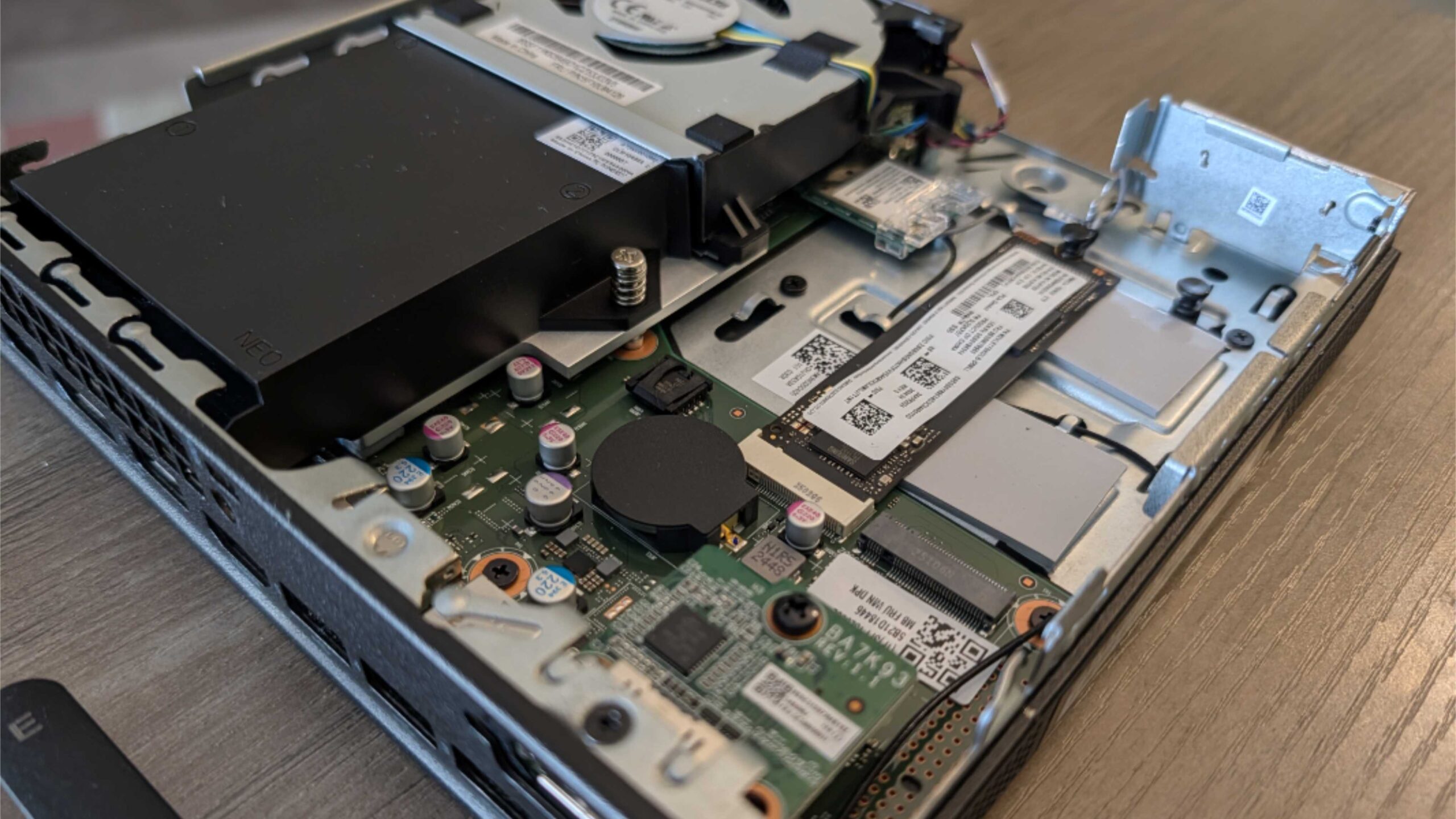
Upgradeability and repairability are excellent. There are two M.2 2280 slots inside for SSD cards, so it’s easy enough to upgrade. And the optional Wi-Fi/Bluetooth module is likewise on M.2 and upgradeable. Unfortunately, the RAM is not upgradeable or user replaceable.
Software
You can configure the ThinkCentre with Windows 11 Home or Pro and the full Copilot+ PC software suite either way. And there’s a minimal set of preloaded software that includes Lenovo AI Now (superfluous), Lenovo Vantage (necessary), Smart Connect (similar to Phone Link but with more device support), and a link to the user guide. The only objectionable bit is the McAfee LiveSafe trial I always uninstall immediately.
Pricing and configurations
The ThinkCentre neo 50q QC is reasonably priced,but the upgrades can get expensive. A base configuration with 16 GB of RAM and 256 GB of SSD storage is normally about $590. An upgrade to 32 GB is $200, which seems steep, and 512 GB and 1 TB storage upgrades are $79 and $139, respectively. Note that you can add a second SSD stick for to up 2 TB of total storage as well. But a Wi-Fi and Bluetooth 5.3 M.2 module is optional at $19, as are the keyboard ($40) and mouse ($5). You can also add a second display-out port, DisplayPort or VGA, for $10, but not USB-C.
As I write this, there’s a pre-built configuration with 32 GB of RAM and 1 TB of storage for $559. That seems like a great price, as it would cost over $900 if you configured it yourself.
Recommendations and conclusions
The ThinkCentre neo 50q QC is tiny, but it’s still a desktop PC, so if the lack of a video-out capable USB-C isn’t troubling there’s a lot to like here. Qualcomm’s Snapdragon X chip is fantastic and offers full compatibility with the productivity software most knowledge workers need, and it’s much more reliable, and much quieter, than anything based on AMD and Intel chips. Just be sure to get as much RAM as you need up front, as you can’t upgrade that later. As for me, I wish it had at least one USB-C port on the rear with video-out capabilities, even as an option. It’s a curious omission.
At-a-glance
Pros
✔️ Snapdragon X series is so good it feels like magic
✔️ Inexpensive
✔️ Easily upgradeable
✔️ All the expected Copilot+ PC goodies
Cons
❌ Only one USB-C port and it doesn’t support DisplayPort
❌ No processor choices, non-expandable RAM