Hands-On: Google TV
- Paul Thurrott
- May 27, 2025
-
10
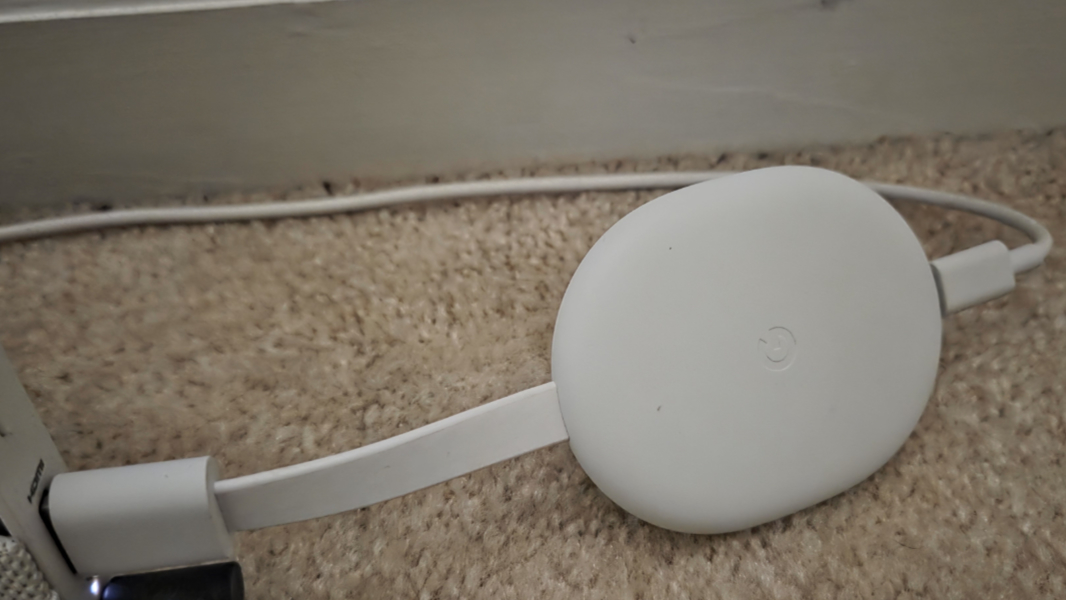
Following my recent Fire TV Stick and Roku Streaming Stick write-ups, I fired up my Chromecast with Google TV dongle and was surprised by how much more I preferred this user experience. This isn’t a new device–late last summer, Google announced the more expensive and more capable Google TV Streamer to replace it–but I must have lost track of time because I was equally surprised to discover that my Chromecast with Google TV is now almost five years old. It was underpowered from the get-go, but I still very much prefer it to the Roku and Amazon devices.
The Chromecast with Google TV supports 4K and HDR, at least. But underpowered, in this case, means a low-end processor, a minimal amount of RAM (2 GB) and storage (8 GB), an older HDMI port, and no integrated Ethernet. To overcome at least some of that, I purchased a Google-branded Ethernet adapter that hangs off the USB-C port with a splitter for power, and others have successfully expanded the limited internal storage with a USB-C hub that obviates the benefits of the small form factor. There was nothing to be done about general performance, of course.
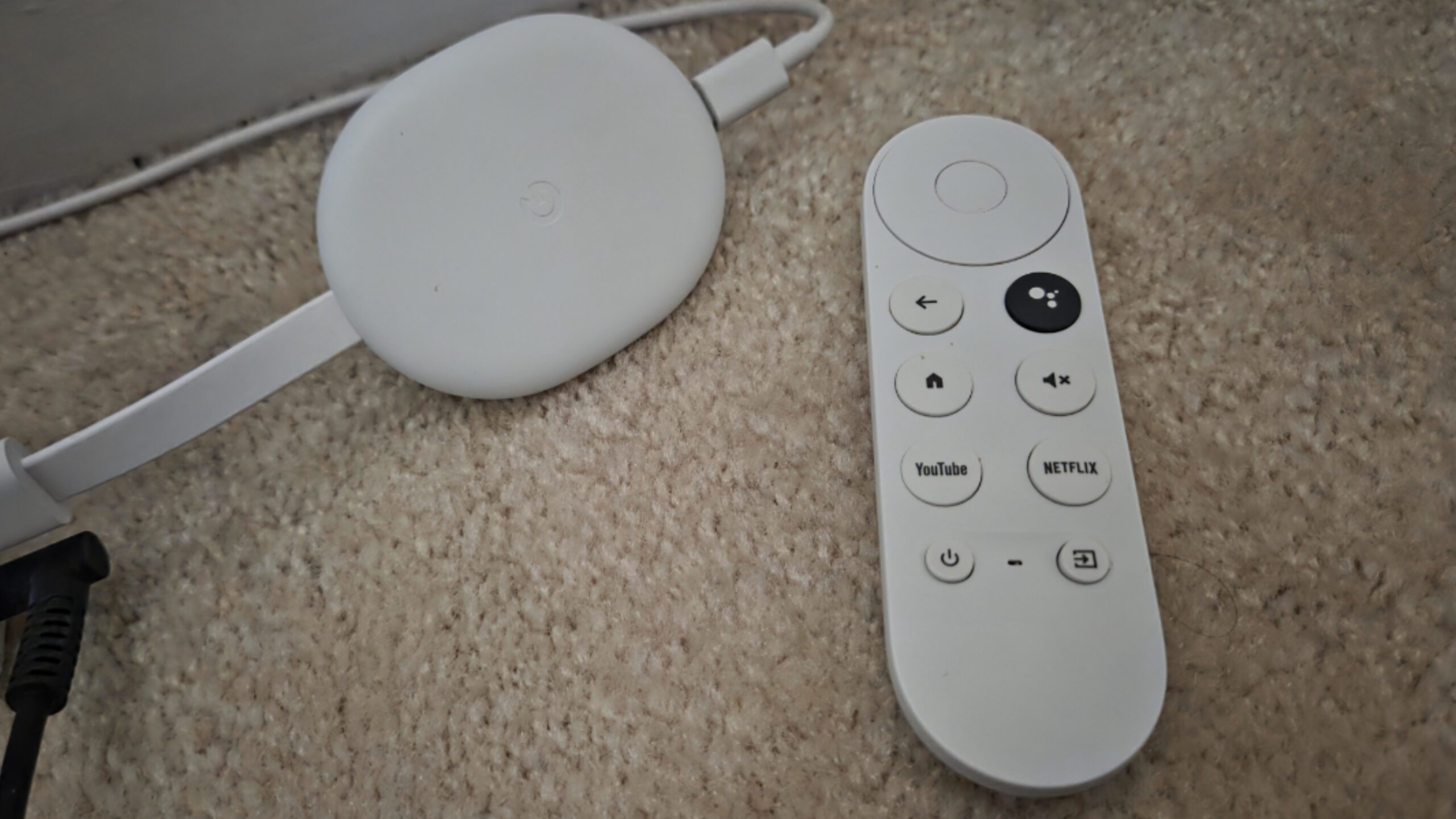
The Google TV Streamer seeks to address these problems with a relatively faster processor, more RAM (4 GB) and storage (32 GB), and integrated HDMI 2.1 and gigabit Ethernet ports. (And a remote finder button.) It’s bigger, of course, but also nicely designed to look more at home under the TV, like an Apple TV or other video streaming device. I seriously considered buying one as part of this year’s re-examination of the state of these types of devices, and may still do so. But since I already have a Chromecast with Google TV, it made sense to at least start there.
Four years ago, this was our primary TV interface, though we switched to the Apple TV 4K at some point. I can see why we used it: The interface is clean, and despite the performance issues, it’s still mostly enjoyable to use. The remote control is a little small–this is the other area where both Roku and Fire TV come out ahead–but it feels good in the hand and is as obvious in use as any of these remotes. The feedback must have been good overall, as the Google TV Streamer remote looks nearly identical. (Walmart also sells inexpensive Google TV devices, and its latest premium Onn streamer is just $50 and has a bigger remote and reasonable RAM/storage specs.)
I was expecting to reset the device when I first powered it up, but instead I just started using it as my accounts were already configured and most of the apps I wanted to use were already installed. I did step through each of the pages in Settings to see whether I wanted to make any changes. And I installed a series of system updates in turn–bringing the Android security patch level up to July 2024, then November 2024, but nothing newer–though I wasn’t ever prompted to do so.
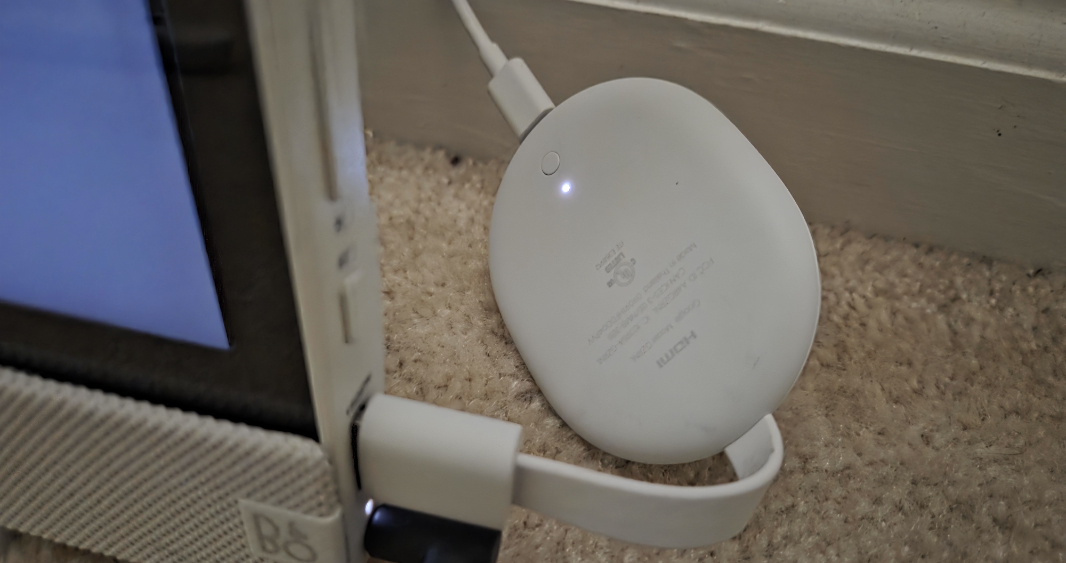
I really like the form factor. This device is bigger than the Chromecast dongles it replaced and is smaller than the newer Google TV Streamer, a fun “Goldilocks” size. But the bendy HDMI connection is smart and helps the device fit into tight areas behind a TV. I feel like all these platforms should come in stick (or similar) and box form factors to accommodate whatever needs, and the one thing you lose with the bigger devices is portability. I bet a lot of Fire TV Stick and Roku Streaming Stick users travel with their devices. (In fact, were just away over the long weekend and my brother-in-law does this.)
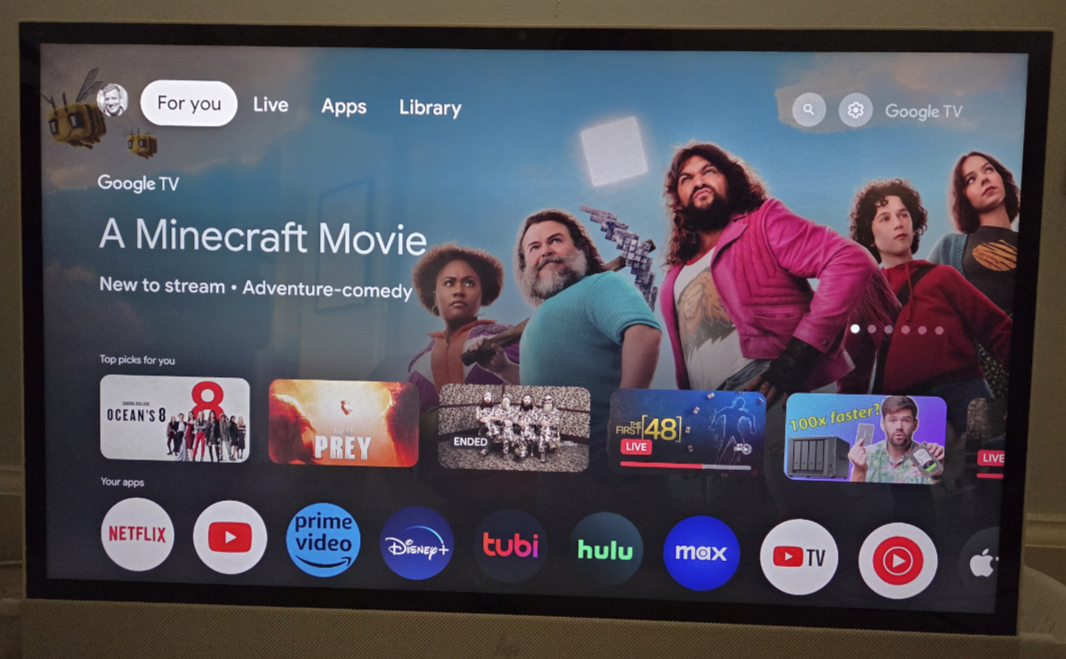
The Google TV interface is simple, clean, and obvious, and though the single notification waiting for me–regarding personalized ads–was ominous, the ads have thus far been minimal and non-disruptive. The home screen has For you, Live, Apps, and Library menu items at the top, and then there’s an animated carousel of features items that span services. Below that are rows of thumbnail icons in sections like Top picks for you (also cross-service), Your apps, Continue watching (cross-service), Top selling movies, Free live news & opinion (continuing the theme of free TV services, Google appears to be all-in on this as well), Popular movies and shows, Recommended [YouTube] videos, What do you feel like watching? (with Movies, Shows, Family, and Español thumbnail icons), [YouTube] Podcasts, a featured block that is currently called Close Connections: AAPI Love and offering cross-service choices that “celebrate tales of romance for Asian American & Pacific Islander Heritage Month”, Free live TV, From your watchlist, Trending on Google, Horror shows, and … it just keeps going. Google really wants you to find something to watch.
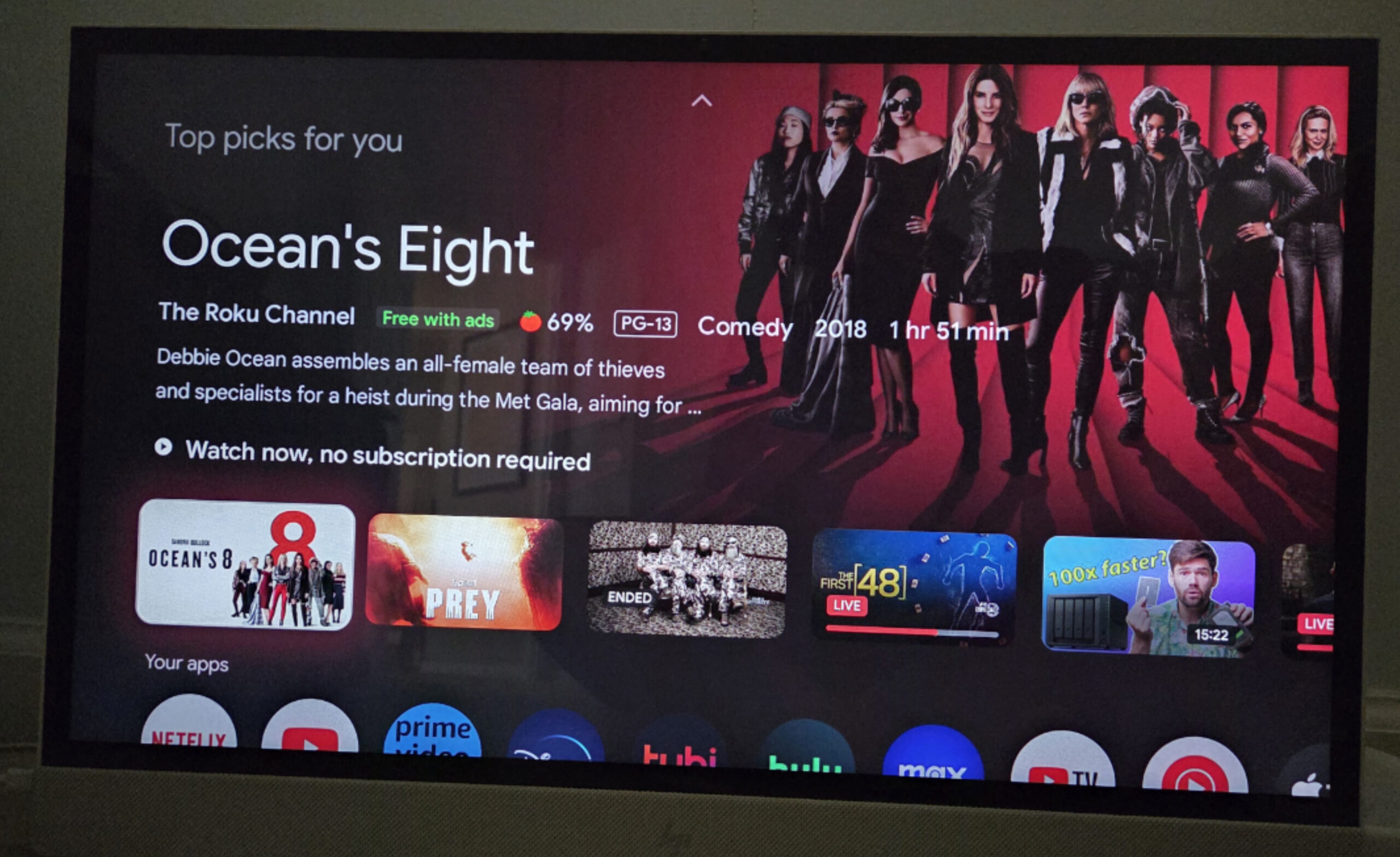
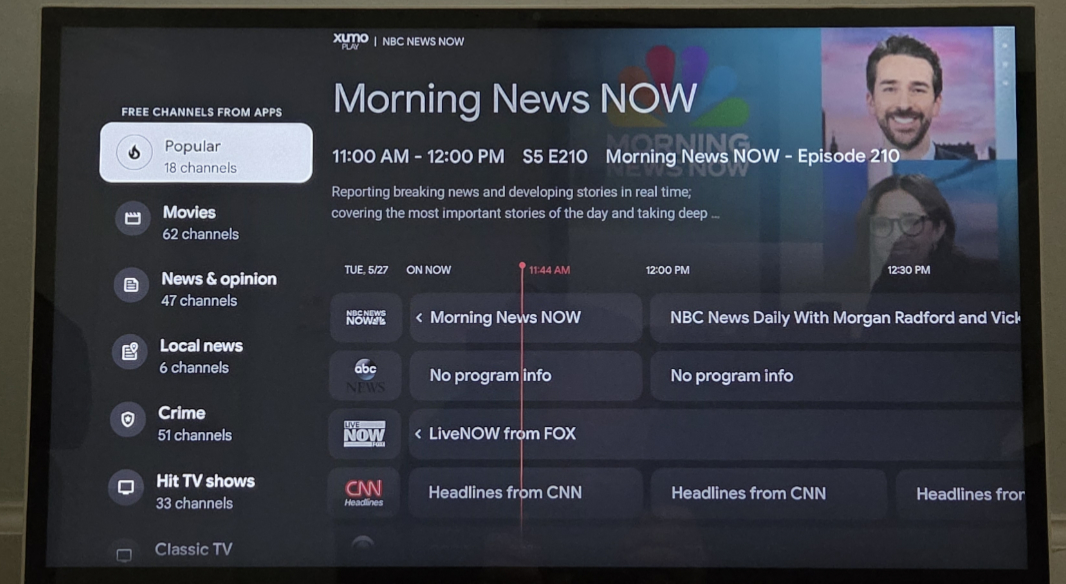
This all works as expected, and there are Search, Quick settings, and account switching icons in the upper right of the home screen as well. Google, like Apple, is threading a needle here between supporting third-party services and its own media service, in this case Google Play. But there are no overt ads for YouTube TV, like I sort of expected, and the Live view simply shows a TV guide-like interface comprised of free channels from the installed and, more frequently, not installed apps. The Library view obviously shows purchased content, either from Google Play or, more often in my case, via Movies Anywhere.
Which raises an interesting point. Google sells TV shows and movies, but there’s no direct way to get into its store. And when you view a page for a movie or TV show, it will offer multiple ways to watch it, based on which services do so. This is oddly not a funnel directly into Google’s store, at least not always, and not usually. I found this vaguely refreshing.
Performance is a problem, and all over the place, aside, I think, from media playback. Just navigating through simple menus like those in Settings would sometimes trigger a pause. This thing is underpowered, but I assume that’s better with newer devices.
If you’re invested in the Google ecosystem, Google TV edges neatly into no-brainer territory. These devices are, of course, Google Cast/Chromecast compatible, so you get that remote display capability from Android phones and tablets, Chromebooks, Chrome web browsers, and so on. YouTube is pretty prominent, and though there appears to be a YouTube Music app, that just puts you in the Music page in YouTube (which is fine).
There’s a lot more. If you have a Google TV Streamer, you can control Google Home and Matter smart home devices right from the home screen. (And the Google TV Streamer is Thread compatible, too.) You can pair it with Nest speakers, though the current offerings are years old and desperately in need of replacements (and more complete solutions, like soundbars and subwoofers, like we see with Fire TV and Roku). You can even pair them with Google’s Pixel Buds Pro and get spatial audio support, similar to what we see with Apple’s devices/ecosystem. (As above, some of this is likely Google TV Streamer-specific.) And while I don’t need or use most of what I just described, I do use Google Photos, and that integration is very much appreciated.
Overall, I was surprised by how much I like Google TV, and this is the one option of the three I’ve reevaluated recently that I would happily replace Apple TV with. That said, I would want a new device with improved specs, like the Google TV Streamer or the higher-end Walmart Onn device. Which I may now buy, come to think of it.
I’ll look into that.