HP EliteBook X Flip G2i 14 First Impressions
- Paul Thurrott
- Aug 16, 2026
-
4
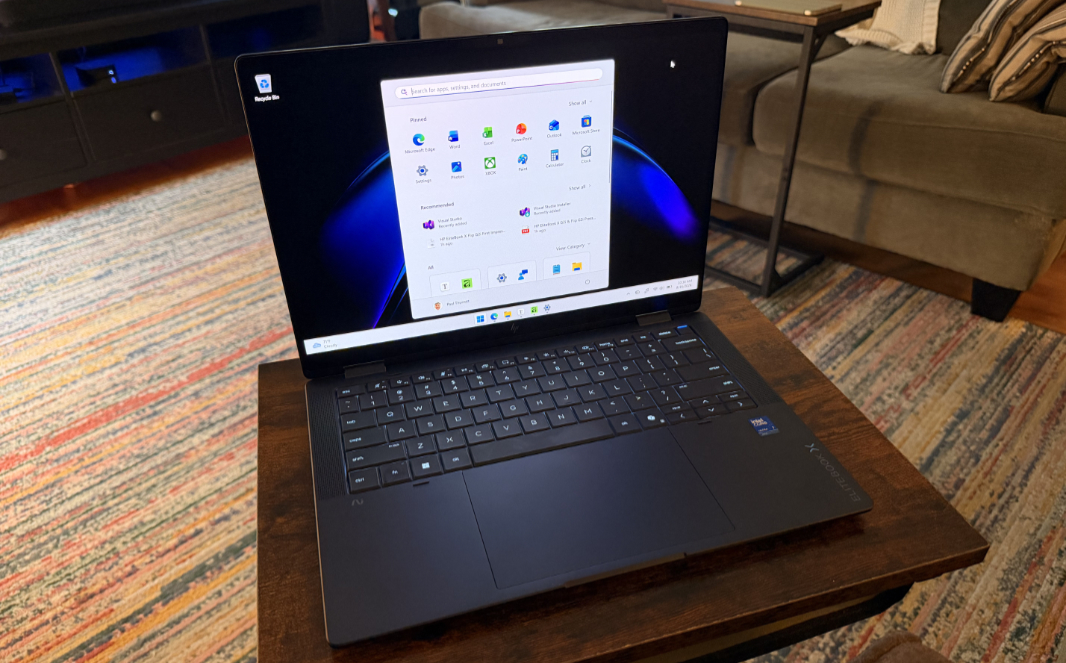
The EliteBook X Flip G2i is a premium, Intel-powered, business-class convertible laptop with a 14-inch display that veers sharply from its consumer-oriented sibling, the OmniBook X Flip 14 that I reviewed recently. It’s an interesting contrast with some meaningful advantages. But I can already see that HP is repeating some mistakes from the previous generation, including the EliteBook X G1i 14 I reviewed last year.
HP is marketing the EliteBook X Flip G2 and its more traditional, non-convertible sibling, the EliteBook X G2, as a device that’s purpose-built for AI. And it’s marketing these laptops at decision makers and other business users who spend a lot of time on the road and rely on AI just as they rely on performance, portability, and, in the case of the Flip models, versatility.
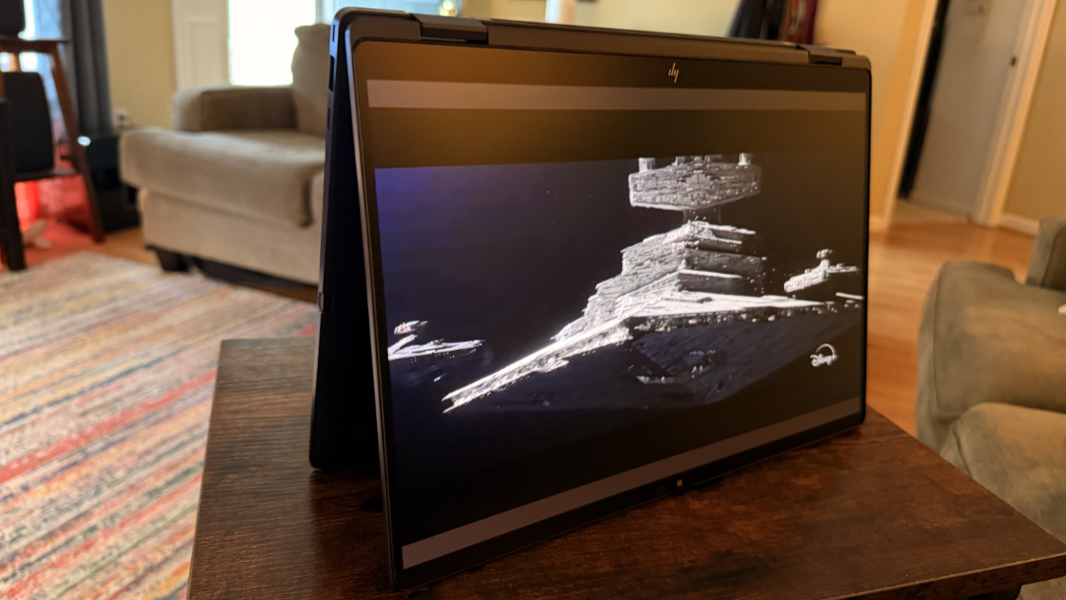
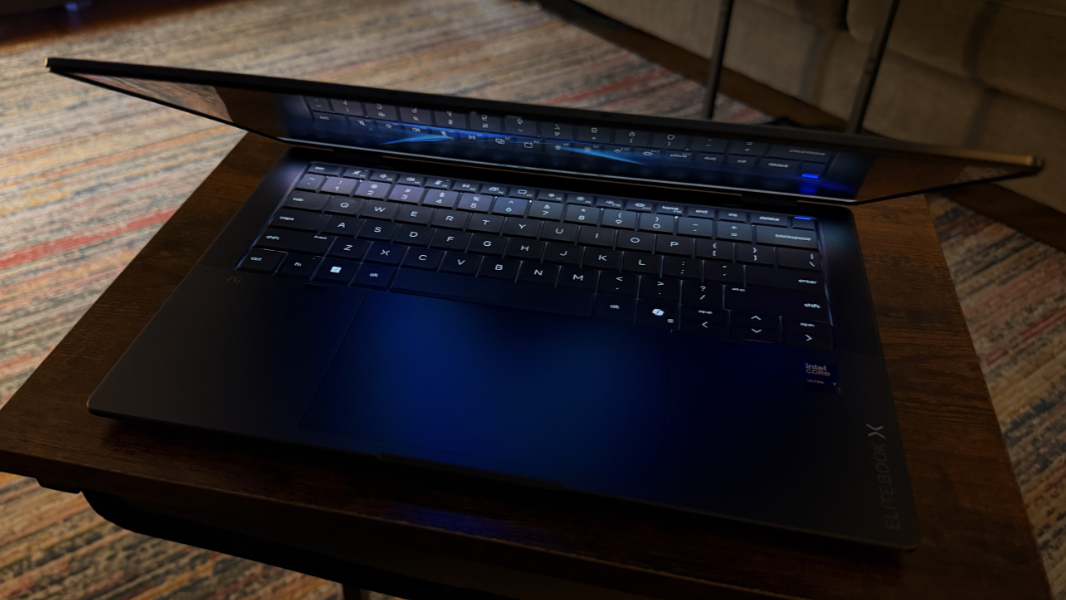
It’s an elegant laptop with an appealing minimalist design that looks and works so much like a standard clamshell design that most wouldn’t even notice the additional functionality it hides.
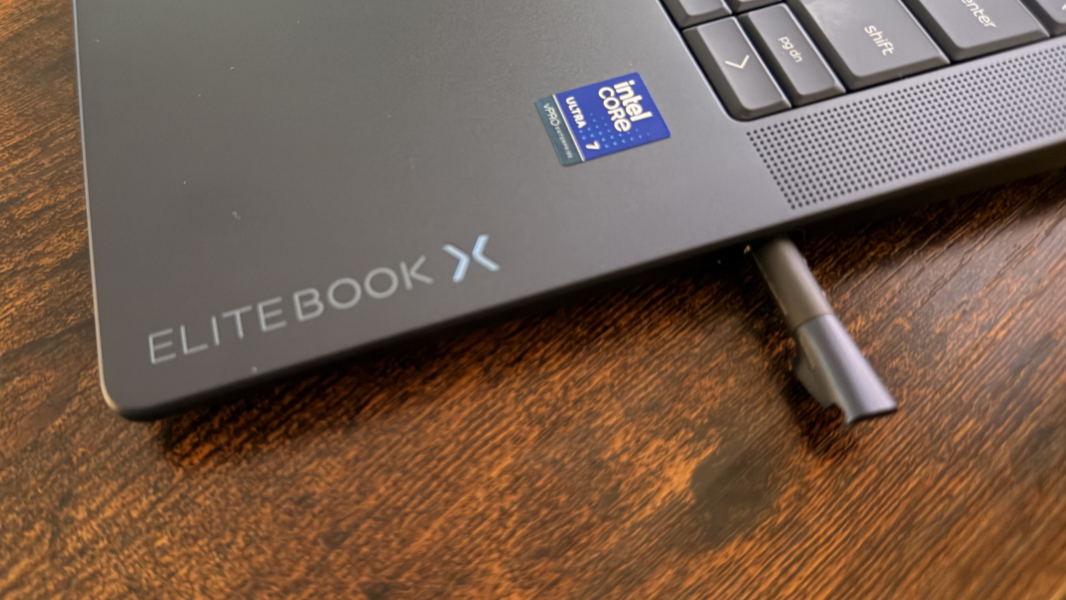
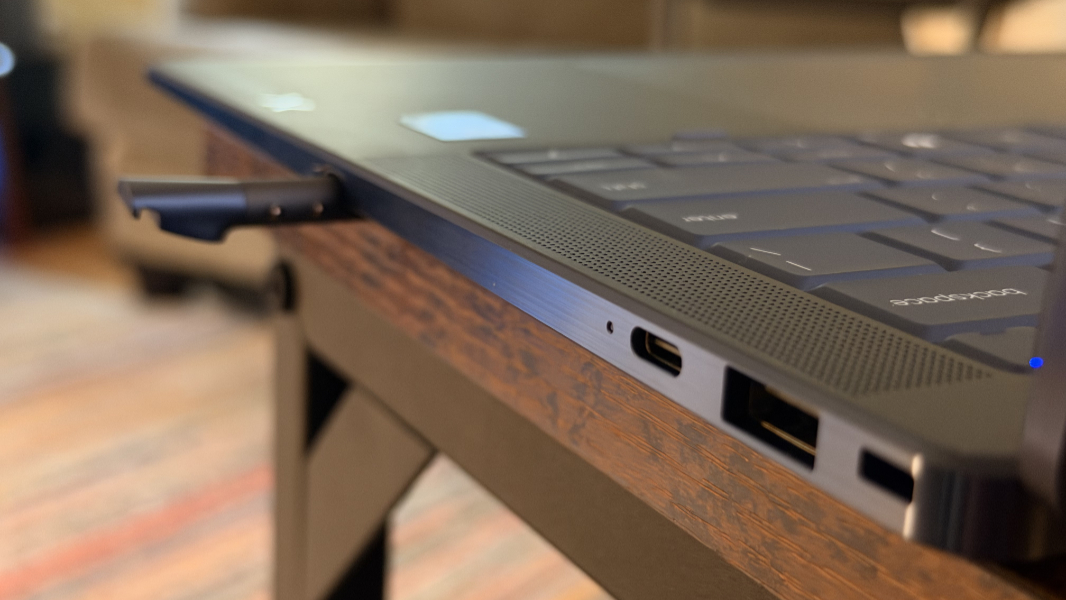
It’s also quite light for a convertible at just 2.84 pounds, and yet there’s room to garage the bundled smart pen, a new feature this year. Appropriately, this new peripheral is called the HP Nested Pen, and it charges when garaged and triggers an alert if it’s left behind.
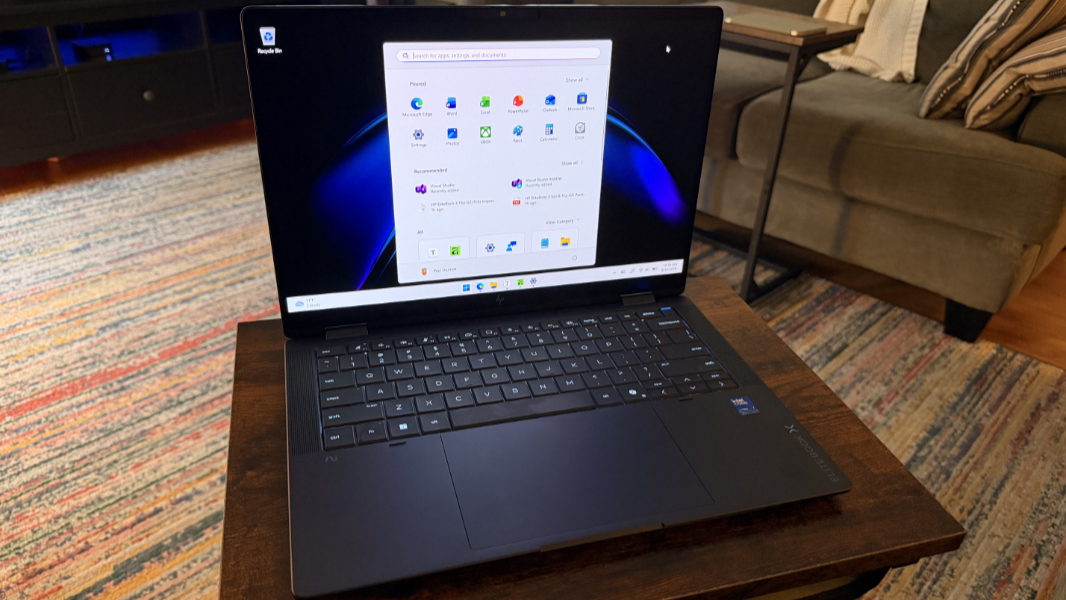
You can configure an EliteBook X2 Flip with a choice of seven 14-inch Full HD+ (1920 x 1200) or 2.8K (2880 x 1800) WLED or OLED touch-capable display panels, some of which include HP’s Sure View 6 privacy capabilities. The processor is impressive, it’s a 16-core Intel Core Ultra 7 366H with Intel Arc graphics and a 50 TOPS Intel AI Boost NPU. The laptop can be configured with 16, 24, 32, or 64 GB of LPDDR5X RAM at 8533 or 9600 MT/s and 512 GB, 1 TB, or 2 TB of PCIe Gen 5 NVMe SSD storage.
The first major look and feel difference between this PC and its OmniBook stablemate that I spotted–or felt, as it turns out–is the keyboard. Where HP has moved to lattice-free keyboards on its premium consumer laptops, it still offers a more traditional island-style keyboard with EliteBook. But that keyboard has been redesigned this year with deeper keycap dishes, and those keys are oily-smooth and deliver a very different key feel.
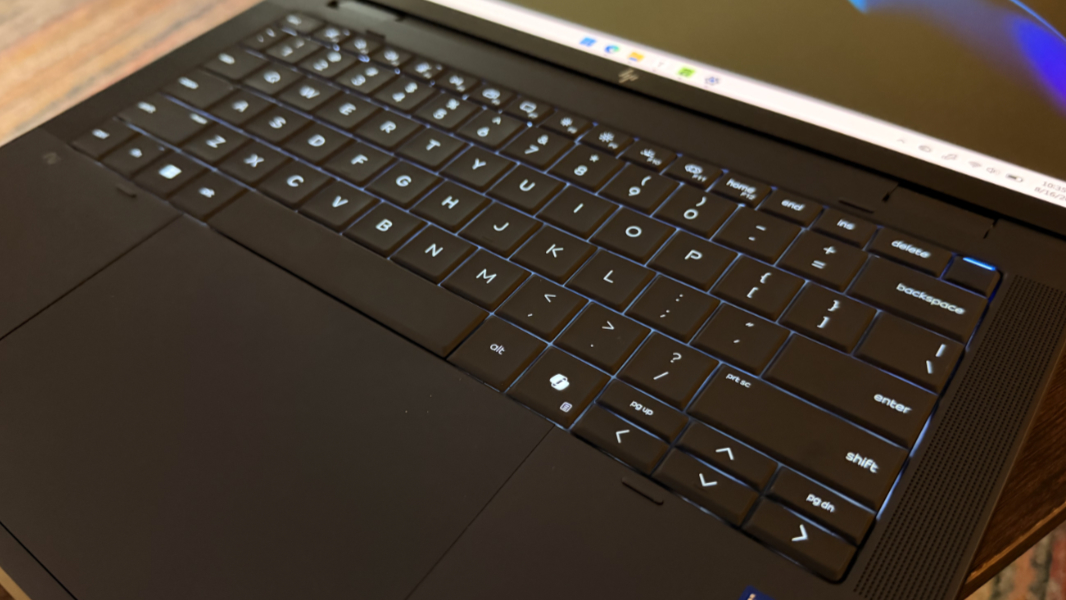
Overall, I like the keyboard quite a bit, and some keys, like Esc and Delete, are bigger in this year’s model. But there are those mistakes I mentioned, and they are repeated from the previous generation EliteBook X laptops. HP jammed tiny PgUp and PgDn keys above the equally tiny Left arrow and Right arrow keys, leading to multiple typing mistakes in this article and everything else I’ve written on this laptop so far. And as bad, common keyboard shortcuts like Fn + Left arrow (for Home) and Fn + Right arrow (for End) do not work. Instead, you have to use the dedicated keys for these features, like the Home and End keys that take up space in the function row.
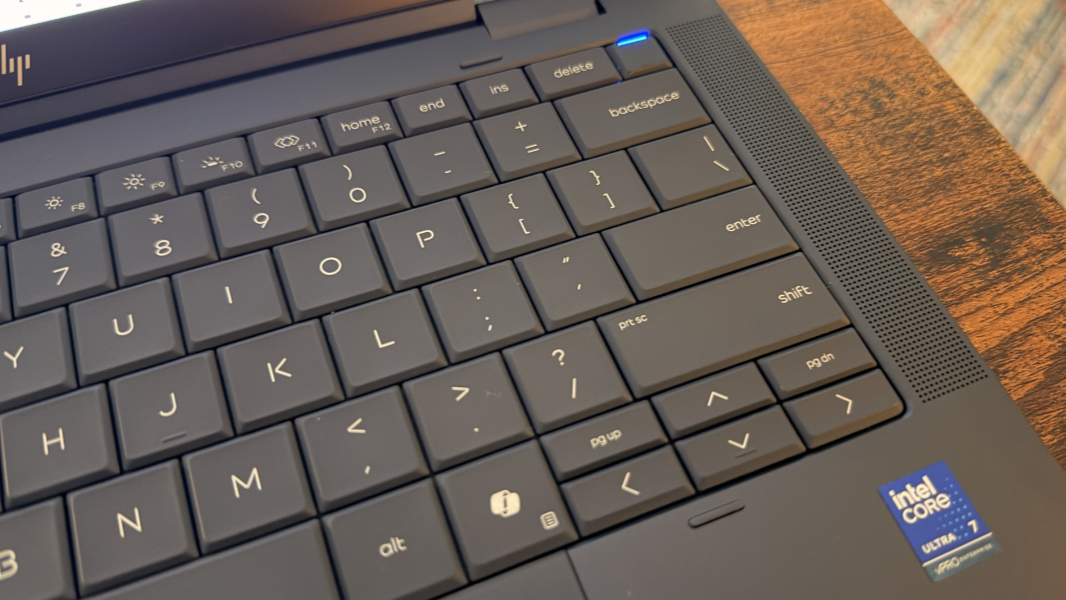
This is inexcusable. I’ve been writing about this problem for years, and it makes no sense to not support such common keyboard shortcuts just because dedicated keys exist too. Ah well. One can only adapt. Or try to.
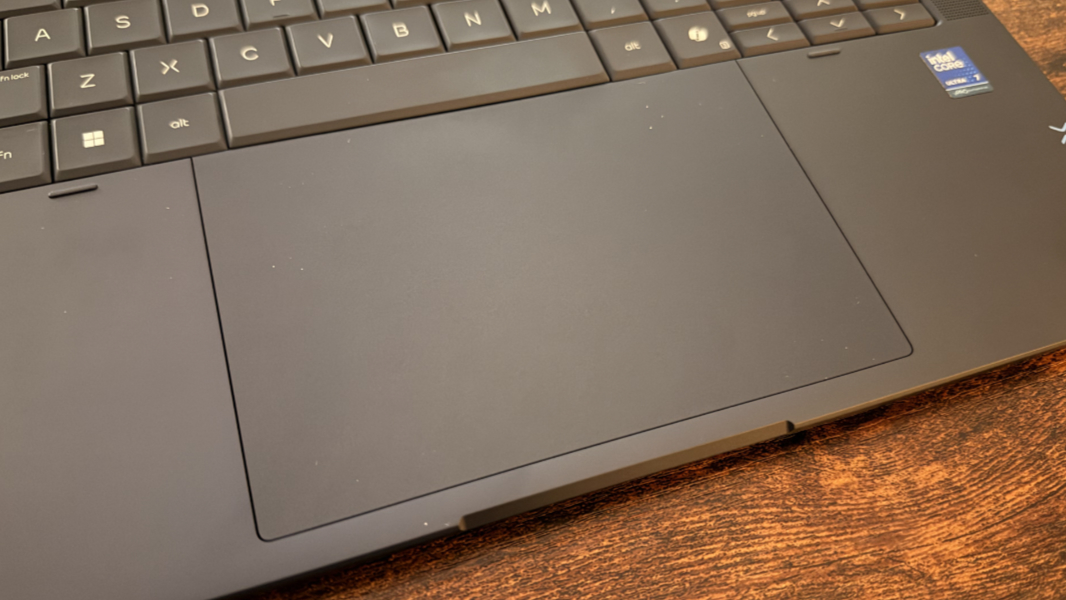
The touchpad is different this year, too. It’s now a large waterfall design that takes up most of the vertical space available in the wrist rest area of the laptop deck. It’s mostly fine and does support some additional (and optional) gestures for adjusting the volume and brightness. But it’s already triggering Task view inadvertently (a three-finger gesture) when I mean to scroll (a two-finger gesture), so I’ll be disabling that feature.
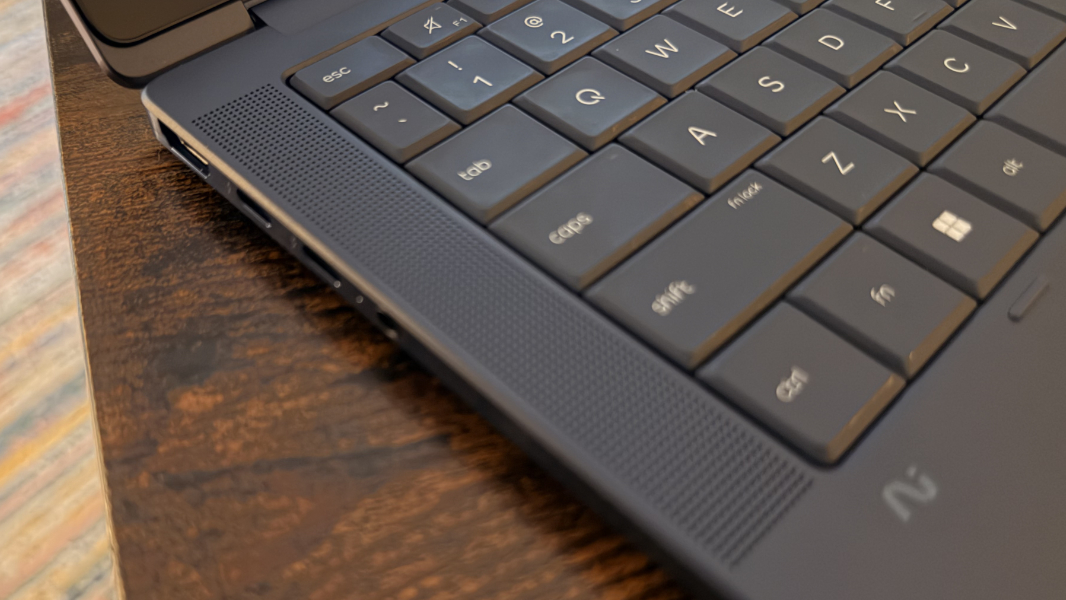
The differences continue. Where the OmniBook X and previous-generation EliteBook X laptops feature downward-firing stereo speakers, HP uses quad speakers here, and there are visible speaker grills on either side of the keyboard. Forced to choose, I guess I prefer the cleaner look of the other laptops, but the speaker grills here aren’t obnoxious or distracting.
There are further changes, though I had to rely on HP’s documentation to know about this one: The company redesigned the thermal system and motherboard, allowing it to fit a large 68 watt-hour battery in the thin chassis, and that should lead to battery life improvements. HP continues its work optimizing battery, performance, and fan noise/temperature outside the controls offered by Windows 11. And this year, there are additional features here, like travel power saver and battery extender modes.
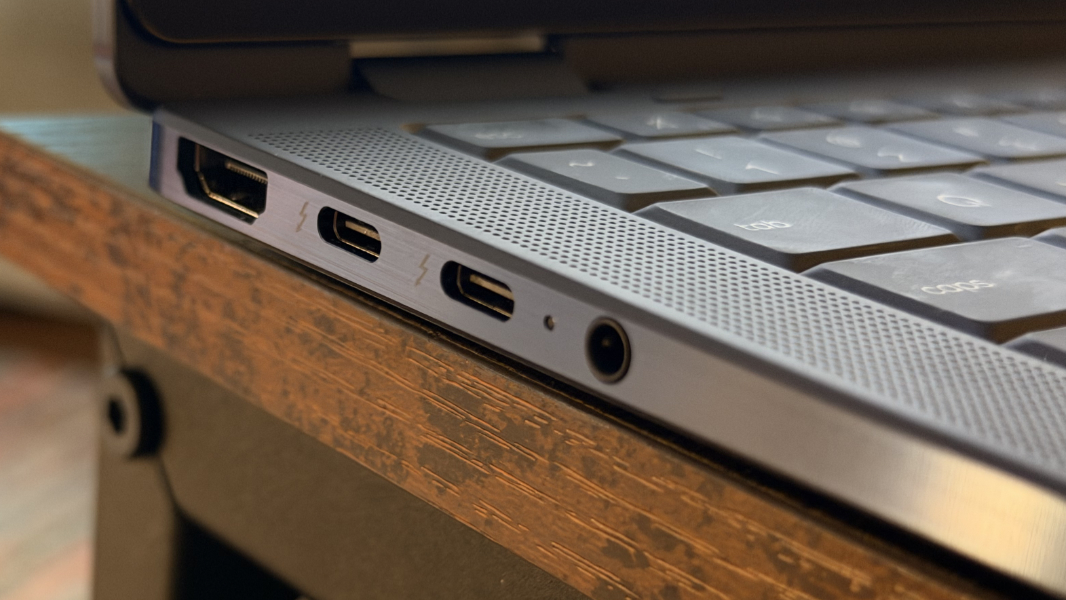
Expansion is excellent, with a nice mix of legacy and modern ports. And I love that there are USB-C ports on both sides of the laptop; each provides USB Power Delivery and DisplayPort 2.1 capabilities.
On the left, you’ll find a full-sized HDMI 2.1 port, two 40 Gbps Thunderbolt 4/USB4 Type-C ports, and a combo headphone/microphone jack.
On the right, HP placed a nano security slot, a full-sized 10 Gbps USB Type-A port, a 10 Gbps USB Type-C port, a nano SIM card slot (if configured), and the HP Nested Pen Garage.
Connectivity is modern, with Wi-Fi 7, Bluetooth 6.0, and optional 5G. And security is terrific thanks to the Copilot+ PC platform capabilities like Windows Hello Enhanced Sign-in Security (ESS) and included facial and fingerprint recognition, the latter via the power button in the upper-right of the keyboard. The webcam privacy shutter is manual, however, and located right above the camera on the display lid.
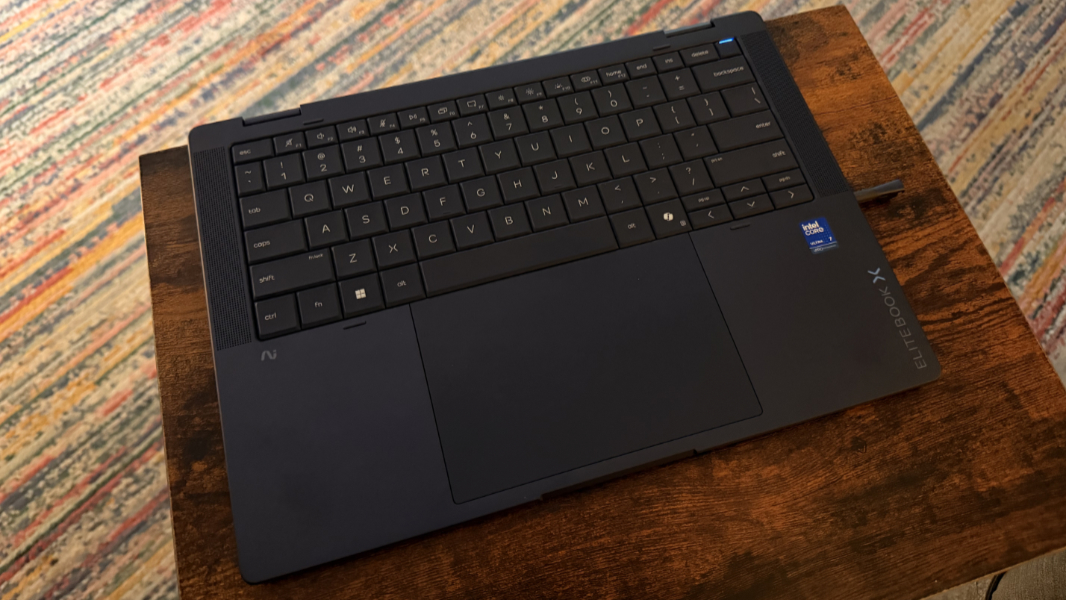
The final major change is tied to sustainability: The EliteBook X2 Flip G2i was designed for self-service and repairability, with a cleaner internal design, easily-accessible modules, and no screws for the battery. But the nicest bit, here, perhaps is the keyboard, which is mounted on the top and can be replaced in less than 10 minutes without needing to take apart the chassis or use any screws.
You do pay for all this, of course: The EliteBook X Flip G2i starts at about $3000, which is a heady sum, component crisis or no. But HP frequently has sales, so an individual shopping for this laptop should never need to pay list price.
More soon.