Microsoft Starts Rolling Out Spellcheck and Autocorrect in Notepad
- Laurent Giret
- Jul 08, 2024
-
4
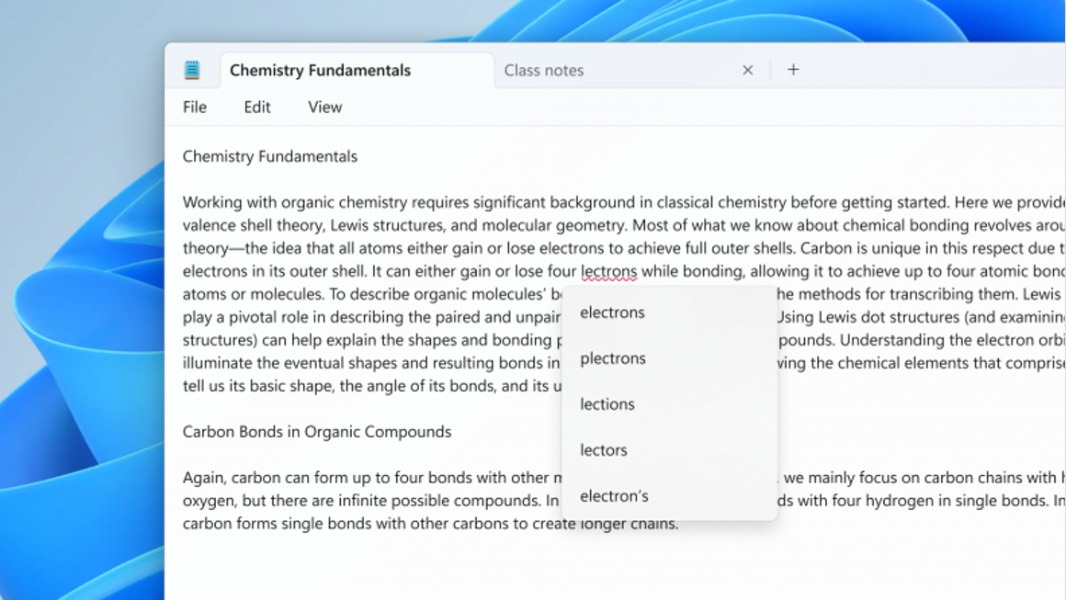
Microsoft has started rolling out a new update for Notepad that introduces new spellcheck and autocorrect capabilities. The new features have been in testing with Windows Insiders since March, and Microsoft is now making them available to the general public (via The Verge).
Following the launch of Windows 11 in October 2021, Microsoft released a redesigned version of Notepad that’s now updated through the Microsoft Store. This is when the simple text editor, which was first released back in 1983, started to get new features on a regular basis.
Over the past three years, Notepad received a dark theme option, tab support, editing enhancements, and a autosave feature. However, the app didn’t have spellcheck and autocorrect features until now, even though Microsoft Word had that for many years.
With this new update, Notepad will now underline mispelled words in multiple languages in red, and clicking on these words (or using the Shift + F10 keyboard shortcut) will display suggested spellings. Underlined words can also be added to the dictionary so they won’t be highlighted again.
Spellcheck and autocorrect in Notepad can be disabled in settings, and users can also configure spellcheck for specific file types. The feature is also off by default in log files and other file types that are typically associated with coding.