Windows 11 Canary Build 26252 Improves Lock Screen Widgets
- Laurent Giret
- Jul 10, 2024
-
0

Microsoft has just released the Windows 11 Canary build 26252, which brings minor improvements to widgets on the lock screen, energy recommendations, and more. Microsoft added lock screen widgets for weather, finance, traffic, and sports information earlier this year, and today’s build slightly refines how these widgets look.
“The card design has been improved with acrylic blur, card size, spacing, and font optimizations,” the Windows Insider team explained today. Lock screen widgets can still be configured and disabled by going to Settings > Personalization > Lock screen.
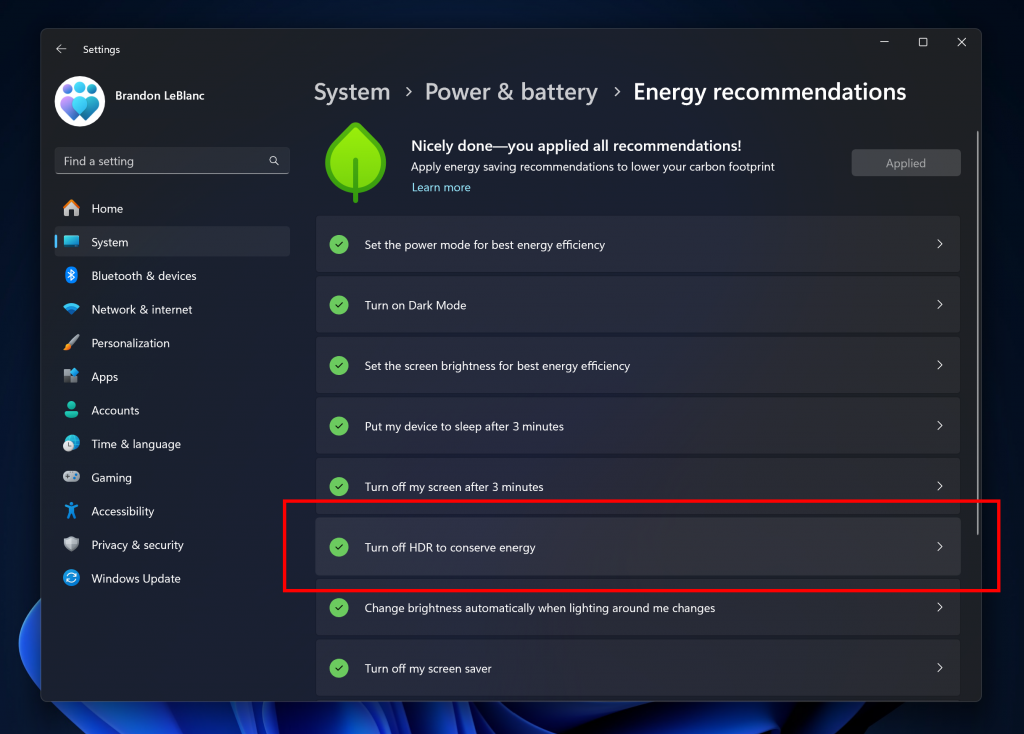
The Energy Recommendations section of the Setting app is also getting a new suggestion for turning off High-Dynamic Range (HDR) to conserve energy on PCs with HDR displays. HDR enables enhanced contrast and superior brightness on compatible displays, and Microsoft recently added support for HDR backgrounds on Windows 11. While this can increase power consumption at all times, users can also adjust the power consumption associated with higher brightness and color ranges.
Another notable change in today’s Canary build 26252 is the ability to pin apps to the taskbar by dragging and dropping them from the pinned section in the Start Menu. Lastly, Microsoft has now made the Evaluation copy expiry date information visible under Settings > System > About.