Microsoft is Testing New Task Continuity Feature on Windows 11
- Laurent Giret
- Nov 22, 2024
-
1
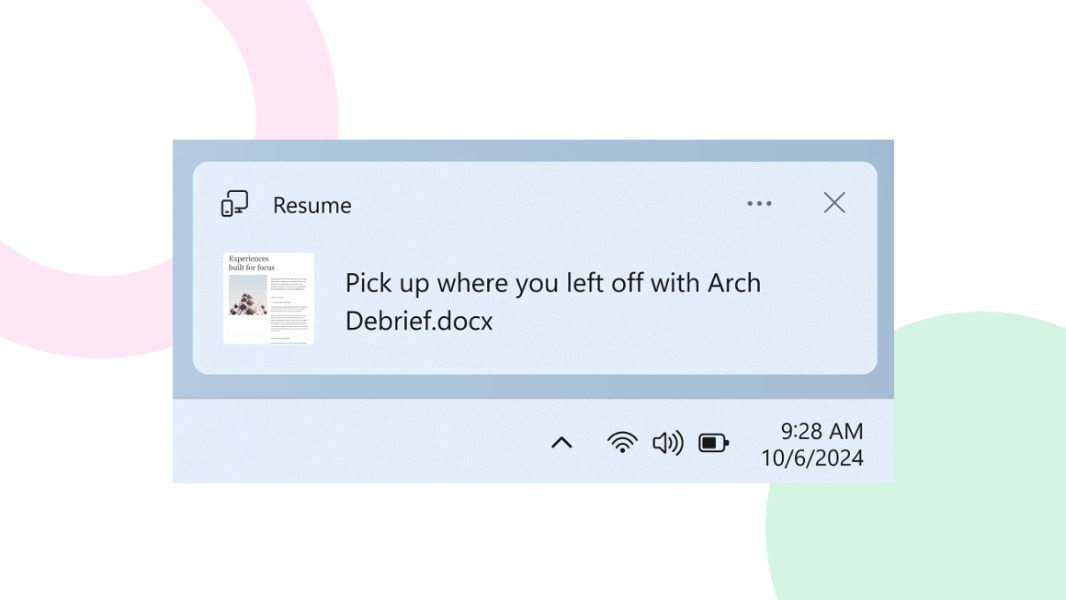
This is a strangely busy Friday for Microsoft as the company is treating Insiders with various new features to try out. The company is inviting Dev Channel testers with Copilot+ PCs to share their feedback on the first preview of Recall and Click to Do, and it’s also introducing support for a new task continuity feature on the Beta Channel.
With today’s Beta Channel build 22635.4515, Microsoft is gradually rolling out the ability for Insiders to resume working on OneDrive files from their phone on their Windows 11 PC with a single click. When Insiders open Word docs, Excel spreadsheets, PowerPoint presentations, OneNote notebooks/pages, and PDFs on their phones, they will see a new cross-device resume notification inviting them to pick up where they left off if they unlock their Windows 11 PC within 5 minutes.
“Upon clicking on this notification, the same file that you were viewing or editing previously on your phone will open in your default browser on your PC,” the Windows Insider team explained. So yes, these notifications will open these files in the OneDrive web app instead of the Office apps for Windows, and Microsoft noted that this experience will work best when Windows 11 users are already logged into OneDrive in their default browser.
Overall, this isn’t as seamless as the Handoff continuity feature that Word, Excel, and PowerPoint now support accross Apple devices. While some Windows 11 users will welcome the ability to seamlessly resume OneDrive files from their phone to their PC, these new resume notifications can also be disabled in Settings > Apps > Resume.
With today’s Beta build 22635.4515, Microsoft is also releasing updates to WebAuthn APIs to support third-party passkey providers. This is something the company announced last month as part of its ongoing efforts to improve passkeys support on Windows 11.
“In the coming months, Windows customers will be able to choose a third-party provider as an additional choice alongside the native Windows passkey provider while maintaining the Windows Hello user experience,” the Windows Insider team explained today. Microsoft said last month that it was working with 1Password, Bitwarden, and others to plug their services into Windows 11.
The last notable change in today’s build for Beta testers in the ability to right-click and share local files under the Recommended section of the Start menu. This is also a change that will roll out gradually to Insiders on this Channel.