Windows 11’s Colored Battery Icons Starts Rolling Out to Release Preview Testers
- Laurent Giret
- Feb 19, 2025
-
0
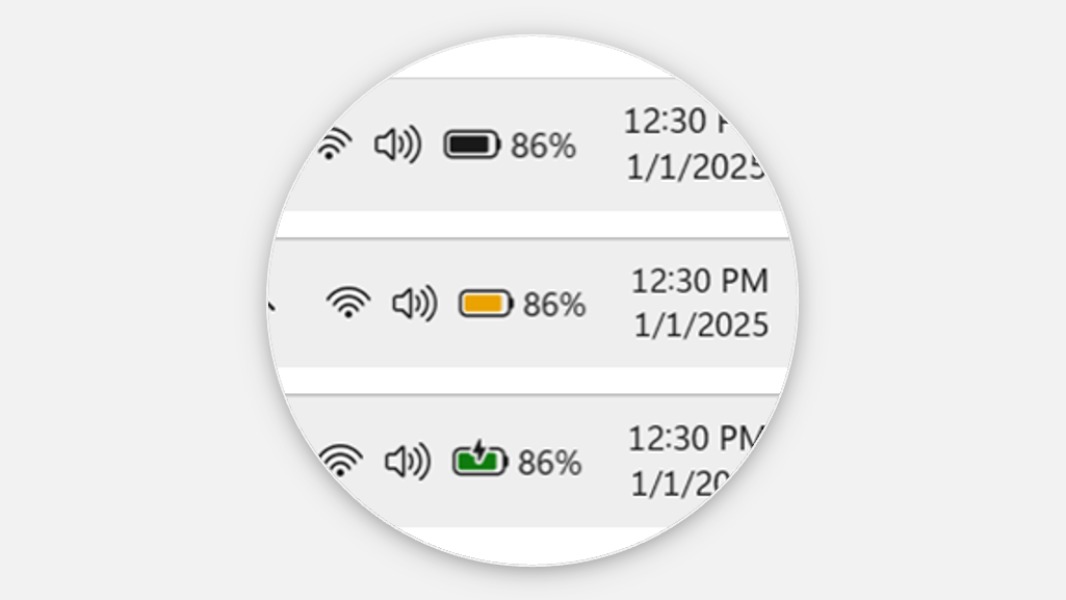
Microsoft introduced new colored battery icons to Dev Channel testers in January, and they’re now rolling out to the Release Preview Channel. The improved battery iconography aims to make it easy to identify battery charging states at a glance.
Windows 11 will show a green battery icon when a PC is charging and in a good state. A yellow icon will be displayed when a PC battery is in energy-saving mode (this should happen automatically when the battery drops to 20% or lower), and a red icon will appear when battery power is very low.
Along with this new battery iconography, the Windows 11 24H2 build 26100.3321 released yesterday adds the ability for Release Preview testers to show their battery percentage next to the battery icon in the system tray. This new option can be enabled by going to Settings > Power & battery and toggling on “Battery Percentage.”
The preview build 26100.3321 also brings other changes that Microsoft previously tested on other Insider channels, including the ability to share files directly from a jump list on the taskbar, new functions for Narrator scan mode, and Windows Spotlight improvements. Insiders who are signed in to their PC using their Microsoft account may also start seeing a new referral card for a PC Game Pass subscription on the Settings home page.
All these changes should end up in the next optional update for Windows 11 version 24H2 which Microsoft usually releases in the last week of the current month. These optional updates allow non-Insiders to test upcoming changes coming in the next “Patch Tuesday” update.