Microsoft is Testing New File Removal Options for Windows 11’s Cloud Rebuild Feature
- Laurent Giret
- Sep 18, 2026
-
1
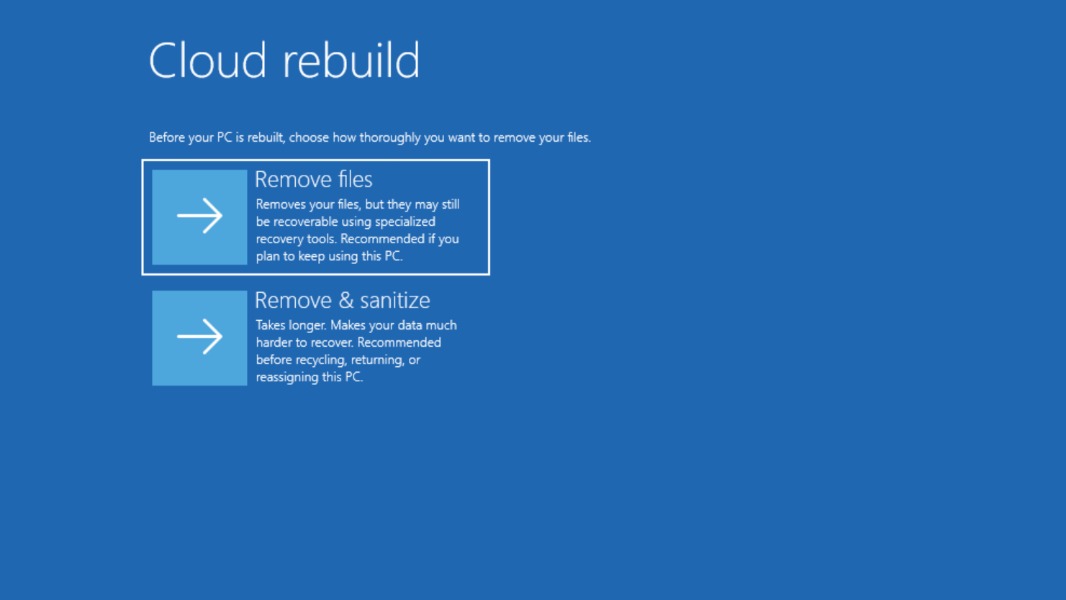
Microsoft is once again wrapping up the week with new Windows 11 preview builds for Insiders on the Experimental and Beta Channels. This week, the main changes include new file removal options for Cloud Rebuild, the new cloud-based recovery option that Microsoft first introduced on the Experimental Channel in July.
In the Windows Recovery environment, Cloud Rebuild can perform a full OS reinstall by downloading both the Windows image and the device’s drivers from the Internet. With today’s Experimental build 26340.9502, Cloud Rebuild can now remove all files from a PC before Windows is reinstalled, with the “remove & sanitize” option ensuring that no data will be recoverable.
The same Experimental build introduces a new contrast theme toggle for a lower-glare screen in Magnifier, as well as a “sleeker” new animation for the Mouse indicator under accessibility settings. Lastly, the Live Captions feature is getting a new Include Screen Reader audio setting, which is off by default. This new feature is also available on today’s Beta build 26220.9492.
Insiders who download the new Experimental (26H1) build 28120.3032 will get access to the new Cloud Rebuild feature in the Windows Recovery Environment, though without the two improvements I mentioned above. The Experimental (Future Platforms) build 29671.1000, however, doesn’t include Cloud Rebuild, but it enables various Start Menu improvements that just rolled out to non-Insiders this month, including the ability to hide the name and profile picture from the menu.