Microsoft Brings Modernized Windows Hello Experience to Canary Testers
- Laurent Giret
- Nov 20, 2024
-
4

Microsoft has just released the Windows 11 preview build 27754 on the Canary Channel. It brings various features that the company previously introduced on other Insider channels, including a modernized Windows Hello experience, redesigned taskbar previews, and a simplified system tray area in the taskbar.
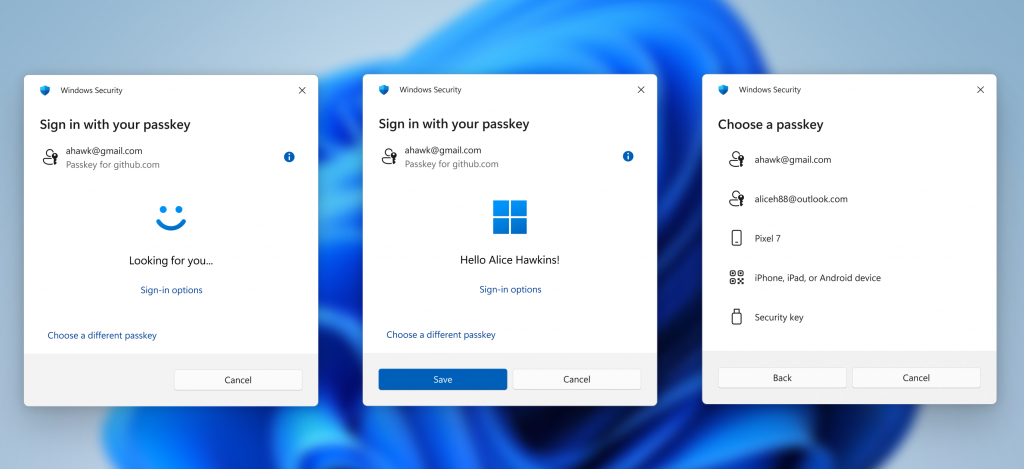
Beta Channel testers first got access to the modernized Windows Hello experience earlier this month. It introduces new iconography and redesigned passkey sign-in flow screens when users switch between authentication options and select passkey/devices. The updated Windows Hello visuals will also be applied to the new administrator protection feature that Microsoft detailed at its Ignite conference yesterday.
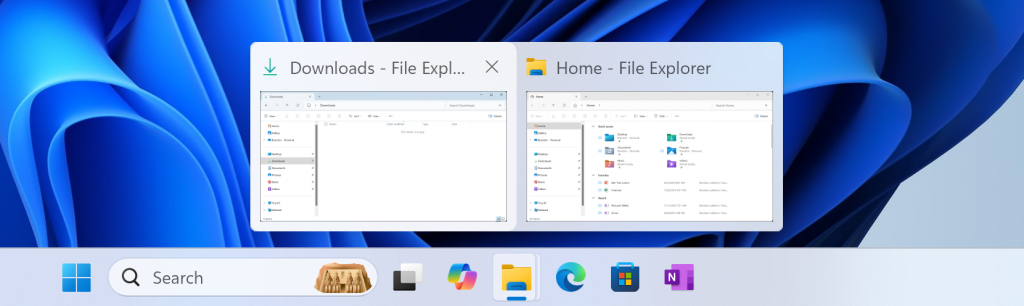
Today’s Canary build 27754 also updates the previews that show when users mouse-over/hover over apps on the taskbar. These updated taskbar previews previously came to the Dev Channel in October.
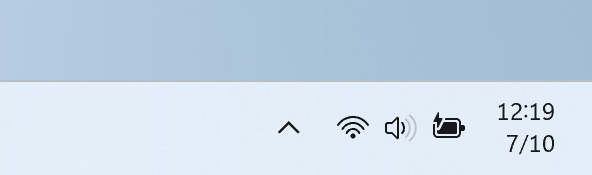
Lastly, Canary testers are getting access to the simplified system tray with shortened form data and time and no notification bell icon. It first came to the Beta Channel in July, then shipped to the Dev Channel in September, and Insiders who don’t like it can disable it in Settings.
The Canary build 27754 also fixes various bugs affecting File Explorer, widgets in the taskbar, and the Game Bar. I’ve you’ve been experiencing some crashes when trying to use remote access apps after installing the latest Canary builds, today’s flight should also fix this issue.