Google Pixel 10 Pro Review
- Paul Thurrott
- Oct 21, 2025
-
5
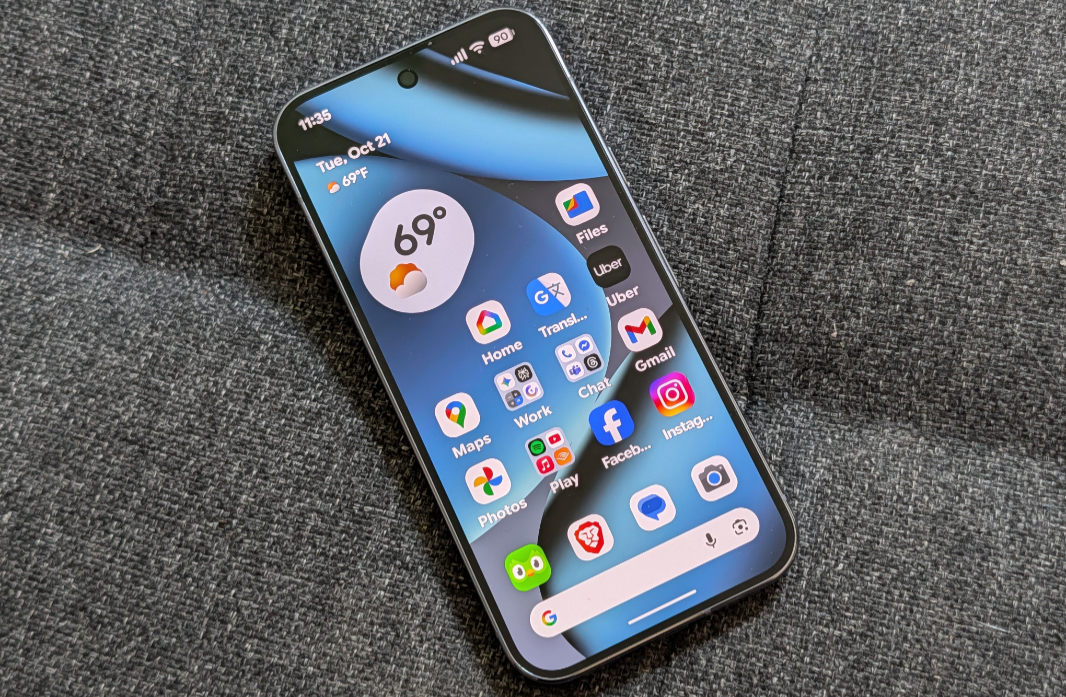
The Google Pixel 10 Pro delivers meaningful hardware and software advantages over the Pixel 10 that justify its $300 premium. Just be sure to get a model with more and faster storage, as options this year are particularly convoluted.
Design
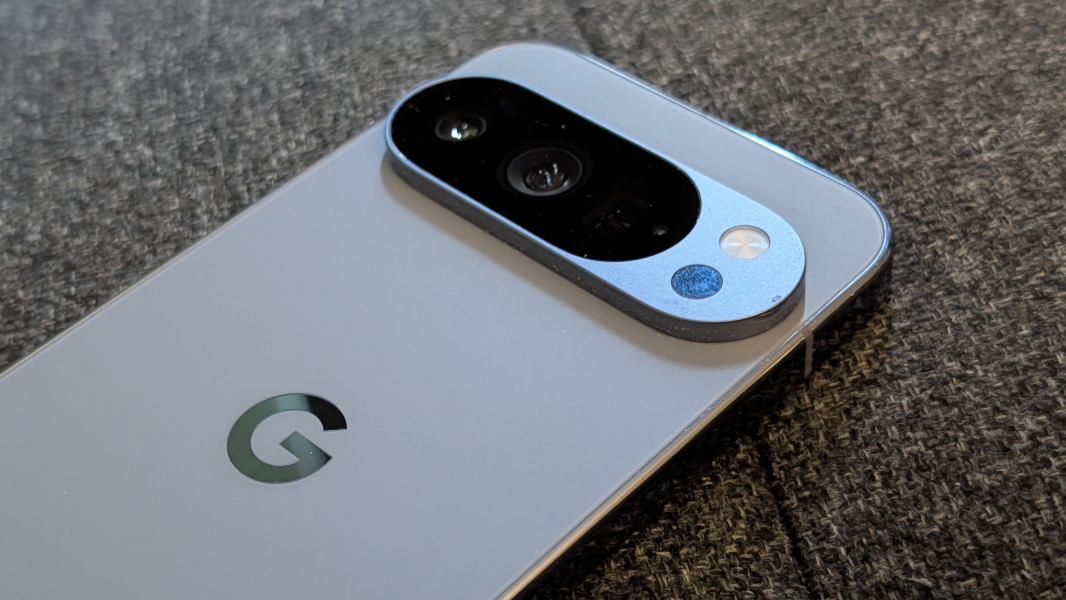
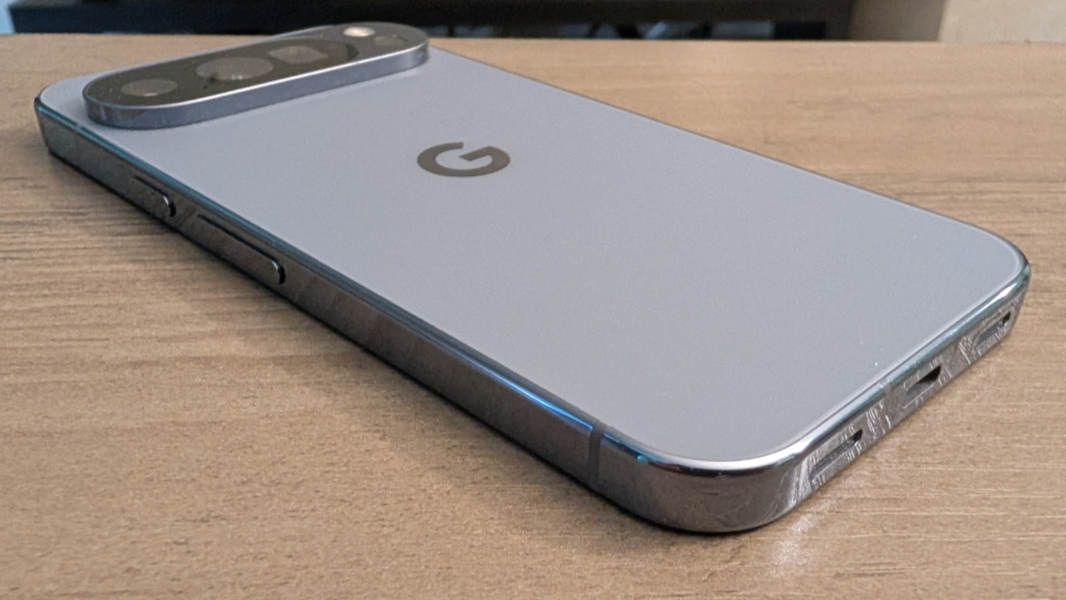
The Pixel 10 Pro is a gorgeous, premium smartphone. To visually differentiate (and perhaps elevate) it from the less expensive Pixel 10, Google gave it a silky matte glass on the back with a polished metal frame on the sides. It looks and feels great, but it’s also slippery to a degree that would make me nervous to use without a case. So yes, I did use it with a case.
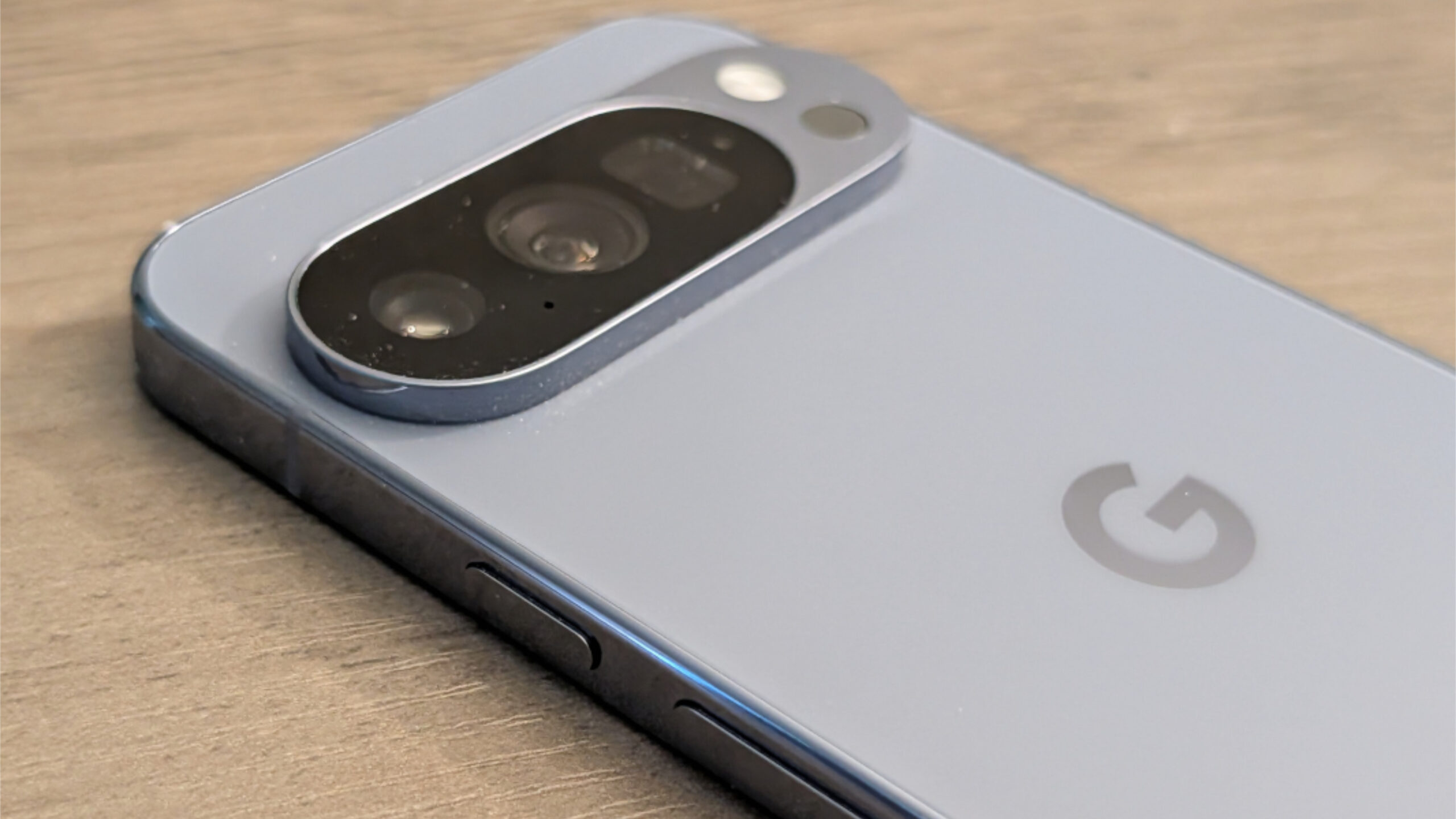
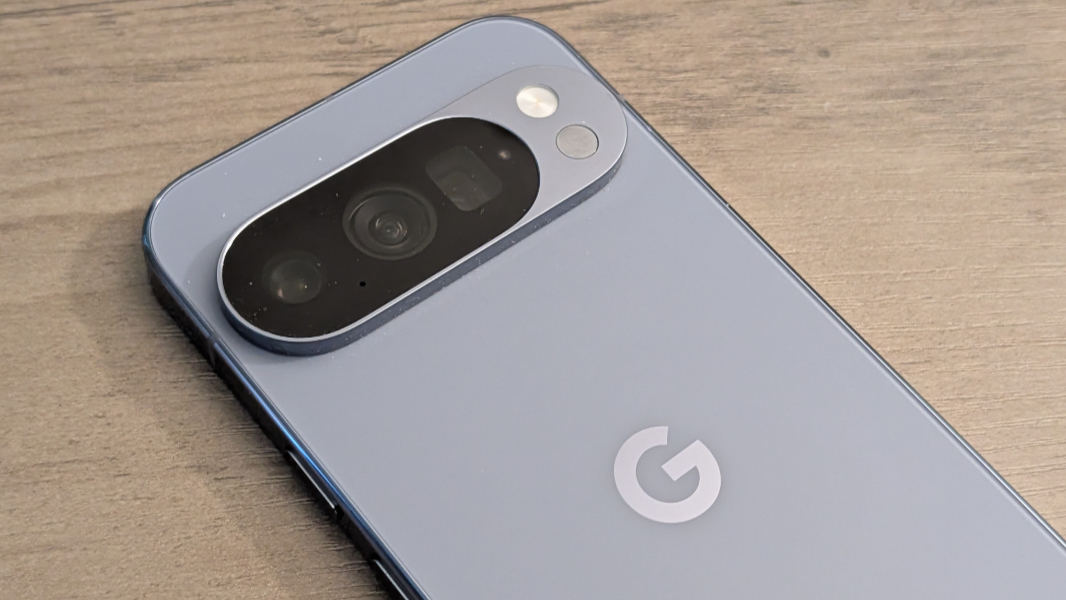
Other design touches include the now-iconic camera bar, which proudly embraces its utility in a visually striking way, now surrounded by what Google says is a diamond-cut camera bezel. There’s a metallic “G” logo in the center of the Pixelsnap/Qi 2.2 magnetic charging ring on the back, and elegant metal side buttons that complete the polished, shiny design.
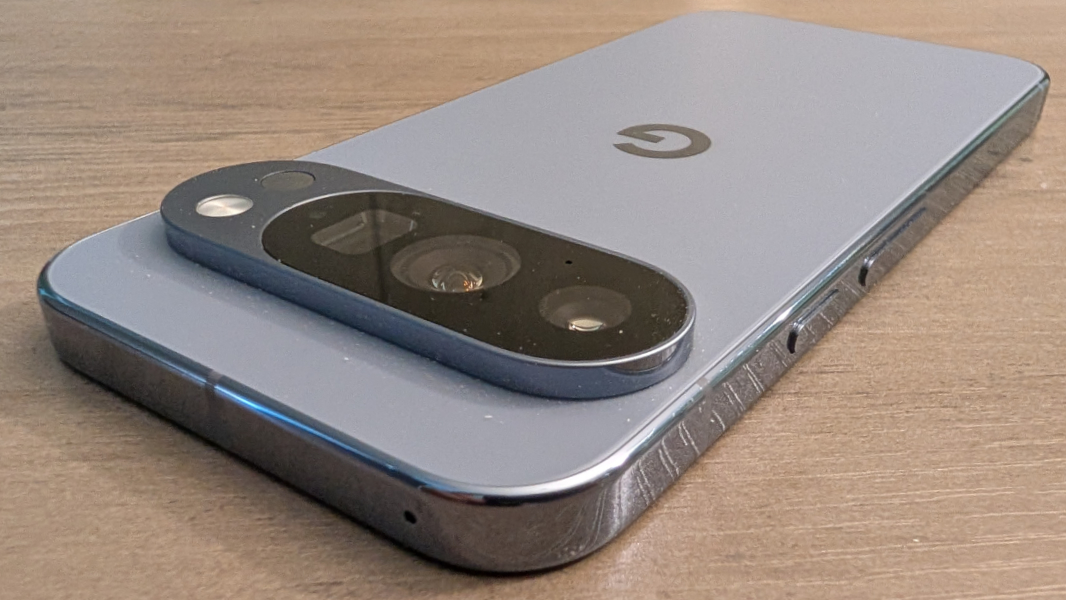
The camera bar on the Pixel 10 Pro, as with other modern Pixels, also lets the phone sit evenly on a table or other surface, without the wobble we somehow still get in most Apple and Samsung flagships. So that’s a nice usability win tied to a visual differentiator.
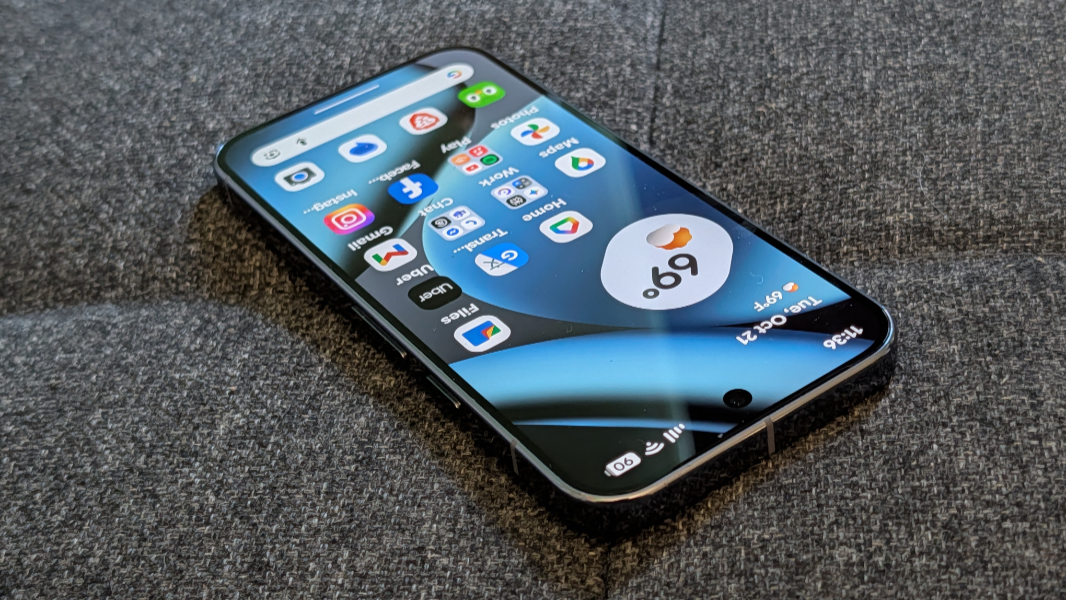
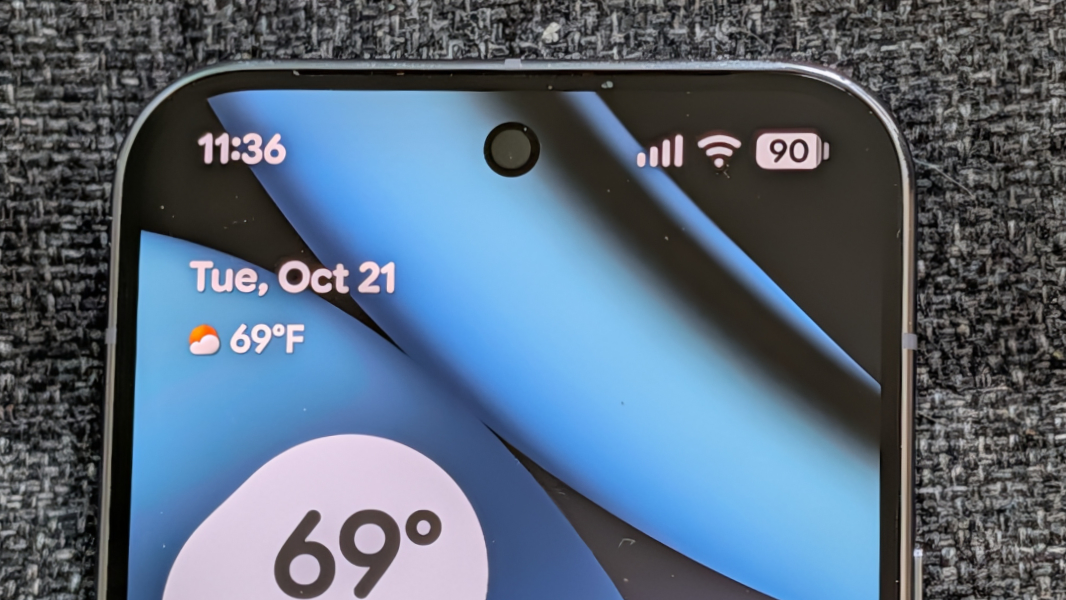
Less successful, perhaps, are the screen bezels and selfie camera. In the latter case, I like its position in the center top of the display. But the bezels and selfie camera pin-hole are seems bigger than they should be. This might be tied to the smaller display: Looking at my larger (2024) iPhone 16 Pro Max, its bezels appear to be about the same size. The Pixel 10 Pro bezels are at least uniform all the way around the screen.
Display
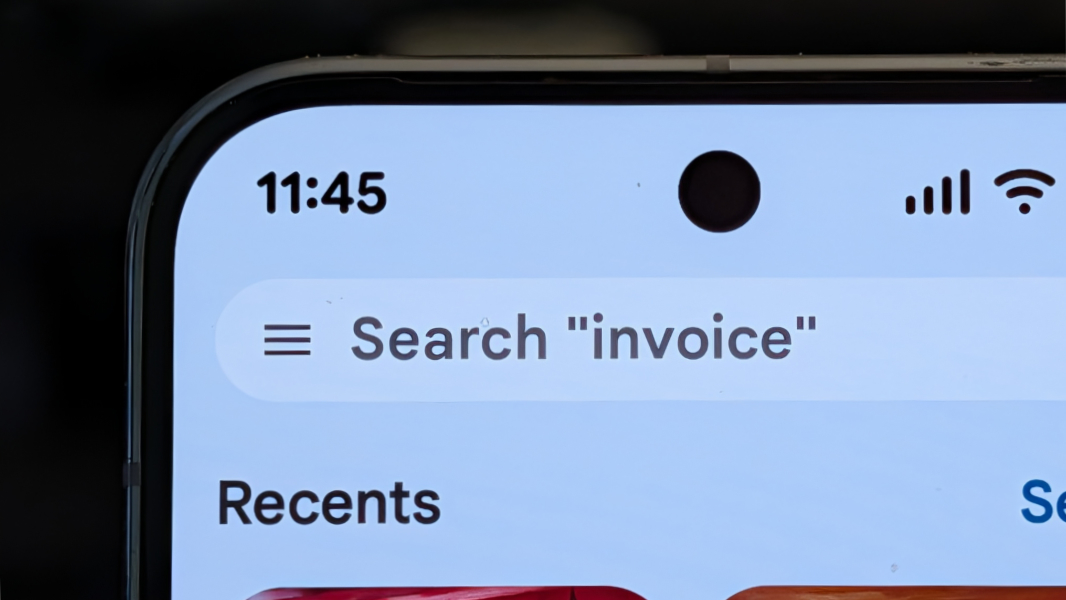
The Pixel 10 Pro provides users with the same Super Actua-branded LTPO OLED display panel that Google uses in the larger Pixel 10 Pro XL, and it is absolutely terrific. On the Pixel 10 Pro, it’s 6.3 inches on the diagonal, with a native resolution of 1280 x 2856, a 20:9 aspect ratio, and a 1-120 Hz variable refresh rate (VRR).
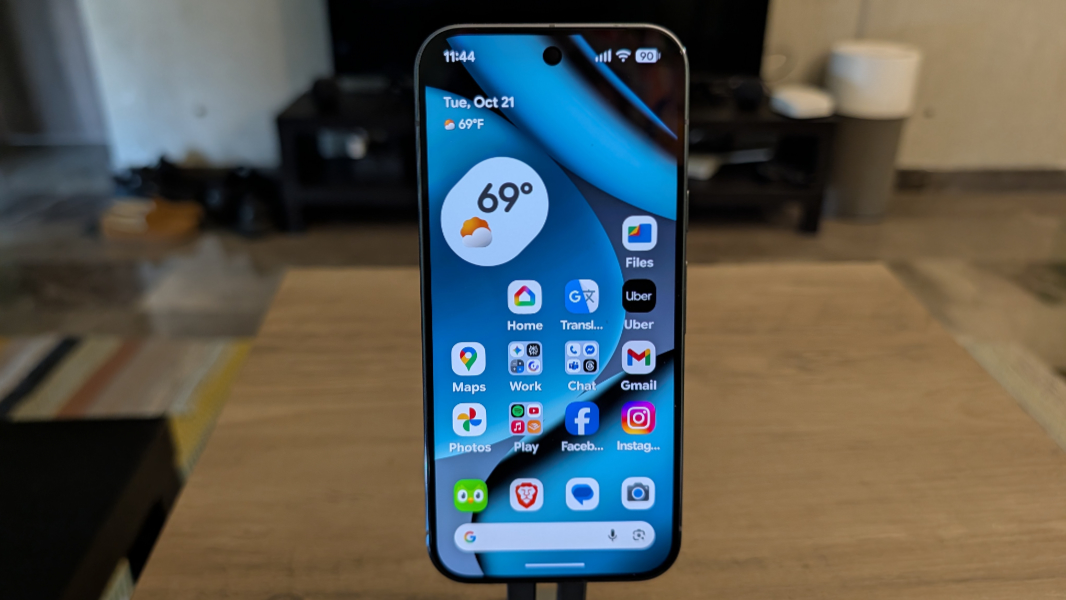
The display is the same size as that on the Pixel 10, of course, but it is a higher resolution, has superior VRR functionality, and is brighter, with a peak brightness of 3300 nits. Google configures it to run at a lower 1080 x 2410 resolution by default, the same as the native resolution on the Pixel 10, presumably because it saves a bit of battery life. I generally leave this setting alone, but as I was writing this review, I noticed that I had apparently configured the Pixel 10 Pro to run at its native resolution at some point.
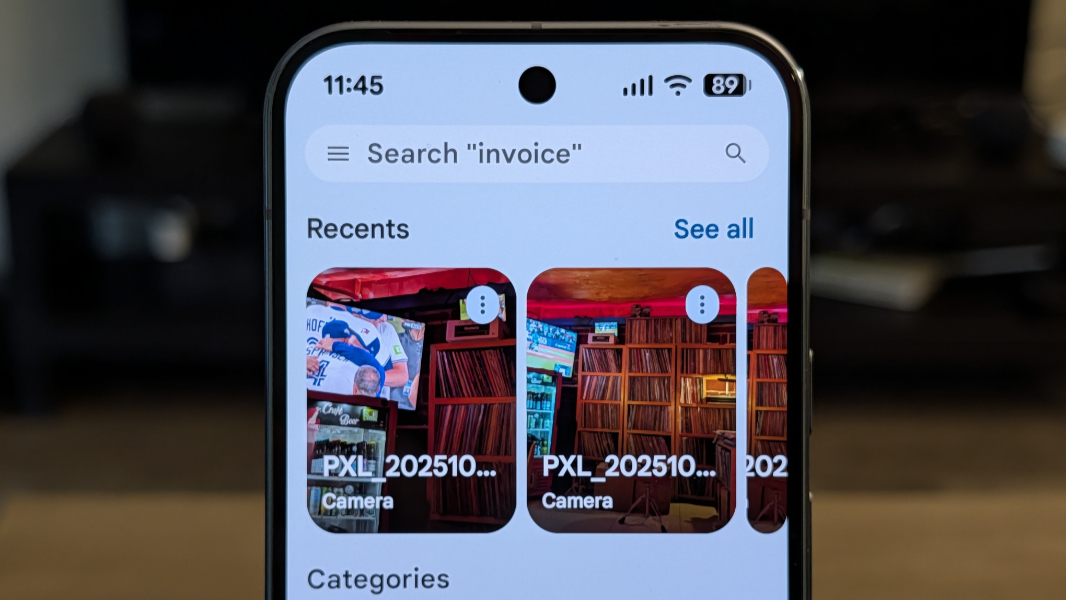
Here in Mexico, the sun is often direct and harsh, and the brighter Pixel 10 Pro display makes a difference. I never had trouble seeing it outside here, beyond the effect caused by my sunglasses.
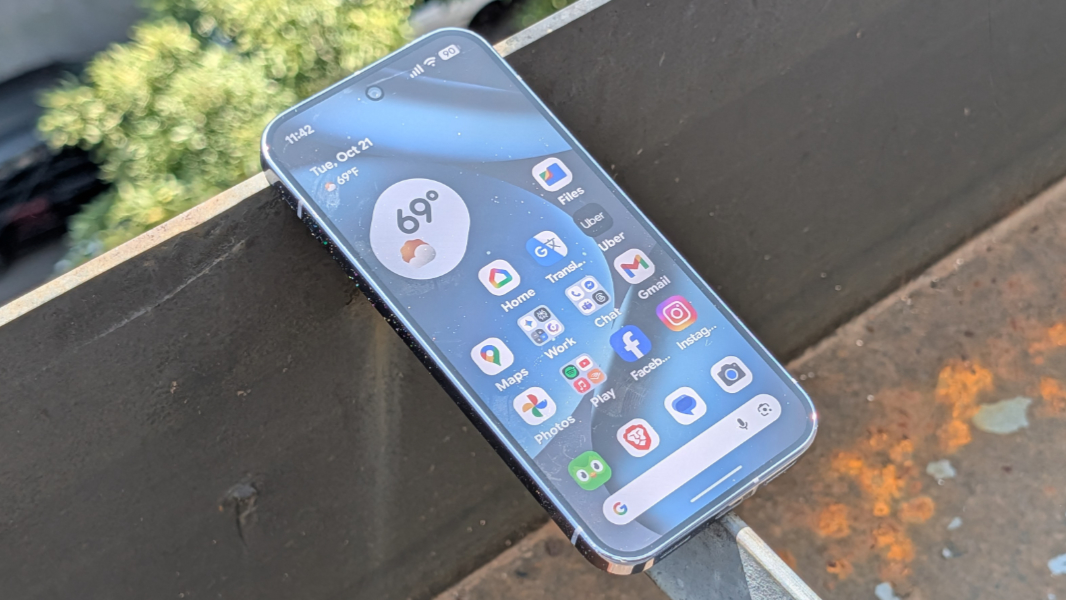
And as with the Pixel 10 Pro XL and Pixel 10, adaptive brightness always worked well.
Hardware and specs
Google keeps things consistent on the hardware front, so the Pixel 10 Pro gets the same internal specifications as its big brother. This includes the same 3 nm Google Tensor G5 and 16 GB of RAM (compared to 12 GB on the non-Pro Pixel 10) and a needlessly confusing range of storage choices that requires some explanation.
There are four storage size choices, 128 GB, 256 GB, 512 GB, and 1 TB. But there are also three storage speeds, which is bizarre. The 128 GB storage option is limited to previous generation UFS 3.1 storage, the 256 GB configuration gets faster UFS 4.0 storage, and the 512 GB and 1 TB options provide more efficient Zoned UFS 4.0 storage. (By comparison, the non-Pro Pixel 10 is limited to the first two and slower storage options.)
So that’s odd, but because the review model came with the smallest and slowest 128 GB storage option, I can’t provide a real-world comparison of the differences. Here’s what I do know: 128 GB isn’t enough for all but the most casual of users in 2025. No “Pro” phone should ship with a slower storage option. And if you care about photography at all, and Pixel users typically do, then you need to upgrade the storage at purchase time. 256 GB is the new minimum.
Storage quibbles aside, the Pixel 10 Pro performs similarly if not identically to the Pixel 10 Pro XL, which is obvious enough. But if there are meaningful real-world differences between any of the Pixel 10 series phones, I never detected them over the past two months.
And despite all the handwringing over benchmark tests, the Pixel 10 Pro performs well day-to-day, and it never got hot or exhibited any troubling hiccups, pauses, or glitches. Certain operations, like camera shots that use heavy AI processing, take a few seconds to complete, but this is never an issue.
Connectivity
Like the other Pixel 10 series phones, the Pixel 10 Pro delivers full 5G cellular capabilities worldwide, and that includes 5G mmWave and Sub-6 Hz if your carrier supports it. There’s also Wi-Fi 7 and Bluetooth 6, compared to Wi-Fi 6E and Bluetooth 5.4 in the non-Pro Pixel 10. And Ultra-Wideband (UWB) and Thread support, both not available in the base Pixel 10, which are becoming increasingly useful for smart home and device-to-device discovery and connectivity.
U.S.-based Pixel 10 Pro models like the one I am reviewing come with only eSIM capabilities, though there are more traditional nano-SIM/eSIM configurations in other markets. This hasn’t proven to be an issue in real-world use, thanks to the proliferation of eSIMs worldwide. You can have two eSIMs configured side-by-side, and can store several others on-device if you need to swap networks from time-to-time.
One note on connectivity. Until this current trip to Mexico, I had always had issues with Google Fi-based cellular connectivity here because Fi uses Movistar locally, and the signal is terrible in our neighborhood. This usually drove me to get a third-party data eSIM, which had worked well until fairly recently, when Airalo inexplicably switched from Telcel to Movistar, ruining that option for me. But since I switched over to the Pixel 10 Pro here in Mexico, my Fi/Movistar-based connectivity has been stellar. I can’t explain that, all I can do is tell you how happy this makes me. Cellular connectivity here is usually quite frustrating.
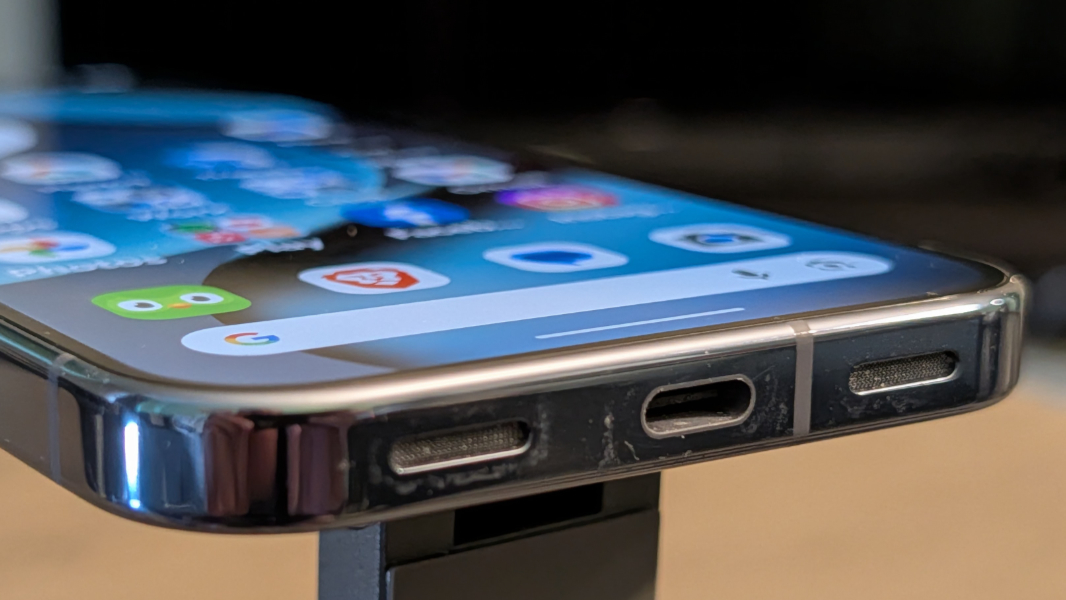
The USB port on the bottom of the Pixel 10 Pro is a USB 3.2 Type-C connection that provides 10 Gbps of data transfer speed, which is mostly important for photographers and requires a compatible cable. The cable Google provides in the box is just USB 2.0.
Audio-video
As with previous generation Pixel Pro models, the Pixel 10 Pro offers stereo sound with one speaker in the bottom of the phone and the earpiece at the top of the screen doubling as the other speaker. This year, Google vaguely said that it upgraded this setup without really explaining what it had done. With the Pixel 10 Pro XL, I had detected a correction to the obvious bias toward the bottom (right, in landscape mode) speaker. But I don’t hear that on the Pixel 10 Pro—it’s still heavily tilted towards the “real” speaker in the bottom of the phone—and in testing the Pixel 10 Pro XL with it side-by-side, now I’m not so sure about the XL either.
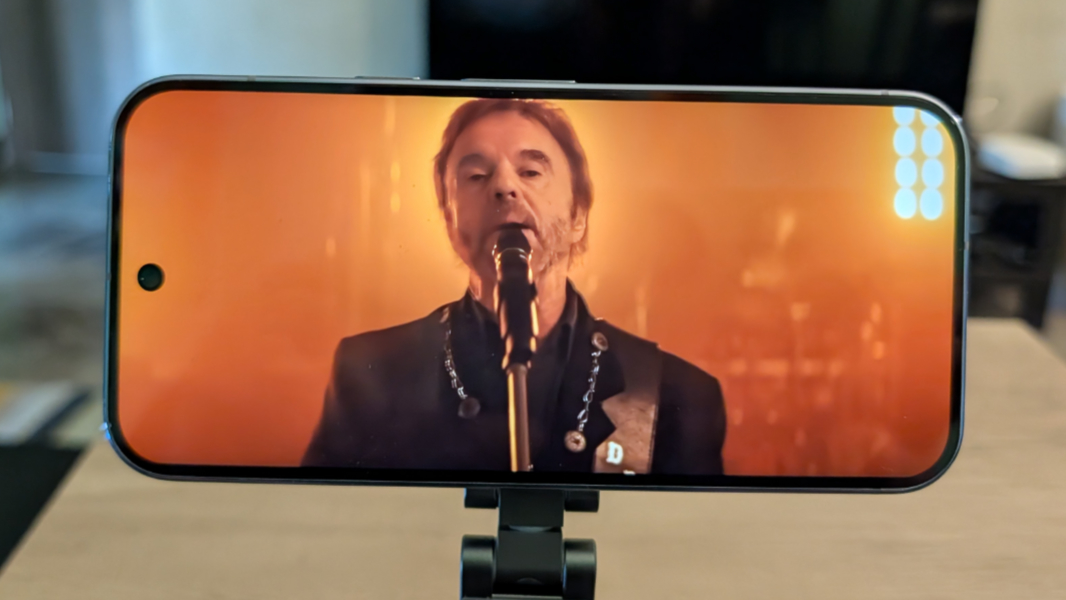
Which is not a big deal, honestly. Like most, I use earbuds when I’m actively listening to most content. And in those rare instances in which I may want or need to listen directly on the phone, it’s usually propped up in portrait orientation, where the stereo effect isn’t as important anyway.
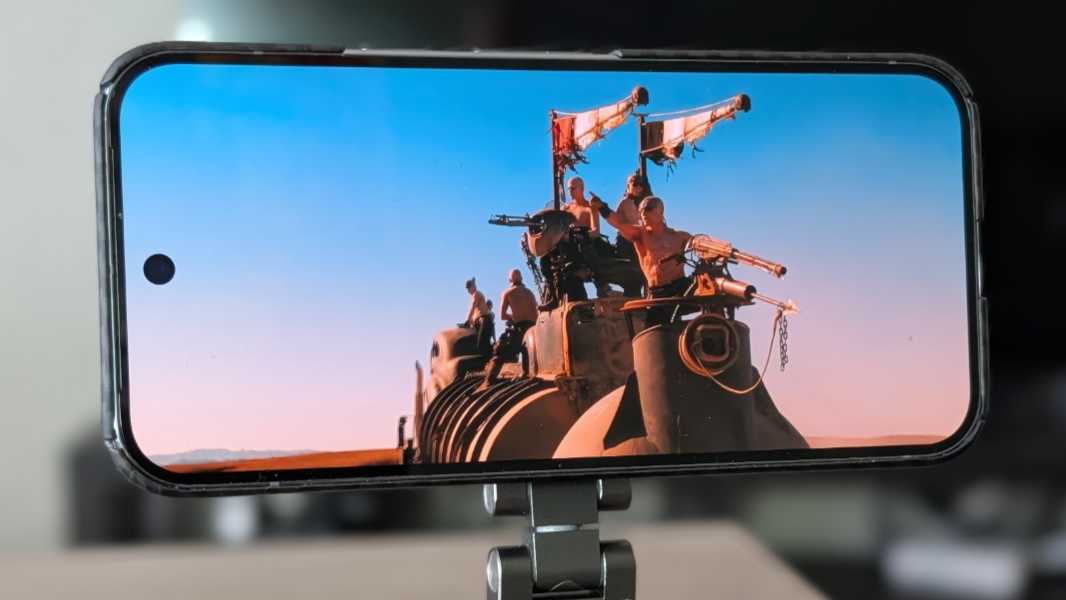
I will say this: The speakers get quite loud and without any distortion at full volume. This is particularly impressive given the small chassis, as I was expecting a bit of rattle. But it was rock solid.
The Pixel 10 Pro supports spatial audio, but only with compatible earbuds like the Pixel Buds Pro 2, which also support a head tracking feature I go back and forth on.
Cameras
The Pixel 10 Pro shares its Pro camera system, with three rear cameras and high-resolution sensors front and back, with the Pixel 10 Pro XL. It’s a nice step up from the camera system on the Pixel 10, though the improvements will appeal mostly to those who want the advanced functionality provided by the Pro controls in the camera app, improved zoom, or the higher resolution camera sensors.
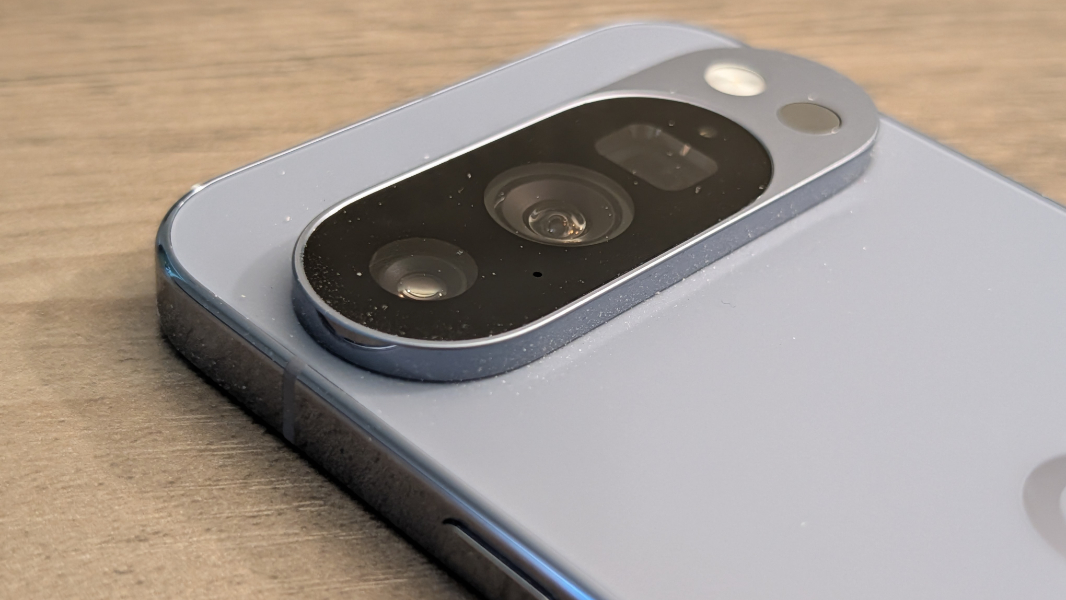
The 50 MP main (wide) rear lens is a 25 mm equivalent with an f/1.7 aperture, an 82-degree field of view (FOV), and dual-pixel phase detection (PDAF), optical image stabilization (OIS), and electronic image stabilization (EIS) capabilities, the latter two of which were improved over the otherwise identical main lens in the Pixel 9 Pro series phones.

The 48 MP ultrawide lens is a 13 mm equivalent with an f/1.7 aperture, a 123-degree FOV, and dual pixel PDAF and autofocus capabilities. Edge distortion is always an issue with ultrawide shots, but that effect is about as minimal as it can be here. It’s a marked and obvious improvement over the ultrawide lens on my iPhone 16 Pro Max.

The 48 MP periscope telephoto lens is a 113 mm equivalent with an f2.8 aperture, a 22-degree FOV, and dual pixel PDAF and OIS capabilities. It’s still stuck at 5x optical zoom, but the advent of Pro Res Zoom mixes things up, and for the better, for long-distance hybrid zoom shots. Now, the Pixel 10 Pro uses the machine learning (ML)-based Super Res Zoom up to 29x zoom and then switches to the generative AI-based Pro Res Zoom for 30x to 100x zoom. As always, the results can be mixed depending on what’s in the frame, but Pro Res Zoom is surprisingly good most of the time.

You can learn more about this new zoom capability in Paul’s Pixel 10 Diaries: Camera Deep Dive (Premium), but I am quite satisfied with the results I’m getting over time, even when the Pixel 10 Pro (or XL) is hand-held and I’m shooting at big zoom levels. Obviously, a tripod or other stand is always best, but the Pixel Pros do an impressive job of minimizing the impact of hand shake.

The front-facing 42 MP selfie camera is a 17 mm equivalent lens with an f/2.2 aperture, a wide (or even ultrawide) 103-degree FOV, and PDAF capabilities. It has 0.7x and 1x zoom toggles for framing purposes and works as expected.

This remains my favorite smartphone camera system as it consistently generates excellent shots in any conditions and never needs to be babysat, as is the case with any iPhone. The camera capabilities are the same as with the Pixel 10 Pro XL—things like Camera Coach, Pro Res Zoom (as noted), Auto Best Take, 5x optical zoom in panoramas, and so on—so I won’t linger too much on repeating that information here. And my video experiments continue and will result in a future write-up in that Paul’s Pixel 10 Diaries series.

I’ve stuck mostly to Full HD (1080p) video at 30 FPS, but the Pro phones support up to 4K video at 24, 30, and 60 FPS and, with a bit of AI trickery, a sort of 8K video mode at 30 FPS.

If you do care about photography and care about or use some of the phone’s more advanced shooting modes, the 128 GB found in the base Pixel 10 Pro will quickly become a problem. You can enable storage-sapping options like full resolution (48 to 50 MP) shots, RAW image output, or even JPEG + RAW, but you’ll need more space, probably a lot more, and that will bump up the purchase price dramatically. Even 256 GB is likely too little for this use case.

Note: I added several more photos at the end of the review. –Paul
Security
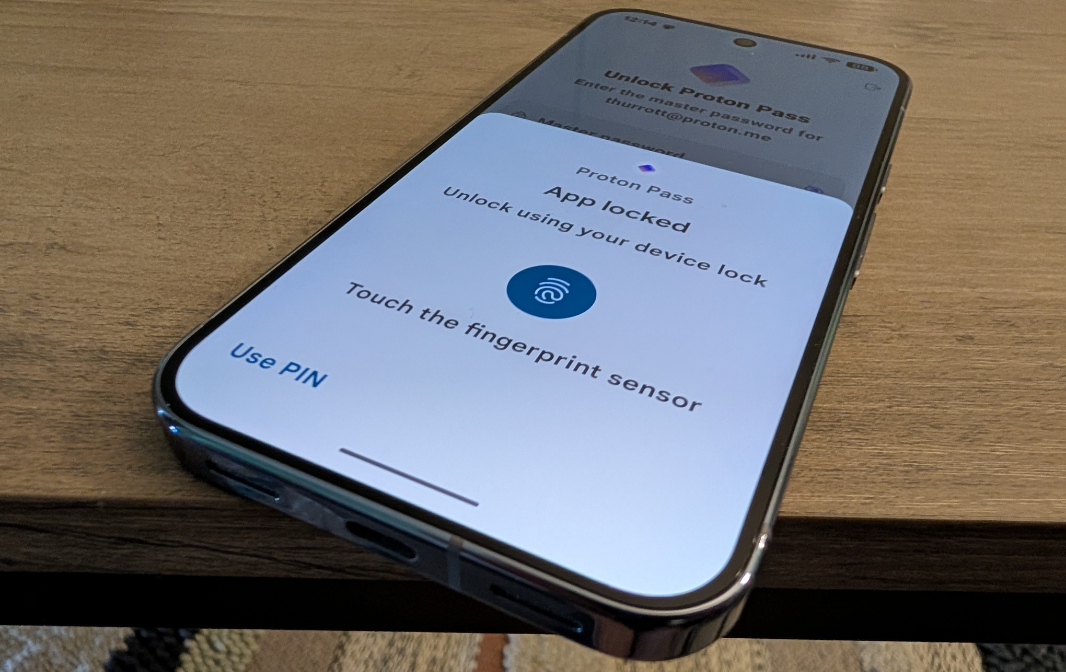
The Pixel 10 Pro (like the XL) offers Face Unlock and an ultrasonic under-display fingerprint reader, and both work reasonably well. There is this little game I play every time I pick up the phone where I try to guess which method, including my Pixel Watch 3, will unlock the phone. It usually happens pretty quickly, but I do find that Face ID on the iPhone is more reliable and quicker. The number of times I have to fall back to the fingerprint reader—as when I access Wallet or Proton Pass–is minimal, at least.
Under the covers, the Pixel 10 Pro delivers the same Titan M2 security processor as other Pixels. You also get Google VPN for free as a Pixel customer, which I suppose can be useful, though I have never needed it. And the Pixel 10 Pro is supported for a full 7 years of annual OS upgrades, quarterly Pixel Feature Drops, and monthly Android security updates. That’s the best support policy in the smartphone market.
Battery
The Pixel 10 Pro has a 4870 mAh battery that offers a bit less capacity than the 4970 mAh battery in the non-Pro Pixel 10. I assume this is tied to some additional hardware in the Pro, like its larger camera sensors, but I never noticed a difference in day-to-day battery life. (As noted above, I also configured the Pixel 10 Pro to use its higher, native resolution at some point with a similar uneventful change in day-to-day battery life.)
Pixel battery life has always been middle of the road during the Tensor era, and that remains true here. My wife consistently gets more longevity out of her Samsung Galaxy S24 Ultra, just as I did this past year with an iPhone 16 Pro Max. But the Pixel 10 Pro was fine on most days, with heavier usage out in the world predictably requiring a top-up by early afternoon.
Fortunately, that’s where the Pixel 10 Pro really shines: You can charge the phone to over 50 percent in less than 30 minutes thanks to its 45-watt wired charging capabilities, assuming you have a compatible charger. (One doesn’t come in the box, as is usual these days across all major smartphone makers.)
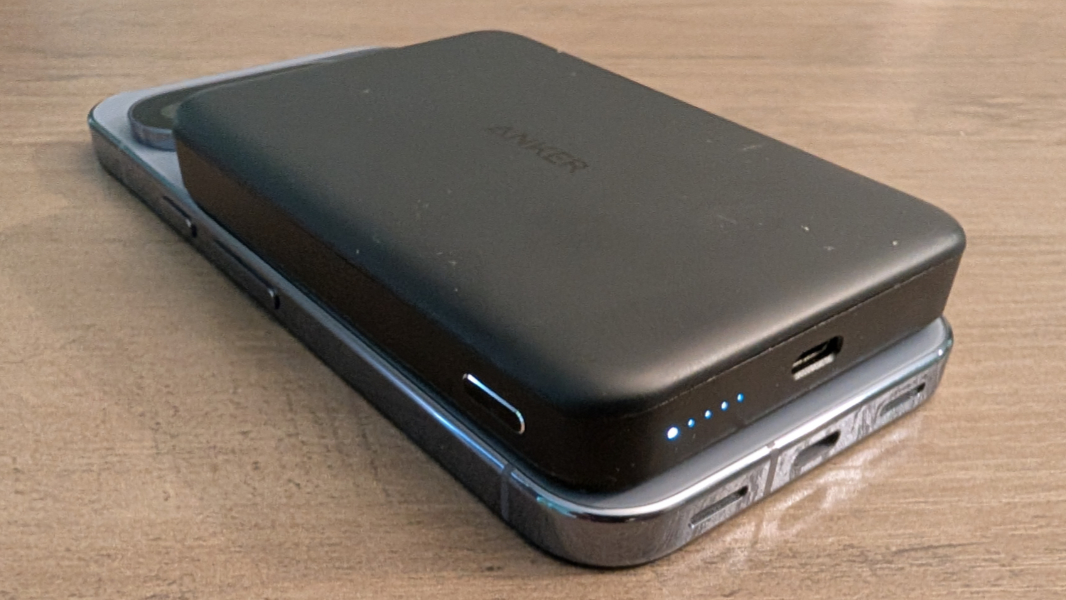
As good, you can wirelessly charge the Pixel 10 Pro at up to 25 watts via a Qi 2.2/Pixelsnap-compatible charger or battery. And that’s something I’ve used extensively, though not at the full 25 watts of charging power. We routinely carry a portable MagSafe (Qi 2) battery with us when we’re going to be out in the world for a long time, and it’s been a lifesaver.
By comparison, the non-Pro Pixel supports 30-watt/15-watt wired/wireless Qi2 charging, which is fine. But the faster charging found on the Pixel 10 Pro (and XL) is a big deal.
Unique hardware features
Pixelsnap—Google’s brand name for Qi 2.2 wireless charging and magnetic connectivity with accessories—is a game changer for the Pixel 10 Pro and its users. This allows you to use any (Apple) MagSafe or Qi-compatible peripheral, and there is a huge ecosystem of these devices out there, ranging from nightstand charging docks to tripods, portable batteries, ring stands, and a lot more. Sweetening the deal, this also gives you faster 30-watt wireless charging with Qi 2.2-compatible batteries and charging mats as noted above, a huge improvement.
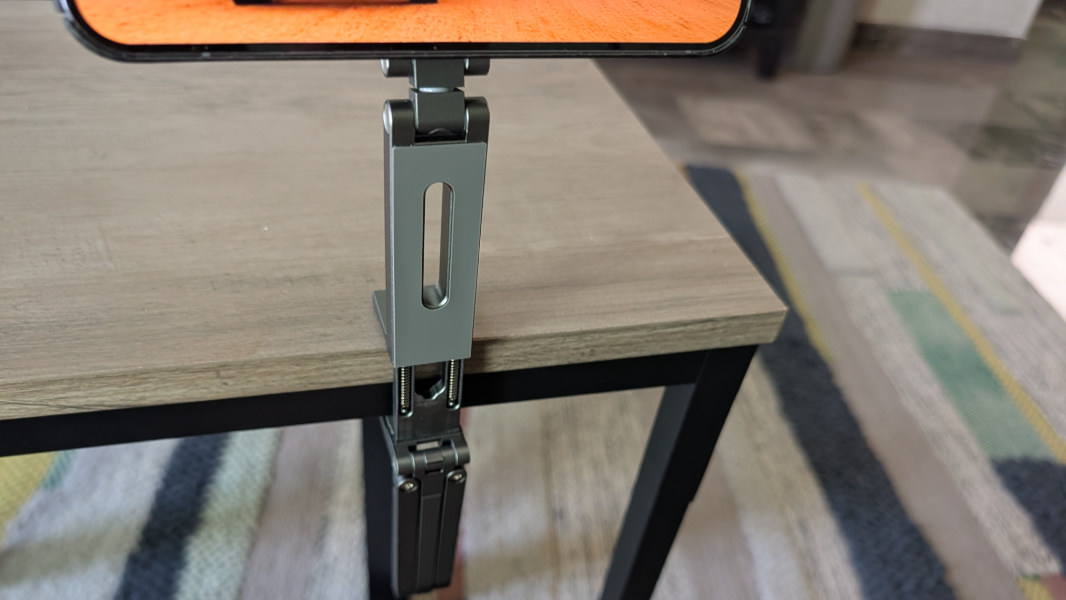
The Pixel 10 Pro is also rated with IP68 dust and water resistance, so it’s immersible up to 3 feet for up to 30 minutes. I did not test that, of course. But it has rained a lot in Mexico City this year—meaning, historically the most it’s ever rained in the modern era—and I never worry about using or just holding the phone in the rain. My wife’s Galaxy S25 Ultra has not worked so well, and she’s twice been warned that water in the USB port was preventing it from charging.

Software
The Pixel 10 Pro shipped with Android 16 and Quarterly Platform Release 1 (QPR1) when it first arrived in late August and Google is prepping a QPR2 release for early December that will bring many UI and usability improvements. After using the Pixel 10 Pro in its initial configuration for a few weeks, I put it on the QPR2 beta, though that doesn’t really impact this review.
For those unfamiliar with Google’s somewhat confusing months-long roll out of Android 16 features, the initial release arrived this past summer, ahead of the Pixel 10 series phones. Those phones, including the Pixel 10 Pro, shipped with QPR1, as noted, which provides the new Material Expressive 3 design throughout the system and across a growing list of in-box, Google, and third party apps, plus a few other features. And QPR2 will deliver further UI enhancements and additional features.
But the Pixel 10 Pro, like its siblings, is stocked to the gills with useful and unique features, many AI-based, and it delivers an additional perk you don’t get on the base Pixel 10: A full year of Google AI Pro for free, which provides 2 TB of Google Drive cloud storage and dramatically higher limits for a growing set of Gemini generative AI capabilities that seems to improve almost daily.
As with the photographic capabilities, I won’t describe everything going on here—you can check out my Pixel 10 Pro XL review and Pixel 10 review for more information—but I would like to highlight a few things that have been clearer with time. So in addition to the obvious—Gemini Live with camera and screen sharing, Live effects and new always-on capabilities on the Lock screen, Pixel Journal, Pixel Screenshots, Pixel Studio, the many Gboard improvements, Recorder’s weird new music capabilities, the smart display-like Screen saver feature I love, and so on—there are still a few things worth discussing.
The first is Magic Cue, a Recall-like marquee feature in the making that has only disappointed. Not because it doesn’t work, but because it so rarely appears. I figured this would improve dramatically over time, but I still find myself inventing contorted excuses to see whether I can trigger a Magic Cue appearance like some strange game of Whack-a-Mole. If you think about my article AI is the End of Apps ⭐, Magic Cue is an example of how this transition can happen. Or it would be, if it ever does happen.
Much more successful and immediately useful is a feature I used to think of as Google Lens, mostly because that’s how or where I would use this in the past. But now with Gemini Live, this is much improved. You can be out in the world, see something you want to know more about, and just point the camera at it and then press the on-screen navigation bar at the bottom of the display to invoke Gemini Live. When you do, you can then point it at whatever you see in the viewfinder and Gemini will tell you what it is. You can do this with photos or anything else on-screen as well.
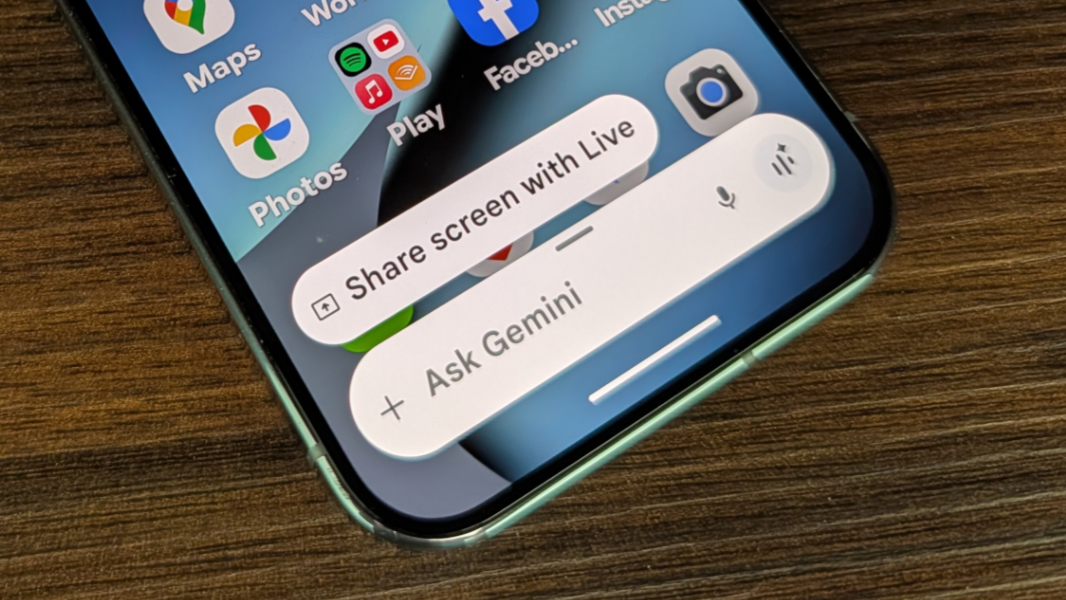
It’s impossible to overstate how useful this is and how often I’ve used it successfully to find out what something is when other means of doing so, like Google Maps, have failed. For example, we were walking home from lunch yesterday and I saw an unfamiliar Volkswagen car, and Gemini told me it was a Brazil-built model not sold in the United States. Likewise, when I was updating our Eternal Spring book, Google Maps repeatedly came up lame when I tried to find out more about specific places. But when I pointed Gemini Live at my photos of those things, it immediately gave me exactly what I wanted to know.

Yes, similar capabilities exist on other phones, and even Apple’s sad AI initiatives provide reasonable Visual Intelligence functionality like this. But the Gemini stuff is next level. It’s really impressive.
Voice Translate is one feature I keep meaning to use here in Mexico that has never presented itself, at least not yet. This works on-device with the Gemini Nano AI model and requires a 2.5 GB download, but once you’re set up, you can use it to instantly translate incoming audio (like the other person in a phone call) and, even more impressively, have it translate what you say, using your voice, no less, in return. I am surprised this hasn’t come up yet, but I will report back when it does.
Pricing and availability
The Pixel 10 Pro starts at $999 for models with 128 GB of storage, but I strongly recommend moving up to at least 256 GB of storage, which costs $1099. 512 GB and 1 TB models are also available for $1219 and $1449, respectively. If you take a lot of photos and videos, especially at higher resolutions, more storage is a given.
Oddly, some of those storage choices are dependent on the color you choose. The Pixel 10 Pro is available in the same colors as its bigger XL sibling, meaning Moonstone (a dark blue-gray), Jade (a light yellow-green), Porcelain (a light beige), and Obsidian (black). But Jade is only available in a single 256 GB configuration and 1 TB storage is only available if you choose Obsidian.
To be clear, these prices are far too expensive, but Google and other retailers routinely hold sales for Pixel phones, and a previous-generation Pixel trade-in could help soften the blow. If you’re a Google Fi subscriber, that carrier will sell you a new Pixel discounted as well, with the Pixel 10 Pro starting at $300 as I write this. Black Friday is coming.
The question here, of course, is whether the Pixel 10 Pro justifies its $300 premium over the non-Pro Pixel 10. In some ways, that is up to the individual, but the display, RAM, camera system, and wired and wireless charging advantages of the Pixel 10 Pro are meaningful upgrades, as are some of the related camera features that are unique to the Pro series. And the addition of Google AI Pro for one year for free, a $240 value, may sweeten the deal, as this is not available to those who buy the Pixel 10.
The Pixel 10 remains an incredible value. But the hardware and software advantages of the Pixel 10 Pro are impossible to deny.
Recommendations and conclusions
The Pixel 10 Pro delivers everything that makes the Pixel 10 Pro XL so special, but in a smaller package. I do prefer the bigger Pixel 10 Pro XL display, but that comes down mostly to age and vision, and I appreciate that the Pixel 10 Pro is more easily carried and used with a single hand.
Beyond the display, it’s all there. You get the same superior camera system with four high-resolution sensors, the high-end Pixelsnap (Qi 2.2/MagSafe) compatibility and high-speed charging, the full range of helpful Pixel software features across the system, and the premium build quality and design. The Pixel 10 Pro is a bit expensive when not on sale, especially at the higher storage capacities, and some of the storage configuration limitations may trip you up if you were hoping to get your favorite color. But in pricing the Pixel 10 Pro identically to the iPhone 17 Pro, perhaps Google is flexing a bit. It does appear to match up nicely against the best Apple has to offer.
The Pixel 10 Pro is highly recommended, as it waiting for a sale.
At-a-glance
Pros
✔️ Superior camera system with four high resolution lenses
✔️ Pixelsnap/Qi 2.2 opens up a new world of compatible accessories
✔️ Truly fast charging over a wire and wirelessly
✔️ Gemini AI and Pixel software goodness everywhere
✔️ Premium design and build quality
✔️ Material Expressive 3 is terrific, not controversial like Liquid Glass
Cons
❌ Confusing storage choices
❌ Expensive when not on sale
More Pixel 10 Pro photos